
One of Python's best features is its flexibility, and adding optional parameters to functions makes your code more reusable and easier to maintain. Whether you are building an API client, a data pipeline, or a small utility, optional arguments let one function cover many cases without extra boilerplate. Python sits at number one on the TIOBE index through 2025 and remains one of the most-used languages in the Stack Overflow 2025 Developer Survey, so getting these basics right pays off across a lot of code.
In this guide we will cover what optional arguments are, why they are useful, and how to use them well. We will also go over keyword-only and positional-only parameters, type hints, the most common pitfalls, and the best practices that separate clean function signatures from messy ones. Let's dive in.
Join the Index.dev talent network to work on high-paying Python projects in the US, UK, and EU. Index.dev connects the top 1% of senior engineers from a pool of 2.5 million professionals, matched to teams in 48 hours.
5 Key Takeaways
- Optional arguments have a default value. In
def greet(name, greeting="Hello"),greetingis optional. Callers can omit it and Python uses the default. - Never use a mutable default. A list, dict, or set default is created once and shared across every call, so state leaks between calls. Use
Noneas a sentinel and build the object inside the body. - Use the
*and/markers (from PEP 570, available since Python 3.8) to force keyword-only or positional-only arguments and keep calls readable. - Add type hints. Annotate defaults like
greeting: str = "Hello"orcount: int | None = None, using theX | Nonesyntax from Python 3.10 and later. - Keep signatures short. More than three or four optional arguments is usually a sign you should pass a dataclass or a config object instead.
What Are Function Arguments in Python?
Before we go into optional arguments, let's define what function arguments are. In Python, a function can accept input values known as arguments or parameters. There are two basic kinds. You can read the official reference in the Python tutorial on defining functions.
1. Positional Arguments: These are passed in order. The position in which you pass them matters.
def add(a, b):
    return a + b

result = add(2, 3)  # Output will be 5
2. Keyword Arguments: Here you assign a value by naming the argument. The order does not matter.
def add(a, b):
    return a + b

result = add(b=3, a=2)  # Output will still be 5
These two types can be combined, which makes the function call more flexible.
Understanding Optional Arguments
Optional arguments are those that have a default value. If the caller does not pass a value, Python uses the default. The = symbol in the function signature sets that default.
Syntax of Optional Arguments
Let's see a simple example:
def greet(name, greeting="Hello"):
    return f"{greeting}, {name}!"

print(greet("Alice"))         # Output: "Hello, Alice!"
print(greet("Bob", "Hi"))     # Output: "Hi, Bob!"
Here greeting is an optional argument with a default value of "Hello". If you do not provide a second argument, Python uses "Hello" automatically.
Keyword-Only and Positional-Only Arguments
Most tutorials stop at default values, but two markers give you far more control over how a function is called. They are easy to miss because they are punctuation, not keywords.
A bare * in the signature makes every argument after it keyword-only. This forces callers to name the argument, which prevents silent mistakes when you have several optional flags:
def connect(host, *, timeout=30, retries=3):
    ...

connect("db.local", timeout=10)   # OK, named
connect("db.local", 10)            # TypeError: too many positional args
A / marker makes every argument before it positional-only, so callers cannot pass it by name. This was standardized in PEP 570 and has been available since Python 3.8. It is how many built-in functions behave:
def power(base, exponent, /):
    return base ** exponent

power(2, 3)                # OK
power(base=2, exponent=3)  # TypeError: positional-only
The practical rule for 2026: make optional flags keyword-only. A call like render(page, draft=True) reads clearly, while render(page, True) hides what the True means.
Why Use Optional Arguments?
Flexibility
You do not need to pass every argument on every call. This makes functions easier to work with when only some inputs change.
Code Simplification
By using default values, you simplify your function calls, especially when the defaults cover the common cases.
Benefits of Using Optional Arguments
Optional arguments bring several benefits to your Python code:
1. Code Flexibility
Optional arguments make a function more flexible. You can pass fewer arguments and Python still runs the function using the defaults. For example:
def log_message(message, log_level="INFO"):
    print(f"{log_level}: {message}")

log_message("System is running")          # Output: "INFO: System is running"
log_message("Error occurred", "ERROR")    # Output: "ERROR: Error occurred"
2. Less Code Duplication
You can use a single function with optional arguments instead of writing several versions of the same function with different parameter sets. That means less repeated code and fewer places to fix a bug.
3. Readability
Optional arguments provide meaningful defaults, which makes function calls easier to understand for other developers.
Explore More: What Is Multiprocessing in Python
Common Pitfalls with Optional Arguments
While optional arguments are great, there are some common mistakes developers make. The biggest pitfall is using mutable default arguments.
Mutable Default Arguments Problem
Say you want a function that adds an item to a list. You might write this:
def add_item(item, items=[]):
    items.append(item)
    return items
There is an issue. If you use a mutable default such as a list, Python creates it only once, not each time the function runs. So the same list is shared across calls:
print(add_item("apple"))   # Output: ['apple']
print(add_item("banana"))  # Output: ['apple', 'banana']  (probably not what you wanted)
Solution to Mutable Default Argument
The fix is to use None as the default and create a new list inside the function:
def add_item(item, items=None):
    if items is None:
        items = []
    items.append(item)
    return items

print(add_item("apple"))   # Output: ['apple']
print(add_item("banana"))  # Output: ['banana']
By checking whether items is None, you create a fresh list every time the function is called. That avoids the shared-state problem.
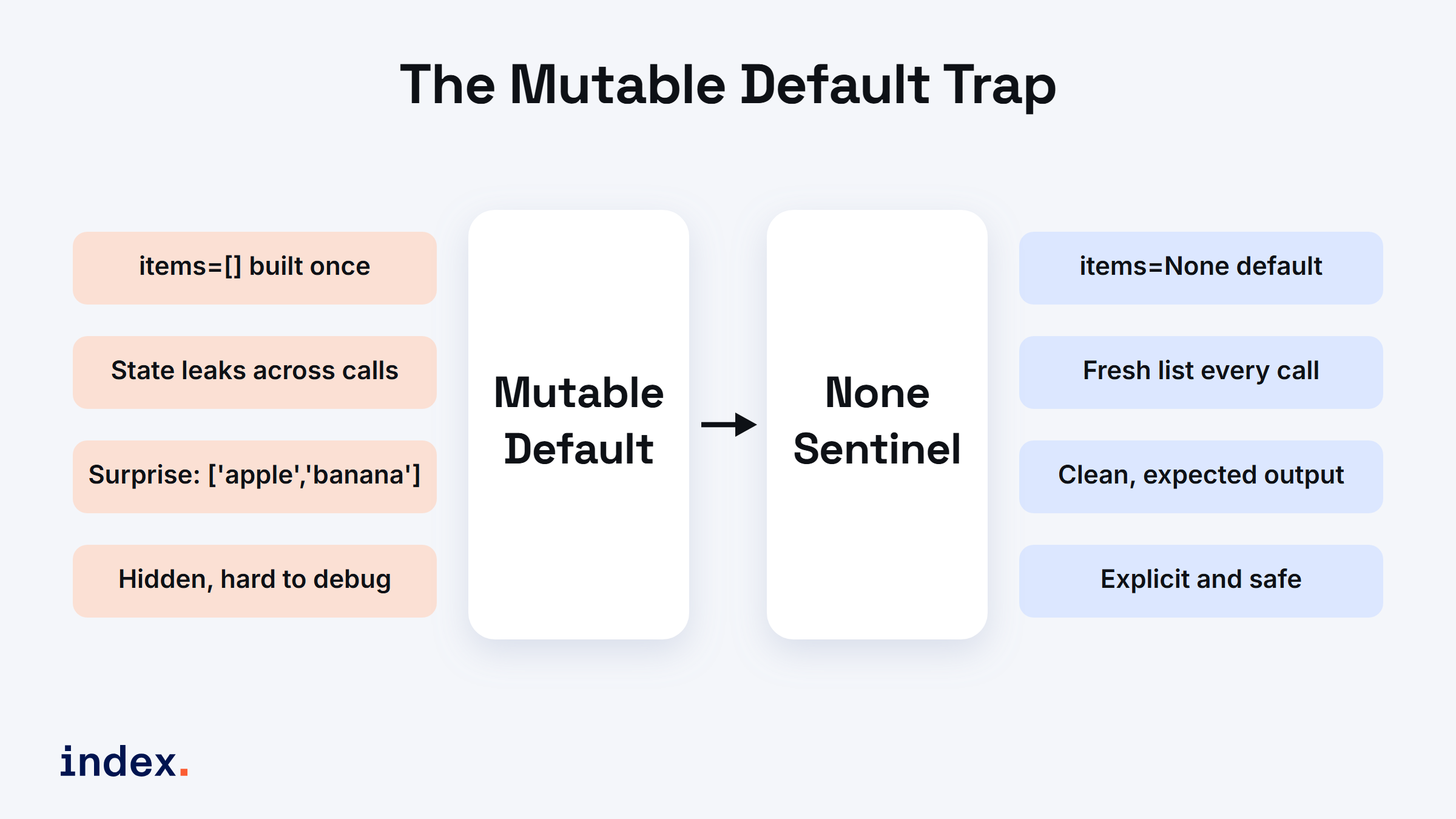
The mutable default trap: a shared list leaks state across calls, while a None sentinel builds a fresh list every time
How to Choose a Default Value Pattern
Once you know the mutable-default trap, the next question is which default pattern to reach for. The decision is short.
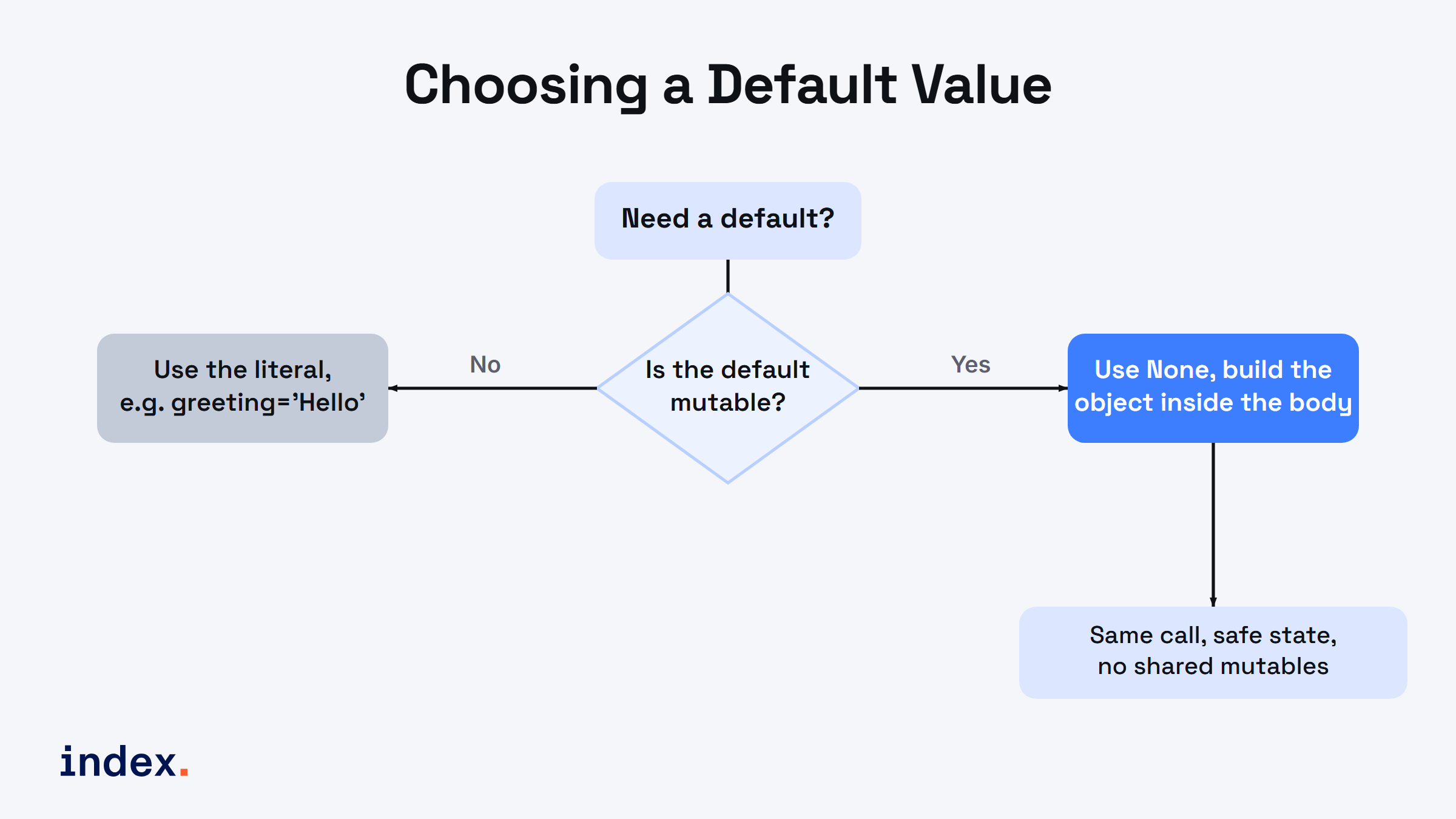
Choosing a default value: if the default is mutable use None and build it inside the body, otherwise use the literal
Here is the same logic as a table you can keep next to your editor:
| Default type | Pattern to use | Example |
|---|---|---|
| Immutable (number, string, bool, tuple, None) | Use the literal directly | greeting="Hello", retries=3 |
| Mutable (list, dict, set) | Default to None, build inside the body | items=None then if items is None: items = [] |
| Mutable on a dataclass field | field(default_factory=...) | tags: list = field(default_factory=list) |
| "Was anything passed?" needs detecting | A private sentinel object | _MISSING = object() then if value is _MISSING: |
The dataclass pattern is worth knowing because dataclasses raise an error if you try to use a plain mutable default, which nudges you toward the safe approach. The dataclasses documentation covers default_factory in detail:
from dataclasses import dataclass, field

@dataclass
class Cart:
    items: list = field(default_factory=list)

a, b = Cart(), Cart()
a.items.append("apple")
print(b.items)  # Output: []  (not shared)
Advanced Use Cases
Let's look at more advanced examples of using optional arguments.
Combining Positional, Keyword, and Optional Arguments
You can combine different argument types (positional, keyword, and optional) in one function:
def process_order(item, quantity=1, discount=0):
    total = item["price"] * quantity * (1 - discount)
    return total

item = {"name": "Laptop", "price": 1000}
print(process_order(item))           # Output: 1000
print(process_order(item, 2))        # Output: 2000
print(process_order(item, 2, 0.1))   # Output: 1800
Here quantity and discount are optional, so you get sensible default behavior when the caller does not specify them.
Using *args and **kwargs
For more flexibility, Python also provides *args and **kwargs. These let functions accept a variable number of positional or keyword arguments.
- *args: lets you pass multiple positional arguments.
- **kwargs: lets you pass multiple keyword arguments.
Example:
def flexible_function(*args, **kwargs):
    print("Positional arguments:", args)
    print("Keyword arguments:", kwargs)

flexible_function(1, 2, 3, name="Alice", age=30)
# Positional arguments: (1, 2, 3)
# Keyword arguments: {'name': 'Alice', 'age': 30}
This lets you build functions that handle many inputs without defining each one in the signature. One word of caution: reach for **kwargs last, not first. It hides the real parameters from readers and from your editor's autocomplete, so prefer named optional arguments when you know the inputs in advance.
Type Hints for Optional Arguments
Modern Python code annotates optional arguments so editors and type checkers can catch mistakes early. The typing documentation describes both styles. Since Python 3.10 the clean form is X | None:
def fetch(url: str, timeout: float | None = None) -> bytes:
    if timeout is None:
        timeout = 30.0
    ...

# Older equivalent, still valid:
# from typing import Optional
# def fetch(url: str, timeout: Optional[float] = None) -> bytes:
A small note that trips people up: timeout: float = None is technically wrong, because None is not a float. Write float | None = None so the hint matches the actual default.
Where Optional Arguments Help in Production
Optional arguments are not just a tutorial idea. They shape the APIs you use every day. The requests library lets you call requests.get(url, timeout=5, headers=None), so a simple call stays simple while power users tune behavior. Web frameworks such as Django and Flask use defaults for response status codes and template context. Data libraries such as pandas expose dozens of optional arguments on functions like read_csv, where almost everything has a safe default. The lesson is the same in each case: a good default makes the common call short, and the optional argument keeps the rare call possible.
Best Practices for Using Optional Arguments
- Avoid mutability: never use mutable objects like lists or dictionaries as default values. Stick to immutables like
None, numbers, or strings. - Meaningful defaults: make sure the default makes sense. A discount of
0or a greeting of"Hello"is a good default because it is often the right value. - Keep it simple: do not overload the signature with too many optional arguments. Past three or four, pass a dataclass or config object instead.
- Make flags keyword-only: put a
*before optional booleans so calls read clearly. - Match hints to defaults: if the default can be
None, annotate the type asX | None.
Explore More: How to Implement Custom Iterators and Iterables in Python
What This Means for Python Hiring
Clean function design is one of the fastest signals reviewers use to judge a Python developer. Spotting the mutable-default trap, choosing keyword-only flags, and matching type hints to defaults all show that someone writes code other people can maintain. If you are hiring, these are cheap things to test in a code review or pair session. If you are a developer, they are easy wins that make your pull requests easier to approve.
Conclusion
Optional arguments are a valuable Python feature that lets developers write more flexible and cleaner code. Default values let your functions handle many cases without extra boilerplate. Following best practices, avoiding mutable defaults, using keyword-only flags, and matching type hints to defaults, keeps your code efficient, readable, and bug-free. Whether you work on APIs, utility functions, or large systems, optional arguments help you write code that scales.
For Developers: Take your Python skills global. Join Index.dev's talent network and work on high-end projects with great pay, remotely. Index.dev accepts only the top 1% of applicants, roughly a 1.2% acceptance rate, into a community of 30,000+ human-vetted engineers from LATAM and CEE.
For Clients: Need expert Python developers to build scalable solutions? Hire through Index.dev and tap 30,000+ human-vetted engineers from LATAM and CEE, matched to your stack in 48 hours. Clients save 40 to 60% on engineering costs, and 97% return for a second engagement.


