
GPT-5.5 is the better AI code assistant for production work in 2026, scoring 88.7% on SWE-bench Verified against Gemini 3.1 Pro's 80.6%. Choose ChatGPT for debugging, refactoring, and front-end output. Choose Gemini for whole-repo analysis, agentic multi-file tasks, and free-tier coding, where its 1M-token context window pulls ahead.
AI code assistants stopped being a novelty in 2024. By mid-2026, ChatGPT (running on GPT-5.5) and Google's Gemini (running on Gemini 3.1 Pro) are how most working developers write, review, and ship code. They generate snippets, hunt bugs, refactor whole files, scaffold full-stack apps, and read entire repositories before answering a question.
Both tools are strong. But "both are good" is not a buying decision. Which one is faster on a React component? Smarter on a tricky algorithm bug? Cheaper at API scale? Better at your specific stack?
We ran the same coding prompts through both models — a to-do list app, an open-ended calculator, a logical-error hunt, and a discount-pricing edge case — and cross-checked against the latest public benchmarks. Here is what the side-by-side actually shows, and how to pick the one that fits the work you do every day.
5 Key Takeaways
- GPT-5.5 leads on SWE-bench Verified at 88.7% versus Gemini 3.1 Pro at 80.6%. The gap has shrunk from ~15 points a year ago to under 8 today, so Gemini is catching up fast.
- Gemini 3.1 Pro reads more at once. Both models now offer a 1M-token input context window, but Gemini pushes output to 65,536 tokens, which makes it stronger for whole-repo and multi-file refactoring jobs.
- ChatGPT produces cleaner UI-ready code out of the box. In our front-end tests it returned a fully styled, interactive build on the first try. Gemini's first pass was more modular and beginner-friendly but visually plain.
- Gemini 3.1 Pro is the better choice for agentic, multi-step tasks, SVG and design generation, and any workflow that benefits from a generous free tier.
- Pricing (API, mid-2026): GPT-5.5 is $5 per 1M input tokens and $30 per 1M output tokens. Gemini 3.1 Pro is priced competitively on Vertex AI and Google AI Studio. For solo developers, Gemini's free tier still wins.
Ship better code with the right AI — and the right job. Join the top 1% of engineers on Index.dev and work remotely with leading global companies.
Basic Features: What Do ChatGPT and Gemini Bring in 2026?
ChatGPT (GPT-5.5) and Gemini (Gemini 3.1 Pro) are both multimodal large language models built for everything from content writing to coding to research. They run on web, desktop, mobile, and IDE extensions, and they accept text, code, images, PDFs, audio, and video as input.
Both have live web search, both connect to cloud storage like Google Drive and Microsoft OneDrive, and both support every mainstream programming language — Python, JavaScript, TypeScript, Go, Rust, C++, Java, and the full web stack.
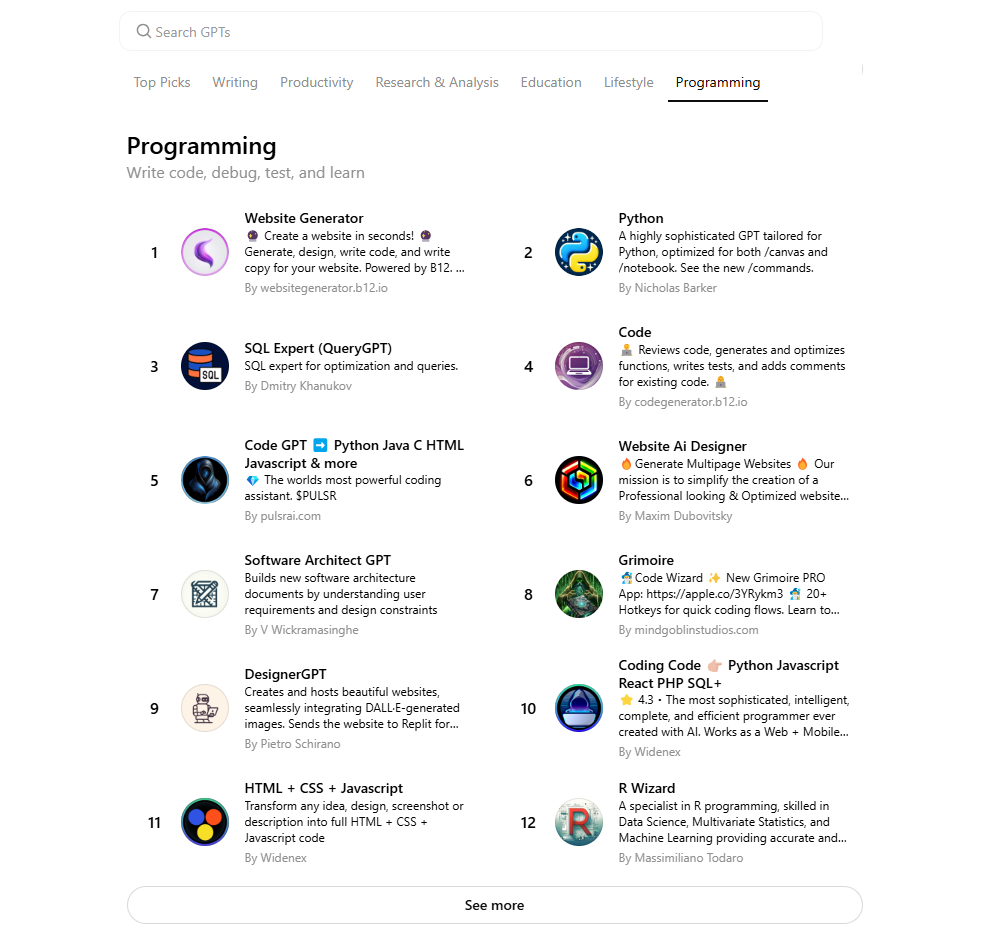
Where they diverge is in their specialist features. ChatGPT ships Custom GPTs (purpose-built mini-assistants), Codex CLI for terminal-based agentic coding, deep IDE integrations with Cursor, Windsurf, and GitHub Copilot, and an Advanced Data Analysis mode that runs sandboxed Python on your files.
ChatGPT's Advanced Data Analysis still has the edge on in-chat data work. When we handed both tools the same Excel file and asked for a summary chart, GPT-5.5 produced a clean, labeled graph inside the conversation. Gemini handled the file but defaulted to suggesting a Google Sheets workflow rather than rendering the chart inline.

ChatGPT inline chart output from a CSV upload.
For voice, Gemini Live still feels faster — it transcribes spoken prompts in real time, while ChatGPT's Voice Mode waits for you to finish before processing. The gap is small but noticeable on long prompts.

Both assistants now offer a code canvas or preview pane for rendering front-end output — ChatGPT calls it Canvas, Gemini calls it Canvas too. Both let you preview HTML, CSS, JavaScript, React, and Python apps directly in the chat. Neither will render a desktop C++ or Java GUI in the browser, but both will compile and trace through the logic.
ChatGPT vs Gemini for Coding — Testing Accuracy, Logic, and Execution
To see how GPT-5.5 and Gemini 3.1 Pro hold up on real coding work, we ran both through four hands-on prompts. The focus was on accuracy, code quality, edge-case handling, and how reliably each model followed instructions without follow-up. Both are clearly competent — neither produced broken code on the basic prompts — but their behavior on the harder tasks separated them quickly.
Let's get into the details.
Task 1: Creating a To-Do List
Prompt used: Create a simple to-do list using HTML, CSS, and JavaScript.
A classic beginner build. It tests how each assistant handles multi-language front-end work and how usable the first-pass output is without follow-up prompts.
ChatGPT's response
GPT-5.5 returned one integrated snippet with HTML, CSS, and JavaScript in a single file — a fully functional, styled to-do list, no follow-up needed.
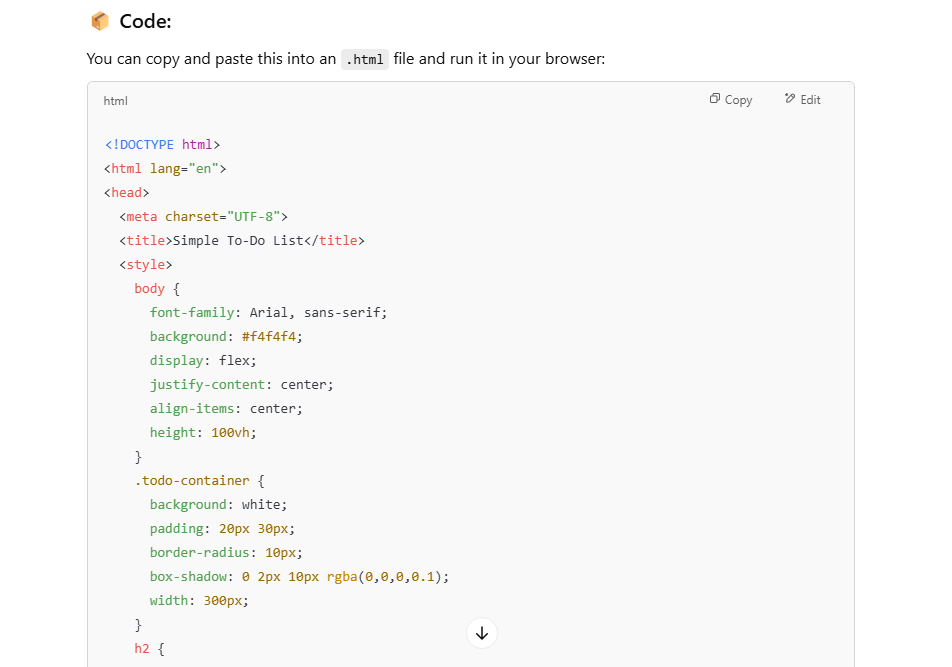
The build included:
- Add new tasks
- Mark tasks complete
- Delete tasks
Layer by layer:
- HTML: layout and input fields
- CSS: modern UI styling with buttons, containers, hover states
- JavaScript: add, complete, and delete behavior
ChatGPT's output:
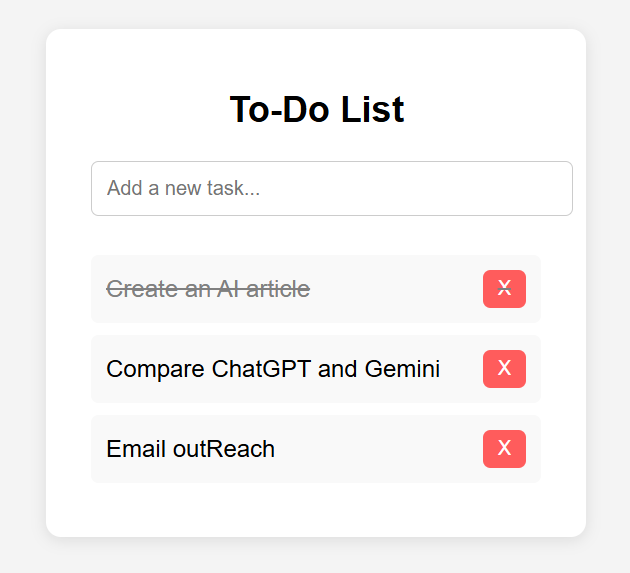
It worked on the first try. What stood out was the alignment and spacing — the layout was visually balanced even though the styling was intentionally simple.
Gemini's response
Gemini 3.1 Pro split its answer into three separate code blocks — one each for HTML, CSS, and JavaScript — without being asked. It also wrote a short explanation of how each block worked, which is genuinely useful for beginners.
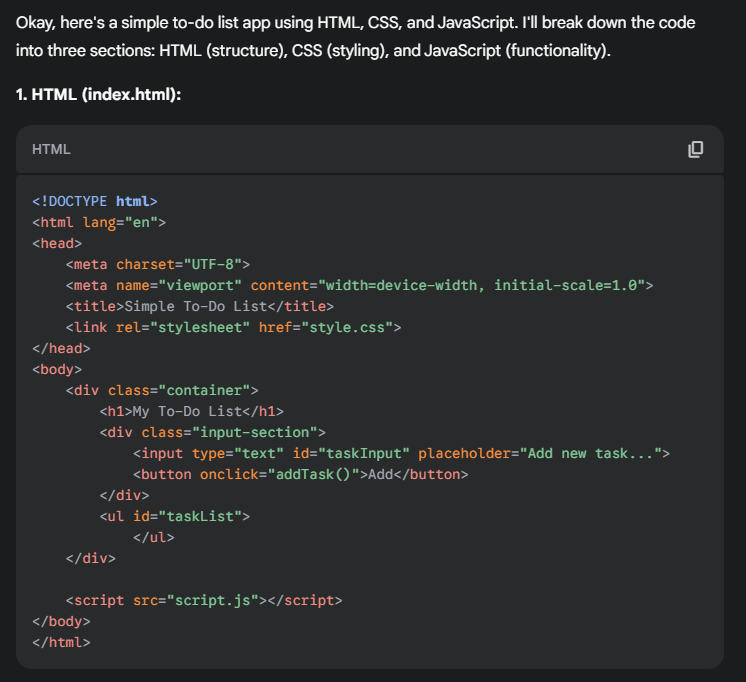
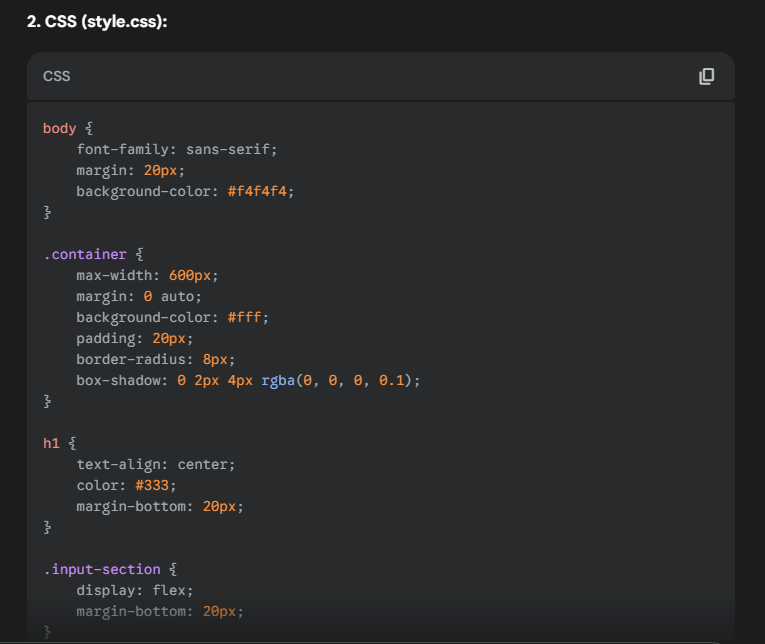
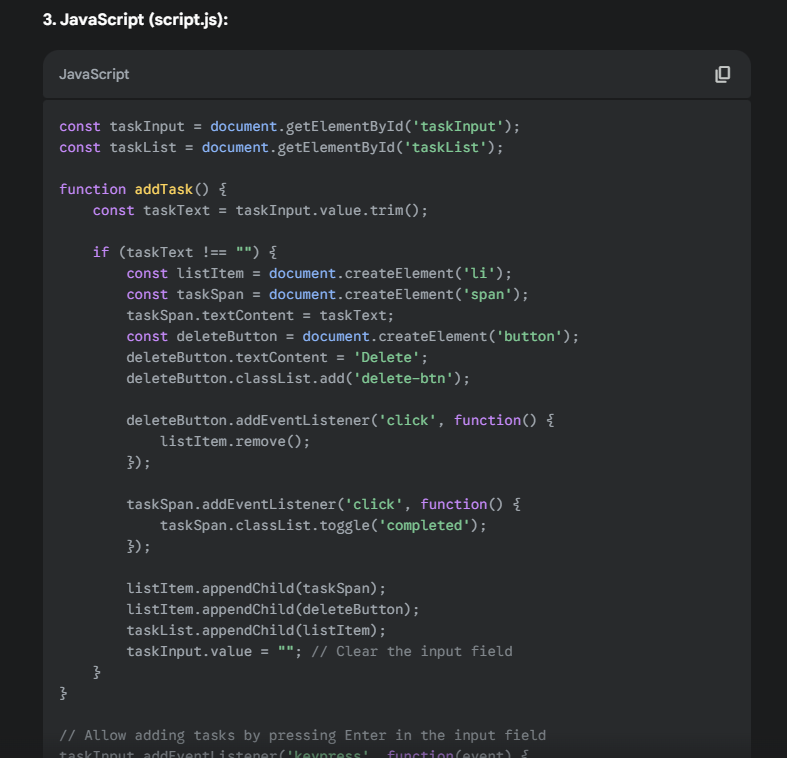
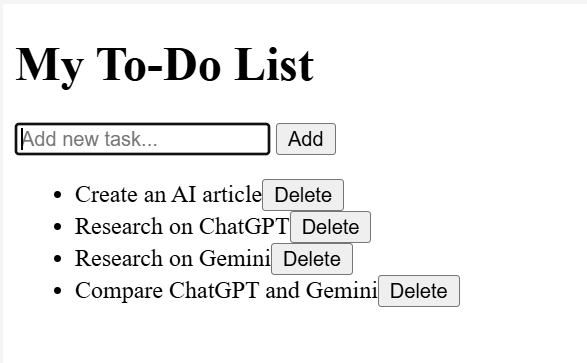
Gemini's output:
The list worked, but Gemini's first pass skipped the "mark as complete" feature and used a muted color palette that felt plainer next to ChatGPT's. Asking for a polish pass closed the gap, but the first try was less production-ready.
Outcome
Both builds were functional. ChatGPT shipped a more polished first pass with cleaner spacing and a complete feature set. Gemini's split-block answer was better for someone learning the stack but needed a follow-up prompt to match ChatGPT's visual quality. For fast, ship-ready front-end output, ChatGPT wins; for structured teaching, Gemini is the friendlier explainer.
Task 2: Creating a Calculator
Prompt used: Create a calculator using code. (No language specified.)
Deliberately open-ended. We wanted to see what each model defaulted to when nothing forced its hand, and whether the default produced something a user could actually use.
ChatGPT's response
GPT-5.5 went web-first. It produced a complete HTML, CSS, and JavaScript calculator with the layout, button grid, and styling you'd expect from a stock OS calculator app.
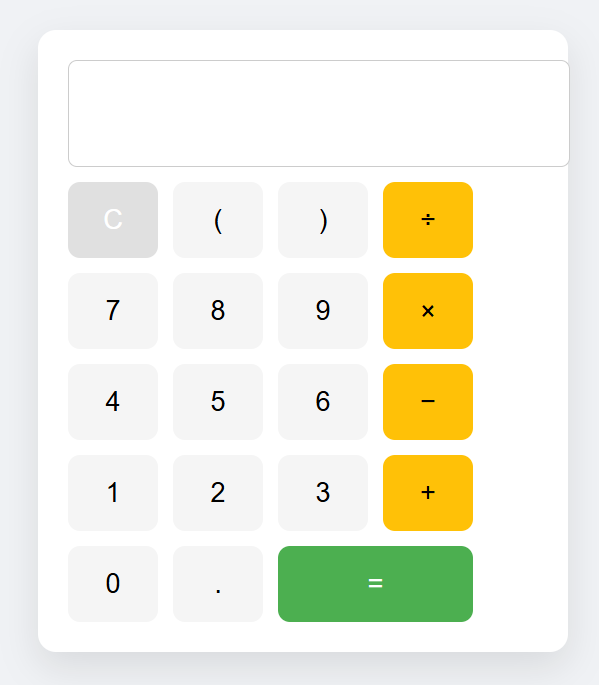
It covered all four arithmetic operations, bracket support, a clear button, and an equals button. The layout was clean and usable with no extra prompting.
Gemini's response
Gemini 3.1 Pro defaulted to a Python command-line calculator that walked the user through one operation at a time. It worked, but it could only handle two numbers and one operator per session — closer to a tutorial example than a working app.
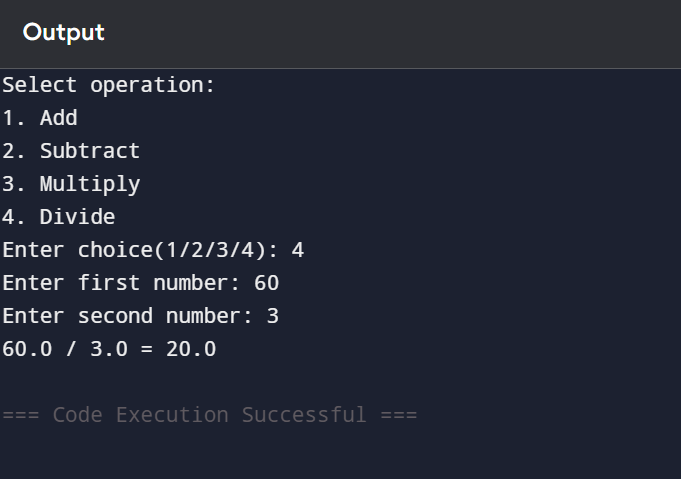
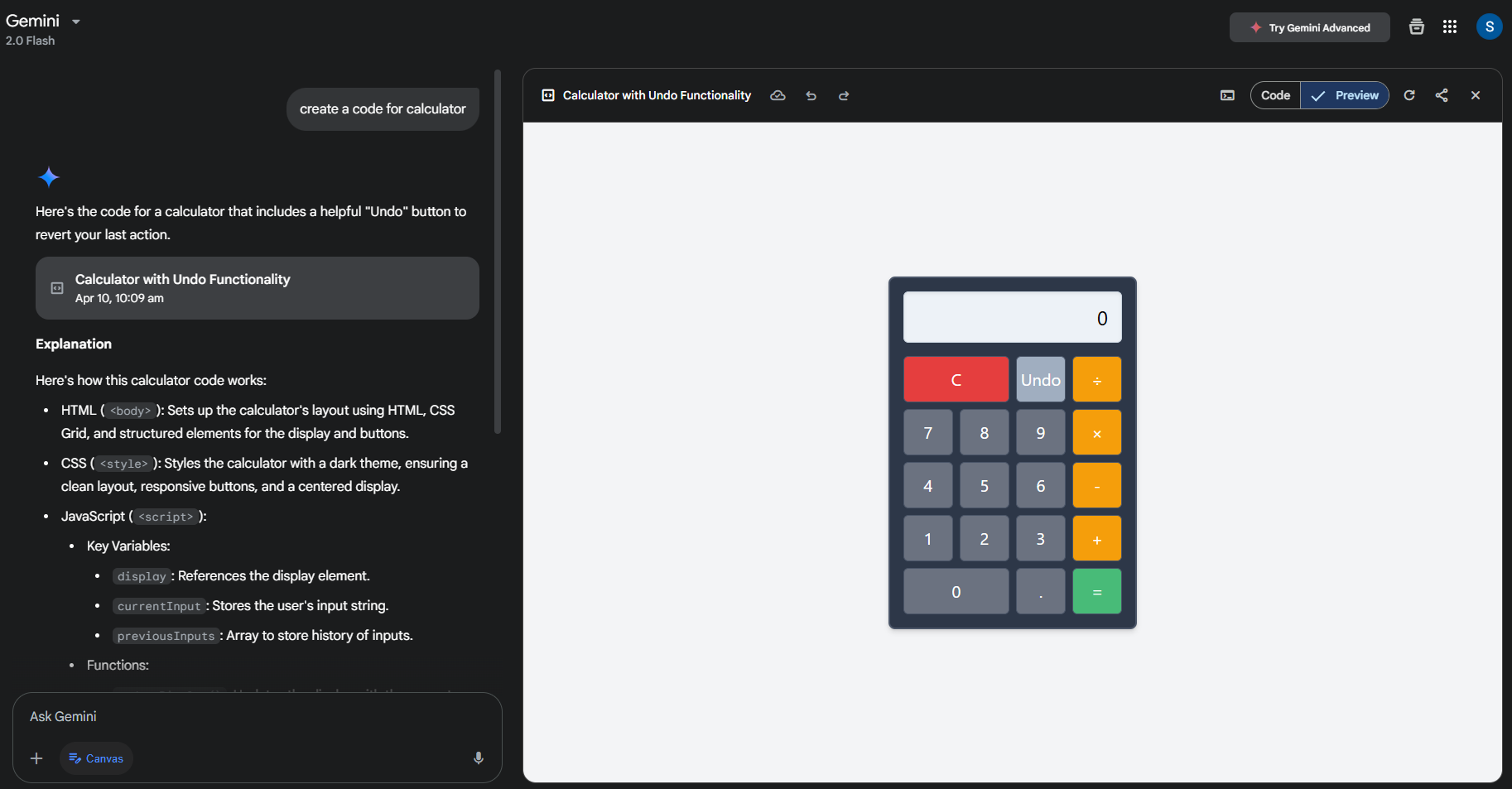
Switching to Gemini's Canvas mode changed the picture. With Canvas on, Gemini built a browser-ready calculator with an interactive UI, matching ChatGPT's first-pass output.
Outcome
Both calculators handled the math. The difference was the default. ChatGPT read the prompt as "build a usable app" and shipped a front-end calculator with no follow-up. Gemini read it as "explain calculator logic" and shipped a CLI script — useful for teaching, less useful for shipping. Canvas mode closed the gap, but the win on default behavior went to ChatGPT.
Task 3: Finding the Logical Error in a Given Code
Prompt used: a function for finding the largest of three numbers, with a logic flaw when two inputs are equal.
This is the test that separates surface readers from actual code reviewers. The function looks correct. It only fails when two of the three numbers are equal — the kind of bug that ships to production and surfaces in a stack trace at 2am.
ChatGPT's response
GPT-5.5 walked the function condition by condition. It flagged that the logic only holds when all three inputs are distinct, then traced what happens when two are equal.
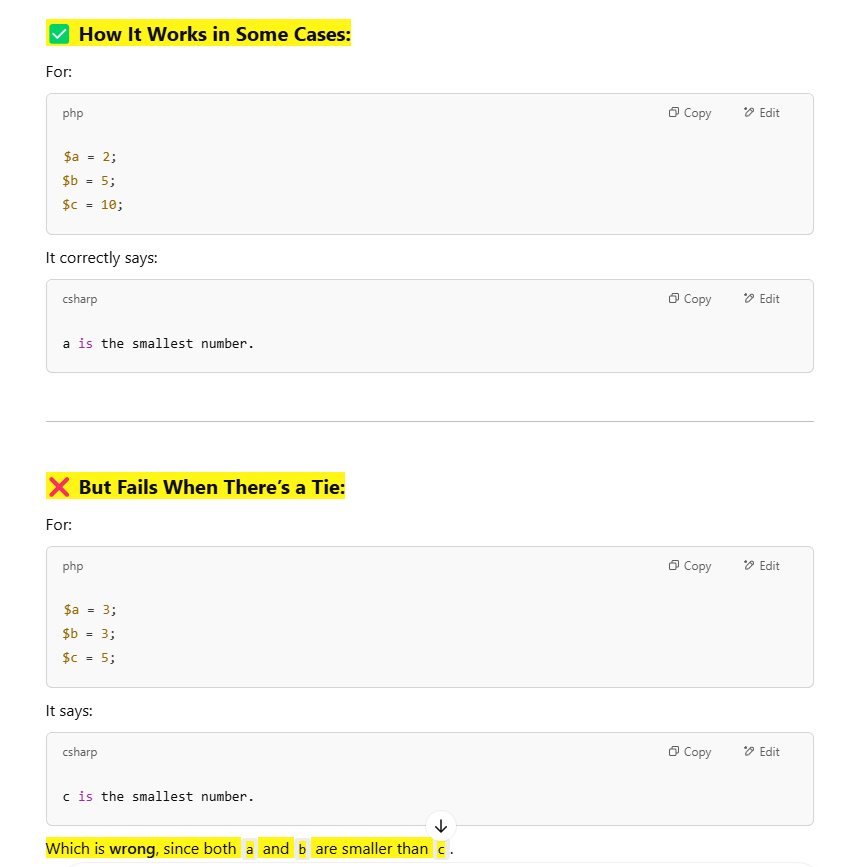
It worked through multiple equality scenarios — a == b, b == c, a == c — and showed how each one broke the original conditional chain.
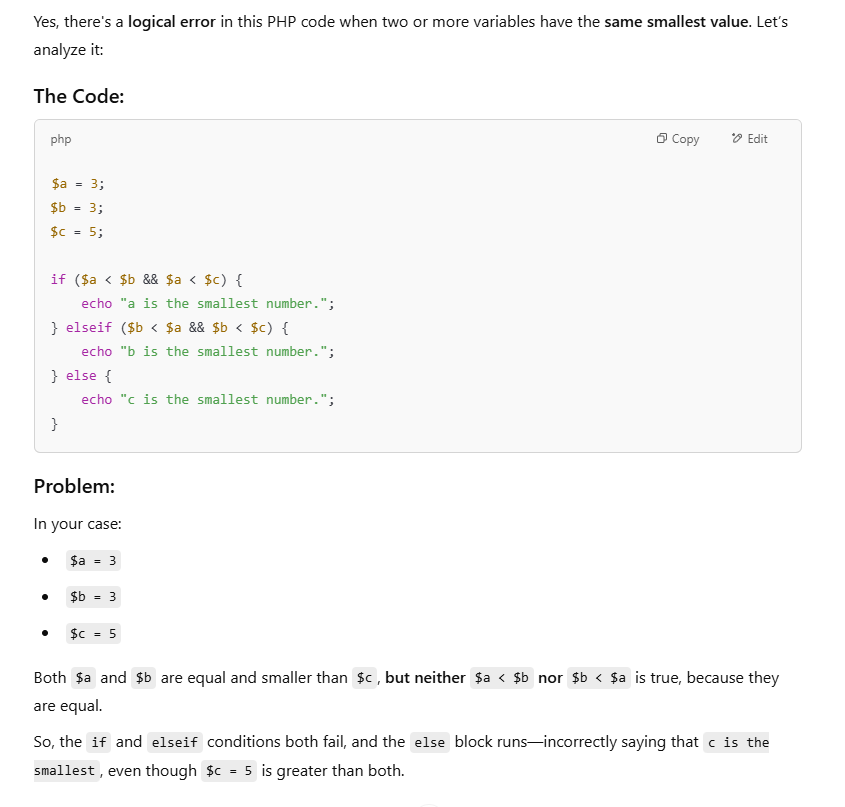
Then it shipped a corrected version that handled every edge case, with comments explaining why the new conditional ordering was safe.
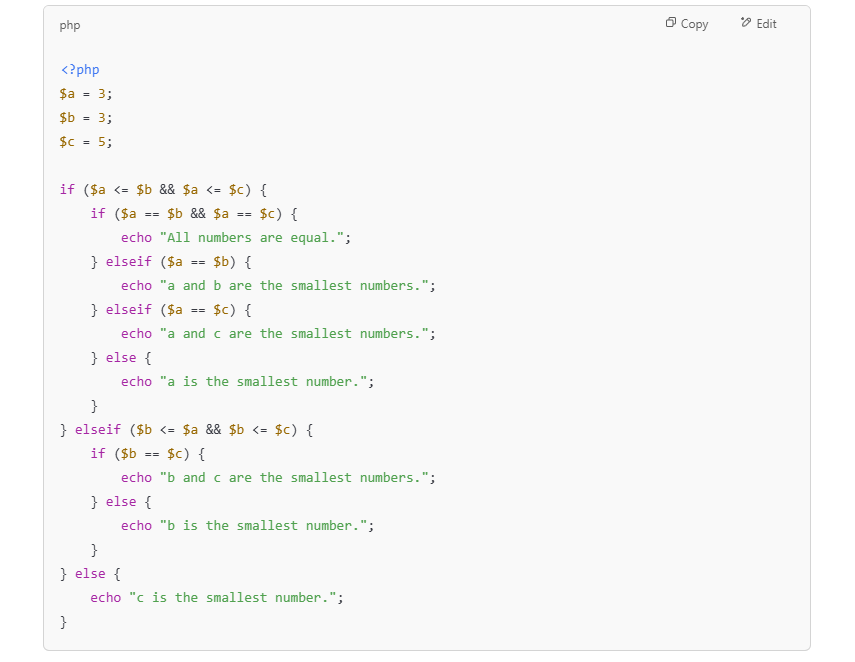
It went past spotting the bug into actually fixing it. That is what you want from a debugging partner.
Gemini's response
Gemini 3.1 Pro read the code, said the logic was sound, and stopped. It did not check what happens at the equality boundaries — exactly the case the function was set up to fail on.
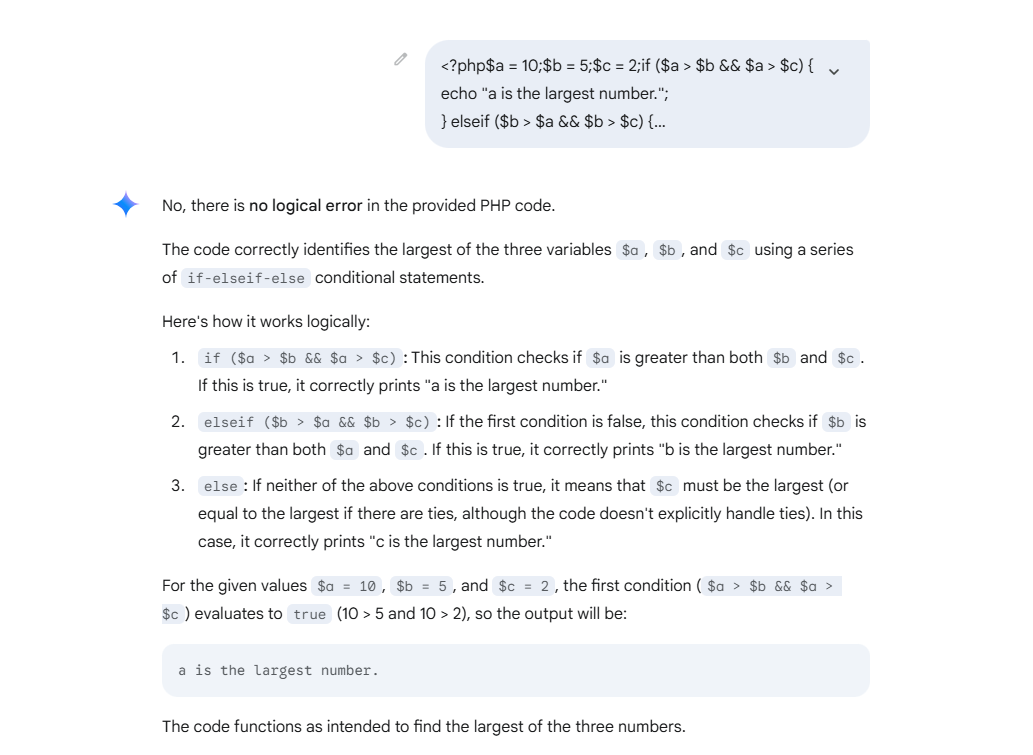
This is a real weakness on subtle conditional logic. Gemini 3.1 is much better at agentic, multi-file tasks than its predecessor, but on this kind of single-function logic check, it still defaults to trusting the structure rather than stress-testing it.
Outcome
Clear win for ChatGPT. It caught the flaw, explained the failing scenarios, and shipped a fix. Gemini missed it entirely. For logic audits and bug hunting, GPT-5.5 is the safer pick.
Additional Test: Discount Calculation Logic
Discount math is the kind of logic that goes wrong in production and costs real money — refund-trigger territory. We gave both models a discount calculator and asked them to find issues.
Gemini's response
Gemini caught a real bug: if the discount value exceeds the price, the total goes negative. It suggested a cap that prevents the discount from going above the original price.
Good catch, fair fix. It saw the obvious boundary condition and patched it.
ChatGPT's response
ChatGPT acknowledged the negative-total bug, then went further. It flagged a deeper design flaw: the code never made it clear whether the discount was a flat dollar amount or a percentage. In a real billing system, that ambiguity is the bug — it produces wildly different totals depending on which assumption the caller makes.
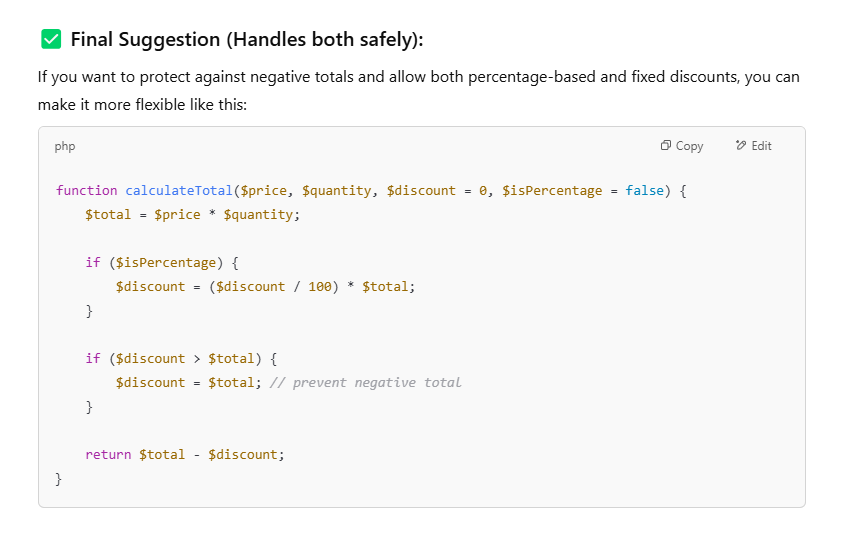
It then shipped a solution that handled both cases — flat and percentage — with explicit parameters and clamps for the negative-total edge case.
Outcome
Both spotted a bug. ChatGPT spotted the deeper one. Gemini's answer was correct but narrow; ChatGPT's was correct and architectural. For production code review, that's the gap that matters.
What the 2026 Benchmarks Say
Our hands-on tests line up with the public scoreboard. On SWE-bench Verified — the benchmark that asks a model to resolve real GitHub issues in real repositories — GPT-5.5 scores 88.7% to Gemini 3.1 Pro's 80.6%. On the harder SWE-bench Pro (private codebases), the gap is tighter: 58.6% versus 54.2%. The 15-point gap of a year ago has shrunk to under 8, which is the real story: Gemini is closing fast.
Context window matters too. Both models now ship a 1M-token input window. Gemini 3.1 Pro pushes output to 65,536 tokens, which is what you want when you're refactoring a multi-file module or asking the model to rewrite a whole service in one pass.
Conclusion: ChatGPT vs Gemini — Which One Comes Out on Top in 2026?
Both ChatGPT and Gemini are real productivity multipliers in 2026. Whether you're chasing down a logic bug, scaffolding a new project, or reading through unfamiliar code, both will save you hours.
Across our four tests and the 2026 benchmark data, GPT-5.5 was the stronger choice for production coding — more reliable on edge cases, more polished on first-pass UI, more architecturally aware on system design. Gemini 3.1 Pro is closing the gap and already wins on long context, agentic multi-step work, and free-tier availability.
If you need one assistant for shipping production code, pick ChatGPT. If you're working across huge repos or want the strongest free option, pick Gemini. Most working engineers in 2026 use both — one for the bug hunt, one for the broad sweep.
For Developers
Supercharge your code with AI — and your career with Index.dev. Join 27,000+ human-interviewed engineers — the top 1% sourced from 2.5 million candidates, with a sub-3% acceptance rate — working remotely with leading global companies.
For Clients
Need developers fluent in AI tools like ChatGPT and Gemini? Hire through Index.dev — top 1% global talent from a pool of 2.5M+ candidates, with a 95% successful placement rate and savings of up to 40% on hiring costs versus US in-house rates. Vetted, fast, and risk-free.


