
The language you pick for mobile app development affects performance, scalability, and user experience. With so many options, each with its own strengths, it can be hard to decide. Platform compatibility, development speed, and long-term support all play a role.
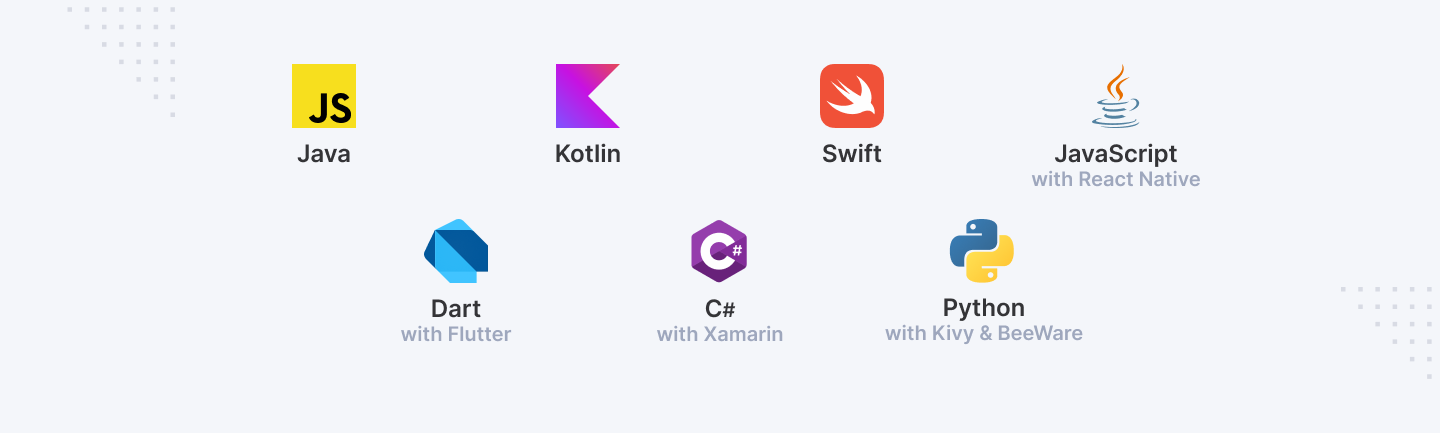
This article breaks down the 7 most popular mobile development languages: Java, Kotlin, Swift, JavaScript (with React Native), Dart (with Flutter), C# (with Xamarin), and Python (with Kivy and BeeWare). Knowing their pros and cons can help you choose the best fit for your project.
Choosing the Right Language: Key Factors
Cross-Platform vs. Native: Cross-platform tools like React Native and Flutter let you write one codebase for both iOS and Android—great for saving time and money. Native languages like Swift (iOS) and Kotlin (Android) offer better performance and more refined user interfaces. Choose based on your timeline, budget, and app needs.
Performance and Efficiency: Speed and responsiveness matter. Swift and Kotlin are optimized for their platforms and often perform better. Cross-platform tools can add overhead. For heavy tasks or graphics, native may be the better choice.
Community and Resources: A strong developer community helps with learning, problem-solving, and staying current. Java, Swift, and JavaScript have large, active communities with plenty of tutorials, libraries, and tools.
Scalability and Long-Term Use: Your language should support long-term growth, including updates, scalability, and app monetization features such as ads, subscriptions, and in-app purchases.
1. Java
One of the most well-known and established programming languages, Java, created by Sun Microsystems in 1995 and is presently under the ownership of Oracle. Its "write once, run anywhere" approach helped developers wishing to create cross-platform apps choose it.
Java has been the pillar of Android development in mobile technology since its launch in 2008. Particularly in the Android ecosystem, its long-standing existence and ongoing development make it quite popular for the development of mobile apps.
Key Features:
- Object-Oriented Programming: Java's object-oriented character lets developers produce modular, reusable code, therefore facilitating management of big projects and enhancement of software maintainability.
- Strong Memory Management: Java uses garbage collecting to automatically manage memory, therefore helping to reduce memory leaks and improve program stability.
- Vast Library Support: Among the many libraries and frameworks Java offers are the Android SDK, which offers pre-built components meant for quicker and more effective development.
Use Cases:
Driven by millions of applications on the Google Play Store, Java is the main language used in Android development. Its dependability and fit with the Android SDK have made it the preferred tool for creating scalable, feature-rich Android projects.
Java has been used extensively to create well-known apps such as Spotify, Twitter, and Airbnb, thereby highlighting its capacity to manage demanding, high-performance applications.
Pros:
- Stability: Java is a dependable and stable alternative for mobile development thanks in great part to its lengthy legacy and general acceptance.
- Mature Ecosystem: Java provides a developed environment with tools, libraries, and rich documentation throughout decades of evolution, therefore streamlining the development process.
Cons:
- Verbose Syntax: Java's verbose grammar calls for more lines of code to complete tasks that could be simpler in other languages.
- Steeper Learning Curve for Beginners: For novice developers, Java's syntax and ideas like object-oriented programming can be difficult to grasp and complicate fast mastery.
Particularly for those that give reliability and scalability top priority for their applications, Java is still a strong and dependable option for Android development.
2. Kotlin
Introduced by JetBrains in 2011, Kotlin has quickly become an Android developer's preferred language. Officially supported by Google in 2017 as the preferred language for Android, Kotlin was created to solve many of Java's constraints by providing a more current, succinct, and expressive means of developing Android apps.
Kotlin's ability to simplify coding techniques while preserving complete interchange with Java has driven its popularity in mobile development as it lets developers embrace it without completely redoing current code bases.
Key Features:
- Interoperability with Java: Kotlin is completely compatible with Java, hence developers may mix Java and Kotlin code inside one project. This function makes it simple to include into current Android projects as it lets the Java to Kotlin transition go from seamless.
- Concise and Expressive Syntax: Kotlin lowers boilerplate code so that developers may create more with less lines of code. Its expressive and neat syntax helps to produce easily understandable and maintained code.
Use Cases:
Supported by Google and generally embraced by big firms such Pinterest, Netflix, and Trello, Kotlin is currently the official language for Android development. Both novice and seasoned developers find it appealing as it may improve output while lowering the possibility of mistakes, thereby enhancing their choice.
Pros:
- Modern Language Features: Modern language features include null safety, extension functions, and coroutines, which enable developers to create safer and more effective programs using Kotlin.
- Seamless Integration with Java: Easy to adopt, Kotlin may be included into current Java programs without any significant rework.
Cons:
- Smaller Community Compared to Java: Kotlin's community and tools are still smaller than Java, hence even if it is becoming more popular, obtaining support might prove difficult.
- New Developers May Struggle: Although Kotlin's syntax is simple, it presents ideas that could be foreign to novices, therefore creating a higher learning curve.
For Android developers trying to raise output and code quality, Kotlin's contemporary style and official support make it a strong choice.
3. Swift
Swift replaced Objective-C as Apple's current programming language in 2014. Swift is the language of choice for building apps for iOS, macOS, watchOS, and tvOS due to its speed, safety, and expressiveness. Swift lets developers build rich, high-performance programs that interface with Apple's hardware and software while prioritizing performance and safety.
Key Features:
- Strongly Typed, Safe Programming: Swift is tightly typed, requiring stringent type-checking at compilation time. This reduces runtime crashes by catching mistakes early in development. Safety features like optionals assist control value absence and prevent null pointer errors in Swift.
- Fast and Efficient Performance: Swift is designed for speed and efficiency. Swift apps can take use of Apple devices' hardware since it compiles to native machine code. This speeds up execution and improves usability.
Use Cases:
Swift is recommended for iOS, macOS, watchOS, and tvOS apps since it's utilized only for Apple products. Swift has been used to build Lyft, LinkedIn, and Airbnb, proving its capacity to manage complicated projects. Swift's compatibility with Apple's frameworks and APIs makes it suitable for developing high-performance Apple apps.
Pros:
- Native iOS Development: Easy interaction with iOS and macOS, resulting in extremely performant and responsive programs.
- Optimized Performance: For performance-critical apps, Swift's compilation to native machine code speeds up app execution.
Cons:
- Limited to Apple Ecosystem: Swift cannot be used on Android or other platforms, restricting its adaptability.
- Smaller Talent Pool: Swift is becoming more popular, but its developer pool is still smaller compared to Java or JavaScript, which can make recruiting or cooperation difficult.
Swift is the top choice for iOS and other Apple app developers due to its performance, safety, and ecosystem integration. However, its Apple-only use limits its utility outside this environment.
4. JavaScript (with React Native)
JavaScript, a web development staple, has expanded to mobile programming with React Native. Facebook created React Native in 2015 to let developers utilize JavaScript to build iOS and Android apps. React Native is popular with developers who want to speed cross-platform development since it uses JavaScript's adaptability to create mobile apps with a single codebase.
Key Features:
- Cross-Platform Capability: React Native enables developers to build a single codebase for iOS and Android. Cross-platform development saves time and money, making software maintenance and updates easier.
- Reusability of Code Between Web and Mobile Apps: Sharing code between web and mobile apps is a highlight of React Native. Developers may reuse their JavaScript and React expertise to create a more cohesive development experience across platforms.
Use Cases:
Startups and IT heavyweights use React Native. Facebook, Instagram, and Airbnb use React Native to build huge, high-performance apps. Startups and smaller teams who need to develop and release products fast like React Native's flexibility and speed.
Pros:
- Faster Development Cycles: React Native speeds development by using a single codebase for iOS and Android, providing faster iteration and time-to-market.
- Large Community: JavaScript is a popular programming language, and React Native has a large community. This implies many developer resources, tutorials, and third-party libraries.
Cons:
- Performance Trade-Offs: React Native is faster to design, but it may not perform as well as native apps, especially for resource-intensive activities like animations or sophisticated computations.
- Complex Debugging: React Native developers must troubleshoot bugs in both JavaScript and the native code it interacts with, making problem-solving more complicated.
React Native's ability to combine online and mobile development with JavaScript appeals to both quick developers and cross-platform functionality seekers. This mobile app development framework should be chosen cautiously due to performance trade-offs and debugging issues.
Senior in mobile development? Join Index.dev to work remotely on innovative projects with top brands in the US and UK!
5. Dart (with Flutter)
Google's Dart programming language has gained popularity in mobile development with Flutter. Flutter, an open-source UI toolkit launched in 2017, lets developers construct natively built mobile, web, and desktop apps from a single codebase. Flutter's promise to produce visually beautiful, high-performance apps with a unified development experience across platforms is attracting developers and organizations.
Key Features:
- Hot Reload Feature: The hot reload functionality in Flutter is a notable feature that allows developers to view the consequences of code changes nearly instantaneously. This accelerates development by allowing fast testing and repetition, making issue fixes and user interface refinements easier.
- Single Codebase for Android and iOS: Flutter lets developers build one codebase for Android and iOS. Since there are no platform-specific codebases, development is faster and simpler. The Flutter framework makes apps operate smoothly and look uniform across devices.
Use Cases:
Many firms use Flutter to unify development without sacrificing performance or design. Google Ads, Alibaba, and the NYT are Flutter applications. These examples demonstrate Flutter's ability to handle basic and sophisticated apps and offer high-quality user experiences across platforms.
Pros:
- Beautiful UIs: Stunning user interfaces Beautiful and adaptable user interfaces are Flutter's specialty. The framework has a wide range of pre-designed widgets that can be customized for any app, ensuring a professional and consistent appearance.
- Rapid Development: Dart with Flutter's rapid reload and unified codebase let developers build and iterate apps quickly. This makes Flutter perfect for deadline-driven or frequently updated projects.
Cons:
- Still Evolving: Still evolving Despite its fast growth, Flutter is still a novel framework. This means it is always changing, requiring developers to update their code.
- Fewer Libraries: Flutter's ecosystem is developing, yet it lacks the library support of Java and JavaScript. Third-party tools may be scarcer and need more specific development.
Many developers use Flutter because it swiftly creates appealing, performant apps. However, its growing nature and smaller library environment should be considered while choosing it for your mobile development project.
6. C# (with Xamarin)
Microsoft's flexible C# programming language is employed in corporate settings. Xamarin, a cross-platform mobile development framework, has made C# a strong tool for creating Android, iOS, and Windows apps. Xamarin, currently part of the.NET platform, lets developers construct native mobile apps using a single C# codebase, making it appealing to Microsoft-integrated companies.
Key Features:
- Shared Codebase for Android, iOS, and Windows: Developers may use Xamarin to build a single C# codebase for various platforms, including Android, iOS, and Windows. Shared codebases minimize development time and ensure consistency across devices and OS systems.
- Access to Native APIs: Despite being cross-platform, Xamarin offers complete access to native APIs, enabling developers to use platform-specific features and achieve near-native performance. This means Xamarin apps can match the user experience of native apps on each platform.
Use Cases:
Xamarin is popular in enterprises that prioritize Microsoft ecosystem integration. Xamarin has helped UPS, Alaska Airlines, and the World Bank construct sophisticated mobile apps for their enterprise-level operations. Enterprises should use the framework because it supports complicated business requirements while preserving code efficiency.
Pros:
- Strong Support for Enterprise-Level Apps: Xamarin is ideal for enterprise apps, especially for Microsoft-based companies. Integration with Visual Studio and other Microsoft products simplifies large project management and scaling.
- Extensive Tooling: Xamarin uses Microsoft's debugging, testing, and profiling tools to expedite development and maintain code quality.
Cons:
- Larger App Size: Xamarin apps are bigger than native apps because they include libraries and runtime components. Apps that need storage capacity may be affected.
- Potential for Performance Issues: Xamarin aspires for near-native speed, however apps with sophisticated animations and graphics or significant optimization may experience performance issues.
When Microsoft ecosystem connectivity is crucial, C# Xamarin is a tempting alternative for organizations developing cross-platform mobile apps. However, its business benefits should be evaluated against its bigger app sizes and performance issues.
7. Python (with Kivy and BeeWare)
Python is frequently utilized in web development, data research, and automation because of its readability. It also appears in mobile development frameworks like Kivy and BeeWare. Python is becoming more popular for mobile app development, especially for specialized, instructional, and experimental apps. For developers who favor Python's simplicity, Kivy and BeeWare make cross-platform mobile app development easy.
Key Features:
- Simplicity and Readability: Python's syntax is known for its clarity, allowing developers to create code in fewer lines. Beginners and others who value simplicity of growth above performance would like it.
- Cross-Platform Support: Kivy and BeeWare allow iOS, Android, and other cross-platform software development. Kivy develops multitouch apps, whereas BeeWare provides a toolset for mobile and desktop native user interfaces.
Use Cases:
Educational tools, experimental projects, and tiny apps use Python for mobile programming. Python may be used to make small games, instructional programs, and prototypes. Its simplicity allows students to explore mobile programming without learning more sophisticated languages, making it popular in academic contexts.
Pros:
- Easy to Learn: Python is one of the easiest programming languages for beginners due to its simple syntax. This accessibility helps novice mobile app developers get started quickly.
- Wide Range of Applications: Python is flexible for web development and scientific computation. This makes it a suitable alternative for developers who wish to use one language for mobile apps and other projects.
Cons:
- Not as Performant as Other Languages: Interpreted languages like Python perform slower than compiled languages like Swift or Java. Mobile apps that need efficiency and responsiveness may suffer from this.
- Limited Use in Mainstream Mobile Development: Python is underutilized in mobile app development despite its flexibility. Kivy and BeeWare lack the ecosystem and community support of more established mobile programming languages, which might restrict their efficacy for bigger, more complicated applications.
Python with Kivy and BeeWare allows simple mobile app development, but performance trade-offs and low uptake in mainstream mobile development make it suitable for niche applications and education.
Read more: 6 Top Programming Languages for Game Development
Conclusion
Standard for Android apps, Java provides reliability and a developed ecosystem. While Swift is specifically for native iOS programming with strong performance, Kotlin improves Java's capabilities with new features and simple syntax.
Particularly with React Native, JavaScript let's code be reused between online and mobile apps, hence enabling cross-platform development. Using Flutter, Dart offers both Android and iOS stunning UIs and quick development. Using a common codebase across platforms, C# with Xamarin provides enterprise-level apps. At last, Python provides simplicity for instructional apps and specialized projects using Kivy and BeeWare.
In the end, your particular project requirements and objectives should guide the programming language you use. We advise you to investigate and try these languages in order to identify the greatest fit for your path of mobile development. Consult materials like online courses, and community forums linked to every language for more study.
For employers:
Need senior mobile developers skilled in Java, Kotlin, Swift, or Python? Hire through Index.dev’s talent network and interview the best candidates in just 48 hours.
For Developers:
Join Index.dev’s talent network to find high-paying remote jobs for your mobile development skills!


