
If you are coming across problems while designing and don’t know the way out, Python Design Patterns can be your saviour. It will not only answer complex questions but also make your codes maintainable.
Python is an object-oriented language, so it is easier for you to write simple scripts, or you can just open the Python terminal and execute statements. Apart from this, you can also create complex applications, frameworks, and so much more.
In this guide to Python Design Patterns, we will be covering the 3 types- Creational, Structural, and Behavioural along with their subtopics and codes.
Find high-paying, long-term remote Python jobs with top US, UK, and EU companies at Index.dev. Join now!
Introduction to Python Design Patterns
Design Patterns started to get attention after the book Design Patterns: Elements of Reusable Object-Oriented Software was published in 1994 by Erich Gamma, John Vlissides, Ralph Johnson, and Richard Helm. They are popularly known as the Gang of Four (GoF).
Design patterns are a typical approach to solving well-known issues. The GoF-defined design patterns are based on two major principles:
- Program to an interface, not an implementation
- Support object composition over inheritance
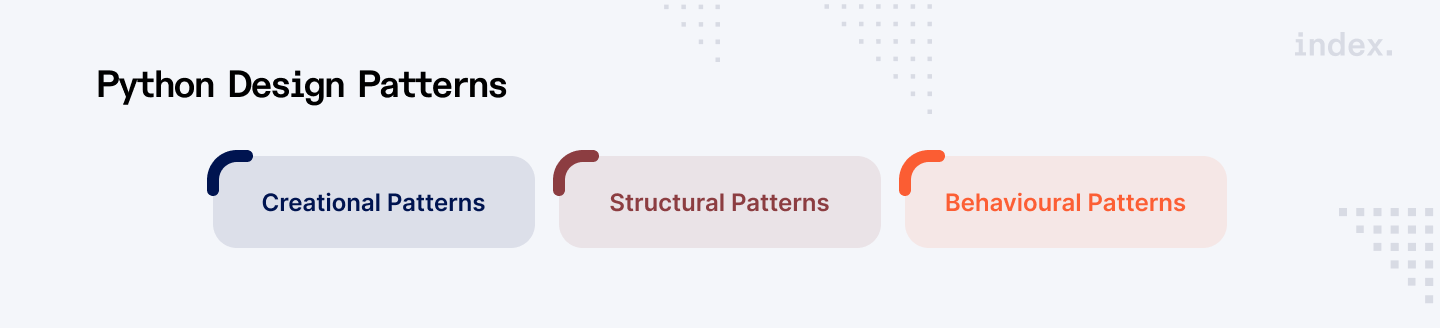
There are 3 types of Python Design Patterns that we will be covering in detail.
- Creational Patterns
- Structural Patterns
- Behavioural Patterns
If you want to build a stronger foundation in core programming concepts before exploring advanced topics like design patterns, enrolling in a structured python language course can help you gain practical and hands-on experience.
Read Also: Understanding Data Types in Python Programming
Python Design Patterns #1: Creational Patterns
Creational Design Patterns are concerned with the production of classes and objects. They help to abstract away the intricacies of classes, allowing us to be less reliant on their precise implementation, avoid dealing with difficult creation everytime we require them, and assure some particular instantiation attributes.
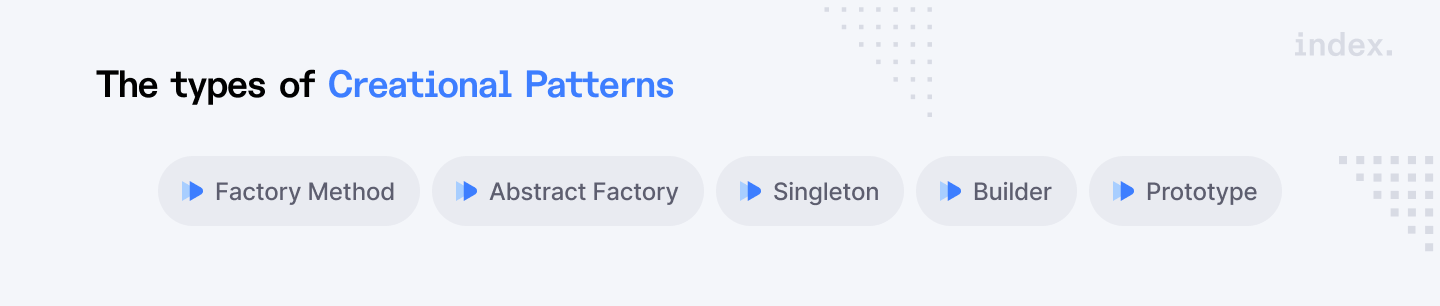
The types of Creational Patterns are:
- Factory Method
- Abstract Factory
- Singleton
- Builder
- Prototype
Factory Method
The Factory Method Design Pattern is a creational design pattern implemented in software engineering to offer an interface for producing objects in a superclass while enabling subclasses to specify the sort of object to be generated.
It isolates the object creation logic into a separate method, abstracting the instantiation process and encouraging loose coupling between the creator and the generated objects. This pattern increases the codebase's flexibility, extensibility, and maintainability by letting subclasses design their own version of the factory function for creating various sorts of objects.
Here’s the Python code that shows the Factory Method pattern (example):
from abc import ABC, abstractmethod

# Product Interface
class Product(ABC):
    @abstractmethod
    def operation(self) -> str:
        pass

# Concrete Products
class ConcreteProductA(Product):
    def operation(self) -> str:
        return "Result of ConcreteProductA"

class ConcreteProductB(Product):
    def operation(self) -> str:
        return "Result of ConcreteProductB"

# Creator Interface
class Creator(ABC):
    @abstractmethod
    def factory_method(self) -> Product:
        pass

    def some_operation(self) -> str:
        # Call the factory method to create a Product object
        product = self.factory_method()
        # Use the product
        return f"Creator: {product.operation()}"

# Concrete Creators
class ConcreteCreatorA(Creator):
    def factory_method(self) -> Product:
        return ConcreteProductA()

class ConcreteCreatorB(Creator):
    def factory_method(self) -> Product:
        return ConcreteProductB()

# Client Code
def client_code(creator: Creator):
    print(creator.some_operation())

# Usage
creator_a = ConcreteCreatorA()
client_code(creator_a)  # Output: Creator: Result of ConcreteProductA

creator_b = ConcreteCreatorB()
client_code(creator_b) # Output: Creator: Result of ConcreteProductB- Product Interface: Specifies the interface for the objects that the factory method will build. It defines an abstract method operation(), which concrete products must implement.
- Concrete Products: Set up the product interface. ConcreteProductA and ConcreteProductB are two distinct implementations of the Product interface.
- Creator Interface: Declares the factory method factory_method(), which yields a Product object. It also has a method some_operation(), which applies the factory method to obtain a Product instance and then performs some operation on it.
- Concrete Creators: Implement the Creator interface and override the factory_method() to return a particular ConcreteProduct.
- Client Code: Uses the Creator interface to communicate with Product objects. It doesn't need to know the precise class of the product it's dealing with, just that it follows the Product interface.
Abstract Factory
The Abstract Factory Pattern manages how you construct groupings of related objects. It gives a collection of rules or instructions that allow you to generate many sorts of objects without understanding what they are. This keeps everything structured and allows you to quickly transition between different kinds while adhering to the same set of rules.
The Abstract Factory interface has a number of creation methods that client applications may utilise to generate various sorts of UI components. Concrete factories correspond to certain operating systems and generate UI components for that OS.
It works as follows: when a program launches, it determines the kind of the current operating system. The app utilises this information to generate a factory object from a class that corresponds to the operating system. The remainder of the code employs this factory to generate UI components. This prevents incorrect items from being produced.
With this approach, the client code does not rely on concrete factory and UI element classes as long as it communicates with these objects through their abstract interfaces.
Here's an example of Python code:
// The abstract factory interface declares a set of methods that
// return different abstract products. These products are called
// a family and are related by a high-level theme or concept.
// Products of one family are usually able to collaborate among
// themselves. A family of products may have several variants,
// but the products of one variant are incompatible with the
// products of another variant.
interface GUIFactory is
    method createButton():Button
    method createCheckbox():Checkbox


// Concrete factories produce a family of products that belong
// to a single variant. The factory guarantees that the
// resulting products are compatible. Signatures of the concrete
// factory's methods return an abstract product, while inside
// the method a concrete product is instantiated.
class WinFactory implements GUIFactory is
    method createButton():Button is
        return new WinButton()
    method createCheckbox():Checkbox is
        return new WinCheckbox()

// Each concrete factory has a corresponding product variant.
class MacFactory implements GUIFactory is
    method createButton():Button is
        return new MacButton()
    method createCheckbox():Checkbox is
        return new MacCheckbox()


// Each distinct product of a product family should have a base
// interface. All variants of the product must implement this
// interface.
interface Button is
    method paint()

// Concrete products are created by corresponding concrete
// factories.
class WinButton implements Button is
    method paint() is
        // Render a button in Windows style.

class MacButton implements Button is
    method paint() is
        // Render a button in macOS style.

// Here's the base interface of another product. All products
// can interact with each other, but proper interaction is
// possible only between products of the same concrete variant.
interface Checkbox is
    method paint()

class WinCheckbox implements Checkbox is
    method paint() is
        // Render a checkbox in Windows style.

class MacCheckbox implements Checkbox is
    method paint() is
        // Render a checkbox in macOS style.


// The client code works with factories and products only
// through abstract types: GUIFactory, Button and Checkbox. This
// lets you pass any factory or product subclass to the client
// code without breaking it.
class Application is
    private field factory: GUIFactory
    private field button: Button
    constructor Application(factory: GUIFactory) is
        this.factory = factory
    method createUI() is
        this.button = factory.createButton()
    method paint() is
        button.paint()


// The application picks the factory type depending on the
// current configuration or environment settings and creates it
// at runtime (usually at the initialization stage).
class ApplicationConfigurator is
    method main() is
        config = readApplicationConfigFile()

        if (config.OS == "Windows") then
            factory = new WinFactory()
        else if (config.OS == "Mac") then
            factory = new MacFactory()
        else
            throw new Exception("Error! Unknown operating system.")

        Application app = new Application(factory)
Singleton
The singleton pattern is one of Java's simplest design patterns. This design pattern is classified as a creational pattern since it gives one of the most effective methods for creating an item.
This pattern uses a single class that is responsible for creating an object while ensuring that only one object is generated. This class provides a method for accessing its sole object, which may be accessed directly without having to initialise the class's object.
Here are the steps to implement Singleton:
Step 1
Create a Singleton Class.
SingleObject.java
public class SingleObject {

   //create an object of SingleObject
   private static SingleObject instance = new SingleObject();

   //make the constructor private so that this class cannot be
   //instantiated
   private SingleObject(){}

   //Get the only object available
   public static SingleObject getInstance(){
      return instance;
   }

   public void showMessage(){
      System.out.println("Hello World!");
   }
}
Step 2
Get the only object from the singleton class.
SingletonPatternDemo.java
public class SingletonPatternDemo {
   public static void main(String[] args) {

      //illegal construct
      //Compile Time Error: The constructor SingleObject() is not visible
      //SingleObject object = new SingleObject();

      //Get the only object available
      SingleObject object = SingleObject.getInstance();

      //show the message
      object.showMessage();
   }
}
Step 3
Verify the output.
Also Read: 13 Python Algorithms Every Developer Should Know
Python Design Patterns #2: Structural Patterns
A structural design pattern is a blueprint for combining many objects and classes to produce a larger structure capable of fulfilling multiple roles. The patterns in structural designs demonstrate how different components of a system may be connected in an extendable and flexible manner. So, using the structural design pattern, we can focus and alter specific elements of the structure without affecting the overall system.
These patterns have two common themes:
- This approach is very effective for getting independently built class libraries to operate together.
- Structural design patterns outline how to combine things to create new functionality. The additional flexibility of object composition stems from the ability to modify the composition at runtime, which is not available with static class composition.
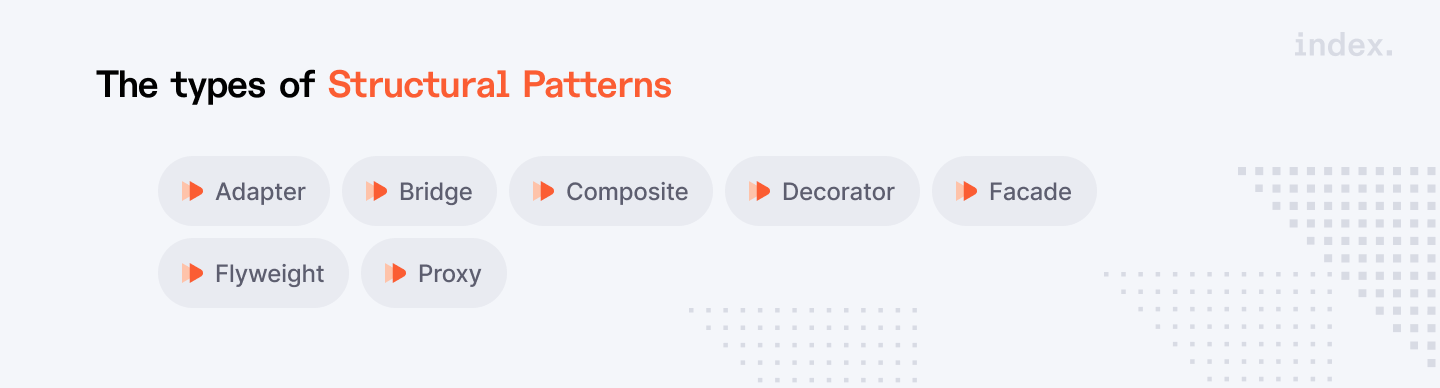
The types of Structural Patterns are:
- Adapter
- Bridge
- Composite
- Decorator
- Facade
- Flyweight
- Proxy
Adapter
The Adapter design pattern is a structural pattern that enables the interface of one class to be employed as another. It serves as a bridge between two incompatible interfaces, allowing them to function together. This design uses a single class, the adapter, to combine the functions of separate or incompatible interfaces.
Let’s understand the code of the adapter design pattern using Python via example:
Imagine you have a Target interface that the client expects to use, but there is an Adaptee class that uses a different interface. The Adapter pattern enables the client to use the Adaptee via the Target interface.
# Target interface that the client expects to use
class Target:
    def request(self) -> str:
        return "Target: The default target's behavior."

# Adaptee class with an incompatible interface
class Adaptee:
    def specific_request(self) -> str:
        return ".eetpadA eht fo roivaheb cificeps"

# Adapter class that adapts the Adaptee's interface to the Target's interface
class Adapter(Target):
    def __init__(self, adaptee: Adaptee) -> None:
        self._adaptee = adaptee

    def request(self) -> str:
        # Adapt the specific_request to the request interface
        return f"Adapter: (TRANSLATED) {self._adaptee.specific_request()[::-1]}"

# Client code
def client_code(target: Target) -> None:
    print(target.request())

# Usage
print("Client: I can work just fine with the Target objects:")
target = Target()
client_code(target)

print("\nClient: The Adaptee class has a weird interface. See, I don't understand it:")
adaptee = Adaptee()
print(f"Adaptee: {adaptee.specific_request()}")

print("\nClient: But I can work with it via the Adapter:")
adapter = Adapter(adaptee)
client_code(adapter)
Here’s the explanation:
Target Interface
Target is the interface that the client intends to use. It contains a function called request().
Adaptee Class
Adaptee has an incompatible interface, with the function specific_request() returning a reversed string.
Adapter Class
Adapter derives from Target and contains an instance of Adaptee.
The request() function of the Adapter converts the specific_request() from the Adaptee to the Target interface by reversing the string to make it readable.
Client Code
The client can use Target directly, but when it wants to interact with Adaptee, it relies on the Adapter to convert the interface.
Here’s the output:
Client: I can work just fine with the Target objects:
Target: The default target's behaviour.
Client: The Adaptee class has a weird interface. See, I don't understand it:
Adaptee: .eetpadA eht fo roivaheb cificeps
Client: But I can work with it via the Adapter:
Adapter: (TRANSLATED) specific behaviour of the Adaptee.
- Adapter: Converts the interface of a class into another interface that a client expects, allowing incompatible interfaces to work together.
- Client Code: Remains unaware of the conversion and interacts with the Adapter as if it were the Target interface.
Bridge
Bridge is used to separate an abstraction from its implementation, allowing the two to vary autonomously. This sort of design pattern is classified as a structural pattern since it decouples the implementation class from the abstract class by providing a bridge structure.
This design uses an interface as a bridge, allowing concrete classes to function independently of interface implementer classes. Both sorts of classes can be structurally changed without impacting the other.
Here’s the example code for the Bridge design pattern:
// Java code to demonstrate
// bridge design pattern

// abstraction in bridge pattern
abstract class Vehicle {
protected Workshop workShop1;
protected Workshop workShop2;

protected Vehicle(Workshop workShop1, Workshop workShop2)
{
this.workShop1 = workShop1;
this.workShop2 = workShop2;
}

abstract public void manufacture();
}

// Refine abstraction 1 in bridge pattern
class Car extends Vehicle {
public Car(Workshop workShop1, Workshop workShop2)
{
super(workShop1, workShop2);
}

@Override
public void manufacture()
{
System.out.print("Car ");
workShop1.work();
workShop2.work();
}
}

// Refine abstraction 2 in bridge pattern
class Bike extends Vehicle {
public Bike(Workshop workShop1, Workshop workShop2)
{
super(workShop1, workShop2);
}

@Override
public void manufacture()
{
System.out.print("Bike ");
workShop1.work();
workShop2.work();
}
}

// Implementer for bridge pattern
interface Workshop
{
abstract public void work();
}

// Concrete implementation 1 for bridge pattern
class Produce implements Workshop {
@Override
public void work()
{
System.out.print("Produced");
}
}

// Concrete implementation 2 for bridge pattern
class Assemble implements Workshop {
@Override
public void work()
{
System.out.print(" And");
System.out.println(" Assembled.");
}
}

// Demonstration of bridge design pattern
class BridgePattern {
public static void main(String[] args)
{
Vehicle vehicle1 = new Car(new Produce(), new Assemble());
vehicle1.manufacture();
Vehicle vehicle2 = new Bike(new Produce(), new Assemble());
vehicle2.manufacture();
}
}
Here’s the output:
- Car Produced And Assembled
- Bike Produced And Assembled
Composite
The Composite Design Pattern is a structural design pattern that enables you to combine things into tree-like structures to depict partial-whole hierarchies. Clients can handle individual objects and object combinations uniformly. In other words, clients can use both a single object and a group of objects (composite) interchangeably.
Here are the elements:
- Component: A component assists in providing the default behaviour for the interface shared by all classes, if appropriate. It defines the interface of the composition's objects, as well as how to access and manage its smaller components.
- Leaf: It specifies the behaviour of primitive elements in the composition. It depicts the leaf in the composition.
- Composite: It saves the child component and performs child-related activities within the component interface.
- Client: It is used to manipulate the items in a composition via the component interface.
Here’s the example code for the Composite design pattern:
from __future__ import annotations
from abc import ABC, abstractmethod
from typing import List


class Component(ABC):
    """
    The base Component class declares common operations for both simple and
    complex objects of a composition.
    """

    @property
    def parent(self) -> Component:
        return self._parent

    @parent.setter
    def parent(self, parent: Component):
        """
        Optionally, the base Component can declare an interface for setting and
        accessing a parent of the component in a tree structure. It can also
        provide some default implementations for these methods.
        """

        self._parent = parent

    """
    In some cases, it would be beneficial to define the child-management
    operations right in the base Component class. This way, you won't need to
    expose any concrete component classes to the client code, even during the
    object tree assembly. The downside is that these methods will be empty for
    the leaf-level components.
    """

    def add(self, component: Component) -> None:
        pass

    def remove(self, component: Component) -> None:
        pass

    def is_composite(self) -> bool:
        """
        You can provide a method that lets the client code figure out whether a
        component can bear children.
        """

        return False

    @abstractmethod
    def operation(self) -> str:
        """
        The base Component may implement some default behavior or leave it to
        concrete classes (by declaring the method containing the behavior as
        "abstract").
        """

        pass


class Leaf(Component):
    """
    The Leaf class represents the end objects of a composition. A leaf can't
    have any children.

    Usually, it's the Leaf objects that do the actual work, whereas Composite
    objects only delegate to their sub-components.
    """

    def operation(self) -> str:
        return "Leaf"


class Composite(Component):
    """
    The Composite class represents the complex components that may have
    children. Usually, the Composite objects delegate the actual work to their
    children and then "sum-up" the result.
    """

    def __init__(self) -> None:
        self._children: List[Component] = []

    """
    A composite object can add or remove other components (both simple or
    complex) to or from its child list.
    """

    def add(self, component: Component) -> None:
        self._children.append(component)
        component.parent = self

    def remove(self, component: Component) -> None:
        self._children.remove(component)
        component.parent = None

    def is_composite(self) -> bool:
        return True

    def operation(self) -> str:
        """
        The Composite executes its primary logic in a particular way. It
        traverses recursively through all its children, collecting and summing
        their results. Since the composite's children pass these calls to their
        children and so forth, the whole object tree is traversed as a result.
        """

        results = []
        for child in self._children:
            results.append(child.operation())
        return f"Branch({'+'.join(results)})"


def client_code(component: Component) -> None:
    """
    The client code works with all of the components via the base interface.
    """

    print(f"RESULT: {component.operation()}", end="")


def client_code2(component1: Component, component2: Component) -> None:
    """
    Thanks to the fact that the child-management operations are declared in the
    base Component class, the client code can work with any component, simple or
    complex, without depending on their concrete classes.
    """

    if component1.is_composite():
        component1.add(component2)

    print(f"RESULT: {component1.operation()}", end="")


if __name__ == "__main__":
    # This way the client code can support the simple leaf components...
    simple = Leaf()
    print("Client: I've got a simple component:")
    client_code(simple)
    print("\n")

    # ...as well as the complex composites.
    tree = Composite()

    branch1 = Composite()
    branch1.add(Leaf())
    branch1.add(Leaf())

    branch2 = Composite()
    branch2.add(Leaf())

    tree.add(branch1)
    tree.add(branch2)

    print("Client: Now I've got a composite tree:")
    client_code(tree)
    print("\n")

    print("Client: I don't need to check the components classes even when managing the tree:")
    client_code2(tree, simple)
Here’s the output:
Client: I've got a simple component:
RESULT: Leaf
Client: Now I've got a composite tree:
RESULT: Branch(Branch(Leaf+Leaf)+Branch(Leaf))
Client: I don't need to check the components classes even when managing the tree:
RESULT: Branch(Branch(Leaf+Leaf)+Branch(Leaf)+Leaf)
Also Read: How to Check the Type of Variable in Python
Python Design Patterns #3: Behavioural Patterns
Behavioral Patterns deal with algorithms and the distribution of responsibility among objects. Behavioural patterns identify not just patterns of items or classes, but also patterns of interaction between them. These patterns represent a sophisticated control flow that is difficult to understand at runtime.
These patterns consist of three repeating elements.
- Behavioural class patterns employ inheritance to spread behaviour across classes.
- Behavioural object patterns rely on object composition rather than inheritance.
- Behavioural object patterns deal with encapsulating behaviour in an object and delegating queries to it.
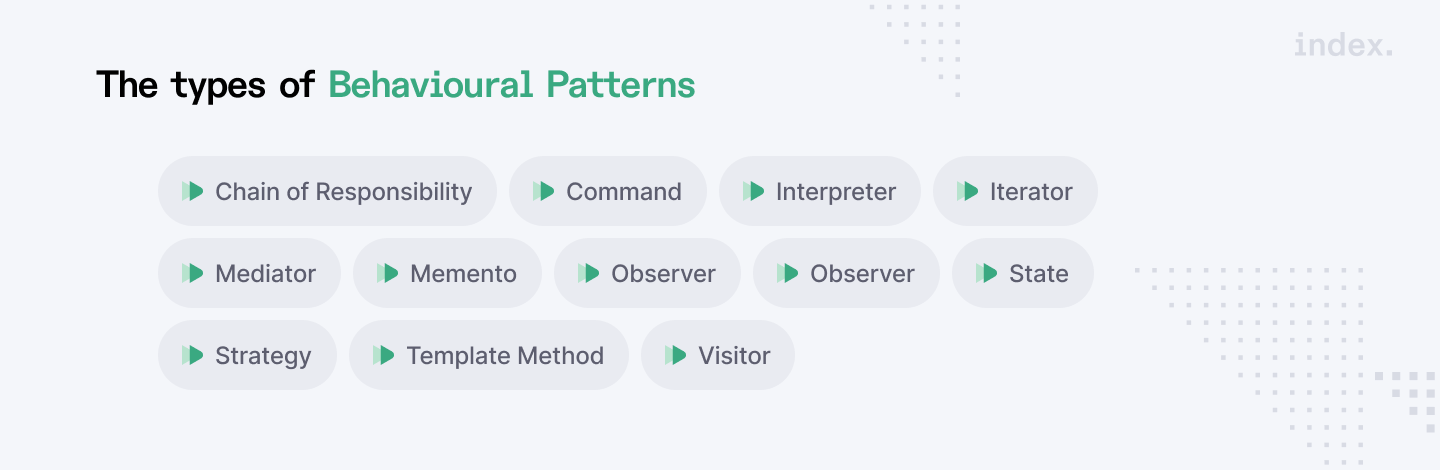
The types of Behavioural Patterns are:
- Chain of Responsibility
- Command
- Interpreter
- Iterator
- Mediator
- Memento
- Observer
- State
- Strategy
- Template Method
- Visitor
Chain of Responsibility
The Chain of Responsibility design pattern is a behavioural design pattern that enables an object to route a request via a series of handlers. Each handler in the chain determines whether to process the request or send it down the chain to the next handler. This design highlights a loose connection between sender and receiver, allowing for greater flexibility in processing requests.
Here’s an example of the Python code for Chain of Responsibility:
from abc import ABC, abstractmethod

# Handler Interface
class Handler(ABC):
    @abstractmethod
    def set_next(self, handler: 'Handler') -> 'Handler':
        pass

    @abstractmethod
    def handle(self, request: str) -> str:
        pass

# Base Handler
class AbstractHandler(Handler):
    _next_handler: Handler = None

    def set_next(self, handler: Handler) -> Handler:
        self._next_handler = handler
        return handler

    @abstractmethod
    def handle(self, request: str) -> str:
        if self._next_handler:
            return self._next_handler.handle(request)
        return None

# Concrete Handlers
class LowLevelApproval(AbstractHandler):
    def handle(self, request: str) -> str:
        if request == "LowLevel":
            return f"LowLevelApproval: Approved {request} request."
        else:
            return super().handle(request)

class MidLevelApproval(AbstractHandler):
    def handle(self, request: str) -> str:
        if request == "MidLevel":
            return f"MidLevelApproval: Approved {request} request."
        else:
            return super().handle(request)

class HighLevelApproval(AbstractHandler):
    def handle(self, request: str) -> str:
        if request == "HighLevel":
            return f"HighLevelApproval: Approved {request} request."
        else:
            return super().handle(request)

# Client code
def client_code(handler: Handler) -> None:
    requests = ["LowLevel", "MidLevel", "HighLevel", "Unknown"]
    for request in requests:
        result = handler.handle(request)
        if result:
            print(result)
        else:
            print(f"{request} request was not handled.")

# Usage
low_level = LowLevelApproval()
mid_level = MidLevelApproval()
high_level = HighLevelApproval()

low_level.set_next(mid_level).set_next(high_level)

print("Chain: LowLevel > MidLevel > HighLevel\n")
client_code(low_level)
Here’s the output:
Chain: LowLevel > MidLevel > HighLevel
LowLevelApproval: Approved LowLevel request.
MidLevelApproval: Approved MidLevel request.
HighLevelApproval: Approved HighLevel request.
Unknown request was not handled.
Command
The Command Method is a Behavioral Design Pattern that encapsulates a request as an object, allowing for client customization with different requests as well as request queuing or reporting. In our illustration, parameterizing additional objects with various demands implies that the button that turns on the lights may subsequently be used to turn on the radio or open the garage door. It aids in elevating the "invocation of a method on an object" to full object status. Essentially, it contains all of the information required to perform an action or initiate an event.
Here’s an example of the Python code for Command:
from __future__ import annotations
from abc import ABC, abstractmethod


class Command(ABC):
    """
    The Command interface declares a method for executing a command.
    """

    @abstractmethod
    def execute(self) -> None:
        pass


class SimpleCommand(Command):
    """
    Some commands can implement simple operations on their own.
    """

    def __init__(self, payload: str) -> None:
        self._payload = payload

    def execute(self) -> None:
        print(f"SimpleCommand: See, I can do simple things like printing"
              f"({self._payload})")


class ComplexCommand(Command):
    """
    However, some commands can delegate more complex operations to other
    objects, called "receivers."
    """

    def __init__(self, receiver: Receiver, a: str, b: str) -> None:
        """
        Complex commands can accept one or several receiver objects along with
        any context data via the constructor.
        """

        self._receiver = receiver
        self._a = a
        self._b = b

    def execute(self) -> None:
        """
        Commands can delegate to any methods of a receiver.
        """

        print("ComplexCommand: Complex stuff should be done by a receiver object", end="")
        self._receiver.do_something(self._a)
        self._receiver.do_something_else(self._b)


class Receiver:
    """
    The Receiver classes contain some important business logic. They know how to
    perform all kinds of operations, associated with carrying out a request. In
    fact, any class may serve as a Receiver.
    """

    def do_something(self, a: str) -> None:
        print(f"\nReceiver: Working on ({a}.)", end="")

    def do_something_else(self, b: str) -> None:
        print(f"\nReceiver: Also working on ({b}.)", end="")


class Invoker:
    """
    The Invoker is associated with one or several commands. It sends a request
    to the command.
    """

    _on_start = None
    _on_finish = None

    """
    Initialize commands.
    """

    def set_on_start(self, command: Command):
        self._on_start = command

    def set_on_finish(self, command: Command):
        self._on_finish = command

    def do_something_important(self) -> None:
        """
        The Invoker does not depend on concrete command or receiver classes. The
        Invoker passes a request to a receiver indirectly, by executing a
        command.
        """

        print("Invoker: Does anybody want something done before I begin?")
        if isinstance(self._on_start, Command):
            self._on_start.execute()

        print("Invoker: ...doing something really important...")

        print("Invoker: Does anybody want something done after I finish?")
        if isinstance(self._on_finish, Command):
            self._on_finish.execute()


if __name__ == "__main__":
    """
    The client code can parameterize an invoker with any commands.
    """

    invoker = Invoker()
    invoker.set_on_start(SimpleCommand("Say Hi!"))
    receiver = Receiver()
    invoker.set_on_finish(ComplexCommand(
        receiver, "Send email", "Save report"))

    invoker.do_something_important()
Here’s the output:
Invoker: Does anybody want something done before I begin?
SimpleCommand: See, I can do simple things like printing (Say Hi!)
Invoker: ...doing something really important...
Invoker: Does anybody want something done after I finish?
ComplexCommand: Complex stuff should be done by a receiver object
Receiver: Working on (Send email.)
Receiver: Also working on (Save report.)
Interpreter
The Interpreter Design Pattern assists with evaluating sentences in a language while also providing recommendations for translating phrases using a set of symbols. It is most efficient when defining language grammars and developing interpreters and parsers for such languages. It allows you to create an interpreter for a language using symbols (or expressions). You must specify a class for each symbol (or expression) and implement an interpret function to evaluate these symbols.
Let’s have a look at the code example of Interpreter design pattern, using a simple language to interpret and evaluate arithmetic expressions with variables and basic operations. In this example, we'll define an interpreter for evaluating expressions like a * (b + c) - d.
from abc import ABC, abstractmethod

# Abstract Expression
class Expression(ABC):
    @abstractmethod
    def interpret(self, context: dict) -> int:
        pass

# Terminal Expression
class Variable(Expression):
    def __init__(self, name: str) -> None:
        self._name = name

    def interpret(self, context: dict) -> int:
        return context.get(self._name, 0)

# Non-terminal Expressions
class Addition(Expression):
    def __init__(self, left: Expression, right: Expression) -> None:
        self._left = left
        self._right = right

    def interpret(self, context: dict) -> int:
        return self._left.interpret(context) + self._right.interpret(context)

class Subtraction(Expression):
    def __init__(self, left: Expression, right: Expression) -> None:
        self._left = left
        self._right = right

    def interpret(self, context: dict) -> int:
        return self._left.interpret(context) - self._right.interpret(context)

class Multiplication(Expression):
    def __init__(self, left: Expression, right: Expression) -> None:
        self._left = left
        self._right = right

    def interpret(self, context: dict) -> int:
        return self._left.interpret(context) * self._right.interpret(context)

class Parentheses(Expression):
    def __init__(self, expression: Expression) -> None:
        self._expression = expression

    def interpret(self, context: dict) -> int:
        return self._expression.interpret(context)

# Client Code
def client_code(expression: Expression, context: dict) -> None:
    result = expression.interpret(context)
    print(f"Result: {result}")

# Usage
# a * (b + c) - d
expression = Subtraction(
    Multiplication(
        Variable("a"),
        Parentheses(
            Addition(Variable("b"), Variable("c"))
        )
    ),
    Variable("d")
)

context = {
    "a": 5,
    "b": 3,
    "c": 2,
    "d": 4
}

client_code(expression, context)
The Output:
Result: 19
Read Also: What Is Multiprocessing in Python
Conclusion
Understanding these patterns enables developers to handle common design issues with established solutions, resulting in more resilient and flexible software structures.
- Creational patterns make object creation easier and assure consistency across several components. These patterns enable the flexible and controlled creation of objects, adapting to various requirements without changing the client code.
- Structural patterns assist in managing and enhancing object interactions, ensuring that they perform seamlessly together. These patterns address issues with object composition and structure, encouraging code reuse and lowering complexity.
- Behavioural patterns deal with how things interact and communicate. These patterns simplify communication and control processes, making handling complicated workflows and responsibilities easier.
For Python Developers:
Join Index.dev’s community of developers to take your Python career to the next level!
For Clients:
Looking for senior Python developers? Index.dev connects you with the most thoroughly vetted ones who are ready to work on your most challenging projects. Hire in under 48 hours!


