
AI agents are shaping software development by going far beyond code suggestions. From writing entire apps and debugging errors to generating documentation and automating CI/CD workflows, these intelligent assistants now support nearly every part of the development lifecycle.
Tools like CodeGPT, GitHub Copilot, Postman AI, Snyk, and Replit empower developers to work faster, smarter, and with fewer mistakes. In this guide, we break down the best AI coding agents available today, explaining what they do, how they help, and when to use them.
Join Index.dev and get matched with top global companies building the future of software.
Can AI agents be used for coding?
Yes, AI agents can be used for coding and are now widely adopted by developers to speed up their work. They help write, test, debug, and improve code across multiple languages like Python, JavaScript, and more.
Tools like GitHub Copilot, CodeGPT, DeepCode AI by Snyk, Postman AI, and Replit AI act as coding agents. They understand natural language prompts and generate accurate, functional code. Some agents even handle full workflows, like building apps or writing test cases, without manual input.
Our handpicked AI agents for coding
1. CodeGPT
What it is
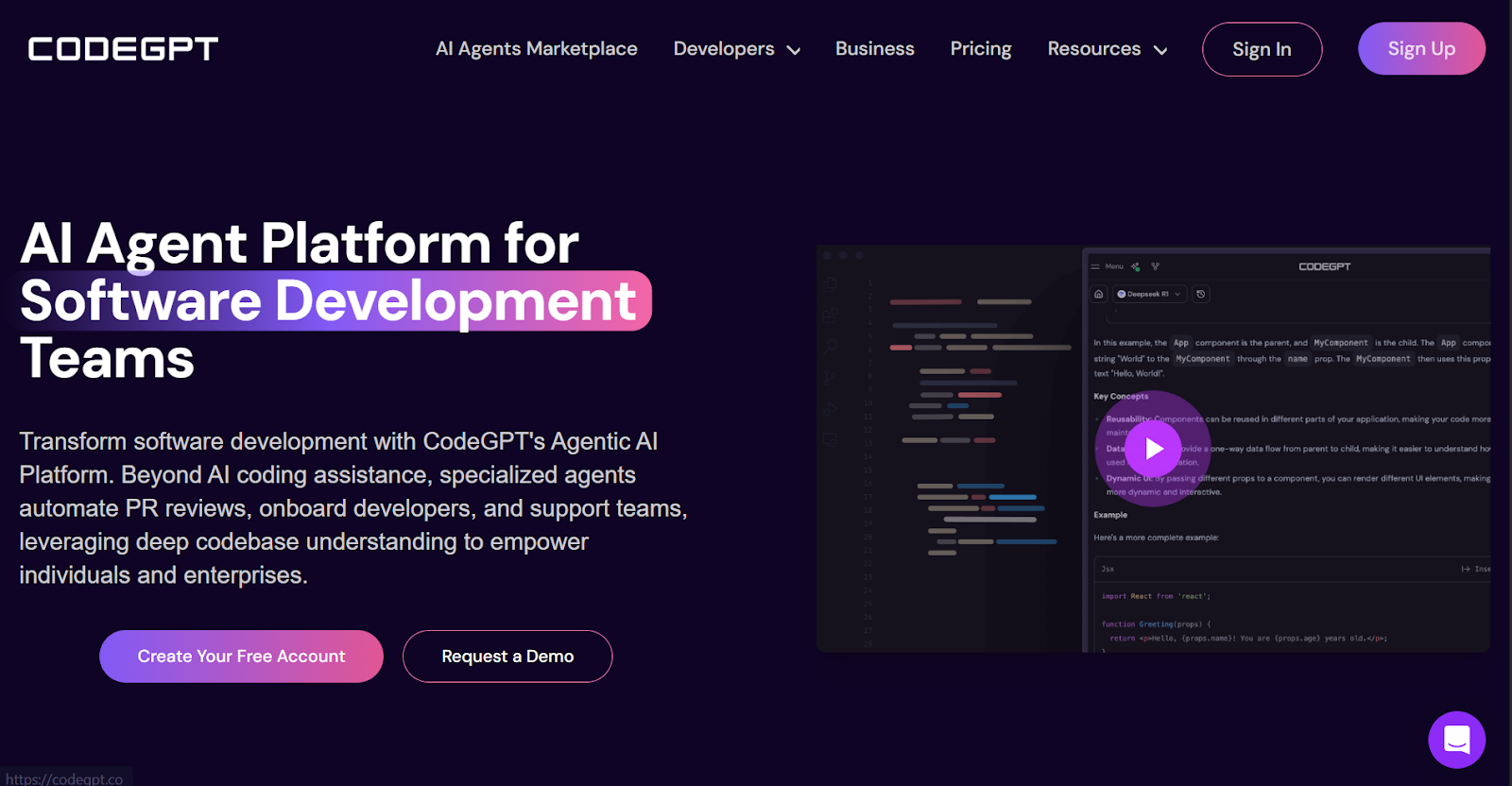
CodeGPT is a full-stack AI agent platform built specifically for software development. Instead of offering just a code autocomplete tool, CodeGPT provides an integrated ecosystem where you can create, use, and manage specialized AI agents inside your IDE or browser. These agents are designed to understand your codebase deeply, automate repetitive development tasks, and even handle documentation, pull request reviews, and onboarding.
Whether you're working solo or as part of a team, CodeGPT gives you the flexibility to use premium models (like GPT-4o, Claude 3.7, Gemini 2.5) and combine them with your own tech stack knowledge to generate faster, context-aware code solutions.
How does it help in coding?
CodeGPT enhances the developer workflow by embedding intelligent, task-specific AI agents across your development environment. These agents don’t just complete code — they also read your codebase, track changes, and execute logic across multiple files.
From generating clean HTML/CSS/JavaScript to summarizing PRs or detecting regression risks, CodeGPT acts more like a collaborative engineer than a one-line code bot. With its ability to remember context within your repositories, the platform helps reduce onboarding time, improve code quality, and accelerate large-scale changes.
Core features of CodeGPT
1. Specialized AI agents for different roles
Access a growing Marketplace of 200+ agents designed for specific development needs — such as Web Designer, GitHub Expert, Power BI assistant, Rabbit R1 Code, and more. Each comes with domain-specific capabilities (e.g., front-end scaffolding, code reviews, API integration, etc.).
2. Multi-model compatibility
Seamlessly switch between top-tier models like GPT-4o, Claude 3.7, Gemini 2.5, LLaMA 4, and Mistral — all accessible through the same platform.
3. IDE integrations
Use agents inside your favorite tools — Visual Studio Code, JetBrains IDEs, and Cursor — to get contextual help as you code.
4. Autocomplete and code generation
Receive inline code suggestions, boilerplate generation, and dynamic code completions that align with your current repo or file.
5. Codebase-level memory and navigation
Index entire projects or monorepos and allow agents to navigate and reason across files, functions, and dependencies.
6. Custom AI assistant builder
Design your own GPT-style agents trained on your docs, API endpoints, or repo knowledge — no ML or coding required. We tested the Web Designer Agent by asking it to build a full e-commerce homepage using HTML, CSS, and JavaScript. Once the homepage structure is ready, choosing ecommerce hosting becomes essential to deploy the site.

Here's what stood out:
What we liked
- Great teaching quality, not just code dumping
When it created sections like the product grid or newsletter form, it also explained why the HTML was structured that way and how the JavaScript should trigger events.

- Followed proper loading sequence and DOM best practices
For example, placing <script src="..."> before the </body> tag and using querySelectorAll only after elements had rendered — things even seasoned devs sometimes overlook.
- Encouraging tone with helpful defaults
It used friendly language, provided editable arrays for product data, and reminded us about next steps like switching to API calls or persisting cart data.
- Quick iteration without breaking structure
We could change product listings, button text, or grid settings without having to ask the AI again — the code was readable, modular, and logical.
What could be improved
- Newsletter validation was too basic
A simple email.includes("@") check was used. No regex, no UX feedback states — this missed the mark for production readiness.
- Accessibility wasn’t part of its default thinking
Even though the structure was semantic, it didn’t recommend aria-labels, focus handling, or tab order without a specific prompt.
- Styling was serviceable, but flat
The UI worked — but it lacked polish. No hover effects, animations, or visual depth, which meant more manual customization was needed afterward.
- Cart state was not persisted
The cart array reset on page reload. A mention or sample of localStorage would’ve made it feel more real-world-ready.
When to use it / when to skip
Use it if you’re looking for a customizable, team-ready AI that goes beyond code snippets to offer deep context, review logic, and scalable collaboration.
Skip it if you're working entirely in low-code environments or only need fast code completions without caring about repo context.
Pricing
| Plan | Price (Monthly) | Features Summary |
| Free | $0 | 30 chats, 200 code completions, 2 custom agents (1MB limit), default models only |
| Professional | $13.5/seat | Premium models, 500 interactions, 10 custom agents, 24h agent history |
| Teams | $27/seat | Unlimited agents, graphs, 50MB text storage, full team access |
| Enterprise | Custom Quote | Self-hosted deployment, SSO, custom agent dev, enterprise-grade security |
2. Postman AI Agent

What it is
Postman is an API development platform used by developers and teams to design, test, and document APIs. In addition to its powerful collaboration features, Postman introduced an AI agent called Postbot, designed to assist with writing test cases, debugging requests, generating documentation, and visualizing API responses.
Alongside Postbot, Postman provides agentic templates, one of the most useful being the Authorization Methods Collection. This template offers ready-to-use examples of common API authentication flows like Basic Auth, OAuth, Bearer Token, API Key, and more.
How does it help in coding?
Postman helps backend and full-stack developers streamline the API development and testing process. The Authorization Methods template allows developers to test real-world security schemes without setting them up from scratch.
Postbot enhances productivity by handling repetitive tasks like writing Postman tests and generating documentation through simple natural language prompts.
Together, these tools simplify secure API development, reduce testing time, and make it easier to debug complex authorization issues.
Core features of Postman AI Agent
1. AI-assisted API testing and debugging
Use Postbot to write pm.test() assertions, validate JSON response structure, check status codes, and debug failed requests using plain-English prompts. The agent offers guided error resolution and test suggestions based on the current request context.
2. Built-in Authorization Methods Collection
Access a ready-to-use template that includes all major API authentication schemes—Basic Auth, OAuth 1.0/2.0, Bearer Token, API Key, Digest, and Hawk. Each request comes with prefilled headers, editable variables, and inline documentation.

3. Natural language test generation
Eliminate the need to manually write Postman scripts. Just describe your test in simple language—like “Check if the status code is 200 and the response includes a token”—and Postbot generates the working script.
4. Markdown-based documentation generation
Automatically create clean, readable API documentation for internal or public sharing. Postbot pulls metadata from your collections and populates method details, request bodies, and example responses.

5. Visualization and data interpretation
Convert raw JSON response data into meaningful charts, tables, or formatted outputs inside Postman. Postbot helps identify patterns, anomalies, or success metrics directly from test responses.

6. Workspace-level integration and collaboration
Test and document APIs inside collaborative workspaces. Share collections with teammates, store auth configurations, fork templates, and track changes with full version control—all within Postman.

7. Add-on flexibility and enterprise controls
Enable additional security, role management, and scaling features such as SSO, audit logs, and governance tools via the Enterprise plan. Postbot can be enhanced with add-ons for extended activity usage and privacy controls.
We imported the Authorization Methods collection into a Postman workspace and tested each authentication type against both mock and live APIs. We simulated Basic Auth, API Key usage, OAuth 2.0 flows, and JWT-based Bearer Token access.
What we liked
- Clear, structured setup for each authorization method
Each request in the template includes detailed guidance on how to configure headers, tokens, or credentials. This helped us implement multiple auth types without needing external references.

- Time-saving Postbot-generated tests
Postbot allowed us to describe what we wanted to test, and it returned accurate Postman test scripts. This was especially useful for validating status codes, token presence, and response fields.
- Contextual documentation and inline explanations
The embedded documentation in each request helped explain what each auth method does, when to use it, and how to troubleshoot common errors.
- Helpful for both learning and validation
We were able to use the template not just to test APIs, but also to better understand how various authentication flows differ. It made comparing OAuth 2.0 vs Bearer Tokens very straightforward.
- Works out of the box for both mock and live APIs
We tested with both Postman mock servers and external APIs. The template worked reliably across both, with only minor adjustments to environments or credentials.
What could be improved
- No support for token refresh flows
Although OAuth 2.0 requests were included, the template lacked built-in logic or scripting for refreshing access tokens. This made longer test sessions less efficient.
- Limited beginner guidance for advanced auth types
While Basic Auth and API Key usage were simple to follow, methods like Hawk and Digest lacked enough explanation or context for someone unfamiliar with their mechanics.
- No visual representation of flow logic
Complex flows like OAuth would benefit from sequence diagrams or architecture overviews to make the underlying process more intuitive for visual learners.
- Postbot lacks deep customization
Although Postbot was effective for basic testing tasks, it didn’t support more advanced or conditional test logic without further manual editing.
- Not integrated into automation pipelines
The template works well inside the Postman UI, but adapting it for Postman CLI or Newman-based CI/CD workflows requires manual setup or conversion.
When to use it / when to skip
Use it when you want to understand, implement, or test different API authentication methods inside Postman with minimal setup.
Skip it if your use case requires automated security testing in CI/CD environments or if you already have a custom auth testing framework.
Pricing
| Plan | Price (Monthly) | Key Inclusions |
| Free | $0 | 1 private API, 50 Postbot activities/month, full access to templates |
| Basic | $14/user | 3 private APIs, 10K mock & monitor requests, Postbot as paid add-on |
| Professional | $29/user | 10 private APIs, partner workspaces, advanced collaboration |
| Enterprise | $49/user | Unlimited private APIs, audit logs, advanced role management, private API network |
Postbot add-on pricing
- $9/user/month for Free, Basic, and Professional plans
- $19/user/month for Enterprise (includes privacy and compliance enhancements)
3. GitHub Copilot Coding Agent

What it is
GitHub Copilot Coding Agent is a task-executing AI assistant built directly into the GitHub platform. It enables developers to delegate GitHub issues to an AI agent, which then works autonomously inside a GitHub Actions-powered environment.
This includes reading issue prompts, editing code, running tests, pushing commits to safe branches, and opening pull requests for review. Available under the Pro+ and Enterprise plans, the Coding Agent simulates how a junior developer might handle simple to moderately complex tasks, with full visibility and control retained by the user.
How does it help in coding?
GitHub Copilot Coding Agent helps teams scale their productivity by offloading routine development tasks such as fixing bugs, improving test coverage, updating documentation, and handling technical debt.

Once an issue is assigned, the agent performs all necessary changes independently. It compiles and tests code in an isolated CI environment, ensures safe PR handling, and supports user-requested iterations via pull request comments—freeing developers from repetitive, lower-priority issues that often clog sprints or linger in the backlog.
Core features of GitHub Copilot Coding Agent
1. Autonomous issue-to-pull request workflow
Assign GitHub issues to Copilot through the UI, GitHub CLI, API, or GitHub Mobile. The agent reads the issue title, body, and existing comments to generate its working context, then executes changes and opens a pull request linked to the issue.
2. Hosted development environment (via GitHub Actions)
Copilot operates in a secure, ephemeral Linux-based (Ubuntu x64) container hosted by GitHub Actions. It checks out the repo, installs dependencies, and executes tests or linters before opening a PR. Windows/macOS/self-hosted runners are not supported.
3. Live progress monitoring with session logs
Every time Copilot starts working, a “Copilot started work” event is added to the PR timeline. Users can click View session to see real-time logs of actions taken (e.g., which files were modified, what commands were run, test results, etc.).
4. Comment-based iteration within pull requests
You can leave review comments in Copilot-generated PRs to prompt the agent to revise its work. Once it receives the feedback, it resumes the session and pushes updated commits.
5. Safe, review-first branch strategy
Copilot only pushes changes to branches prefixed with copilot/ and never to main, master, or protected branches. It cannot self-approve PRs, ensuring full manual review and compliance with GitHub’s branch protection rules.
6. Setup customization with YAML workflows
Developers can add a .github/workflows/copilot-setup-steps.yml file to preinstall tools like Node.js, Python, or Git LFS. You can also define caching logic or use larger runners (e.g., ubuntu-4-core) to improve performance for heavier tasks.
7. Strict access and security controls
Only users with write access can assign issues to Copilot. It does not respond to comments from users without access, cannot trigger full Git operations, and workflows aren’t executed until a reviewer explicitly approves them.
8. Single PR per task limitation
Copilot can only generate one pull request per issue. It cannot span changes across multiple repositories or manage multiple PRs at once.
9. Compatibility with GitHub's native tools
Copilot integrates with GitHub Issues, Projects, GraphQL API, and GitHub CLI (gh issue edit). It works across the standard GitHub.com platform but does not support GitHub Enterprise Cloud with data residency or managed personal accounts.
What we liked
- Feels like assigning work to a real teammate
Assigning an issue to Copilot mimics handing off work to a junior dev. You get an automated pull request in return, often with tests and structured commits.
- Excellent visibility via session logs
The real-time logs show Copilot's logic, test outputs, and changes clearly, which builds trust and provides insight into what the AI is doing at each step.
- Seamless PR-based review loop
The ability to request changes through standard PR comments and have Copilot respond and reiterate is a powerful, natural part of team workflows.
- Custom environment setup is a game-changer
Preloading dependencies and tools significantly improves reliability, especially when Copilot needs to run tests or install packages.
- Well-contained and safe by design
By limiting pushes to copilot/ branches and preventing auto-approval, GitHub ensures that all Copilot output passes through human QA and is compliant with CI rules.
- Lightens developer's load for recurring tasks
Ideal for backlog cleanup tasks—like refactoring legacy code, adding unit tests, updating error handling, or applying formatting fixes.
What could be improved
- No awareness of comments added after assignment
Once you assign the issue, Copilot won’t see any further updates to the issue thread. All additional instructions must be added to the resulting PR.
- No signed commits
If your repo enforces GPG-signed commits, you’ll need to manually rewrite history after Copilot pushes. It doesn’t sign commits by default.
- Limited to one repo and one PR per task
The agent can’t handle multi-repo changes or break large tasks into multiple pull requests. It only works within the assigned repository.
- Doesn’t honor content exclusions
Files or paths excluded via .copilotignore or organizational content exclusions are still visible to Copilot in the agent environment.
- Not yet production-grade in all scenarios
As a public preview, the agent may occasionally time out or fail to understand non-standard or poorly scoped issues. Some environments (e.g., GitHub Enterprise Cloud with data residency) are currently unsupported.
When to use it / when to skip
Use it when you want to automate contained, well-scoped development tasks like adding logs, fixing bugs, writing tests, or cleaning up code.
Skip it for complex multi-repo workflows, security-sensitive code, or where commit-signing and fine-grained control are mandatory.
Pricing
| Plan | Price (Monthly) | Features Summary |
| Free | $0 | 50 agent/chat requests, 2,000 completions/month, access to Claude 3.5 and GPT-4.1 |
| Pro | $10 | Unlimited completions and chats, GPT-4.11, Claude 3.7, Gemini 2.5 access, code review |
| Pro+ | $39 | Full access to Coding Agent, GPT-4.5, Claude Opus 4, o3 models, 30x premium request quota |
| Enterprise | Custom Quote | Organization-wide Coding Agent access, admin controls, and advanced security governance |
4. Snyk open source (DeepCode AI Agent)

What it is
Snyk Open Source is a security-focused AI agent built to help developers detect and remediate open source vulnerabilities inside their codebase. Unlike general-purpose AI code tools, it’s powered by DeepCode AI — a purpose-trained hybrid model designed to analyze third-party libraries, prioritize risks, and suggest production-grade autofixes.
It integrates natively into your IDE or CI/CD environment and works across Git repositories, helping teams proactively secure their code without slowing development velocity.
How does it help in coding?
Snyk Open Source enhances the developer workflow by acting as a security layer that understands your dependency trees, flags CVEs in real-time, and offers instant remediation. It’s built specifically for developers managing open source packages (npm, Maven, pip, etc.) and infrastructure (Dockerfiles), allowing them to ship faster while maintaining strong security hygiene.
Whether you're pushing a new feature or updating legacy modules, this AI agent automatically scans your repo, informs you of vulnerabilities (direct or transitive), and creates merge-ready PRs with upgraded versions or patch fixes.
Core features of Snyk Open Source
1. AI-driven vulnerability scanning
Scans open source libraries (including transitive dependencies) for known vulnerabilities across 19+ ecosystems, using hybrid AI with symbolic + ML models.
2. One-click autofixes
Developers can instantly apply safe upgrades or patches for most CVEs via the IDE or automated pull requests.
3. CVE awareness & notifications
Provides real-time alerts when new vulnerabilities are published — keeping your projects ahead of zero-day risks.
4. Git and CI/CD integrations
Seamless integration with GitHub, GitLab (even private runners), Bitbucket, Jenkins, and more for in-pipeline scans and fixes.
5. IDE support
Native plugins for VS Code and JetBrains IDEs allow devs to fix issues during live coding, not just post-commit.
6. Filtering & prioritization
CLI and UI filters let you target vulnerabilities by severity, exploit maturity, dependency path, or affected ecosystem.
7. Security intelligence via DeepCode AI
DeepCode models are trained on millions of verified open-source fixes, ensuring that autofix suggestions are context-aware and reliable.
We referred to the publicly available ShopBack x Snyk case study to inform our evaluation, particularly to validate real-world developer adoption, practical integrations, and the impact of autofix features
What we liked
- Autofix suggestions were fast, safe, and worked well inside GitLab CI
Developers didn’t need to Google fixes — the right patch or version was generated, and the merge request was ready to go.
- Filters made scanning manageable
Instead of receiving a huge report, we could narrow down issues based on severity or risk, saving hours of triage.
- Private Git support was excellent
Snyk’s ability to work inside a private GitLab runner was a key differentiator — most tools struggled with access and auth.
- Kept developers updated on zero-days
CVE alerts and third-party library insights gave the team real-time visibility without relying on separate monitoring systems.
- Boosted secure coding adoption across teams
ShopBack reported a 247% rise in usage across devs in just 2 months, showing how developer-friendly the agent is.
What could be improved
- Autofixes mostly handle packages, not deep logic flaws
If the issue lies in custom code or misuse of an API, Snyk won’t catch or fix it — it’s not a reasoning agent like CodeGPT.
- Doesn’t persist vulnerability context across files
You still need to use other tools or platforms for full-stack application security or code logic tracing.
- Limited support for niche ecosystems
Languages like Rust, Elixir, or Deno have limited support or none at all, mainly optimized for major ecosystems.
- No onboarding help for beginners
New developers might find CLI filters and report interpretations non-intuitive unless guided by a security team.
When to use it / when to skip
Use it if you rely on open source packages and want a secure, developer-friendly way to manage CVEs across your stack.
Skip it if you need deep AI reasoning across your custom codebase or are not using third-party dependencies.
Pricing
| Plan | Price (Monthly) | Features Summary |
| Free | $0 | Basic scanning, IDE plugin, community support, 100 tests/mo per user |
| Team | $22/user | Unlimited scanning, CLI filters, GitLab CI/CD integration, CVE alerts |
| Business | Custom Quote | Policy enforcement, compliance reporting, container scanning, and usage analytics |
| Enterprise | Custom Quote | SSO, priority support, private deployments, full audit logs, dedicated CSM |
5. Replit

What it is
Replit is an end-to-end, browser-based development platform that combines a zero-setup IDE, AI-powered agents, and one-click deployments, making it possible to build full-stack applications, websites, and AI tools directly from any device. It supports over 50 programming languages and enables both technical and non-technical users to go from idea to production without installing anything locally.
Whether you’re coding in Python, deploying a React app, or describing your app idea in plain English, Replit removes the usual setup friction and lets you build, test, and ship faster with built-in AI support.
How does it help in coding?
Replit enhances developer productivity by eliminating setup steps, integrating AI assistants (like Replit Agent) for code generation and debugging, and allowing for real-time collaboration — all in one interface. You can build anything from APIs to static websites, Discord bots to internal dashboards, using templates or chat-based instructions.
Core features of Replit
1. Replit Agent (AI coding assistant)
Generates and edits code across multiple files using natural language prompts. It supports everything from frontend scaffolding (HTML/CSS/JS) to backend logic (API routes, form handling) and can refactor entire codebases, debug deployment issues, and roll back changes. Built for zero-boilerplate coding.

2. Instant development environments
Automatically provisions containerized dev environments in the cloud for 50+ languages like Python, Node.js, C++, Go, Rust, and Java, all accessible from browser, desktop app, or mobile. No Dockerfiles, no dependency installs, no manual configuration.
3. One-click production deployment
Deploy any Repl (project) to a public URL with integrated HTTPS. For web apps and APIs, Replit uses its own managed infrastructure to handle runtime, ports, and hosting, so you don’t need AWS, Heroku, or Netlify.
4. Website builder with visual editing
Non-coders can describe a full site or app in natural language, the Agent generates HTML/CSS/JavaScript accordingly. Users can click elements visually and update layout, styles, or structure through chat instead of modifying raw code.

5. Mobile-ready coding and deployment
The Replit mobile app supports real-time editing, terminal access, code execution, and deployment. Users can debug, push changes, or deploy a website — all from a smartphone.
6. Built-in terminal and package manager
Each Repl includes a Linux-like terminal, with access to language-specific package managers (e.g., pip, npm, cargo). Replit also auto-detects dependencies from code and can install them automatically.
7. Templates and starter projects
Includes AI-integrated starters (GPT-4 server, AI Discord bots), popular frameworks (React, Next.js, Flask, Node.js), and partner-built SDKs (Google Cloud, Roboflow, thirdweb) for rapid prototyping.

8. Team collaboration with Live Sync
Developers can share a Replit and co-edit in real time, including shared terminal sessions, synced file changes, and live debugging, similar to Google Docs for code.
9. Secrets management and environment variables
Supports secure storage of environment variables for use in API integrations, token handling, and deployment without hardcoding sensitive values.
We tested Replit’s AI Website Builder by asking it to generate a fully functional site from a natural language prompt.
What we liked
- Instant idea-to-website flow
We described a personal website layout in plain text, and Replit created a full site with HTML/CSS/JS in minutes, no boilerplate required.
- AI handled both frontend and logic
It included nav menus, contact forms, and even generated sample form validation logic.
- Editing via chat was intuitive
We changed font styles, background colors, and page structure by simply clicking elements and chatting “make this section two columns.”
- Live preview and deployment worked flawlessly
The site launched with a shareable Replit-hosted link, zero configuration needed.
- Truly mobile-friendly development
We tested building and editing on a phone. Responsive layout tools worked great.
What could be improved
- AI styling was basic
While functional, the UI looked flat. No hover animations, visual depth, or CSS transitions unless specifically requested.
- Limited accessibility defaults
The generated markup missed ARIA roles, alt tags, and keyboard focus states unless explicitly prompted.
- No SEO meta tags or analytics
The AI didn’t include standard SEO features like <meta> tags or Google Analytics snippets by default.
- Cart or state persistence wasn’t included
When testing an e-commerce layout, cart state didn’t persist across sessions (no localStorage or cookies unless prompted).
When to use it / when to skip
Use it if you want to build or deploy websites, apps, or bots quickly without setup or DevOps overhead. Skip it if you need advanced UI customization, CMS features, or backend-level infrastructure control.
Pricing
| Plan | Price (Monthly) | Features Summary |
| Free | $0 | Up to 10 apps, limited AI Agent usage, public projects only |
| Core | Starts at ~$20 | Unlimited apps, private projects, increased compute, more Agent checkpoints |
| Teams | Custom Quote | Team collaboration tools, project permissions, and workspace controls |
| Hacker/Pro (Legacy) | Variable | Older plans with enhanced performance and private repls |
6.Aikido
What it is
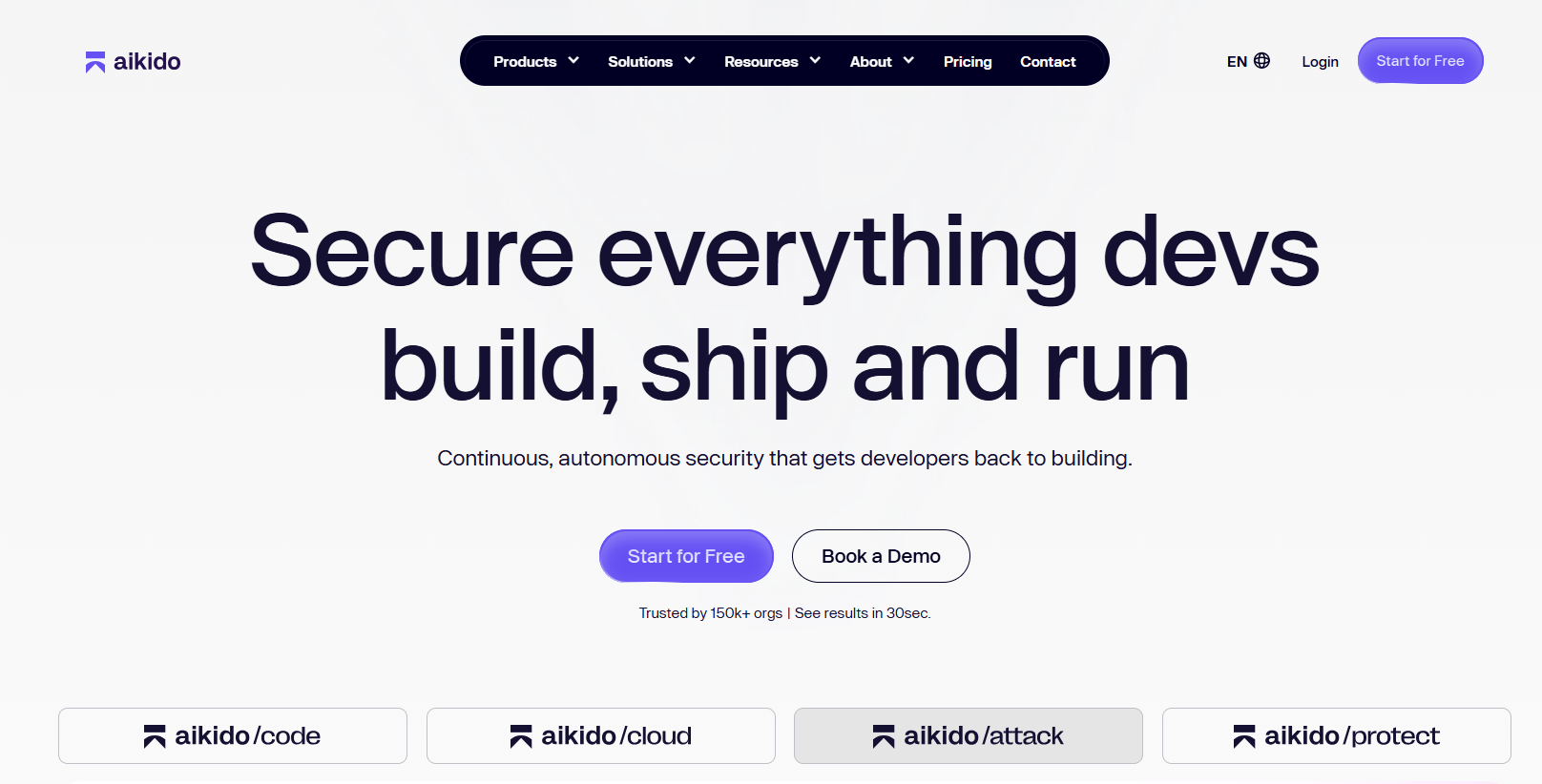
Aikido is a developer-first security platform with AI agents built to find and fix vulnerabilities across code, dependencies, containers, and cloud, all from one place. Rather than a single-purpose scanner, it combines SCA, SAST, secrets detection, IaC scanning, container image scanning, and cloud posture management, and adds AI AutoFix that opens ready-to-merge pull requests. It also runs AI-driven pentesting and DAST, extending beyond static analysis into offensive testing.
How does it help in coding?
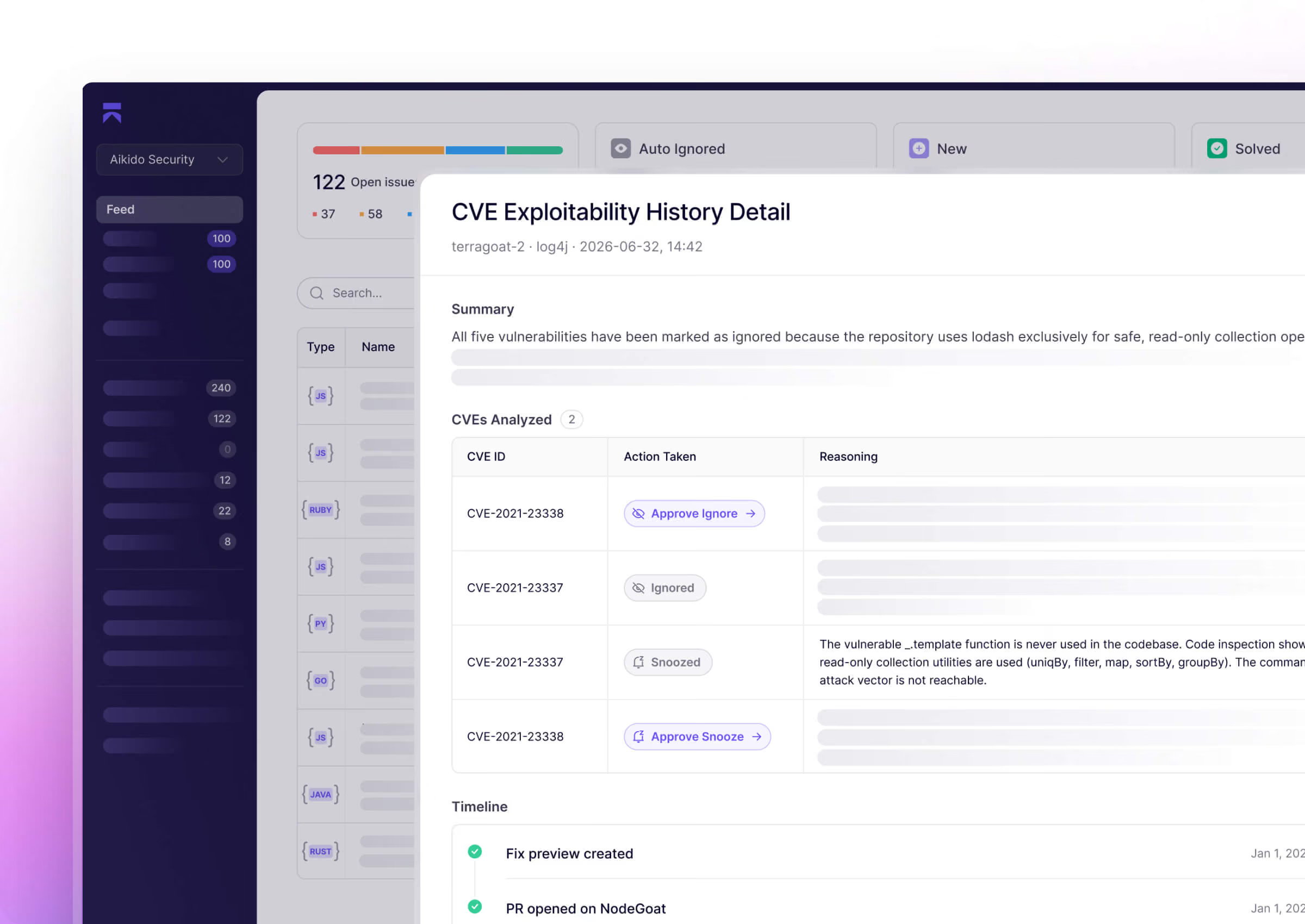
Aikido sits in the developer workflow, IDE, pull requests, and CI/CD, and flags vulnerabilities as code is written and shipped. Its reachability analysis checks whether a flagged issue is in a code path the app actually runs, which filters out noise so developers fix what matters instead of triaging long CVE lists. When it finds a fixable issue, its AI AutoFix generates a patch and opens a PR, so remediation stays inside the normal review flow. Because code, container, and cloud scanning live in one platform, teams get a single view instead of stitching together separate tools.
Core features of Aikido
- All-in-one scanning: SCA (dependencies), SAST, secrets, IaC, container images, and cloud misconfigurations in one platform.
- AI AutoFix: generates fixes and opens ready-to-merge pull requests for many issues.
- Reachability analysis: prioritizes vulnerabilities that are actually exploitable, cutting false positives.
- AI pentesting and DAST: offensive testing that goes beyond static scanning.
- IDE and CI/CD integrations: works with VS Code, JetBrains, GitHub, GitLab, and Bitbucket for in-pipeline and in-editor fixes.
- Compliance support: SOC 2, ISO 27001, and reporting to support audits.
When to use it / when to skip
Use it if you want one platform to cover code, dependency, container, and cloud security with AI-generated fixes in your existing workflow, especially as a startup or lean team that doesn't want to run several separate tools. Skip it if you only need a single narrow capability and already have dedicated tooling for it, or if security scanning isn't part of your workflow yet.
Pricing
Aikido offers a free tier for small teams and individual projects, with paid plans that scale by team size and add more scanning, integrations, and controls. Check Aikido's pricing page for current figures.
What are AI agents use cases for coding and development?
These agents are no longer limited to suggesting code completions—they now support a wide range of use cases across the entire development lifecycle. Below are the key areas where AI agents are making a meaningful impact:
1. Code Autocompletion and Generation
AI agents assist in writing functions, scaffolding boilerplate, or generating entire applications from natural language prompts. By understanding the context of the developer’s intent and the surrounding codebase, these tools significantly reduce the time required to create production-ready code.
Example use case: Generating a REST API in Node.js or scaffolding a full React component based on a feature description.
2. Bug Detection and Debugging
AI agents can identify syntax errors, potential logic flaws, and unexpected behavior during runtime. They provide actionable suggestions and often explain the root cause of a bug, making debugging faster and more educational.
Example use case: Detecting null reference errors or identifying incorrect loop conditions in Python or JavaScript.
3. Code Review and Pull Request Management
Advanced agents can read through pull requests, summarize code changes, flag potential issues, and recommend improvements. This enhances the code review process by making it faster and more consistent, especially in large teams.
Example use case: Reviewing a pull request and suggesting more efficient sorting logic or flagging inconsistent variable naming.
4. Automated Documentation Generation
AI agents can create technical documentation directly from source code, including docstrings, API specs, README files, and endpoint explanations. This is particularly valuable in fast-paced environments where documentation often falls behind.
Example use case: Auto-generating OpenAPI documentation from an Express.js route file or summarizing class-level functionality in Python.
5. Security and Vulnerability Remediation
Security-focused AI agents scan third-party dependencies, analyze vulnerability exposure (such as CVEs), and suggest appropriate patch versions or alternative packages. They help developers maintain secure applications without relying entirely on security teams.
Example use case: Identifying an outdated npm dependency with a known vulnerability and opening a pull request to apply a safe upgrade.
6. DevOps and CI/CD Workflow Automation
Some AI agents are capable of generating configuration files and deployment scripts, making it easier to automate build, test, and deployment processes. This minimizes manual setup and aligns development workflows with best practices.
Example use case: Generating a GitHub Actions workflow YAML to automatically lint, test, and deploy a web application.
7. Test Case Generation
AI agents can write unit, integration, or end-to-end test cases based on existing code or user prompts. This reduces the manual effort required for testing and ensures better coverage, especially in fast-moving projects.
Example use case: Writing Jest unit tests for a user authentication function or generating Postman tests for API endpoints.
8. Frontend UI Generation
Certain AI platforms allow developers to generate complete front-end interfaces from textual instructions. These interfaces include semantic HTML structures, CSS styling, and interactive components, all generated through an AI-driven design-to-code approach.
Example use case: Building a landing page with a hero section, pricing cards, and a contact form, based on a plain English description.
9. Team Onboarding and Codebase Navigation
AI agents can act as interactive guides within code repositories. They help new developers understand architecture, locate specific logic, and get up to speed quickly by answering contextual queries about the codebase.
Example use case: A new team member asks the agent, “Where is the checkout logic implemented?” and receives a navigable explanation with file references.
Explore the growing role of AI agents in software engineering.
Final words
AI agents have become essential tools in modern development workflows. Whether you're building apps, testing APIs, fixing bugs, or securing open-source packages, there's an AI agent that can streamline the task. By choosing the right tool for your needs, you can save time, reduce errors, and boost collaboration—making development more productive and enjoyable.
FAQs
What is the best AI agent for beginner coders?
If you're just starting out, Replit AI and GitHub Copilot are two of the most beginner-friendly AI agents.
Replit removes the need for setup and lets you build apps through natural language prompts, making it perfect for non-coders or students.
GitHub Copilot offers contextual code suggestions directly in your editor, helping you understand syntax and logic as you type. Ideal for learning by doing.
Are these agents safe for production code?
Most AI coding agents are designed to assist with production-level code, but they still require manual validation. Tools like Snyk’s DeepCode AI help identify and fix security vulnerabilities in third-party packages, while GitHub Copilot Agent ensures changes go through pull request reviews. As a best practice, always review AI-generated code before merging it into a production environment.
Can AI agents replace developers in the future?
AI agents are built to support and enhance developer productivity—not replace it. They can automate routine tasks like writing tests, formatting code, or generating documentation.
However, critical thinking, architecture planning, debugging edge cases, and collaborating across teams still require human judgment and creativity. In short, AI agents are collaborators, not replacements.
How are AI agents different from ChatGPT or Copilot?
AI agents are goal-driven systems designed to perform specific development tasks—like writing tests, fixing bugs, or generating pull requests—autonomously within tools like GitHub or Postman.
In contrast, ChatGPT and the standard GitHub Copilot are assistive models that provide code suggestions or explanations in response to prompts but don’t take action inside your codebase. Agents can operate across steps (e.g., fetch data, edit code, commit changes), while tools like ChatGPT act more like interactive copilots rather than action executors.

