
GitHub Copilot has become one of the most popular AI coding assistants, but it’s not the only option. Many developers and teams are looking for alternatives that offer more privacy, better integration with their workflows, advanced automation, or different pricing models.
Whether you want a self-hosted solution, enterprise-grade compliance, or AI agents that handle entire coding tasks, there are several powerful tools to choose from.In this guide, we explore the 5 best GitHub Copilot alternatives, highlighting what makes each one unique, their key features, pros and cons, and pricing.
Join Index.dev and work with global companies on cutting-edge projects.
Best GitHub Copilot alternatives at a glance
These tools were chosen for their coding accuracy, feature depth, integration support, and scalability, making them suitable for both individual developers and large engineering teams.
- GitLab – Best for end-to-end DevSecOps with built-in CI/CD, pricing starts at $0/month (Free plan).
- Tabnine – Best for secure, context-aware AI coding with enterprise compliance, pricing starts at $9/month.
- Zencoder.ai – Best for agent-based coding automation and repo intelligence, pricing starts at $19/month.
- Tabby – Best for self-hosted, privacy-first AI coding assistance, pricing starts at $19/month.
- AskCodi – Best for all-in-one code generation, debugging, and deployment, pricing starts at $12.50/month (billed annually).
What is GitHub Copilot?

GitHub Copilot is an AI-powered coding assistant built by GitHub in partnership with OpenAI. It integrates directly into code editors like Visual Studio Code, JetBrains IDEs, and Neovim, where it suggests complete lines, functions, or even entire files based on your code and natural language instructions.
It uses OpenAI’s Codex model, trained on billions of lines of public and licensed code, to understand programming patterns and generate context-aware suggestions. This allows developers to save time, avoid repetitive work, and focus on building features instead of writing boilerplate code.
Who uses GitHub Copilot?
GitHub Copilot is used by a wide range of people in software development, from individual learners to enterprise teams. Its flexibility makes it useful for different coding goals, tech stacks, and project types.
- Professional Developers – Use it to speed up routine coding, create clean reusable functions, and maintain focus on solving complex problems.
- Beginner Programmers and Students – Use it to learn coding syntax, get quick examples, and fix common errors while practicing.
- Open-Source Contributors – Use it to add features, improve documentation, and navigate large codebases faster.
- Data Scientists and AI Engineers – Use it to automate data preparation, write analysis scripts, and test algorithms quickly.
- Companies and Teams – Use it to standardize code quality, assist in reviews, and improve productivity across projects.
Learn how to use GitHub Copilot for faster, smarter code reviews.
5 Best GitHub Copilot Alternatives
1. GitLab
GitLab is an all-in-one DevSecOps platform where you can plan, code, test, secure, and deploy software without leaving the interface. From creating a repository to running automated pipelines and scanning for vulnerabilities, everything is tightly integrated.
For example, you can push code to a GitLab repo, trigger a CI/CD job, run security scans, and deploy to Kubernetes all from one place.
Key features
1. Built-in CI/CD Pipelines
GitLab has CI/CD pipelines built right into the platform. Once a .gitlab-ci.yml file is added, the pipeline runs automatically. Stages like build, test, and deploy are easy to set up, and conditional jobs control when steps run.
This is how CI/CD pipelines work:
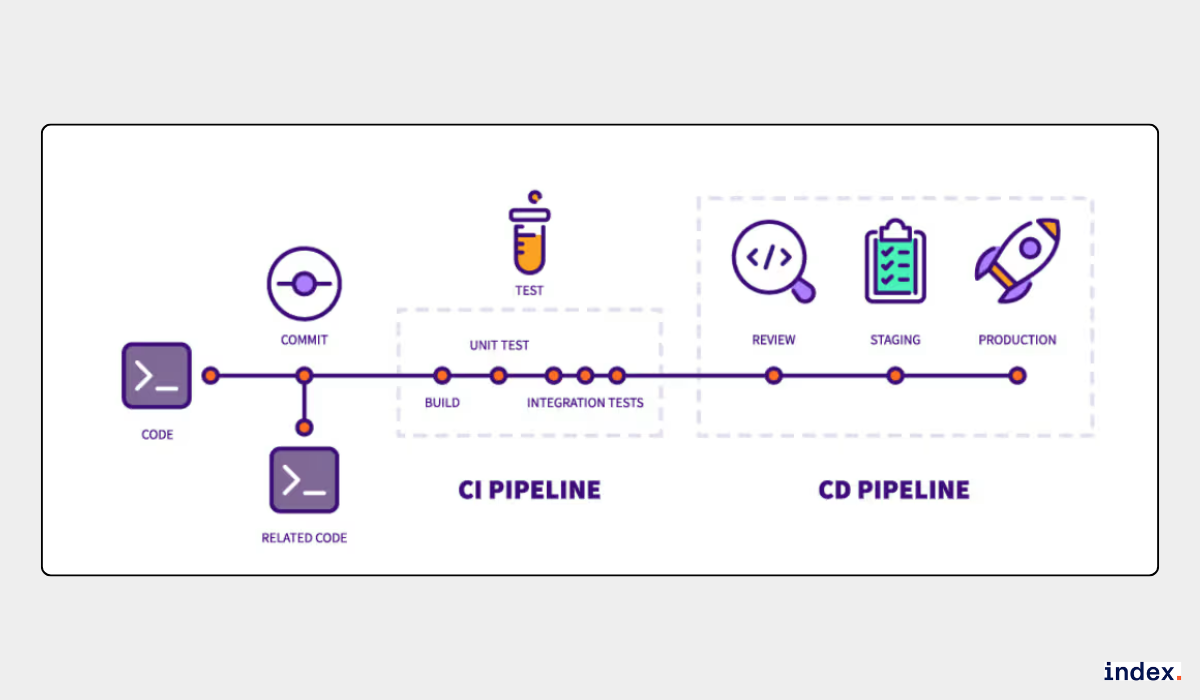
Environment variables make it simple to manage secrets across environments. Unlike GitHub, which requires Actions setup, GitLab provides this by default, which helps teams move faster and avoid extra configuration work.
2. Advanced Security Scanning
Security scans run as part of the pipeline, so issues show up early in development. GitLab includes static analysis, dynamic analysis, container scanning, and secret detection out of the box. This means vulnerabilities are flagged before code ever reaches production.
While GitHub offers CodeQL and some security tools, GitLab’s deeper integration makes it easier for teams to bake security into daily development.
3. Code Review and Collaboration
Merge requests in GitLab work like pull requests in GitHub, but with more control over approvals. Inline comments, threaded discussions, and rules for code owners keep the review process organized. Teams can block self-approvals or require multiple reviewers to maintain code quality. This setup reduces mistakes and ensures accountability across projects.
4. Integrated Project Management
GitLab combines coding and project tracking in one place. Issues, boards, milestones, and epics help plan and manage work without leaving the platform.
This way access and work status can be controlled in a project:
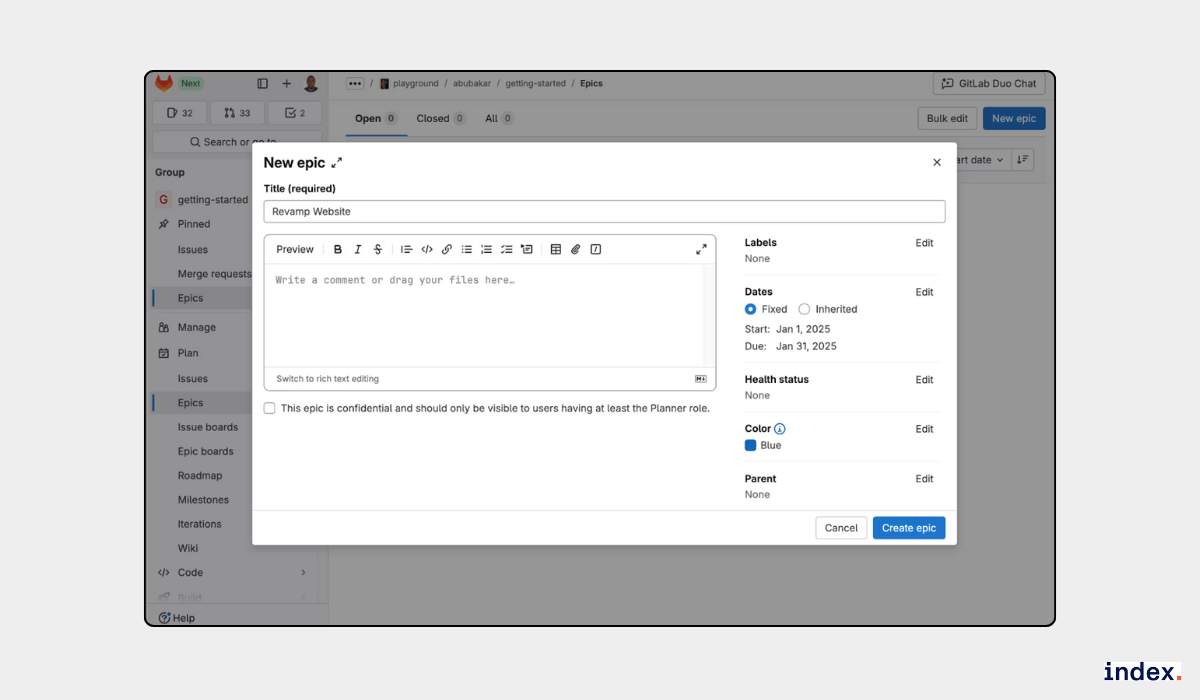
Teams can run Scrum or Kanban workflows and link tasks directly to code changes. Compared to GitHub Projects, GitLab offers a stronger planning hierarchy, which is useful for teams managing complex roadmaps.
5. Remote Development Workspaces
The Web IDE with remote environments lets developers start coding from any browser without local setup. Onboarding is faster since new team members can jump in without installing tools. GitHub offers Codespaces for a similar use case, but GitLab’s built-in option makes it easier to keep everything inside one platform.
6. Extensive Integrations
GitLab connects with services like Jira, Slack, Kubernetes, AWS, Google Cloud, and Docker. This keeps workflows centralized while still using specialized tools when needed. GitHub has a broader marketplace, but GitLab’s integrations cover most enterprise needs directly.
7. AI Features (GitLab Duo)
GitLab Duo provides AI-powered help for writing code, generating pipelines, and reviewing changes. While GitHub Copilot is more established, GitLab’s approach keeps AI features directly tied to its DevOps pipeline. Teams who want an all-in-one setup may find this integration useful.
Pros
- Combines SCM, CI/CD, project management, and security in one platform
- Highly configurable pipelines with detailed YAML control
- Strong compliance and audit capabilities
- Flexible hosting options on cloud or self-managed infrastructure
Cons
- Learning curve for new users due to the wide range of features
- Performance may slow down with large repositories or complex pipelines
Pricing
GitLab pricing starts with a Free plan at $0/user/month, while paid plans include Premium (custom pricing) and Ultimate (custom pricing), with AI add-ons like GitLab Duo Pro at $19/user/month.
2. Tabnine
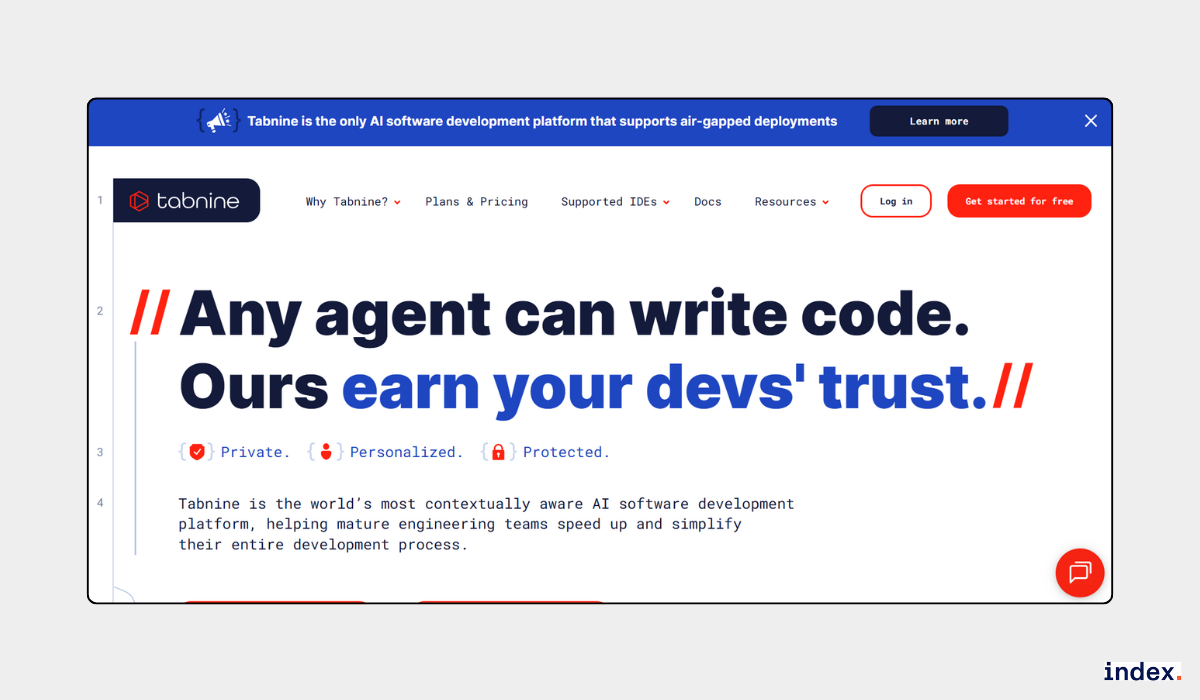
Tabnine is an AI-powered software development platform that integrates directly into popular IDEs to assist with the entire software development lifecycle. It provides context-aware code suggestions, automated test generation, documentation creation, and intelligent code reviews.
The platform supports secure deployment models including SaaS, VPC-hosted, and fully air-gapped on-premises, ensuring code privacy and compliance.
Tabnine uses proprietary and third-party large language models to deliver personalized recommendations that match an organization’s coding style, standards, and workflows.
Key features
1. Deep Project Context Awareness
Tabnine adapts to the project as if it already knows the codebase. It analyzes the structure, imported libraries, and existing conventions before suggesting completions. The code it generates usually fits directly without needing manual fixes, which saves time and keeps the style consistent.
2. AI Agents for Task Automation
Repetitive tasks such as writing unit tests, updating code for Jira tickets, or reviewing pull requests can be handled by Tabnine’s AI agents. These agents automate steps that usually slow development, allowing more focus on design and problem-solving instead of routine fixes.
3. Flexible Model Options
Tabnine supports multiple AI models. It can run its proprietary models, leading third-party models, or even custom models fine-tuned on a company’s own code.
Below are the AI models available in Tabnine Chat to work with:
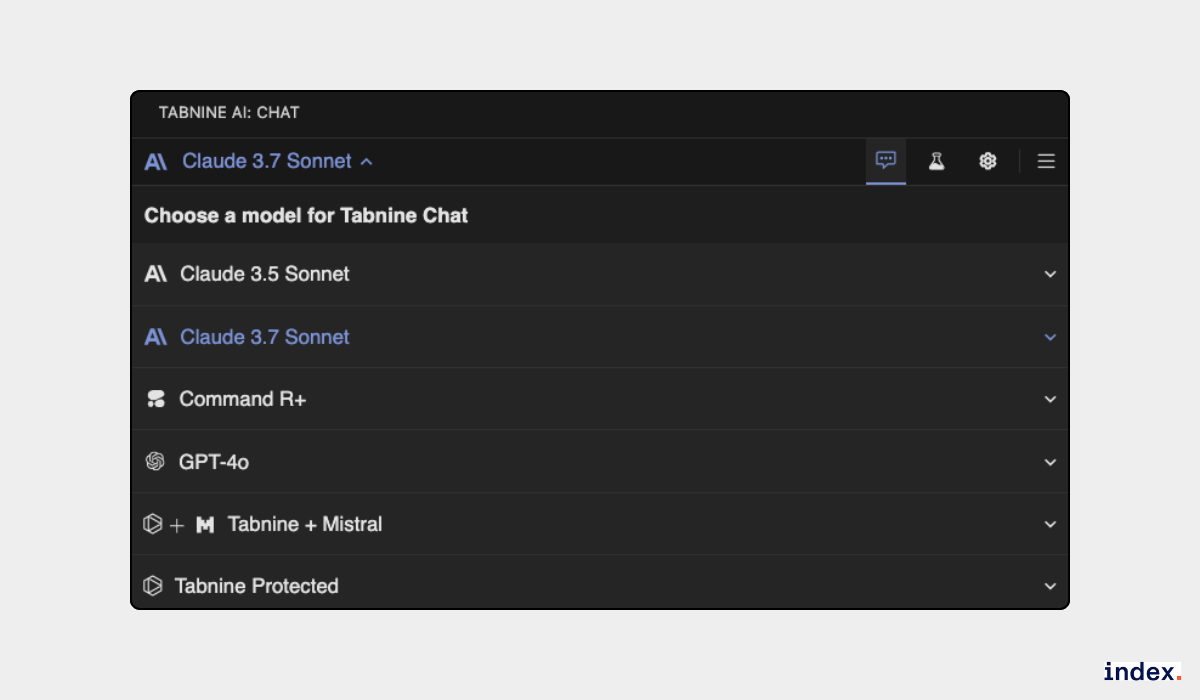
This flexibility ensures the AI suggestions remain relevant to the actual coding environment.
4. Natural Language to Code Generation
Complex requests written in plain language can be turned into working code. For example, a prompt like “build a REST API with JWT authentication” generates routing, middleware, and error handling aligned with the chosen framework. This shortens the distance between planning and working implementation.
5. Code Explanation and Documentation
Selecting a code snippet brings instant explanations in simple terms. Tabnine can also create formatted documentation that mirrors the project’s commenting style. This makes maintaining large codebases easier and helps new contributors understand unfamiliar code faster.
6. Enterprise-Grade Privacy and Deployment
Different deployment options make Tabnine suitable for teams with strict security needs. It can run as a secure SaaS service or in private, air-gapped environments. Since no code is stored or reused without consent, organizations maintain full control while still benefiting from AI support.
7. Strict License Compliance and IP Protection
All Tabnine models are trained on permissively licensed code such as MIT, BSD, and Apache. Outputs are checked against public repositories to prevent license conflicts. This lowers the risk of IP issues, which is important for enterprise adoption.
8. Integration with Development Tools
Integration with GitHub, GitLab, Bitbucket, and Jira brings project context directly into the IDE. For example, Tabnine supports the following IDEs respectively.
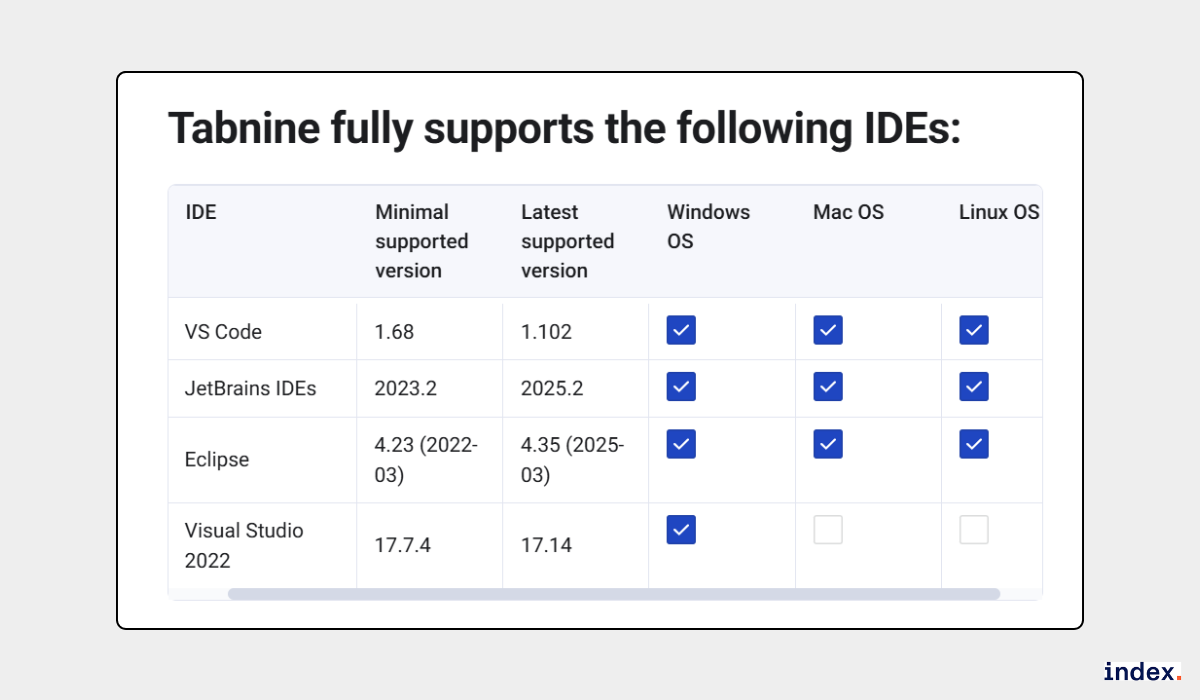
The AI uses information such as issue details and branch structures to provide suggestions that fit the workflow. This makes the experience smoother compared to juggling separate tools.
Pros
- Strong focus on security, compliance, and code privacy.
- Adaptable to varied coding styles and organizational standards.
- Broad range of supported IDEs and programming languages.
- Automates repetitive development tasks, improving productivity.
Cons
- Advanced AI agent capabilities limited to higher-tier plans.
- Requires configuration for optimal model governance in enterprise environments.
- The free plan offers fewer capabilities than some competitors.
Pricing
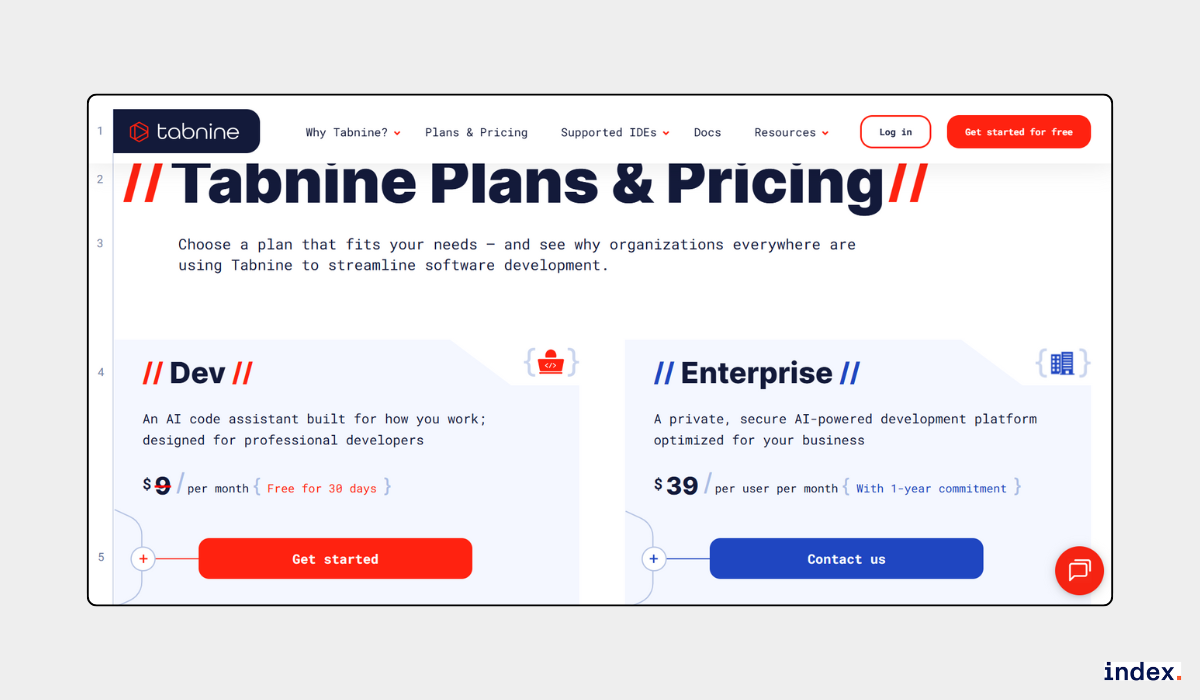
Starts at $9/month for Dev plan; Enterprise plan from $39/user/month with private deployment options.
3. Zencoder.ai
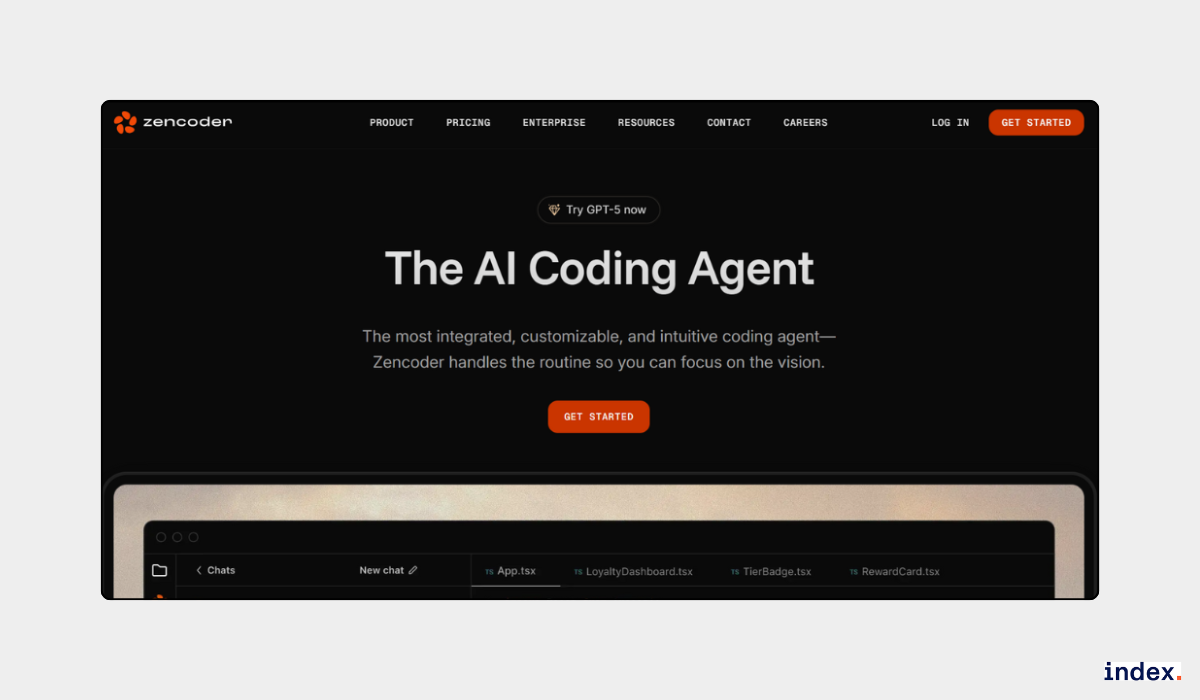
Zencoder.ai is an advanced AI coding assistant that helps development teams accelerate software delivery. It uses autonomous and semi-autonomous agents to write, review, refactor, and test code directly inside your IDE.
This reduces repetitive tasks and allows developers to focus on building features. The Repo Grokking and Agentic Pipeline technologies make it well-suited for large, complex projects.
Key features
1. Repo Grokking
Zencoder analyzes the entire codebase to map structure, dependencies, and patterns before making suggestions.
This makes the output more context-aware than GitHub Copilot, which usually looks at the current file and nearby context. For large or complex projects, this deeper understanding helps avoid irrelevant or broken code completions.
2. Agentic Pipeline
Instead of just producing a first draft, Zencoder runs generated code through a verification pipeline. It tests, repairs, and refines the code until it works inside the repo.
Copilot doesn’t include this step, it generates once and leaves debugging to the developer. Zencoder’s approach reduces the number of broken suggestions that need manual fixes.
3. Coding Agent
The contextual coding agent provides completions, bug fixes, and refactoring directly inside VS Code, JetBrains IDEs, and Android Studio. Because it works within familiar tools, it doesn’t disrupt developer flow.
Here is an example of the Zencoder Coding Agent working, checking all the required changes and marking them done:
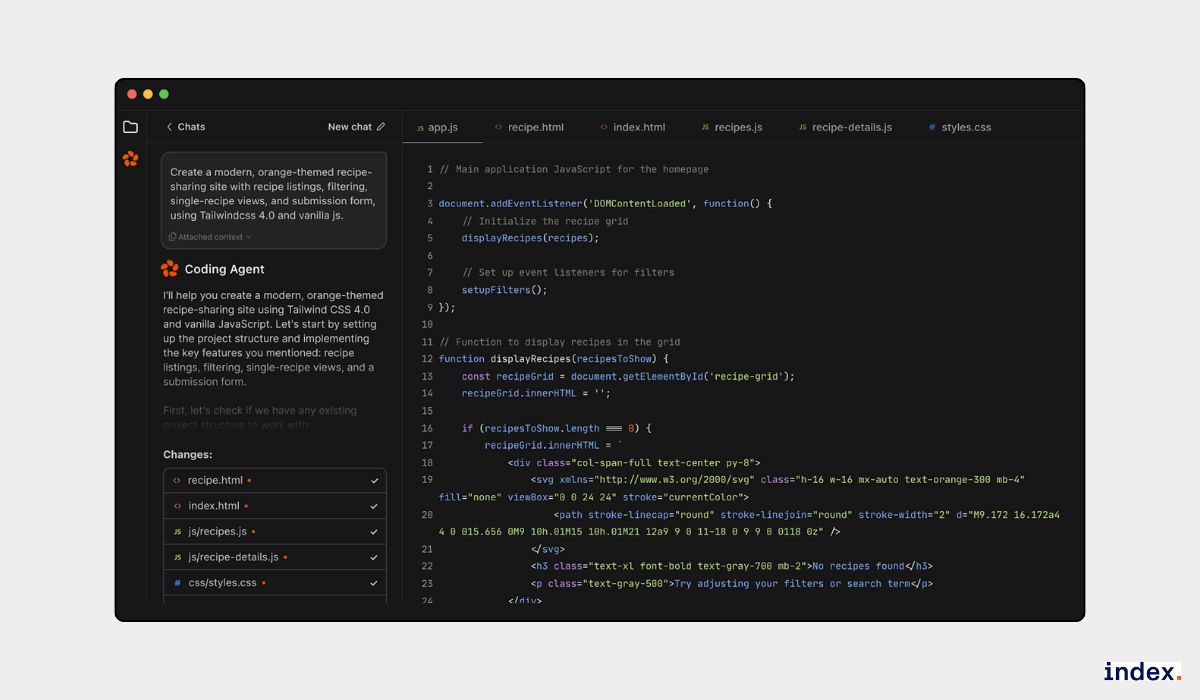
It feels closer to pair programming than basic autocomplete since suggestions adapt to the repo context.
4. Ask Agent
This feature allows developers to query the codebase with natural language and get answers that reference existing functions and classes. It’s especially helpful for onboarding or understanding unfamiliar sections of code. Instead of digging through files manually, answers point directly to relevant parts of the project.
5. Unit Test Agent
Zencoder generates unit tests with mocks and assertions tailored to the implementation code. The output aligns with the project’s existing test framework, which means tests need less manual cleanup. Compared to generic test generators, the accuracy here reduces maintenance work and boosts confidence in coverage.
6. Multi-Repository and Scale
The platform supports monorepos and cross-repo dependencies without performance loss. This makes it suitable for enterprise setups where code is spread across many services. Unlike lightweight tools that slow down with scale, Zencoder handles large projects reliably.
7. Enterprise Features
Zencoder is built with enterprise needs in mind, SOC 2 and GDPR compliance, flexible deployment (cloud, on-prem, hybrid), and role-based access.
Importantly, customer data is not shared for external training, which helps organizations meet privacy and compliance goals. Teams looking for AI that respects enterprise boundaries often find this a deciding factor.
Pros
- High code accuracy with strong compliance to best practices.
- Smooth integration into VS Code and CI/CD workflows.
- Saves time on testing, documentation, and refactoring.
- Suitable for both small teams and enterprise environments.
Cons
- Some advanced features are still under development.
- The number of public reviews is smaller compared to more established tools.
Pricing
Free plan available. Paid plans start at $19 per user per month and go up to $119 per user per month.

4. Tabby
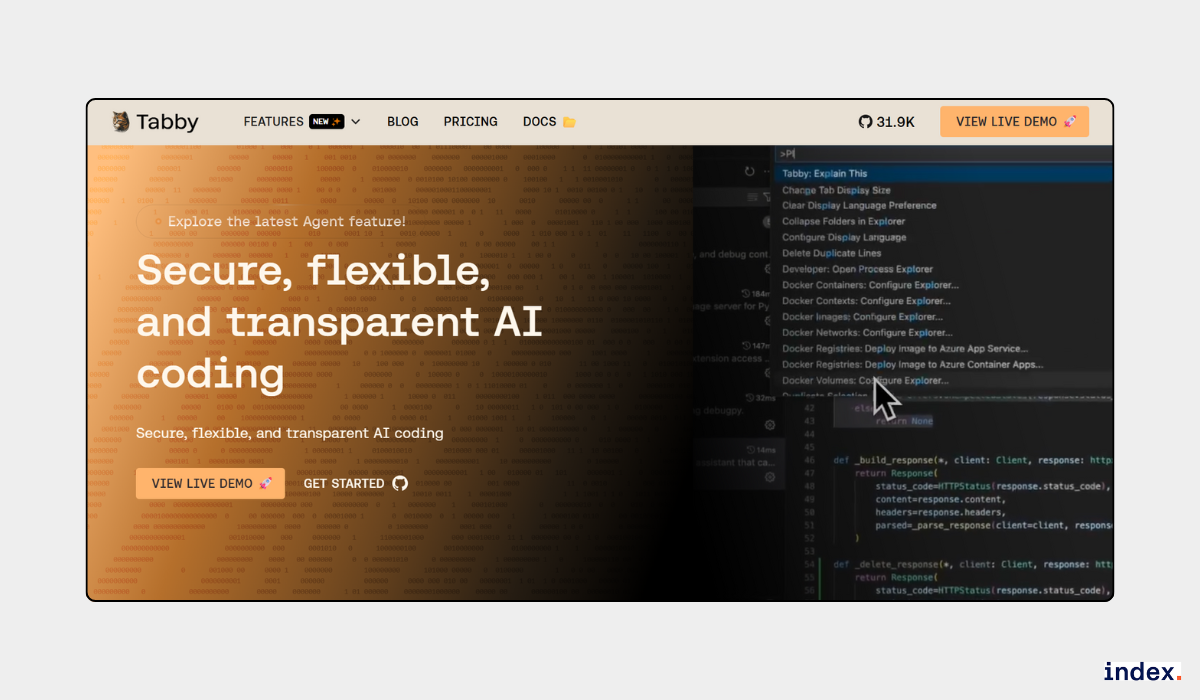
Tabby is a self-hosted AI coding assistant that provides code completion, inline chat, and instant answers directly inside your IDE. It works locally or in team deployments, making it a secure choice for organizations that want AI-powered coding without sending sensitive data to external servers.
With features like Context Providers and Answer Engine, Tabby helps you write, review, and debug code faster while staying fully integrated into your existing workflow.
Key features
1. Code Completion with Context Awareness
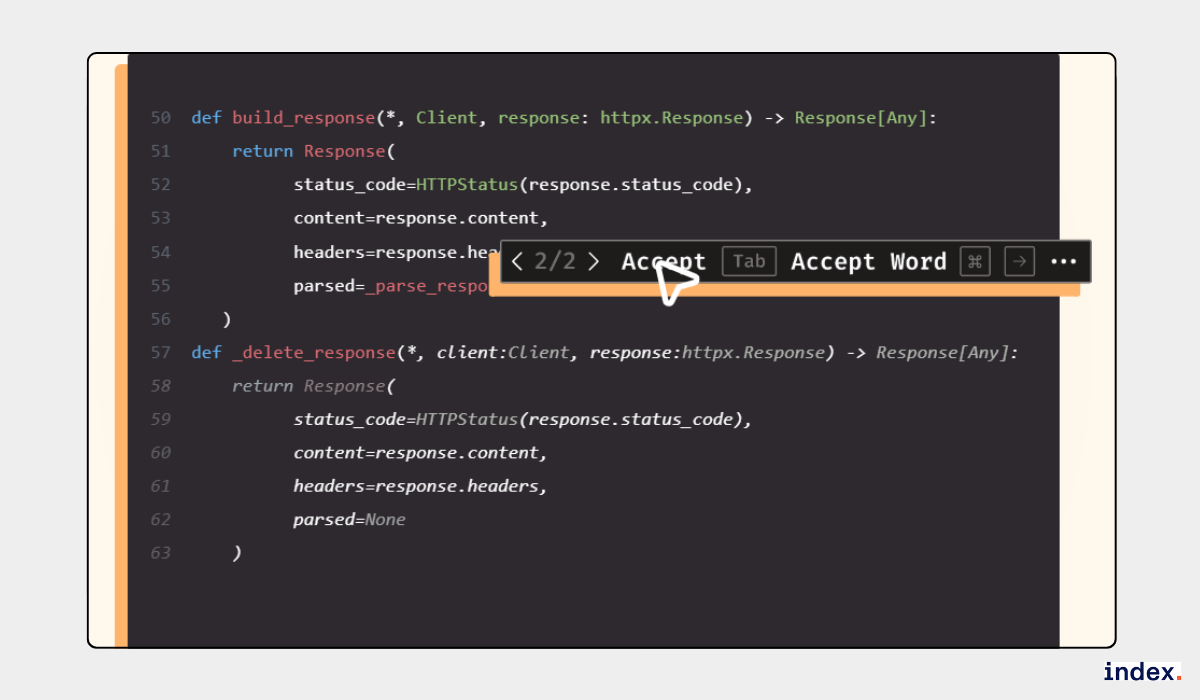
Tabby predicts the next lines of code by analyzing both the current file and the broader project structure. It aligns suggestions with your existing style, naming conventions, and logic flow, producing code that feels native to the project and minimizes cleanup after insertion.
Here it is asking if the user accepts the code completion suggestion or not:
2. Answer Engine Inside the IDE
The Answer Engine allows you to ask questions right in your code editor and receive concise, example-rich answers. These responses often draw from your actual project files and libraries, helping you resolve issues or understand APIs without leaving your development environment.
3. Inline Chat for Real-Time Collaboration
Inline chat links directly to the section of code being discussed, keeping all AI guidance tied to its context.
You can check the suggestion from the following option and take action on it:
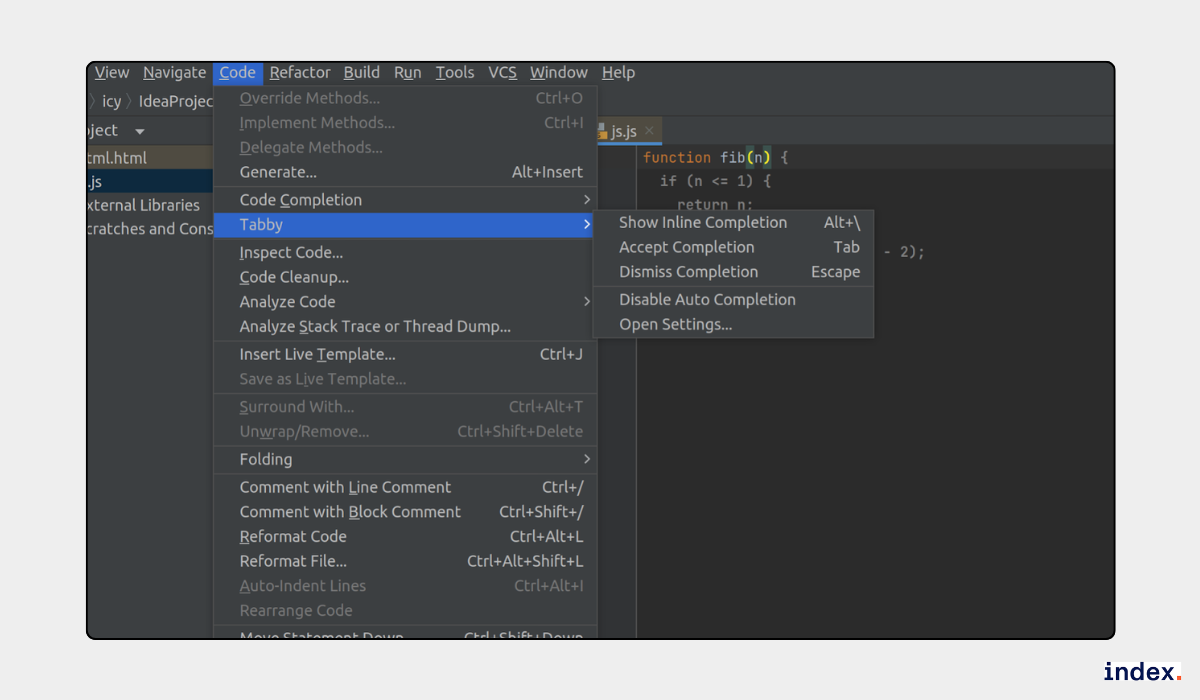
This ensures that questions, clarifications, and alternative approaches remain focused on the task at hand, avoiding general or irrelevant suggestions.
4. Context Providers for Deeper Understanding
Tabby builds a project-aware knowledge base just by reading your documentation, configuration files, and API references. This deeper understanding allows it to generate suggestions that account for specific frameworks, dependencies, and standards in your environment, resulting in more accurate and applicable code completions.
5. Flexible Deployment Options
Tabby offers multiple deployment modes, from local-only setups for maximum privacy to enterprise configurations with advanced security features. Larger teams can benefit from authentication domains, single sign-on (SSO), usage analytics, and group management tools that align with corporate IT policies.
Pros
- Maintains privacy with local or self-hosted deployment.
- Works smoothly with IDEs like VS Code, IntelliJ, and Neovim.
- Reduces context-switching with inline answers and chat.
- Supports multiple languages and frameworks.
Cons
- Fewer advanced automation features compared to some enterprise AI tools.
- Enterprise features are available only with custom pricing.
Pricing
Free for up to 5 users. Team plan starts at $19 per user/month. Enterprise pricing is custom.

5. AskCodi
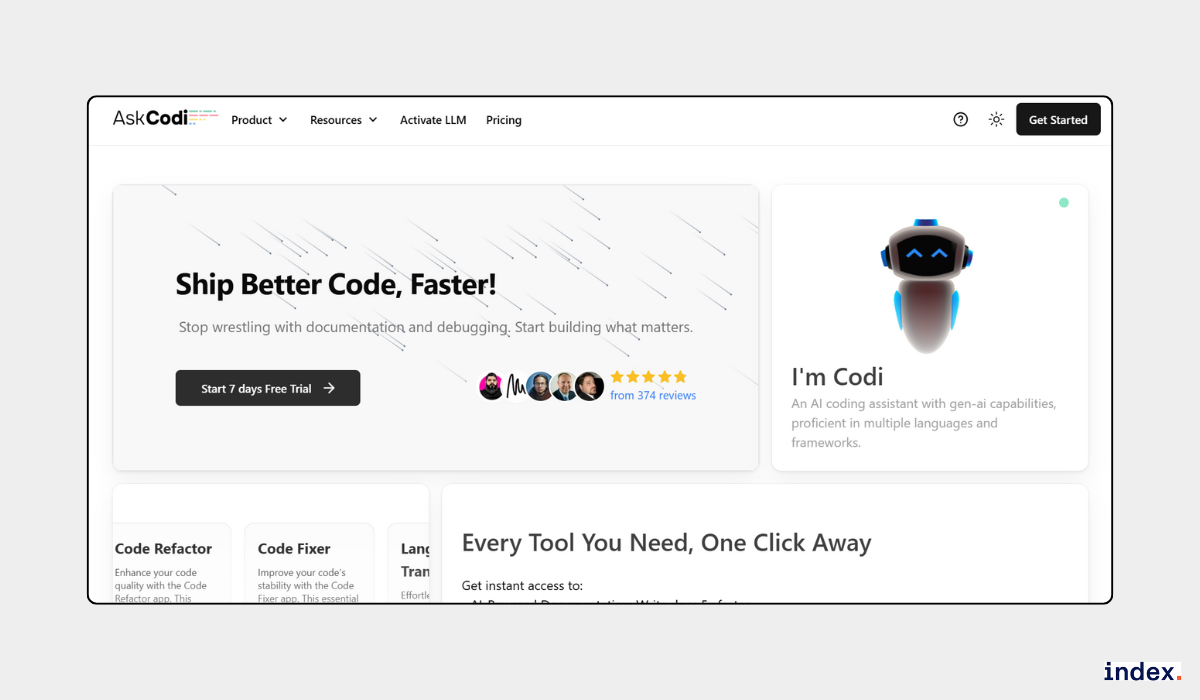
AskCodi is an AI-powered coding assistant built to simplify every stage of software development. It covers code generation, refactoring, debugging, documentation, testing, and deployment in one unified platform.
With its specialized apps, live sandbox, and deep IDE integrations, it adapts to different workflows from quick prototype builds to large-scale production projects. It supports multiple programming languages, frameworks, and AI models, ensuring flexibility for diverse development needs.
Key features
1. Code Generation Across Languages
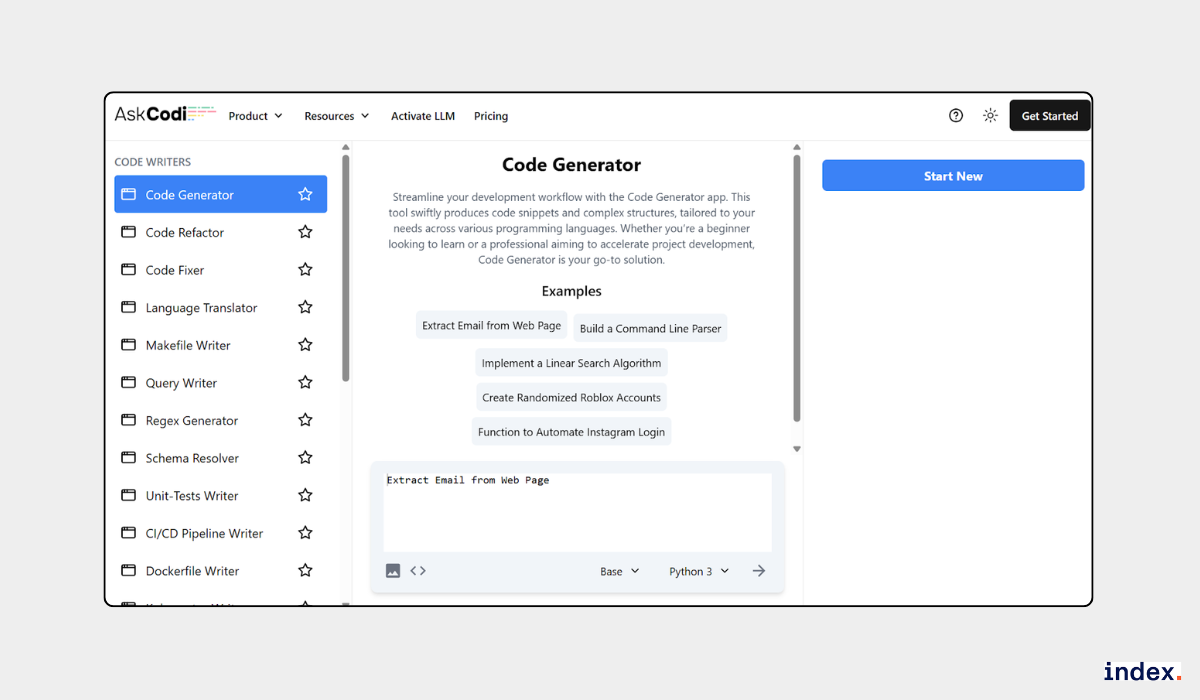
AskCodi creates complete functions, components, or even full modules in different programming languages. Here you can prompt your requirement in natural language, and it will generate code for you.
The output adapts to the project’s existing structure and follows best practices, which means less time spent cleaning up code after generation. This makes it easier to maintain consistency across larger projects.
2. Smart Debugging with Code Fixer
The Code Fixer scans for syntax errors, logic gaps, and performance issues, then applies targeted corrections. Each fix comes with an explanation, so developers understand why the change was made and can review it before merging. This keeps debugging faster while still maintaining control over the final code.
3. Intelligent Code Refactoring
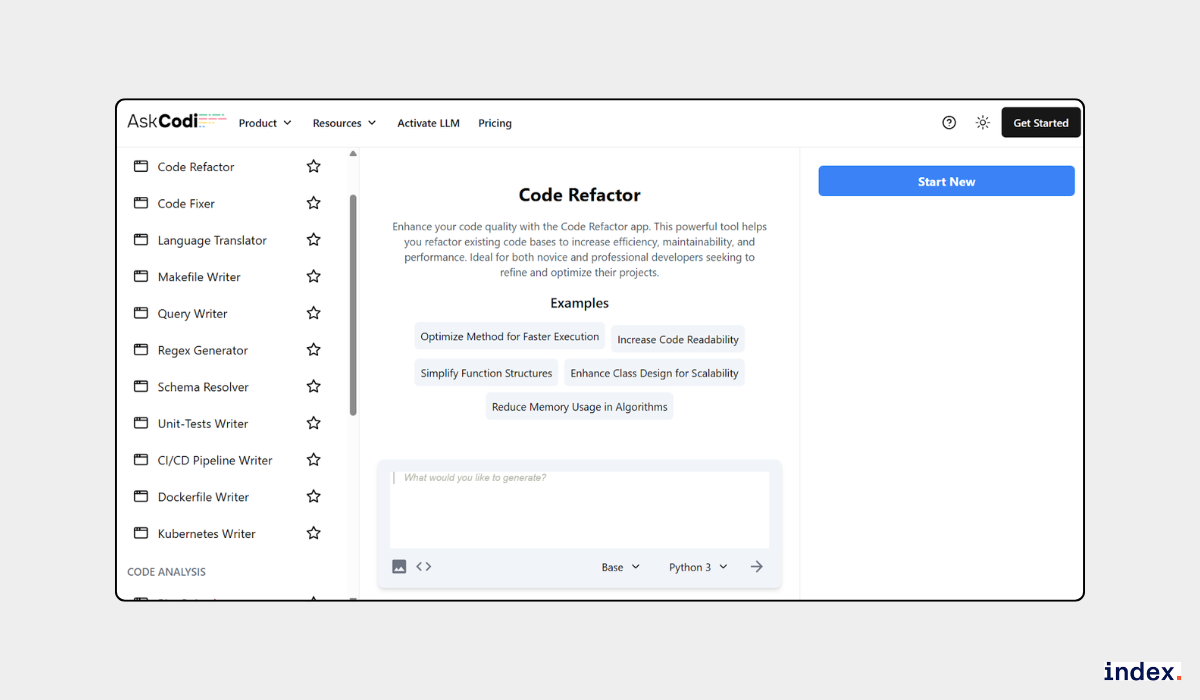
AskCodi can refactor older or cluttered code into a cleaner and more efficient format. For example, it restructures logic, increases readability, removes redundancies, and updates outdated patterns to modern standards. Functionality stays intact, but the end result is easier to read, maintain, and extend.
4. Sandbox with Real-Time Preview
The built-in sandbox lets developers test React, Vue, and Svelte projects directly in the browser. Changes update in real time, making it simple to preview results, validate interactions, and experiment without setting up a local environment. This speeds up prototyping and shortens the feedback loop.
5. Direct GitHub Repository Imports
Projects can be pulled directly from GitHub into AskCodi for editing, debugging, or deployment. Version control remains intact, and collaboration is streamlined since code, fixes, and documentation can all be managed within one platform. This reduces switching between tools during active development.
6. Multi-Model AI Support
AskCodi gives access to multiple AI models, including Claude, Mistral, Llama, and its own base models. Developers can switch models depending on whether they need speed, accuracy, or advanced handling of complex requests. This flexibility ensures the AI can match the specific demands of a project.
Pros
- All-in-one coding toolkit covering generation, debugging, documentation, and deployment.
- Supports multiple programming languages, frameworks, and AI models.
- Seamless integration with popular IDEs and GitHub for smooth workflows.
Cons
- A 7-day trial may be too short to explore all advanced features.
- Certain IDE extensions could benefit from faster response times.
Pricing
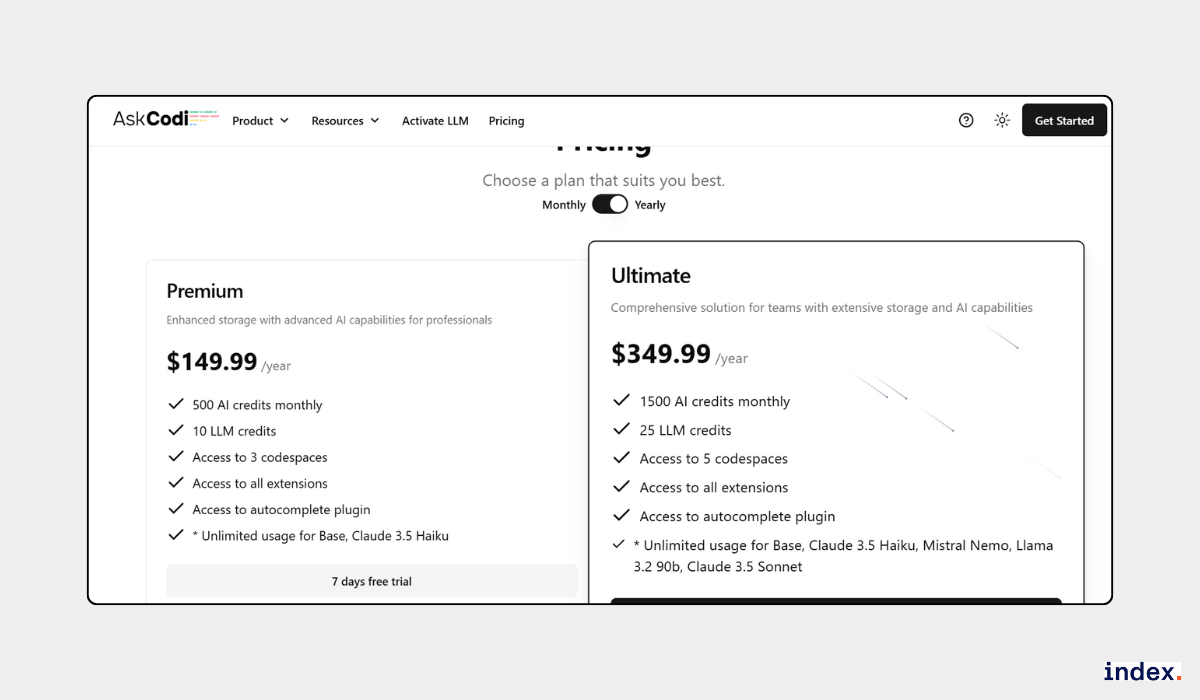
Premium plan starts at $149.99/year with 500 AI credits/month and core model access. Ultimate plan is $349.99/year with higher credits and additional AI models.
Discover 25 powerful tools every developer needs to code smarter, faster, and better.
Final Words
AI coding assistants have moved far beyond simple autocomplete tools. Today’s alternatives to GitHub Copilot offer capabilities that can transform the way teams plan, write, review, and deploy code. The real advantage comes from finding a solution that aligns with your workflow, security requirements, and team goals.
When choosing, think about factors like:
- Integration – Does it work seamlessly with your current development stack?
- Deployment – Do you prefer cloud-based convenience or self-hosted control?
- Automation – Do you want simple code suggestions or multi-step task automation?
- Scalability – Can it handle both small projects and large enterprise environments?
- Value – Does the pricing match the features you’ll actually use?
The right choice will not just replace Copilot, it will enhance productivity, reduce repetitive work, and help teams deliver higher-quality code faster. By making an informed decision now, you can set your development workflow up for long-term success.
Join Index.dev’s talent network and get matched with global remote roles that fit your coding style.
FAQs
1. What are the key factors to consider when choosing a GitHub Copilot alternative?
The key factors to consider when choosing a GitHub Copilot alternative include coding accuracy, AI model quality, integration with your preferred IDE, programming language support, privacy and deployment options, automation features, and overall pricing value.
2. Are there GitHub Copilot alternatives with better privacy and security?
There are GitHub Copilot alternatives with better privacy and security, such as Tabby and Tabnine, which offer self-hosted or air-gapped deployments so that your code never leaves your environment and remains compliant with strict security standards.
3. Do GitHub Copilot alternatives support all programming languages?
GitHub Copilot alternatives do not support all programming languages, but most cover popular ones like Python, JavaScript, Java, TypeScript, and C#, with each tool offering different language compatibility.
4. Can AI coding assistants replace human developers?
AI coding assistants cannot replace human developers, but they can speed up repetitive coding tasks, generate boilerplate code, assist with debugging, and improve productivity while still requiring human oversight for quality and decision-making.
5. Which GitHub Copilot alternative is best for team collaboration?
The GitHub Copilot alternative that is best for team collaboration depends on your needs—GitLab is best for integrated DevSecOps and CI/CD workflows, Tabnine is best for enterprise compliance and context-aware AI, and Zencoder.ai is best for AI agent automation in large projects.


