
Frontend developers often struggle with tools that generate half-baked UI code or miss the finer details of design systems. Kombai claims to fix that by creating an AI agent purpose-built to turn Figma files, images, or prompts into production-ready frontend code.
To find out how well it actually works, we tested Kombai across three real-world tasks: building a landing page, a chatbot UI, and a full-featured habit tracker. This review is based entirely on our hands-on experience, and not demos.
Join Index.dev’s talent network and get matched with top global remote frontend jobs today.
What is Kombai?
Kombai is an AI agent built specifically for frontend development. It helps developers convert Figma designs, images, or even text instructions into clean, production-ready UI code. Kombai doesn’t just generate code; it understands layout, design systems, and your existing tech stack. Whether you're using React, Tailwind, MUI, or Next.js, Kombai writes code that fits right into your project without extra tweaking.
The team officially launched Kombai in July 2025. Within hours of the announcement, developers across Twitter shared their excitement. Early users praised Kombai for its accuracy, speed, and ability to handle real-world frontend tasks without breaking the layout or bloating the code.
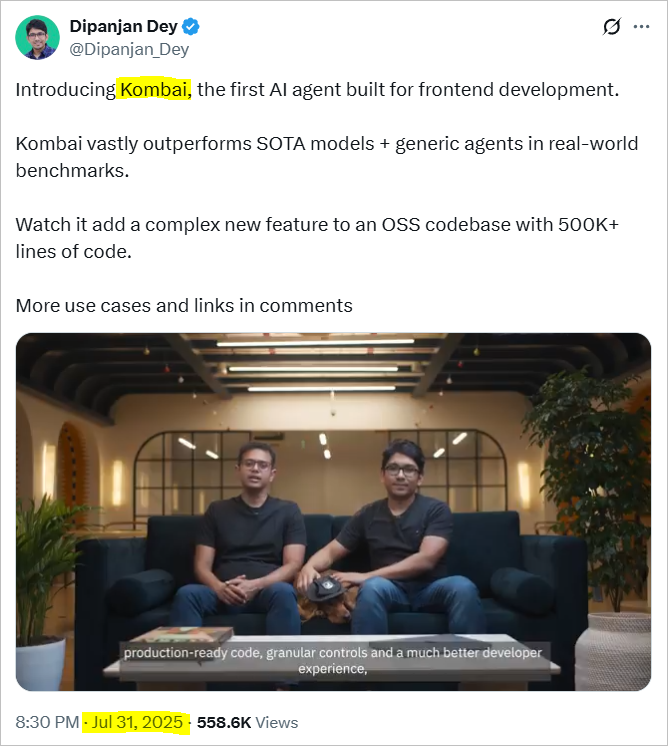
Dipanjan Dey, the founder of Kombai, announced the launch with this tweet:
“We have also open-sourced the dataset that anyone can use to benchmark agents for complex FE tasks. If there are enough takers, we’d also like to build a well-maintained, public test bench in the future.”
Kombai features
1. Powerful UX Interpretation Engine
Kombai is designed to understand visual design deeply. It can take inputs from Figma files, UI images, or even written instructions and generate scalable, beautiful frontend code. Its underlying models are fine-tuned specifically for design-to-code transformations, delivering far better results than generic LLMs.
2. Get High-Fidelity Code from Figma
Unlike typical AI agents, Kombai uses custom ensemble models that translate even complex Figma designs with near-pixel accuracy. It understands layout hierarchies, spacing, and interactions, ensuring the code output is production-ready and visually consistent.
3. Use Multiple Designs as Context
You can attach multiple design inputs, like Figma frames, screenshots, or UI flows, to help Kombai understand state changes or component variations. You can also follow up in the same thread to build a multi-step, context-aware UI.
4. Build UI from Text Prompts
Kombai supports natural language UI creation, letting you describe interfaces or layouts with plain text. The agent interprets functional and aesthetic cues from your input, and you can also enhance its output with style inspiration or additional guidance.
5. High-Quality Code that Fits Into Your Repo
Kombai doesn’t just generate standalone code; it analyzes your existing codebase, understands the architecture, and writes code that integrates seamlessly. This helps eliminate rework and simplifies real-world adoption.
6. Stick to Your Tech Stack
Whether you're using React, Next.js, Tailwind CSS, MUI, or Chakra UI, Kombai can match your stack precisely. You can set it manually or let Kombai detect the stack automatically by scanning your repository.
7. Smart Context Usage from Your Repo
Kombai leverages search and indexing tools to find relevant files, components, or themes within your codebase. Kombai can look into your repo to understand your setup better. It picks up theme files, utility functions, reusable components, and anything it needs to produce consistent output. You can also guide it by tagging specific files for context.
8. Parameterized Repo Understanding
The agent’s context engine detects key frontend parameters, like theme settings, reusable components, and layout systems, and incorporates them into its generated code for greater consistency and personalization.
9. Tooling Optimized for Frontend Workflows
Kombai offers a suite of tools built just for frontend teams. These include editable development plans, live previews, and automated error detection and resolution to streamline the development cycle.
10. Editable Plan for Large Tasks
For complex UI builds, Kombai generates a step-by-step development plan that users can review, modify, and approve before execution, ensuring clarity and control over AI-driven work.
11. Run Preview in Isolation
Kombai can spin up a dev server to preview generated code in a live environment. This isolated testing lets developers validate UI output before merging changes or deploying.
12. Auto-Fix TypeScript and Compile Errors
Post-generation, Kombai automatically runs your code, detects TS or runtime issues, and fixes them iteratively. This reduces debugging time and boosts developer confidence in the final output.
Discover 6 real use cases where AI agents boost productivity and how you can apply them today.
Real-world use cases of Kombai for frontend developers
Follow the structure below for each use case:
1. Building a Responsive Landing Page
Prompt used
“Build a responsive landing page with a hero section (title + subtitle + CTA button), a three-column feature section, and a footer. Use React + Tailwind. Structure the layout using modern best practices.”
Task overview
The goal of this task was to generate a fully responsive landing page using React and Tailwind CSS. The page needed to include essential sections found in most modern business sites, a hero area, a feature grid, and a footer designed with accessibility, responsiveness, and performance in mind. This use case is highly relevant for startups, SaaS companies, and marketing sites looking to go from concept to code quickly.
How we did it
We ran this task using Kombai inside a Vite + React project in Cursor. The agent:
- Detected the framework and project structure
- Installed Tailwind CSS and initialized the config
- Updated the global CSS to include Tailwind directives
- Replaced the existing App.tsx with a structured landing page layout
- Implemented modern design elements and component logic
- Fixed issues with PowerShell command chaining and invalid Tailwind versions
- Started the dev server and verified output
Results
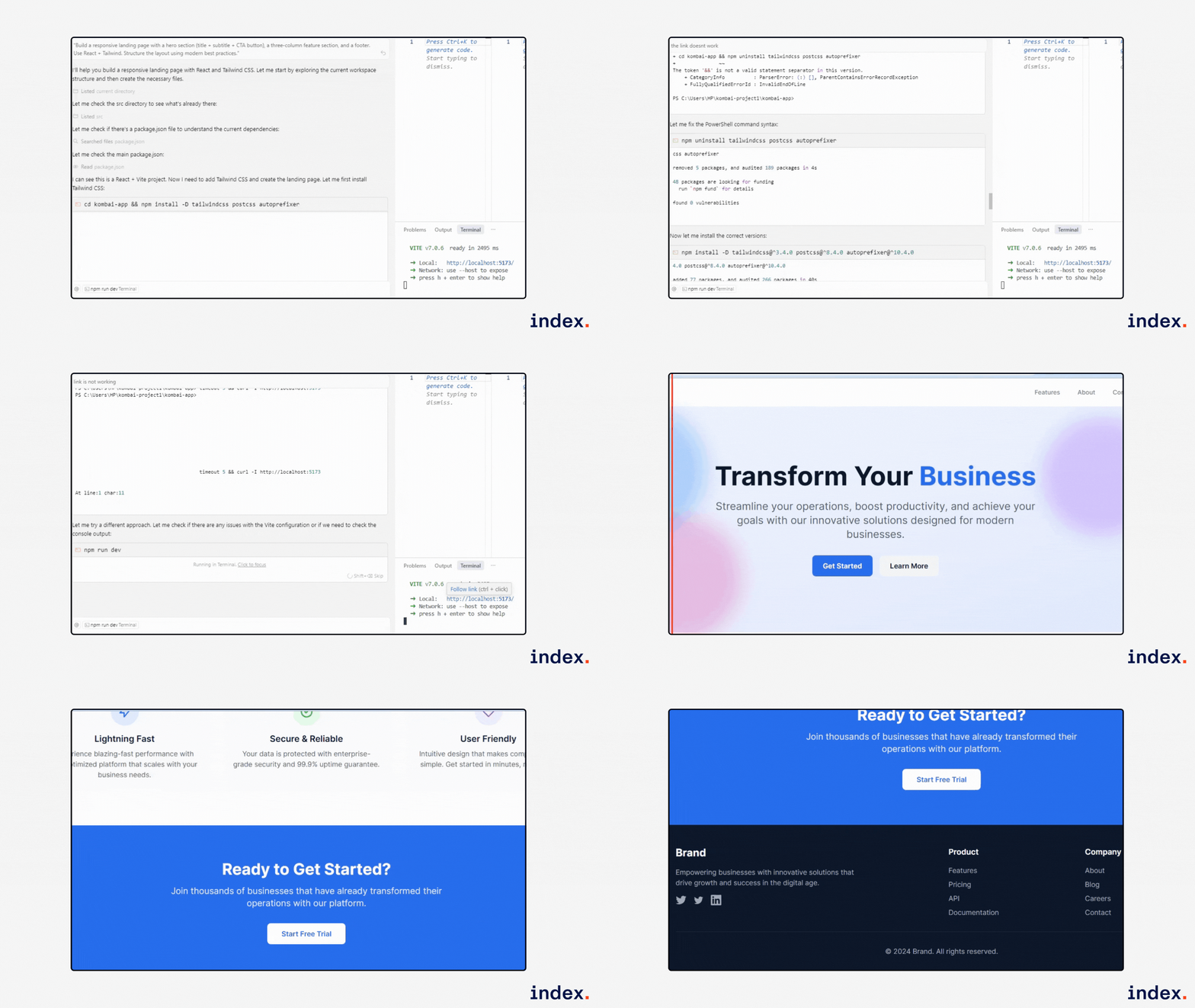
Experience with Kombai
Kombai generated a clean, responsive landing page with a hero section, feature grid, and footer. It followed best practices, fixed Tailwind setup issues, and launched the dev server successfully. The output was visually polished, accessible, and ready for production use.
2. Building AI Chatbot Interface
Prompt used
“Create a modern chat UI with alternating user and bot messages. Include a typing indicator, markdown support (code blocks, links), and a message input with send icon. Use React + TypeScript with Tailwind CSS v4 and Shadcn UI. The layout must be mobile-responsive.”
Task overview
This task aimed to build a functional, interactive AI chat interface for a modern web app. It’s a common use case in customer support, virtual assistants, and educational apps. The goal was to implement dynamic response behavior, markdown formatting, and a clean UI with responsive design for desktop and mobile.
How we did it
We used Kombai inside a React + Vite workspace and gave it a plain-text prompt. The agent:
- Detected the project structure and dependencies
- Installed Shadcn UI, Tailwind CSS v4, and markdown libraries
- Created modular components: ChatInput, ChatMessage, ScrollArea, TypingIndicator
- Implemented markdown rendering with react-markdown and remark-gfm
- Added real-time typing logic, message handling, and UI responsiveness
- Fixed build errors and launched the dev server in the correct folder
Results
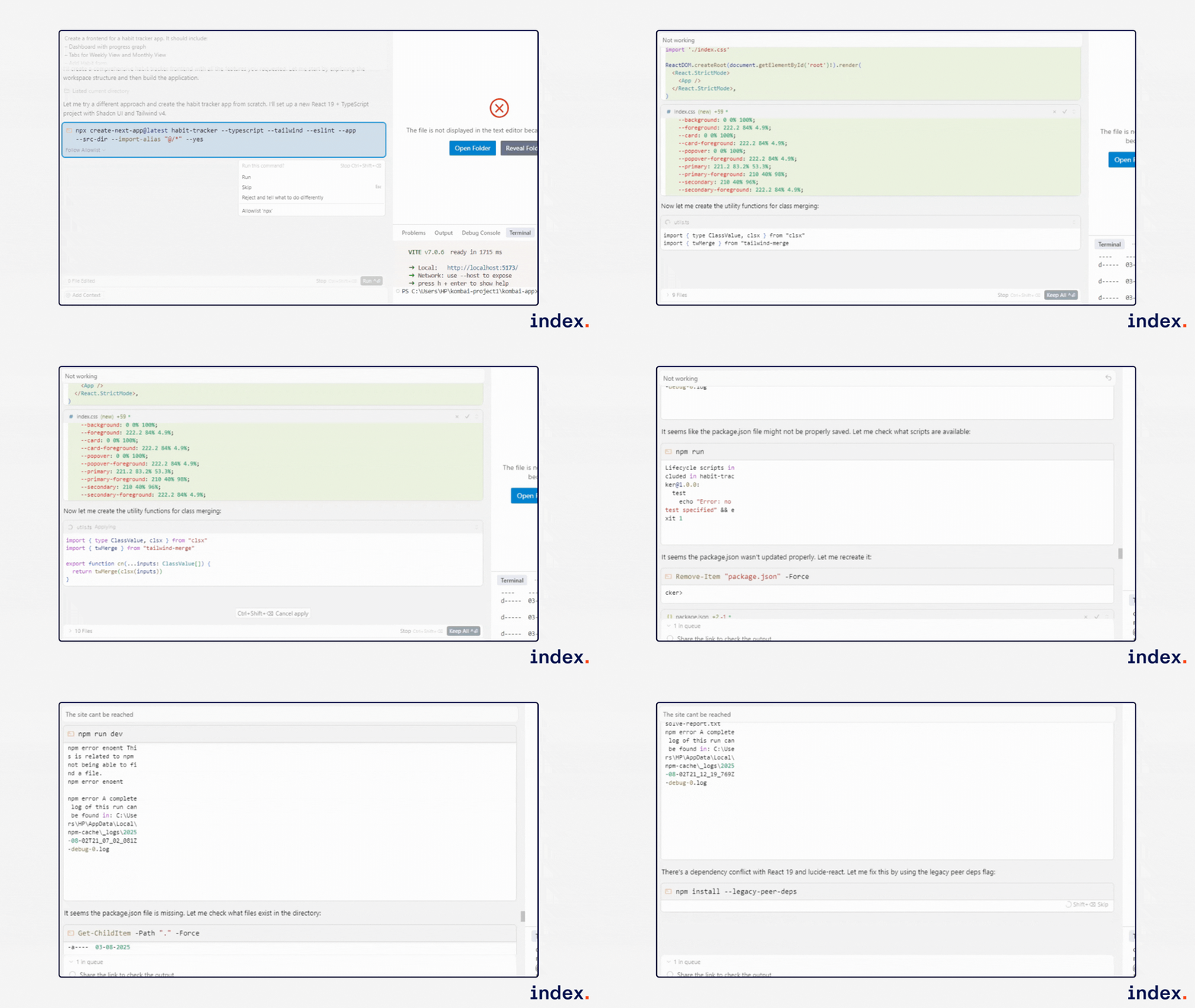
Experience with Kombai
Kombai built a modern, responsive chatbot interface with alternating messages, a typing indicator, markdown support, and a clear chat button. It replaced static replies with contextual responses and handled all styling, logic, and rendering smoothly. The app launched successfully and worked well across screen sizes. Kombai handled both the UI and logic setup efficiently.
It fixed CLI and build issues, created all the necessary components, and structured the codebase well. The final chatbot was visually polished, responsive, and functionally interactive, far beyond a basic placeholder. Kombai saved hours of frontend dev effort.
3. Building a Habit Tracker App
Prompt used
“Create a frontend for a habit tracker app. It should include:
– Dashboard with progress graph
– Tabs for Weekly View and Monthly View
– Add Habit form
– Insights section
– Dark mode toggleUse React 19 + TypeScript, Shadcn UI, and Tailwind v4.”
Task overview
This use case involved building a full-featured habit tracker interface for personal productivity or wellness applications. It’s relevant for developers building self-improvement apps, dashboards, or goal-setting tools. The task combined visual reporting, dynamic form handling, and theming, all critical features in modern frontend development.
How we did it
We started from scratch using Kombai and gave it a structured prompt. It:
- Set up a new React 19 + Vite + TypeScript project
- Installed and configured Tailwind CSS v4 and Shadcn UI
- Created components for dashboard, charts, tabs, form, and insights
- Implemented dark mode toggle and mobile responsiveness
- Recreated missing files manually and resolved CLI issues during build
- Populated each file step-by-step using PowerShell where needed
Results
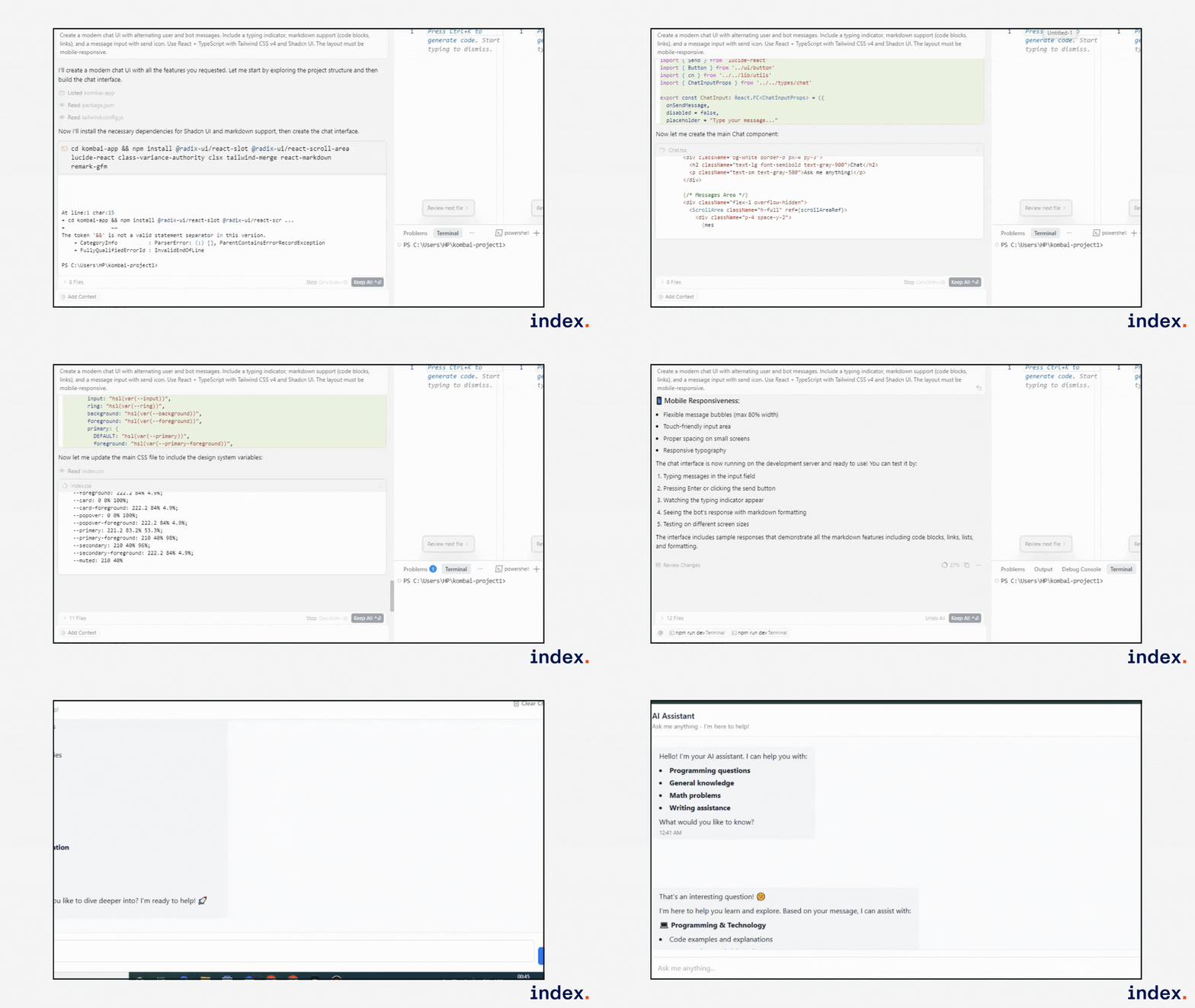
Experience with Kombai
Kombai handled setup issues gracefully, manually created missing files, and built a clean, modular app. From dark mode to data visualization, it executed the frontend logic accurately. The project required almost no edits and reflected production-grade structure and style. A very efficient development experience.
Explore top AI vibe coding tools for easy prompts, quick prototyping, and automation.
What I liked about Kombai
- Understands real project structure:
- Kombai correctly detected and adapted to the Vite + React setup and managed dependencies like Tailwind and Shadcn without confusion.
- Kombai correctly detected and adapted to the Vite + React setup and managed dependencies like Tailwind and Shadcn without confusion.
- Auto-resolves common errors:
- It fixed Tailwind setup issues and TypeScript compilation errors without manual debugging.
- It fixed Tailwind setup issues and TypeScript compilation errors without manual debugging.
- Production-ready output:
- The generated UI was clean, accessible, responsive, and required little to no post-editing.
- The generated UI was clean, accessible, responsive, and required little to no post-editing.
- Component-level precision:
- Kombai built modular components with proper props, logic, and styling, especially evident in the chatbot and habit tracker apps.
- Kombai built modular components with proper props, logic, and styling, especially evident in the chatbot and habit tracker apps.
- Works beyond static UI:
- It handled dynamic states, markdown parsing, and chart/graph rendering logic confidently.
- It handled dynamic states, markdown parsing, and chart/graph rendering logic confidently.
- Saves serious dev time:
- Tasks that would typically take 4–6 hours were completed in under 30 minutes with Kombai’s help.
Improvement scope for Kombai
- Setup hiccups on Windows (PowerShell):
- Kombai occasionally struggled with executing chained commands or resolving CLI issues smoothly in PowerShell environments.
- Kombai occasionally struggled with executing chained commands or resolving CLI issues smoothly in PowerShell environments.
- Missing files needed manual creation:
- In the habit tracker app, some files were skipped or incompletely scaffolded, requiring us to recreate them manually.
- In the habit tracker app, some files were skipped or incompletely scaffolded, requiring us to recreate them manually.
- Multi-page workflows still maturing:
- Kombai is excellent with single UIs but still improving in managing full routing or dashboard flows with multiple pages/screens.
- Kombai is excellent with single UIs but still improving in managing full routing or dashboard flows with multiple pages/screens.
- No visual editor yet:
- While it generates stepwise plans, there’s currently no GUI to edit or preview components interactively before code generation.
- While it generates stepwise plans, there’s currently no GUI to edit or preview components interactively before code generation.
- Error fixing isn’t always automatic:
- While Kombai detects and resolves many issues, some edge-case TypeScript or CSS problems still need human intervention.
- While Kombai detects and resolves many issues, some edge-case TypeScript or CSS problems still need human intervention.
Final words
Kombai proved to be more than just a code generator, it actually understands frontend work. It handled everything from setting up projects to building clean, responsive UIs that matched our prompts and design intent.
While it still needs some polish around setup quirks and multi-step workflows, the overall experience was smooth and productive. For React developers working with tools like Tailwind or Shadcn UI, Kombai can save serious time and help ship faster without cutting corners.
FAQs
Q1: Is Kombai better than manual React coding?
Kombai is better than manual React coding for routine UI tasks because it generates accurate, production-ready code instantly. While manual coding offers control, Kombai accelerates workflows by turning design files into code, saving hours of frontend development time.
Q2: Does Kombai support responsive design?
Kombai supports responsive design by generating layout-flexible React components that adapt to different screen sizes. It interprets Figma breakpoints and applies CSS properties automatically, making the frontend responsive without manual intervention.
Q3: How accurate is Kombai when converting Figma to code?
Kombai is highly accurate when converting Figma to code, preserving layout fidelity and design precision. It outputs clean JSX with CSS modules that match the original design closely, minimizing the need for post-generation edits.
Q4: Is Kombai the best AI agent for front-end developers?
Kombai is considered one of the best AI agents for front-end developers due to its seamless design-to-code workflow, React support, and ability to automate UI coding. Its real-time conversion and developer-friendly output give it an edge over other tools.


