
5 key takeaways
- Throw Error instances, not strings or plain objects. Only
Errorobjects carry a stack trace and work withinstanceofchecks. - The catch variable is
unknownin modern TypeScript. Since version 4.4 under strict mode, you must narrow witherror instanceof Errorbefore reading.message. - Custom error classes add context. A named class such as
InvalidUserInputErroris easier to catch and route than a genericError. - Reserve exceptions for the unexpected. For expected, recoverable failures, a Result type from a library like neverthrow makes failure explicit in the type signature.
- finally always runs. Use it for cleanup such as closing connections or releasing locks, whether or not an error was thrown.
Introduction to exception handling in TypeScript
Exception handling is a fundamental part of programming. When something unexpected happens, such as incorrect user input or an unreachable network resource, you need a way to detect the problem and respond to it without crashing the whole program.
Throwing exceptions is the standard way to signal and handle unexpected events in TypeScript. In this beginner tutorial, we cover the basics of throwing exceptions, look at built-in and custom error types, and walk through the practices that hold up in production code. TypeScript handles exceptions the same way JavaScript does, with the throw statement and try-catch blocks. What sets TypeScript apart is type safety, which helps you catch many error-prone paths during development, before the code ever runs.
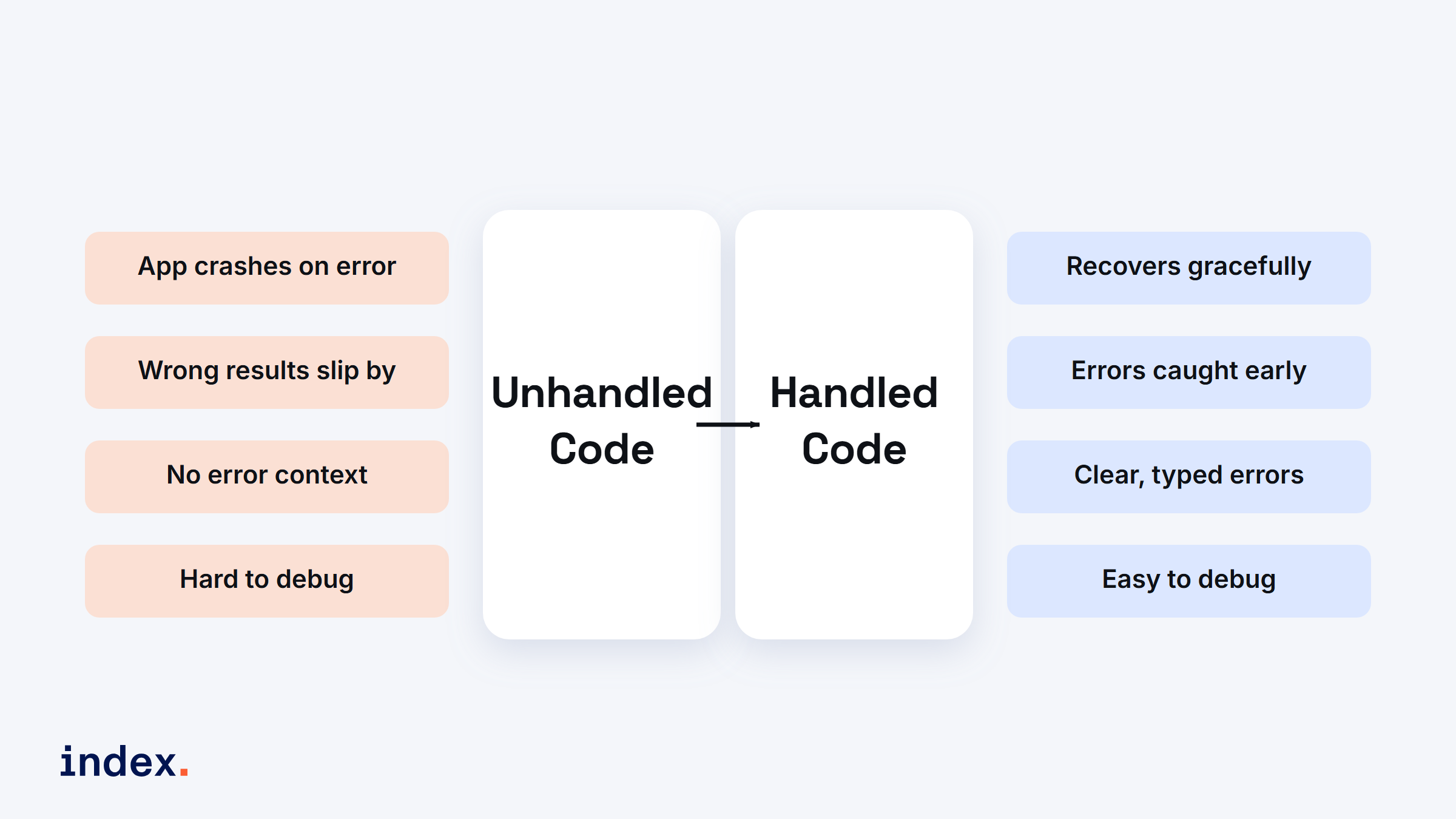
Unhandled code fails loudly and silently in equal measure. Handled code recovers, reports a clear typed error, and stays easy to debug.
Understanding the throw statement
The throw statement raises an exception. It stops execution in the current block and transfers control to the next error handler, which is usually a catch block.
function divide(a: number, b: number): number {
  if (b === 0) {
    throw new Error("Division by zero is not allowed");
  }
  return a / b;
}

try {
  console.log(divide(10, 0));
} catch (error) {
  console.error("Error:", error instanceof Error ? error.message : String(error));
}
If b is zero, an exception is raised with the message "Division by zero is not allowed". The throw moves control to the catch block, where the error is reported. Notice the narrowing with error instanceof Error. We explain why that matters in the section on the unknown catch variable below.
Types of values you can throw
You can throw a range of values, including:
- Strings, for example
throw "An error occurred"; - Objects, for example
throw { error: "Custom Error" }; - Error instances, for example
throw new Error("Standard Error");
In general it is best to throw Error instances. They carry a stack trace and other useful debugging information, and they play nicely with instanceof checks. A thrown string or plain object gives you none of that.
Using built-in error types in TypeScript
JavaScript ships with built-in error types, and they are available in TypeScript too. The common ones are:
- Error, the base error type, used for generic problems.
- TypeError, raised when an operation runs on the wrong type.
- SyntaxError, thrown on a syntax problem, such as a bad
JSON.parse. - RangeError, used when a value sits outside an allowed range, such as a number past an intended limit.
function getItem(items: unknown[], index: number) {
  if (index >= items.length || index < 0) {
    throw new RangeError("Index out of range");
  }
  return items[index];
}

try {
  console.log(getItem([1, 2, 3], 5));
} catch (error) {
  if (error instanceof RangeError) {
    console.error(error.message); // Output: Index out of range
  }
}
A RangeError is raised when the index falls outside the array boundaries. Using a specific error type makes the code easier to read and to debug.
Adding custom errors in TypeScript
Sometimes the built-in error types do not fully describe the problem. In those cases a custom error class is useful. Custom errors add context. A specific InvalidUserInputError reads more clearly than a generic Error, and it lets a caller catch exactly that failure.
class InvalidUserInputError extends Error {
  constructor(message: string) {
    super(message);
    this.name = "InvalidUserInputError";
  }
}

function getUserAge(age: number): number {
  if (age < 0) {
    throw new InvalidUserInputError("Age cannot be negative");
  }
  return age;
}

try {
  console.log(getUserAge(-5));
} catch (error) {
  if (error instanceof InvalidUserInputError) {
    console.error("User input error:", error.message);
  }
}
InvalidUserInputError extends the base Error class and sets a unique name, which makes it easy to identify in a catch block. For production code, also set Object.setPrototypeOf(this, InvalidUserInputError.prototype) if you target ES5, so that instanceof keeps working after transpilation.
Error handling using try-catch in TypeScript
The try-catch block lets you capture and handle errors without crashing the program. The optional finally block runs whether or not an error was thrown, which makes it the right place for cleanup such as closing a file or releasing a lock.
try {
  // Code that might throw an error
} catch (error) {
  // Handle the error here
} finally {
  // Code that runs whether or not an error was thrown
}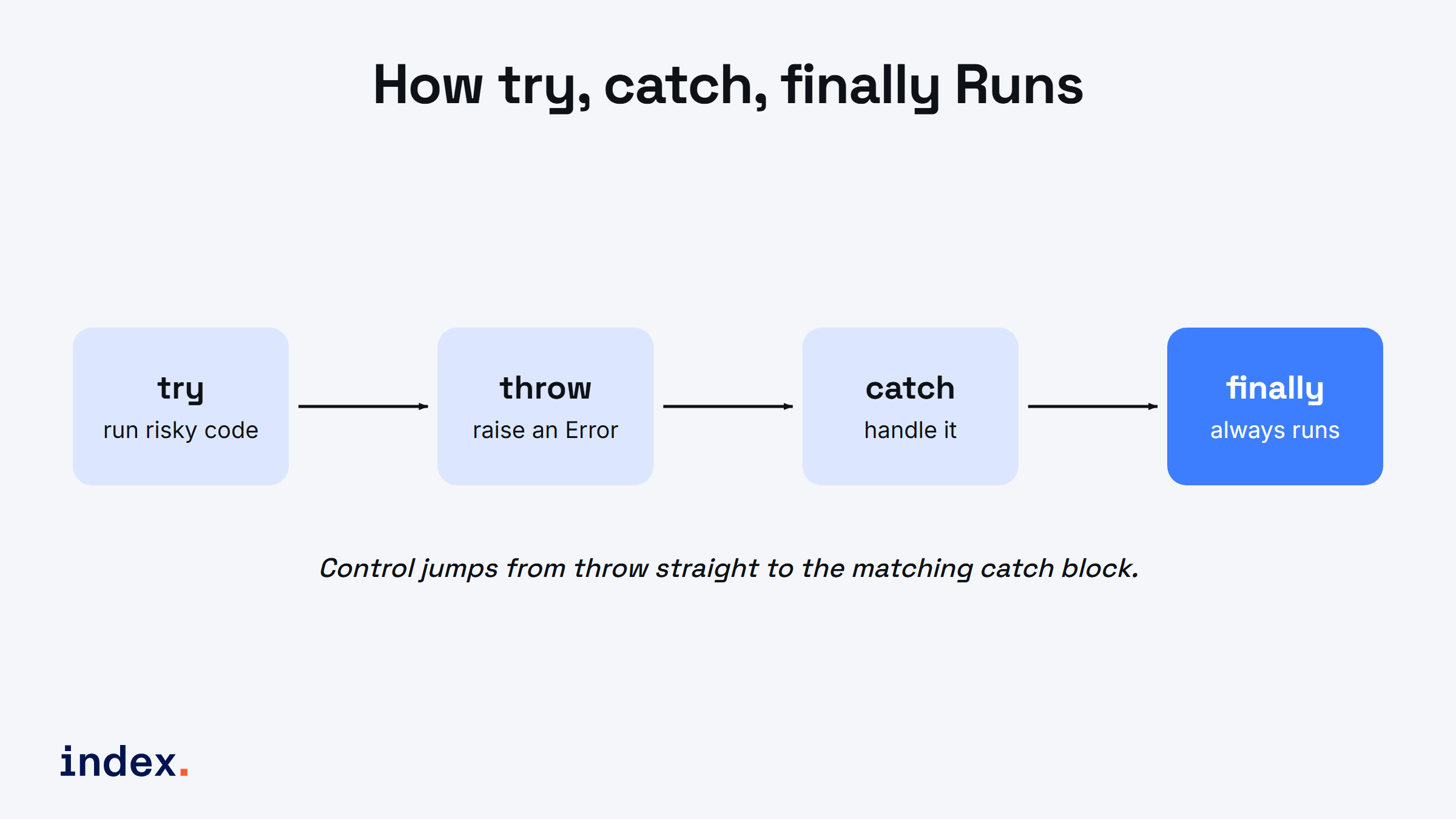
The execution path: code runs inside try, a throw raises an Error, the matching catch handles it, and finally always runs at the end.
Here is a practical example that guards against malformed input:
function parseJson(json: string): unknown {
  try {
    return JSON.parse(json);
  } catch (error) {
    console.error("Invalid JSON format:", error instanceof Error ? error.message : error);
    return null;
  }
}

parseJson("invalid json"); // Output: Invalid JSON format: Unexpected token ...
The unknown catch variable in modern TypeScript
This is the one detail most beginner tutorials still get wrong. Since TypeScript 4.4, with useUnknownInCatchVariables on (it is included in strict mode), the variable in a catch clause is typed as unknown, not any. That means error.message does not compile on its own, because anything can be thrown, including a string or a number.
The fix is to narrow the value before you read from it:
try {
  riskyCall();
} catch (error) {
  // In TypeScript 4.4+ with strict settings, `error` is typed as `unknown`.
  // You must narrow it before reading `.message`.
  if (error instanceof Error) {
    console.error(error.message);
  } else {
    console.error("Unknown error:", error);
  }
}
This is a real improvement over older guides that read error.message directly. The compiler now forces you to handle the case where the thrown value is not an Error at all. Every code sample in this article follows that pattern.
Best practices for throwing exceptions
- Do not overuse exceptions. Reserve them for genuinely unexpected situations. A failed login attempt, for example, is an expected outcome and should return a result, not throw.
- Be specific with custom errors. Named error types improve clarity and make failures easy to catch and route.
- Write clear, informative messages. Say what went wrong and why, so the next person to read the log can act on it.
- Always throw Error instances. They preserve the stack trace and work with
instanceof.
Common pitfalls in exception handling
- Throwing for non-exceptional cases. If a status check can return a default value, return it instead of throwing.
- Overusing catch blocks. A catch on every call hides the real control flow. Only catch where you can actually do something about the error.
- Generic messages. Avoid "Something went wrong". Describe what triggered the exception as precisely as you can.
- Swallowing errors. An empty catch block hides failures. At minimum, log the error or rethrow it.
Advanced techniques: type narrowing and async
TypeScript gives you type guards and union types to handle more sophisticated error flows. Type guards narrow the kind of error inside a catch block so you can branch on it safely.
try {
  throw new InvalidUserInputError("Invalid age");
} catch (error) {
  if (error instanceof InvalidUserInputError) {
    console.error("Custom error:", error.message);
  } else if (error instanceof Error) {
    console.error("General error:", error.message);
  } else {
    console.error("Non-error thrown:", error);
  }
}
In async functions, errors should be handled with try-catch as well. A throw inside an async function rejects the returned promise, so an unhandled one surfaces as an unhandledrejection event. Always wrap awaited calls that can fail, and check response.ok on a fetch, because fetch does not throw on HTTP error status codes by itself.
async function fetchData(url: string): Promise<unknown> {
  try {
    const response = await fetch(url);
    if (!response.ok) {
      throw new Error(`Request failed with status ${response.status}`);
    }
    return await response.json();
  } catch (error) {
    console.error("Failed to fetch data:", error instanceof Error ? error.message : error);
    return null;
  }
}
When not to throw: exceptions versus result types
Throwing is not the only way to model failure, and for expected errors it is often not the best one. A growing pattern in TypeScript codebases is the Result type, where a function returns either a success value or an error value instead of throwing. The caller then has to handle both cases, and the compiler enforces it.
type Result<T, E = Error> =
  | { ok: true; value: T }
  | { ok: false; error: E };

function safeDivide(a: number, b: number): Result<number> {
  if (b === 0) {
    return { ok: false, error: new Error("Division by zero is not allowed") };
  }
  return { ok: true, value: a / b };
}

const result = safeDivide(10, 0);
if (result.ok) {
  console.log(result.value);
} else {
  console.error(result.error.message); // handled, no throw needed
}
Libraries such as neverthrow and Effect formalize this pattern with a typed Result or Either. The trade-off is straightforward: throwing is concise and bubbles up automatically, but it is invisible in the type signature, so a caller cannot tell from the types that a function might fail. A Result makes failure explicit and impossible to ignore, at the cost of more verbose call sites.
| Scenario | Throw an exception | Return a Result |
|---|---|---|
| Programmer error or impossible state | Yes | No |
| Expected, recoverable failure (bad input, not found) | No | Yes |
| Deep call stack, error handled far away | Yes | Verbose |
| Failure must be visible in the type signature | No | Yes |
| Library boundary, callers in other languages | Yes | No |
A useful rule of thumb: throw for the unexpected, return a Result for the expected. Most production TypeScript ends up using both.
Conclusion
In this guide we covered the fundamentals of throwing and handling exceptions in TypeScript: the throw statement, built-in and custom error types, try-catch-finally, the unknown catch variable in modern TypeScript, type narrowing, async error handling, and when to reach for a Result type instead. Exception handling is critical for building robust applications, and TypeScript's type safety makes it more powerful than plain JavaScript. Specific error types, custom error classes, and the practices above will help you write cleaner, more readable, and more reliable code. Try the samples above to see how solid error handling improves your projects.
For developers
Ready to put these TypeScript skills to work? Index.dev is an AI-first engineering talent platform that connects companies with the top 1% of senior engineers from LATAM and CEE, around 30,000 developers, each human-vetted through technical and live interviews from a pool of 2.5M+. Join Index.dev for high-paying remote projects with global companies and boost your career today.
For clients
Need expert TypeScript developers? Hire from Index.dev's network of human-vetted senior engineers from LATAM and CEE, matched to your stack in 48 hours, with 40 to 60 percent cost savings on engineering projects. Only about 1.2 percent of applicants are accepted, and 97 percent of clients return for a second engagement. Start hiring now.


