
Building great products starts with understanding your users, but sorting through feedback, spotting patterns, and making sense of it all can be overwhelming. That’s where AI tools come in.
They help product teams save time, uncover insights faster, and make smarter decisions without drowning in data. Whether you're brainstorming new features, analyzing user sentiment, or running usability tests, the right AI tool can make a huge difference.
In this guide, we’ve handpicked the best AI tools for different product research scenarios to help you move faster, learn more, and build with confidence.
Get matched with pre-vetted developers in 48 hours, plus a 30-day free trial through Index.dev.
TL;DR
- Goal: Understand what users love and hate? → Use ProdPad
- Goal: Summarize feedback and generate roadmaps? → Use ChatGPT
- Goal: Want for behavioral analytics? Use Fullstory
- Goal: Collect real-time product feedback in-app? → Use Sprig
- Goal: Test user flows without interviews? → Use Maze
- Goal: Turn calls into product insights? → Use Sembly AI
| Tool | Best For | Free Plan Available? | AI Features |
| ChatGPT | Feature brainstorming, roadmap planning | ✅ | Feedback summarization, code generation, and strategy simulation |
| ProdPad | Turning feedback into insights and roadmaps | ✅ (Trial) | Auto-summary, duplicate detection, and idea linking |
| Fullstory | Auto-capture eliminates manual tagging maintenance | ✅ | Fullstory is the premier choice for behavioral analytics. |
| Sprig | In-app surveys and real-time sentiment analysis | ✅ | Emotion tagging, auto summaries, and feedback clustering |
| Maze | Usability testing and survey optimization | ✅ | Theme detection, bias detection, AI follow-up prompts (paid) |
| Sembly AI | Turning interviews and meetings into insights | ✅ | Auto transcription, summaries, task suggestions (premium) |
What is product analysis?
Product analysis is the process of evaluating a product’s design, functionality, market performance, and user feedback to determine its value and identify areas for improvement. Businesses use product analysis to assess competitiveness, optimize features, and more effectively meet customer needs.
What is product research?
Product research is the process of gathering and analysing data about consumer needs, market trends, and competitors to guide product development. Businesses utilize product research to identify demand, mitigate risk, and develop products that align with customer preferences and market opportunities.
Read Also: 10 Most Popular Python Data Visualization Libraries
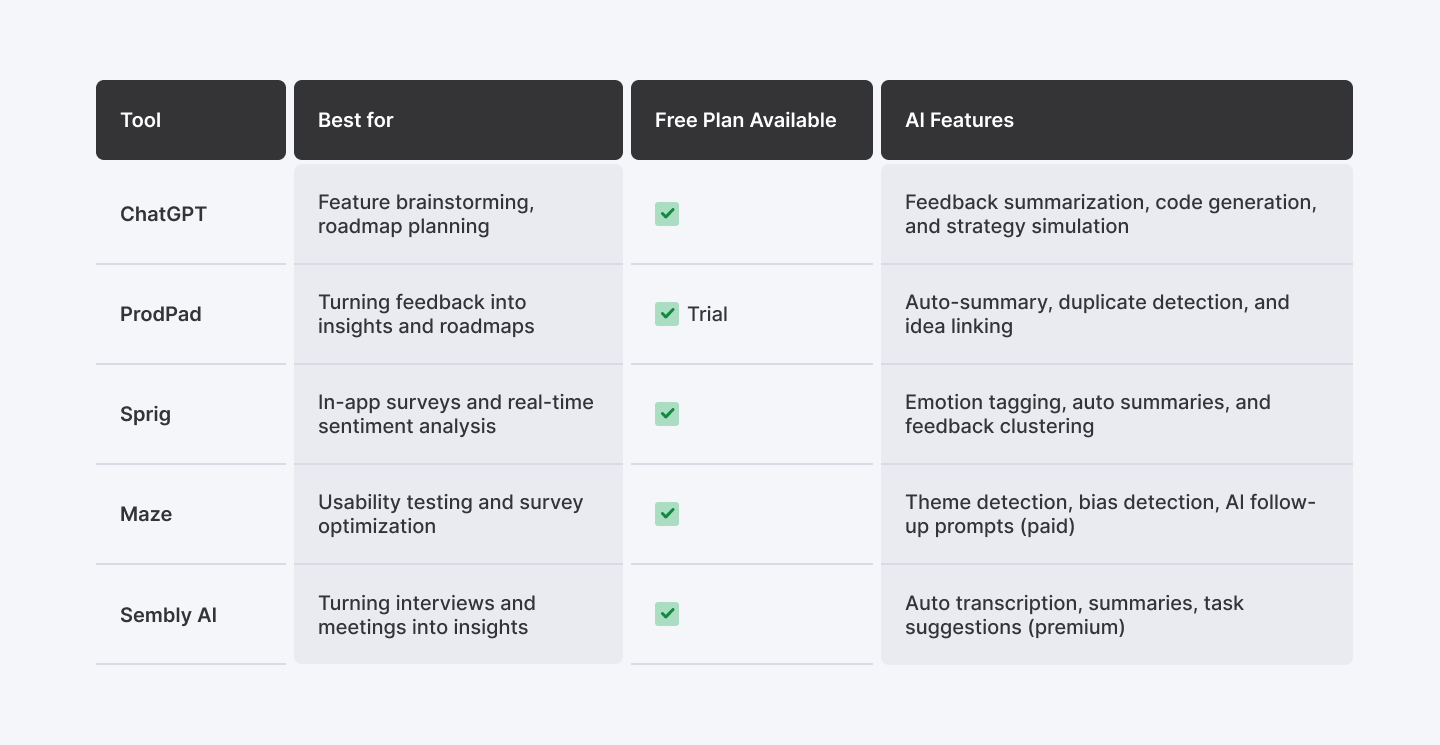
5 handpicked AI tools for product analysis and research
1. ChatGPT
What it does:
ChatGPT helps product teams analyze both qualitative and quantitative data, generate user insights, and create visual outputs, such as comparison tables or chart code (e.g., Python for bar or pie charts). It’s ideal for summarizing feedback, brainstorming features, and structuring product roadmaps without needing manual scripting or design tools.
AI-Driven Use Cases Enabled by ChatGPT
- Summarise large volumes of user feedback to uncover common pain points and praised features
- Prioritize product features based on user sentiment, impact potential, and development effort
- Generate code for visualizing trends in product usage, churn, or survey responses
- Create structured user personas from raw text feedback, quotes, or review snippets
- Simulate product strategy sessions with feature roadmaps, engagement forecasts, and opportunity gaps
- Analyze competitor offerings and extract positioning insights using natural language prompts
- Summarize long-form market research PDFs into digestible insights, trends, and slide outlines
- Draft product surveys, interview scripts, and user testing questions with minimal input
- Map end-to-end user journeys with goals, emotions, and friction points for new users
- Generate unique feature ideas aligned with the target audience's behavior and unmet needs
How to use it (mini walkthrough):
Use case: Generate and structure features for a mental health app for college students
Go to https://chatgpt.com/ and create your free account.
Step 1: Set the product context
Prompt:
I’m building a mental health app for college students. Suggest 10 innovative features for this app. For each feature, mention one benefit and one possible drawback.
Step 2: Organize features into product phases
Prompt:
Now, group these 10 features into 3 product phases: MVP, Beta, and Expansion. Explain why each feature belongs in that phase.
It also creates a roadmap, if you are asking the tool to do so.
Step 3: Prioritize for engagement
Prompt:
Rank the top 5 features based on their potential to drive daily active usage among students.
Step 4 (Optional): Identify a unique innovation
Prompt:
Suggest one unique feature for this app that no popular mental health app currently offers, but students would likely find valuable.
What I liked:
- Generates clean, structured tables and roadmap breakdowns from simple prompts
- Can write chart code (Python/JS) instantly based on user-provided data
- Group qualitative feedback (e.g., complaints or praise) using sentiment
- Easily simulates product strategy tasks like persona creation or competitor mapping
- Supports follow-up refinement (e.g., regroup features, reorder priorities, etc.)
What I disliked:
- Doesn’t render charts directly inside the tool (requires external execution)
- Needs re-prompting for complex visual formatting (e.g., labelled axes, colour themes)
- Limited memory across chat unless you restate your context in follow-ups
Pricing:
- Free Plan: Access to GPT-3.5 (no file upload or code interpretation)
- ChatGPT Plus: $20/month for GPT-4 access, including Advanced Data Analysis (formerly Code Interpreter), ideal for CSV, charts, PDF reports, etc.
- ChatGPT Pro: $200/month. Get the best of OpenAI with the highest level of access.
Who should use ChatGPT:
- Product Managers doing early research and roadmap planning
- Founders & Startups exploring market gaps and feature sets
- UX Designers mapping journeys, creating personas, and summarising feedback
- Analysts who want quick visual outputs or chart-ready code without BI tools
Final Verdict
ChatGPT is a versatile research assistant that can turn vague product ideas into structured outputs, whether it’s comparing tools, summarising review data, or visualising sentiment. It’s especially useful during the ideation and early planning stages, and best paired with light technical follow-through to render its code-based visual suggestions.
If you’re not using it to speed up research and exploration, you’re missing one of the easiest wins in product discovery.
2. Fullstory
What it does:
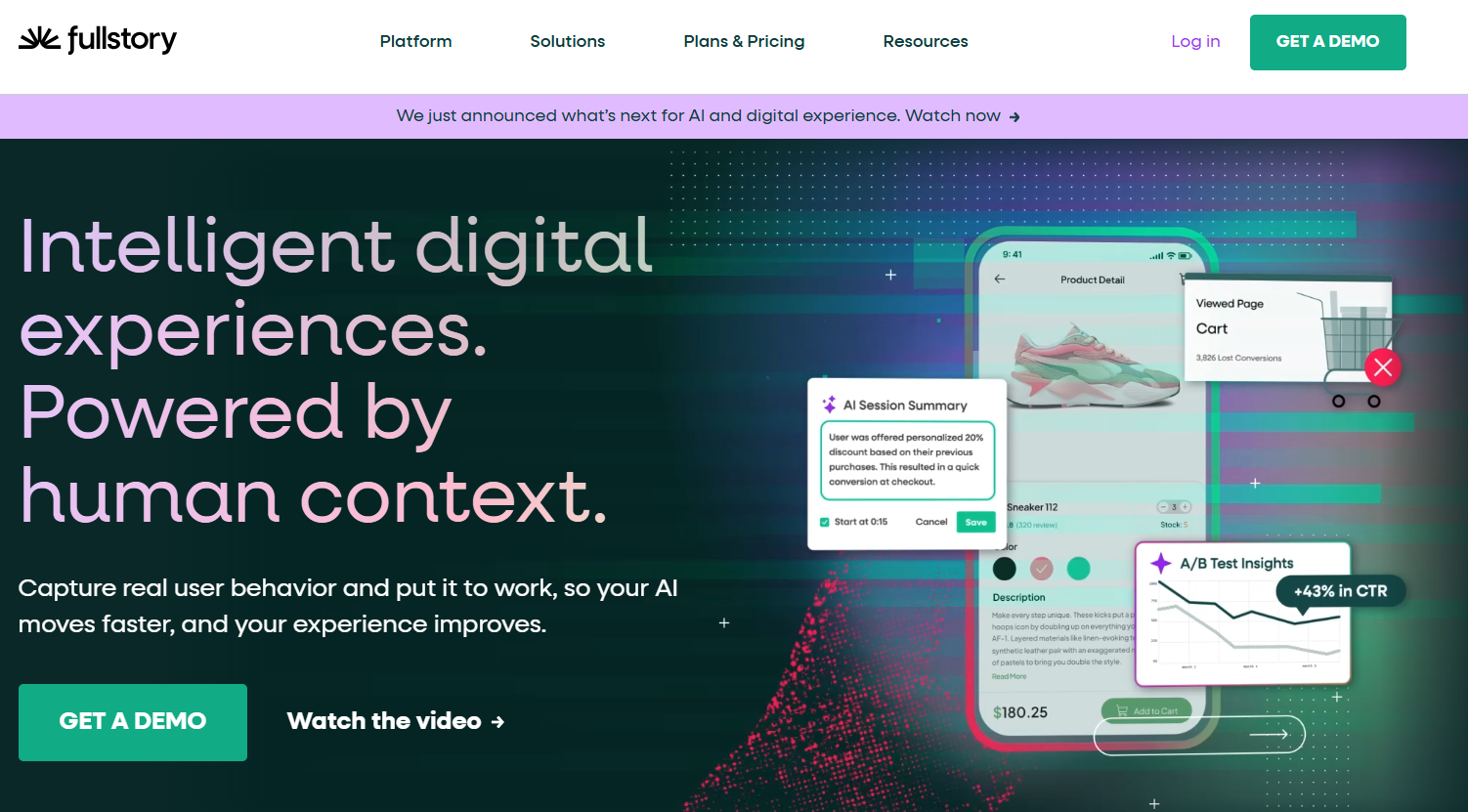
Fullstory is an intelligent digital experience platform that captures every user interaction across web and mobile and connects that data to AI-powered analytics, session replay, and conversion funnel analysis. Product teams use it to see exactly where users struggle, drop off, or rage-click—and then query that behavioral data in plain language with Ask StoryAI. It also includes Guides and Surveys for deploying in-app feedback, NPS surveys, and onboarding flows directly inside a product.
How to use it (mini walkthrough):
Step 1: Install and Capture
- Add the Fullstory tag to your site to start automatically capturing all user interactions.
Step 2: Ask StoryAI
- Use natural language search to ask questions like "Why are users dropping off?" and get instant summaries.
Step 3: Analyze Opportunities
- Review the Opportunities dashboard to identify which UX friction points impact revenue most.
What I liked:
- Auto-capture eliminates manual tagging maintenance.
- StoryAI summaries drastically reduce the time spent watching replays.
- Identifies "Frustration Signals" like rage clicks automatically.
What I disliked:
- The sheer volume of data can be complex to navigate initially.
- Pricing requires a sales consultation for high-volume needs.
Pricing:
- Free Trial: 14-day full-featured trial available.
- Business & Enterprise: Custom pricing based on data volume.
Who should use Fullstory:
- Product Managers seeking the "why" behind conversion drops.
- UX Designers who need qualitative evidence for design decisions.
Final verdict on Fullstory
Fullstory is the premier choice for behavioral analytics. Its StoryAI transformation turns massive datasets into actionable stories, making it essential for teams scaling their digital experience.
3. Sprig
What it does:
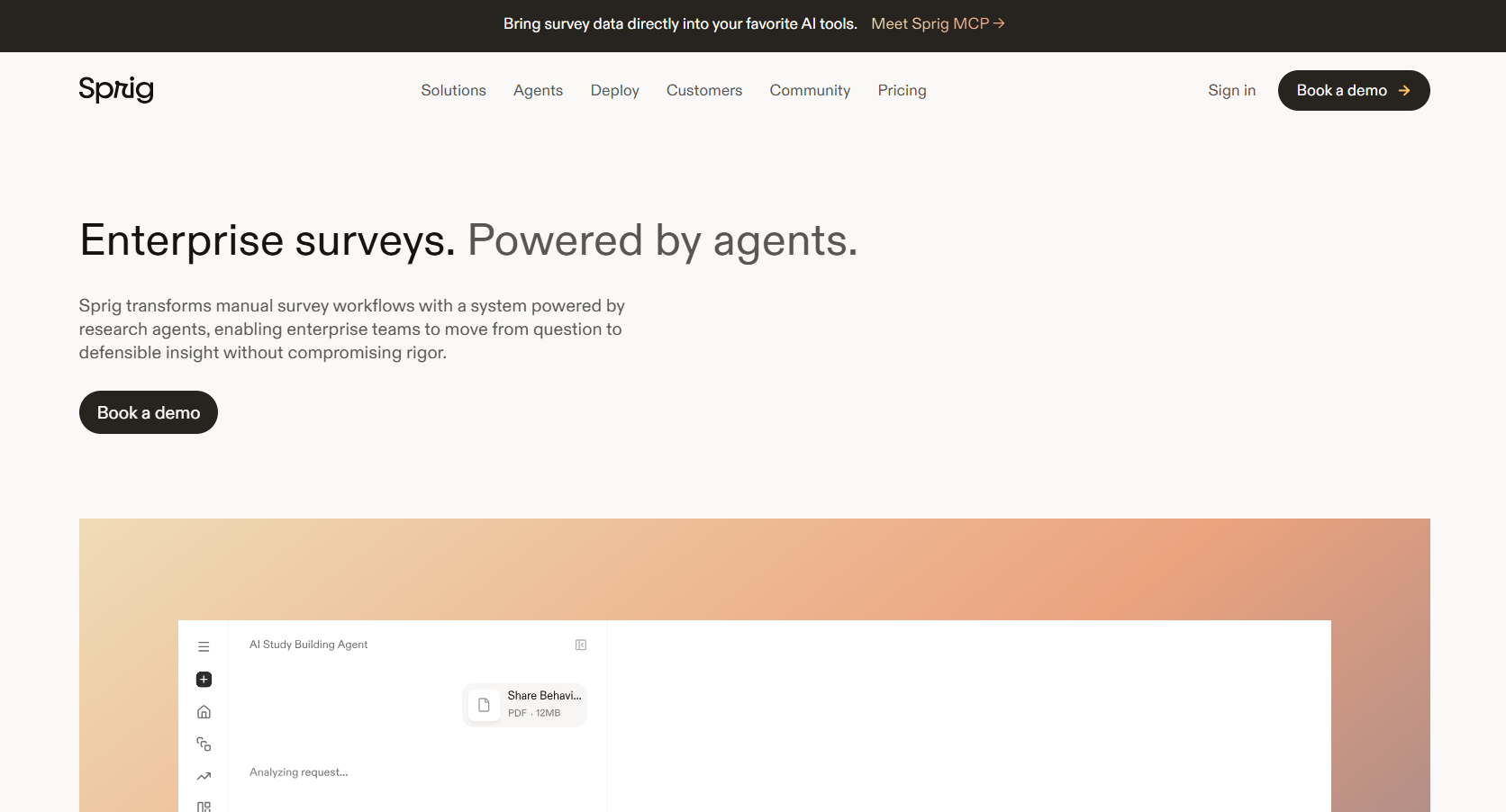
Sprig helps product teams visualize and understand user sentiment, behavior, and feature feedback. It utilizes AI to automatically transform survey responses, session replays, and heatmaps into actionable insights, presented as themes, sentiment charts, and summaries.
AI-Driven Use Cases Enabled by Sprig
- Identify product pain points across user surveys and session replays
- Prioritize feature improvements by frequency and sentiment
- Track how users behave before, during, and after using a new feature
- Summarize product research studies automatically for stakeholders
- Discover hidden behavioral trends in user actions (replays)
How to use it (mini walkthrough):
Use Case: Visualize common user issues from open-text survey feedback
First, you need to visit https://sprig.com, click "Get Started," and register using your email or Google
Step 1: Click “New Study”
From the left sidebar, click “New Study” to begin. This opens Sprig’s study creation flow.
Step 2: Choose “Survey” under ‘Create From Scratch’
On the next screen, choose the “Survey” option to capture user insights through open-ended questions.
Step 3: Add Open-Ended Questions
Enter your questions like:
- “What’s one thing you found difficult to use?”
- “What do you love about this new layout?”
These help capture qualitative feedback that Sprig can analyze.
Step 4: Configure Triggers & Targeting (Optional)
If using in-product surveys, set when the survey's appearance (e.g., after a user visits a feature) and apply filters (e.g., “Account created = false”) to narrow the audience.
Step 5: Launch Your Study
Once your setup is complete, click “Launch” to start collecting real-time responses either via a direct shareable link or an in-app trigger.
Step 6: View and Analyze Responses
Under the “Summary” tab, Sprig will display feedback grouped by question:
- Responses show user ID, comment, and timestamp
- Use filters or pin key questions to your dashboard
What I liked:
- Instantly transforms messy feedback into clear, themed visuals
- Emotion tagging adds context to user frustrations or praise
- Requires zero manual tagging or NLP knowledge
- The centralized Insights Feed pulls data across surveys, replays, and heatmaps
What I disliked:
- The free plan limits survey distribution and the number of responses
- No ability to customize sentiment labels (e.g., rename emotions)
- Can’t track longitudinal feedback trends unless upgraded to the paid tier
Pricing:
- Free Plan: $0
- Startup Plan: Custom pricing
- Enterprise: Custom pricing, contact for a quote
Who should use Sprig
Sprig is ideal for product managers, UX researchers, and startup teams looking to quickly gather and visualize user feedback from open-ended responses, without hiring an analyst or spending hours on tagging.
Final verdict on Sprig
Sprig is like a visual analyst that lives inside your product stack. With just a few survey responses, it automatically extracts meaningful trends, emotional signals, and areas for improvement. It’s especially powerful for lean teams that need fast answers from real users. While the free tier has limitations, the AI capabilities alone make it a top choice for product research.
4. Maze
What it does:
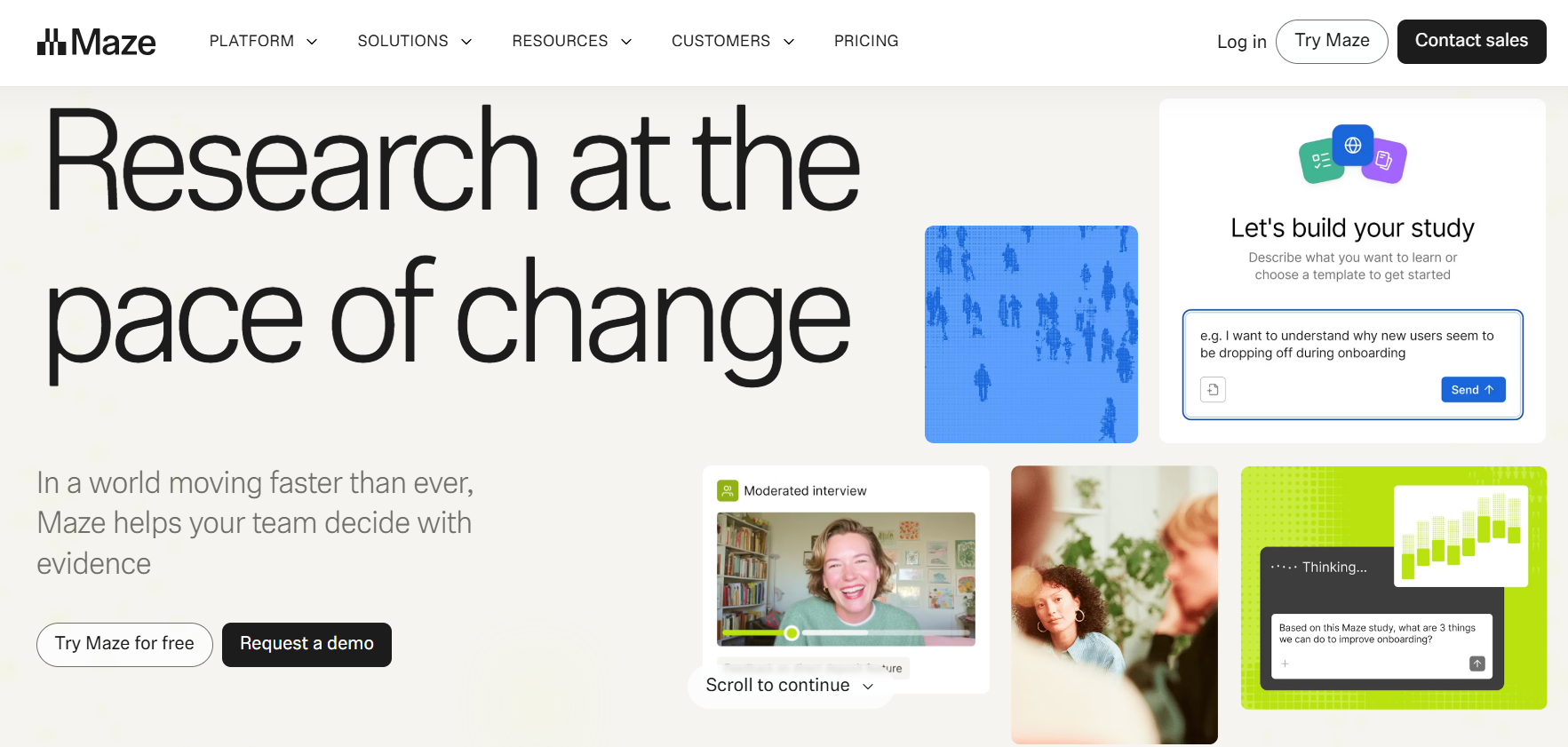
Maze enhances product research with a suite of AI-powered tools that reduce bias, deliver deeper insights, and accelerate decision-making. From survey optimization to real-time interview analysis, Maze helps UX and product teams turn conversations into trusted insights faster.
AI-Driven Use Cases Enabled by Maze
- Analyze product pain points through open-ended user surveys
- Detect common user frustrations using automated theme clustering
- Prioritize features based on sentiment-tagged feedback
- Simulate and validate usability flows with unmoderated tests
- Summarize qualitative feedback into themes for faster decision-making
- Discover overlooked UX issues using AI-generated follow-up prompts (paid)
- Improve survey quality with bias detection and question rewrites (paid)
- Export research data for stakeholder-ready reporting in minutes
- Validate feature concepts and early designs using guided test templates
- Run lean product research using internal testers and dummy data
How to use it (mini walkthrough):
Step 1: Sign up and log in
- Go to maze.co
- Click “Get started for free.”
- Create an account (email or Google login)
Step 2: Create a new project
- From the dashboard, click “+ New Project”
- Choose “Discovery Survey.”
- Name your project (e.g., Task App Feedback)
- Click “Create project.”
Now select the “Unmoderated” option.
The Moderated option (on the right side) includes AI-powered interview transcripts and insights, but is only available in paid plans.
Step 3: Click "Start from scratch."
In the section titled “Create your own maze”, click the option: “Start from scratch.”
This gives you full control over the blocks you'll add (ideal for free testing with dummy product feedback).
Step 4: Add an Open Question Block
Once you're inside the Maze editor:
- Click “+ Add Block”
- Choose “Open Question”
- Enter your question, such as:
“What did you find most confusing or frustrating about using our task management app?”
This allows you to collect qualitative feedback, which is perfect for theme detection by AI.
Step 5: Click “Copy Maze Link.”
This lets you:
- Share the link with teammates or stakeholders for manual submissions
- Simulate multiple users by opening the link in incognito or different browsers
Step 6: Run AI analysis (Automated Themes)
- Go back to your project dashboard
- Click “Reports” > then “View Results”
- Maze will automatically process responses and display:
- Themes: like UI issues, Performance, Feature confusion
- Count per theme: how many users reported each issue
- Filters: by keywords or sentiment (limited in the free version)
However, automated themes are available in the paid version.
Step 7: Review and download insights
- You can view the automated summary of themes
- Click “Export CSV.”
- Or use screenshots to present the themes visually.
What I liked:
- Theme Visualization saves hours of manual coding and makes reporting effortless.
- Follow-Up Question Generator digs deeper with context-aware prompts.
- Interview Summarizer is incredibly accurate, especially for long-form transcripts.
- Insights Dashboard is clean, minimal, and easy to navigate.
What I disliked:
- The AI themes are not always perfect—some categories may overlap.
- Requires enough qualitative data to be useful; small datasets may return vague results.
- Some advanced AI features are only available with the enterprise plan.
Pricing:
- Free: $0, Limited projects and participants
- Starter: From $99/month — more responses, advanced features
- Organization/Enterprise: Custom pricing — includes AI follow-ups, team access, integrations
Who should use Maze:
- UX Researchers who want faster analysis without spreadsheets
- Product Managers looking for validated user insights
- Designers and Startups needing feedback loops at scale
Agencies working with multiple clients and research projects
Final verdict on Maze:
Maze is a must-have for research and product teams that deal with large volumes of qualitative feedback. Its AI tools don’t just save time, they elevate the quality of insights you generate. By transforming lengthy interviews or open-ended surveys into clear, visual takeaways, Maze enables teams to move from feedback to action more quickly.
Key takeaway: Use Maze if you want to spend less time tagging responses and more time making smart, user-driven decisions.
5. ProdPad
What it does:
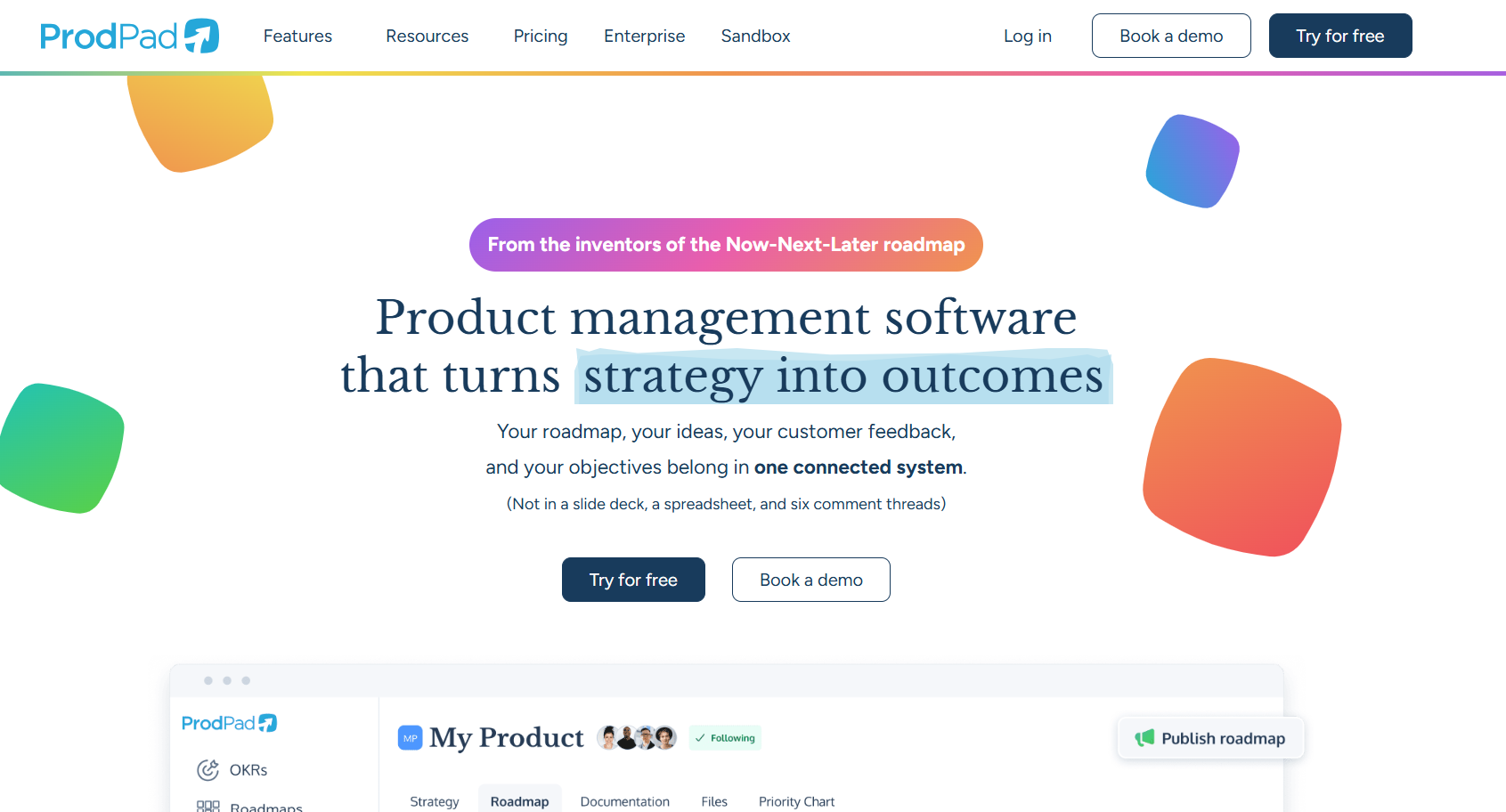
ProdPad is a product management platform that uses AI to help teams visualize and act on product research data. One of its standout free features is the ability to summarize long customer feedback into actionable insights using CoPilot, which is particularly helpful when working with a large amount of user input.
AI-Driven Use Cases Enabled by ProdPad
- Summarize long-form customer feedback into clear, actionable insights
- Identify recurring product pain points from user comments and support logs
- Detect and eliminate duplicate feature requests automatically
- Link relevant feedback to product ideas without manual tagging
- Generate OKRs and roadmap suggestions from product goals and vision
- Compare new ideas against your product strategy and team objectives
- Draft product documentation, specs, and user stories from scratch
- Uncover common themes and sentiment in incoming user feedback
- Prioritize ideas based on user value, alignment, and demand frequency
- Transform stakeholder inputs into structured product decisions
How to use it (mini walkthrough):
Use Case: Summarize Long Customer Feedback into Actionable Insights
Visit to https://app.prodpad.com/
Step 1: Go to the “Feedback” tab
- On the left sidebar, click “Feedback” (visible in your screenshot under the main menu).
Step 2: Click “Add Feedback.”
- In the “Getting Started” checklist under Feedback, click on “Add Feedback”.
- A form will appear for you to enter your feedback.
Step 3: Enter Dummy Feedback
Click “Add Feedback” and paste this dummy comment:
“I’ve been using the product daily, and it works well overall. But I get frequent timeout errors when editing multiple items at once. Also, the interface is a bit clunky on smaller screens. It would be amazing if there was a keyboard shortcut for quick item creation.”
Step 4: Save the Feedback
- Click Save or Submit.
- The feedback will now appear in your Feedback list.
Step 5: Ask CoPilot to Summarize
- Click the feedback entry.
- Look for a CoPilot button labeled “Summarize this” (or a ✨ sparkle icon).
- Click it, and CoPilot will auto-generate a summary like:
Step 6: (Optional) Link to Ideas
- If any related ideas exist, CoPilot may suggest linking the feedback to them.
- If not, click “Link Feedback to an Idea” from the Getting Started panel.
What I liked:
- Extremely helpful for summarizing long-form customer feedback
- No prompt engineering required, just click “Summarize.”
- Works with dummy or real data during the free trial
- Helps link feedback directly to product development
What I disliked:
- Summarization is one entry at a time (no batch summarization)
- Sometimes over-simplifies emotional language or detailed scenarios
- You may need to fine-tune the idea linking manually
Pricing
- Free Trial – Includes full CoPilot access for summarizing feedback
- Essential Plan – $1,160/month
- Advanced Plan - $720/month
Who should use ProdPad
- PMs are tired of manually processing customer feedback
- Researchers who want fast summaries from interview notes
- Startup teams validating early-stage product ideas
- Agile teams linking user pain points to real backlog items
Final verdict
Even without real customer data, ProdPad’s CoPilot lets you simulate product analysis workflows with dummy input. The summarization feature alone can save hours in triaging and writing product insights.
Takeaway: You don’t need to wait for real feedback; start practicing product research with AI right now.
6. Sembly AI
What it does:
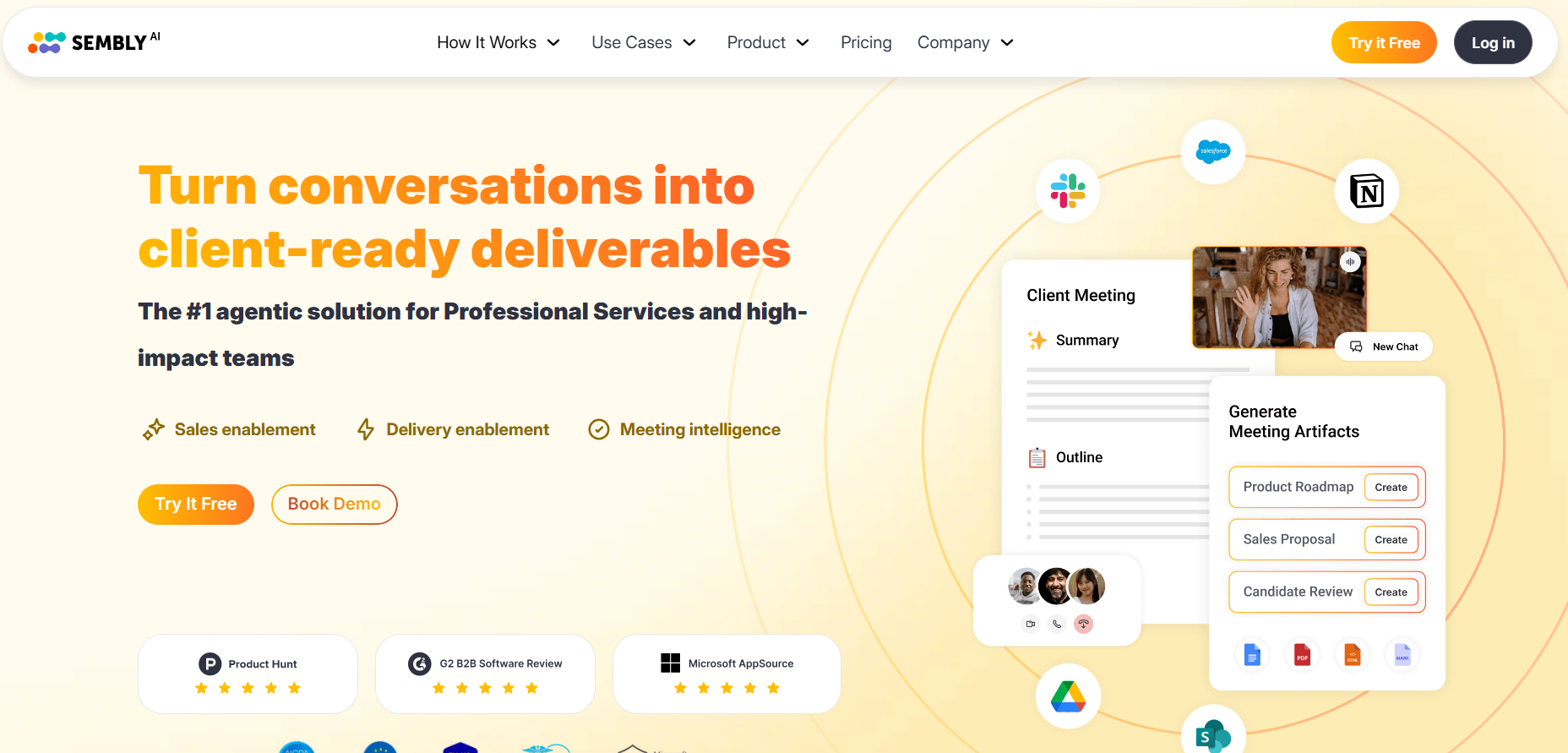
Sembly AI is an AI-powered meeting assistant that automatically transcribes, summarizes, and extracts actionable insights from virtual meetings. It turns conversations into searchable, structured records complete with AI tasks, summaries, and even generated documents.
AI-Driven Use Cases Enabled by Sembly AI
- Transcribe customer interviews and extract structured feedback automatically
- Summarize long-form discussions into key product insights and decisions
- Identify recurring user pain points across meetings without manual review
- Detect and surface feature requests discussed in team or customer calls
- Auto-generate tasks with assignees, due dates, and descriptions from meeting notes
- Link user feedback to product themes using keyword and speaker analysis
- Create draft project briefs and feature specs from recorded conversations
- Analyze sentiment and intent behind user feedback for prioritization
- Track how product decisions evolve across multiple meetings with timeline clarity
- Simulate proxy attendance in research calls and still collect actionable feedback
- Export product-related summaries and artifacts directly to docs or roadmap tools
- Reduce manual effort in organizing insights with multi-meeting AI chat
- Convert stakeholder discussions into ready-to-review action lists and deliverables
- Enable voice-based insight tagging during interviews or test sessions
- Share clean, structured research summaries with cross-functional teams instantly
How to Use It (Mini Walkthrough):
Use Case: Extracting Product Improvement Insights from a Customer Interview
Step 1: Record or Upload a Customer Interview
Go to app.sembly.ai and sign up for the free version
- Click "New Meeting" and choose “Upload Media File.”
Step 2: Auto-Transcription & Summary Generation
Once uploaded, Sembly will generate:
- A full transcription of the audio
- A basic meeting summary
- Identified discussion topics (limited in the free plan)
Step 3: Manually Highlight Product Feedback
From the summary or transcription, manually extract key product insights for internal use.
You can copy this into Notion, Excel, or your documentation tool.
Step 4: Export the Transcript
In the free version, you can export:
- Full transcript (Markdown or PDF
- Use it for manual tagging or internal sharing
What I liked:
- Accurate transcription even with casual conversation
- Summarizes 2–3 core topics even without a premium plan
- Supports file uploads without needing live calls
- Multiple export options (PDF, Markdown) for portability
- No setup needed; works out-of-the-box for solo users
What I disliked:
- Cannot generate AI tasks or artifacts in the free version
- Manual effort is needed to tag pain points
- No access to multi-meeting search or insights
- Limited filtering or tagging tools for deeper analysis
Pricing
- Free Plan: Uploads, transcription, basic summary
- Pro Plan: ~$10/month for full AI features
- Team Plan: $20/month, Unlimited online recording, and 900 minutes/month per user upload
- Enterprise: Custom — includes compliance & deployment support
Who should use Sembly AI
- Early-stage founders conducting user interviews
- Solo product managers or UX designers
- Researchers summarizing discovery calls
- Freelancers needing quick meeting transcripts
Final verdict
Sembly AI’s free version is a powerful entry point for product analysis. Even without advanced AI summaries or task automation, the transcription + summary feature allows manual insight gathering. With dummy interviews, you can easily simulate the workflow for research presentations or testing before making an upgrade.
Best AI tool for product analysis and research
| Scenario | Best Tool(s) to Use | Why |
| Early-stage ideation and feature brainstorming | ChatGPT | Flexible prompts, structured feature generation, and roadmap breakdowns |
| Summarizing large volumes of user feedback | ProdPad, ChatGPT | CoPilot auto-summarizes feedback; ChatGPT groups insights via prompts |
| Real-time in-app user feedback collection | Sprig | Native survey tools with sentiment tagging and visual summaries |
| Usability testing with unmoderated surveys | Maze | Fast setup for testing flows, with AI-powered theme clustering |
| Transcribing and analyzing customer interviews | Sembly AI | Accurate meeting transcripts with summaries and task generation |
| Competitor or market comparison | ChatGPT | Manual benchmarking using structured prompts and table generation |
| Validating feature concepts and UI flows | Maze | Test templates and AI follow-ups help validate UX with real users |
| Mapping user sentiment across multiple touchpoints | Sprig, Maze | Emotion tagging and theme visualization across feedback formats |
| Linking feedback to product backlog or roadmap items | ProdPad | Direct integration between feedback and product ideas/OKRs |
| Simulating product strategy sessions or planning | ChatGPT | Easily creates personas, roadmaps, and feature prioritization |
What key features should you look for in an AI product analysis tool?
Automated Data Collection
An ideal AI product analysis tool should automatically collect data from various sources, such as Amazon, Shopify, social media, review platforms, and competitor websites. This eliminates manual work and ensures your insights are always current. It should also allow you to configure sources, filters, and frequencies to match your research needs precisely.
Sentiment Analysis
Sentiment analysis helps you understand how customers feel about your product or competitors. The tool should analyze reviews, survey responses, and social media mentions to detect the emotional tone, categorizing them as positive, neutral, or negative. This helps identify praised features or pain points quickly, guiding product decisions that resonate better with real user emotions.
Competitor Benchmarking
A strong product analysis tool enables side-by-side comparison with competitors across multiple metrics, including price, features, ratings, and popularity. It should highlight key differentiators and market gaps. This benchmarking is crucial for strategic positioning, feature planning, and identifying opportunities to outperform your rivals in terms of value and user satisfaction.
Visual Dashboards
Look for intuitive dashboards that display key metrics and trends through charts, heatmaps, and graphs. A well-designed dashboard makes complex data easy to understand at a glance. It’s especially helpful for non-technical team members and executives who need quick insights without having to dive into raw datasets or spreadsheets.
Keyword and Trend Tracking
This feature enables you to track search trends, seasonal demand, and emerging keywords relevant to your product category. A good tool will visualize keyword growth and competition levels. This helps prioritize feature rollouts, SEO efforts, and marketing campaigns based on real-time user interest and buying intent data.
Customizable Reports
Your team or clients may require specific views of the data. The tool should enable you to generate, customize, and export reports in various formats, including PDF, Excel, and Google Slides. This saves time and ensures all stakeholders receive relevant insights in a format tailored to their decision-making needs.
In this workflow, presentation API can help automate the creation of structured, data-driven slides, making it easier to deliver clear and consistent insights to stakeholders.
Integration Capabilities
Ensure the tool integrates with platforms you already use, like Shopify, Google Analytics, Meta Ads, CRMs, or ERP tools. These integrations enable seamless data flow, eliminating silos and facilitating richer, cross-functional analysis. Integrating a meeting summarizer can help teams quickly capture key discussion points, action items, and decisions for better collaboration and productivity. It also reduces the need for multiple logins and manual data entry.
User Behavior Analytics
Look for tools that can track user interactions, such as clicks, scrolls, hovers, and conversions. Session recordings and funnel analysis reveal where users drop off or struggle. These insights are crucial for enhancing UX/UI, streamlining onboarding flows, and ultimately improving user satisfaction and product retention.
AI Recommendations
Beyond insights, top tools should provide intelligent suggestions for improving your product, such as which features to add, which users to target, or which content performs best. These AI-driven recommendations reduce analysis paralysis, enabling teams to make faster, data-backed decisions without requiring a full-time analyst.
Scalability and Data Volume Handling
As your user base or product line grows, the tool must scale with you. It should be capable of processing millions of data points without lag. Whether you're analyzing one product or a hundred SKUs, performance and responsiveness should remain consistent across all datasets.
Read Also: 5 Best Programming Languages For Artificial Intelligence


