
Looking for the best AI schema generator for your database design needs? You're not alone. Modern development teams are abandoning manual DDL writing. Instead, they're using AI tools to auto-generate database schemas, migration scripts, and documentation in minutes—dramatically improving developer productivity with AI.
An AI schema generator is a tool that uses artificial intelligence to automatically create and optimize database schemas. Instead of manually writing DDL statements, you describe your data requirements in plain English, and the AI generates properly structured tables, relationships, indexes, and constraints.
This guide compares the top AI tools for database design and management—from Workik (our pick for teams needing complete schema lifecycle management) to AI2SQL (best for quick natural-language query generation)—so you can choose the right schema AI solution for your workflow.
Whether you need an AI database schema generator for PostgreSQL, MySQL, or AI data visualization tools to help data engineers onboard faster, we've tested the best AI-powered database software so you don't have to.
Join Index.dev and get matched with global companies where you can design and optimize databases using AI tools.
Best AI for Database Design: Quick Comparison
Here's a quick overview of the best AI for database design in 2025:
Tool | Best For | Key Feature | Pricing |
Workik | Full schema workflow | AI documentation + mock data | Free / $10+ mo |
AI2SQL | Natural language to SQL | Multi-database connectivity | $6+ /mo |
dbForge | Enterprise database management | Advanced optimization | $149+ one-time |
Xano | No-code backend development | Visual schema builder | Free / $85+ mo |
DB Designer | Visual schema design | Collaborative ER diagrams | Free / $9+ mo |
Chat2DB | Text-to-SQL + optimization | 30+ database support | $15+ /user/mo |
SQLAI.ai | Query optimization | Schema-aware generation | $6+ /mo |
How to Choose Your AI Schema Generator
If you need → Use
- Complete schema generation + optimization + documentation + mock data → Workik
- Quick natural-language SQL generation without full schema management → AI2SQL
- Enterprise-grade database management with advanced optimization → dbForge
- No-code backend development with visual schema builder → Xano
- Visual schema design with team collaboration and diagramming → DB Designer
What to consider:
Choose based on your primary need:
- Onboarding new data engineers? → Workik (auto-documentation is game-changing)
- Writing lots of queries? → AI2SQL (lightweight, affordable, fast)
- Managing complex enterprise databases? → dbForge (advanced features, professional support)
- Building full backends without code? → Xano (integrated PostgreSQL + API generation)
- Visual schema design with team input? → DB Designer (collaborative, beautiful diagrams)
1. Workik AI Database Schema Generator: In-Depth Review
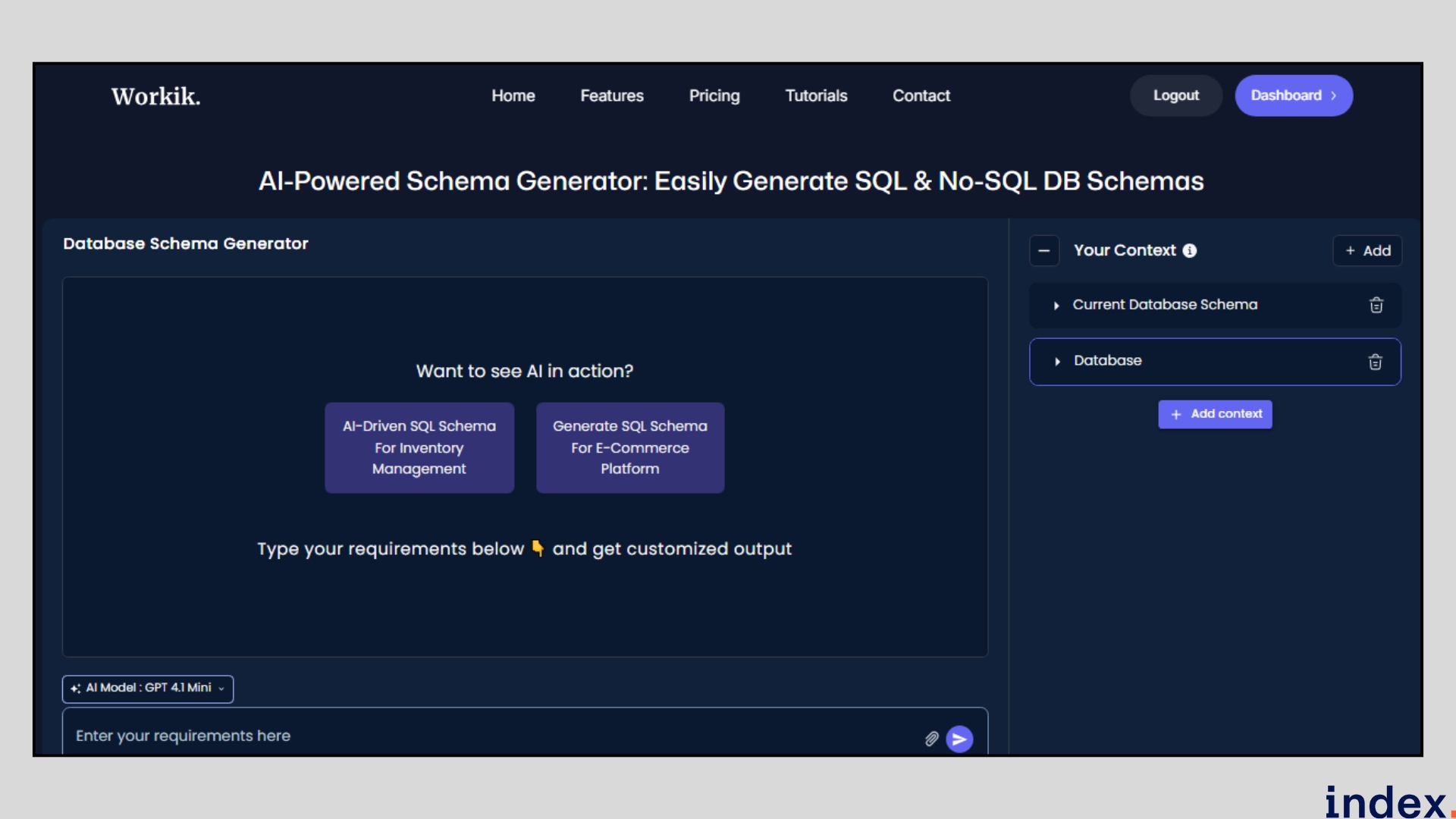
Workik AI AI database schema generator is the most comprehensive AI-powered database software for schema generation, optimization, and documentation. Here's our detailed review:
What is Workik AI Database Schema Generator?
Workik is an AI schema generator that converts natural language descriptions into complete database schemas. It supports PostgreSQL, MySQL, MongoDB, and other databases, with features for optimization, documentation, and team collaboration.
How it works
Workik AI simplifies schema creation into a prompt-driven workflow. You select your preferred database type, describe your requirements (for example, “create a schema for a booking system”), and the AI instantly generates optimized tables, relationships, and constraints. A built-in visual editor lets you refine the design, while the AI suggests improvements for normalisation and indexing.

Its AI Database Documentation module automatically generates column-level explanations, table summaries, and relationship details either for single tables or in bulk. You can customise layout templates for different databases and chat with the AI for deeper insights. All outputs can be exported, edited, or shared for team collaboration.
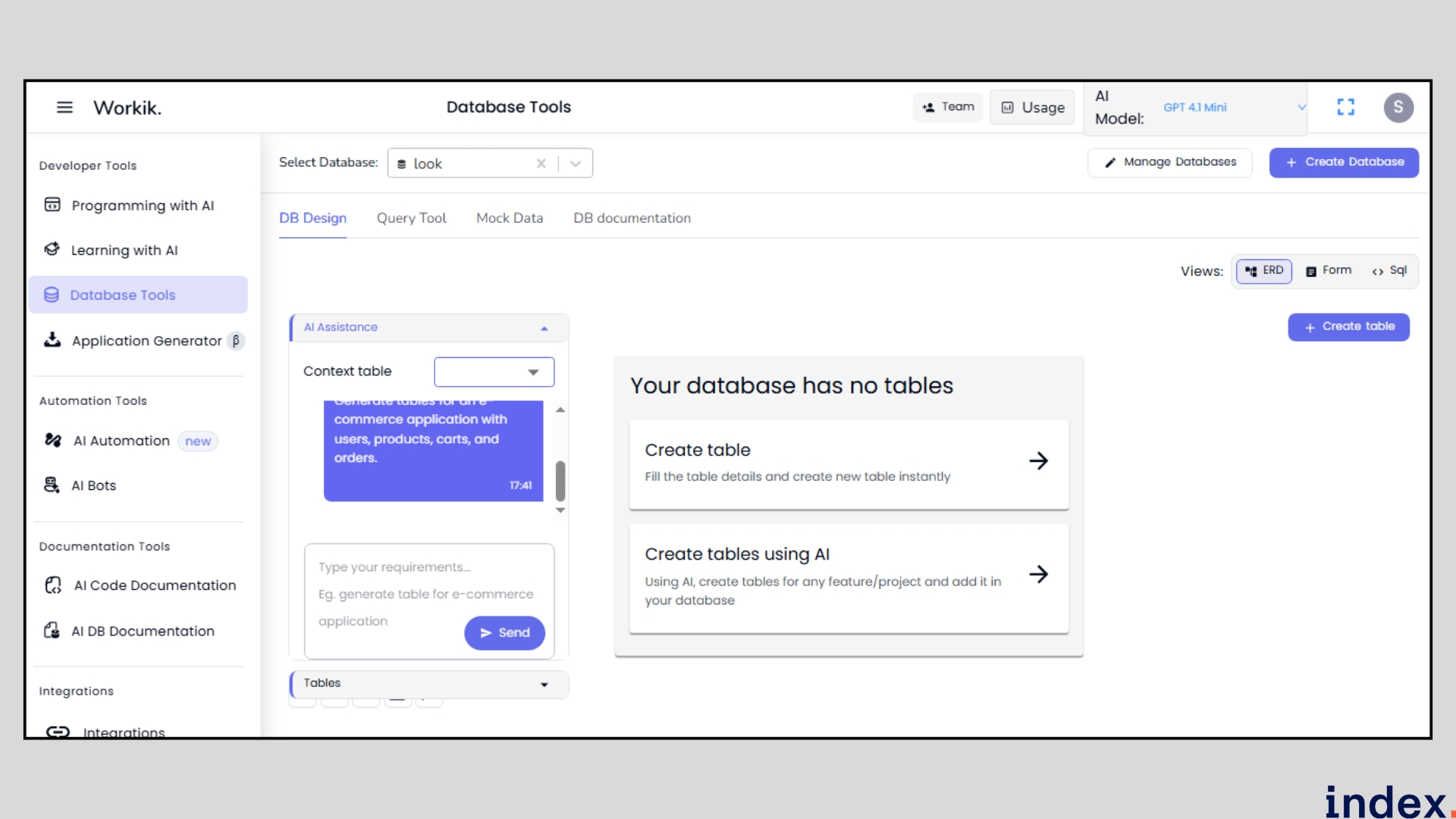
Workik AI Key Features:
1. AI Schema Generation
- Describe tables in plain English
- Auto-generates DDL for multiple database types
- Supports relationships, indexes, and constraints
2. Schema Optimization
- Analyzes existing schemas for improvements
- Suggests normalization and denormalization
- Recommends index additions
- Identifies redundant fields
3. Auto-Generate Migration Scripts
- Creates ALTER TABLE statements
- Handles schema refactoring
- Supports PostgreSQL, MySQL, SQL Server
- Version control integration
4. AI-Powered Documentation
- Auto-documents every table, column, and relationship
- Generates human-readable explanations
- Bulk documentation for existing schemas
- Exportable to various formats
5. Mock Data Generation
- Creates realistic test data
- Schema-bound data generation
- Useful for development and testing
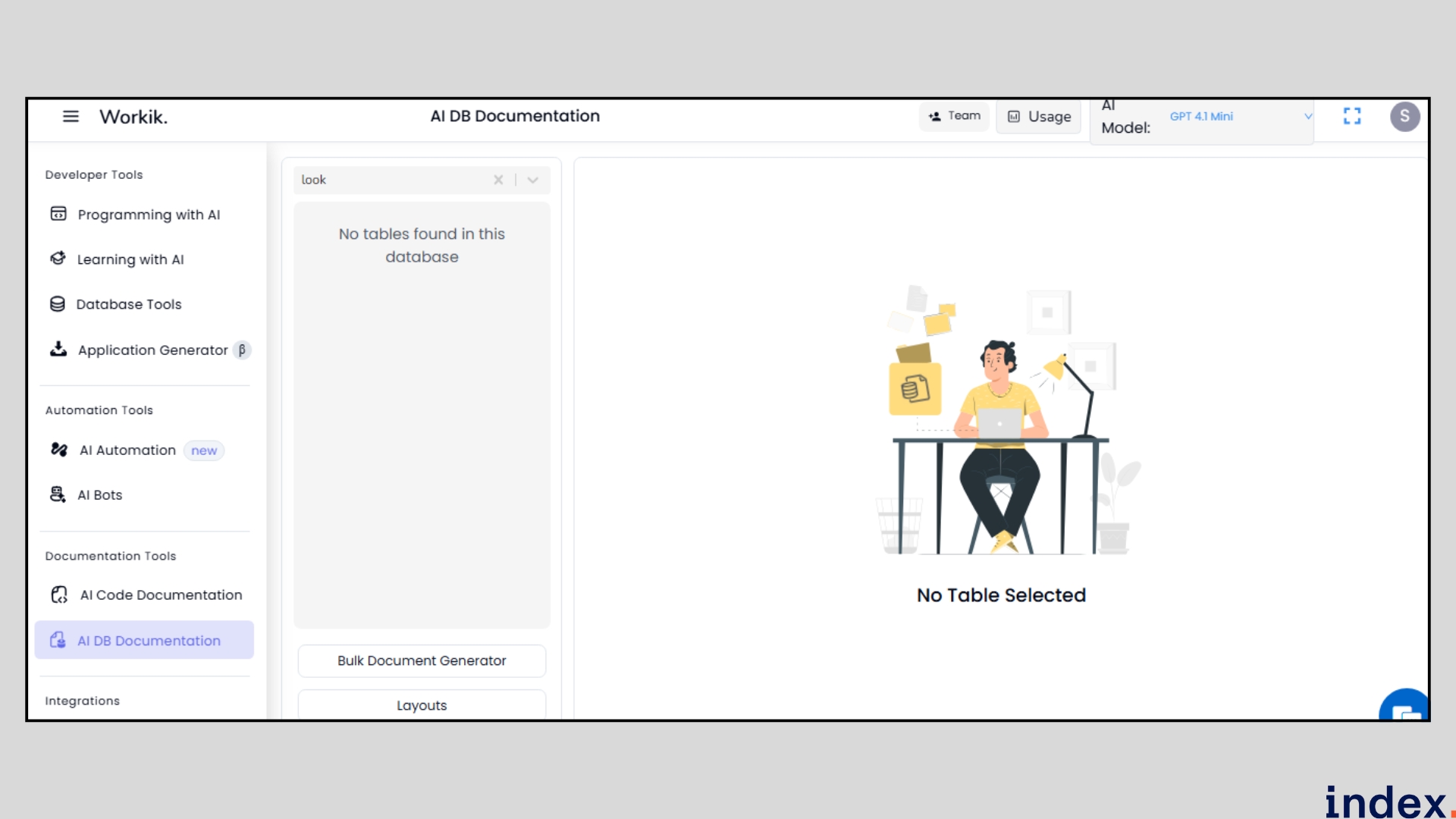
Auto-Documentation for Data Engineer Onboarding
Your database has 47 tables and complex relationships. A new data engineer joins the team.
Without documentation: week of learning
With Workik: auto-generated docs in seconds
Workik analyzes your existing schema and creates human-readable documentation showing:
- What each table stores (purpose)
- What each column means (data type, constraints)
- How tables connect (relationships)
- Common usage patterns
Export to Markdown, HTML, or PDF for sharing.
Why it matters: Onboarding takes days instead of weeks. Knowledge doesn't disappear when people leave.
When to Use Workik (vs. Other Tools)
Choose Workik if:
- You need auto-documentation (biggest differentiator)
- You're onboarding new data engineers
- You want mock data generation
- You need complete schema lifecycle (generation + optimization + docs)
Choose something else if:
- You primarily write queries (use AI2SQL)
- You need enterprise features (use dbForge)
- You want no-code backends (use Xano)
- You prefer visual design (use DB Designer)
Workik AI Pricing:
Plan | Price | Features |
Trial | Free | 20 requests, basic tools |
Starter | $10/month | 100 requests, all features |
Pro | $25/month | Unlimited, team collaboration |
Enterprise | Custom | SSO, dedicated support |
Workik AI Pros:
✅ Most comprehensive schema AI workflow
✅ Excellent documentation generation
✅ Migration script auto-generation
✅ Multi-database support
✅ Generous free tier
Workik AI Cons:
❌ Learning curve for advanced features
❌ Limited visualization compared to dedicated ER tools
❌ Request limits on lower tiers
Verdict: Workik is the best AI database schema generator for teams needing full schema lifecycle management. Rating: 4.7/5
2. AI2SQL: Natural Language to SQL Generation
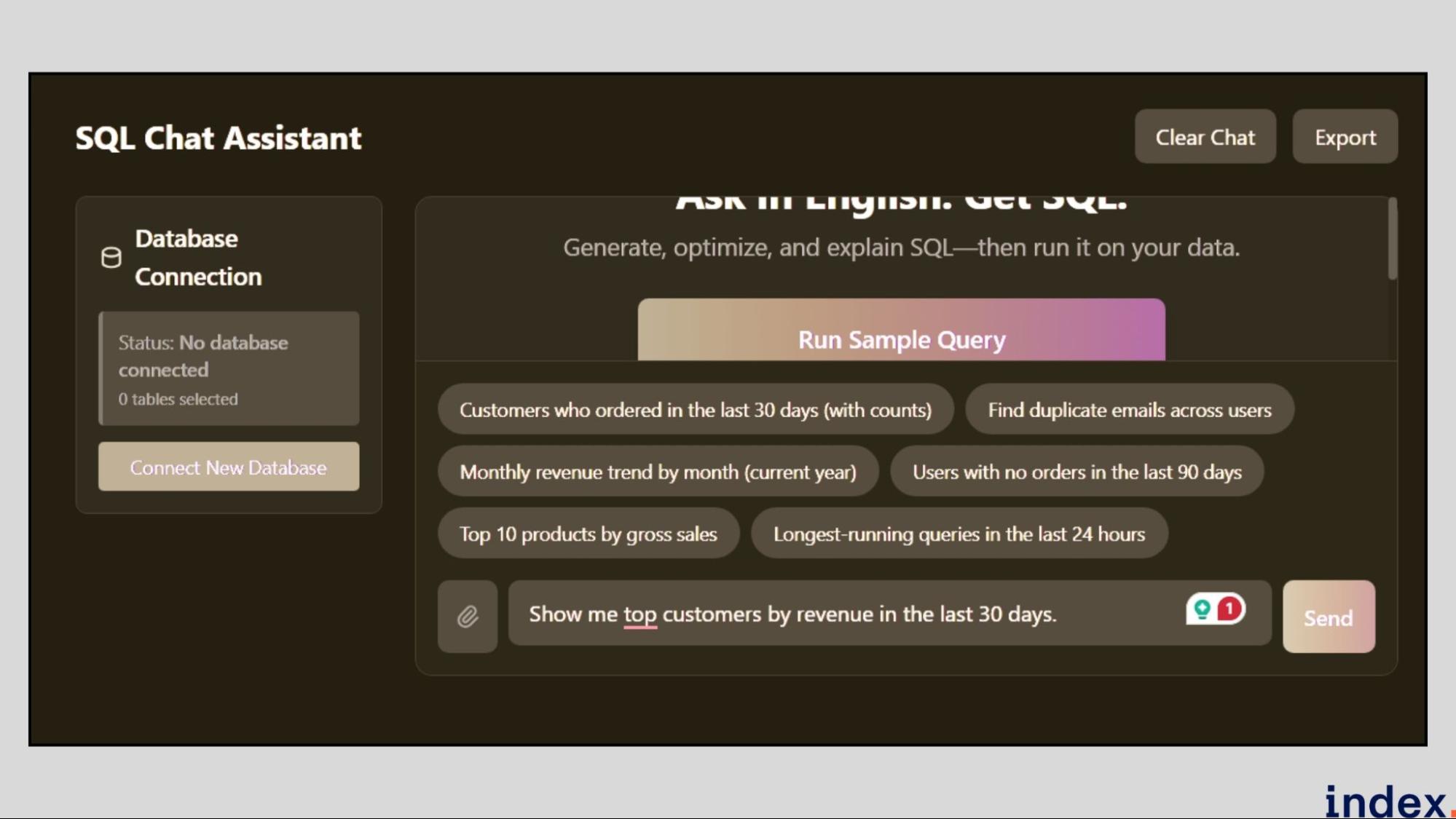
AI2SQL is a natural-language-driven SQL and schema generation platform that helps developers build, manage, and optimize databases without manually writing queries. It converts plain English descriptions into structured SQL scripts, supports schema design through a Manual Schema Builder, and even connects directly to popular databases such as MySQL, PostgreSQL, SQL Server, Oracle, Snowflake, BigQuery, Redshift, and Databricks.
It’s designed for developers who want to streamline query creation, schema management, and documentation while ensuring performance and accuracy across multiple database systems.
How it works
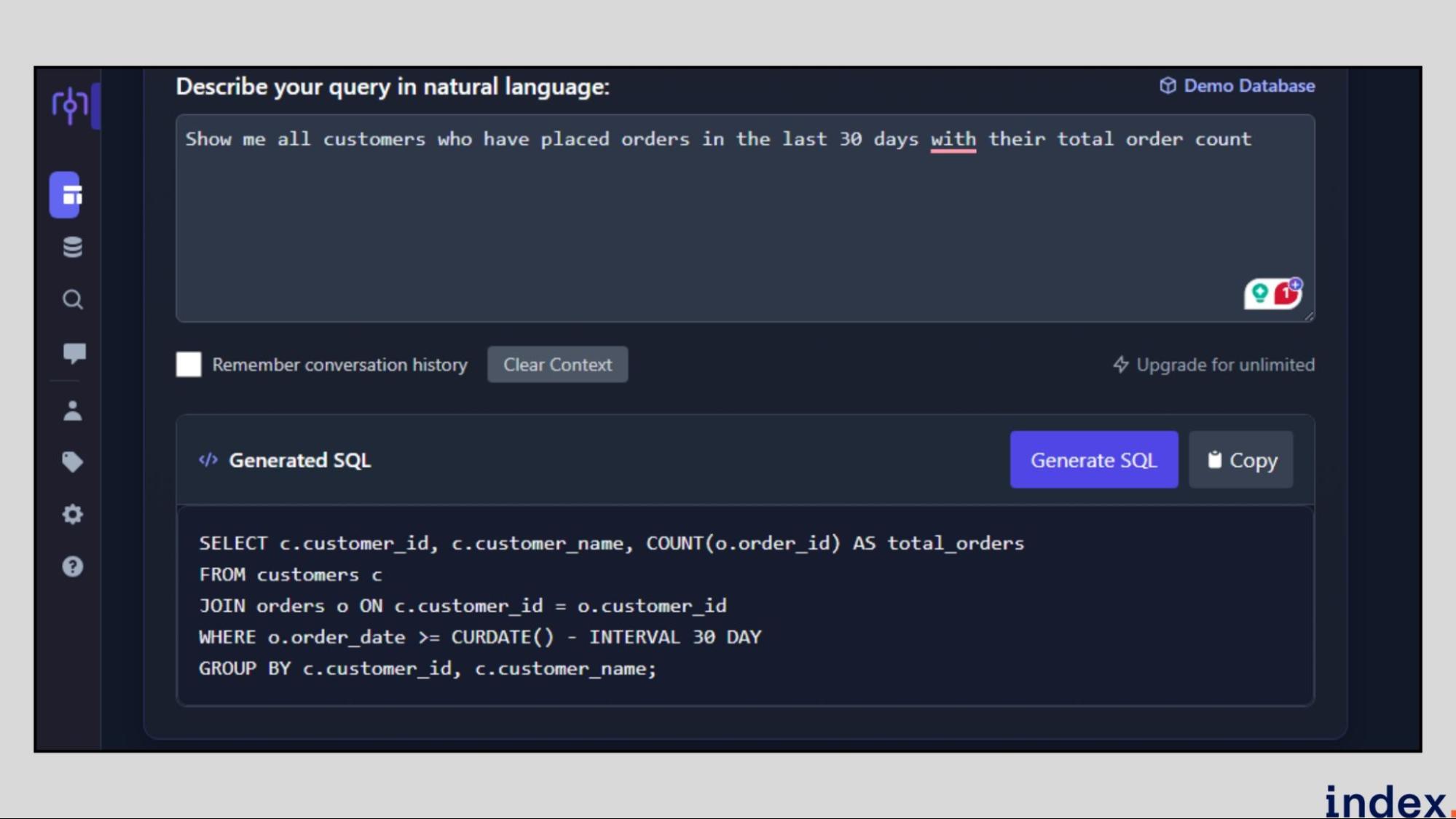
AI2SQL starts by connecting to your database or allowing you to build one manually using its Schema Builder. Once connected, you can describe what you want to query or create in natural language. For example, “show me the total orders by month for 2024” or “create a table for employee payroll data.” The AI interprets this prompt and generates SQL queries or DDL scripts instantly.
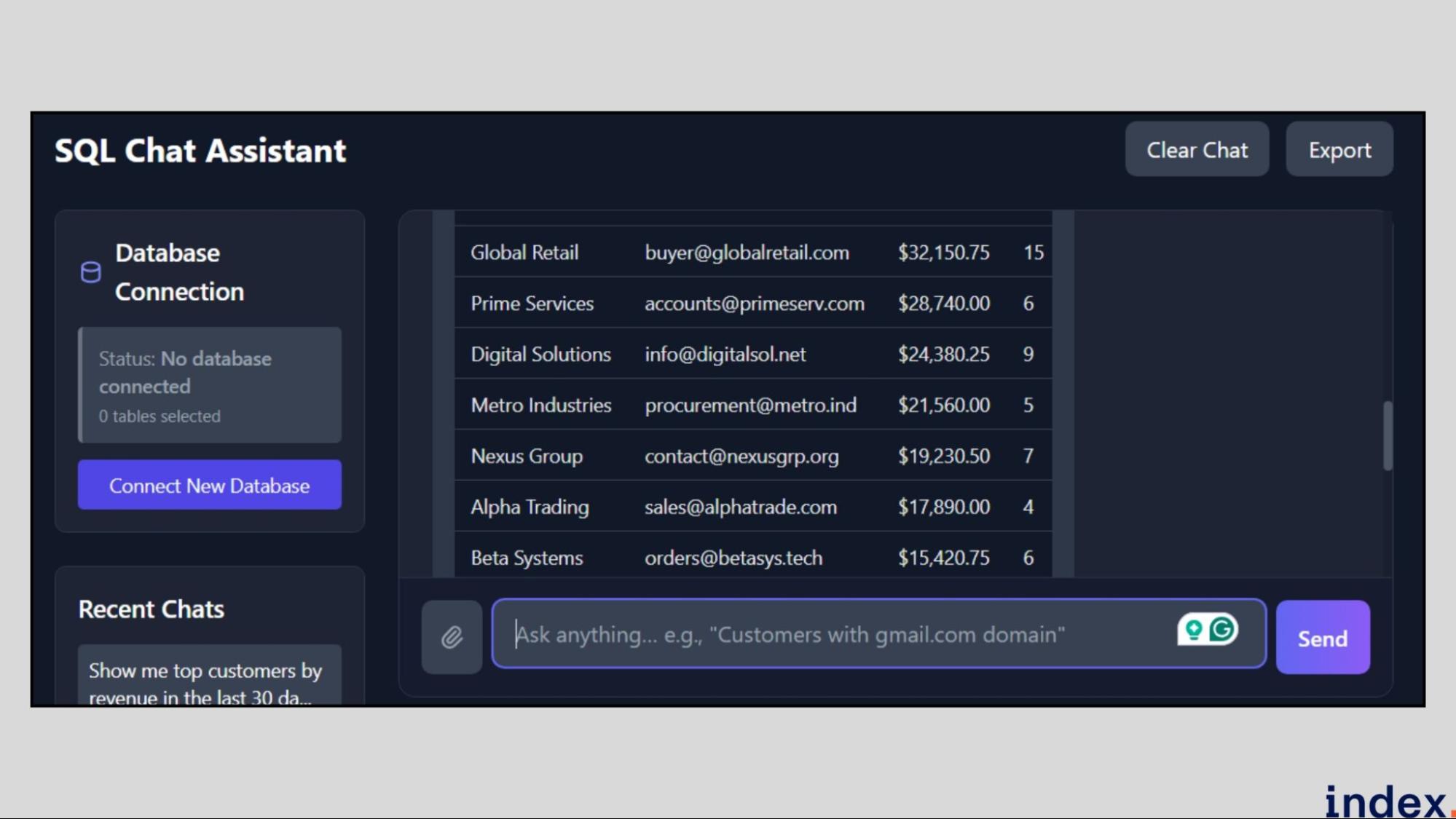
You can visualise relationships through the ER Diagram Tool, manage tables and columns in the Manual Schema Builder, and execute queries directly for connected databases.
The platform also offers query optimisation and explanation, allowing you to see how your query runs and where improvements can be made.
For disconnected environments, AI2SQL supports local or manual schemas and allows importing DDL files to simulate database structures.
Key Features
- Natural Language to SQL Conversion: Generate SQL queries or schema definitions simply by describing your intent in plain English, without writing SQL syntax.
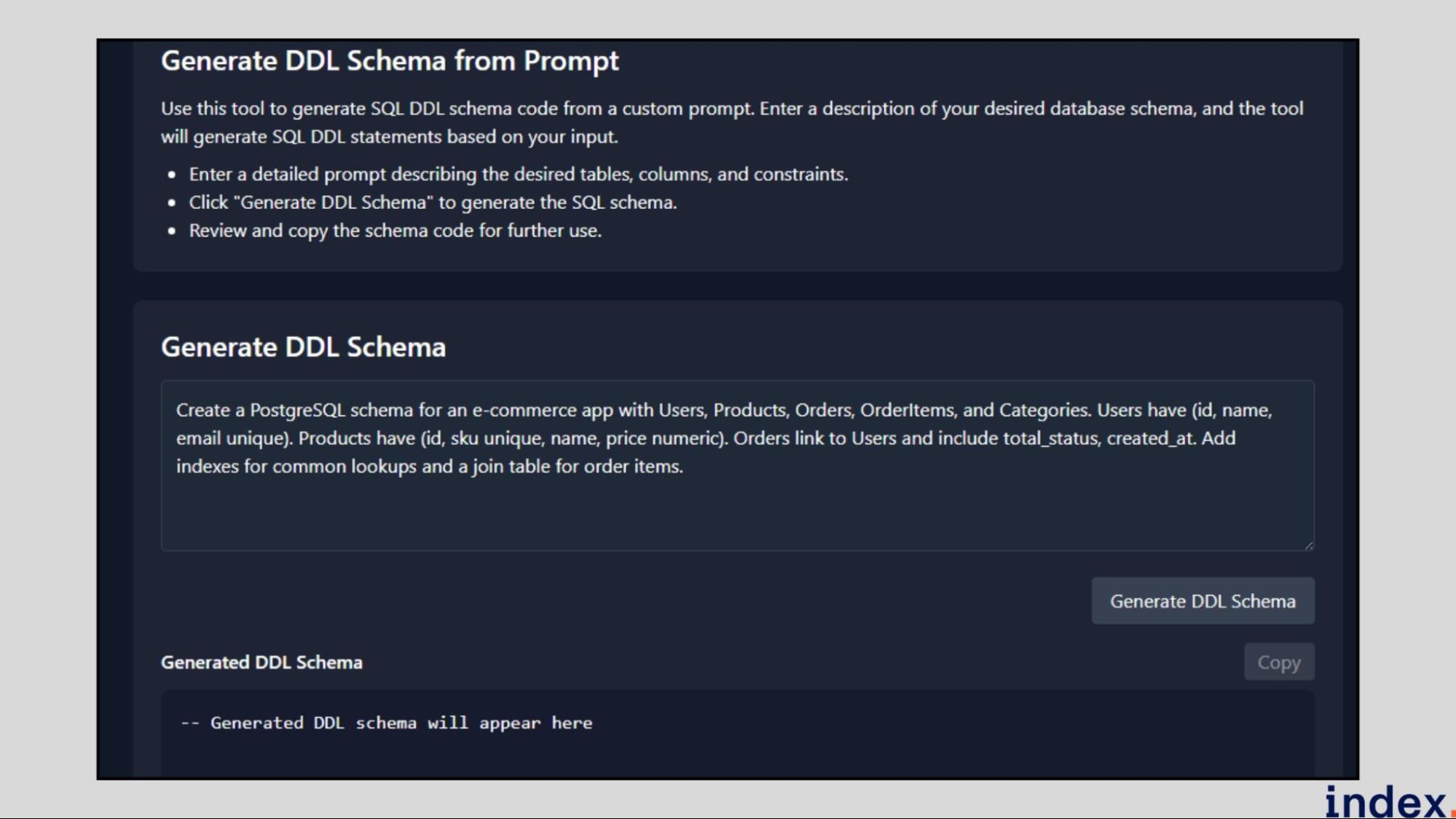
- Manual Schema Builder: Create databases, define tables, set constraints, and import DDL scripts, all from a web-based interface, no database connection required.
- Multi-Database Connectivity: Seamlessly connect to multiple SQL systems, including MySQL, PostgreSQL, SQL Server, Oracle, and Databricks, for live query generation and schema syncing.
- Query Optimisation & Explanation: Analyse query structure, identify performance bottlenecks, and receive AI-driven recommendations to improve execution efficiency.
- Save & Load Queries: Store generated SQL queries along with their prompts, reload them anytime, and reuse or modify them without starting from scratch.
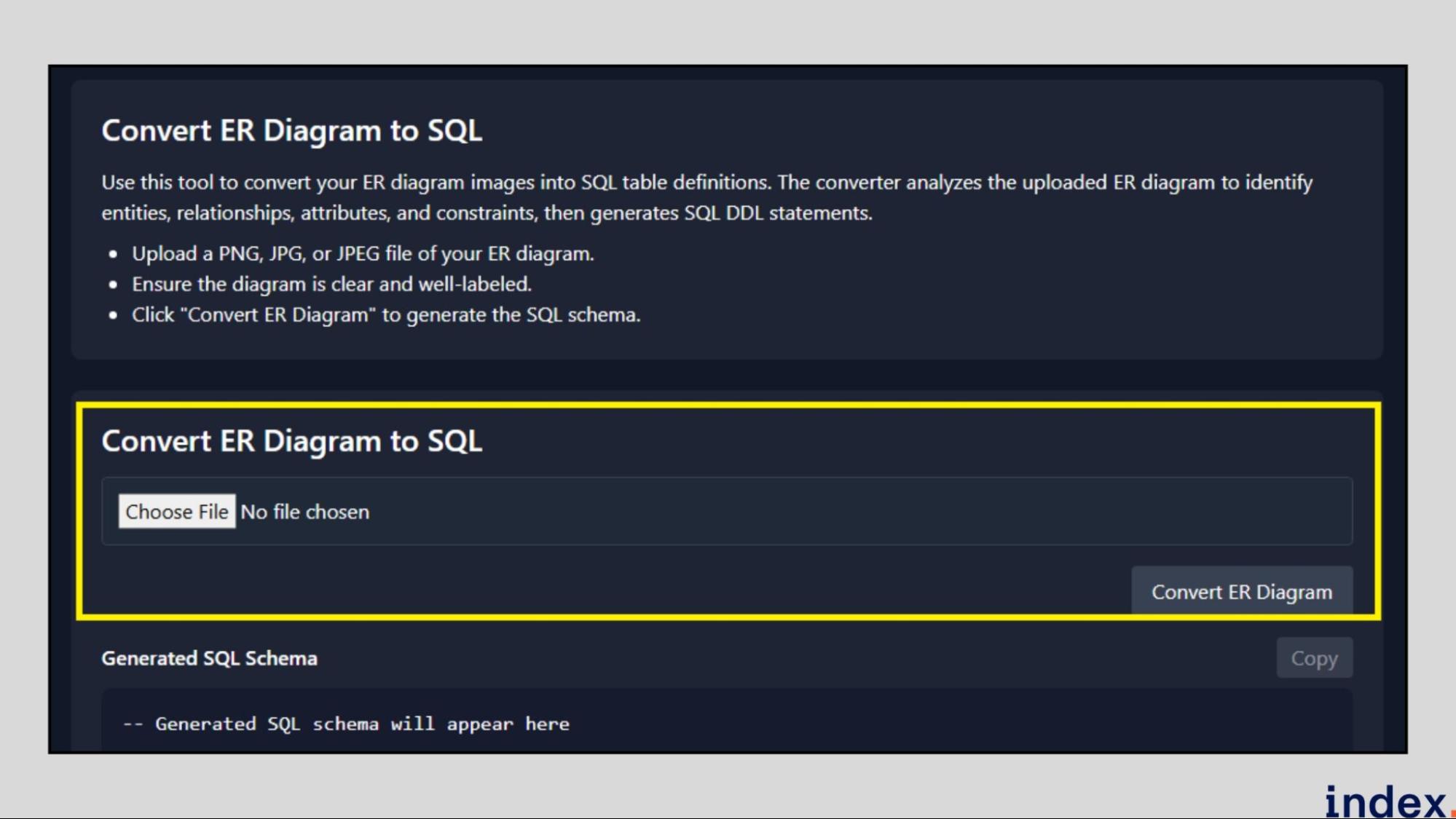
- Diagram and Visualisation Tools: Generate ER diagrams, convert them into SQL, or export data visualisations and CSVs for analytics and reporting.
Query Optimization & Performance Analysis
Write a query. AI2SQL explains what it does, identifies bottlenecks, and suggests optimizations.
Instead of:
- Running slow queries blindly
- Manually searching for performance issues
You get:
- AI analysis of query structure
- Specific optimization recommendations
- Visual breakdown of execution plan
- Indexes that could help
Why it matters: Find performance problems before they impact production. Learn how to write better queries.
When to Use AI2SQL (vs. Other Tools)
Choose AI2SQL if:
- You write lots of SQL queries
- You need multi-database support (8+ databases)
- You want lightweight and affordable
- You need query optimization help
Choose something else if:
- You need complete schema management (use Workik)
- You need enterprise features (use dbForge)
- You want no-code backends (use Xano)
- You prefer visual design (use DB Designer)
Pricing
AI2SQL offers flexible plans for individuals and teams. The Starter plan starts at $6/month and includes 300 SQL queries, error fixing, and query explanations. The Pro plan, at $16/month, adds database connectors, AI performance tuning, and desktop access. The Team plan, at $33/month, supports collaboration, 10,000 queries per month, and priority support. A 7-day free trial is available for all plans.
Continue learning: Discover the 5 best AI tools for data visualization to turn raw data into actionable insights.
3. Devart dbForge AI Assistant
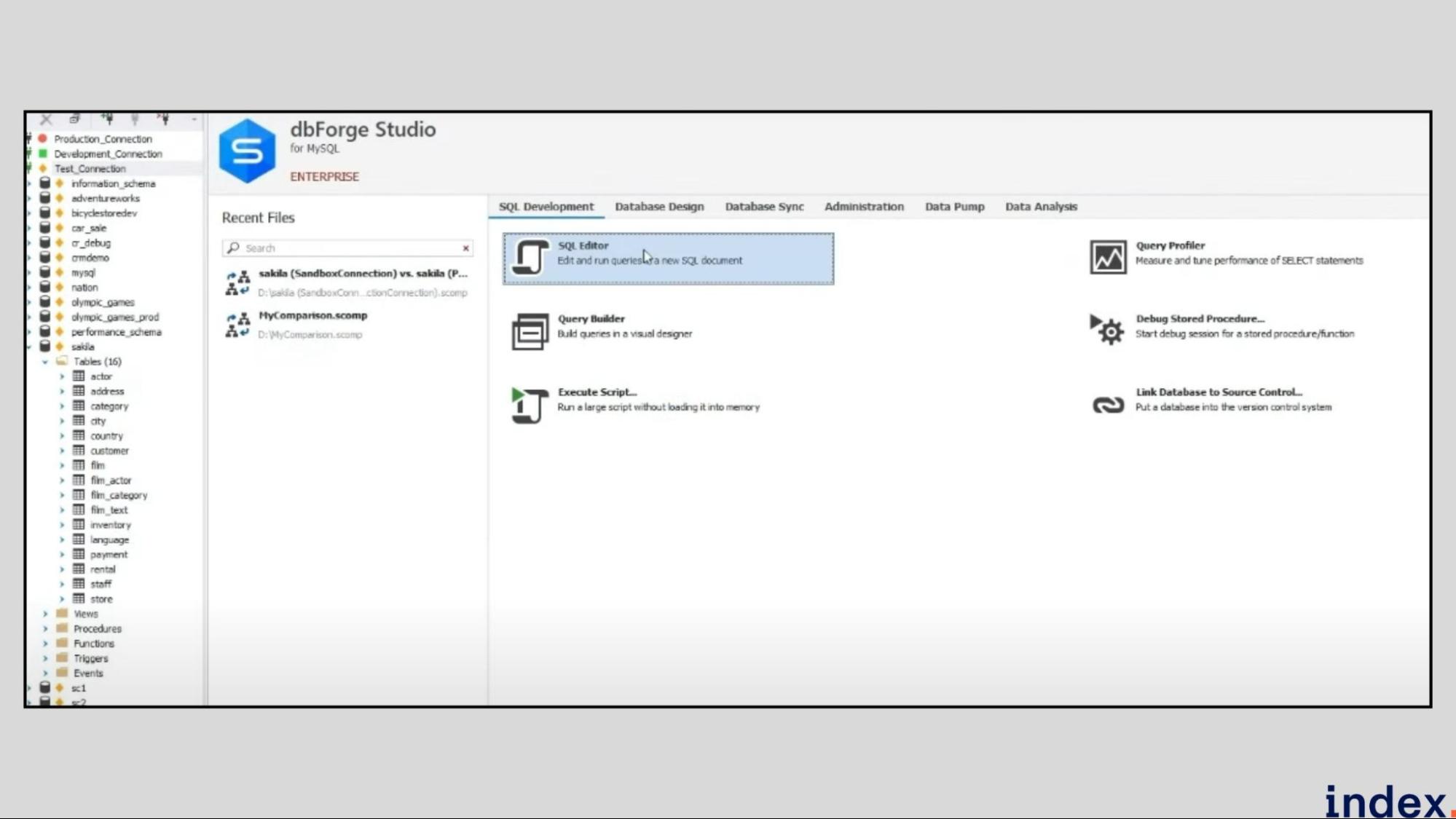
Devart’s dbForge AI Assistant is an intelligent companion built into the dbForge suite that helps SQL developers code faster and smarter. Instead of typing long queries or debugging errors manually, you can simply describe what you want in natural language, and the Assistant writes or improves the SQL for you. It understands your database context, explains queries in plain English, and even suggests optimisations, all inside the dbForge environment.
Unlike standalone AI tools, dbForge’s Assistant is deeply integrated into the IDE, meaning it works directly with your live schema, syntax highlighting, and query execution features. Whether you’re using SQL Server, MySQL, Oracle, or PostgreSQL, it acts as a real-time SQL mentor built into your editor.
How it works
dbForge simplifies database schema design through a mix of AI assistance and visual modelling.
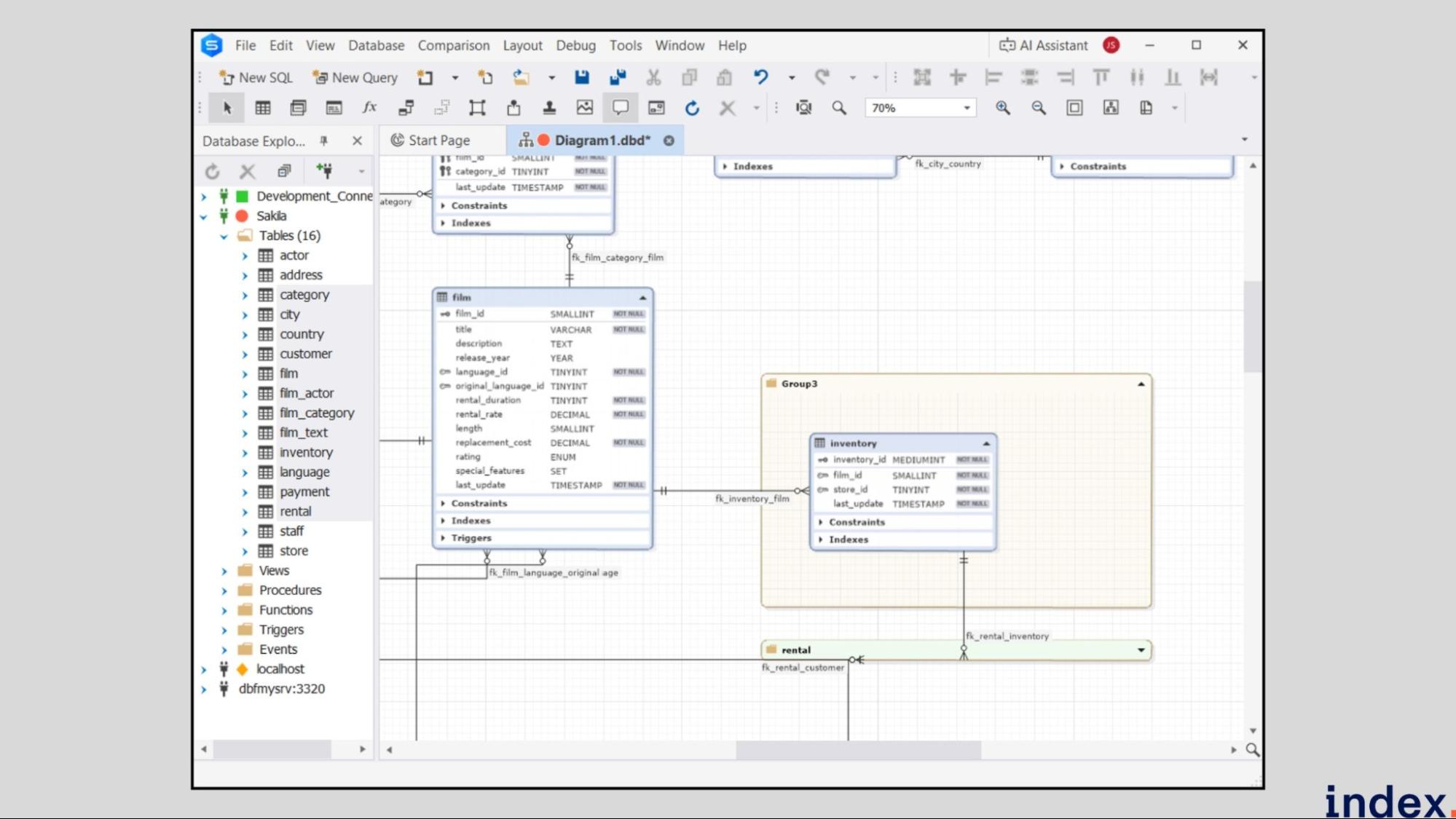
You can create or reverse-engineer schemas into interactive ER diagrams, where tables, keys, and relationships are auto-detected. The AI Assistant helps generate DDL scripts, optimise table structures, and suggest indexing improvements.
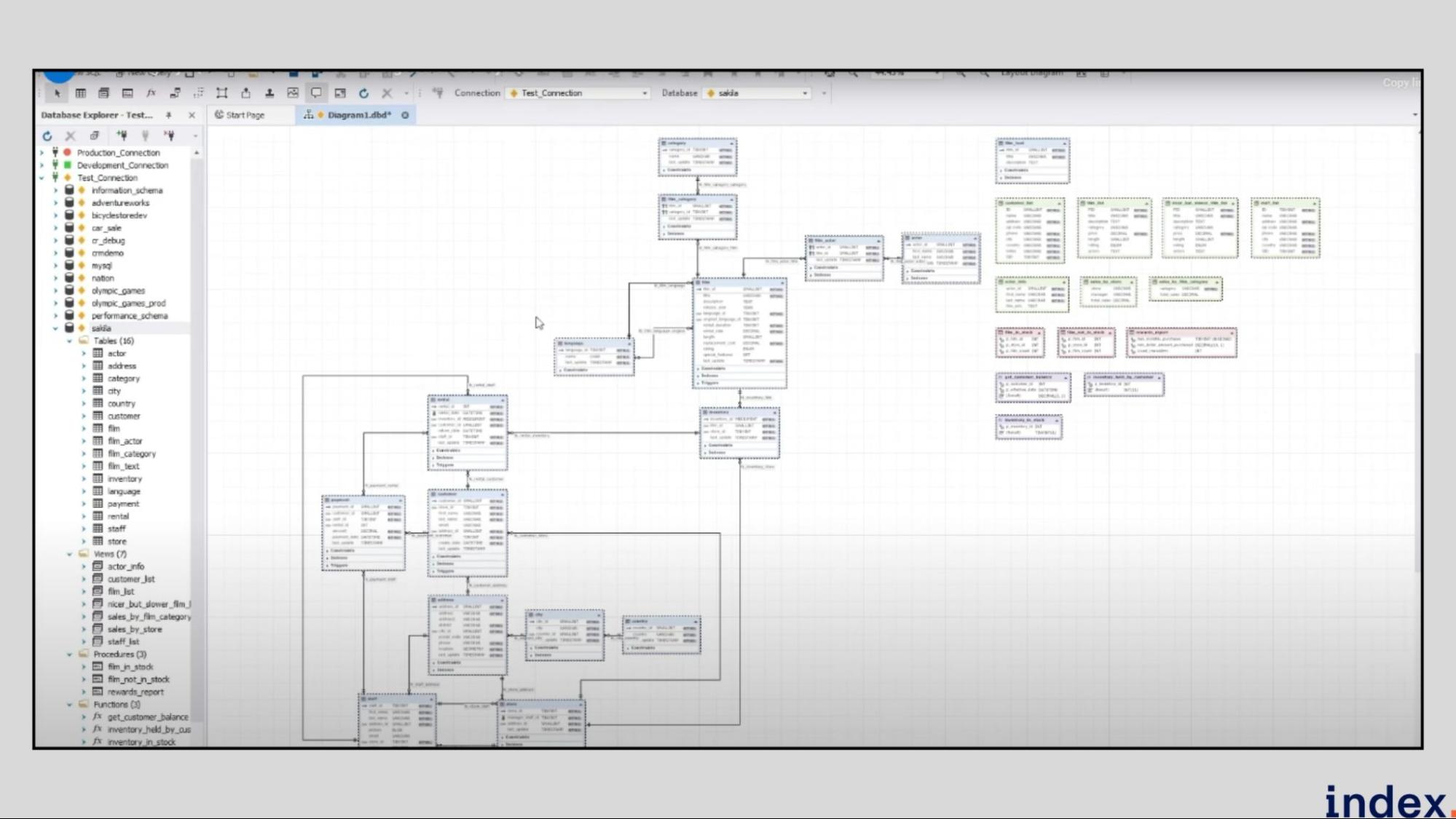
Schema Compare tools identify differences between environments and automatically create synchronisation scripts for deployment. Real-time visualisation highlights normalisation issues, naming inconsistencies, and missing indexes, allowing developers to refine structures directly on the diagram. Every change can be exported, version-controlled, and documented, making dbForge an all-in-one solution for schema creation and optimisation.
Key Features
- Visual Schema Designer: Build or modify complex database schemas through an interactive drag-and-drop ER diagram editor, with instant SQL script generation.
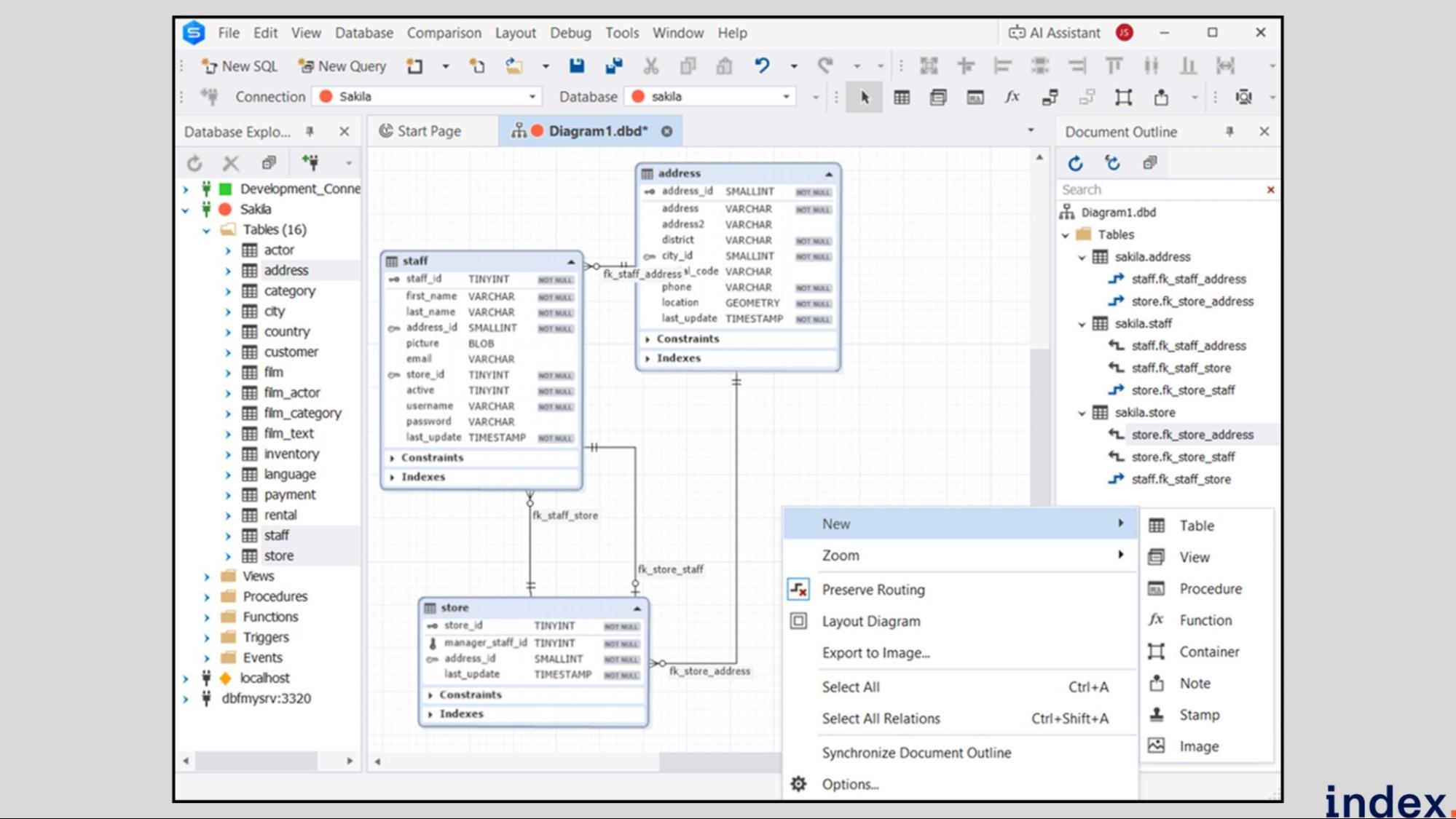
- AI-Powered Schema Assistance: Use natural-language prompts to create or optimise tables, keys, and indexes, with automated DDL suggestions and normalisation checks.
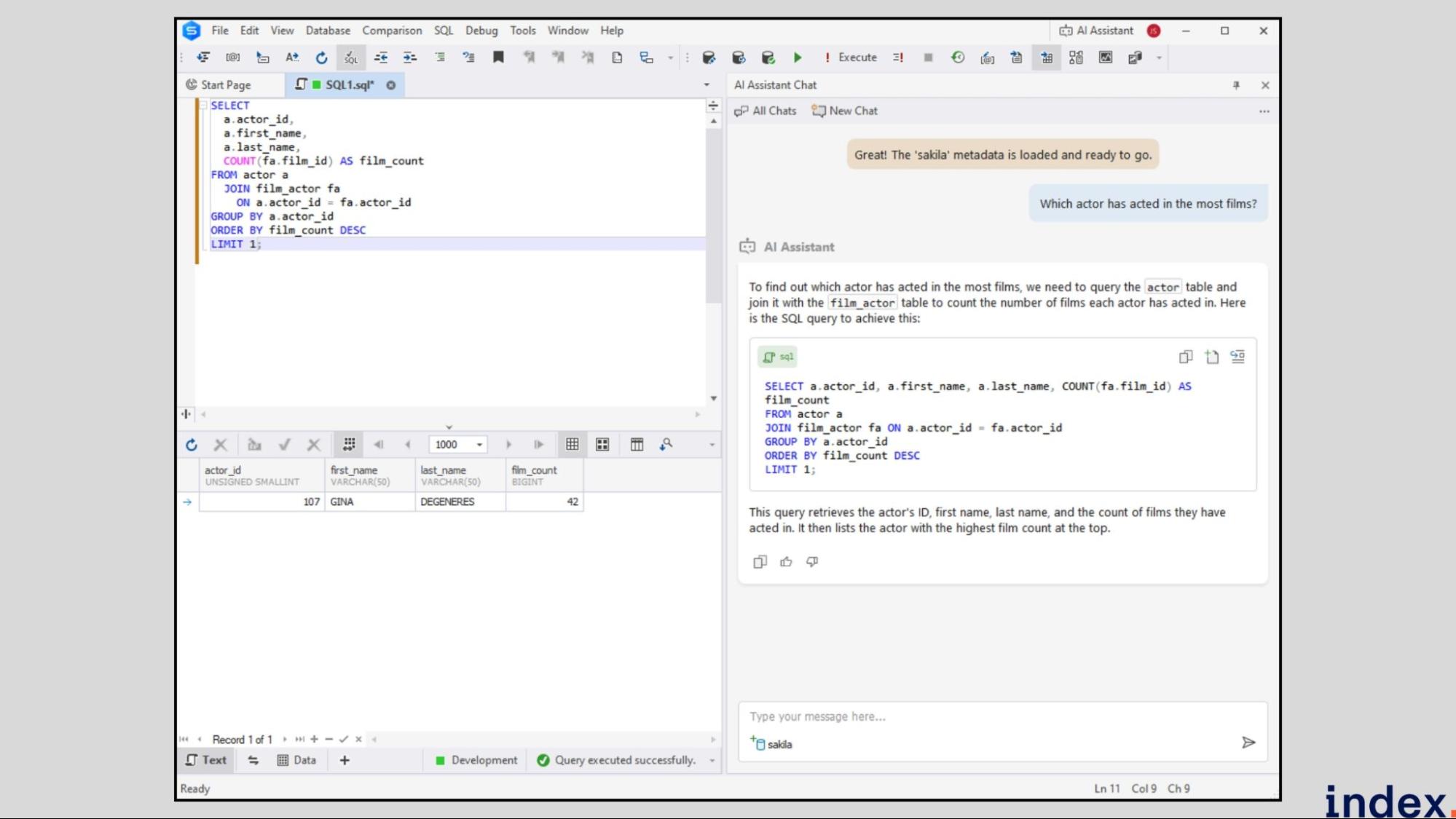
- Reverse Engineering: Instantly convert existing databases into editable visual models to analyse relationships, dependencies, and structure quality.
- Schema Comparison & Synchronisation: Detect and align schema differences across development, staging, and production environments with auto-generated deployment scripts.
- Index & Relationship Optimisation: Identify redundant fields, missing keys, and inefficient indexing strategies using built-in analysis tools.
- Built-in Documentation Generator: Export schema diagrams and metadata into HTML, PDF, or Markdown to maintain up-to-date, shareable database documentation.
- Source Control & CI/CD Integration: Link schema updates to Git, SVN, or Azure DevOps and automate deployments within DevOps workflows.
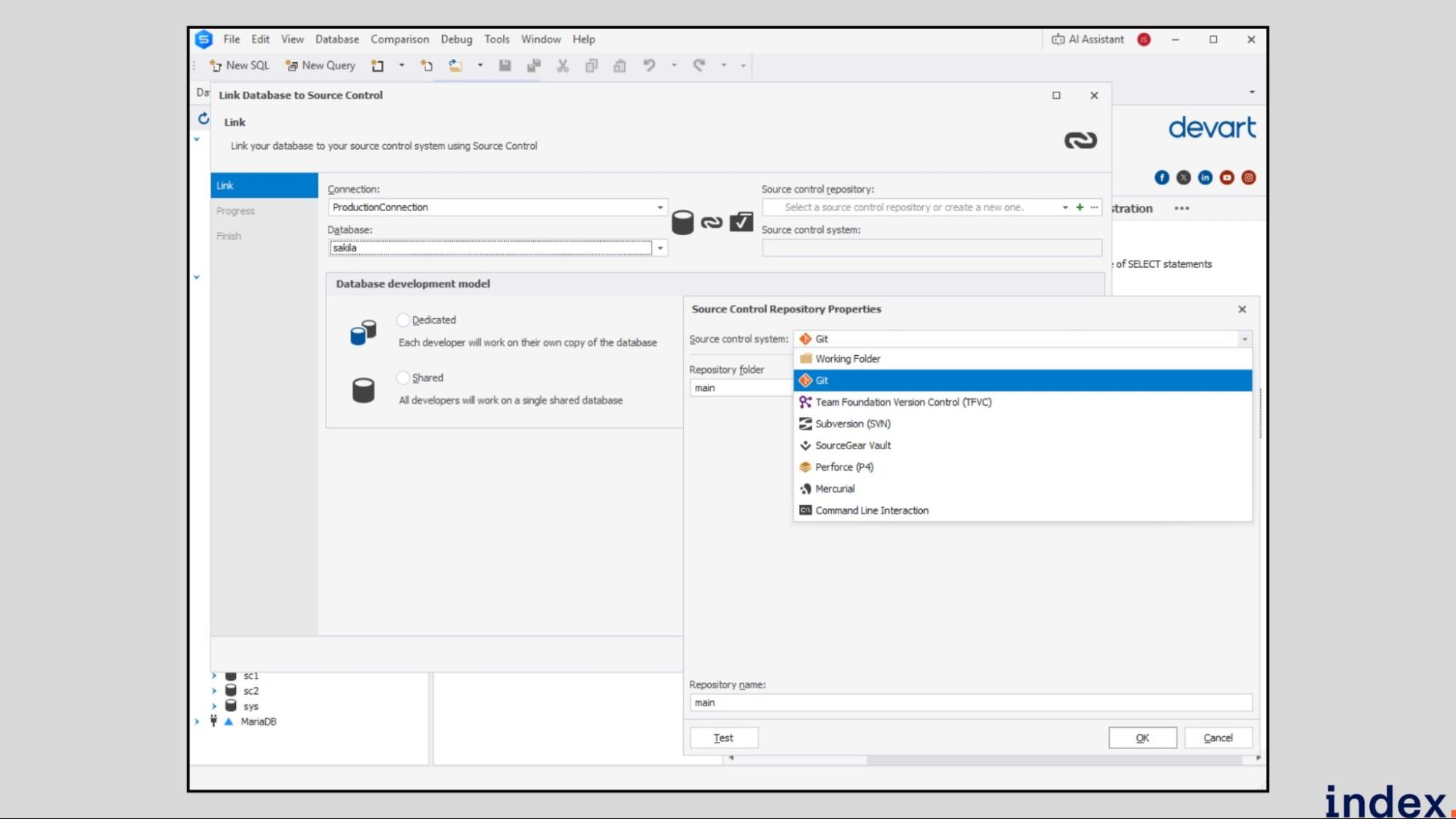
Enterprise Schema Management & CI/CD Integration
dbForge compares schemas across environments (dev, staging, production) and auto-generates synchronization scripts.
This means:
- Detect database drift between environments
- Generate safe deployment scripts
- Track changes via Git, Azure DevOps, SVN
- Automate deployments in CI/CD pipelines
Why it matters: Schema changes are risky. dbForge reduces errors and makes deployments safe at scale.
When to Use dbForge (vs. Other Tools)
Choose dbForge if:
- You're enterprise-scale
- You need CI/CD integration and version control
- You need schema comparison across environments
- Cost isn't a concern
Choose something else if:
- You're a small team (use AI2SQL or Workik)
- You want auto-documentation (use Workik)
- You want no-code backends (use Xano)
- You prefer visual design (use DB Designer)
Pricing
dbForge AI Assistant offers a Professional edition starting at $9.95/month, featuring full access to AI-powered SQL generation, optimisation, troubleshooting, and chat assistance. A 14-day free trial is available, giving users complete feature access before subscribing.
4. Xano AI
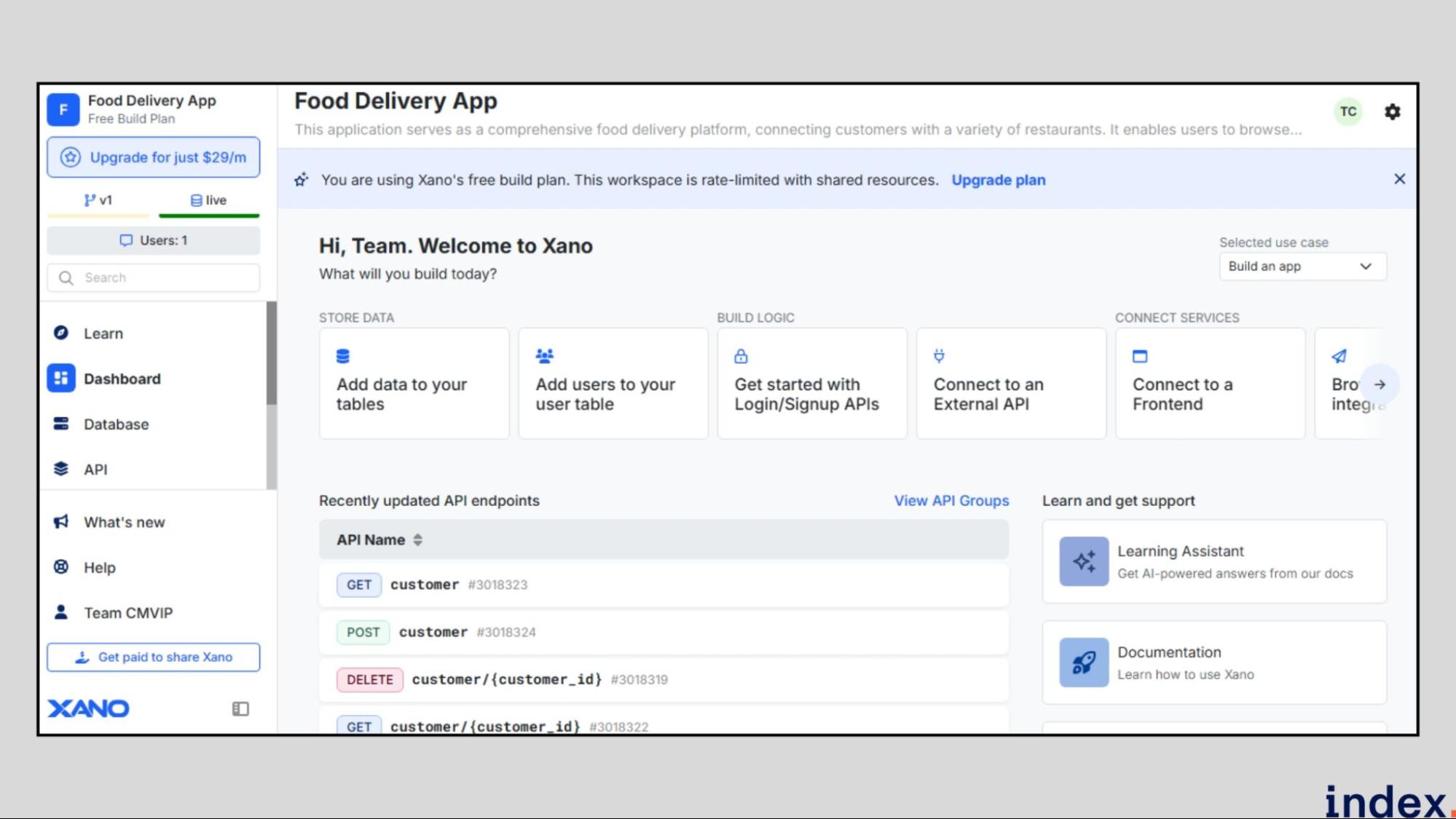
Xano AI is an intelligent, no-code backend platform powered by a built-in PostgreSQL database that automates database schema generation, optimisation, and management. It enables teams to go from idea to structured backend architecture in minutes, without writing SQL or configuring servers.
The platform’s AI Database Assistant can build entire databases from a single prompt, critique existing designs, and even update schemas dynamically while following best practices in data modelling. Xano, combined with PostgreSQL’s reliability, provides both speed and scalability for projects ranging from MVPs to enterprise systems managing millions of records.
Essentially, Xano replaces hours of manual schema design and backend setup with a guided AI workflow that ensures clean relationships, optimised performance, and production-ready APIs.
How it works
Xano AI turns your plain-language app description into a fully structured database schema using its built-in AI Database Assistant.
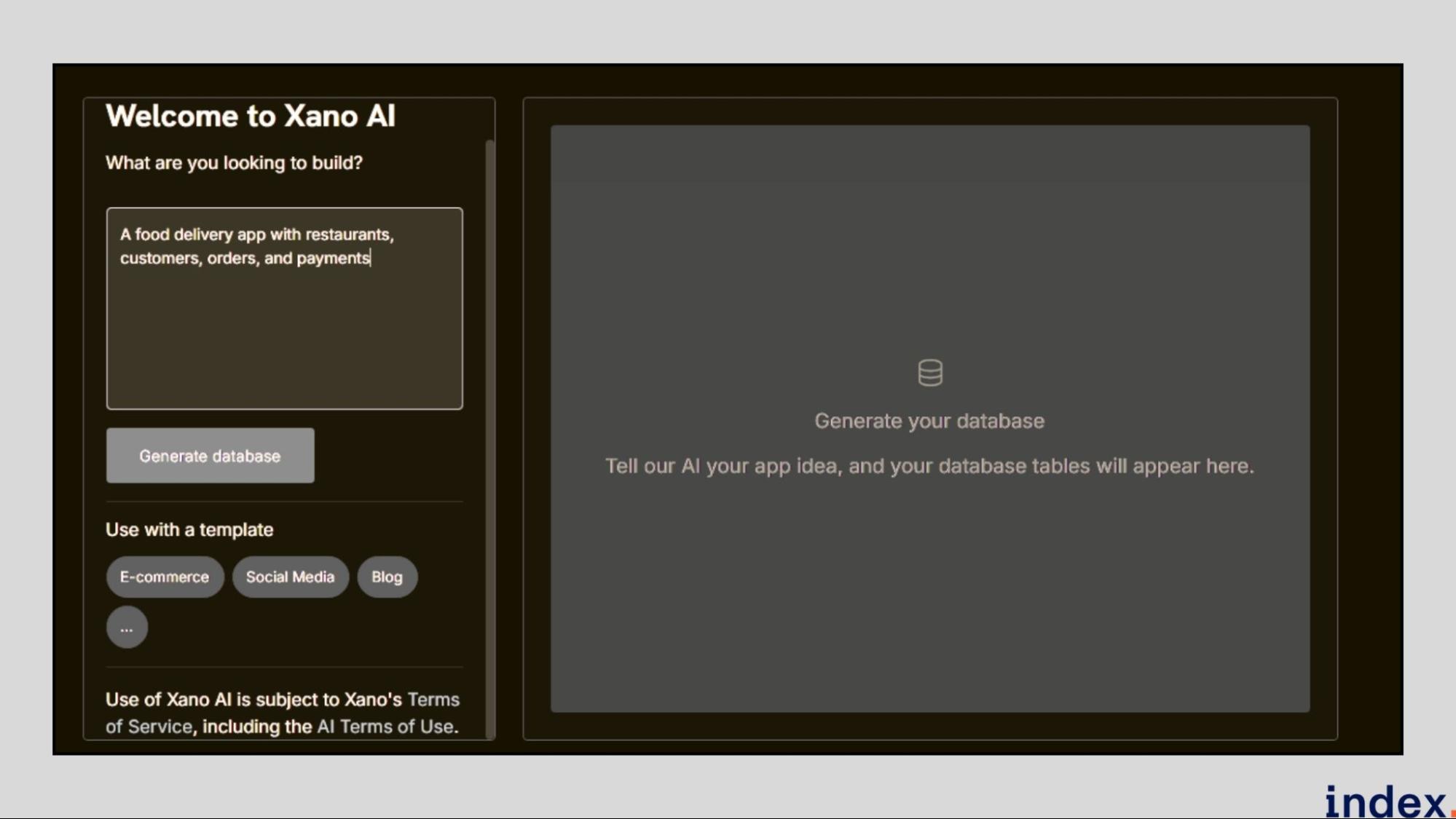
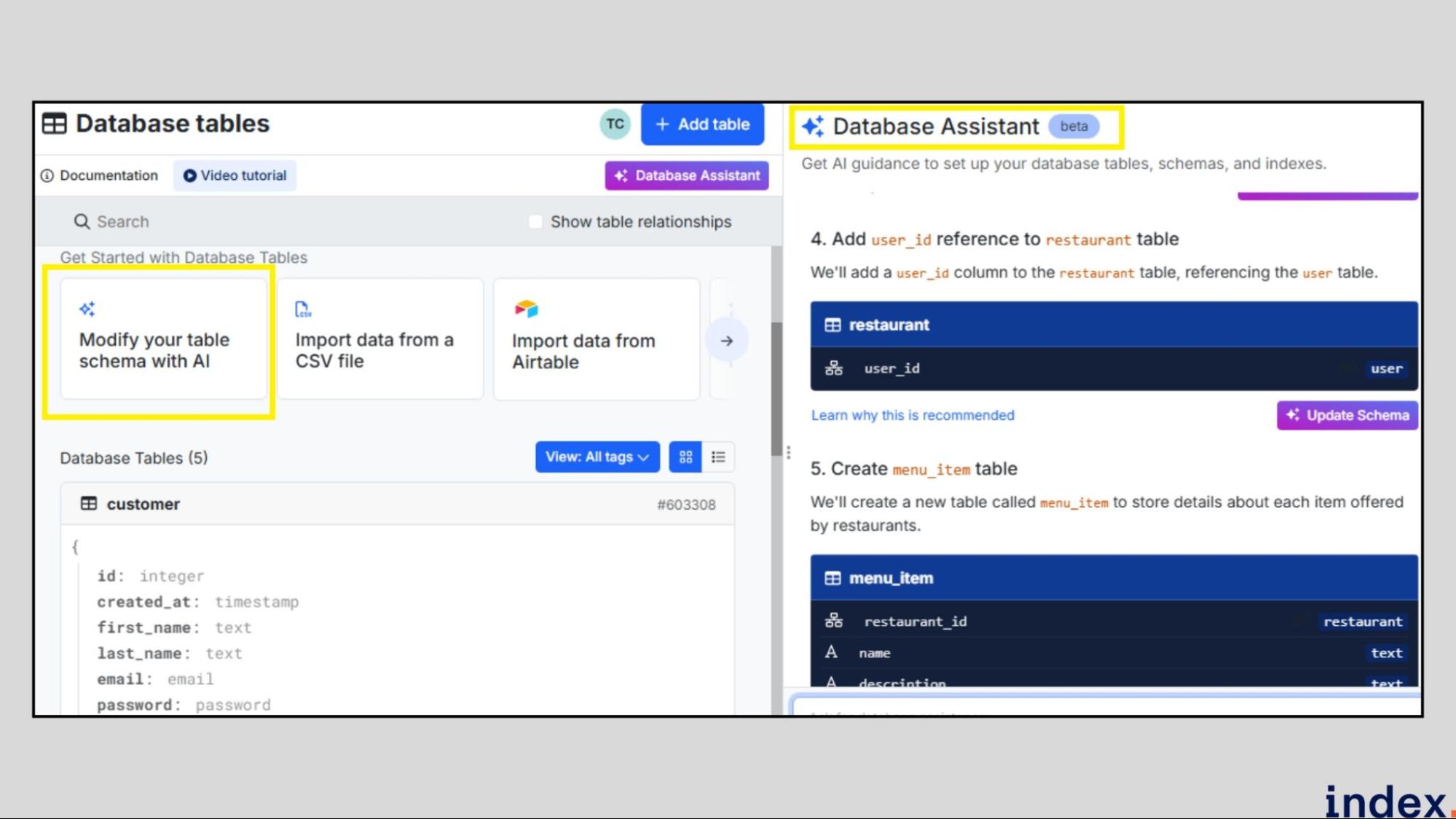
You simply open the assistant, describe what you want to build, and Xano’s AI analyses your input to generate optimized tables, fields, and relationships. It then lets you review and apply suggested changes instantly, with options to auto-create CRUD APIs for each table.
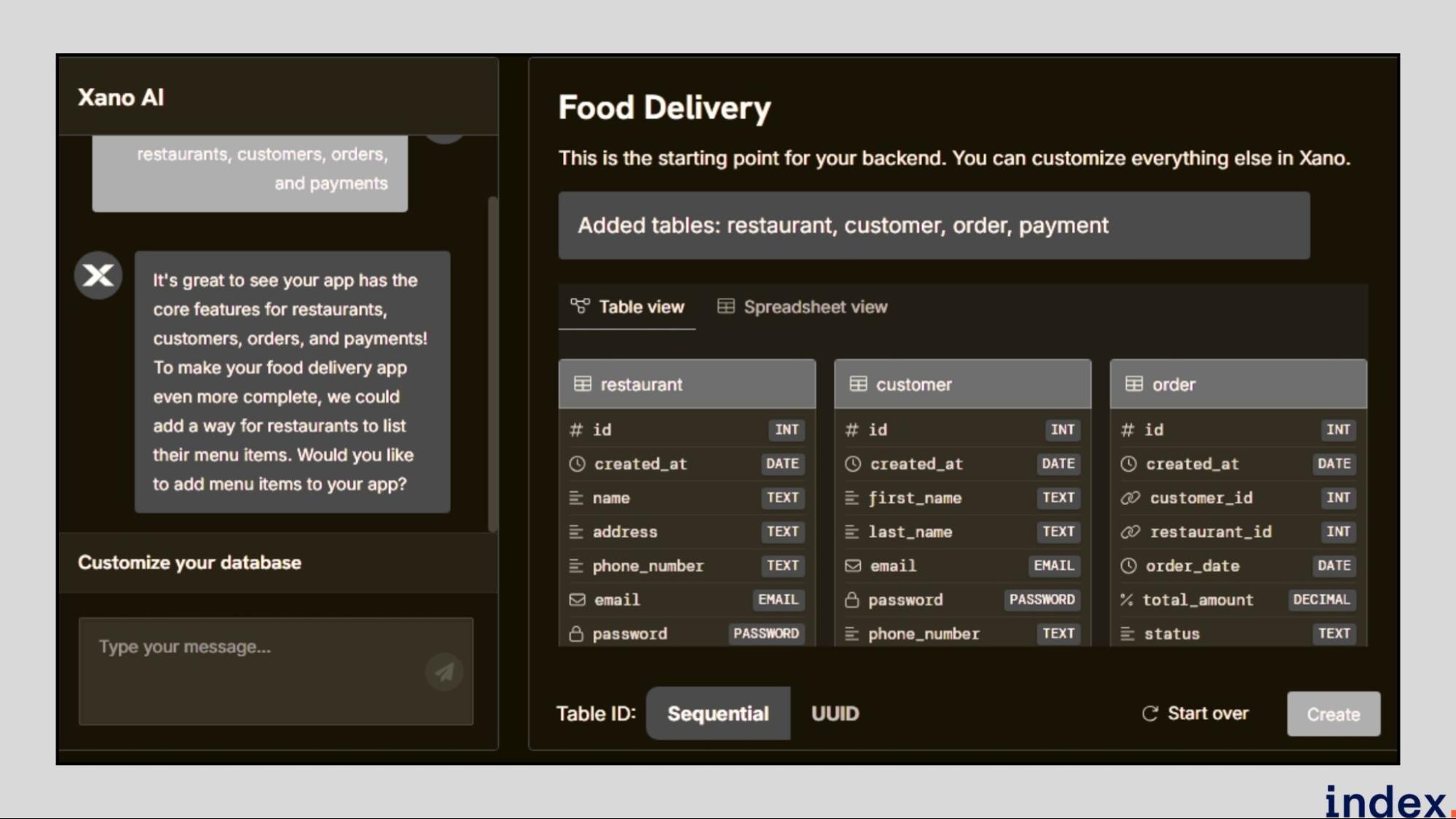
The assistant can also critique existing databases, recommend design improvements, and manage schema versions, allowing users to easily compare, revert, or refine structures without manual SQL or database administration.
Key features
- AI-Powered Schema Builder: Create entire database schemas or update existing ones using a single natural language prompt.
- Built-In PostgreSQL Engine: Delivers enterprise-grade speed, scalability, and reliability out of the box.
- Schema Versioning: Tracks schema iterations, shows visual differences, and enables easy rollback to previous versions.
- Indexing and Performance Tools: Built-in guidance on database indexing and optimisation for high-speed queries.
- AI Critique & Optimisation: The Database Assistant reviews your schema design for normalisation, field redundancy, and data consistency.
- Instant CRUD API Creation: Auto-generates backend endpoints alongside your schema for seamless app integration.
- Collaborative Database Management: Supports multi-user access, version tracking, and team-level permission controls.
- Import & Migration Tools: Effortlessly bring in data from external sources or migrate existing databases into Xano.
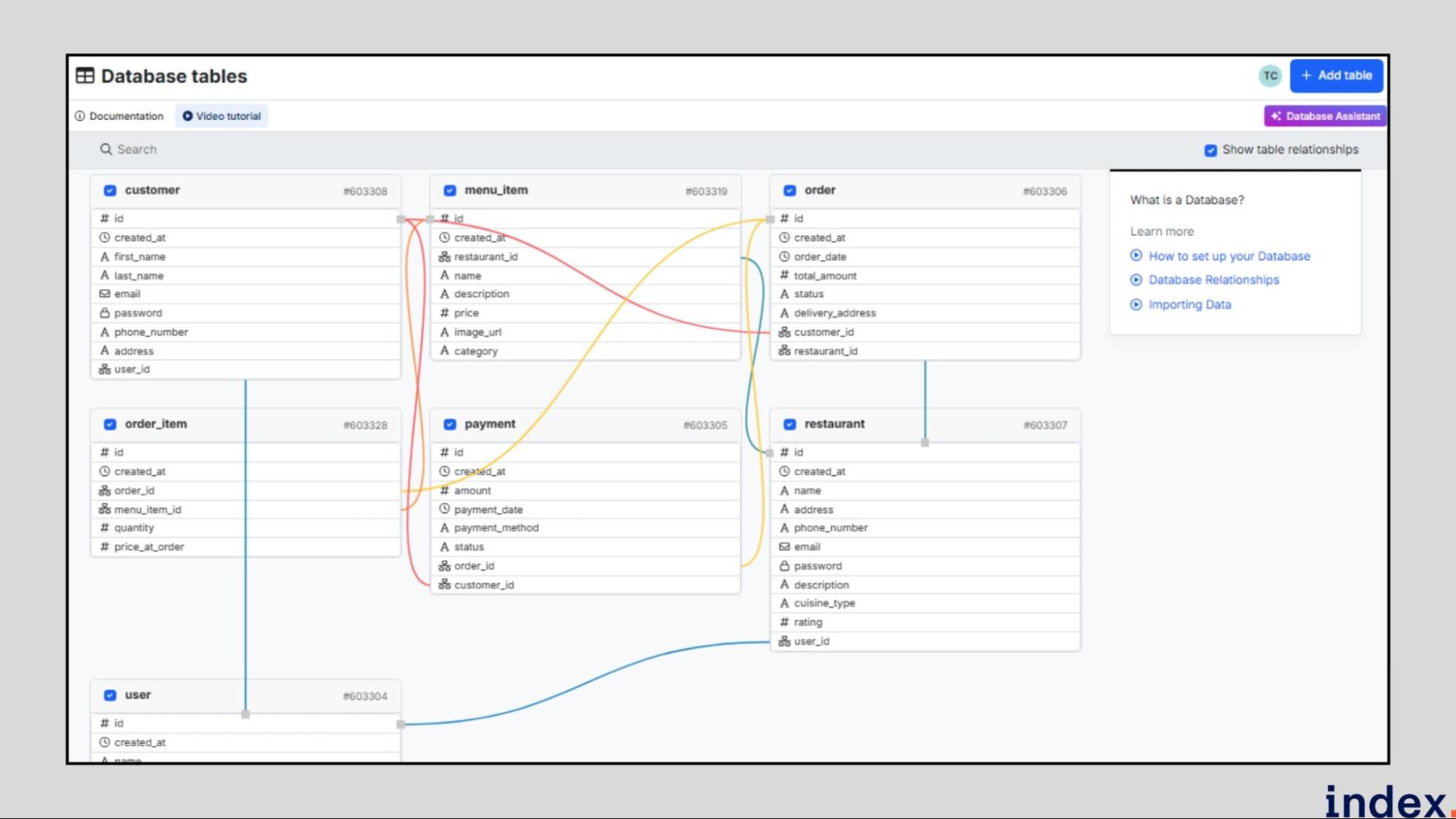
- Schema Visualisation: Real-time graphical view of tables, relationships, and dependencies to simplify complex structures.
- Continuous Rollout: AI Assistant features are actively updated, ensuring new optimisation capabilities are added regularly.
Instant API Generation with Built-In PostgreSQL
Design a database schema with Xano's AI. Xano automatically creates working backend APIs.
Instead of:
- Design schema → Write API code → Test → Deploy
You get:
- Schema → Auto-generated REST APIs → Ready to use
- Supports CRUD operations, relationships, permissions—all generated based on your schema.
Why it matters: Ship full backends in hours, not weeks. No API coding needed.
When to Use Xano (vs. Other Tools)
Choose Xano if:
- You want full backend, not just schema
- You prefer no-code / low-code
- You need instant API generation
- You want an all-in-one platform
Choose something else if:
- You mainly need schema design (use Workik or DB Designer)
- You need to optimize existing queries (use AI2SQL)
- You need enterprise features (use dbForge)
Pricing
Xano offers flexible, scalable plans starting free, with advanced AI-assisted database and backend capabilities available from $25/month, billed annually.
5. DB Designer
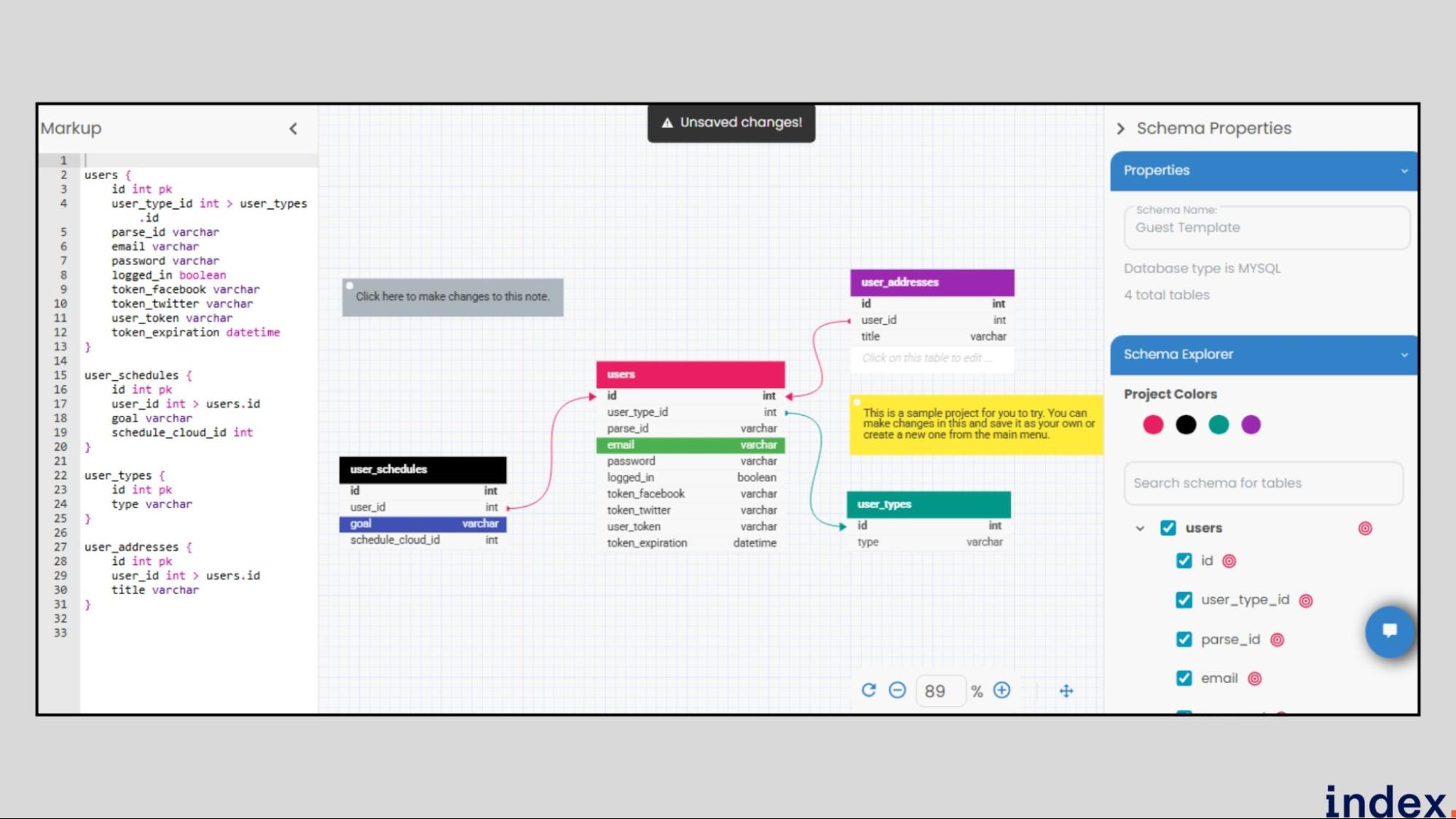
DB Designer is a powerful online database schema design and modelling tool that allows users to visually build, edit, and manage databases without writing a single line of SQL. It is designed for developers, database architects, and non-technical users alike to transform the complex process of schema creation into an intuitive, drag-and-drop experience.
The platform supports both forward and reverse engineering, enabling you to import existing databases or start from scratch, and to export optimised SQL scripts for major engines including MySQL, PostgreSQL, MS SQL, Oracle, and SQLite. DB Designer, backed by a clean UI, real-time collaboration, and versioned project management, simplifies schema generation and ensures your data structure follows best design principles.
How It Works
DB Designer provides a visual, browser-based workspace for designing and optimising database schemas. Users can begin by creating a new project or importing an existing schema.
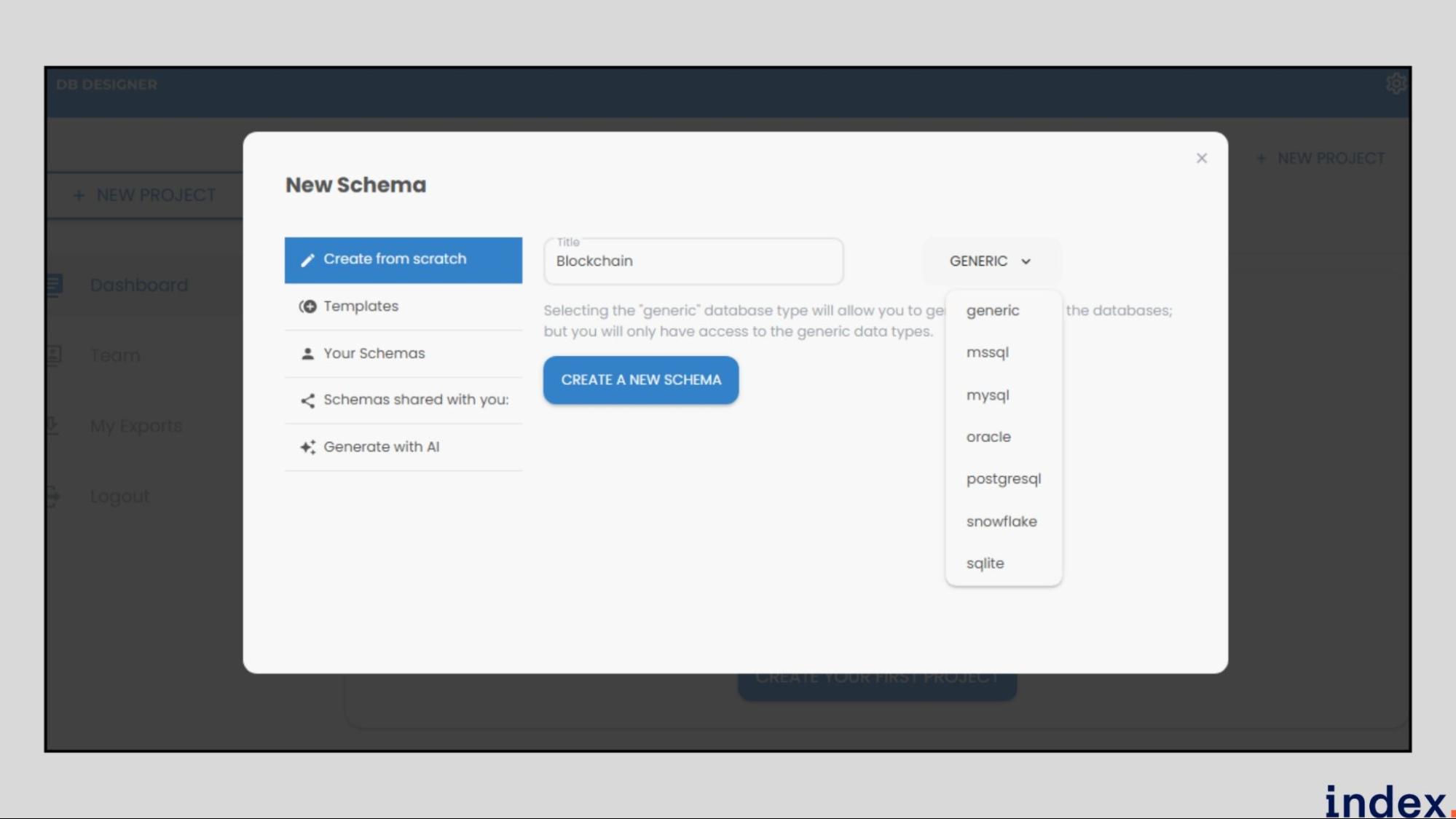
The interface lets you add tables, define fields, set relationships, and configure constraints with simple drag-and-drop actions.
The tool’s AI-powered schema generation option (available via “Generate with AI”) lets you describe your application in natural language. For example, “Create a database for a hospital management system”, and DB Designer automatically builds the corresponding tables and relationships.
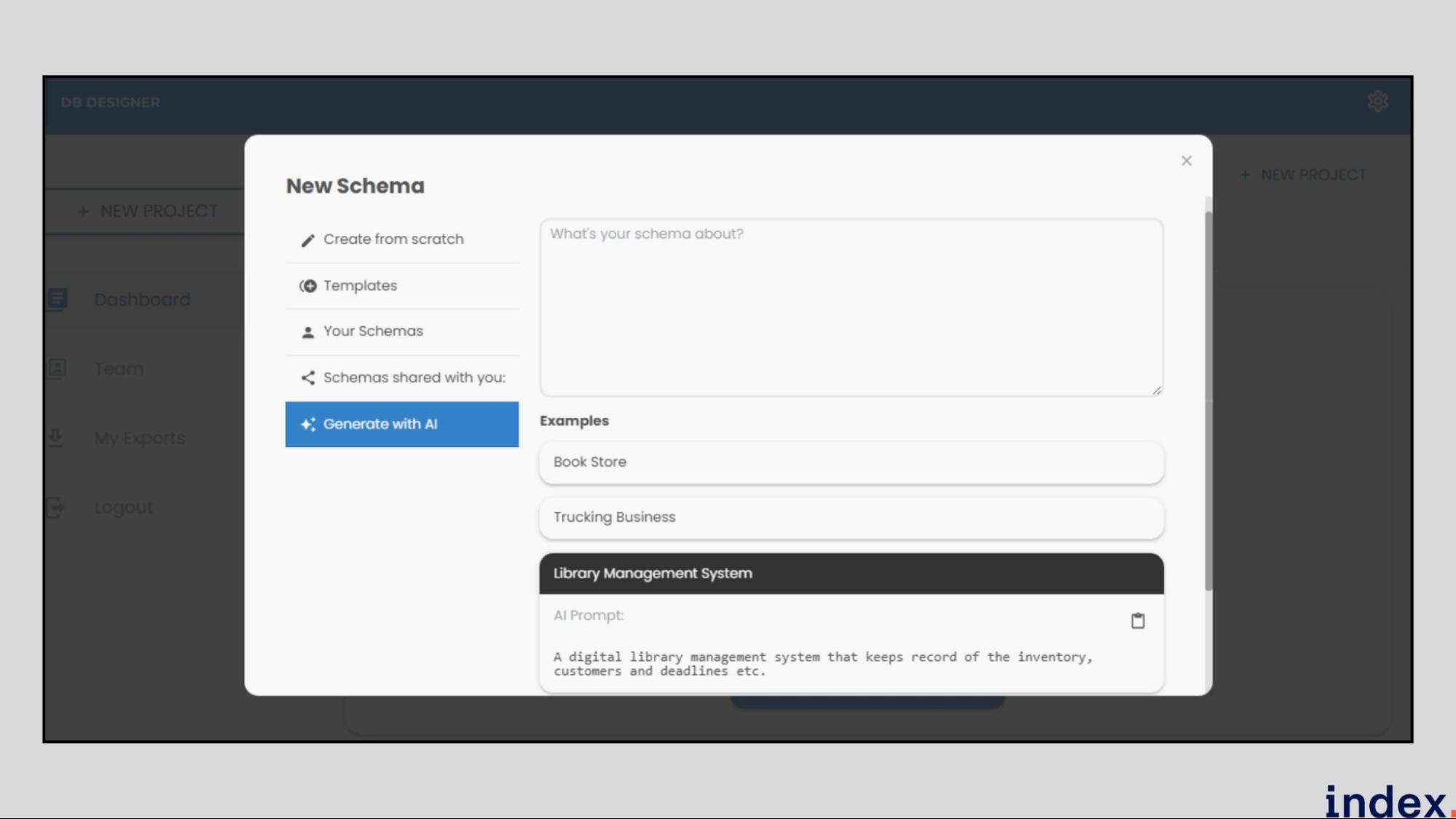
You can then fine-tune your schema, add constraints, or enable live validation to detect errors instantly.
Once complete, users can export the schema as an SQL script, a PNG or PDF diagram, or create a public share link for collaboration. Projects are auto-saved with complete version history, making schema optimisation and iteration seamless.
Key Features
- Visual Schema Builder: Create and edit tables, relationships, and constraints through a clean, interactive interface.
- AI Schema Generation: Automatically generate database schemas from natural language descriptions using the “Generate with AI” option.
- Reverse & Forward Engineering: Import existing databases for analysis or export new schemas for all major SQL engines in one click.
- Collaboration & Sharing: Invite team members as Owners, Editors, or Viewers; collaborate live with chat and comments.
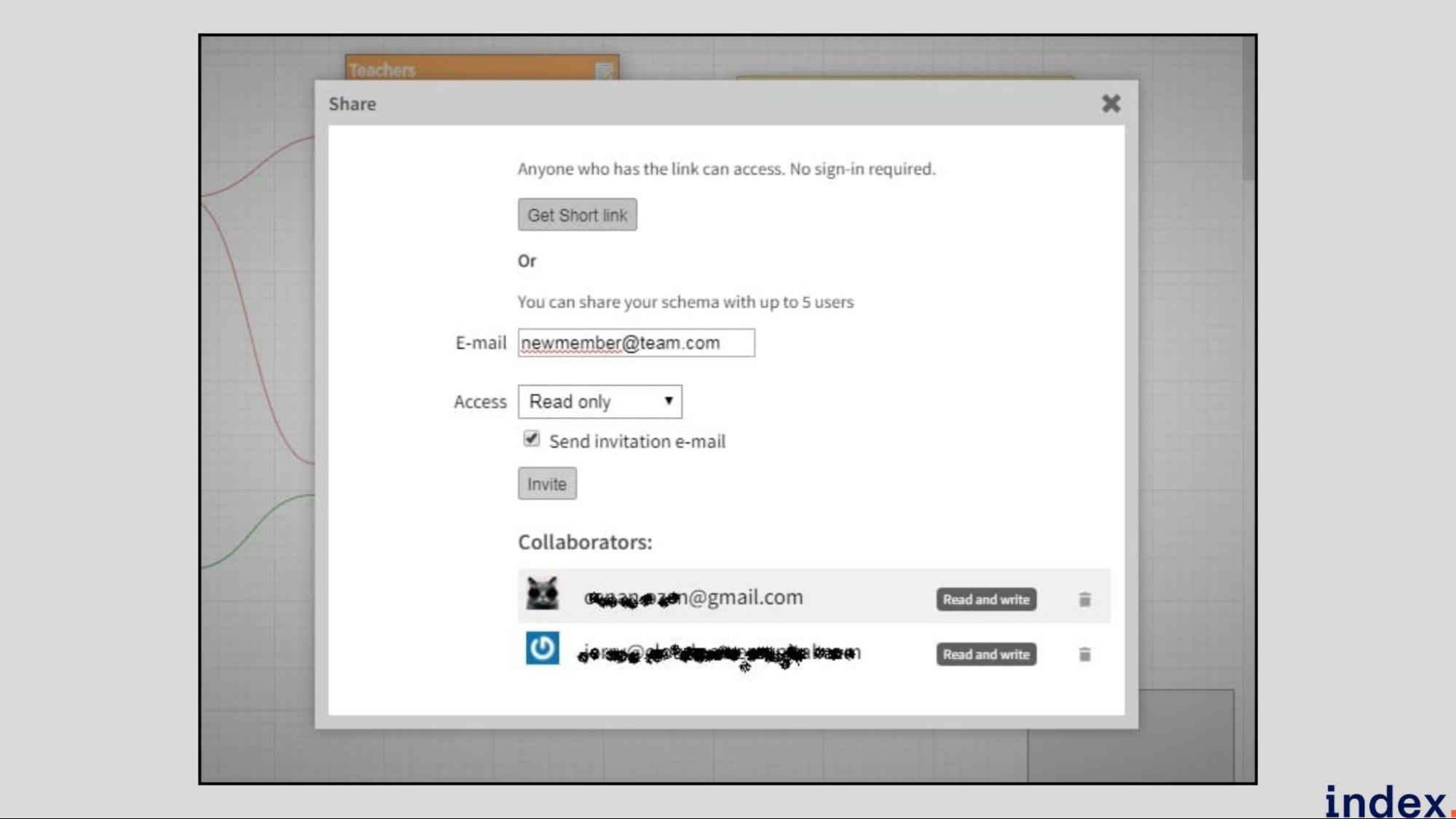
- Instant Validation & Auto Layout: Live error checking, undo/redo, auto-alignment, and real-time schema layout optimisation.
- Multiple Export Formats: Generate SQL scripts, PDF or PNG diagrams, and public view links for documentation or sharing.
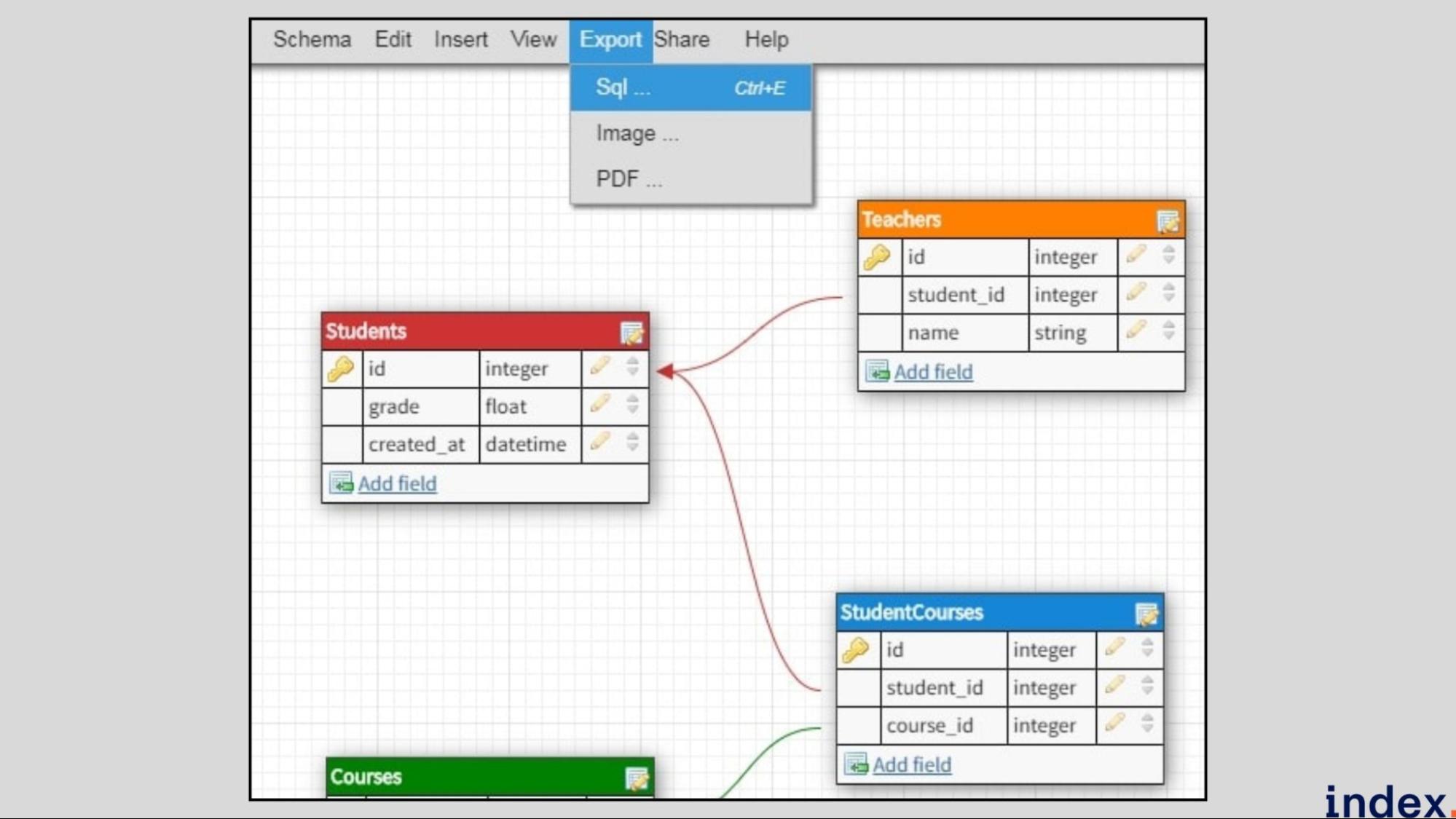
- Project & Account Dashboard: Manage projects, billing, teams, and access levels from a centralised dashboard.
- Templates & Examples: Access hundreds of pre-built schema templates across industries to speed up design.
Visual Collaboration & Real-Time Team Design
Design schemas visually (drag-and-drop), not with code. Invite teammates to collaborate in real-time.
Team features:
- Multiple people edit simultaneously
- Comments and feedback on tables/relationships
- Role-based access (Owner, Editor, Viewer)
- Live chat within the tool
- Version history of all changes
Why it matters: Non-technical stakeholders can participate. Schema design becomes a team activity, not a solo task.
When to Use DB Designer (vs. Other Tools)
Choose DB Designer if:
- You prefer visual design over code
- Your team needs to collaborate
- You want ER diagrams and visual models
- You're building schemas from scratch
Choose something else if:
- You need documentation (use Workik)
- You need to optimize queries (use AI2SQL)
- You need enterprise features (use dbForge)
- You want full backend (use Xano)
Pricing
DB Designer offers simple, transparent plans starting free, with premium tiers beginning at $7/month for advanced projects and unlimited models available from $16/month, all with full access to every feature and no hidden fees.
How to choose the right AI tools for database schema generation and optimization?
1. Assess Schema Generation Intelligence
AI tools should provide intelligent schema generation that understands context and relationships within your data. Tools like Xano AI and AI2SQL can interpret natural language inputs to automatically create structured databases, complete with relationships and field definitions.
TIP: Look for contextual understanding, prompt accuracy, and the ability to generate normalised schemas instantly.
2. Look for Schema Optimisation Capabilities
An effective AI tool should go beyond creation and offer optimisation features that refine existing database structures. Platforms like EverSQL and Aiven AI Optimiser analyse database performance, detect inefficiencies, and suggest indexing or normalisation improvements. Real-time optimisation capabilities help maintain high performance even as data grows and queries become complex.
3. Evaluate Multi-Database Compatibility
A robust AI tool must support multiple database engines to ensure flexibility in different environments. Tools such as DB Designer and Backendless Schema AI support exporting schemas to MySQL, PostgreSQL, MSSQL, Oracle, and SQLite.
AI Tools by Database Management Task:
Task | Best AI Tool | Capability |
Schema Design | Workik, DB Designer | Visual + AI generation |
Query Writing | AI2SQL, Chat2DB | Natural language to SQL |
Query Optimization | SQLAI.ai, Aiven AI | Performance tuning |
Index Management | Aiven AI, dbForge | Auto-index recommendations |
Migration Scripts | Workik, dbForge | Schema change automation |
Documentation | Workik, Dataedo | Auto-generated docs |
Monitoring | Aiven AI | Performance analytics |
Mock Data | Workik | Test data generation |
Multi-engine support prevents vendor lock-in and helps teams work with diverse systems or migrate smoothly between platforms.
4. Check Collaboration and Versioning Features
Collaborative database design ensures efficiency and accuracy in multi-developer environments. Tools like DB Designer support real-time editing, team roles, and comment-based feedback, while Xano AI includes schema versioning for rollback and history tracking.
Version control and shared editing prevent errors, enhance communication, and maintain a unified data model across teams.
5. Prioritize Visualization and Modeling Tools
AI database tools should include intuitive visual design features for easy schema management. DB Designer offers drag-and-drop modelling, relationship mapping, and automatic layout adjustments, while Xano AI displays schema structures dynamically. Visual modelling simplifies database design, enabling both technical and non-technical users to understand complex structures without manual SQL scripting.
6. Examine Export and Integration Options
Seamless export and integration options enhance workflow continuity. Look for tools that generate ready-to-deploy SQL scripts and connect easily to APIs or cloud services. DB Designer allows export to SQL, PNG, and PDF, while Xano connects schemas directly to backend APIs. These integrations reduce manual effort and streamline application deployment.
7. Consider Automation and Performance Monitoring
AI-driven automation plays a vital role in optimising efficiency. Advanced tools automatically detect redundant tables, suggest relationships, and provide real-time performance monitoring. EverSQL uses query profiling and optimisation recommendations, while Xano automates API generation and indexing. Automated insights improve database performance and minimise manual tuning requirements.
Next up: Dive into our guide on 5 best AI tools for product analysis and research.
Choosing the Right AI Schema Generator
The best AI schema generator depends on your specific database design needs:
Quick Selection Guide:
Your Need | Recommended Tool |
Full schema lifecycle | Workik AI |
Natural language to SQL | AI2SQL or Chat2DB |
PostgreSQL optimization | Aiven AI |
Enterprise SQL Server/MySQL | dbForge |
Visual schema design | DB Designer |
Query optimization | SQLAI.ai |
No-code backend | Xano |
Schema documentation | Workik or Dataedo |
Migration scripts | Workik or dbForge |
Key Takeaways:
- AI schema generators save hours of manual DDL writing
- Workik is the best all-in-one solution for schema design, optimization, and documentation
- AI2SQL and Chat2DB excel at natural language to SQL conversion
- Migration scripts can be auto-generated for PostgreSQL and other databases
- Documentation features help onboard data engineers quickly
Whether you need to design new schemas, optimize existing databases, or generate migration scripts, these AI tools for database management make the process faster and more reliable.
Need database expertise? Hire database developers from Index.dev who are experienced with AI-powered database tools.
Join Index.dev to work on global projects where you’ll design, optimize, and scale databases using AI tools.
Collaborate with top teams, accelerate your skills, and shape the future of data-driven applications.
Want to learn more about how AI transforms software development?
Check out the best AI tools for deep research and data visualisation, hire backend developers, learn about top UI/UX design trends, and compare ChatGPT vs Gemini for coding. Dive into our comprehensive collection of AI tool reviews, comparisons, and practical guides from Index.dev experts.


