
AI coding tools are everywhere right now, but most of them feel like autocomplete with extra steps. They can write snippets of code quickly, but ask them to build something real and they usually fall apart.
That’s why Orchids, a Y Combinator Winter 2025 startup, has been getting so much buzz.
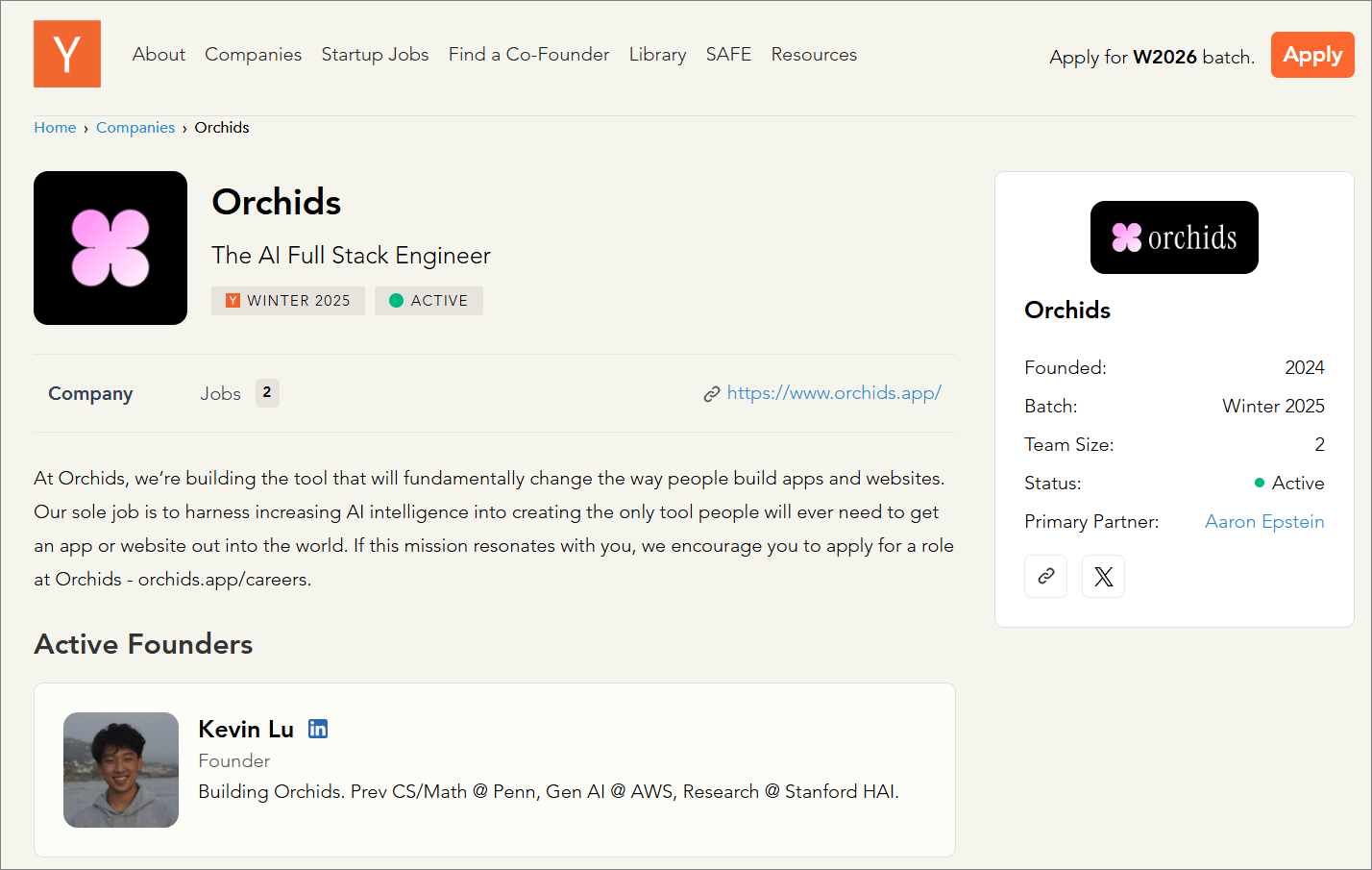
It doesn’t call itself an assistant. It calls itself the world’s first AI full-stack engineer.
In plain terms, that means it promises to handle the frontend, the backend, authentication, payments, and even deployment, all inside one platform.
The claim is big, but the numbers are even bigger. In benchmark testing with expert designers, Orchids won 67.5% of head-to-head comparisons, beating out well-known tools like Cursor, Bolt, Replit, and Devin.
Its pitch is simple:
Apps that don’t just work but actually look like they were made by a real designer.
How we tested
For this review, we built a handful of real projects on Orchids: a button with a live counter hooked to a database, a signup form with validation, a mini to-do app, a contact form, a theme switcher, and even a cloned landing page section. The goal was to see how well Orchids handles both simple UI tasks and deeper full-stack workflows.
Join Index.dev and build full-stack apps remotely with top global teams.
What is Orchids AI?
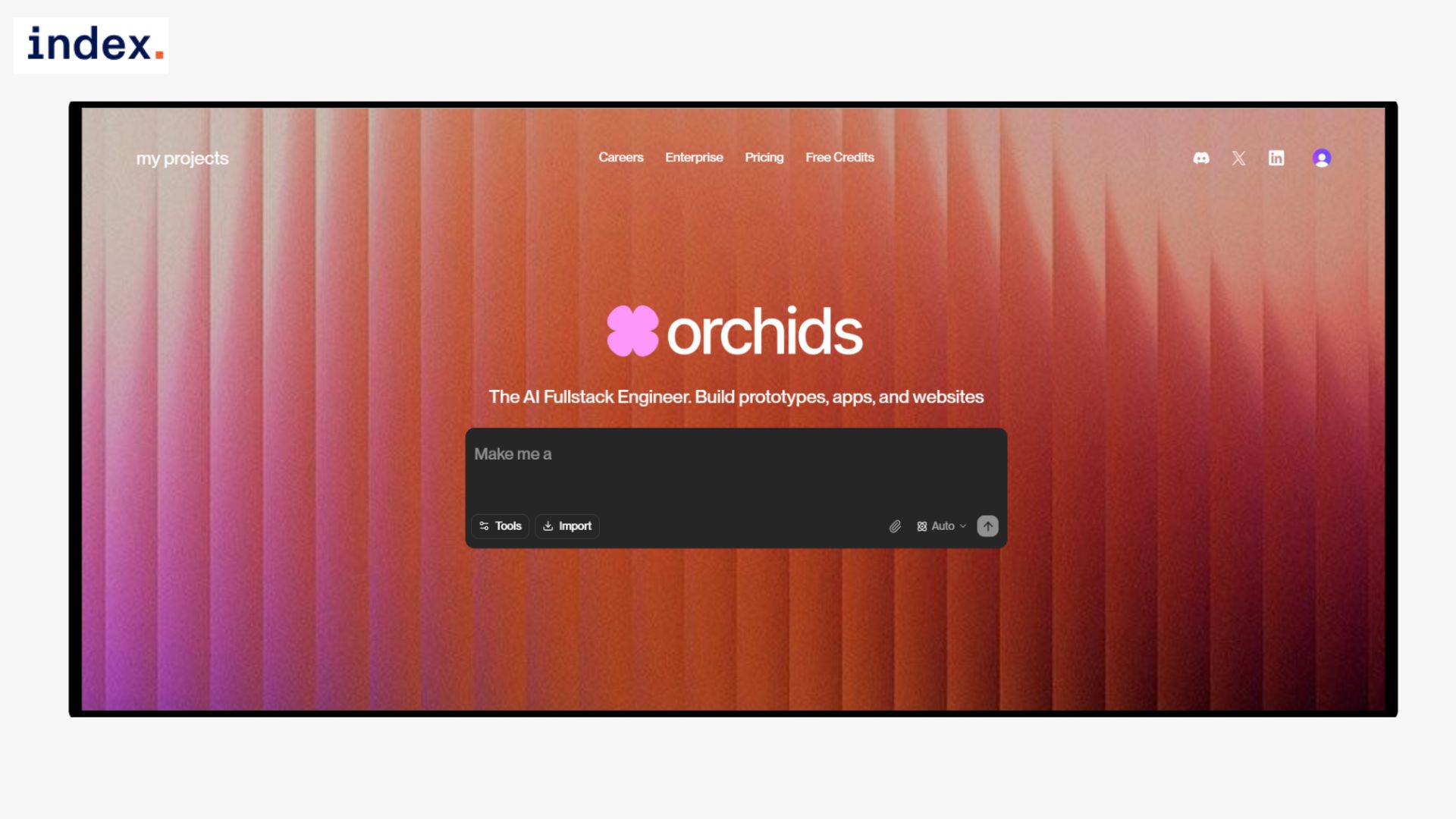
Orchids is the world’s first AI full-stack engineer, a platform that lets us build complete applications by describing them in plain language. Instead of stitching together different tools, Orchids generates the frontend, backend, authentication, database, and even payment flows in one place, with no external integrations required.
In our testing, it produced responsive layouts, working logic, and polished designs that avoided the usual “AI template” look. The workflow is simple: explain what we want, see the app appear in a live preview, refine it through chat, and either publish directly or export the code.
This approach makes it possible to spin up production-ready projects in minutes, whether it’s a quick prototype for a founder, a dashboard for a small team, or a branded application at enterprise scale.
Don’t miss our review of Kombai, the AI agent for frontend developers.
Orchids Features
1. Conversational Code & Design (Chat Mode)
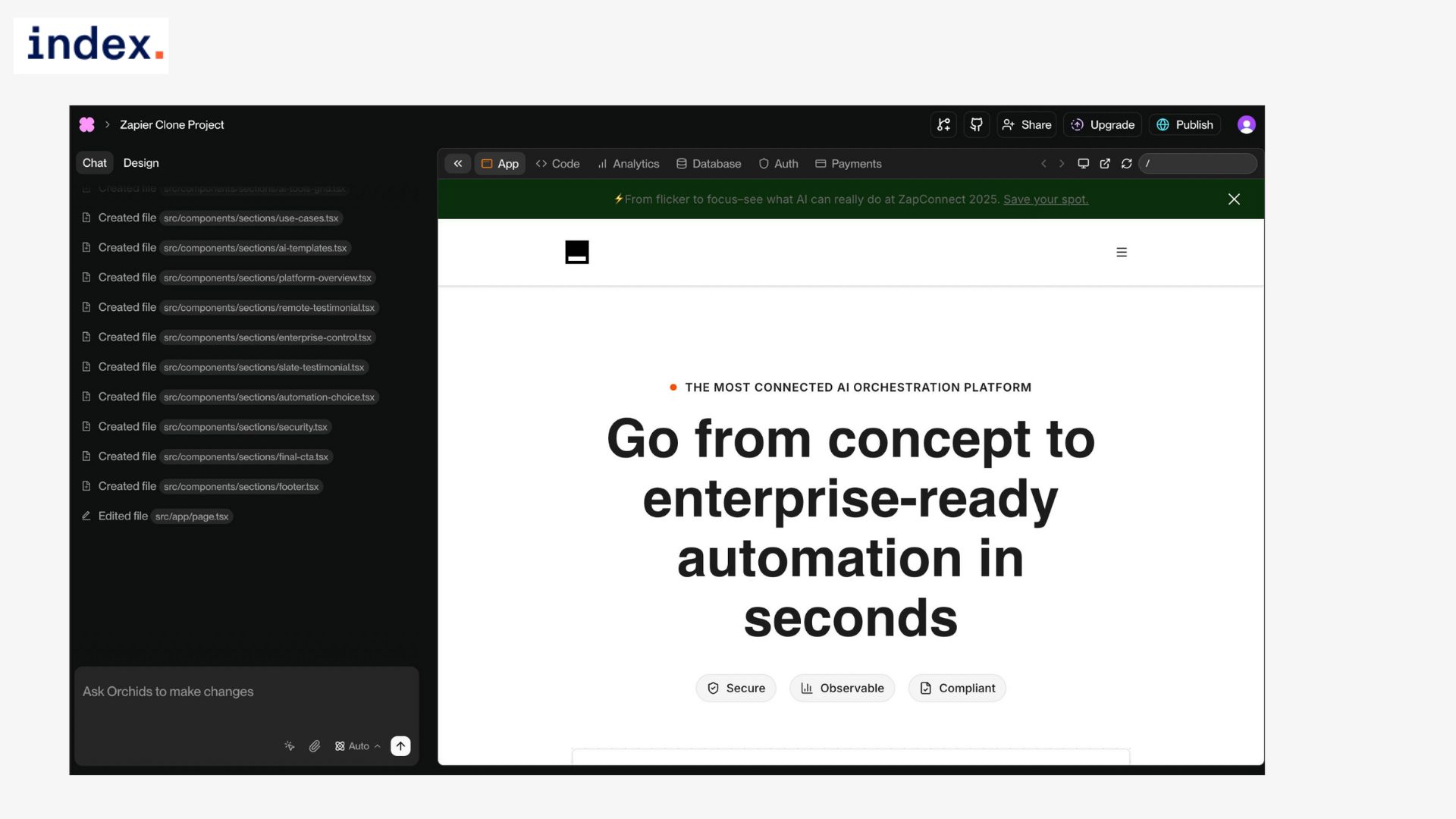
The main way we worked with Orchids was through its natural-language chat interface. You describe what you want: “make me a to-do app,” “add a dark-mode toggle,” “change button color to teal,” and the platform generates or updates the project in real time.
The context persists across conversations, so we didn’t need to re-explain the app each time we added new features. This made it easy to evolve an idea step by step instead of starting over with every prompt.
2. Starter Templates (Template Mode)
For times when we didn’t want to begin from scratch, Orchids offered ready-made templates. These covered dashboards, e-commerce stores, CRMs, portfolios, and more. Selecting a template spun up a working project instantly, complete with authentication, routing, and state management already wired in.
From there, we could customize layouts, swap content, and refine the design using chat. The templates saved us the overhead of initial setup and gave us production-ready scaffolds within minutes.
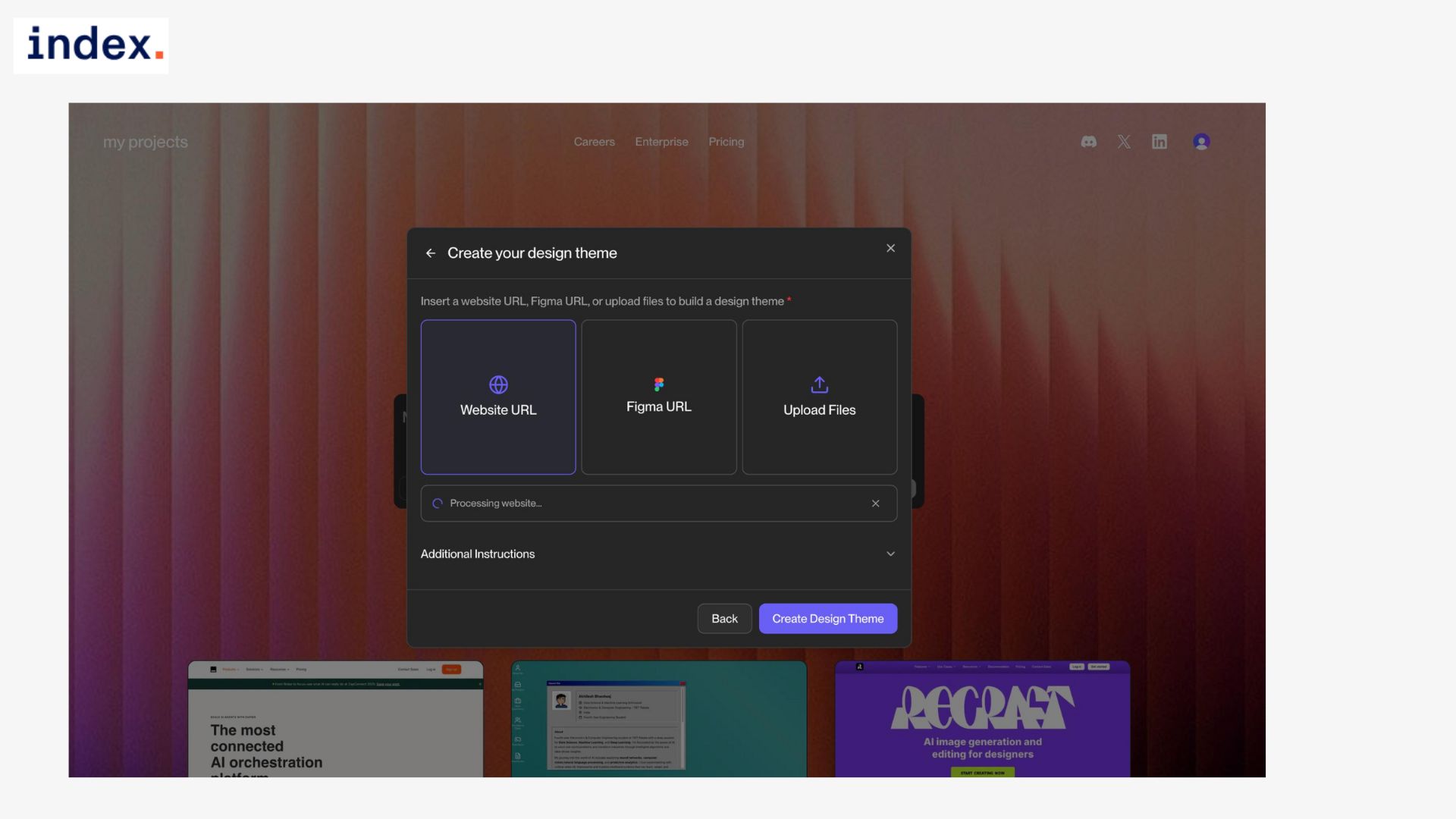
3. Theme Library (Design Theme Mode)
Design consistency is a common weakness in AI-built apps, but Orchids solves that with its theme library. We applied polished design systems in one click, color palettes, typography, spacing rules, and even uploaded brand assets to auto-generate a custom theme.
Any global changes we made, like swapping the primary color, automatically propagated across all components. This made it easy to keep projects visually coherent without manual CSS work.
4. One-Click Publish & Deployment
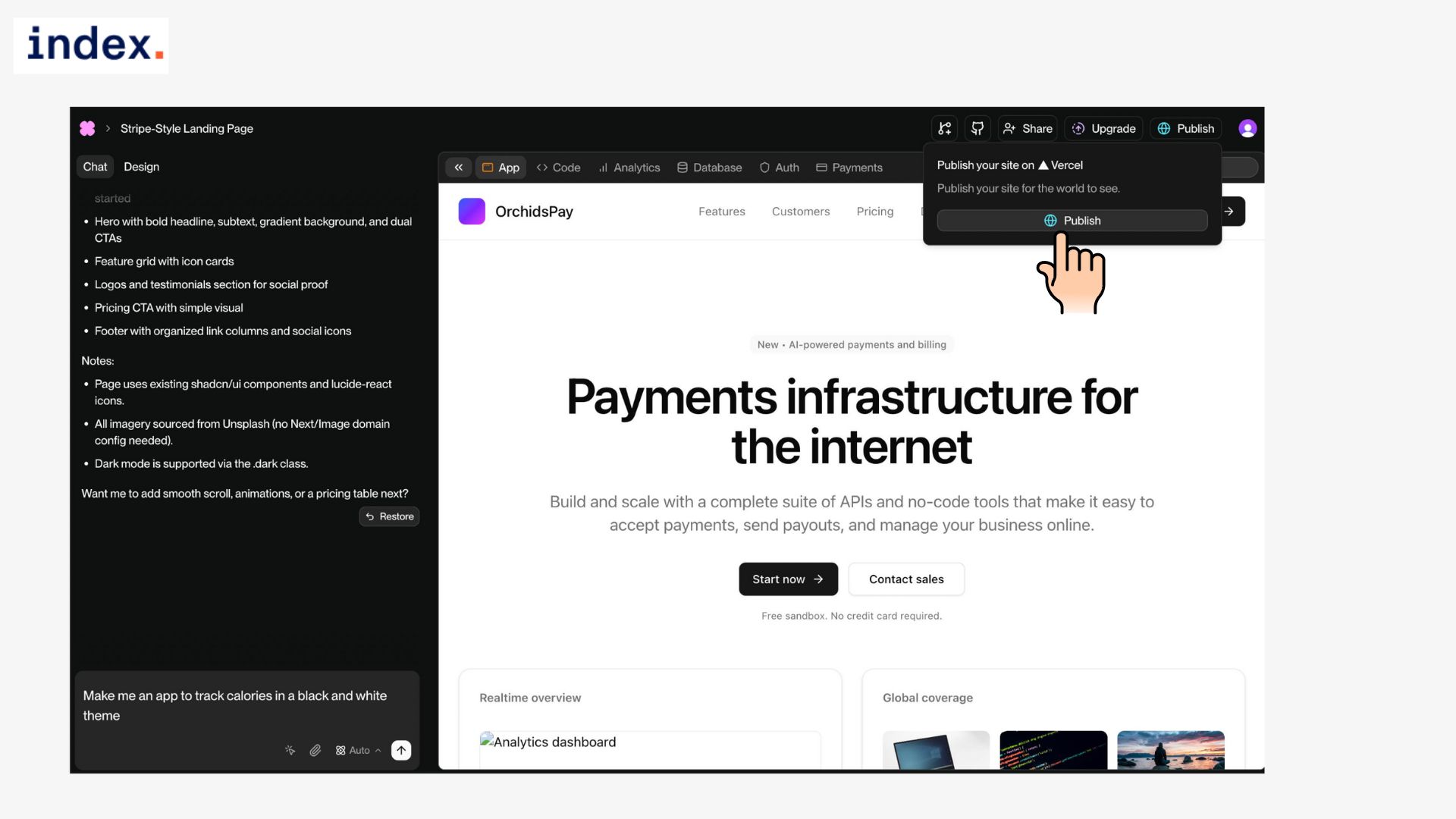
Instead of exporting code and configuring hosting, Orchids lets us publish directly from the platform. Apps are deployed instantly to a secure domain with SSL included. Each update in chat triggered a new build and redeploy, so the live app always matched our latest iteration.
For teams that want more control, the full source code was also downloadable for self-hosting.
5. What Happens After Orchids Generates Your App
- Live Preview:
- Instant running app in a browser. Test inputs, flows, and edge cases immediately without touching code or setup.
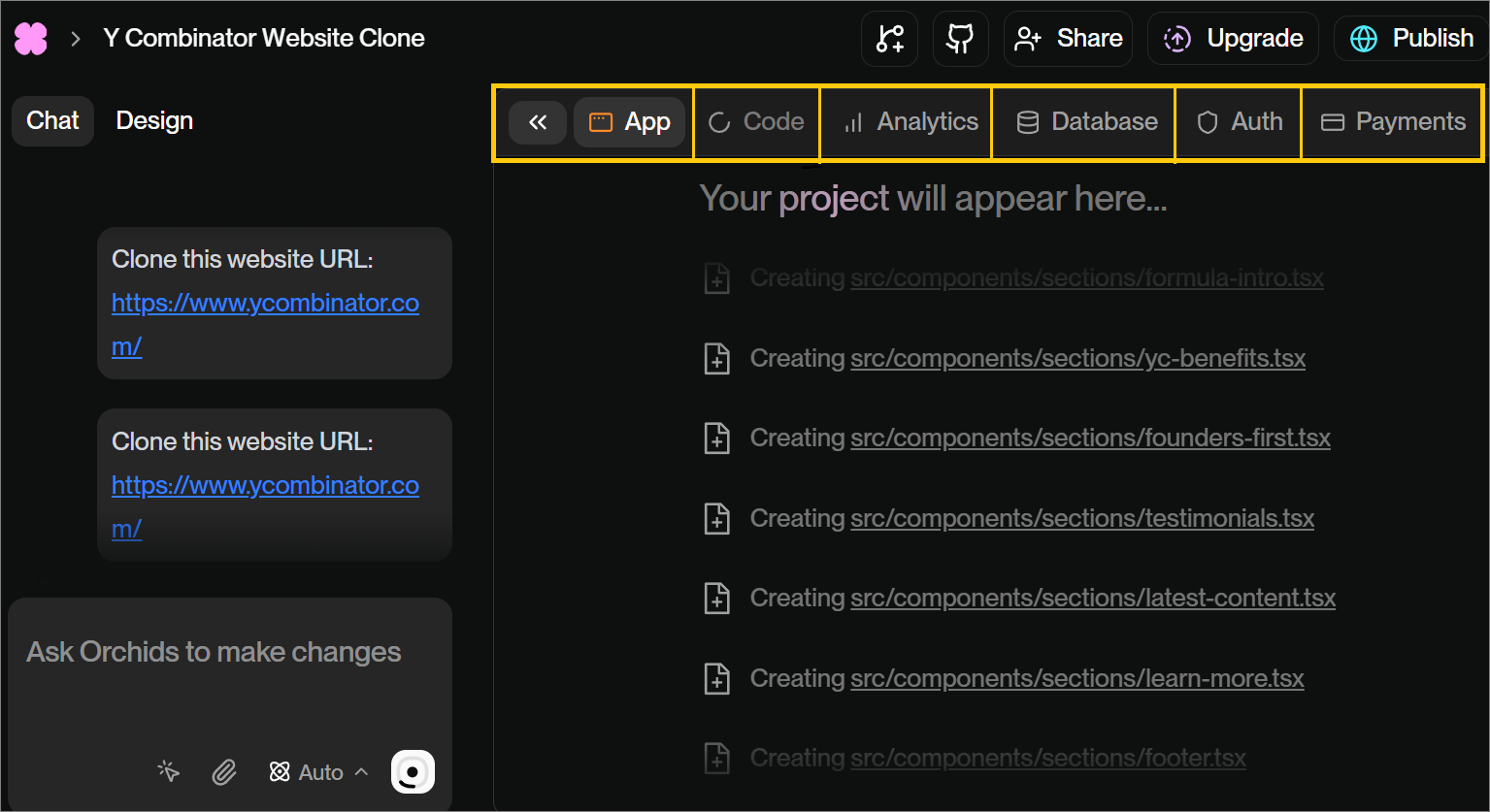
Here’s how you can see the live code creation along with its thinking process:
- Conversational Refinement:
- Tweak apps through chat. Add features, fix layouts, or change styles while context persists, no need to re-prompt everything.
- Database Setup:
- Orchids provisions a database automatically. Store data, enforce validation, and edit records with a built-in spreadsheet-style interface.
- Authentication:
- Enable signup, login, and session handling in one step. Orchids wires up secure auth flows directly into your generated app.
- Payments:
- Activate payments without manual API work. Orchids sets up checkout, processing, and backend connections with a single request.
- Analytics:
- Built-in monitoring. Track signups, page views, API calls, and errors in real time right from the Orchids dashboard.
However, the analytics feature is only available under the paid plan:

- Deployment:
- Publish instantly to a live domain with SSL included. Every chat update redeploys so production stays in sync.
- Code Export:
- Download clean, editable source code anytime. Developers can self-host or extend apps without platform lock-in.
- Version History:
- Every prompt is saved. Roll back to earlier states if a change goes wrong or you want a previous version.
Real use cases of Orchids AI Platform
Use Case 1: Button with Click Counter
Task overview
We wanted to test if Orchids could handle one of the simplest but most telling full-stack patterns: connecting a frontend button click to persistent backend storage. The expectation was straightforward.
Each click should increase a counter, the updated value should appear on screen in real time, and the number should survive page reloads by being written to a database. If Orchids could get this right, it would show that the platform isn’t just generating static interfaces but is capable of bridging frontend interactions with backend state.
How we did it
The prompt we used was:
Create a webpage with a button that increases a counter every time it’s clicked. The count should update on screen and also be saved in a database so the number doesn’t reset on refresh.
Results
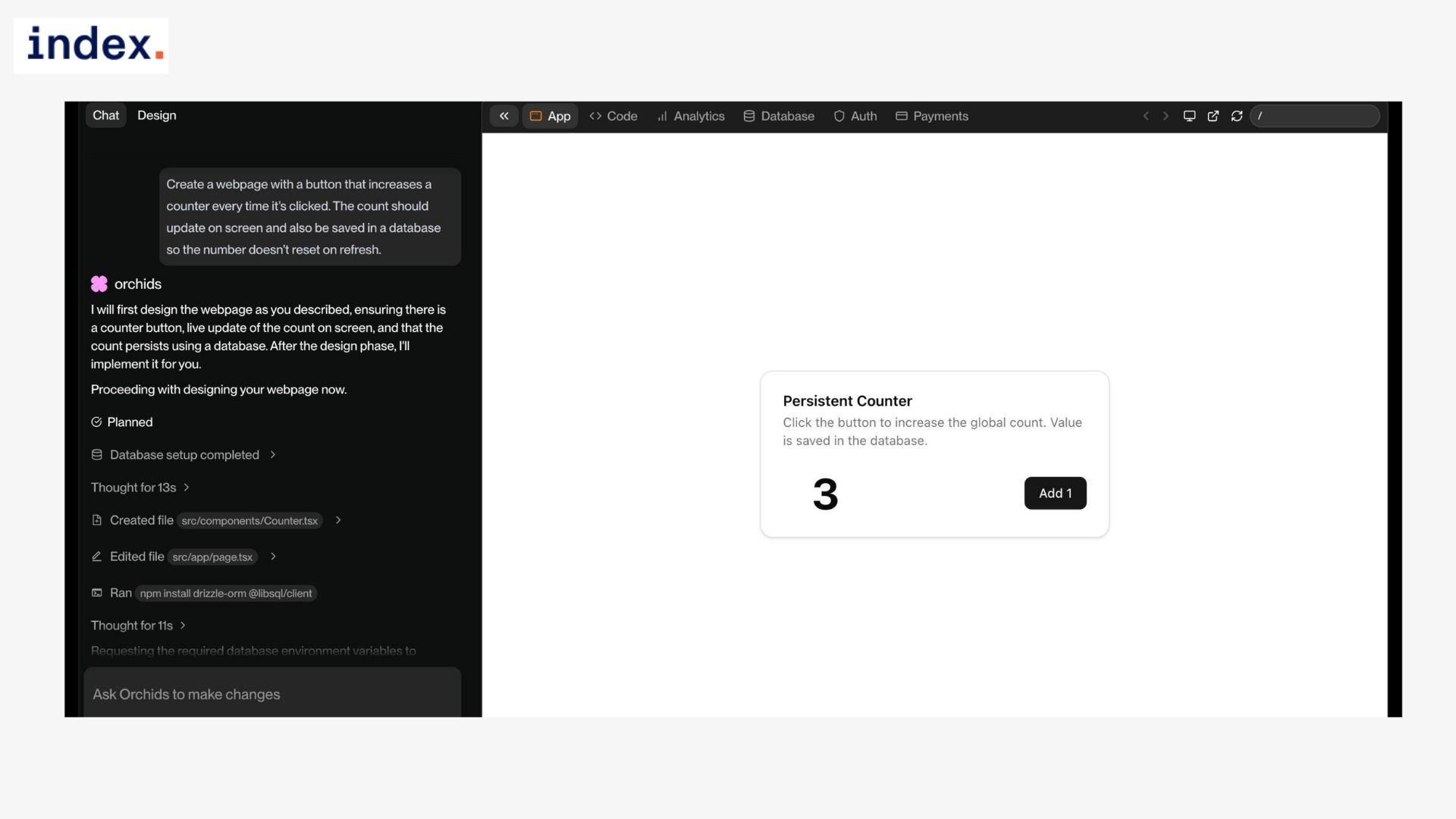
Once submitted, Orchids walked through the steps automatically. It provisioned a database, generated the necessary schema, created a React component for the counter, and wired everything together. The live preview was up within seconds, and the counter UI was simple but functional. We didn’t have to configure an API or write any database queries manually.
The counter worked as intended. Each click incremented the value in real time, and the number persisted across page refreshes. On the backend side, the database is updated consistently with each click. Importantly, we didn’t run into issues like negative values or invalid states creeping in, which are common failure points when building these examples manually.
Experience with Orchids
This test showed Orchids could cover both ends of a simple interaction without us touching code. It handled the frontend, backend, and persistence in a single shot. While the UI it generated was basic, the core functionality was reliable, and the workflow felt frictionless.
It reassured us that Orchids can move beyond boilerplate UI generation and actually manage data-driven state, even for foundational use cases like this.
Use Case 2: Form Input Validation
Task overview
We wanted to show how Orchids handles input validation on both the frontend and backend. The goal was to build a signup form with fields for username and email, where invalid email formats would be rejected instantly, duplicate usernames would be blocked with a clear error message, and valid entries would be saved to the database.
How we did it
Prompt used:
Build a signup form with fields: username and email. Validate the email format on the frontend, and check on the backend that the username does not already exist before saving.
Results
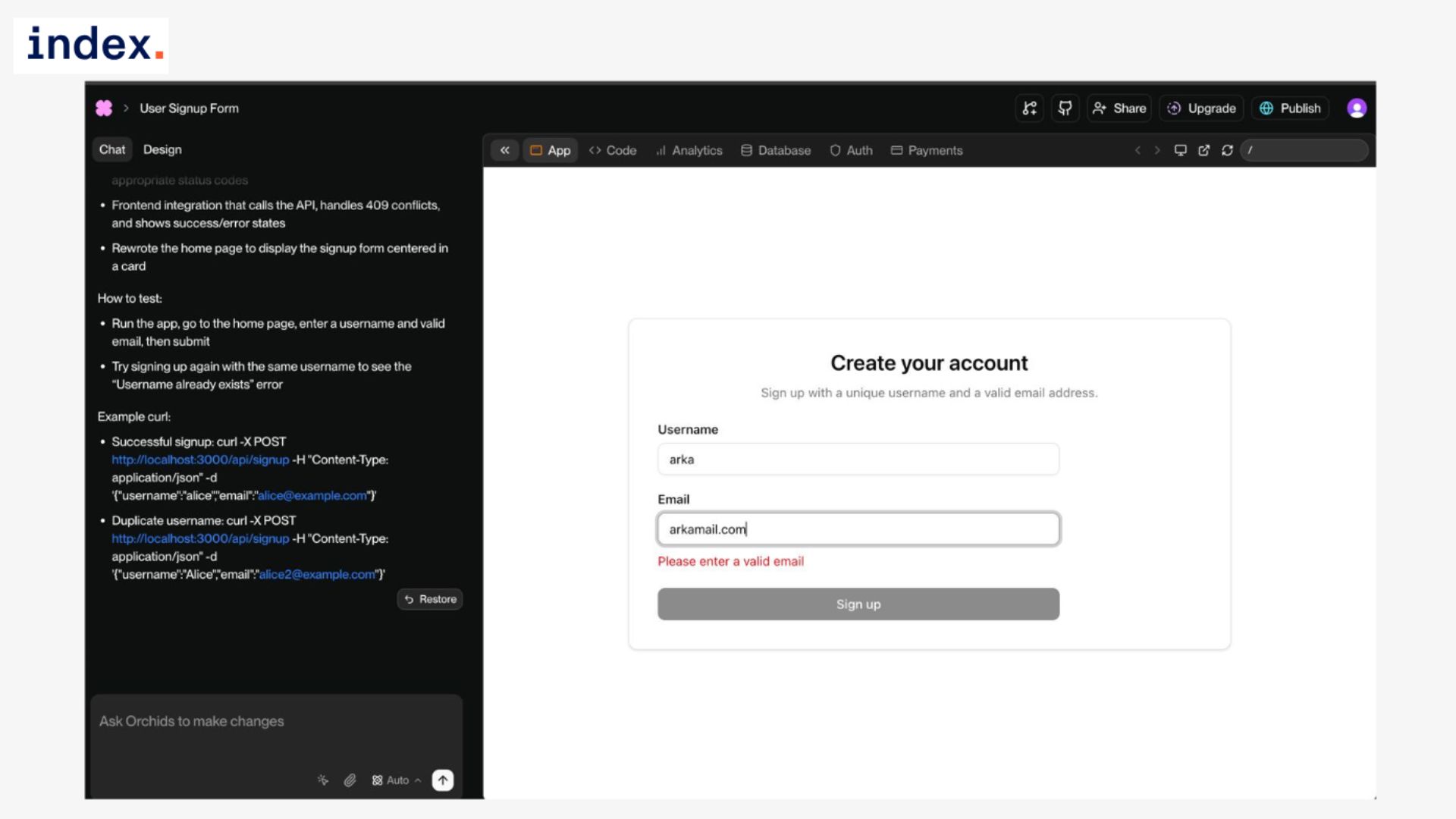
The final output behaved exactly as required. Invalid email formats were caught on the spot, with a visible error message under the input field that made it clear what was wrong. Valid submissions, where both the username was unique and the email was correctly formatted, went straight through and were saved to the database.
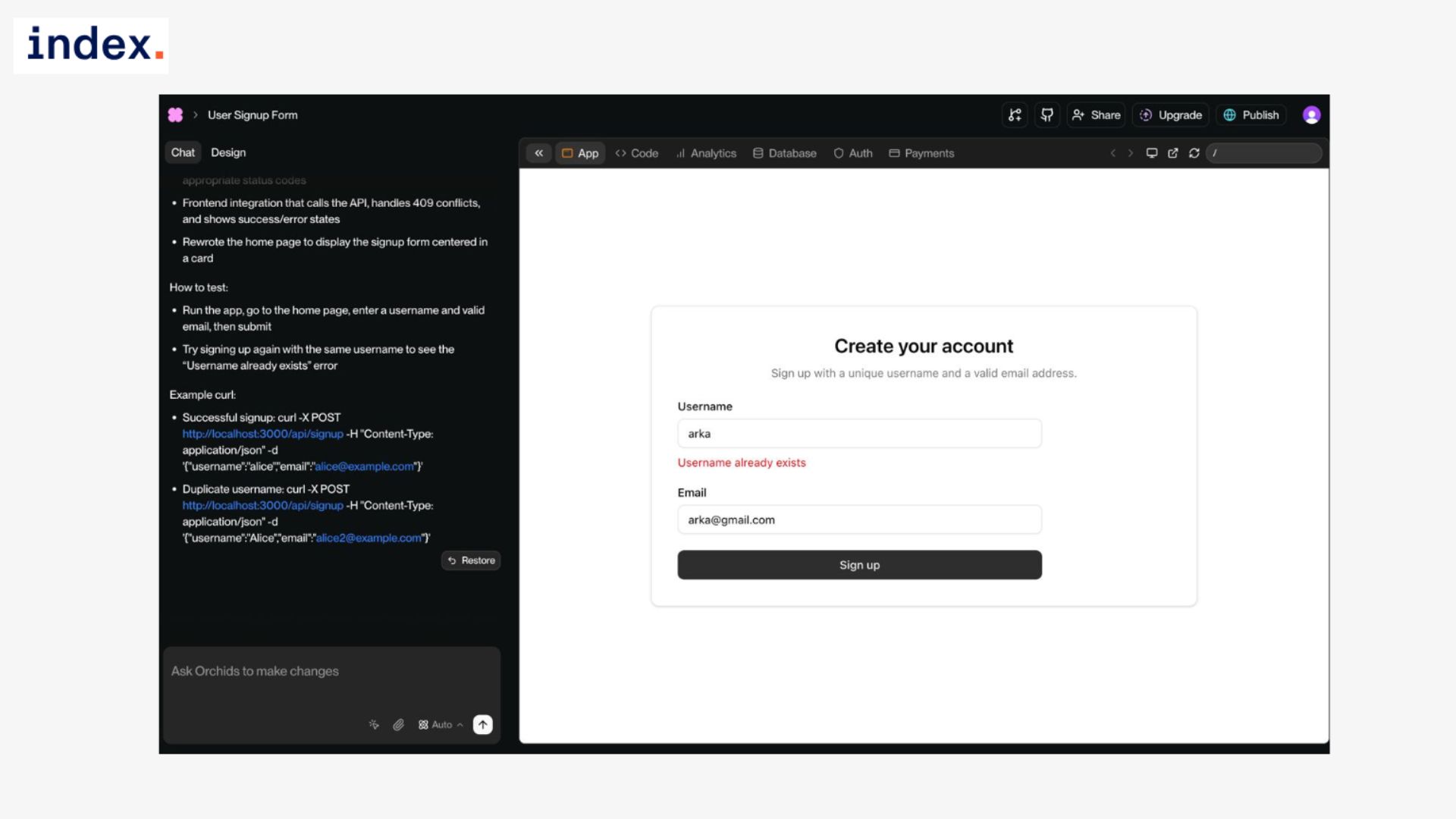
When we tried to register using a username that already existed, the system responded immediately with a duplicate warning and stopped the data from being stored. The flow covered both client-side and server-side checks without missing edge cases, which is where many AI builders usually break down.
Experience with Orchids
The experience felt much closer to working with a proper framework than a code snippet generator. We didn’t have to manually wire regex checks for the email field or enforce uniqueness constraints in the database.
Orchids set up both ends of the flow and kept them consistent. The UI feedback loop was instant, while the backend checks added a second layer of reliability. In a typical manual workflow, this would mean writing validation in two places and making sure they don’t drift apart, but here it happened in one go.
That combination of ease and correctness made this use case one of the more convincing demonstrations of Orchids’ full-stack capability.
Use Case 3: Simple API Fetch (Random Joke)
Task overview
We wanted to see how Orchids performs when asked to integrate live data from an external API. This is a step beyond generating static UI and simple form logic. It tests whether the platform can handle asynchronous calls, update the UI dynamically, and respond gracefully when something goes wrong.
The task was to build a joke generator: load a random joke from the JokeAPI on page load, and refresh it with a new one whenever a “Get New Joke” button is pressed, all without requiring a full page reload.
How we did it
Prompt used:
Create a webpage that fetches a random joke from the JokeAPI and displays it. Include a button ‘Get New Joke’ that fetches another one without refreshing the page.
Results
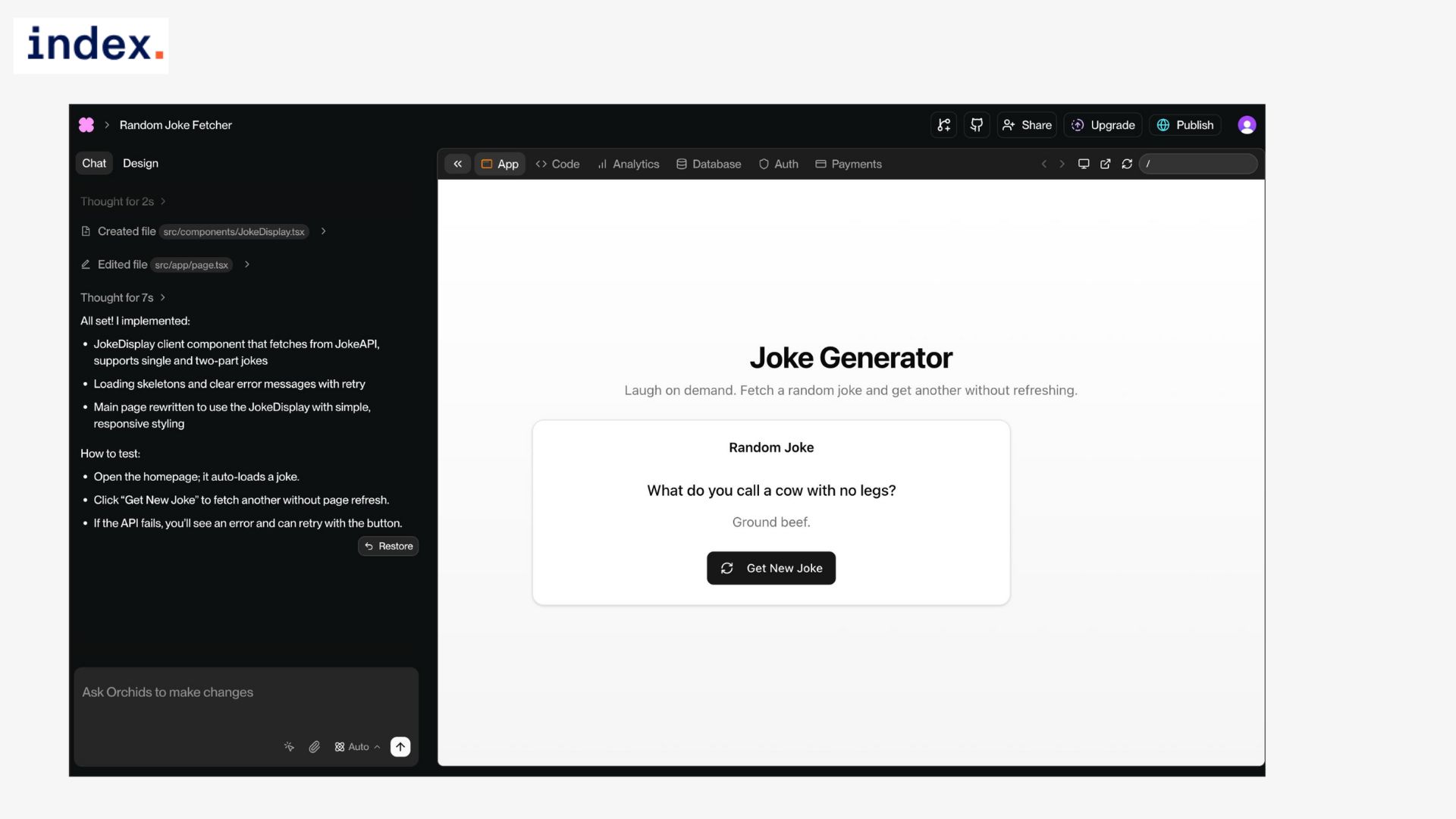
The output was exactly what we expected, but what stood out was the completeness of the implementation. The page loaded with a random joke pulled directly from the API. When we clicked the “Get New Joke” button, the content updated instantly without a reload. We tested this repeatedly, and the behavior was consistent: each click returned a new response and replaced the text smoothly.
We then looked at how it behaved under less-than-ideal conditions. When the API failed, Orchids didn’t crash or lock up. Instead, it displayed a fallback message explaining that something went wrong while keeping the button active so we could retry. That’s an important detail. Many AI-generated apps fall apart when the happy path breaks, but this one had working error handling out of the box.
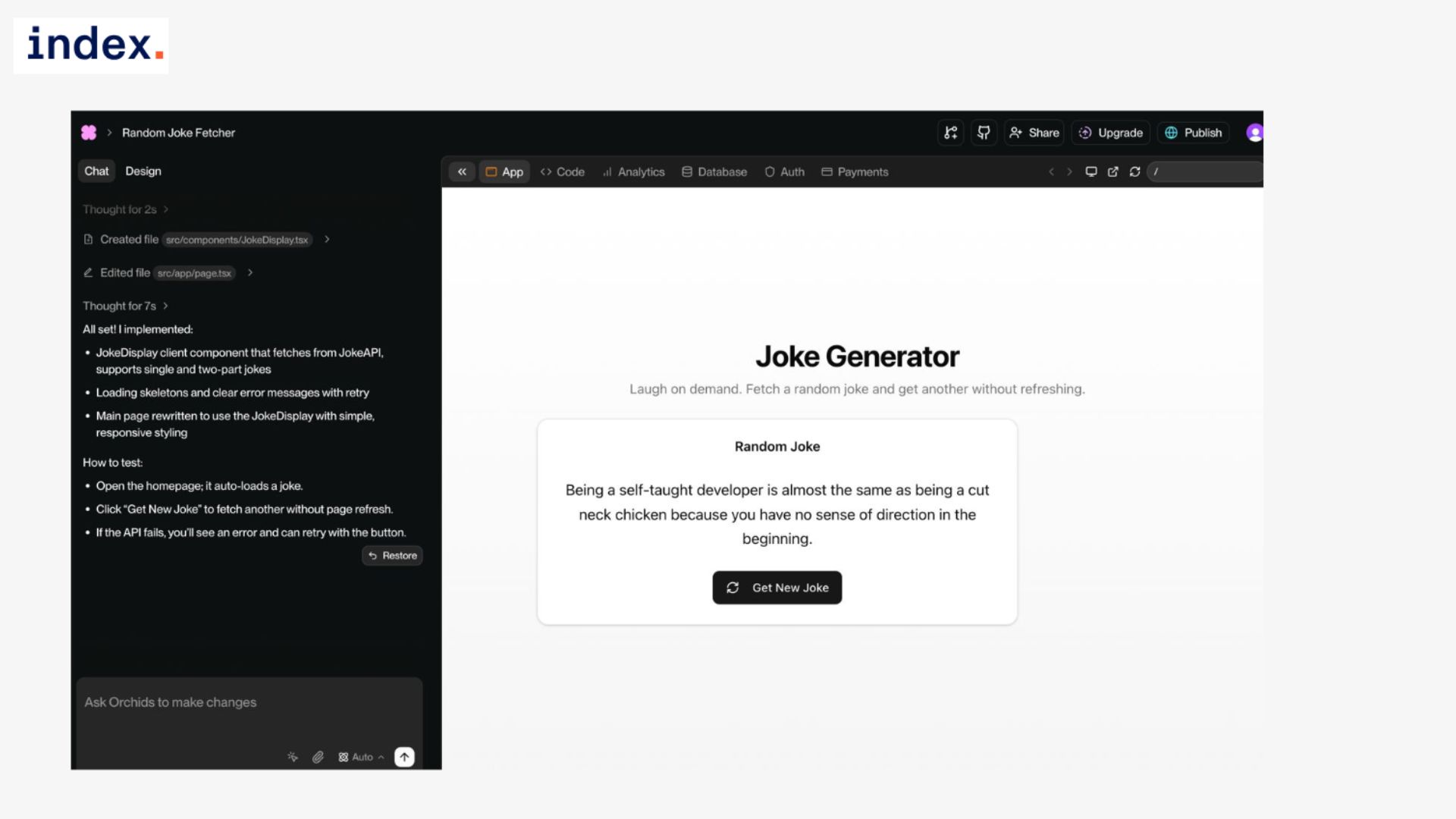
Performance was also steady. The UI didn’t freeze or lag while waiting for a response, and there was no flicker between states. The transition from one joke to the next was smooth enough that it felt like the kind of micro-app you’d actually find online.
These are small details, but together they made the difference between a basic demo and something you could put in front of end users without embarrassment.
Experience with Orchids
What impressed us most was how little we had to do to reach this point. We didn’t have to wire up async functions, add a loading state, or wrap the call in a try/catch block. Orchids handled all of that internally and gave us an app that behaved like something built by a developer who knew the basics of production readiness.
That was the biggest shift in perception: this wasn’t just about generating code that runs once, but about creating an experience that holds up under normal use and even under failure.
From a developer’s point of view, this test showed that Orchids understands the difference between “working code” and “usable product.” Most tools can get an API call to succeed, but they ignore the edge cases that actually make or break the app.
Orchids gave us state management, error recovery, and responsive UI handling automatically. For non-technical users, that means you don’t have to worry about your app crashing when something external hiccups.
For technical teams, it’s a strong signal that the platform can take care of repetitive plumbing work and free up time for higher-level tasks.
This wasn’t the flashiest app we built, but it was one of the most convincing demonstrations of Orchids behaving like a true full-stack engineer. It reached outside itself, pulled in live data, and delivered it in a stable, user-friendly way.
Use Case 4: Toggle Dark/Light Theme
Task overview
We wanted to see if Orchids could handle a common but deceptively tricky UI feature: a light/dark mode toggle. The requirement was that switching between themes should feel instant, the preference should be saved in local storage, and the correct theme should load after a page refresh.
This isn’t just about swapping colors; it tests how well the platform manages state, applies consistent design tokens, and avoids distracting flickers when reloading.
How we did it
Prompt used:
Create a webpage with a toggle switch to change between light mode and dark mode. Remember the selected mode in local storage so the same theme loads after refresh.
Results
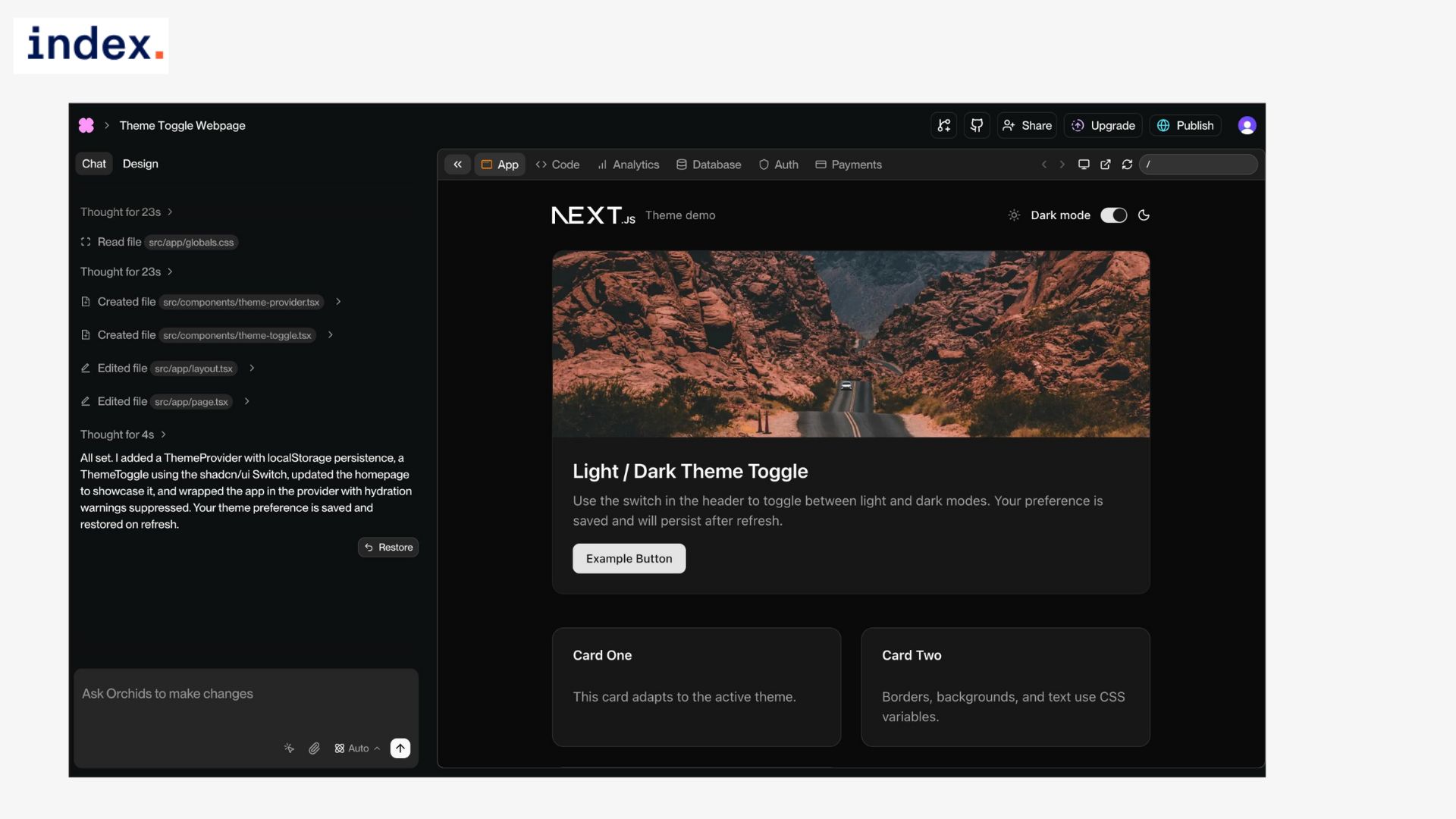
The final output passed on all fronts. The toggle switched themes instantly, and the entire page updated in sync. Backgrounds, typography, buttons, and card components all adapted to the chosen theme without leaving behind mismatched styles.
When we refreshed the page, Orchids pulled the saved preference from local storage and reloaded in the correct mode every single time. The transition itself was clean.
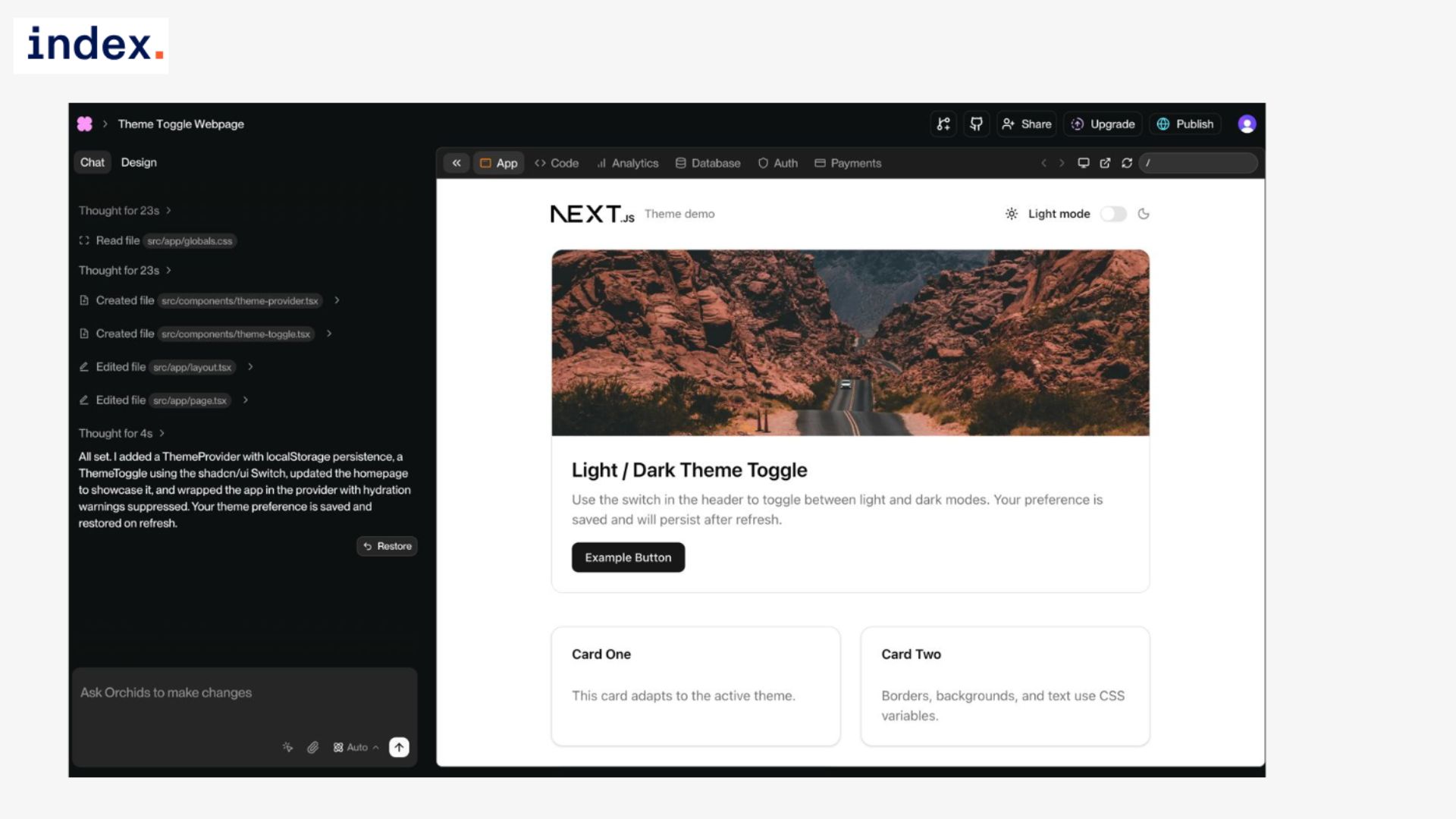
We didn’t see the flash of a white page before dark mode kicked in, which is a common annoyance when themes are applied late in the render cycle. Even under repeated toggling, the UI never stuttered or froze. We tested on desktop and mobile, and the design adapted properly across breakpoints without layout issues.
Experience with Orchids
This was one of the clearest demonstrations of Orchids' handling of details that usually frustrate developers. Setting up a theme system manually often means juggling CSS variables, local storage checks, and edge cases like page reloads.
Orchids did all of that automatically. It stored the preference, applied it before the first paint, and tied the design system together through tokens so that every component switched consistently.
We tried to push the implementation in ways that often reveal cracks. Switching themes while network requests were pending didn’t cause any UI lag or broken states. Keeping modals open during a toggle preserved their state, and the modal itself inverted cleanly with the rest of the layout.
We also checked how the toggle behaved after multiple refreshes, and the preference persisted across sessions without fail. What stood out most was the polish. The app felt production-ready, not like a demo coded in a rush. The logic was tidy in the exported code, making it easy to extend if we wanted to hook it into cookies or a server-side setting for enterprise needs.
For non-technical users, the fact that all of this just works is a huge win. For technical teams, it’s one less boilerplate feature to rebuild in every new project. This use case showed that Orchids doesn’t just generate working code. It builds with an eye toward user experience and long-term reliability.
Theme toggling may seem small, but when it’s done well, it signals that the platform understands the difference between functional prototypes and production-quality applications.
Use Case 5: Mini To-Do List (Local Storage)
Task overview
We wanted to test how Orchids handles client-side storage and basic CRUD operations. The task was to build a to-do list app where users can add tasks, mark them as complete, and delete them.
The app also needed to prevent empty submissions and persist the list in local storage so that tasks remain after a page refresh. This kind of functionality is a staple in everyday projects, so it’s a good indicator of whether the platform can wire up frontend logic cleanly.
How we did it
Prompt used:
Build a to-do list app where users can add, check off, and delete tasks. Save tasks in local storage so they remain after refresh.
Results
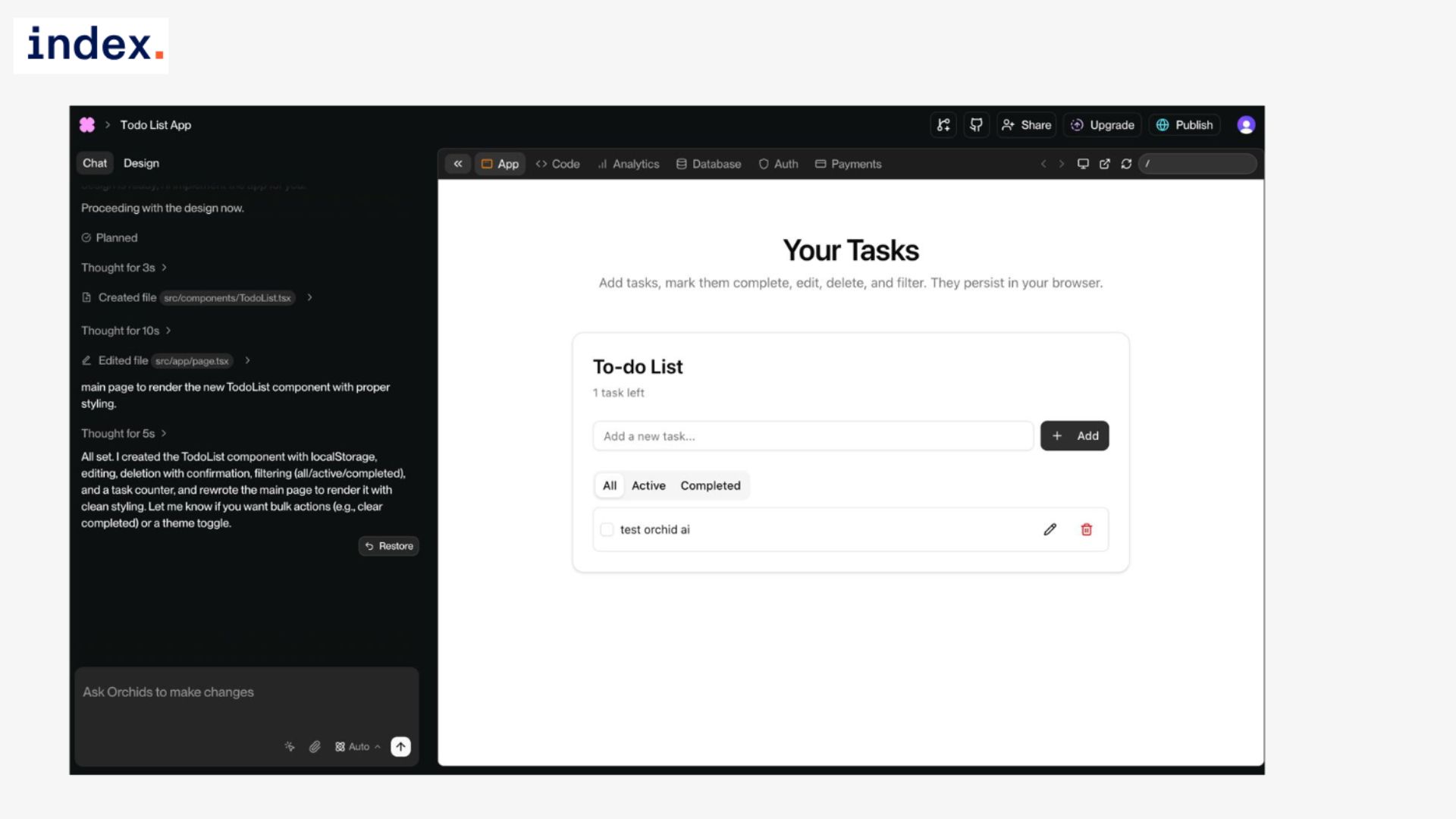
The final app ticked all the boxes. Adding a task created a new row instantly in the list, with options to mark it as complete or remove it. Completed tasks updated visually with a clear state change, and deleting a task removed it from the list without leaving behind stray artifacts in the UI.
We also checked for edge cases. Empty submissions were blocked, which avoided the common issue of blank list items being created. Refreshing the page brought back the full list of tasks exactly as we left them, confirming that local storage was working properly. Whether we had a single item or a dozen, the persistence held up without errors.
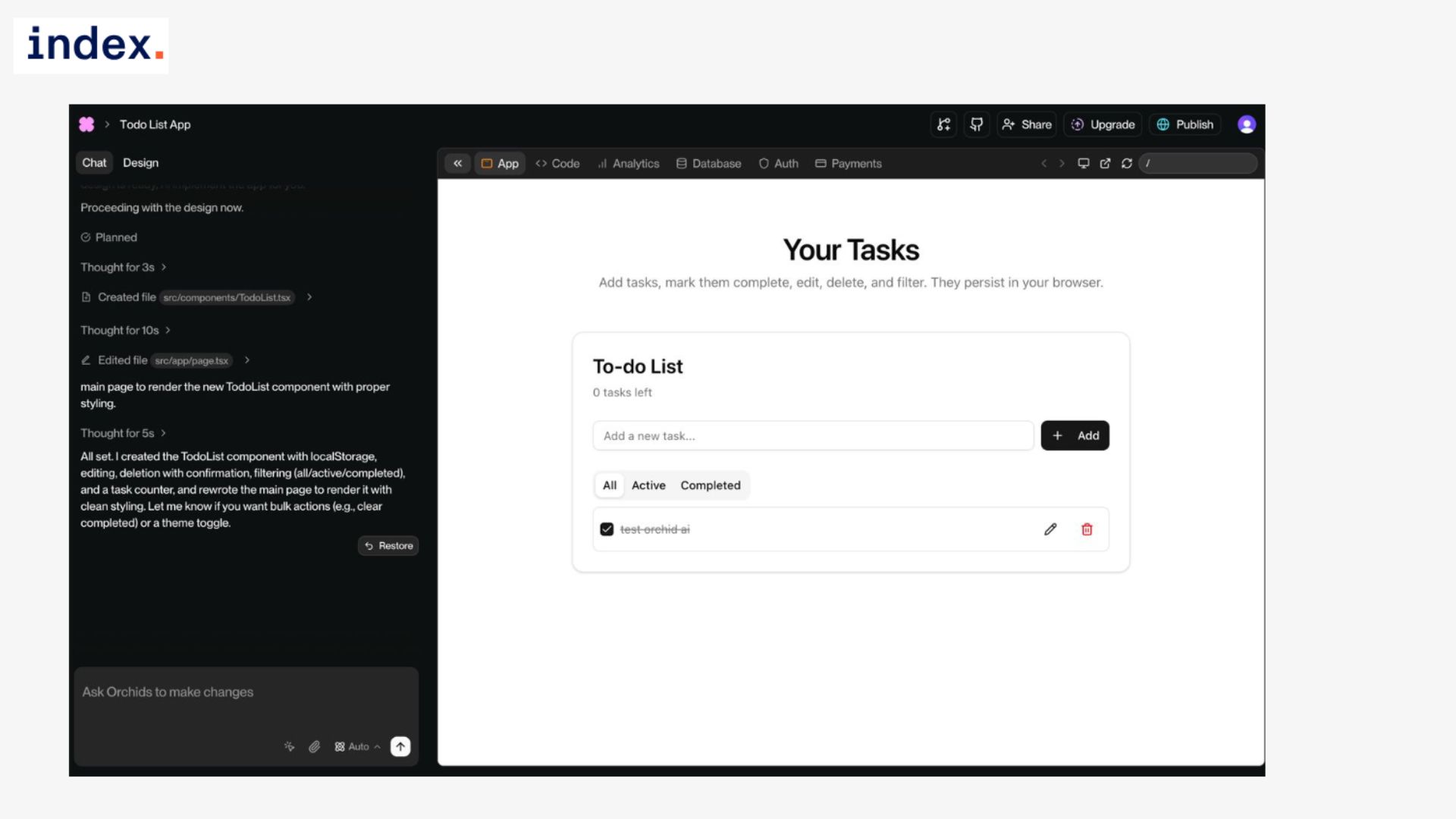
The UI was functional but not overdesigned. It gave us a clean input field with a button, a list of items below, and action icons for editing or removing entries. Everything responded instantly, and the transitions felt fluid rather than clunky.
Experience with Orchids
This use case showed how Orchids can handle interactive, stateful apps without leaning on a backend. Local storage integration, which can sometimes trip up even experienced developers with serialization quirks, was handled automatically. We did not have to write code to parse JSON, manage arrays, or bind updates to the DOM. Orchids generated the full flow.
We tried different sequences of actions to see if the app would break. Adding multiple tasks quickly worked without lag. Marking items as complete and then refreshing preserved the correct state. Even deleting a task mid-sequence did not cause errors. In every case, the app kept its integrity.
For developers, the fact that Orchids exported tidy, editable code means we could easily expand this into something more advanced, like a multi-list manager or a cloud-synced version.
For non-technical users, the fact that everything just works out of the box means they could ship a basic productivity tool in minutes. The experience here felt closer to using a polished boilerplate app than testing an AI-generated experiment.
This test made it clear that Orchids can produce more than static UIs or one-off components. It can build small but complete applications that handle state, validation, and persistence in a way that feels reliable and ready to extend.
Use Case 6: Contact Form with Success Message
Task overview
The goal here was to see how Orchids manages form handling when it needs to connect a frontend form to a backend, save the submitted data, and return a clear confirmation message to the user.
We wanted three things: the system should prevent empty or invalid submissions, the data should be stored correctly in a database, and the user should see an immediate success message once the form goes through. This is one of the most common workflows in web applications, so it was an important test of real-world reliability.
How we did it
Prompt used:
Create a contact form with name, email, and message fields. On submit, send the data to a backend endpoint, save it in a database, and display a ‘Thank you for your message’ confirmation if successful.
Results
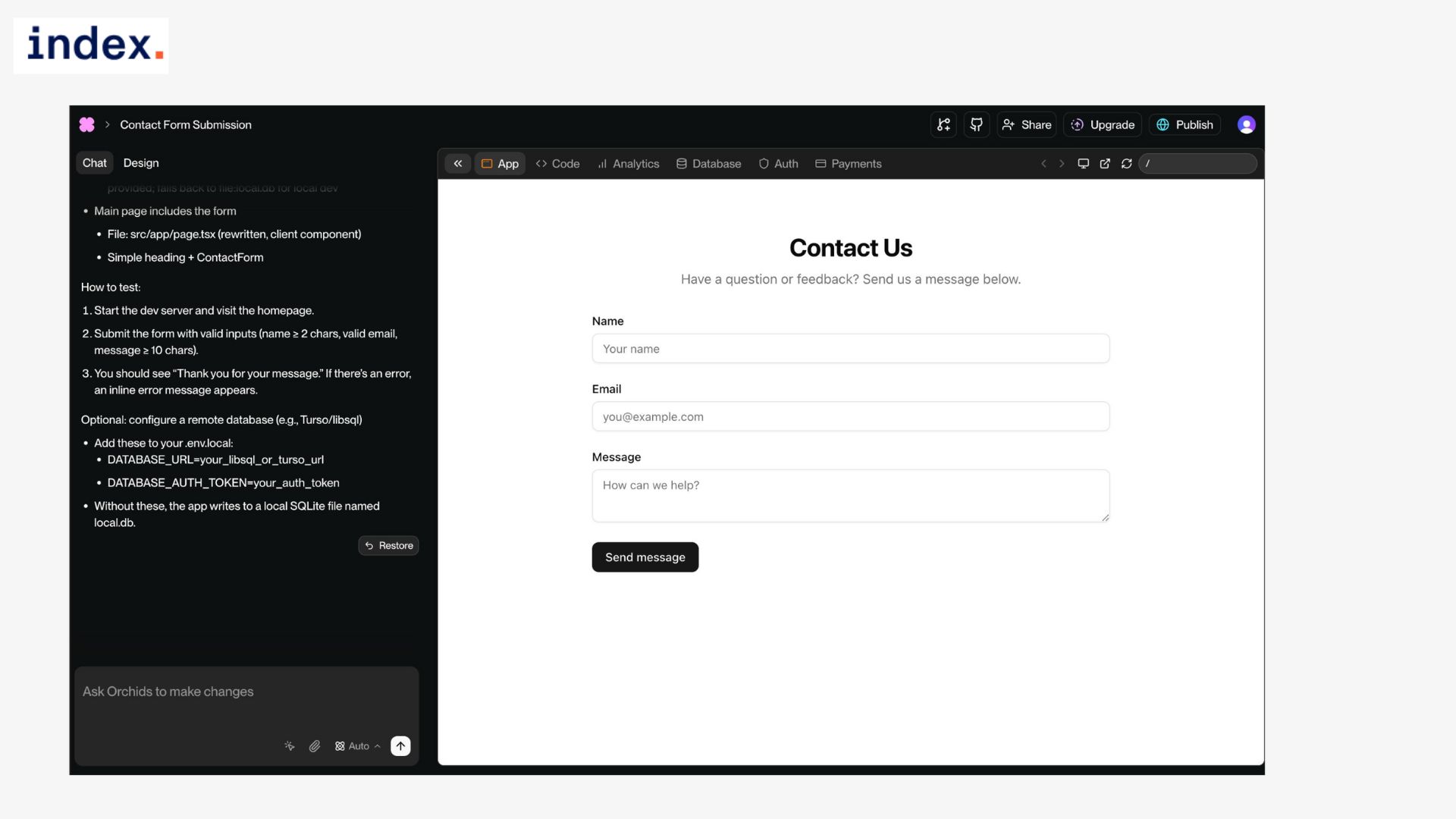
The generated contact form worked the way we expected from the start. Submitting the form with blank fields triggered validation errors on the page, with clear red messages under each missing input. Invalid email formats were also caught instantly, and the form would not go through until everything was corrected.
When we entered valid data and hit submit, Orchids passed the information to a backend endpoint, saved it in the database, and refreshed the UI with a visible confirmation box that read “Thank you for your message.”
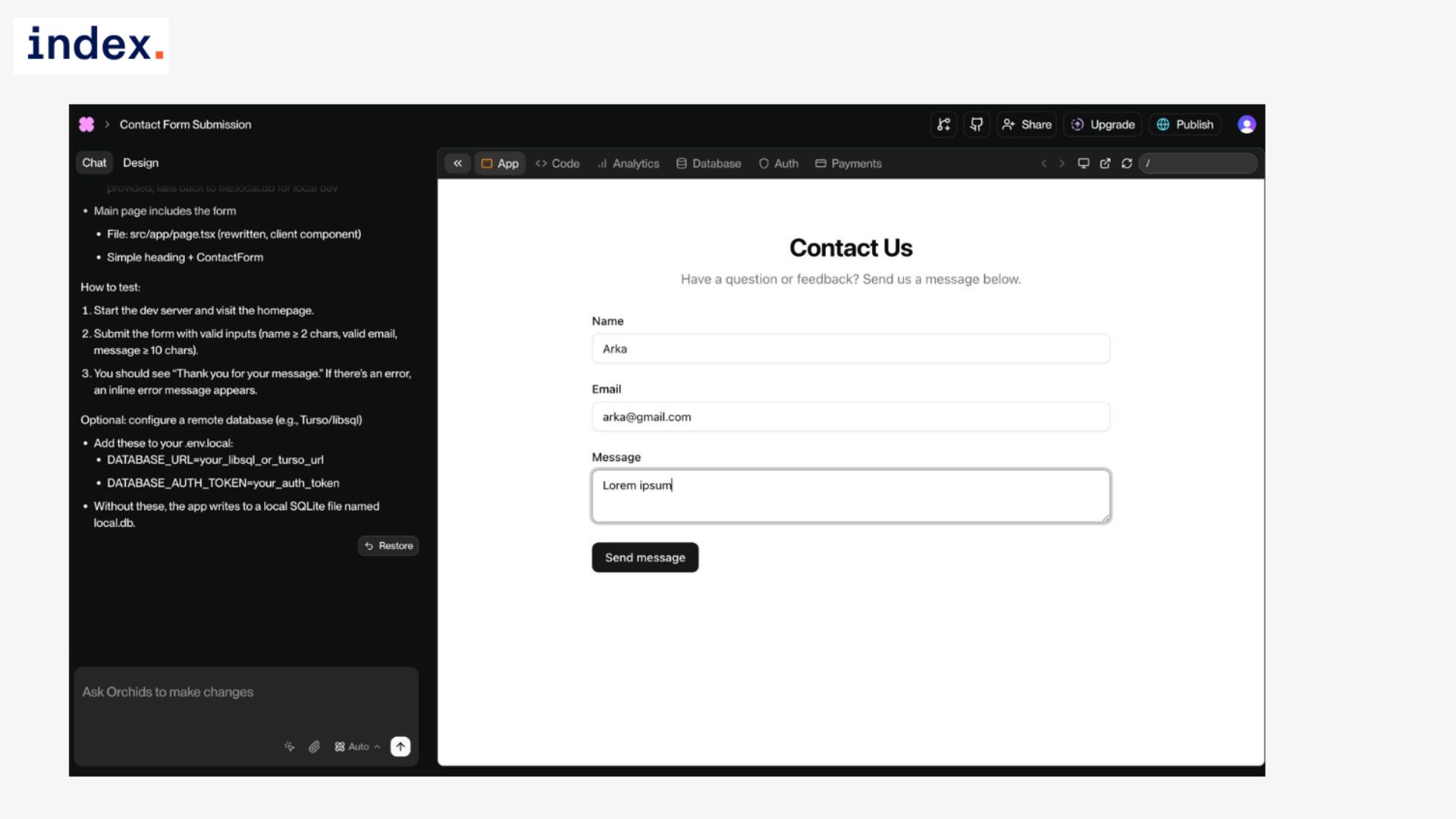
The message replaced the form on submission, which made it very clear to the user that the data had gone through successfully.
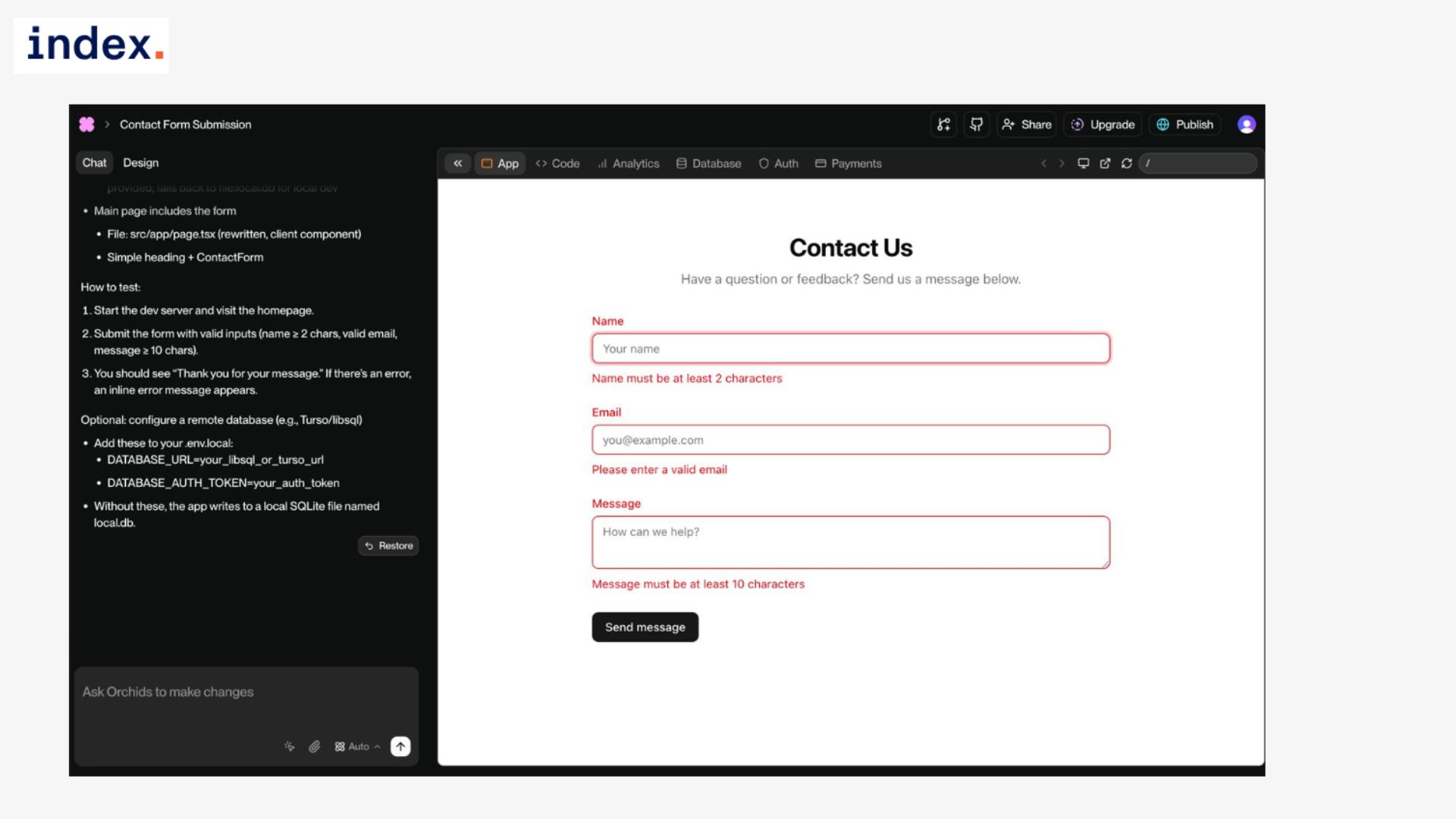
We checked the backend handling by testing multiple submissions. Each one created a proper record in the database without duplication or data loss. The app did not accept empty strings or partial inputs at any point. Overall, the validation pipeline was solid, both on the frontend and on the backend.
Experience with Orchids
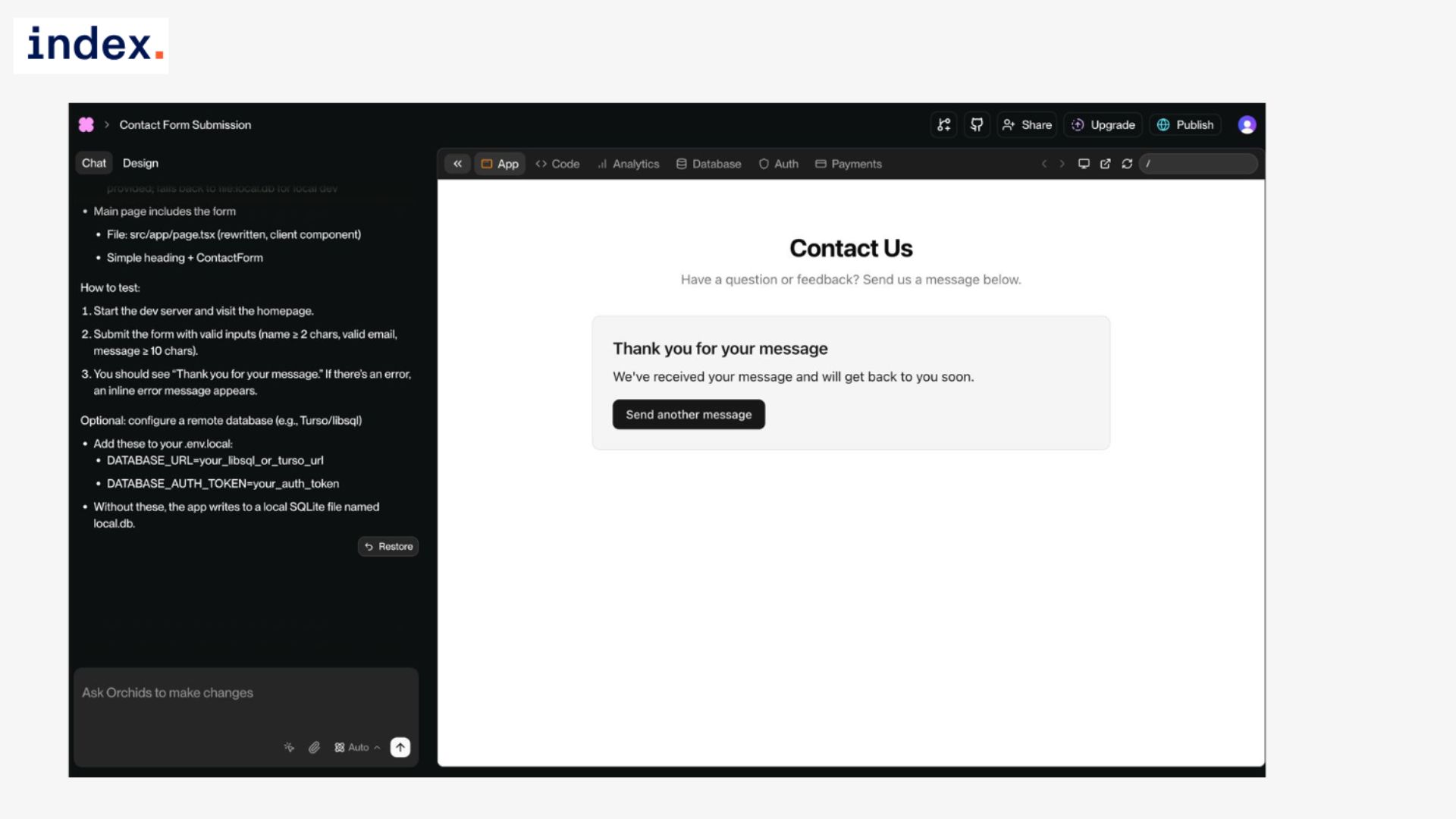
The flow felt complete from start to finish. Frontend validation worked instantly, giving immediate feedback to users before they even tried to submit. On the backend, Orchids set up the database connection, created the schema for storing messages, and linked it all together in one pass. We did not have to touch any code for input checks, endpoint wiring, or confirmation handling.
One thing that stood out was how clean the confirmation state felt. Many AI-generated apps handle success messages poorly, either refreshing the page or showing a temporary alert that disappears too quickly.
Orchids generated a clear, persistent confirmation panel that stayed visible after submission, which made the interaction more professional. The overall experience showed that Orchids can cover a complete form workflow without gaps.
From preventing invalid input to persisting valid submissions and communicating success clearly, the platform demonstrated it can handle one of the most common and important parts of any application. For developers, this removes the need to wire together multiple moving parts manually.
For non-technical users, it simply means a reliable contact form that works end-to-end with minimal effort.
Use Case 7: Clone a Website Section (URL Import)
Task overview
This test was designed to see how well Orchids could replicate an existing design from a live site. The idea was to clone the hero section from the Figma landing page, keeping the same layout, structure, and styling, while also making sure the design was editable and responsive across devices.
For many teams, the ability to quickly clone and adapt existing sections is a powerful shortcut when building marketing sites or prototypes.
How we did it
Prompt used:
Clone the hero section (top section) of the landing page from [insert URL]. Keep the same layout, but make the text and images editable. Ensure the design is responsive on mobile and desktop.
Results
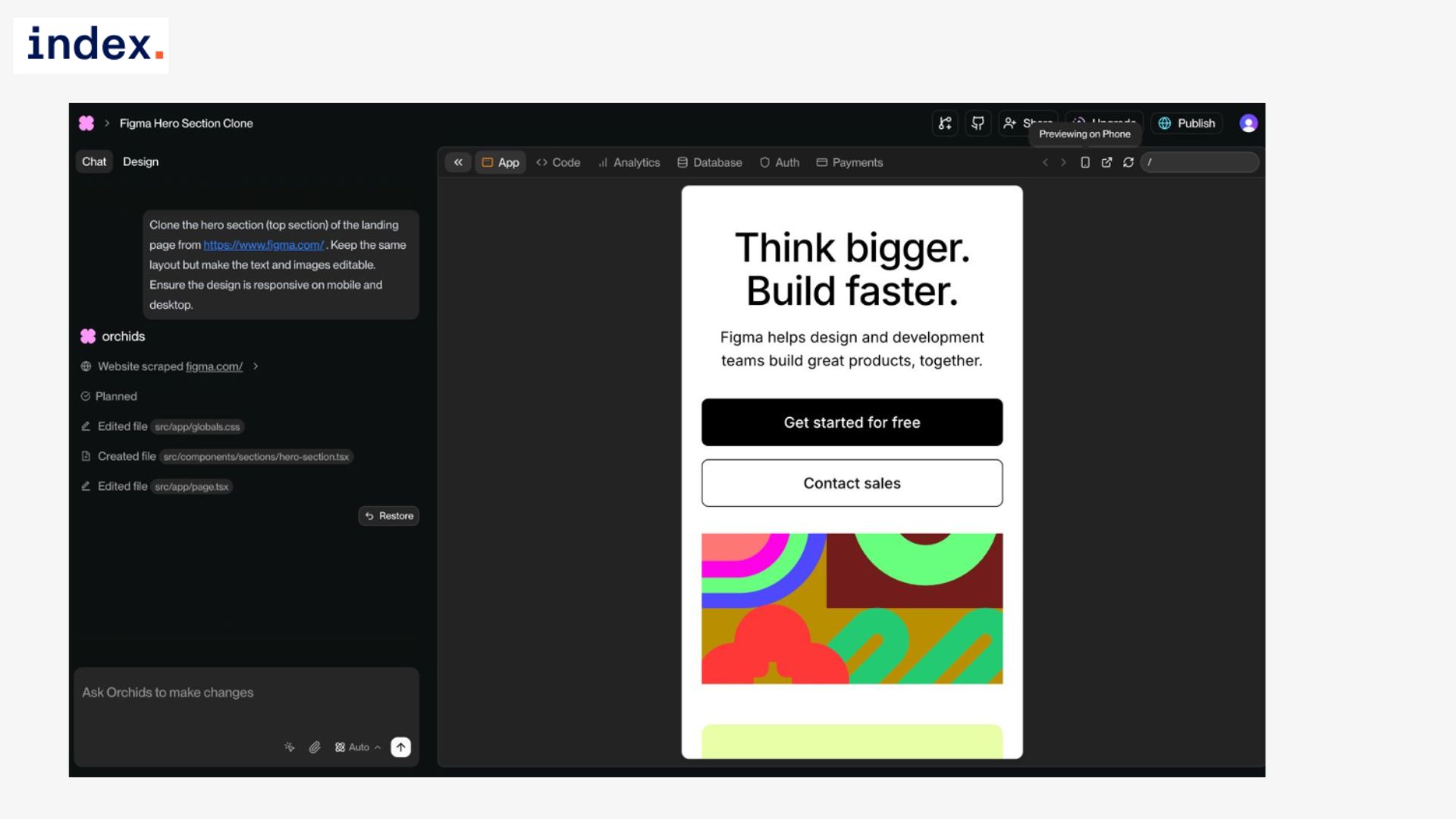
The cloned section was faithful to the original Figma site. The header text, supporting copy, and call-to-action buttons were reproduced in the correct order and alignment, with spacing and typography that matched closely. The background image and design elements were also carried over, giving the section the same polished look as the source.
Responsiveness was another important check, and Orchids handled it well. On desktop, the layout appeared full-width with proper spacing, while on mobile it collapsed into a clean, stacked design that kept the text readable and the visuals intact. There were no broken alignments or overlapping elements in either view.
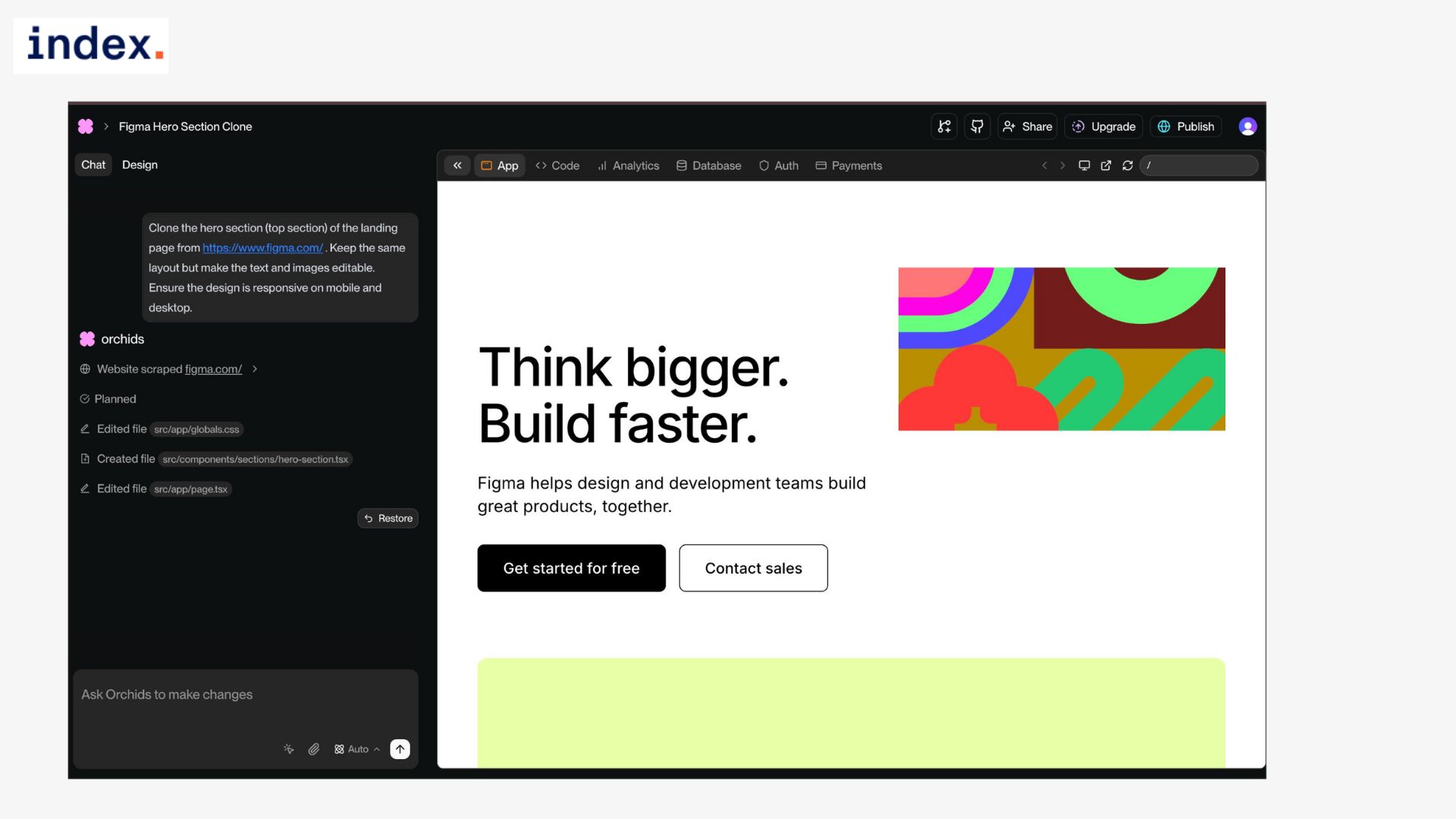
Crucially, the generated version was not a static copy. All text and images were editable directly in Orchids, meaning we could change the headline, swap the supporting copy, or replace the hero image without breaking the layout. This made the cloned section a reusable template rather than a hardcoded mock-up.
Experience with Orchids
Working through this task showed how valuable Orchids’ cloning capability can be. Instead of manually inspecting a live site, copying CSS, and rebuilding the structure piece by piece, the platform reproduced the layout in one go. The result was editable, responsive, and ready to customize.
From a developer’s perspective, this saves hours of tedious work that usually goes into recreating sections from inspiration sites. From a designer’s perspective, it means you can start with something polished and focus on content and branding rather than basic alignment.
We especially liked that the editable fields were already wired into the design system, so swapping in new assets preserved the overall style without requiring manual adjustments. This use case showed Orchids’ strength in bridging design inspiration with production-ready code.
It did not just scrape a section; it transformed it into something usable, flexible, and adaptable across devices. For teams that often need to prototype landing pages or iterate on marketing material quickly, this feature could be a major time saver.
What we liked about Orchids
1. Context that sticks
We could keep building in one conversation without re-explaining the project. Ask for a signup form, then say “add email validation,” then “block duplicate usernames,” and it remembers every constraint. That continuity is what lets us iterate fast instead of babysitting prompts.
2. Full stack in A single pass
Simple requests produced working apps with a frontend, a backend endpoint, and storage wired together. The click counter updated the UI and wrote to a database. The contact form validated inputs, saved records, and returned a proper success state. We did not touch routing, ORM, or API glue code.
3. Design that does not look AI-made
Generated screens had sane spacing, readable typography, and components that matched. The dark and light themes flipped cleanly across cards, buttons, and text. No odd color clashes or broken alignment. Even the cloned Figma hero looked intentional on both desktop and mobile.
4. State and persistence handled correctly
Theme preference persisted across refresh with no flash of the wrong theme on load. The to-do list stored tasks in local storage and restored completed states reliably. The counter’s value survived reloads because the database write was hooked up from the start. These are the details that usually take time to get right.
5. Error handling that respects real users
The joke app did not freeze when the API failed. It surfaced a clean message, kept the button active, and recovered on retry. Forms blocked empty submissions and bad emails before the request ever hit the server, then enforced rules again on the backend. We did not have to patch edge cases after the fact.
6. Speed without throwaway code
Most tools can spin a demo quickly, then you rewrite half of it. Here, the first pass was already close to what we would ship. We spent our time on tweaks, not triage. That changed the feel of the work from “proof of concept” to “polish and publish.”
7. One click publish and clean exits
We could push a live version directly from Orchids, which is perfect for quick reviews. When we wanted control, exporting the source gave us tidy, readable files. Being able to go either way kept momentum high and avoided platform lock-in.
8. Templates and themes that save real time
Starting from a dashboard or landing template removed the usual setup chores. The theme library kept design decisions consistent. Changing a single token, like the primary color, updated every component. That beats hunting through scattered CSS.
10. Cloning that creates editable building blocks
Importing the Figma hero did not give us a brittle snapshot. The text and images were editable, spacing held up, and responsiveness was intact. We could swap copy and assets without breaking the layout. That turned inspiration into a starting point, not a dead end.
11. Small UX details done right
Confirmation panels stayed visible after form submission. Buttons did not jitter when states changed. Lists are updated instantly without orphan artifacts. These touches made the apps feel finished rather than stitched together, and we did not have to ask for them explicitly.
Next up, discover the top 5 AI coding agents.
Final words
After seven hands-on tests, our takeaway is that Orchids is one of the most capable AI coding platforms we have tried, though not without a few limits.
It shines when the task is building functional, polished apps quickly. We saw it handle frontend design, backend logic, state persistence, and even publishing in one flow. It consistently produced UIs that looked professional, managed edge cases gracefully, and kept context across iterations so we could build step by step. For small apps, prototypes, and tools where speed and usability matter most, it felt closer to a real teammate than a code generator.
Where it still needs polish is at the higher end of complexity. While simple CRUD flows, API calls, and responsive designs worked without friction, we can see challenges ahead for very large projects, advanced customization, or enterprise systems with heavy integration needs. Some generated features still feel like a “good first draft” rather than something you would ship untouched.
Overall, if you care about speed, working outputs, and designs that do not scream “AI-made,” Orchids is a dependable option. It will not always replace a full development team for complex builds, but it delivers enough quality and consistency to make it a serious contender in the new wave of AI engineering tools.
Master cutting-edge tools and build your full-stack career remotely.
Join Index.dev to connect with companies seeking developers proficient in modern AI coding platforms and full-stack workflows. Showcase your ability to ship complete applications and land high-paying remote roles.
Want to explore more AI coding tool reviews?
Read our comparisons and insights on the best vibe coding tools and AI development assistants, from Kombai to Devin and beyond. Discover how these tools are redefining what developers can build in hours instead of weeks.


