
Your AI model is only as good as the data you feed it. Bad labels? Your model learns to be confidently wrong. And confidently wrong is worse than obviously broken, because nobody catches it until production melts down.
So finding the right people to label that data—fast, accurately, and without draining your budget—has become a real challenge in 2025.
The data annotation market hit $13.67 billion this year and is on track to reach $22.85 billion by 2033. But here's the paradox—more platforms doesn't mean better options. It means analysis paralysis.
Platform A says it's fastest. Platform B claims best quality. Platform C promises it handles every data type. Platform D is cheaper. Meanwhile, you're drowning in spreadsheets.
This guide does the drowning for you so that teams building serious AI in 2026 can actually deliver.
Grow your development capabilities with Index.dev. Hire pre-vetted Data Annotators in 48 hours!
What is Data Annotation?
Data annotation is the process of labeling raw data (images, video, text, audio) with metadata that AI models use to learn. A model trained on poorly-labeled data learns false patterns. A model trained on precisely-labeled data becomes reliable.
Why Annotation Quality Matters
The Quality Impact: Bad Annotations = Bad Models
Before we dive into the five platforms, understand this: bad annotations wreck models. Period.
Each platform we're about to show you solves different aspects of this problem. Some emphasize speed (but take time to set up). Others emphasize quality (but cost more). A few try to do both.
First, understand what you're solving for. Then we'll match the platform.
What It Costs When Quality Slips
A 1-2% drop in annotation quality doesn't sound dramatic. Until your model fails in production. Then it becomes expensive. Rework costs spike. Timelines slip. Your competitive edge vanishes.
The cost structure is straightforward:
- Bounding boxes: $0.03–$0.08 per object
- Semantic segmentation: $0.84–$3.00 per image
- Video annotation: $0.10–$0.50+ per frame
Medical imaging costs 3-5x more. Why? You need annotators who understand anatomy. Healthcare annotation is growing 28.4% CAGR through 2029 because the stakes are legitimately higher.
Speed vs. Quality
The tension is ancient: speed versus quality. Your team wants labeled data yesterday. Your budget wants it cheap. Your model wants it perfect.
Then 2025 happened.
AI-assisted annotation changes the game
AI-assisted annotation crossed a threshold. Pre-labeling with models. Human verification. Users report annotation speeds up to 10 times faster while maintaining accuracy.
This isn't automating humans away—it's redirecting them toward higher-value work: catching edge cases, detecting bias, ensuring quality where it matters most. You get faster turnaround and lower costs without sacrificing quality.
Now here's the crucial question: which platform delivers on these improvements? Which one balances speed, quality, and cost in a way that works for YOUR situation?
Let's evaluate five options that claim they do, and show you which one wins for your constraints.
1. Index.dev

Why? → Build Custom Annotation Teams + Workflows
Index.dev specializes in something different than pure platforms. You're hiring vetted specialists who understand both annotation work and the infrastructure to scale it.
Think of it as a recruitment-focused platform where annotation expertise meets team-building capability.
When to pick Index.dev
✓ You're shipping AI products where model quality directly impacts business viability
✓ You need consistent annotation across hundreds of thousands of samples
✓ You have domain-specific or complex annotation workflows
✓ Budget is $2k–10k+/month for a quality team
✗ Your tasks are simple/standardized (other platforms are cheaper)
✗ You want managed infrastructure (other platforms have built-in QA)
What makes it different
Index.dev tests for specific annotation skills (speed, accuracy, consistency), domain expertise, and communication ability. "10+ years experience" means nothing—what matters is demonstrated competency across multiple annotation types.
The platform tracks performance continuously. Quality annotators get repeat work. Underperformers get replaced.
It lets you hire for custom workflows. Your annotation process is weird and specific? Good. That's what separates winners from commodity players. Index.dev finds specialists who fit your exact workflow, not people squeezed into generic boxes.
Compliance is enterprise-grade. SOC2. GDPR. HIPAA when needed. Integration is native because you're building your own team. API access. Custom workflows. Whatever your stack uses, Index.dev plays nice with it.
Why this matters more than you think
Annotation isn't commoditized work anymore. The best teams treat it as a specialized craft. Index.dev recognizes this. That's why vetting is rigorous, retention is high, and your quality stays consistent quarter after quarter.
Pricing: Custom based on your setup.
Accelerate your AI models with expert Data Annotation services from Index.dev.
2. Encord

Why? → Regulated Industries & Multimodal Data
Encord handles a problem 90% of platforms ignore: real-world data is messy.
Your autonomous vehicle generates camera feeds, LiDAR point clouds, and radar data simultaneously. Your medical AI processes CT scans, pathology slides, and clinical notes. Encord handles all of it. One platform. One workflow.
When to pick Encord
✓ Your data is multimodal (images, video, sensors, medical scans)
✓ Compliance requirements are strict (healthcare, autonomous vehicles)
✓ You need built-in bias detection and active learning
✓ Budget is $2k–5k/month
✗ Your annotation is simple/standardized (bounding boxes only)
✗ You need custom team workflows (Index.dev is better)
✗ Budget is under $1k/month (try Labelbox instead)
What makes it different
The AI-assisted labeling uses micro-models to pre-label automatically. You upload raw data.
The system generates initial labels. Your team reviews instead of creates. 10x speed improvements are real.
The platform includes active learning. Natural language search across images, videos, and metadata. Your team finds problematic samples automatically. You don't waste cycles on clean data.
Security and compliance aren't afterthoughts. Encord is SOC2, HIPAA, and GDPR compliant. Audit trails are built-in—every label tracked to person, timestamp, and change history.
Integration is clean. Python SDK. REST API. JSON and COCO export. Your data flows into
training pipelines without friction.
Pricing: Custom based on volume. Enterprise deals typically start around $2,000-5,000/month.
3. Labelbox

Why? → Team Collaboration + Large-Scale Projects
Labelbox isn't a team-building platform (like Index.dev) or multimodal-focused (like Encord). It's built for large distributed teams that need consistency.
When 50 people label the same dataset, they develop different standards. Person A draws tight bounding boxes. Person B leaves breathing room. After 100,000 images, you've got a Frankenstein dataset.
When to pick Labelbox
✓ You have a distributed team across time zones (10+ annotators)
✓ Budget is $500–2k/month (cheaper than Index/Encord)
✓ Labeling standard drift concerns you
✓ You can manage QA processes yourself
✗ Your data is multimodal (Encord handles this better)
✗ You want a managed team (Index.dev is better)
✗ You're building a new team (no existing annotators to manage)
What makes it different
Model-assisted labeling (MAL) generates initial suggestions. Your team refines.
The ontology manager locks definitions in place. Once you define "car," every team member sees the same definition, applies the same rules, and automated checks catch violations.
Review workflows separate annotators from reviewers. Senior reviewers verify. Catch mistakes before they explode downstream. Integrations run deep. AWS. Google Cloud. Azure.
Connect your storage. Pull data automatically. Labelbox syncs with ML training frameworks. Your pipeline tightens.
Pricing: Starts around $500/month for small teams. Custom quotes for large-scale operations.
4. Roboflow

Why? → Computer Vision + End-to-End Workflows
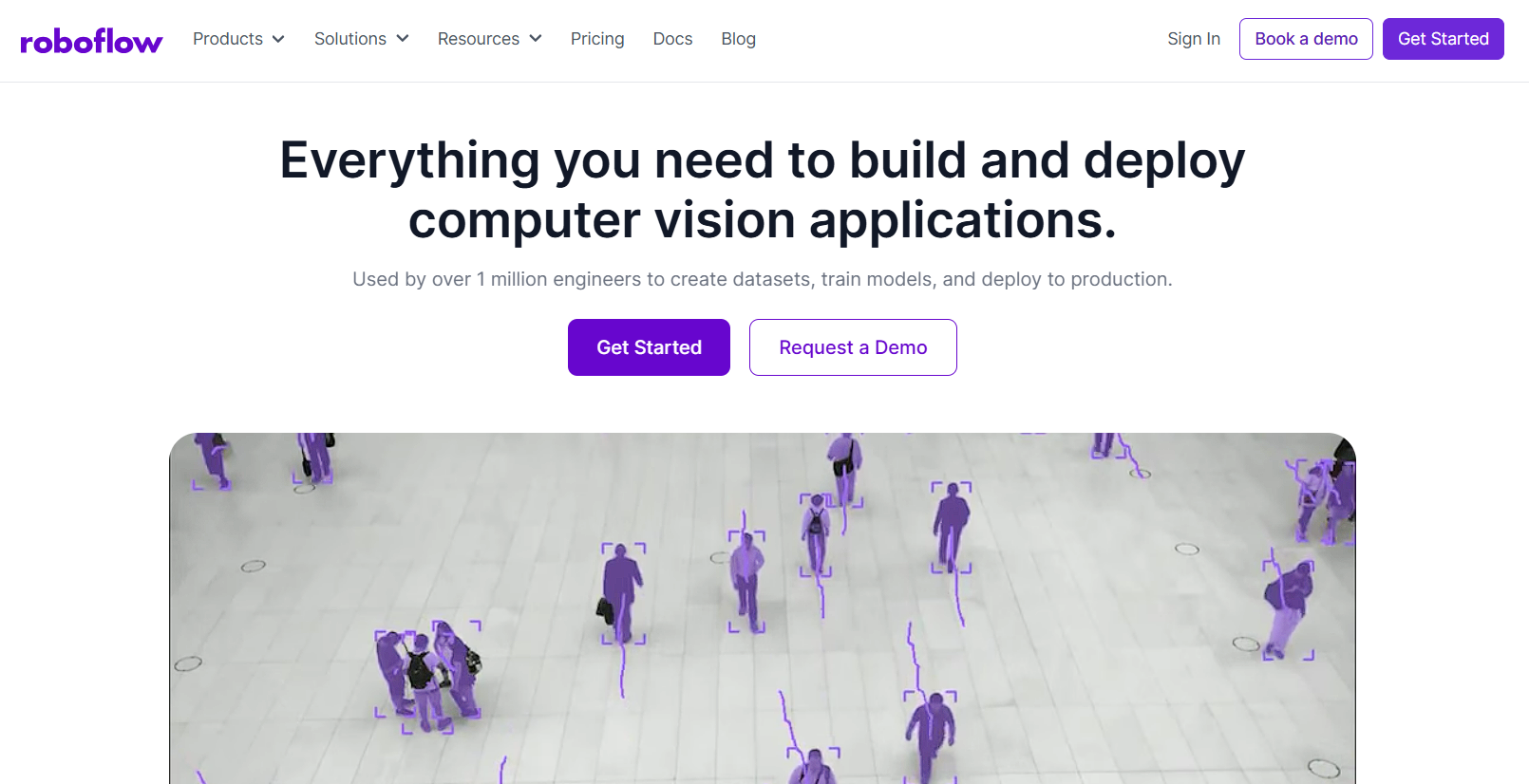
Roboflow takes a different approach: build the annotation tool into a computer vision ecosystem.
You annotate data. The platform preprocesses it automatically. You train models directly. Then deploy. One flow.
Every tool-switch kills momentum. Roboflow keeps momentum.
When to pick Roboflow
✓ You're building computer vision models specifically (not general ML)
✓ You want end-to-end workflow (annotation to deployment)
✓ Budget is tight ($25–1k/month)
✓ You're doing edge deployment (devices, servers, cloud)
✗ You're not doing computer vision (use other platforms)
✗ Your data is multimodal non-image data (Encord is better)
✗ You need team collaboration features (Labelbox is better)
What makes it different
AI-assisted annotation integrates with pre-trained models. Smart polygon tool means annotators sketch roughly and the tool refines the boundary.
Auto-label uses existing models to pre-label new datasets automatically. Version control for datasets works like Git for code.
The preprocessing suite is comprehensive. Your raw dataset has problems—inconsistent image sizes, poor orientation, class imbalance. Roboflow fixes these automatically before training touches the data. Models train on clean data from day one.
Model training happens in Roboflow. Deployment is two clicks—to edge devices, cloud platforms, or your own servers. Active learning identifies which samples to annotate next. Reach high accuracy with fewer total annotations.
Pricing: Free tier for small projects. Paid plans start around $25/month for small teams.
5. DataAnnotation.Tech

Why? → Flexible, High-Paying Freelance Work
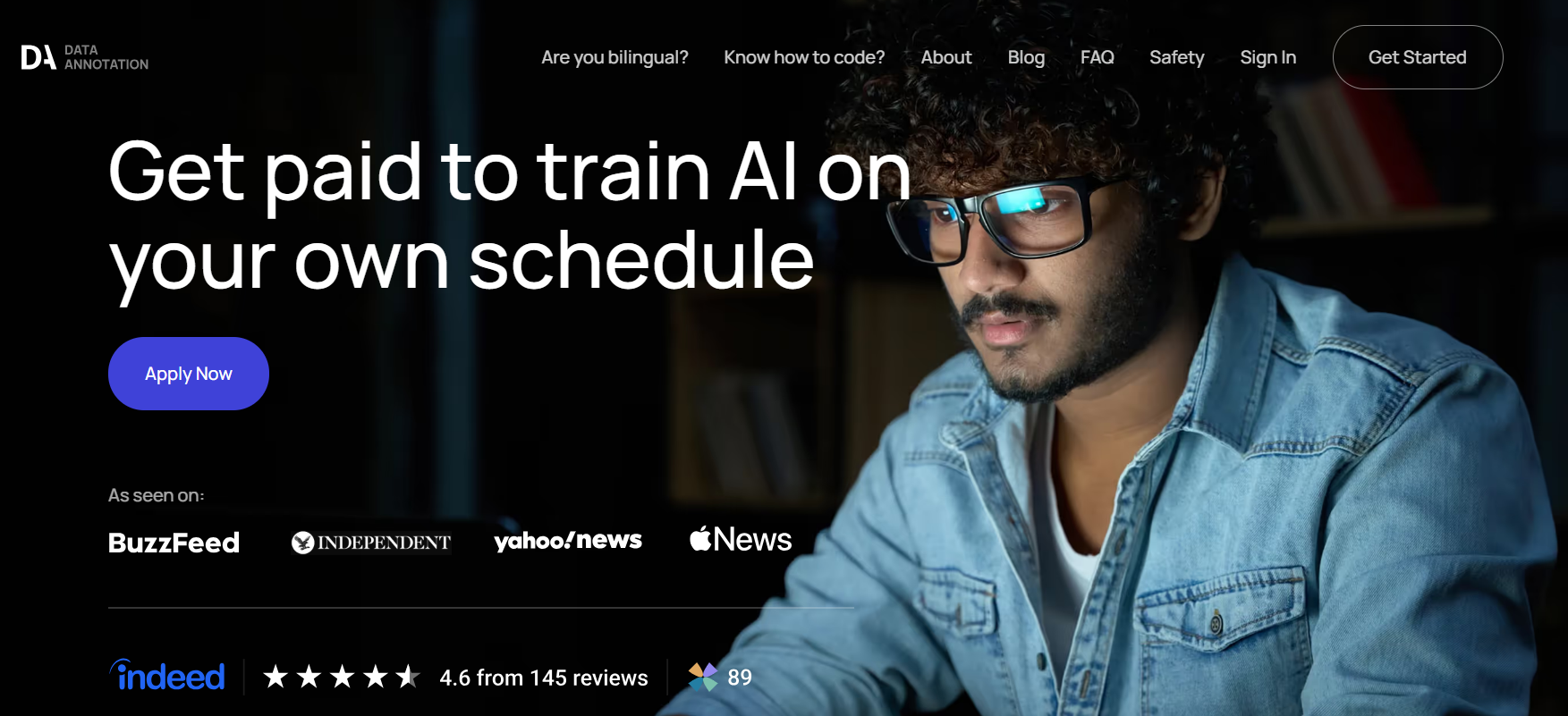
DataAnnotation.Tech inverts the typical marketplace. Instead of workers bidding for jobs, the platform matches expertise to projects automatically.
When to pick DataAnnotation.Tech
✓ Your budget is under $500/month
✓ You can accept variable quality (freelancers vs. vetted teams)
✓ Specialized skills required (coding, domain expertise, medical knowledge)
✓ Your tasks are simple and standardized (bounding boxes, basic labeling)
✓ You need to start immediately (no onboarding)
✗ Quality consistency is critical (use managed services instead)
✗ You're in a regulated industry (use Encord or Index.dev)
✗ You need ongoing support and QA (use platforms with team management)
What makes it different
DataAnnotation is a worker marketplace, not an employer hiring platform.
From an employer's perspective: You post your project, and DataAnnotation connects you to pre-vetted annotators. From a worker's perspective: You pass an assessment and get immediately matched to high-paying work.
The company connects 100,000+ remote workers globally to AI companies needing human expertise. Projects range from evaluating AI responses (checking if answers make sense) to code review to specialized domain work in medicine, law, finance.
Skill-matched project selection prevents mismatches. You see projects targeting your expertise level. Beginners get appropriate work. Specialists get complex tasks. Mismatches are rare.
Pricing: Premium rates without negotiation. Tasks start at $20-50+ per hour depending on complexity. No bidding wars. No race-to-the-bottom pricing.
Automation Is Coming (And It's Already Here)
One caveat worth stating plainly: the role of human annotators is shifting fast.
Automatic annotation reduces costs by up to 90% compared to fully manual work.
LLMs now annotate text data at zero-shot capability on many tasks. Vision models handle image pre-labeling reliably. The bottleneck isn't moving from manual to automatic. The bottleneck is verification.
For 2026, expect this pattern everywhere: machines generate initial labels. Humans verify and refine. This hybrid approach, sometimes called human-in-the-loop (HITL), combines AI speed with human judgment. Not one or the other. Both.
All the platforms above recognize this. They're not replacing annotators. They're redirecting annotation effort toward higher-value work: reviewing edge cases, catching bias, ensuring quality in critical samples.
If you choose a platform still focused on pure manual annotation, you're already behind.
Up next: Learn which tools can help you save on AI projects.
Platform Comparison at a Glance
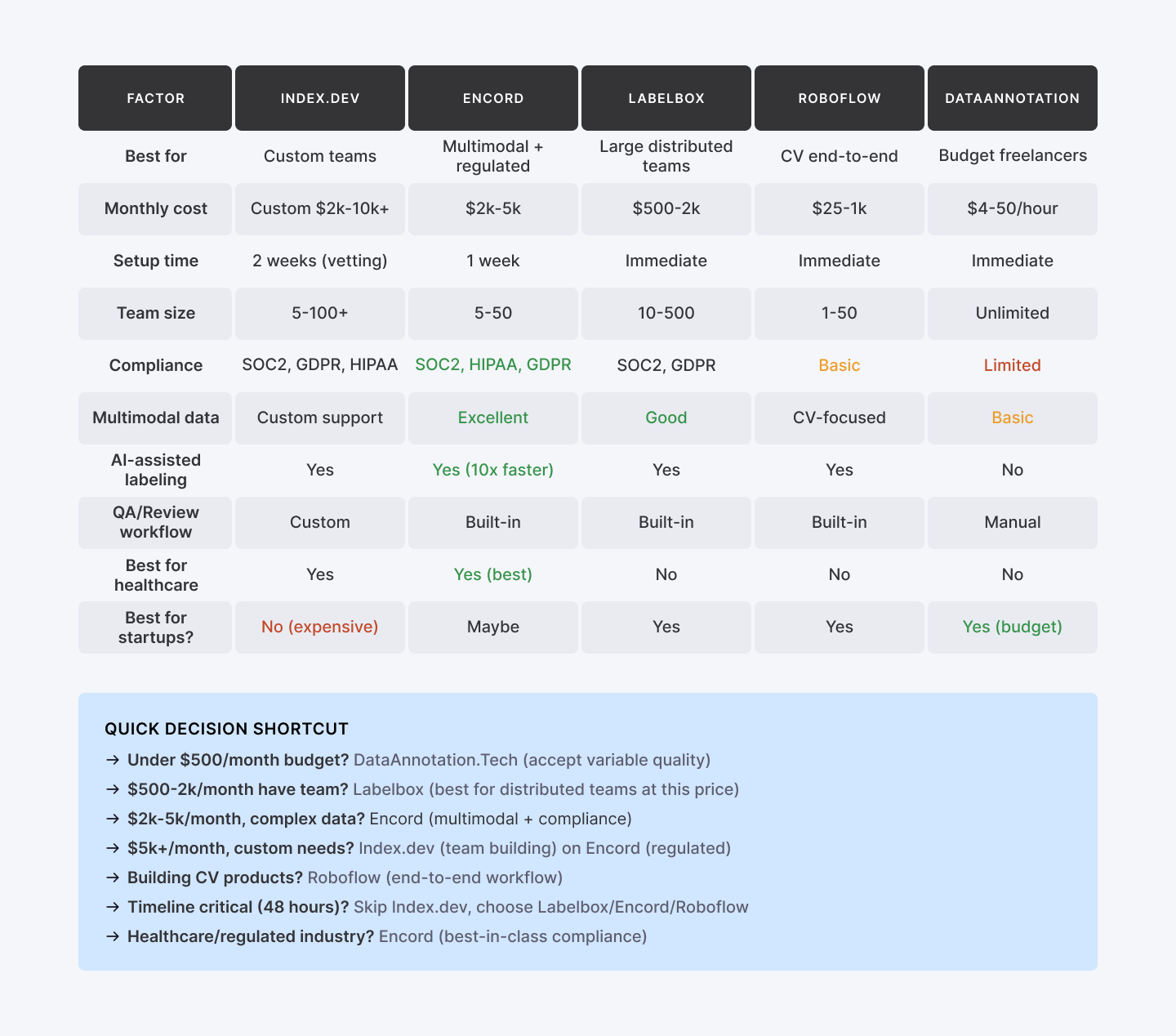
Now you have five options. Each solves a different problem. The comparison table above shows you the trade-offs. But how do you actually decide?
How to Pick Your Platform
Multiple data types (images, video, audio, medical)?
Encord. Consolidation saves overhead. One interface. Unified QA.
Is the team small and distributed?
Labelbox. Remote collaboration. Reviewer oversight. Automated consistency checks.
Building computer vision products?
Roboflow. End-to-end CV ecosystem beats bolting tools together.
Don't want to manage annotators?
Index.dev or SuperAnnotate. Management overhead transfers to their team.
Is the budget tight?
Pick DataAnnotation.Tech for freelancers. Accept lower consistency for lower spend.
Regulated industry (healthcare, autonomous vehicles)?
Encord. Compliance checkboxes matter. Audit trails, encryption, HIPAA adherence aren't luxuries.
Building a custom team?
Index.dev. You're not renting platform seats. You're hiring vetted specialists who understand your domain.
One Dangerous Assumption: "We'll Build It Ourselves"
The temptation is magnetic: "We'll build our own annotation platform. We'll manage our own team. We'll save money."
Some teams pull this off successfully. Most don't.
Building tools is harder than it looks. Managing distributed annotators is harder than it looks. Maintaining quality standards across 50+ freelancers is harder than it looks.
QA cycles extend. Timelines slip. Your "cost savings" evaporate when you're debugging annotation workflows instead of training models.
Pick a platform that fits. Use it. Let the platform handle tool maintenance and team management.
This isn't a weakness. It's clarity about where you add value. Annotation infrastructure is a distraction. Model development is your competitive moat.
Bottom Line
Remember the opening? Bad labels mean your model learns to be confidently wrong. And confidently wrong is worse than obviously broken, because nobody catches it until production melts down.
Here's the reality after testing these five platforms:
- The wrong platform spreads damage.
- Cheap freelancer marketplaces often yield inconsistent labels, meaning you spend months debugging production instead of shipping features.
- Cheap freelancer marketplaces often yield inconsistent labels, meaning you spend months debugging production instead of shipping features.
- The right platform is a moat.
- When you pick a tool that matches your specific constraints (not just the generic "best"), annotation becomes a competitive advantage.
- When you pick a tool that matches your specific constraints (not just the generic "best"), annotation becomes a competitive advantage.
- Speed beats perfection.
- You’ll learn more in two weeks of actual labeling than six weeks of research. Use the matrix above, pick the platform that fits your budget, and start.
- You’ll learn more in two weeks of actual labeling than six weeks of research. Use the matrix above, pick the platform that fits your budget, and start.
➡︎ High-quality data annotation powers effective AI. Looking to accelerate AI with top-notch labeled data? Hire pre-vetted Data Annotators from Index.dev in 48 hours!
➡︎ Looking for high-paying annotation work? Join Index.dev's network of vetted data specialists. Work on cutting-edge AI projects remotely. Competitive rates. Consistent projects. Apply as an annotation specialist →
➡︎ Want to explore more about AI in hiring and recruiting automation? Read our deep dives on how to integrate AI tools in hiring workflows, discover the top 17 AI recruiting tools for hiring software developers, learn to spot biases in AI hiring tools, and explore the 7 best AI tools for large-scale hiring. Browse our full collection of AI recruitment insights on Index.dev to stay ahead of the curve in 2025 hiring trends.


