
Looking for the best vibe coding tools to build apps without traditional coding?
Whether you're searching for Bolt vibe coding alternatives, Cursor-like AI assistants, or browser-based vibe coding apps, we've tested and compared the top 14 options for 2026. These vibe coding services let you describe what you want in plain English—and AI handles the rest. From Bolt.new's instant browser deployment to Cursor's VS Code-style intelligence, this guide covers pricing, features, and which tool fits your workflow.
Let's dive into the best vibe coding tools available today.
Ready to build with AI? Join Index.dev and work remotely with top global companies using the latest in vibe coding tools.
What is Vibe Coding?
Vibe coding is a new approach to software development where you describe what you want to build in natural language, and AI generates the code. Coined by AI researcher Andrej Karpathy, vibe coding flips traditional development: instead of writing every line yourself, you communicate the "vibe" of what you need.
Learn How to Get Started with Vibe Coding with AI.
Why Vibe Coding Tools Are Taking Off:
Traditional Coding |
Vibe Coding |
|---|---|
Write every line manually |
Describe intent in plain English |
Hours of environment setup |
Browser-based, instant start |
Steep learning curve |
Accessible to non-coders |
Debug line by line |
AI suggests fixes conversationally |
Weeks to prototype |
Minutes to working MVP |
Popular vibe coding apps like Bolt.new, Cursor, and Lovable let both developers and non-coders build functional applications through prompts and conversation. The best vibe coding tools combine code generation, real-time preview, and one-click deployment.
Understand the difference between Vibe Coding vs Traditional Coding And How Do They Compare? Or read more about Vibe Coding vs Low Code: Which One Should You Use (And When)?
Popular Vibe Coding Tools of 2026
Here are the popular vibe coding apps at a glance:
- Bolt.new, best for rapid prototyping
- Lovable, best for non-technical builders
- Emergent, best for building production-ready apps
- Cursor, best for AI-enhanced coding
- v0 by Vercel, best for UI prototyping
- GitHub Copilot, best for code autocompletion
- Replit, best for collaborative coding
- Tempo, best for React UI design
- Create, best for visual-first builders
- Cody, best for enterprise workflows
- HeyBoss, best for no-code games/apps
- Codeium, best for budget-friendly AI coding
- Creatr, best for task management apps
- Qodo, best for code quality control
- Glide, best for data-to-app conversion
Let’s dive deep into each!
Best Vibe Coding Tools at a Glance
Tool |
Best For |
Type |
Free Plan |
Starting Price |
|---|---|---|---|---|
Bolt.new |
Fast browser-based app building & rapid prototyping |
Browser IDE |
✅ Limited ($0 - 150K tokens/day) |
$20/mo |
Lovable |
Non-coders building full-stack apps |
Browser IDE |
✅ Free ($0 - 5 daily credits) |
$25/mo (Pro) |
Emergent |
Non-coders & teams building production-ready full-stack apps from prompts |
Browser IDE |
✅ Free (limited usage/credits |
$20/mo (usage-based) |
Cursor |
VS Code users wanting AI superpowers & AI-enhanced coding |
Desktop IDE |
✅ Limited |
$20/mo (Pro) |
v0 by Vercel |
UI/frontend generation & UI prototyping |
Browser tool |
✅ Free tier ($5 credits/month) |
$20/mo (Premium) |
GitHub Copilot |
Code completion in existing IDEs |
IDE Extension |
✅ Free (2,000 completions/mo) |
$10/mo (Pro) |
Replit |
Learning + collaboration + hosting & collaborative coding |
Browser IDE |
✅ Free tier (Starter) |
$20-25/mo (Core) |
Windsurf |
AI-first code editor |
Desktop IDE |
✅ Free tier (25 credits/mo) |
$15/mo (Pro) |
Claude Artifacts |
Quick prototypes + code snippets |
Chat interface |
✅ Free tier |
$20/mo (Claude Pro) |
Glide |
No-code business apps & data-to-app conversion |
App builder |
✅ Free tier (25K rows) |
$249/mo (Business) |
Create.xyz |
Visual-first builders & AI app generation |
Browser tool |
✅ Limited |
$19/mo |
Cody |
Enterprise workflows & code search |
IDE Extension |
✅ Free tier |
Enterprise pricing |
HeyBoss |
No-code games/apps creation |
App builder |
✅ Limited |
TBD |
Codeium |
Budget-friendly AI coding & code autocompletion |
IDE Extension |
✅ Free (unlimited usage) |
$15/mo (Teams) |
Tempo |
React UI design |
Browser tool |
✅ Free tier |
TBD |
Creatr |
Task management apps |
App builder |
✅ Limited |
TBD |
Qodo |
Code quality control & testing |
IDE Integration |
✅ Free tier |
TBD |
Quick recommendation: For Bolt vibe coding specifically, Bolt.new excels at rapid prototyping with Netlify deployment. For a Cursor-like experience (cursor benzeri), try Windsurf or Cursor itself. For complete beginners, Lovable or Replit offer the smoothest onboarding.
Explore More: The Rise of Vibe Coding | How AI is Changing Development
1.Bolt.new
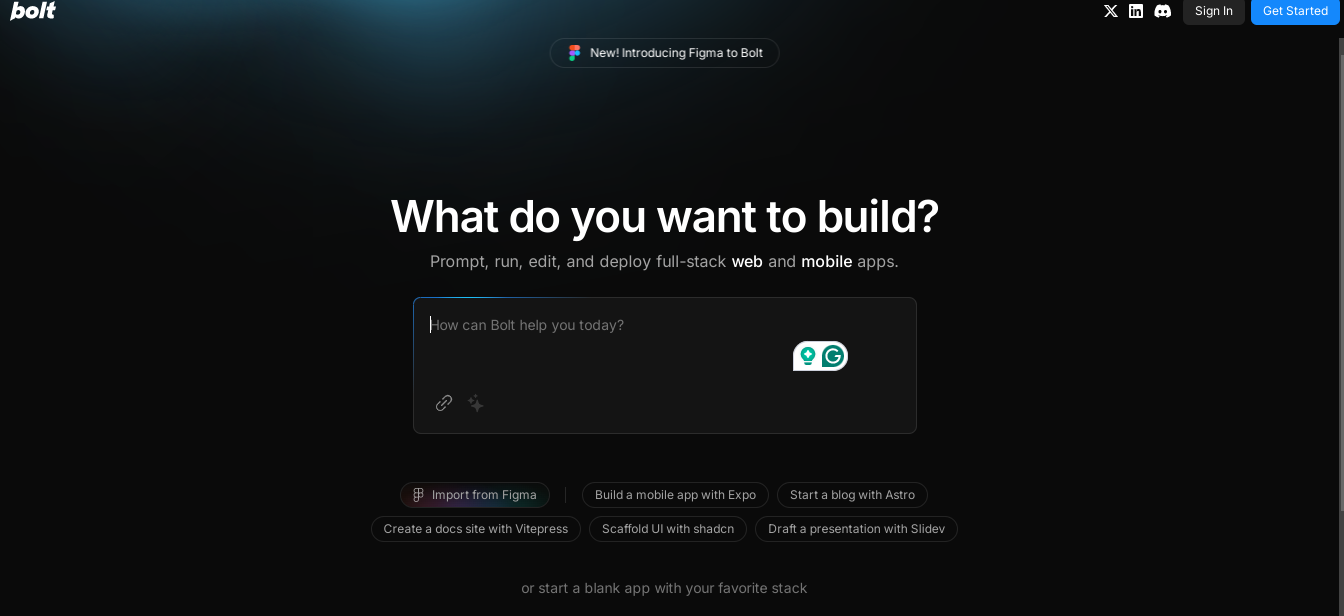
Bolt vibe coding has become synonymous with rapid AI-powered development, and Bolt.new is why. This browser-based tool lets you build, edit, and deploy full-stack applications without installing anything—just describe what you want.
Why Bolt.new Dominates Vibe Coding:
Bolt.new combines AI code generation with real-time preview and instant Netlify deployment. You can go from idea to live URL in minutes. It supports popular frameworks like Next.js, Astro, Vue, Svelte, and Remix, making it versatile for different project types.
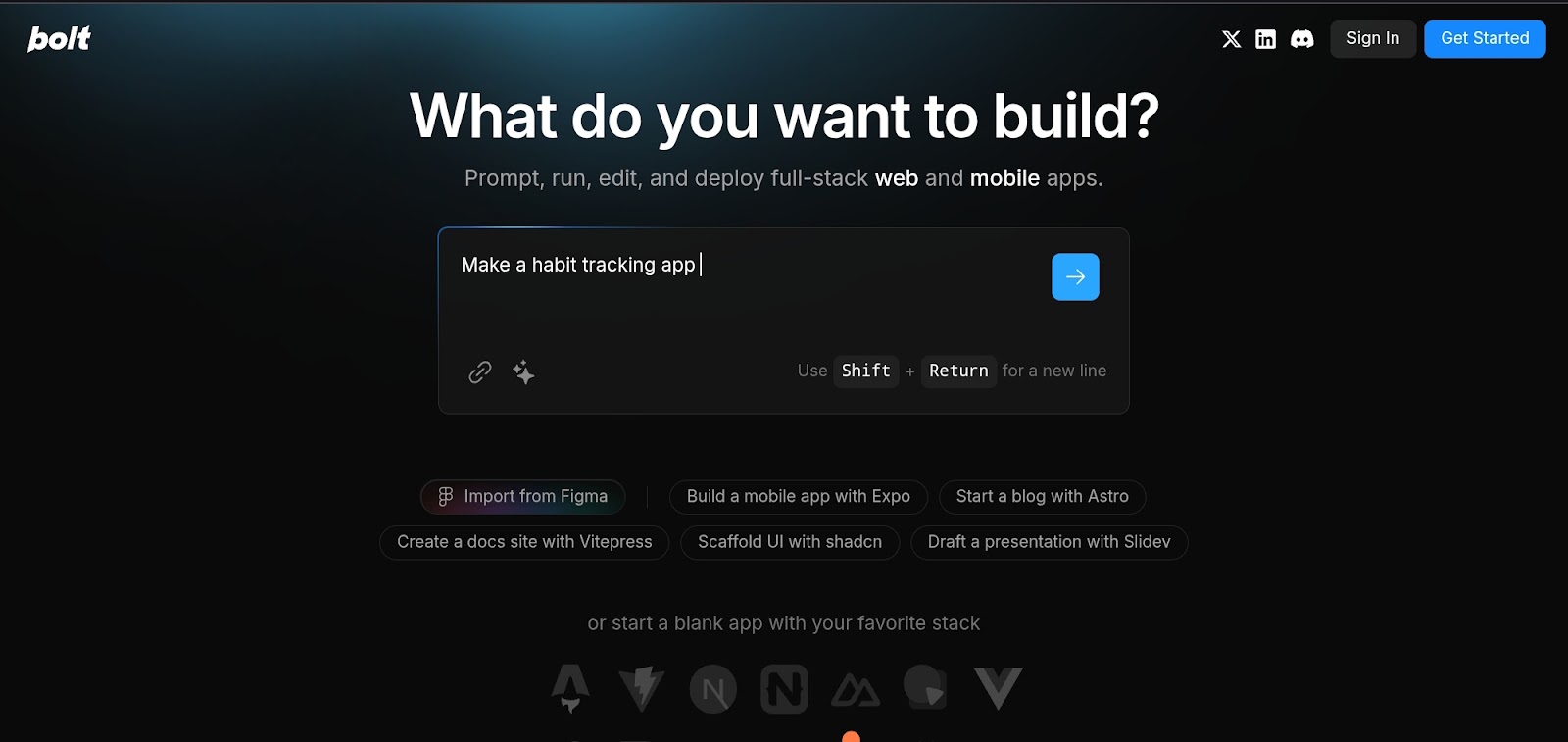
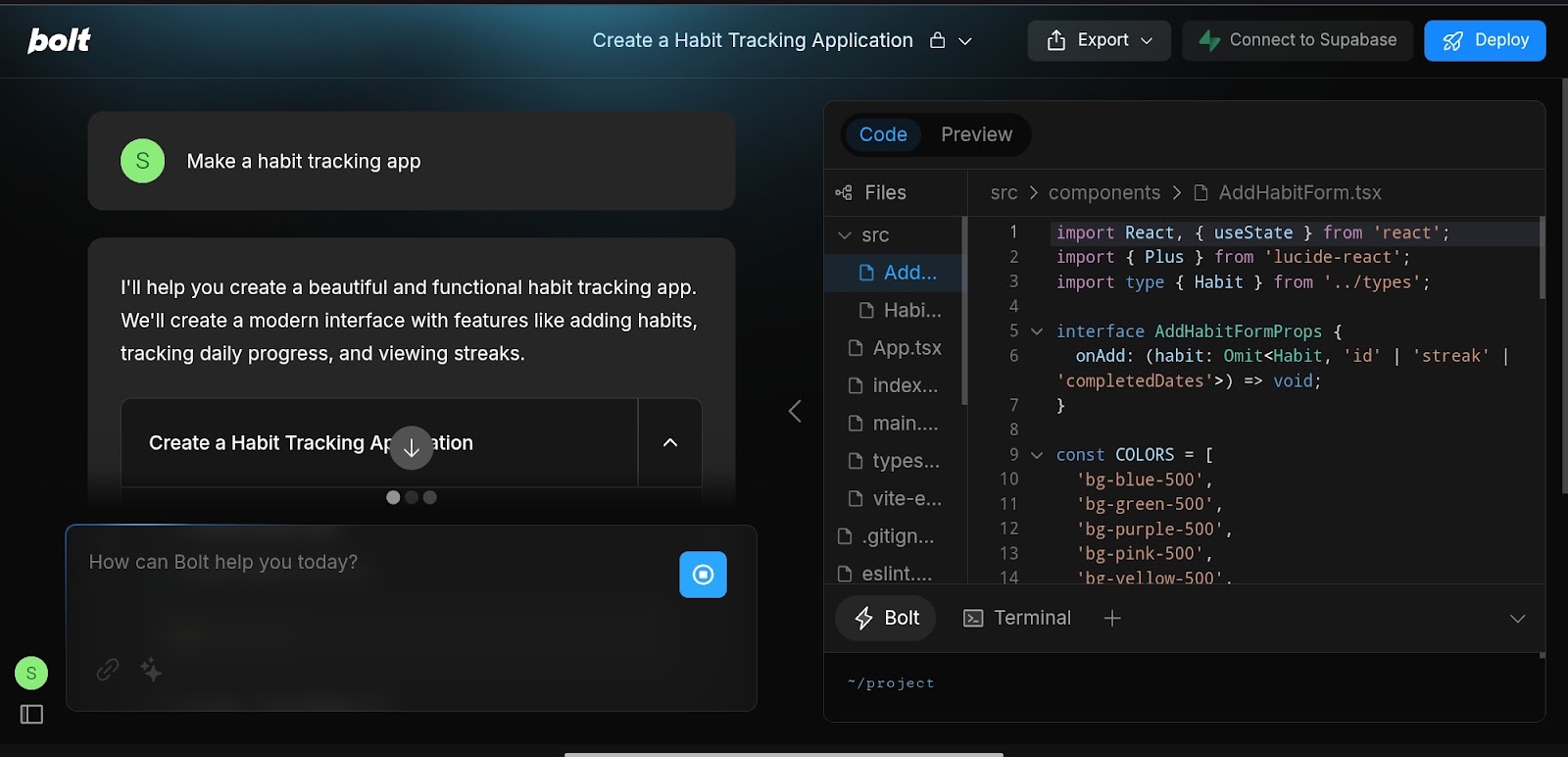
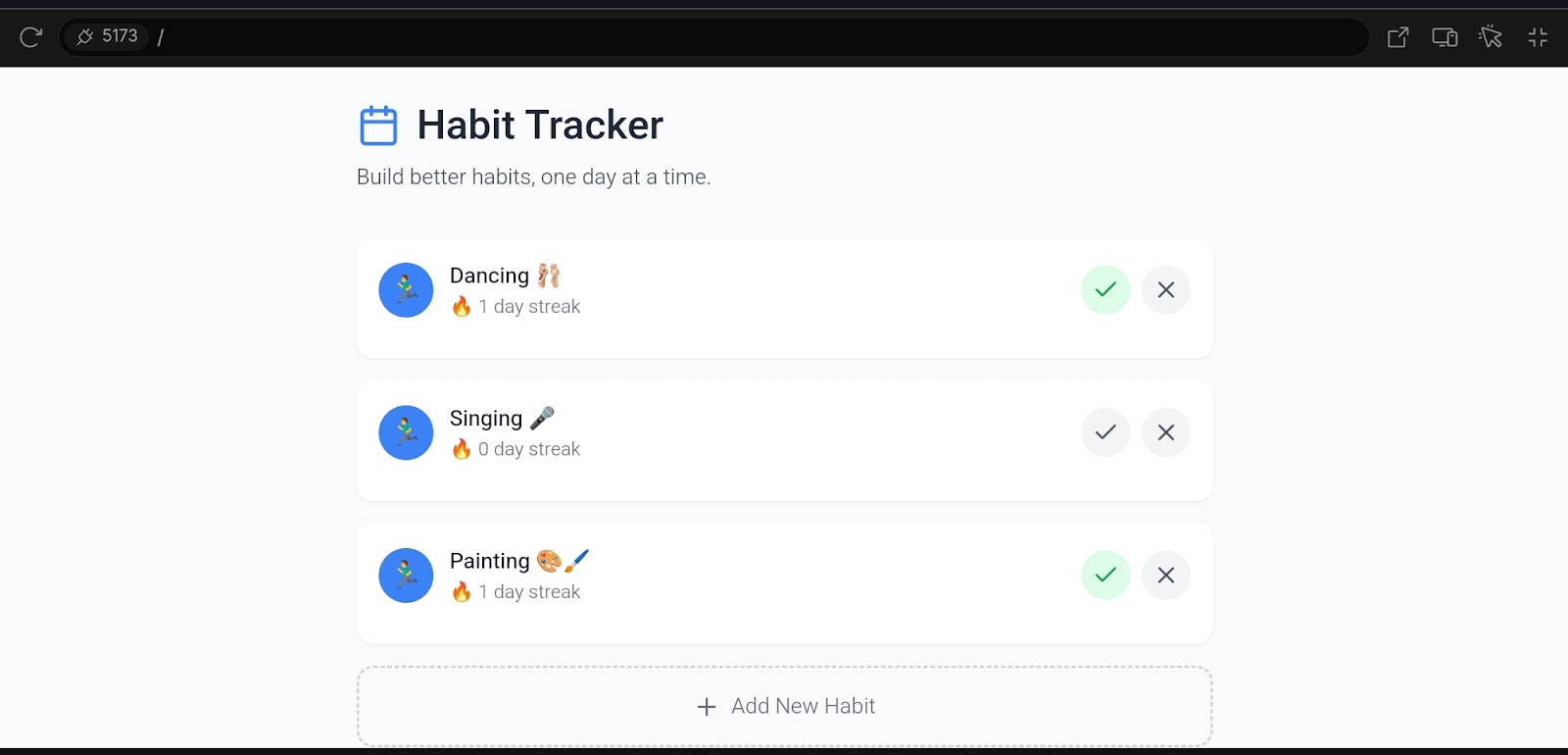
For example, I wanted to build a habit tracking app, and here's how Bolt.new helped me.
The tool does its coding brilliantly. It ensures you don't need to know coding for app development.
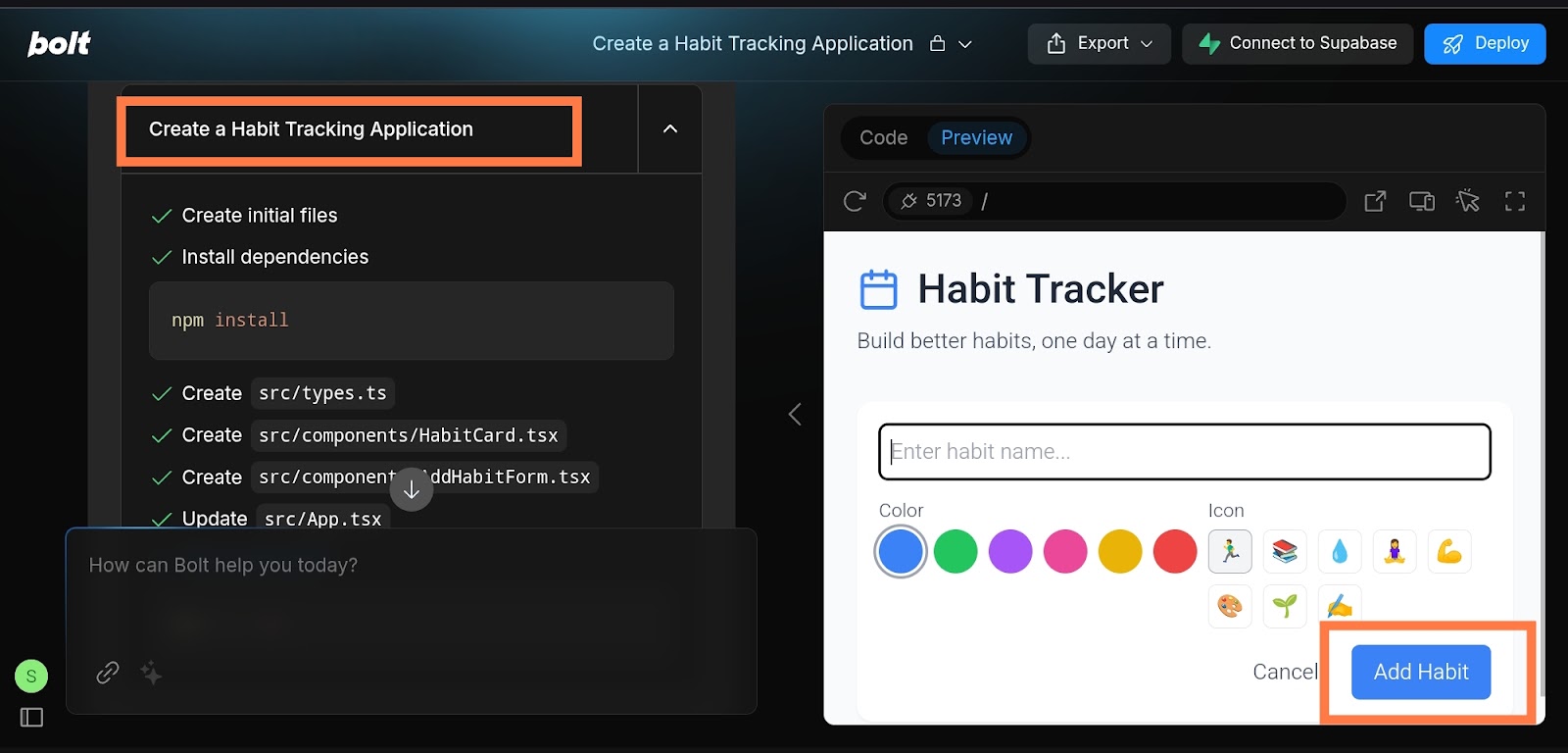
Here's how the app looks:
Key Features:
- AI code generation from text prompts
- Browser-based development (no local setup)
- Supports multiple frameworks (Next.js, Vue, Svelte, Astro, Remix)
- Real-time collaboration
- One-click Netlify deployment
- Mobile and web app support
Bolt.new Pricing:
- Free: Limited usage
- Pro: $20/month
- Pro 50: $50/month
- Pro 100: $100/month
- Pro 200: $200/month
Best for: Developers and non-coders who want the fastest path from prompt to deployed app. If you're searching for "bolt vibe coding" or "vibe coding bolt," this is the tool everyone's talking about.
2.Lovable
Lovable is an AI-powered platform that helps users build full-stack web applications without writing any code. Instead of learning programming languages, users can simply describe their ideas in plain English, and the tool generates the app. This makes app development faster and more accessible to everyone. Lovable also includes features for designing, coding, and launching applications, all from a single browser tab.
How Lovable helps developers and non-coders:
Lovable makes app development easy for everyone. Beginners can create apps without learning to code, while experienced developers can speed up their work. It removes technical barriers so more people can bring their ideas to life.
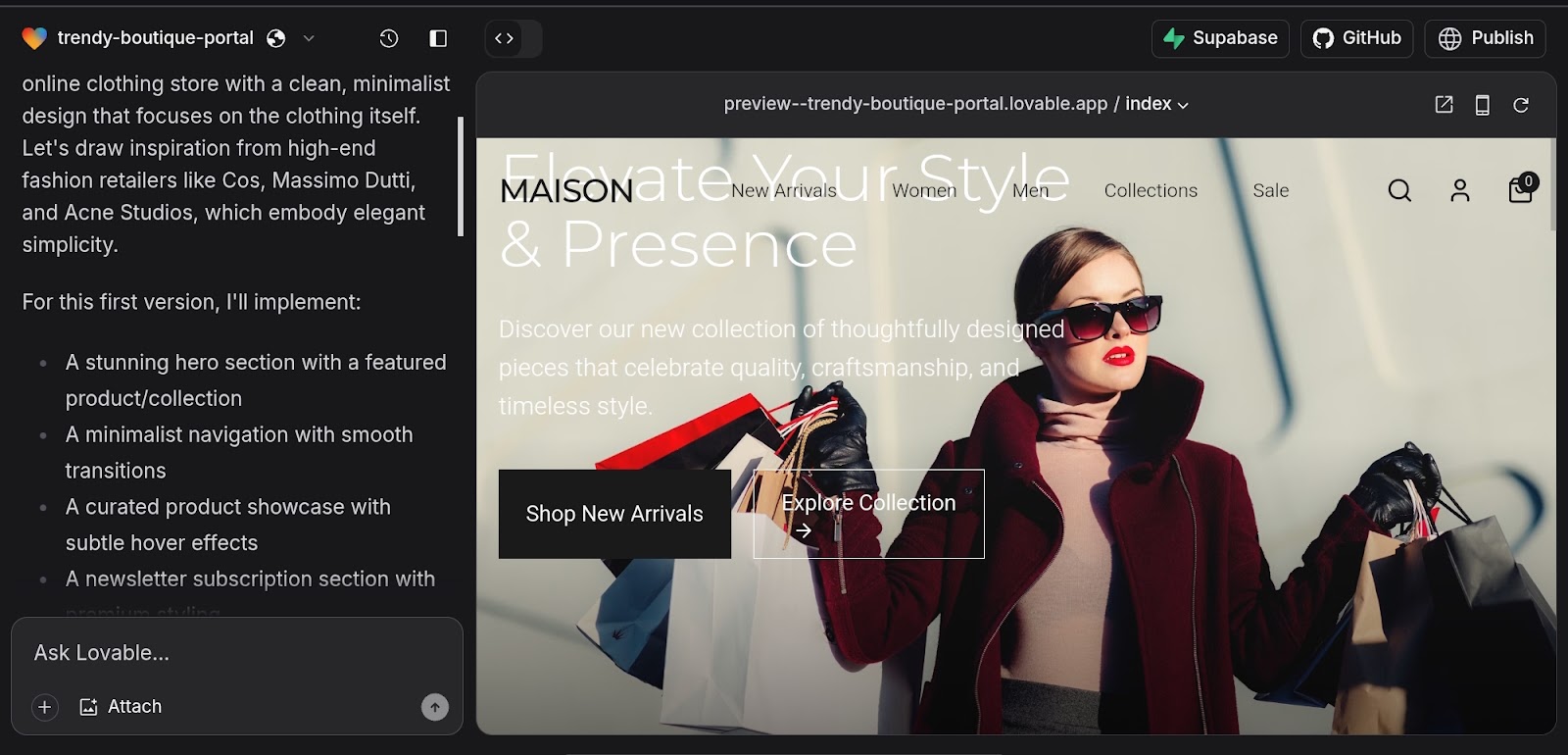
I wanted to build a landing page for my new online clothing store. I provided a simple prompt to Lovable to design one for me, and here's how the tool codes.
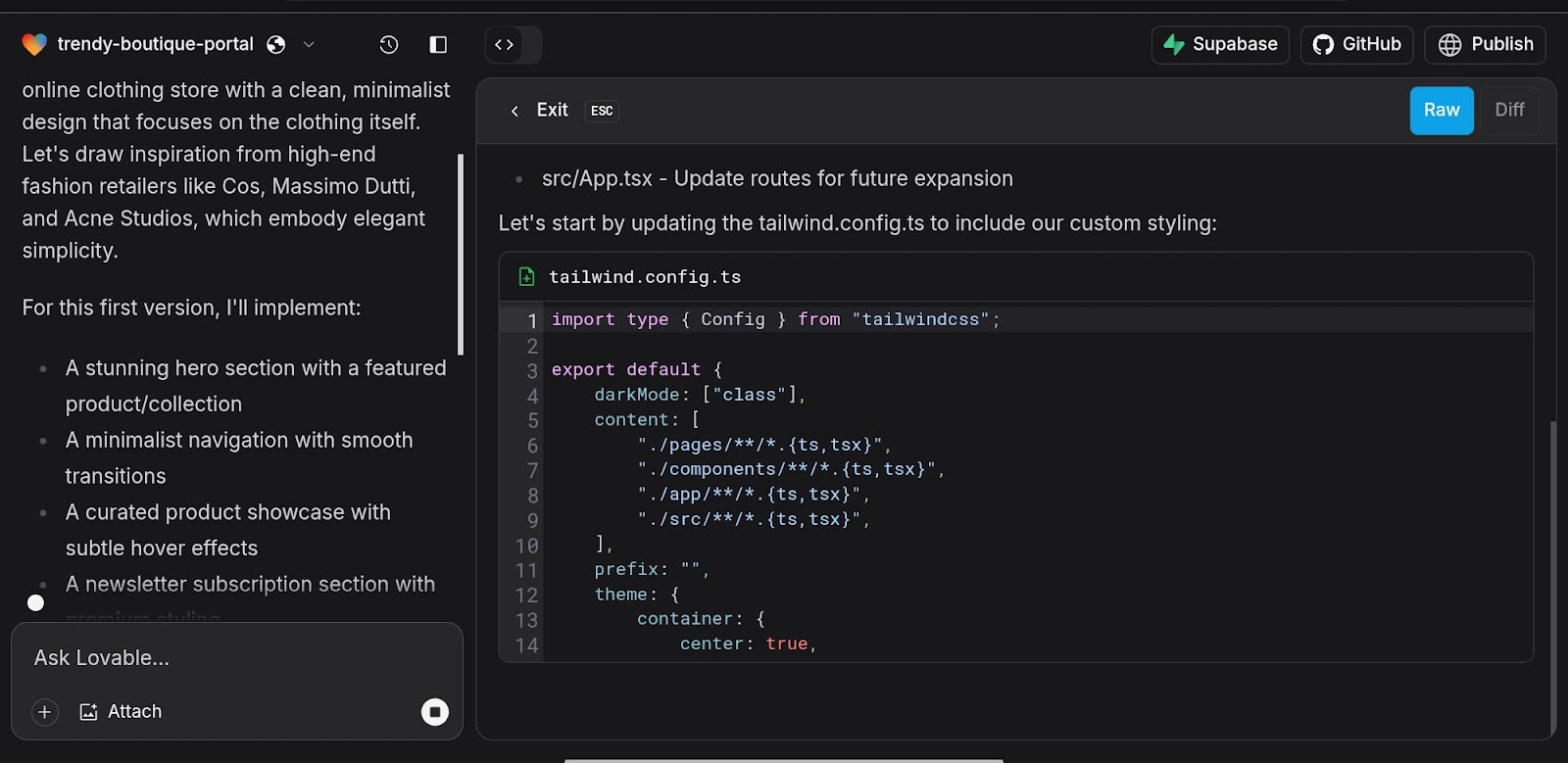
Finally, you can check out my landing page on Lovable here.
Standout features:
- Natural Language Processing: You can describe your app idea in plain English, and Lovable generates its corresponding application.
- Visual Editing: You can modify and refine your application's UI by providing text-based instructions to the tool, eliminating the need for manual coding adjustments.
- Automated Debugging & Code Suggestions: Its AI feature detects errors in codes and provides fixes.
- Real-Time Collaboration: Your teams can work together on projects simultaneously.
- Backend and Database Support: It connects easily with services like Supabase for storing data.
- One-Click Deployment: Apps can be published and shared with a single click.
- Code Ownership: Users retain full ownership of the generated code, with options to sync to GitHub for further customization.
Why we recommend it:
We recommend Lovable for rapidly converting text-based ideas into fully functional applications without requiring coding skills. Its visual editing, AI-powered development, and complete code ownership make it a powerful tool for developers and non-tech users.
Plus, it seamlessly integrates with databases and APIs, streamlining backend functionality. It is your superhuman full-stack engineer, converting ideas into apps in seconds.
Pricing:
Lovable offers a free plan with limited features, but you can buy the Starter plan at $20/month, the Launch plan at $50/month, and the Scale plan at $100/month.
3. Emergent
Emergent is a next-generation vibe coding platform that enables users to build complete software products by simply describing what they want. Instead of focusing only on UI generation or code suggestions, Emergent uses coordinated AI agents to handle different parts of development - such as building features, validating functionality, and preparing the app for deployment. Everything happens inside a browser, making the process fast and accessible for both technical and non-technical users.
How Emergent helps developers and non-coders:
Emergent removes the need to manage complex development stacks. Non-coders can turn ideas into working apps without writing code, while developers can skip repetitive setup and focus on refining logic or scaling products. It bridges the gap between idea and execution by automating large parts of the development lifecycle.
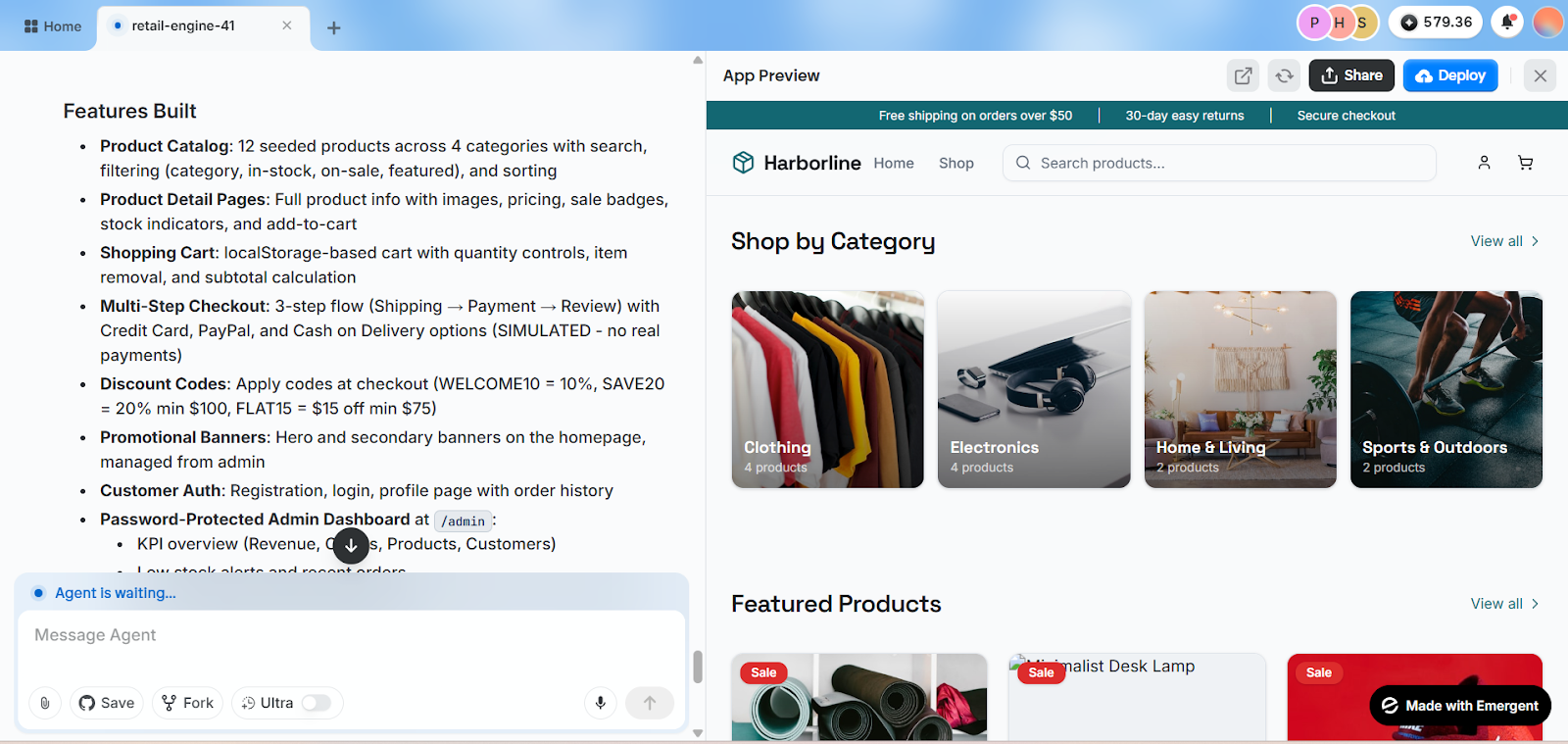
I built a fully functional clothing store in under 30 minutes using Emergent just by describing my idea in plain English. The platform handled everything from generating the storefront UI to setting up basic backend logic and workflows allowing me to quickly preview and iterate on the app without writing code.
Standout features:
- Agent-based development: Multiple AI agents handle coding, testing, and deployment workflows
- Prompt-driven building: Describe features in natural language to generate full functionality
- Live preview: Instantly see how your application behaves as features are created
- Custom AI agents: Define specific roles and behaviors for tailored development tasks
- Full-stack support: Generates frontend, backend, and database together
- GitHub integration: Sync projects for version control and further customization
- Instant deployment: Launch applications directly without additional setup
Why we recommend it:
We recommend Emergent for its ability to go beyond code generation and deliver complete, working applications using AI agents. It simplifies the development process by automating everything from setup to deployment, making it ideal for rapid prototyping, MVPs, and AI-powered products.
Unlike traditional tools, Emergent acts more like a team of AI developers working alongside you, helping bring ideas to life faster and with less manual effort.
Pricing:
Emergent offers a free plan with limited credits, while paid plans start at $20/month, with higher tiers unlocking advanced features, increased usage, and collaboration capabilities.
4.Cursor
If you're looking for a Cursor alternative (cursor benzeri) or want to understand why developers are switching from VS Code, here's what makes Cursor special.
Cursor is essentially VS Code rebuilt with AI at its core. Unlike extensions that bolt AI onto existing editors, Cursor integrates AI deeply into every workflow—code completion, refactoring, debugging, and even multi-file edits.
How Cursor helps developers and non-coders:
Cursor helps developers by automating repetitive coding tasks, providing AI-powered code suggestions, and debugging errors instantly, making software development faster and more efficient. Its in-code chat and context-aware retrieval simplify complex queries, reducing the time spent on documentation searches.
Cursor translates natural language into executable commands for non-coders, making it easier to interact with codebases. Features like @Web and image input allow users to access real-time information and visual context, enabling smoother collaboration and learning.
Why Developers Choose Cursor:
- Native AI chat integrated into editor
- Multi-file context awareness
- Composer mode for natural language coding
- Tab completion that understands your codebase
- Seamless migration from VS Code (same extensions work)
Cursor vs Other Vibe Coding Tools:
While browser-based tools like Bolt.new excel at quick prototypes, Cursor is for developers who want AI assistance in a professional desktop environment. It's the best choice if you're already comfortable with VS Code but want vibe coding capabilities.
Cursor Pricing:
- Free: Limited AI requests
- Pro: $20/month (unlimited AI)
- Business: $40/month (team features)
Best for: Professional developers who want AI superpowers in a familiar VS Code environment. If you're searching for "cursor benzeri" (Cursor-like tools), also consider Windsurf or GitHub Copilot.
5.v0 by Vercel
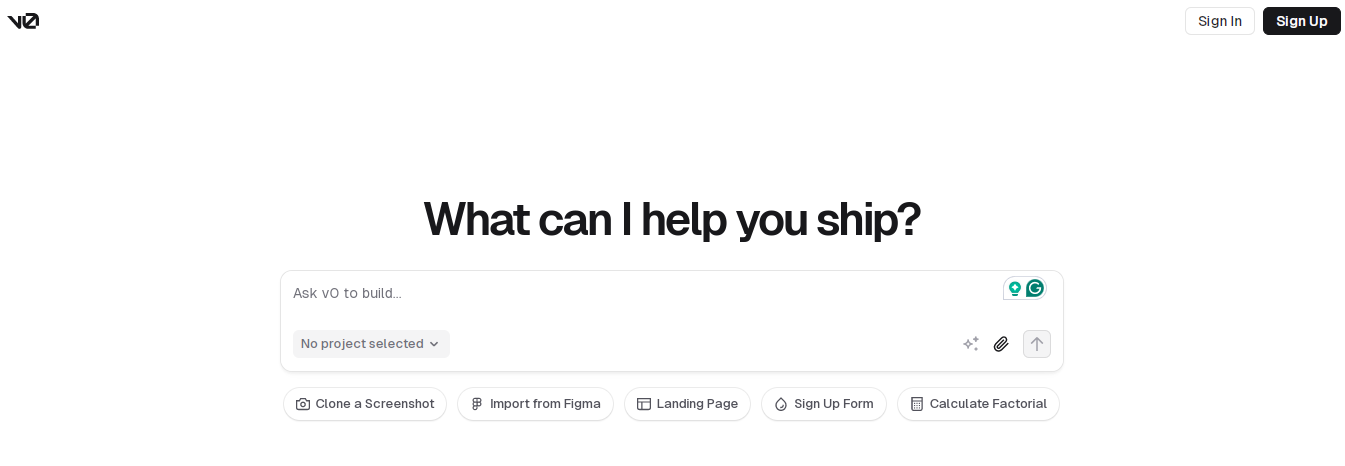
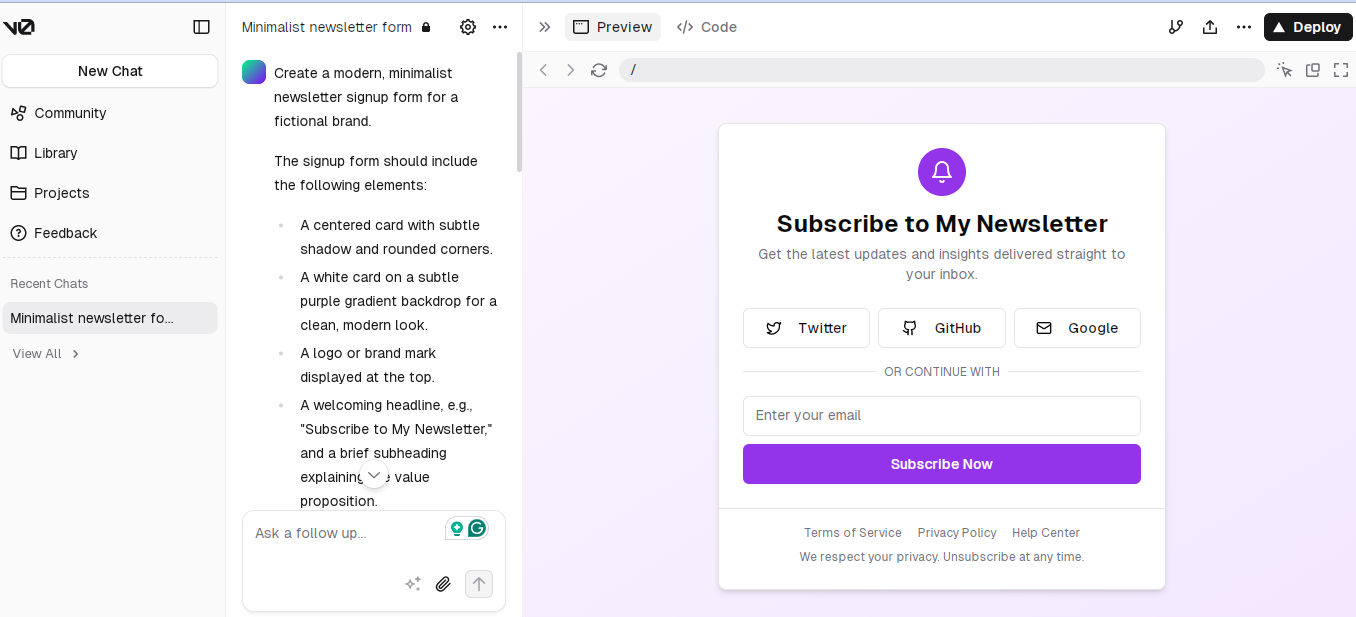
v0 by Vercel is an AI-powered tool that converts natural language prompts into fully functional React components. It helps developers create UI components quickly using frameworks like Shadcn UI and Tailwind CSS. This tool enables rapid prototyping, making designing and iterating on user interfaces easier without writing extensive code. v0 by Vercel also integrates with design tools like Figma, allowing seamless transitions from design to development.
How v0 by Vercel helps developers and non-coders:
v0 by Vercel simplifies UI development by allowing users to describe their design ideas in natural language. The AI then generates functional components, making it easier for developers and non-coders to build interfaces without deep programming knowledge. This speeds up development and encourages creativity.
Standout features:
- AI-generated UI components: v0 converts text prompts into production-ready React components.
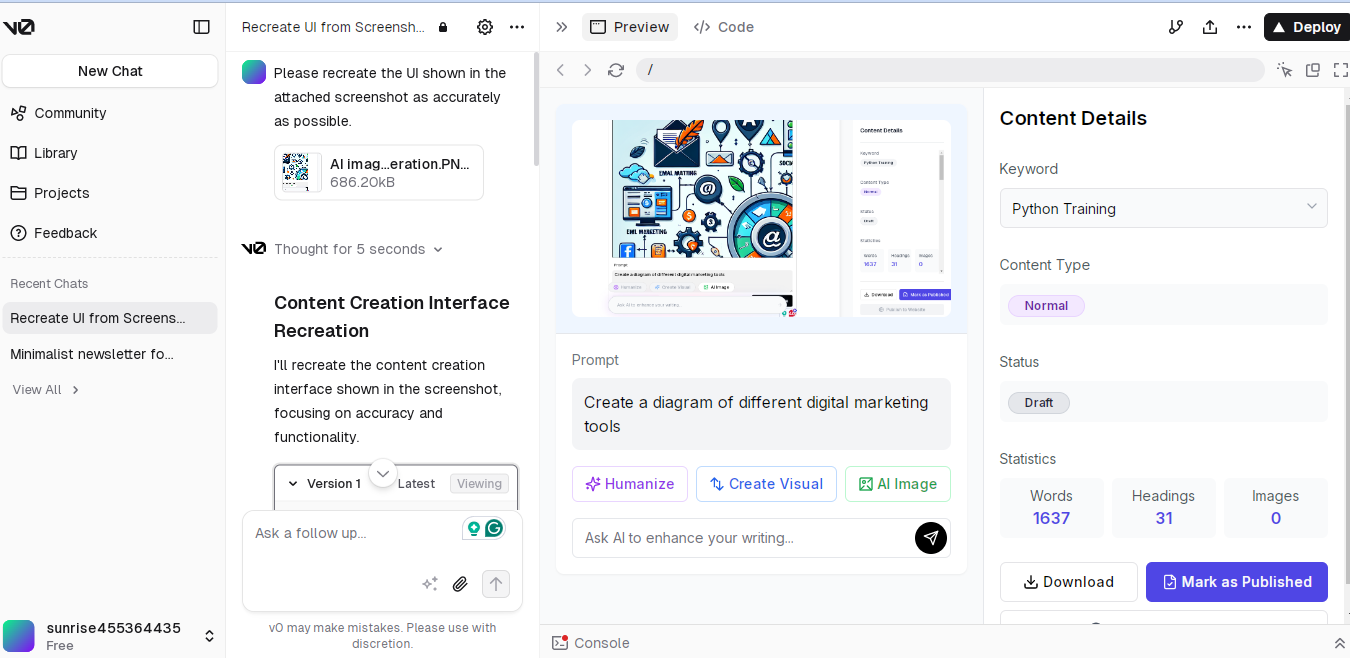
- Responsive layouts: It ensures that UI designs adapt to different screen sizes and devices.
- Interactive elements: The tool supports animations, transitions, and interactive components.
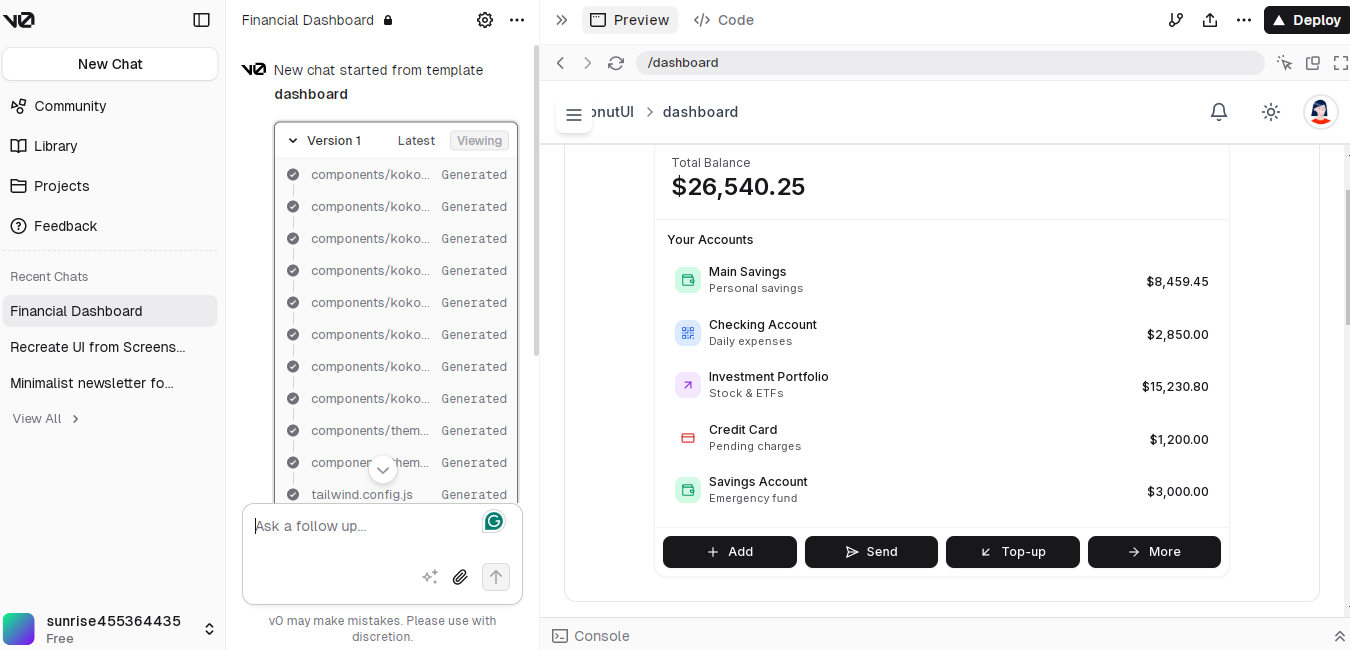
- Real-time collaboration: Multiple users can work on a project simultaneously, improving team productivity.
- Figma integration: Users can instantly import Figma designs and turn them into React code.
Why we recommend it:
v0 by Vercel is ideal for developers and designers who want to create UI components quickly without manual coding. Its AI-driven approach, seamless Figma integration, and real-time collaboration features make it a powerful tool for modern web development.
Pricing:
You can start with $0/month and buy the Premium plan at $20/month and the Ultra plan at $200/month.
6.GitHub Copilot
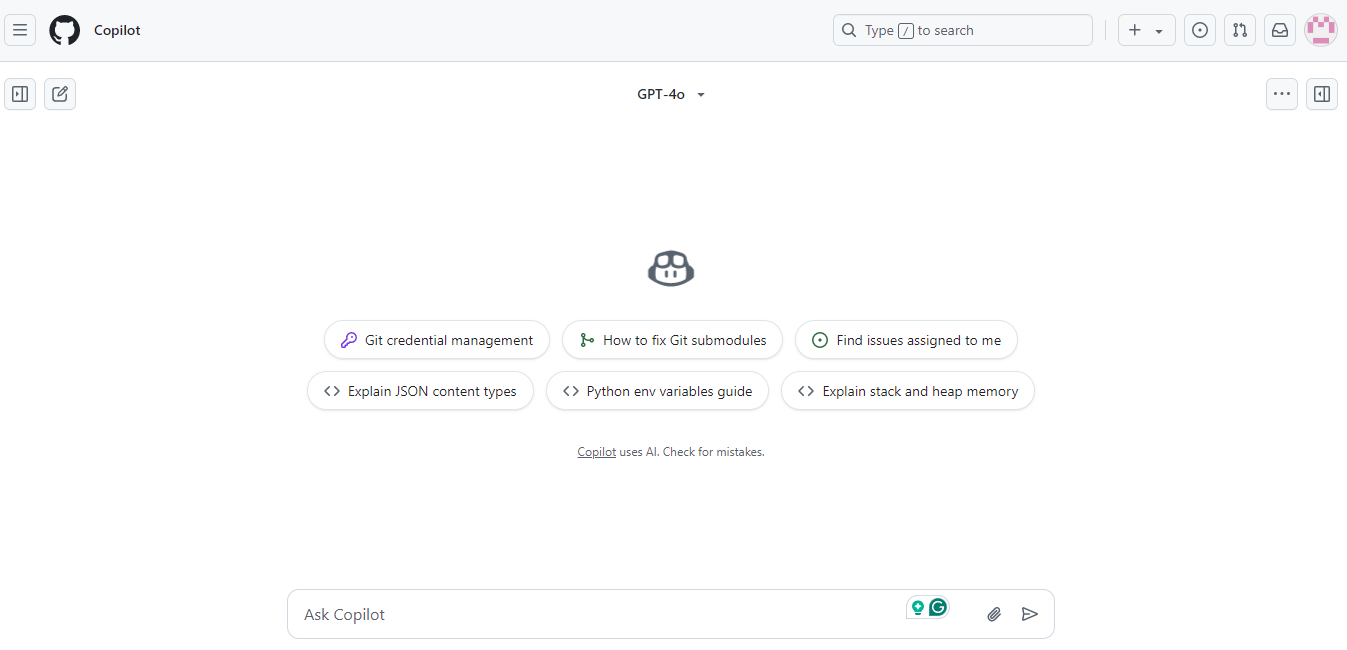
GitHub Copilot is an AI-powered coding assistant developed by GitHub and OpenAI. It integrates into code editors to provide real-time code suggestions and completions, enhancing coding efficiency and accuracy. By analyzing context and comments, Copilot assists developers in writing code faster and with fewer errors.
How GitHub Copilot helps developers and non-coders:
GitHub Copilot assists developers by offering code suggestions, explanations, and bug fixes, streamlining the coding process. For non-coders, it serves as an educational tool, providing insights into code functionality and aiding in learning programming concepts.
Standout features:
- Code Completion: It offers real-time code suggestions as you type, speeding up the coding process.
- Code Explanation: GitHub Copilot provides natural language explanations for code snippets, aiding understanding.
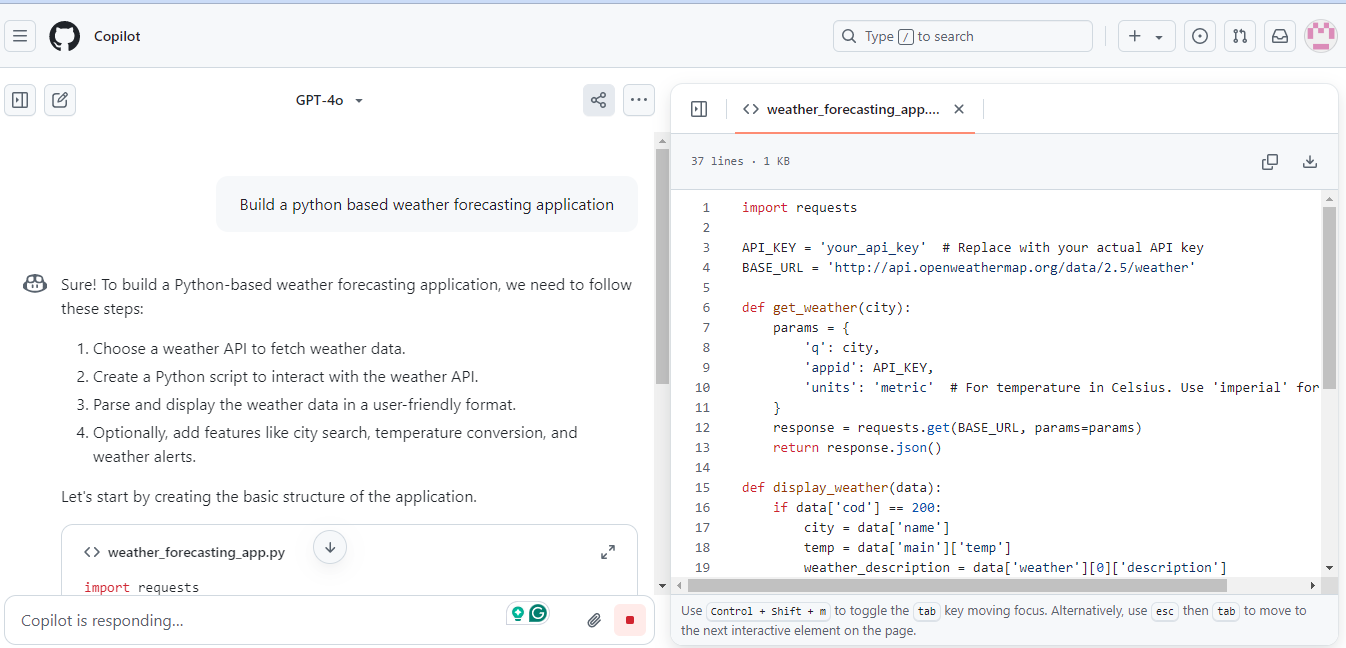
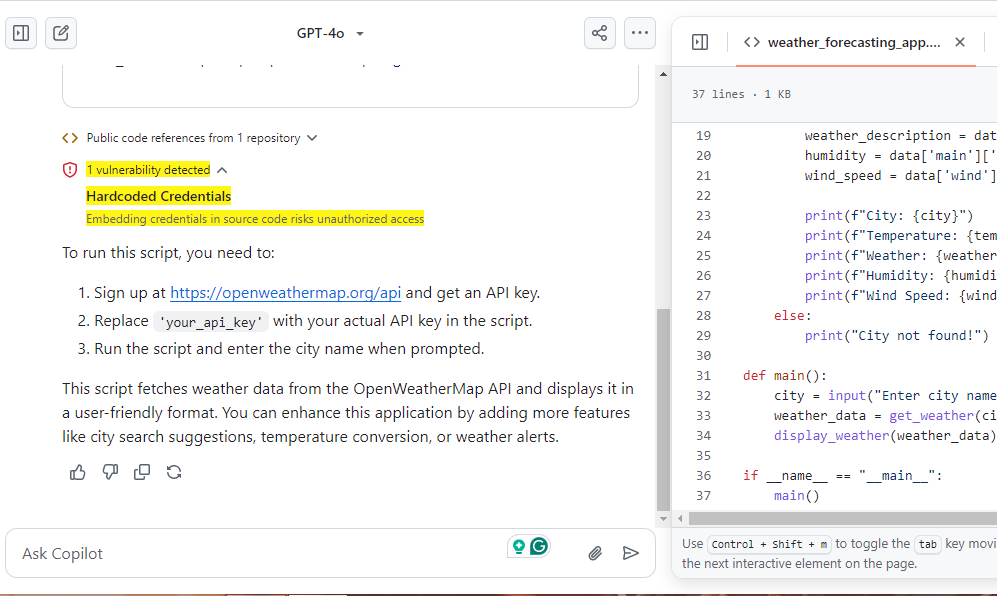
- Bug Detection: It identifies potential errors and suggests fixes, improving code quality.
While I was trying to execute a Python-based weather forecasting application, the tool itself detected a bug.
- Learning Support: You will learn new programming languages and frameworks through contextual code examples.
Why we recommend it:
We recommend GitHub Copilot because it adapts to your coding habits, making development faster and more intuitive. It’s best to work with Python, JavaScript, TypeScript, Ruby, and Go, but it supports many other languages. The smooth VS Code integration and multiple suggestion options keep you in control while boosting productivity.
Pricing:
The basics of GitHub Copilot are free for individuals and organizations, but to buy the Team plan, you need to pay $4 per user/month, and the Enterprise plan for $21 per user/month.
7.Replit
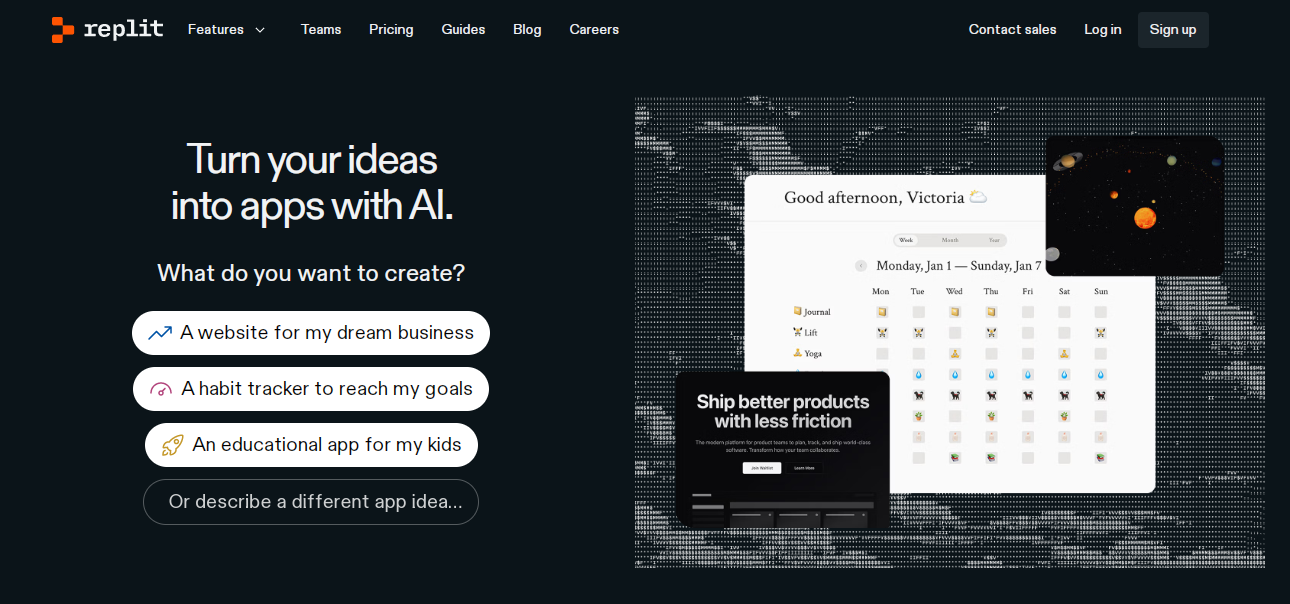
Replit is a browser-based AI-powered coding platform that allows users to create, collaborate, and deploy applications instantly. It supports 50+ programming languages and includes Replit Agent, an AI assistant that automates coding tasks. Developers and beginners can build websites, apps, and software efficiently without complex setups.
How Replit helps developers and non-coders:
Replit simplifies coding by providing an accessible platform where users can start coding without any setup. Its collaborative features allow teams to work together seamlessly, and AI tools for developers assist in learning and writing code efficiently.
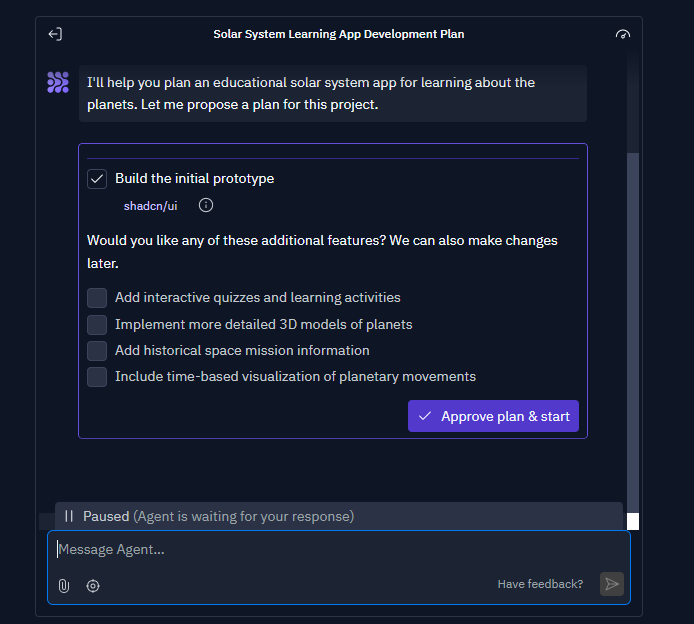
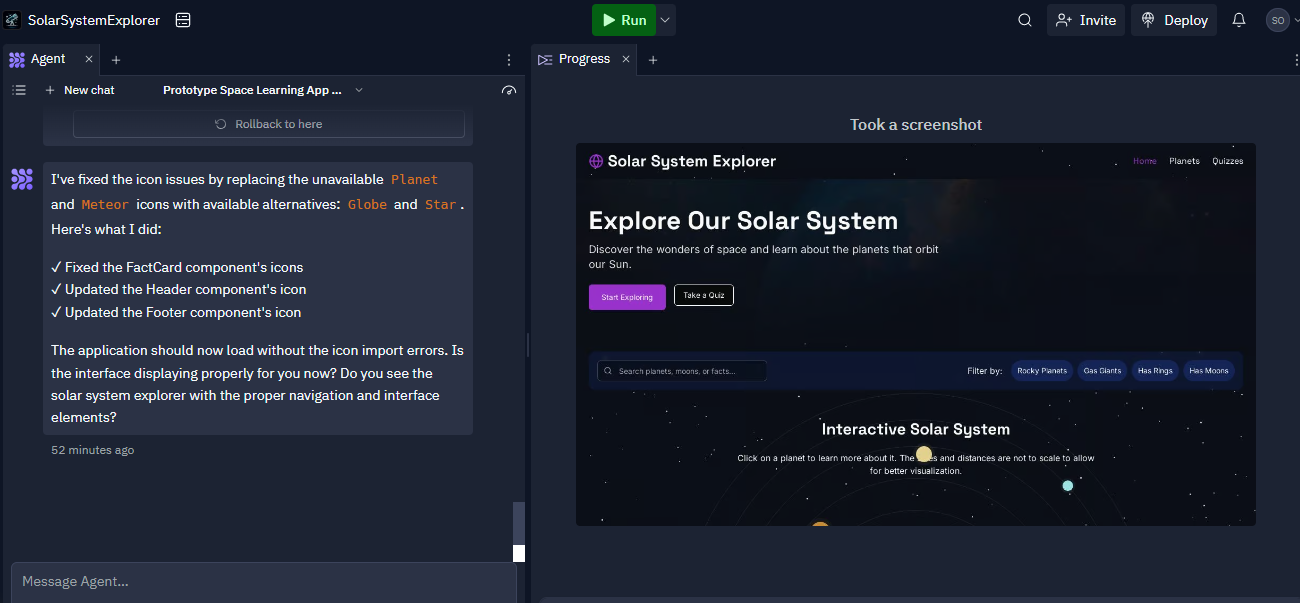
We designed a solar system explorer just by instructing a Replit AI agent.

Before creating the application, Replit asked for our choices and selected its plan.
Replit shows us how it designs an application, and we can access its code as well.
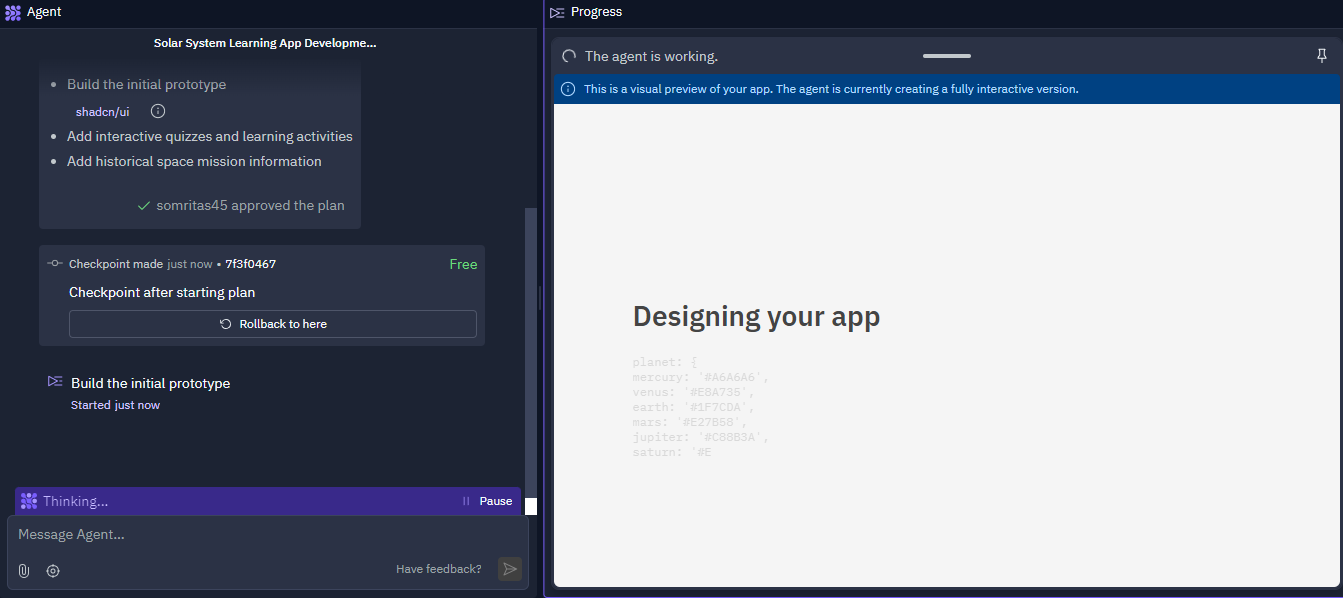
Here, we can see the design preview, which is pretty enough to engage the audience.
Standout features:
- Cloud-Based Development – Replit allows developers to code, run, and deploy applications directly from a web browser, eliminating the need for complex local setups.
- Multi-Language Support – It supports over 50 programming languages, including Python, JavaScript, Java, and C++, making it a versatile platform for developers.
- AI-Powered Assistance – Replit provides an AI-powered coding assistant that helps generate, debug, and optimize code, improving efficiency and reducing development time.
- Instant Deployment – Developers can deploy full-stack applications with a single click, simplifying the deployment process without requiring manual configurations.
- Built-in Database & Hosting – The platform includes integrated databases and always-on hosting, allowing developers to build, test, and host applications in one place.
- Security & Privacy Controls – Users can create private Repls, manage access permissions, and ensure data security while working on their projects.
- Version History & Rollback – The platform tracks changes and allows developers to restore previous versions, ensuring that progress is never lost.
- Interactive Learning & Templates – Replit provides pre-built templates and educational resources that help beginners and professionals accelerate their learning and development.
Why we recommend it:
What we appreciate most about Replit is its Google Docs-style editing, which makes collaborating with teammates effortless. The seamless import, execution, and collaboration on millions of GitHub repositories without any manual setup have revolutionized the way we teach and mentor junior developers.
Pricing:
The Starter plan is free to use, but you can buy Replit’s Core plan at $20/month. If you're weighing Replit against other options built for similar use cases, this breakdown of Replit alternatives covers more tools worth comparing before you commit.
8.Tempo
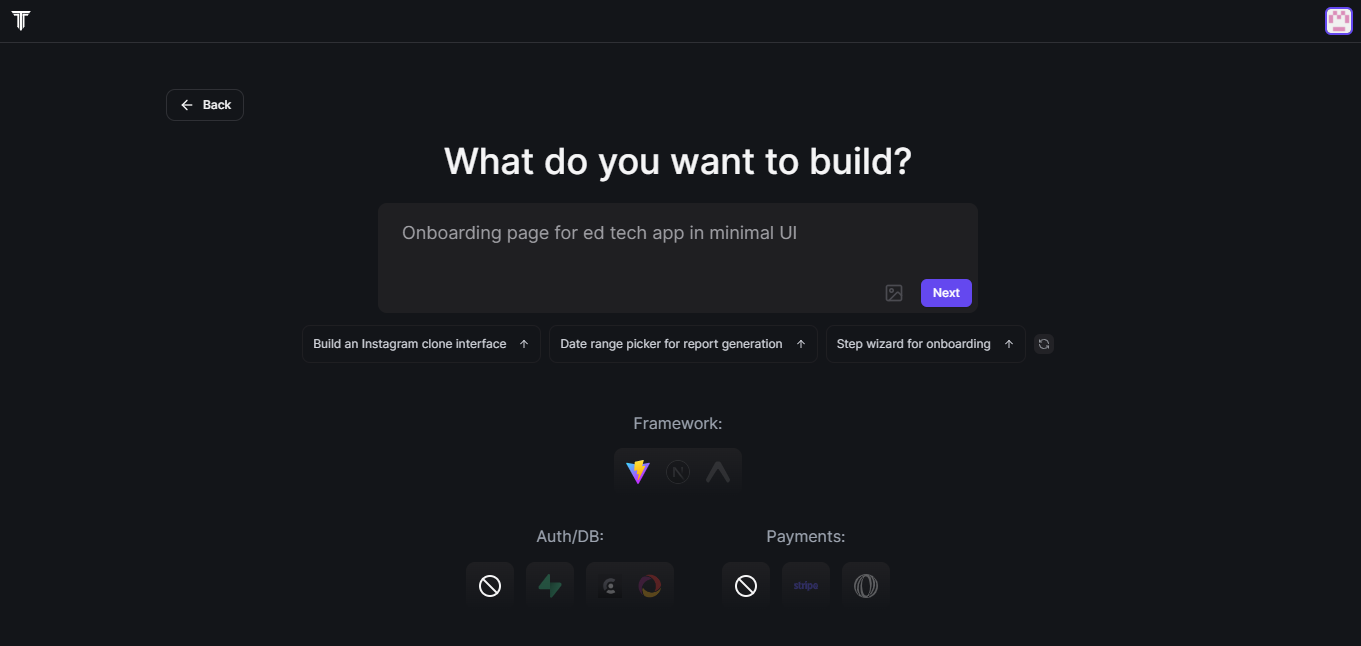
Tempo is an AI-powered design tool that enables designers and developers to collaboratively create React applications more efficiently. It offers a drag-and-drop editor for visual coding, allowing users to edit React code productively. With features such as component library maintenance, integration with version control (GitHub), and unlimited design revisions, Tempo makes it easier to build and manage UI/UX.
How Tempo helps developers and non-coders:
Tempo assists developers by automating UI code generation, allowing them to focus on business logic. Non-coders, like designers, can use the visual editor to make precise design adjustments without writing code.
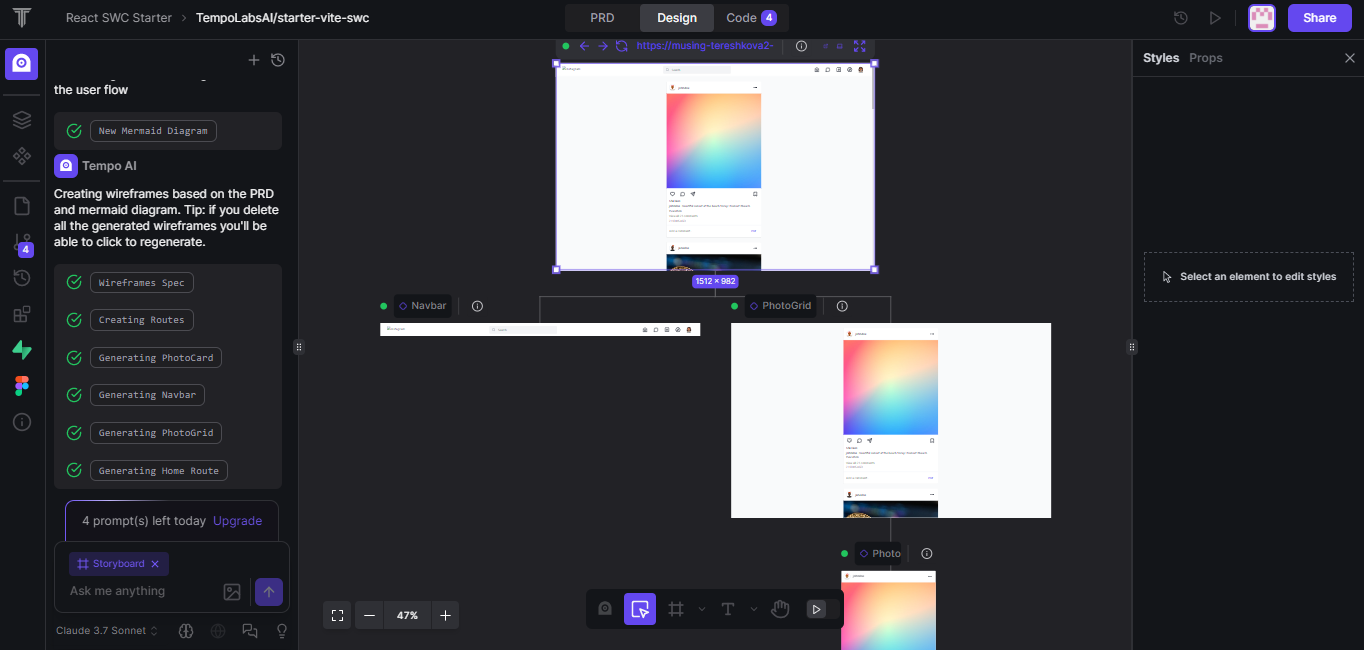
I am a non-coder, and I want to build an Instagram clone interface. Here’s how Tempo helps me.
Standout features:
- AI-Powered UI Generation – Tempo allows developers to generate full UI components and app views using simple natural language prompts.
- Seamless React Integration – The tool works with any existing React codebase, ensuring flexibility and no vendor lock-in.
- Component Importing – Developers can import their existing React components from libraries like Storybook for a more personalized experience.
- Design System Generation – Tempo can automatically generate custom component libraries using frameworks like MUI, Chakra UI, Tailwind, and others.
- Visual IDE: Tempo Labs is a visual IDE that enables designers, PMs, and developers to collaborate on code with the help of AI.
- Pre-Built Templates – The platform offers a wide range of ready-made component templates that help speed up UI development.
- Faster UI Development – By leveraging AI-powered automation, developers can create and ship user interfaces up to ten times faster than traditional methods.
- Git and Version Control Support – Users can seamlessly integrate with GitHub to track changes and maintain code quality.
- Full Code Ownership – Unlike low-code tools, Tempo ensures that developers retain full control over the generated React code.
- Extensive Integrations – Tempo works with various technologies, including React, JavaScript, TypeScript, Storybook, and multiple UI frameworks.
- AI Reasoning and Gemini Search: Tempo leverages AI reasoning and Gemini Search for enhanced functionality.
Why we recommend it:
Tempo bridges the gap between design and development, offering a unified platform that enhances collaboration and efficiency. Its AI capabilities and seamless integration with existing codebases make it a valuable tool for teams aiming to accelerate their development process.
Pricing:
You can start with $10/month or purchase their Pro plan for $30/month and Agent plan for $4000/month.
9.Create
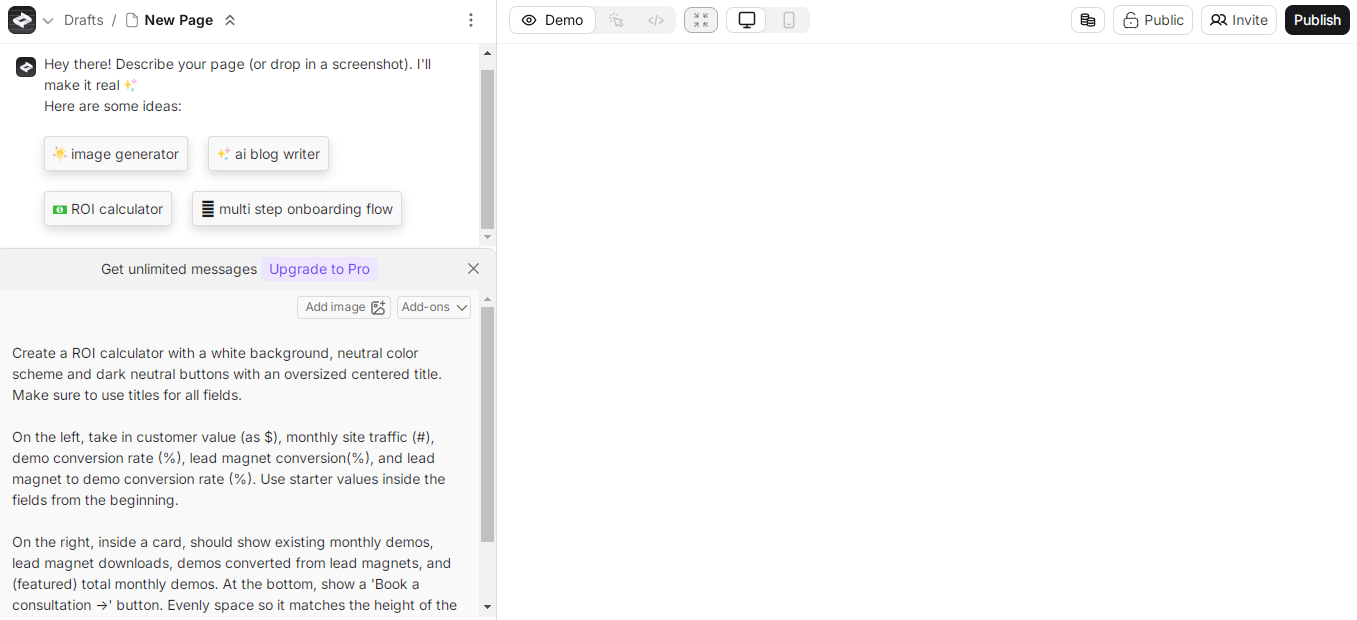
Create is an AI-powered tool that helps you build websites, apps, and tools just by describing them in simple words. It turns your text into real code and runs your app instantly. This makes it easy for both coders and non-coders to create software without learning complicated programming.
How Create helps developers and non-coders:
Create combines multiple AI tools into one platform, saving time and effort. Users can edit visuals directly, making app development easier for beginners. It connects components like calculators and dashboards, creating interactive applications.
The platform supports real-time data analysis, helping in finance and marketing. It ensures clean data presentation and provides AI-powered recommendations. With its flexible features and user-friendly design, Create stands out, making it a great tool for both developers and non-coders.
Standout features:
- Code in English: You can type what you want in plain English, and Create will generate the code for you.
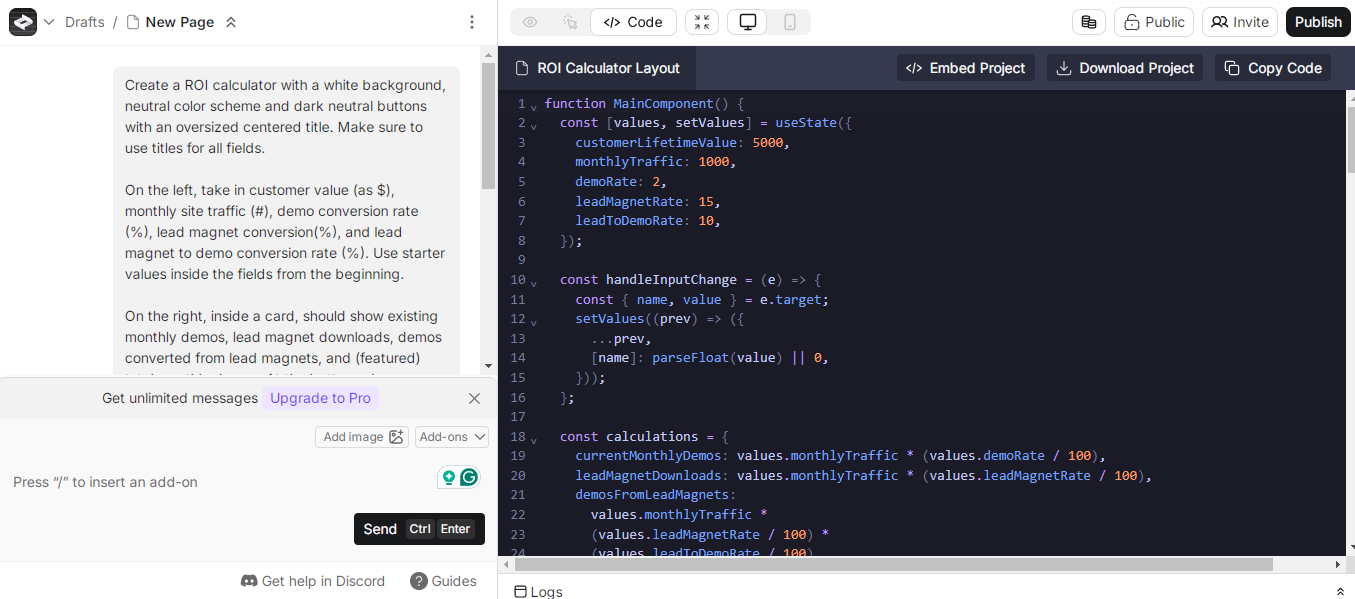
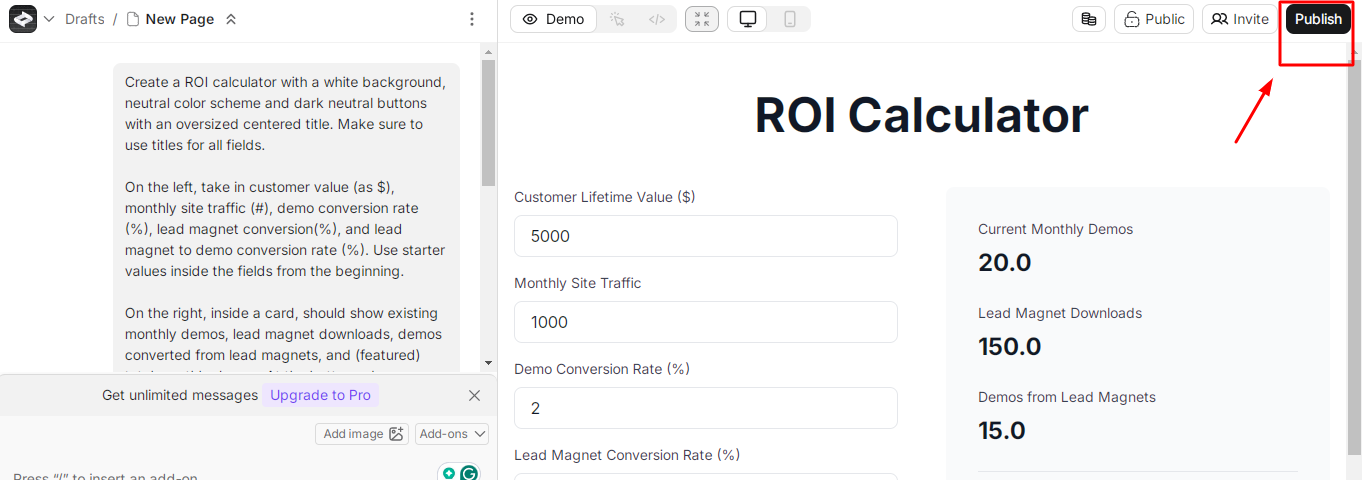
- AI Superpowers: Create allows you to integrate AI models like ChatGPT and GPT Vision into your applications.
- Turn Images into Apps: You can upload an image of a design, and Create will generate a working application based on it.
- Build Custom Components: You can create and reuse components to speed up development and maintain a consistent design.
- Connect to APIs: Create lets you connect to your own REST APIs by uploading Swagger documentation.
- Take Your Code Anywhere: You can export or copy the generated code anytime, so you are never locked into the platform.
- One-Click Publishing: You can instantly publish and share your project with others with just one tap.
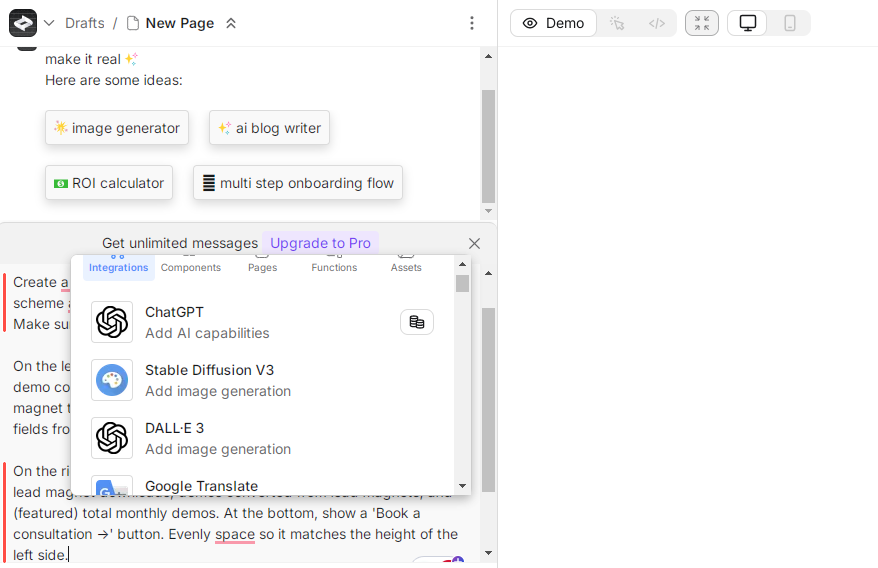
- Compatibility with Multiple AI Models: The platform supports the integration of various language models, allowing users to choose between different AI systems for generating content, which can lead to diverse outputs.
Why we recommend it:
We recommend this tool for its ability to edit visual aspects directly within the tool. This is a significant upgrade over many existing platforms. This trait enhances usability, particularly for individuals who are visually oriented rather than technically inclined. By focusing on user experience, Create positions itself as an accessible solution for aspiring app developers.
Pricing:
You can start using Create for free and then purchase the Pro plan at $16/month and the Business plan at $83/month.
10.Cody
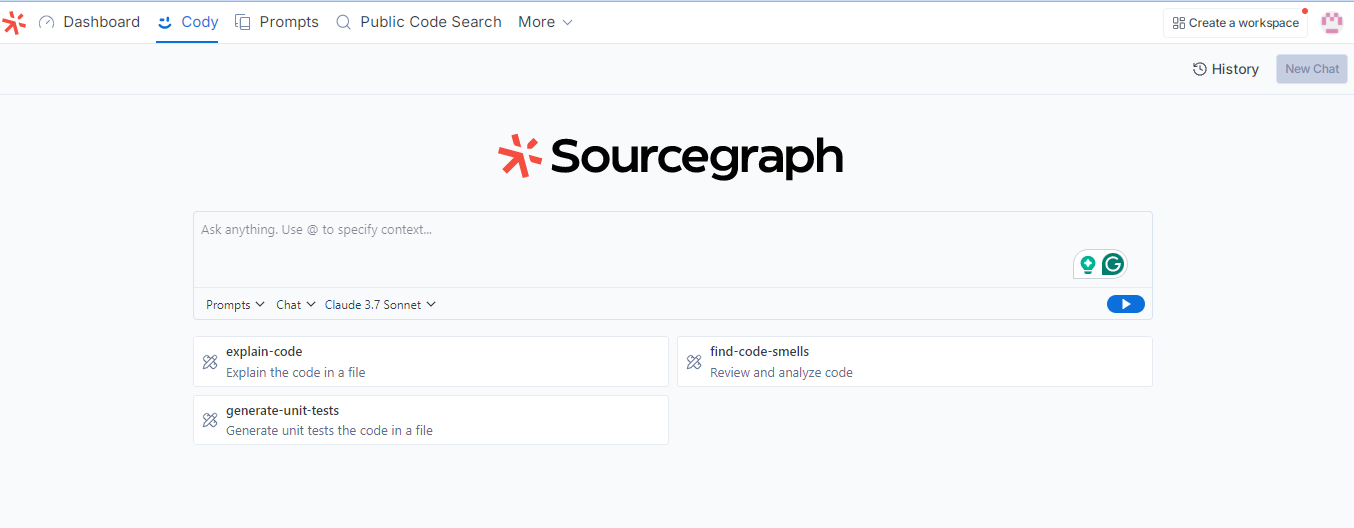
Cody is an enterprise AI-powered coding assistant developed by Sourcegraph. It integrates with various Integrated Development Environments (IDEs) to enhance coding efficiency and accuracy. Cody leverages advanced Large Language Models (LLMs) to provide real-time code completions, edits, and contextual assistance.
How Cody helps developers and non-coders:
Cody boosts productivity by automating repetitive coding tasks, allowing developers to focus on complex problems. Its autocomplete feature suggests accurate code snippets, reducing errors and improving workflow. Users can create custom commands, get context-aware assistance, and integrate with tools like Notion. Cody also detects and fixes errors, speeds up debugging, and simplifies documentation, making coding easier for both developers and non-coders.
Standout features:
- Code Completions: Cody offers real-time code suggestions to improve development.
- In-line Edits: It allows direct code modifications within the editor for seamless refactoring.
- Agentic Chat: It provides AI-driven conversational assistance to address coding queries.
- IDE Support: This tool is compatible with multiple IDEs, including VS Code, Visual Studio (experimental), Eclipse (experimental), IntelliJ, PyCharm, and more.
- Context Integration: Cody gathers context from tools like Notion, Linear, and Prometheus to deliver relevant assistance.
- Error Detection and Correction: Cody identifies mistakes in code and suggests fixes, reducing debugging time and ensuring smoother execution.
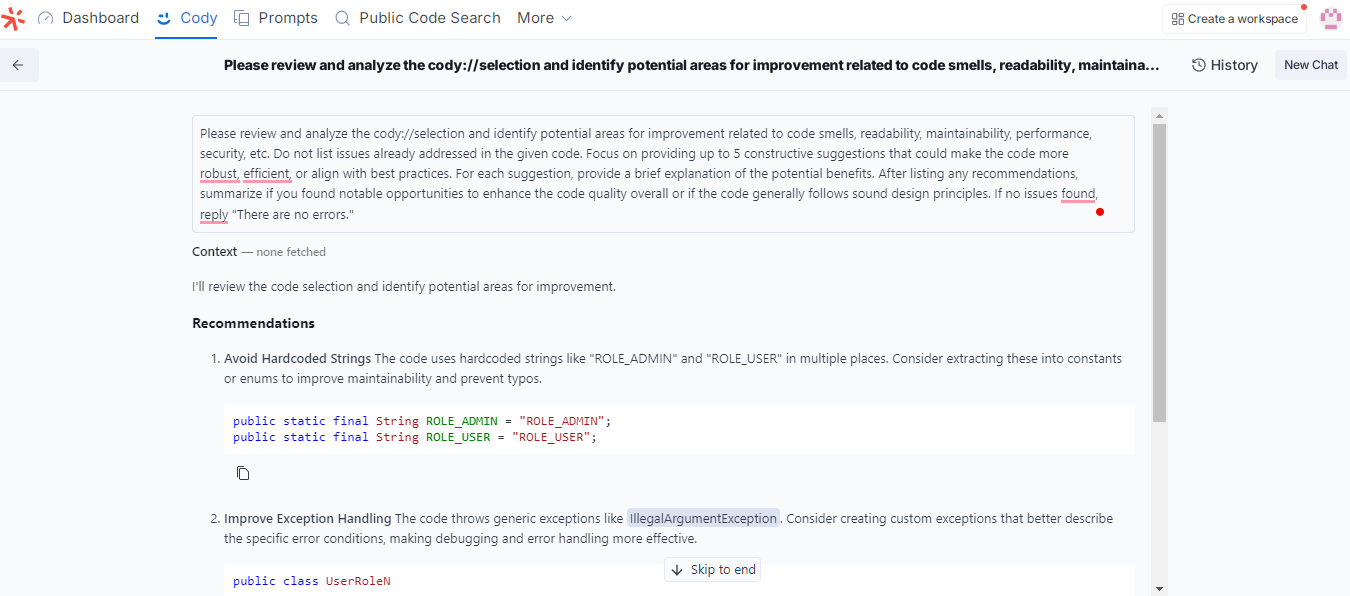
- Flexible Deployment: It supports both cloud-based and on-premises installations to meet diverse security and compliance requirements.
Why we recommend it:
We recommend Cody for its autocomplete feature. It speeds up the coding by suggesting relevant code snippets to non-coders based on context. This reduces syntax errors and helps maintain a smooth workflow. With AI-driven assistance, developers can focus on complex tasks while Cody handles repetitive work. Its integration with various tools and IDEs makes coding more efficient and enjoyable.
Pricing:
It offers a Free plan for individual users. However, for business purposes, you can purchase Enterprise Starter for $19 per user/month and Enterprise plan for $59 per user/month.
11.HeyBoss
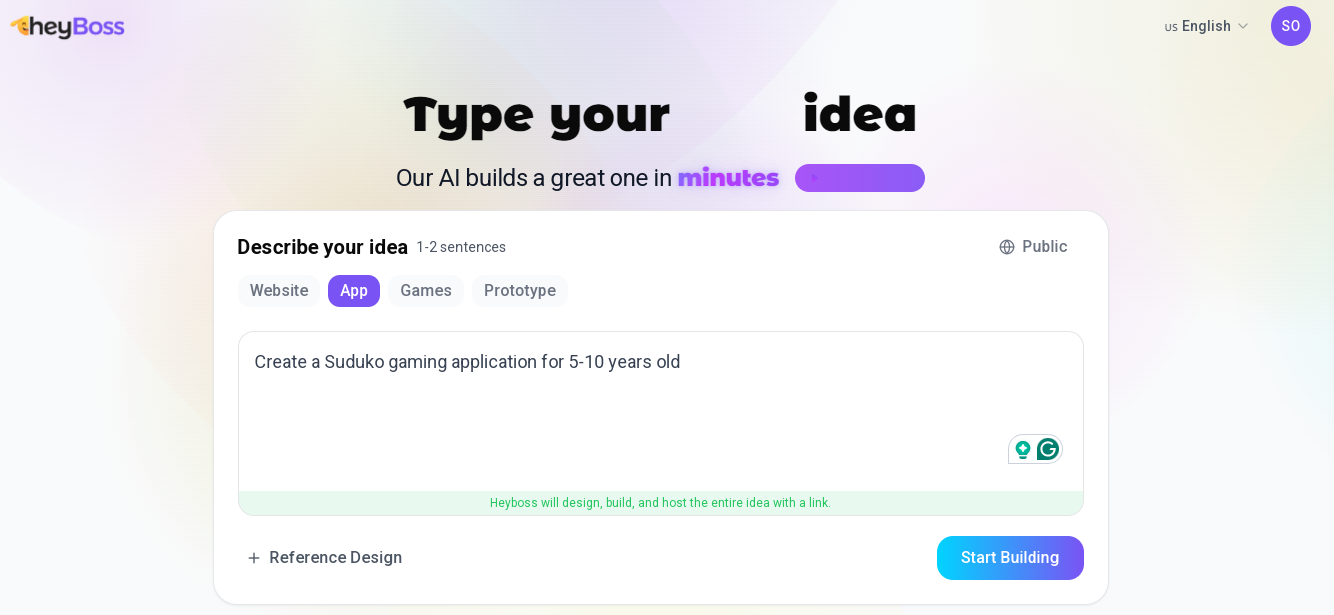
HeyBoss is your personal AI engineer. It is a no-code platform that enables users to swiftly create applications, games, and websites without any coding knowledge. By leveraging advanced AI technologies, HeyBoss transforms user ideas into fully functional digital products, automating the development process and eliminating the need for manual coding.
How HeyBoss helps developers and non-coders:
HeyBoss empowers non-coders to transform their ideas into digital products without programming knowledge. Developers can also utilize it for rapid prototyping and streamlining workflows.
I tried developing a Kid’s Suduko Game with HeyBoss, and here is the output.
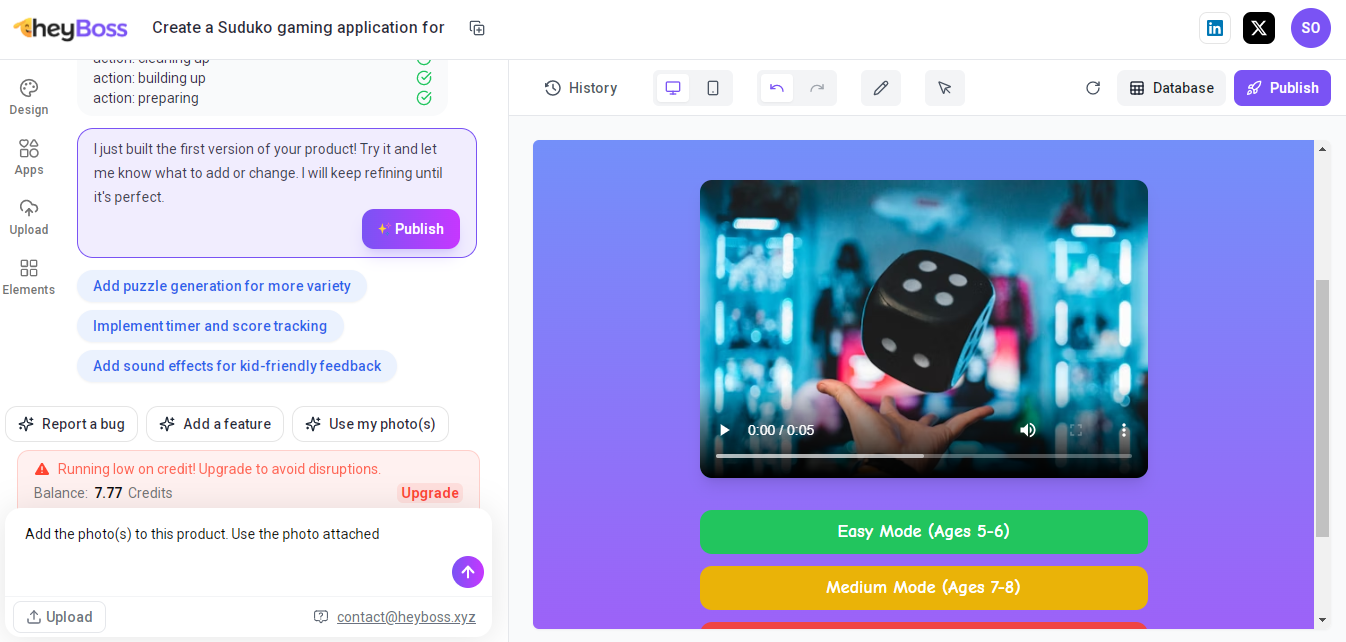
The tool looks like this from the inside:
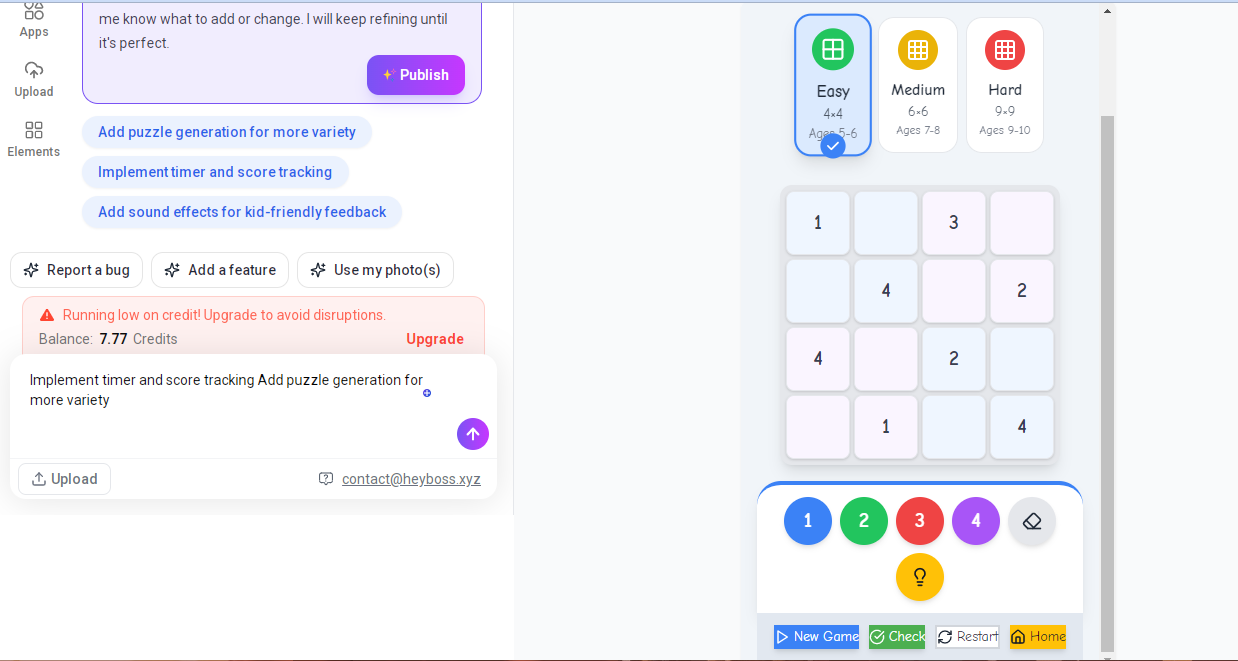
Standout features:
- AI-Driven Development: HeyBoss transforms user ideas into functional apps, websites, or games without manual coding
- User-Friendly Interface: It offers a blank canvas and a variety of templates, allowing users to start projects from scratch or utilize pre-designed layouts.
- End-to-End Project Management: This tool handles all aspects of project development, including design, front-end, back-end, deployment, and API integrations.
- Rapid Deployment: It enables quick project launches, allowing users to bring their ideas to life in minutes.
Why we recommend it:
HeyBoss stands out for its ability to make app and website development easy and accessible to non-technical users. Its comprehensive suite of features, combined with a user-friendly interface, allows anyone to transform ideas into digital realities quickly and efficiently.
Pricing:
The Starter plan costs $16.67/month, the Pro plan costs $41.67/month, and the Scale version costs $83.33/month.
12.Codeium-Windsurf
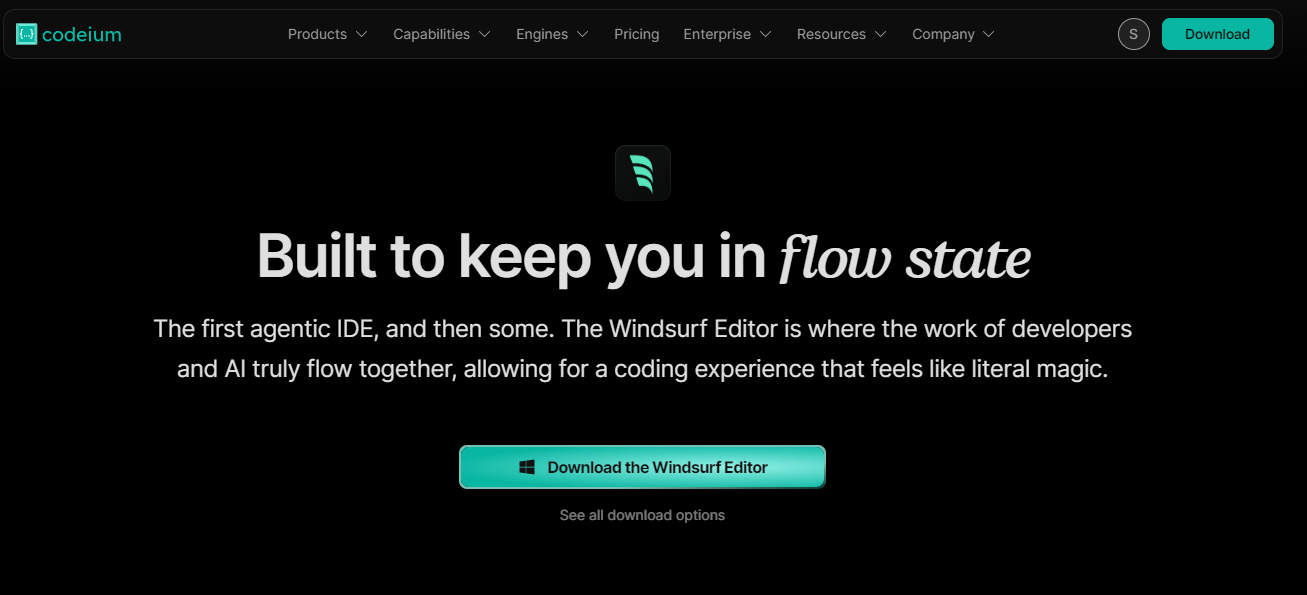
Codeium is a free, AI-powered coding assistant that enhances developer productivity by providing features like code autocompletion and an in-editor AI chat assistant. It supports over 70 programming languages and integrates seamlessly with more than 40 integrated development environments (IDEs).
How Codeium helps developers and non-coders:
Codeium, an AI-powered coding assistant, enhances developers' productivity by providing intelligent auto-completion, context-aware suggestions, and automated code generation. It helps streamline coding tasks, reduce errors, and save time. For non-coders, Codeium simplifies programming by offering clear explanations, translating complex code, and making it easier to understand.
Standout features:
- Code Autocomplete: Codeium provides unlimited, real-time code suggestions, making coding faster and reducing the need for manual typing.
- AI Chat Assistant: It includes an AI-powered chat assistant within the IDE, helping users with code explanations, debugging, and refactoring.
- Extensive Language Support: Codeium supports over 70 programming languages, including Python, JavaScript, Java, C++, and more.
- Wide IDE Compatibility: The tool integrates with more than 40 IDEs, including VS Code, JetBrains, and Jupyter Notebook, ensuring a seamless workflow for developers.
- Privacy and Security: Codeium offers on-premises deployment options, ensuring that companies can maintain data security and compliance.
Why we recommend it:
Codeium stands out for its extensive language support, seamless IDE integration, and a free plan that offers robust features, making it accessible and valuable to a wide range of users.
Pricing:
You can start for $0 per month and purchase the Pro plan for $15/month and the Pro Ultimate plan for $60/month.
13. Creatr
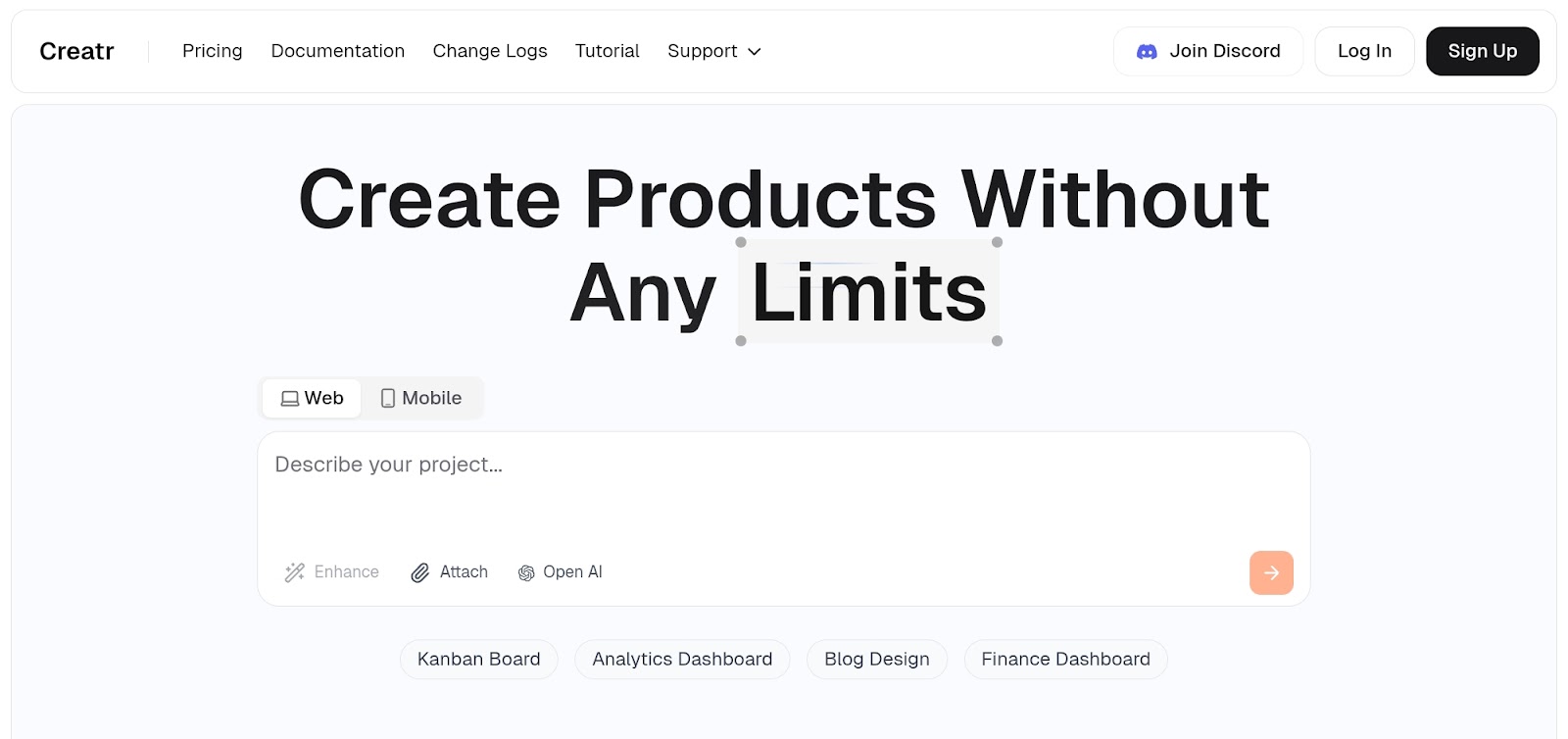
Creatr is an AI-powered no-code platform that enables users to build applications without any coding skills. By leveraging natural language processing, users can describe desired features, and Creatr translates these prompts into functional applications. For example, a user can specify components like a horizontal date selector or task list, and the Creatr will generate a primary design incorporating these features.
How Creatr helps developers and non-coders:
Creatr democratizes application development by allowing both developers and non-coders to bring their ideas to life without writing code. This accelerates the development process and broadens accessibility.
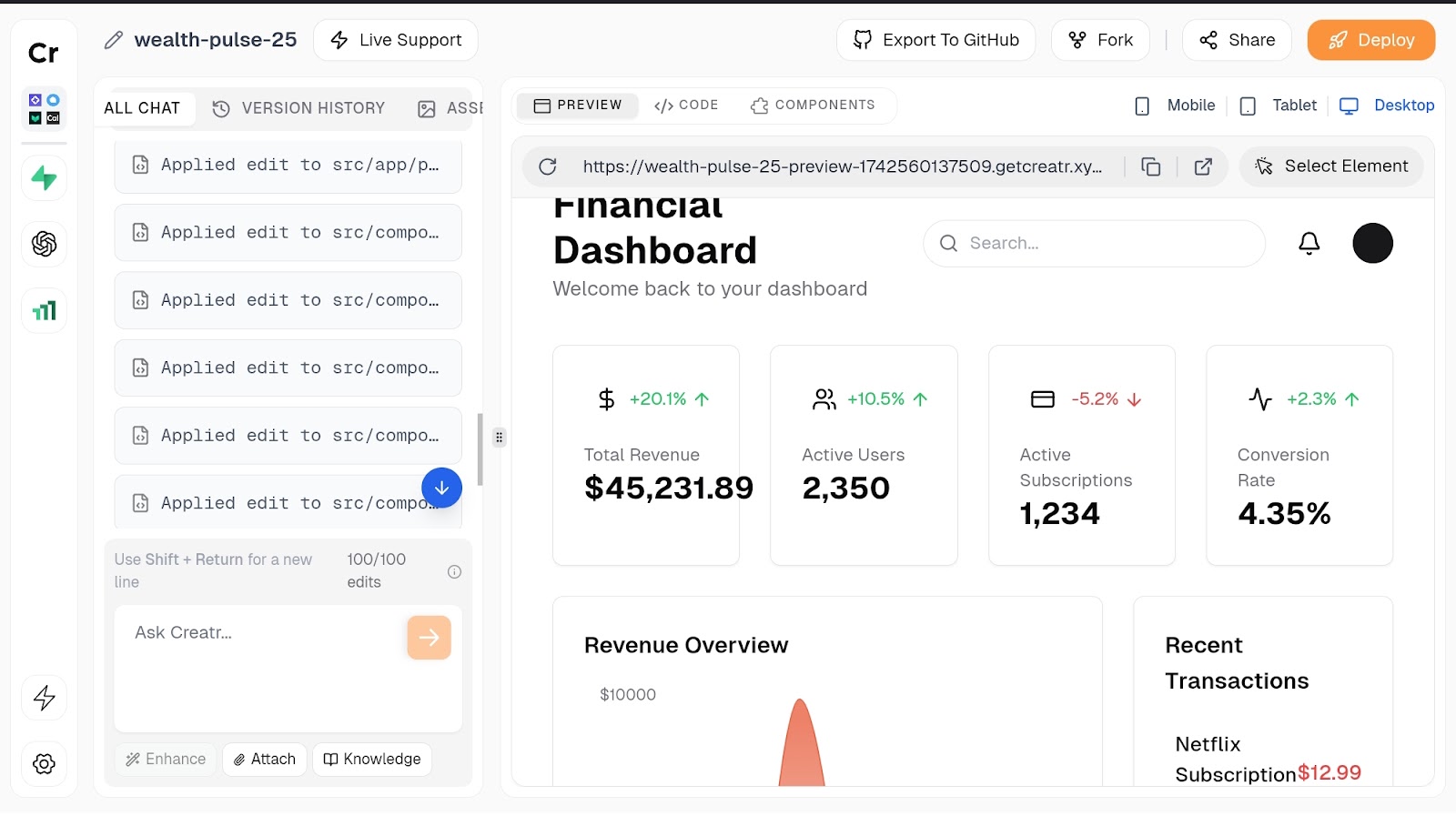
Standout features:
- No Coding Needed: You can build an app by simply describing what you want in plain words.
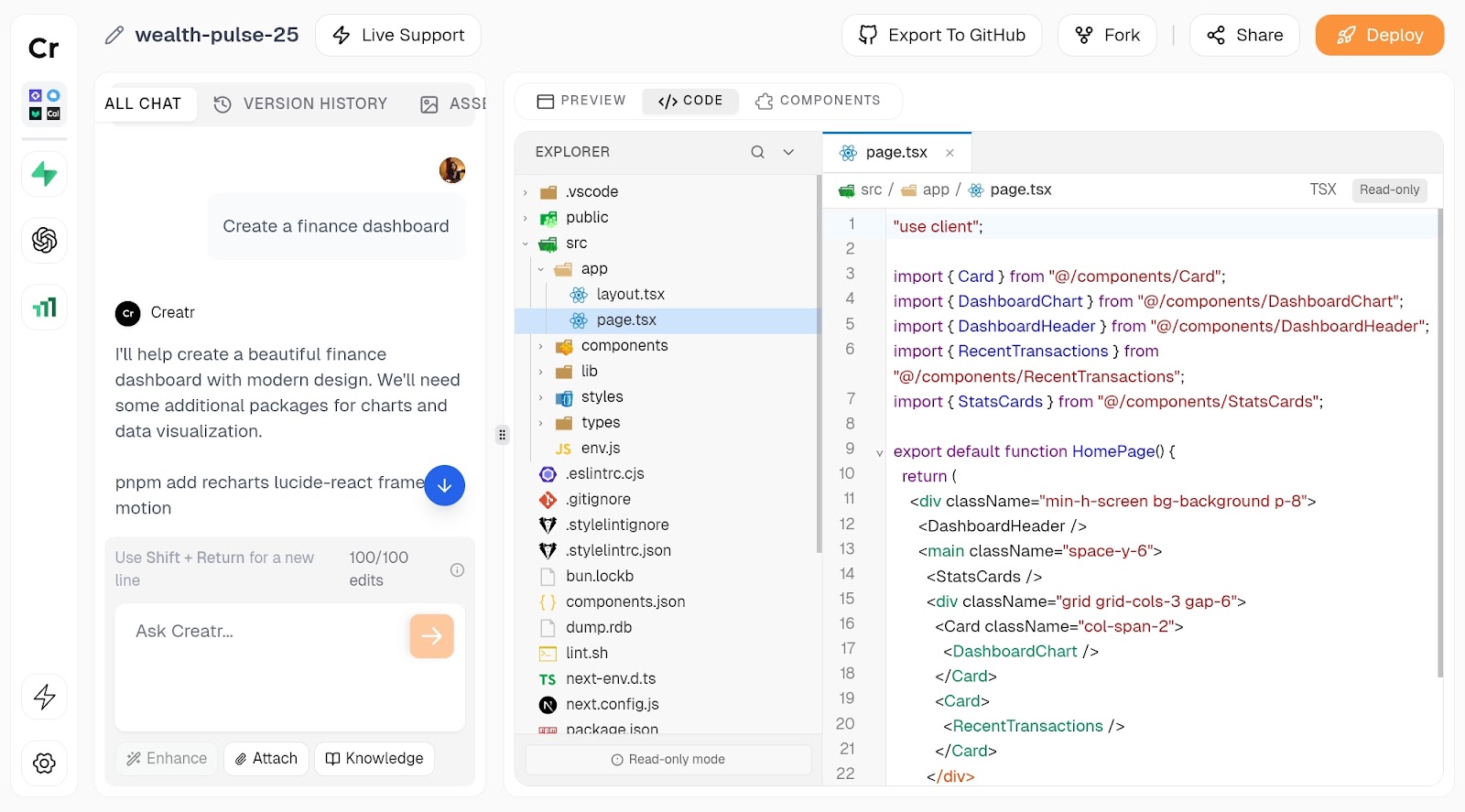
- Custom Features: The Creatr lets you add things like task lists, buttons, and date selectors just by asking for them.
- Light and Dark Mode: You can switch between light and dark themes to make your app look the way you like.
- Easy Task Management: You can add, delete, and mark tasks as complete with simple actions. Completed tasks move to the bottom automatically.
- Fun Animations: When you finish all your tasks, the Creatr can add fun effects like confetti to celebrate.
- Works on Any Device: Apps made with Creatr can be adjusted to fit any screen, including phones, tablets, and computers.
- Quick and Easy Sharing: Once your app is ready, you can publish it online with just a few clicks.
Why we recommend it:
Creatr stands out with Dynamic Task Management, allowing users to strike through and auto-sort completed tasks, making workflows smoother. It also enhances user motivation with Engaging User Experience, using celebratory animations when tasks are completed. These features make Creatr intuitive, fun, and highly efficient for developers and non-coders.
Pricing:
This tool is free, but you can buy their Premium plan for $89/month.
14.Qodo
Qodo acts as an intelligent coding assistant, helping developers from the start of a project. It understands requirements, generates context-aware queries, and enhances efficiency throughout the development lifecycle. Its integration with Jira allows developers to pull specific coding requirements directly from tasks, improving accountability, traceability, and project alignment.
How Qodo helps developers and non-coders:
Qodo helps developers automate code reviews, generate tests, and suggest improvements within their IDE and Git workflows. Its advanced reasoning capabilities guide users through complex coding challenges, making development faster and error-free. For non-coders, its natural language-based code generation and automated testing features make software development more accessible. It is a secure and adaptable AI coding assistant with flexible deployment options and SOC 2 Type 2 compliance.
Standout features:
- Qodo Gen (IDE Plugin): Qodo Gen seamlessly integrates into your preferred Integrated Development Environment (IDE), enabling the generation of high-quality code and meaningful tests. This enhances the development experience by improving efficiency and reducing errors.
- Qodo Merge (Git Agent): Qodo Merge simplifies the pull request process by automatically generating detailed descriptions and providing reviewers with a clear walkthrough of the changes. This helps teams identify potential issues quickly and ensures smoother code collaboration.
- Qodo Cover (CLI Agent): Qodo Cover enhances test coverage by automating the generation of tests that align with organizational best practices. This ensures that software remains reliable and robust throughout the development lifecycle.
- Agentic AI for Continuous Quality: Qodo leverages advanced generative AI to maintain code integrity across the development pipeline. It promotes continuous quality and reliability, helping developers produce cleaner, more efficient code with minimal technical debt.
Why we recommend it:
Qodo goes beyond simple code completion by ensuring high code quality and integrity. It offers automated test generation, deep context awareness, and AI-powered code reviews. Its ability to analyze enterprise-scale code repositories and enforce best practices makes it an essential tool for teams focused on software reliability.
Pricing:
You will get the Developer plan at $0 per user/month and the Teams plan at $19 per user/month.
15.Glide
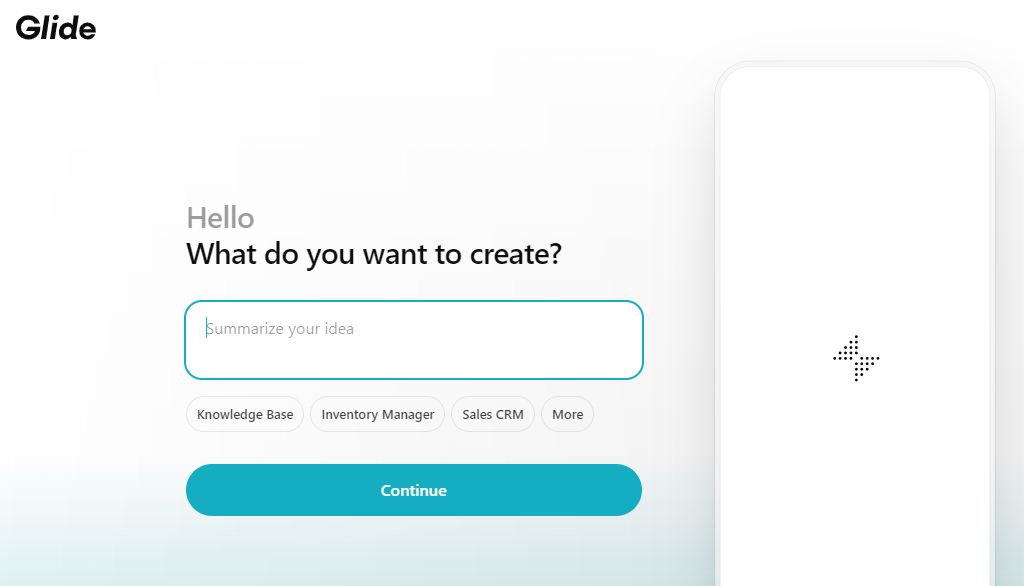
Glide is a no-code platform allowing users to transform data sources like Google Sheets into functional, AI-powered applications without coding knowledge. It empowers businesses to create custom apps for various operations, enhancing efficiency and accessibility.
How Glide helps developers and non-coders:
Glide simplifies app development by eliminating the need for coding, allowing developers and non-coders to create and deploy applications quickly. This accelerates project timelines and reduces development costs.
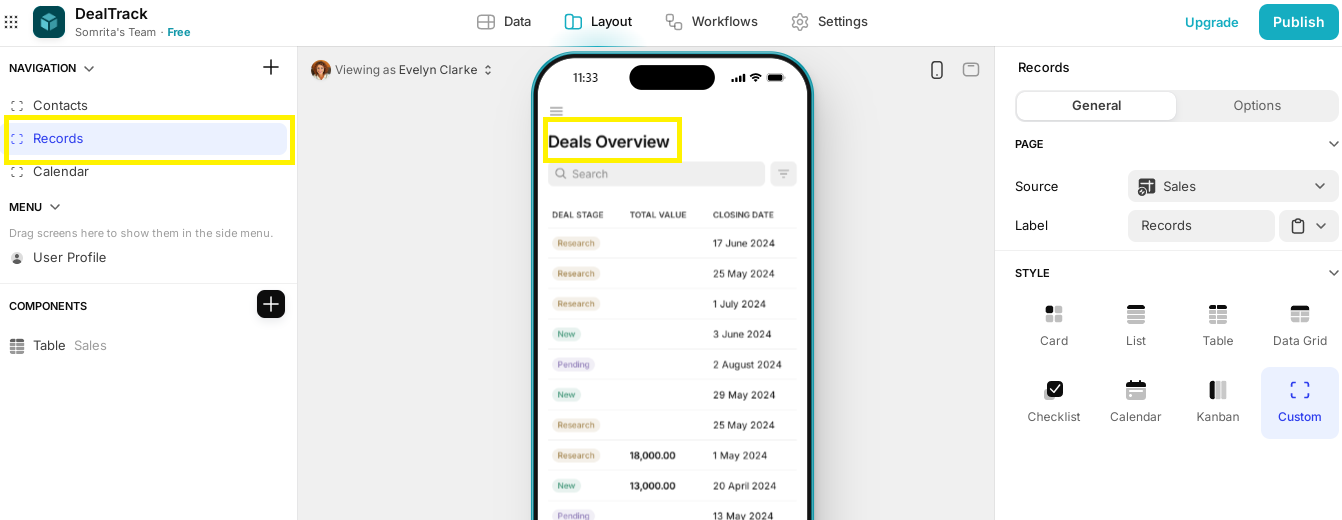
We tried building a Sales CRM to track deals and customers.
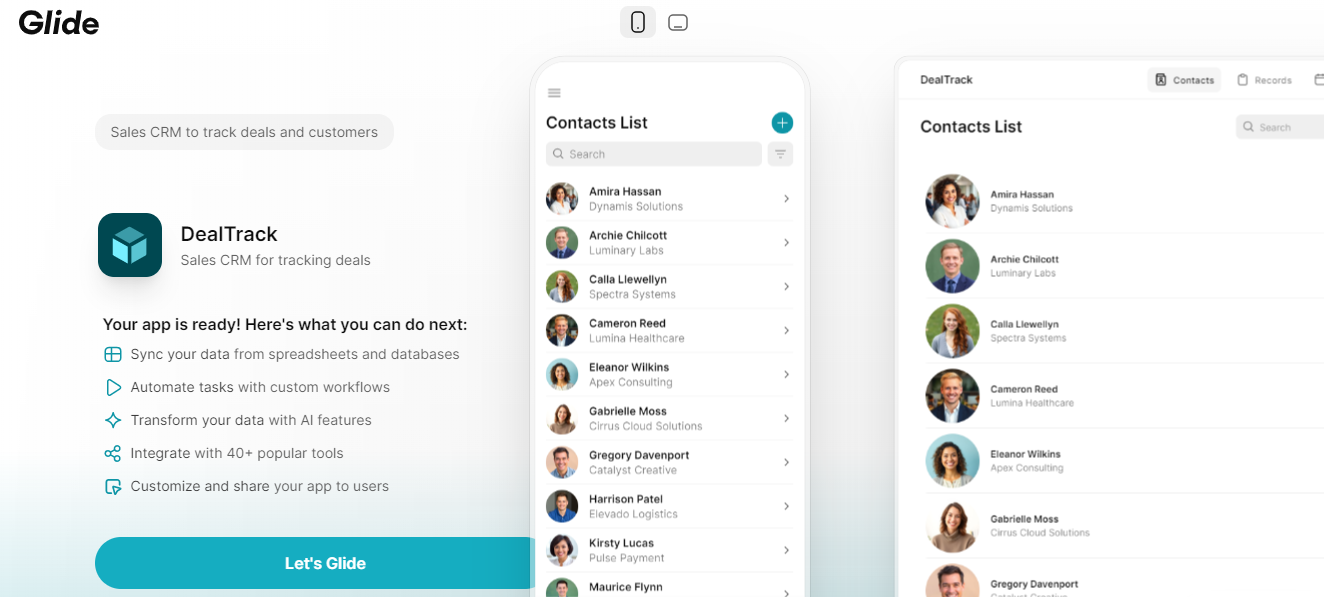
Glide created a separate layout for contacts and deals.
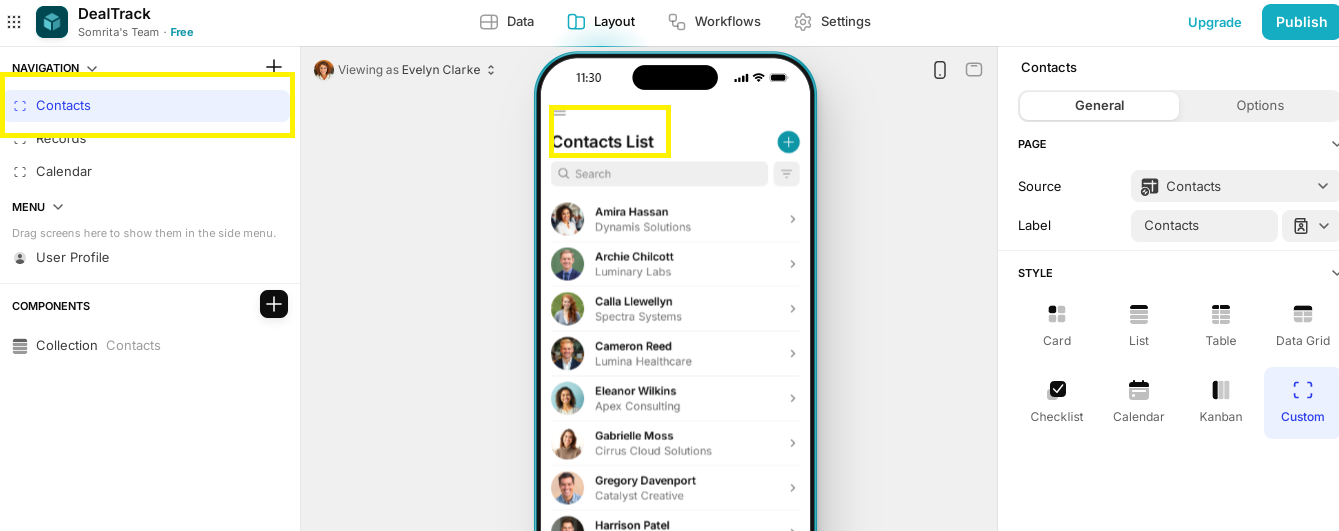
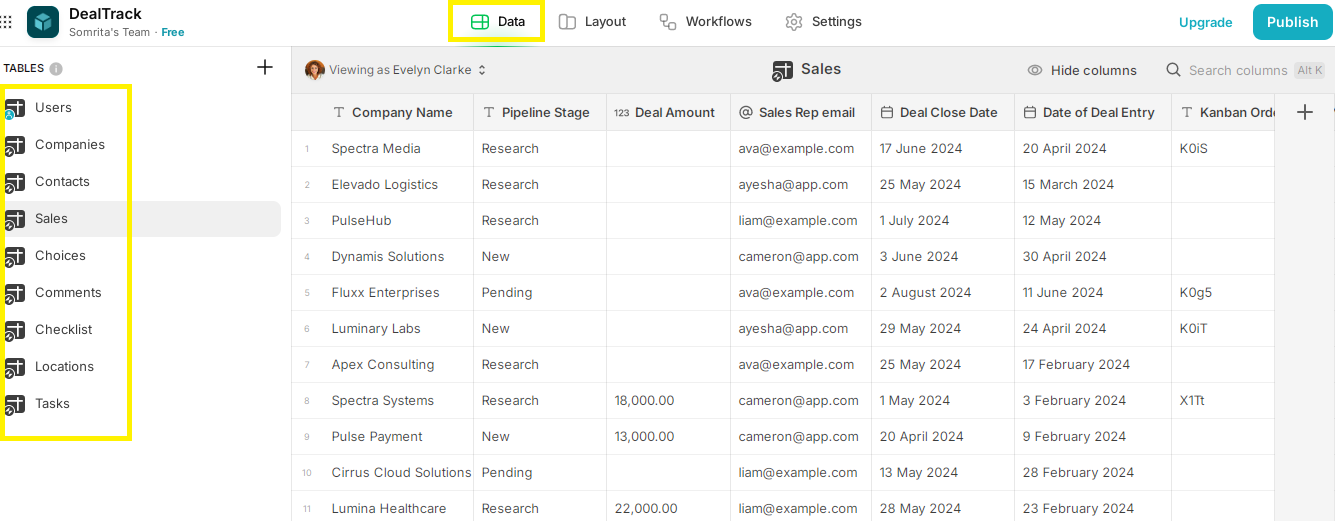
We can also access different datasets used in the application.
Standout features:
-
No-Code Development: Glide allows users to create custom business applications without writing any code, making app development accessible to everyone.
-
AI-Powered Automation: The platform integrates AI to automate workflows, process data, and provide actionable insights, helping businesses optimize operations.
-
Rapid Development: Glide enables businesses to build, test, and deploy fully functional apps in a few weeks, ensuring fast turnaround times.
-
Seamless Data Integration: It connects with Google Sheets, Airtable, MySQL, and other databases, synchronizing data in real-time.
-
Customizable Templates: Pre-built templates for CRM, inventory management, field sales, dashboards, and portals allow businesses to get started quickly.
-
Cross-Platform Accessibility: Apps built with Glide work seamlessly on mobile and desktop devices, providing a smooth user experience.
-
Enterprise-Grade Security: Glide ensures data security with SOC II Type 2 compliance, GDPR, and CCPA adherence, making it a reliable business choice.
- Managed Services: Glide provides end-to-end support, partnering with agencies to deliver fully managed custom app solutions tailored to business needs.
Why we recommend it:
Glide is perfect for developers and non-coders because it allows users to quickly build custom, AI-powered apps without writing code. It simplifies workflows, integrates with data sources like Google Sheets and MySQL, and offers beautiful, user-friendly designs. With fast development and easy updates, businesses save time and money while improving efficiency.
Pricing:
You can start for free and then buy the Maker plan at $49/month and the Business plan at $199/month.
…
Best Vibe Coding Apps by Use Case
Different vibe coding tools excel at different tasks. Here's how to choose:
For Rapid Prototyping & MVPs:
- Bolt.new – Fastest browser-to-deployment pipeline
- Lovable – Best for non-coders building full apps
- v0 by Vercel – Excellent for UI components
For Professional Development:
- Cursor – Best AI-enhanced desktop IDE
- GitHub Copilot – Best for existing IDE workflows
- Windsurf – Strong Cursor alternative
For Learning & Experimentation:
- Replit – Best for beginners with built-in hosting
- Claude Artifacts – Great for quick code snippets
- ChatGPT – Versatile but requires copy/paste
For No-Code Business Apps:
- Glide – Best for data-driven apps
- Create.xyz – AI-generated full apps
- Lovable – Bridges no-code and vibe coding
For Teams & Collaboration:
- Replit – Real-time multiplayer editing
- Cursor – Team features in Business plan
- Bolt.new – Shared project collaboration
Vibe Coding Services: When to Use Tools vs. Hire Developers
Vibe coding tools are powerful, but they have limits. Here's when to use vibe coding apps versus professional development services:
Use Vibe Coding Tools When:
- Building MVPs or prototypes
- Creating internal tools
- Learning to code
- Quick landing pages
- Simple CRUD applications
Consider Vibe Coding Services (Hiring Developers) When:
- Building production applications with complex logic
- Security-critical systems (payments, auth)
- Apps requiring custom integrations
- Long-term maintainable codebases
- Scaling beyond prototype stage
The Hybrid Approach: Many teams use vibe coding tools for rapid prototyping, then bring in professional developers for production-ready code. Index.dev connects you with vetted developers who understand both traditional coding and AI-assisted workflows.
Need developers skilled in vibe coding tools? Get matched with vetted talent in 48 hours →
Conclusion
The best vibe coding tools of 2026 have fundamentally changed how software gets built. Whether you're using Bolt vibe coding for rapid browser-based development, Cursor for AI-enhanced professional workflows, or Lovable for no-code app creation, these tools deliver on the promise of "describe what you want, get working code."
Our top picks:
- For speed: Bolt.new (fastest prompt-to-deployment)
- For professionals: Cursor (best AI-enhanced IDE)
- For non-coders: Lovable (most accessible full-stack builder)
- For learning: Replit (best community and tutorials)
- For UI: v0 by Vercel (best component generation)
Vibe coding apps aren't replacing developers—they're amplifying what developers can do. Start with free tiers, find the tool that matches your workflow, and ship faster than ever.
For Developers: Ready to build with vibe coding tools? Join Index.dev's network and get matched with companies using the latest AI development workflows.
For Clients: Hire AI-ready developers in 48 hours! Access elite, vetted talent through Index.dev and build cutting-edge products with the best coding tools of 2026.

