
Looking for the best web scraping tools in 2026? AI scraping has transformed how businesses extract data—no more broken scripts or constant maintenance.
Whether you need a free AI web scraper for quick projects or enterprise-grade web scraping software for large-scale extraction, we've tested and compared the top 7 AI web scraping tools on the market. The AI-driven web scraping market is booming, and these tools let you describe data needs in plain English, handle JavaScript-heavy sites automatically, and adapt when websites change layouts.
Here's what each AI scraper does best—and which one fits your workflow.
Join Index.dev to connect with global companies and work remotely on exciting projects.
What is AI Scraping and How Does It Work?
AI scraping (also called AI web scraping or AI data scraping) uses artificial intelligence to automatically extract structured data from websites, PDFs, and documents. Unlike traditional scraping that requires writing CSS selectors and XPath queries, AI scrapers let you:
Traditional Scraping | AI Scraping |
|---|---|
Write custom code for each site | Describe data needs in plain English |
Scripts break when sites update | AI adapts to layout changes automatically |
Manual configuration for dynamic content | Built-in handling for JavaScript, AJAX, infinite scroll |
Technical expertise required | No-code or low-code interfaces |
High maintenance overhead | Set-and-forget automation |
An AI web scraper uses machine learning to understand page structure, identify relevant data fields, and extract information without manual selector configuration. Tools like Browse AI and Thunderbit take this further by letting you "train" robots through point-and-click or natural language prompts.
Read next: Explore 6 best AI tools for coding documentation or hire freelance developers with Index.dev.
Best AI Web Scraping Tools at a Glance
Tool | Best For | Free Plan | Starting Price | AI Features |
|---|---|---|---|---|
Browse AI | No-code monitoring & bulk extraction | ✅ 50 credits/mo | $19/mo | Auto-detect patterns, change adaptation |
Thunderbit | Sales & e-commerce teams | ✅ 6 pages/mo | $9/mo | Natural language columns, instant templates |
Bardeen | GTM workflow automation | ✅ Limited | $10/mo | AI playbooks, CRM integration |
Octoparse | Complex sites & large-scale projects | ✅ Limited | $69/mo | Visual workflow builder, 100+ templates |
Web Scraper | Browser-based quick scraping | ✅ Unlimited local | $50/mo (cloud) | Basic auto-detection |
Zyte | Enterprise & API-first teams | ❌ | Custom | Smart proxy, AI extraction API |
AI Scraper | One-off quick extractions | ✅ Limited | Pay-per-use | ChatGPT-powered extraction |
Apify | Developers & scalable automation | ✅ Limited (free tier + paid usage) | $29/mo (Starter) → usage-based scaling | Actors (serverless scrapers), proxies, scheduling, API access, marketplace |
Quick recommendation: For free AI web scraping tools in 2025, start with Thunderbit or Browse AI's free tiers. For the best overall AI scraper with balance of power and simplicity, Octoparse or Browse AI lead the pack.
1. Browse AI
Best for: No-code scraping, live monitoring, and bulk data extraction at enterprise scale.
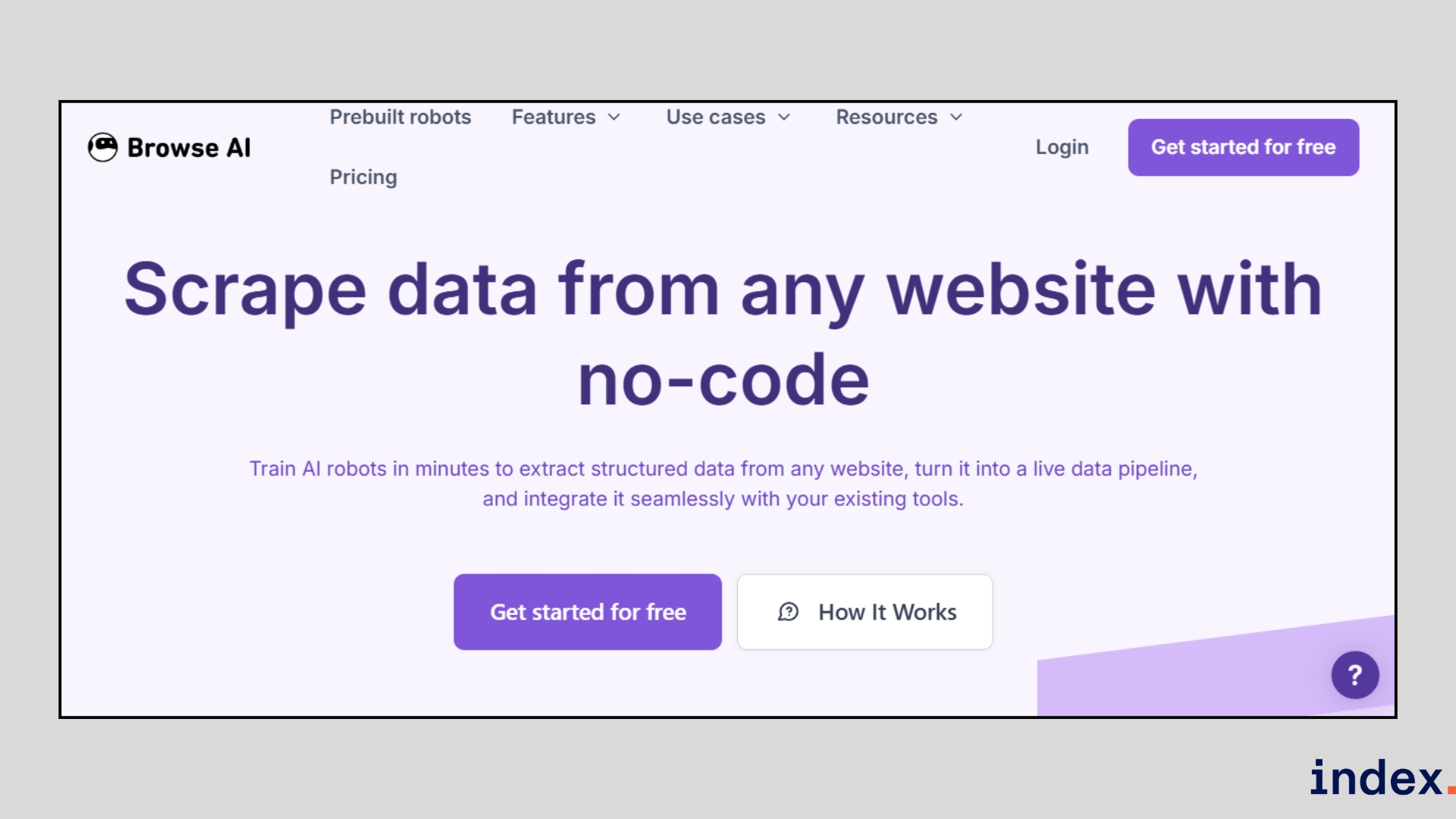
Browse AI is an AI-powered data extraction and monitoring platform that enables anyone to scrape and track website data without writing code. The platform is trusted by more than 770,000 users worldwide and offers both prebuilt robots for quick use cases and customizable robots for unique needs.
Whether you want to track e-commerce prices, monitor job boards, or build large datasets from thousands of URLs, Browse AI is built to handle it reliably and at scale. For teams needing to pull data from local classifieds, the tool can be configured as a craigslist scraper to aggregate housing or used goods listings automatically.
How it works
Browse AI works by allowing you to train “robots” that capture data from websites. Training a robot takes only a few minutes and does not require coding. You simply open the website you want to scrape, point to the elements you need, and the AI learns the pattern.
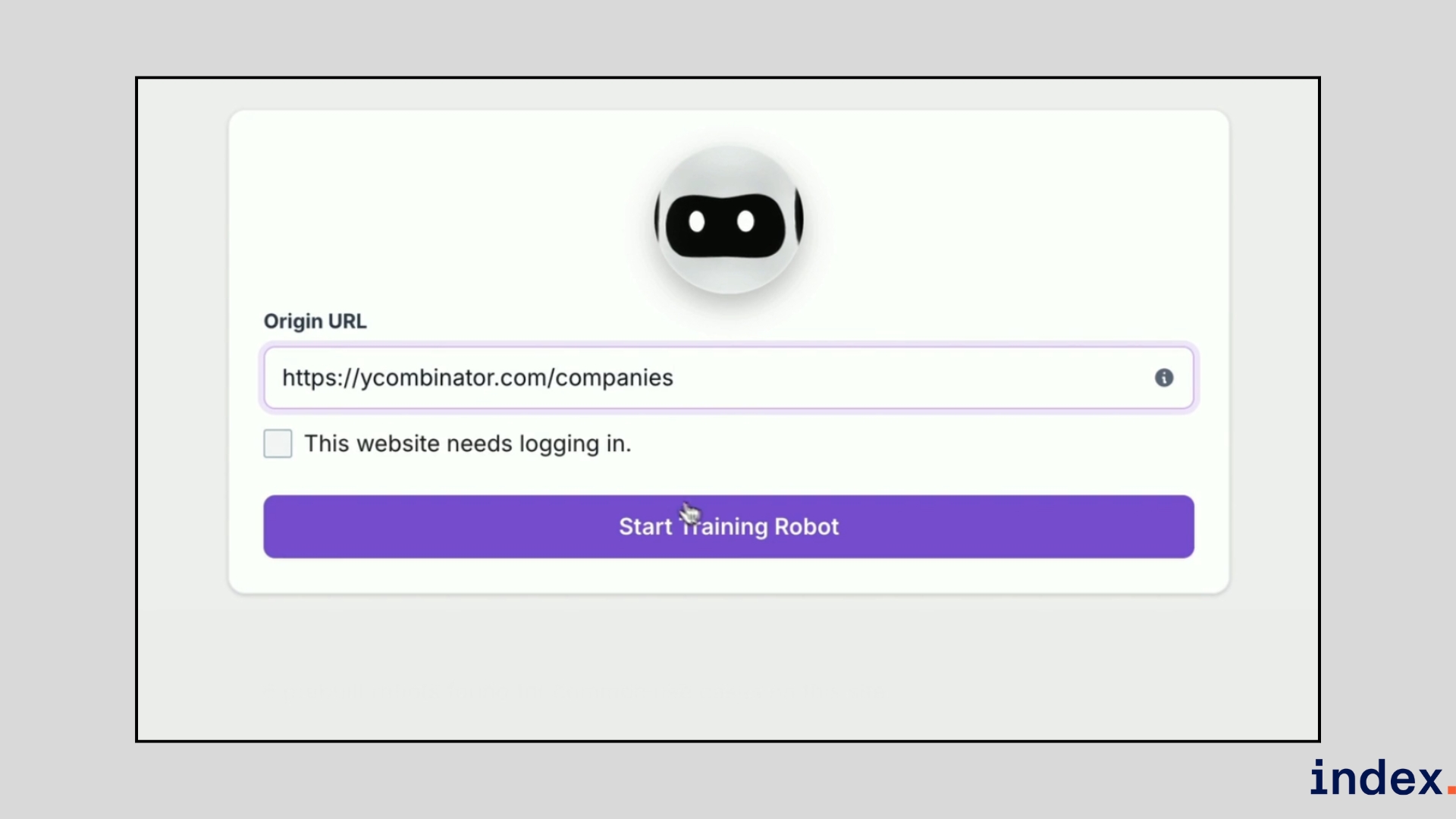
From there, the platform takes over and runs extractions automatically.
In our testing, the workflow looked like this:
- Create an account and choose whether to use a prebuilt robot or build a new one.
- Select a target website, then click on the text, images, or fields you want to capture. Browse AI recognises the data pattern automatically.
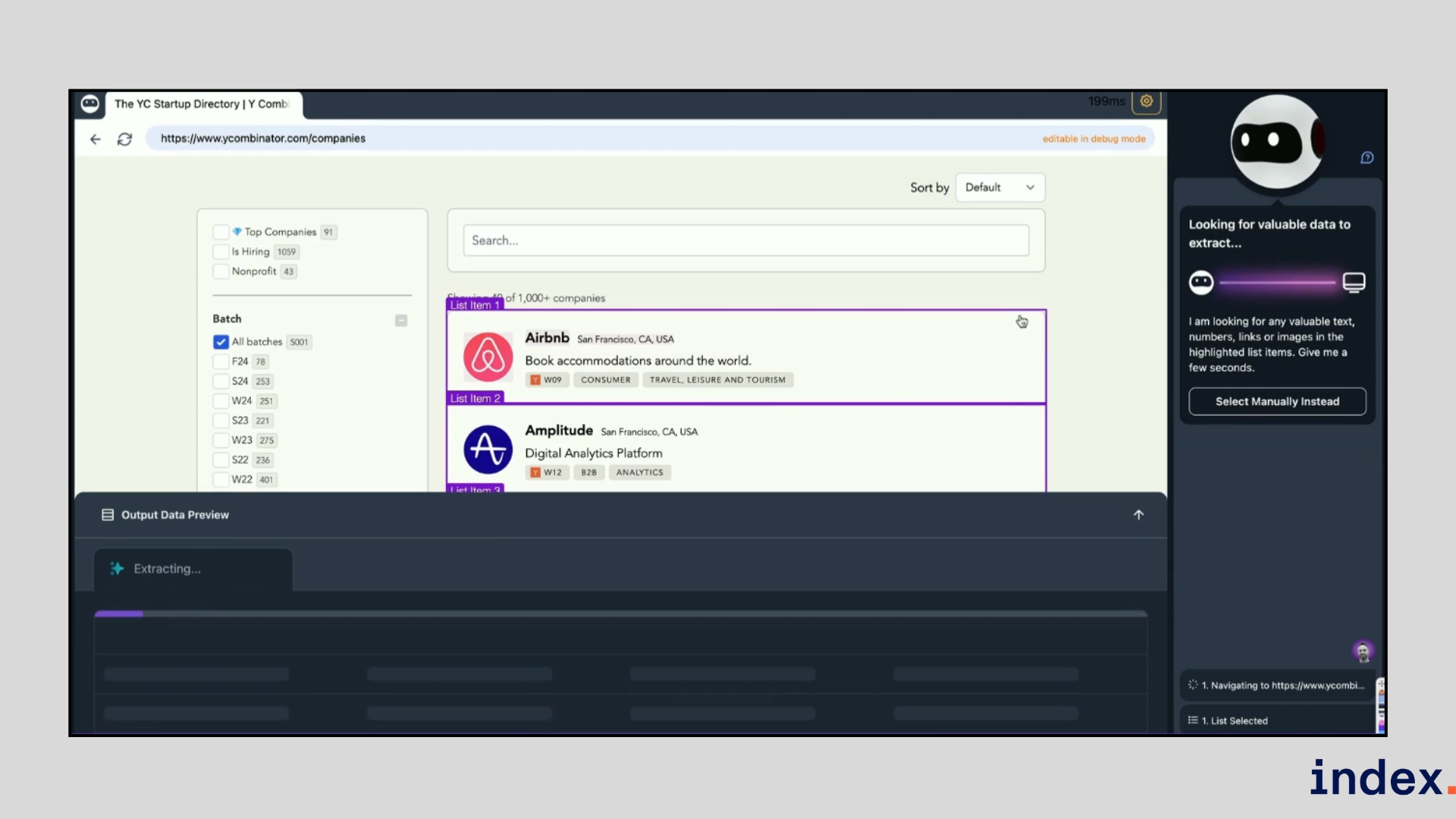
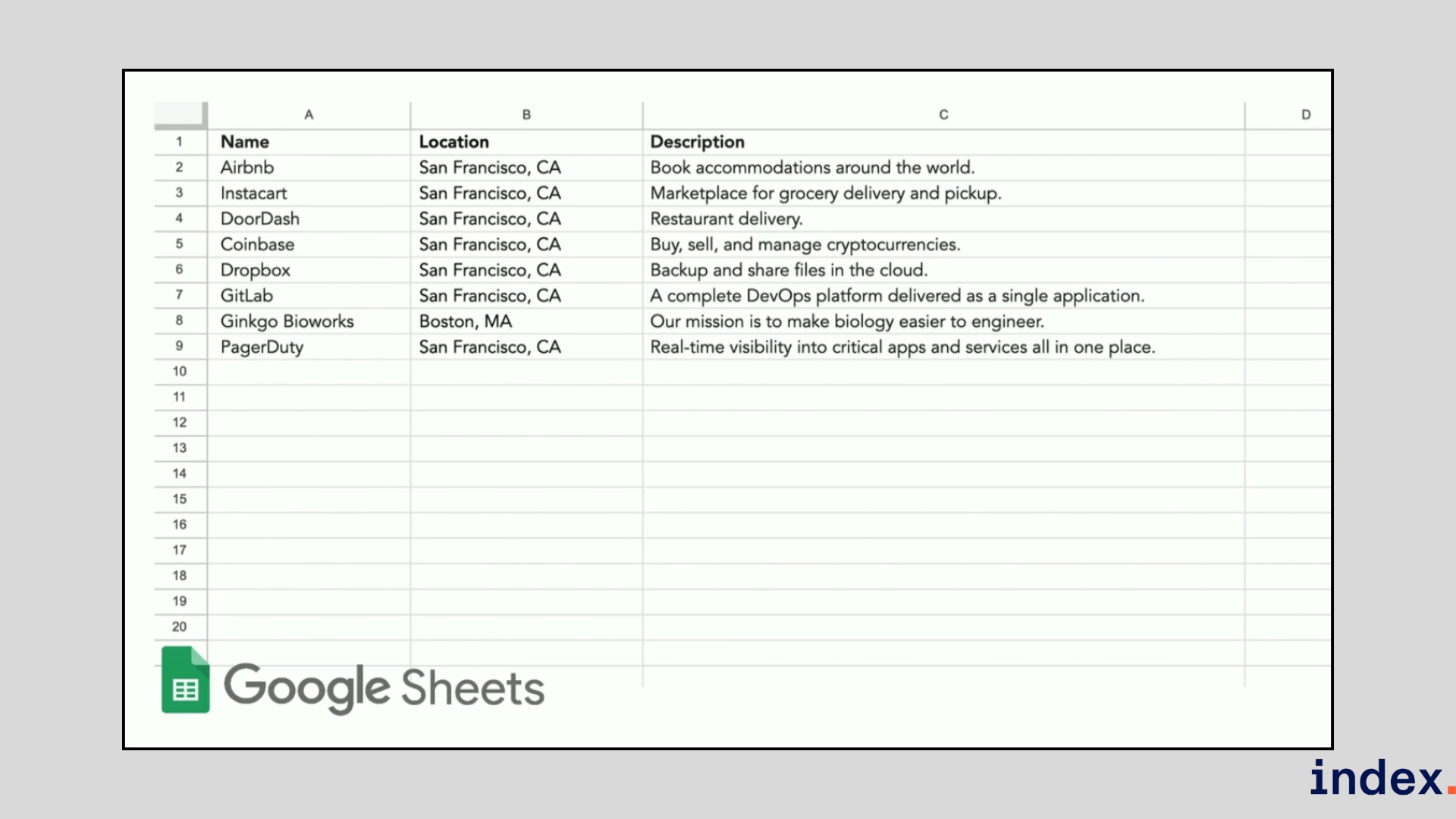
- Preview the results in a spreadsheet-like table to confirm accuracy. If the robot misses something, you can refine the selection in a few clicks.
- Schedule extractions to run daily, weekly, or monthly. The robot will automatically monitor the website for changes and notify you when something updates.
- Export the results into Google Sheets, Airtable, or via Zapier, API, or one of 7,000+ integrations, turning static web pages into a live data pipeline.
The AI engine adds several advantages compared to traditional scrapers. Robots adapt automatically when websites change layouts, so your workflow doesn’t break. They can simulate human-like browsing to handle CAPTCHA, infinite scroll, and password-protected pages.
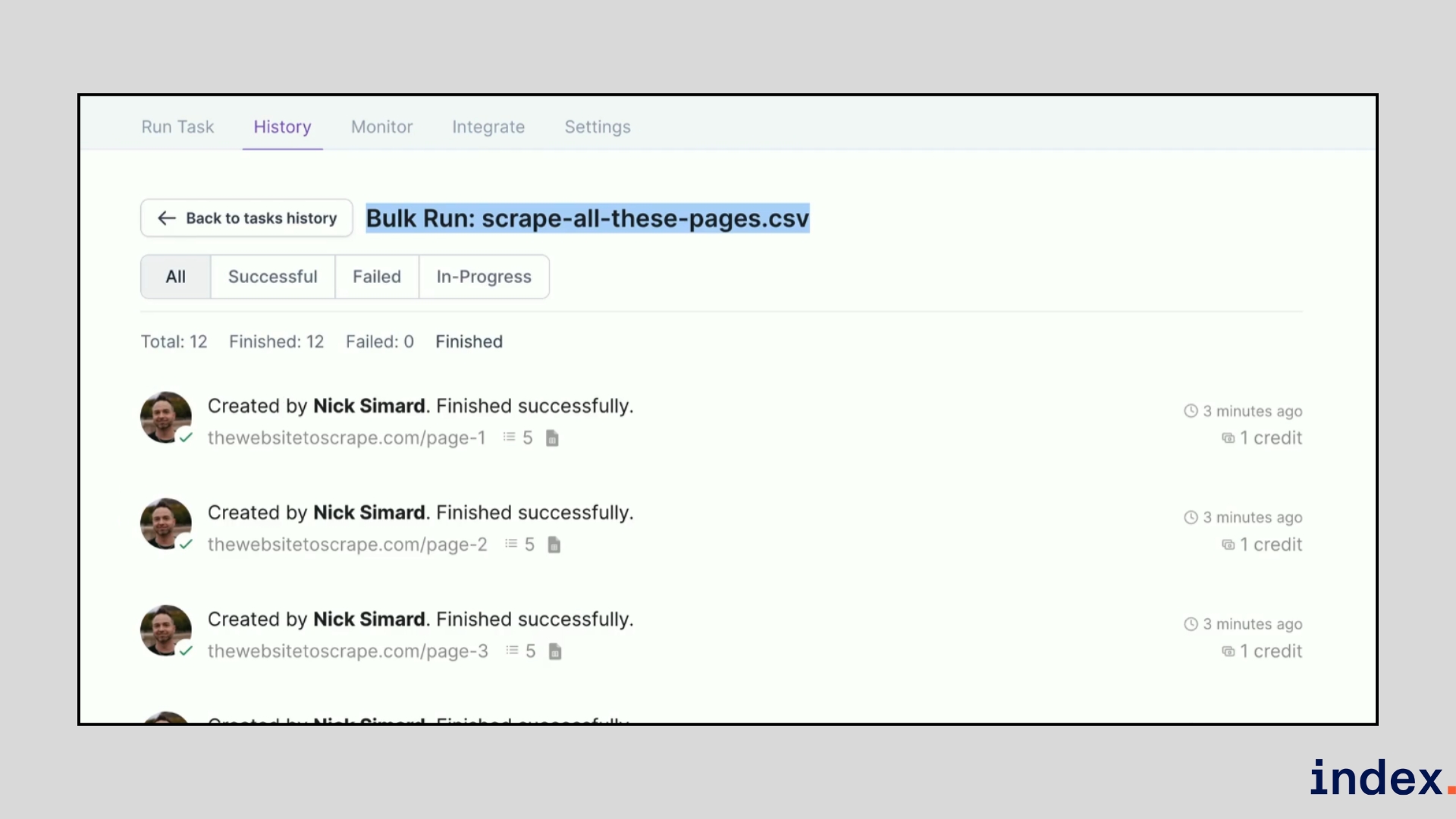
For large projects, Browse AI supports bulk runs of up to 500,000 URLs using a simple CSV upload, allowing you to build massive datasets in one operation.
Why we selected this tool
When we tested Browse AI, what impressed us most was how quickly we could set up a working scraper without writing code. The point-and-click training made it easy to capture structured data, and the monitoring feature kept our results accurate even when the website layout changed. For bulk projects, being able to upload a CSV and extract data from thousands of pages in one run gave us a clear productivity boost.
Pricing
Browse AI offers a free plan for small projects, with paid plans starting at $19/month for the Personal plan, $69/month for the Professional plan and premium plans are available from $500/month for managed services.
2. Thunderbit
Best for: Fast, browser-based scraping for sales, ops, and e-commerce teams who want two-click data extraction and instant exports.
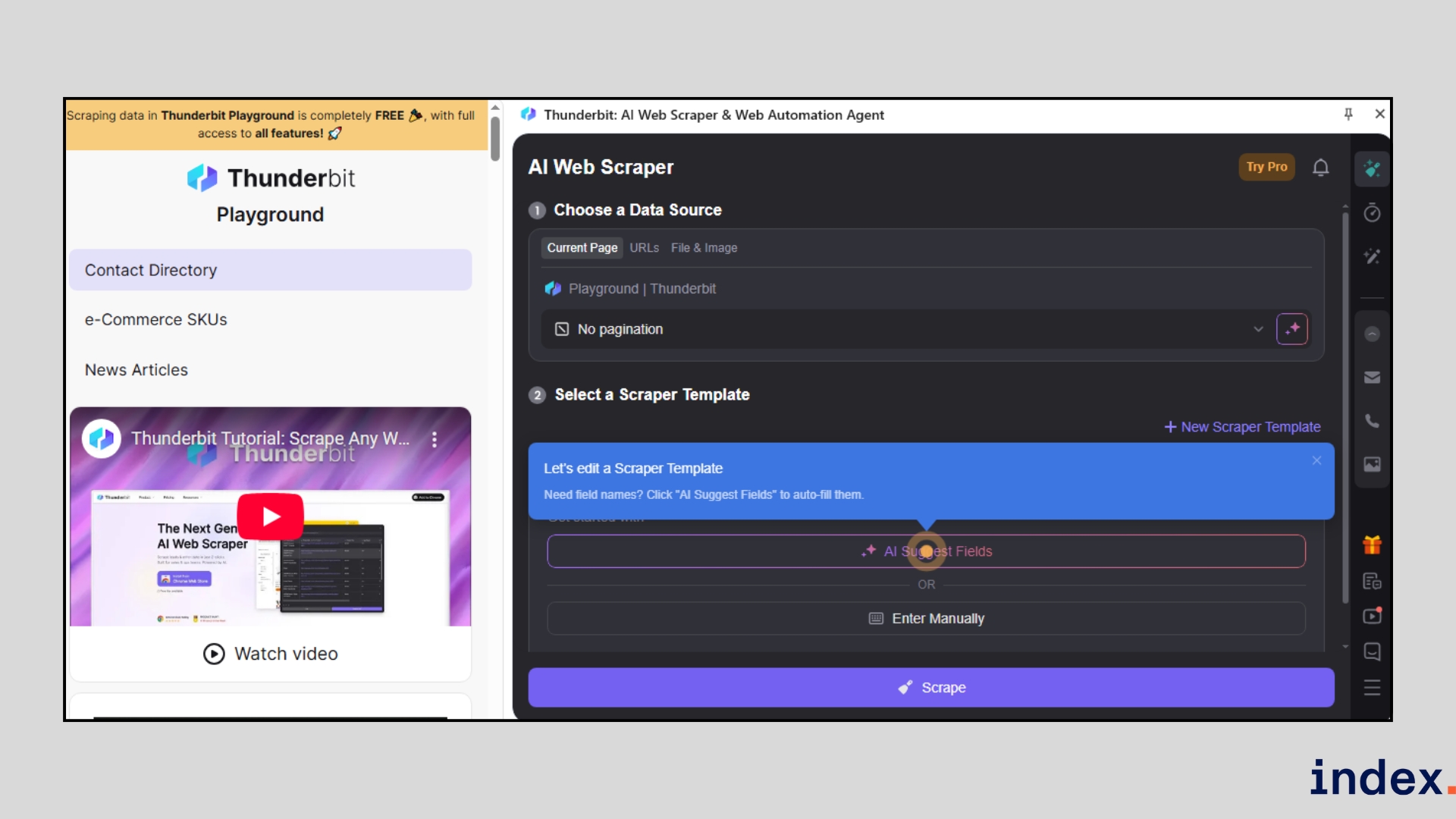
Thunderbit is a Chrome extension first AI web scraper that puts extraction tools directly in your browser. It targets GTM, sales, and e-commerce workflows by letting users scrape pages, PDFs, images, and documents with minimal setup. Rather than building selectors, you tell Thunderbit the column names and data types you want, and the extension’s AI organises the page and fills a table for you. The product ships with dozens of instant templates (Amazon, Shopify, LinkedIn, Zillow, Google Maps, TikTok, etc.), and it supports data enrichment, formatting, and direct export to Google Sheets, Airtable, Notion, or Excel.
How it works
Thunderbit runs inside your browser as a Chrome extension, so you scrape while you browse. You start by opening the target page, then either pick an instant template or instruct the AI with the column names and types you need. The AI analyses the page structure, suggests fields, and builds a clean table automatically.
For multi-page jobs, you can feed pagination or a CSV of URLs; for heavy workflows, the extension will visit linked subpages and append enriched columns to your dataset.
In practice, the workflow looks like this:
- Install the Chrome extension and open the page you want to scrape.
- Choose a prebuilt template (if one exists) or type the column names and desired data types (for example: “Name — Email — Title — Company — LinkedIn URL”).
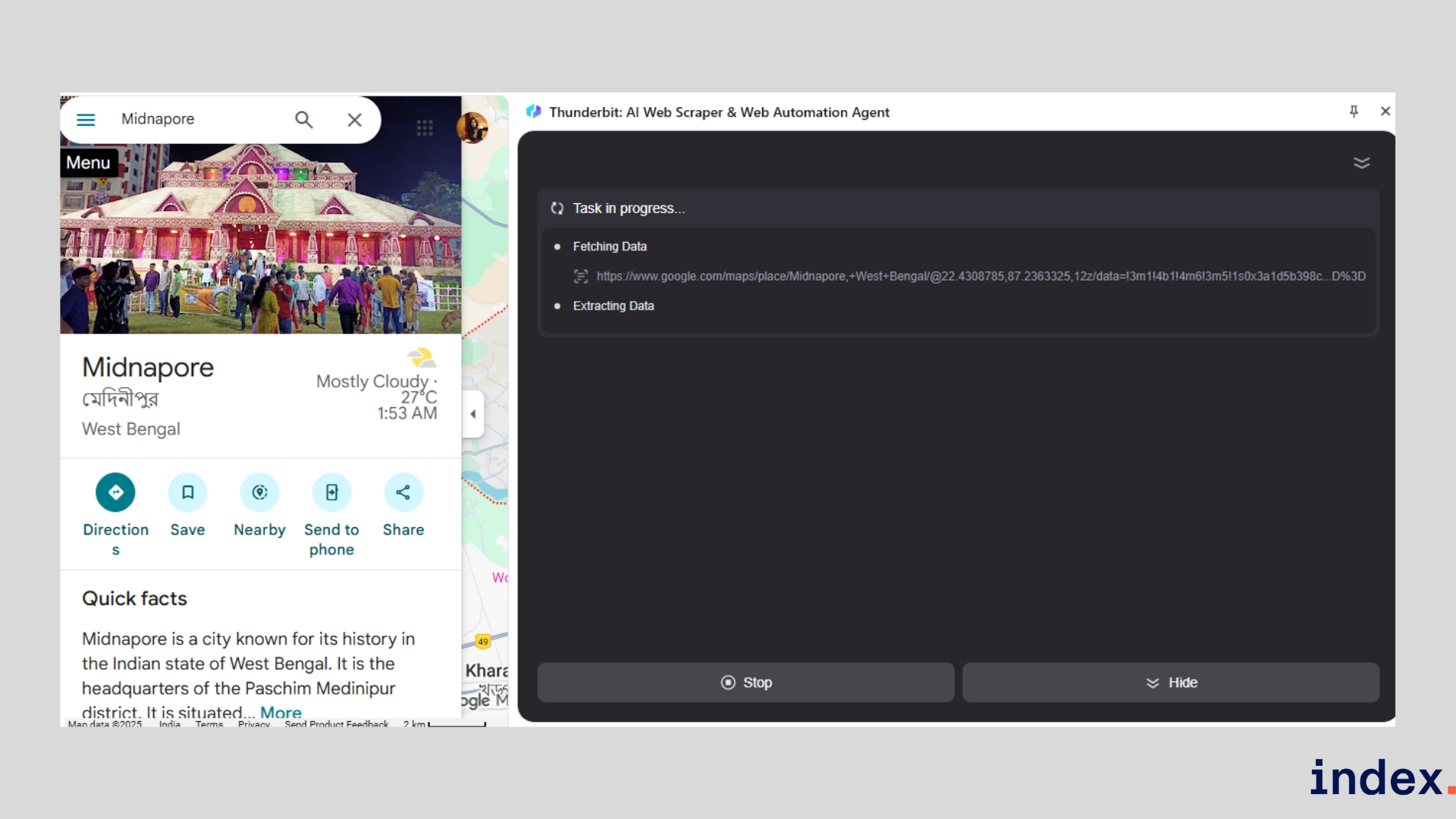
- Click once to let Thunderbit detect fields and click a second time to start extraction; the AI fills a structured table you can preview.
- If the page links to detail pages, allow the AI to follow subpages and enrich rows with additional columns (price history, description, images, contact info, etc.).
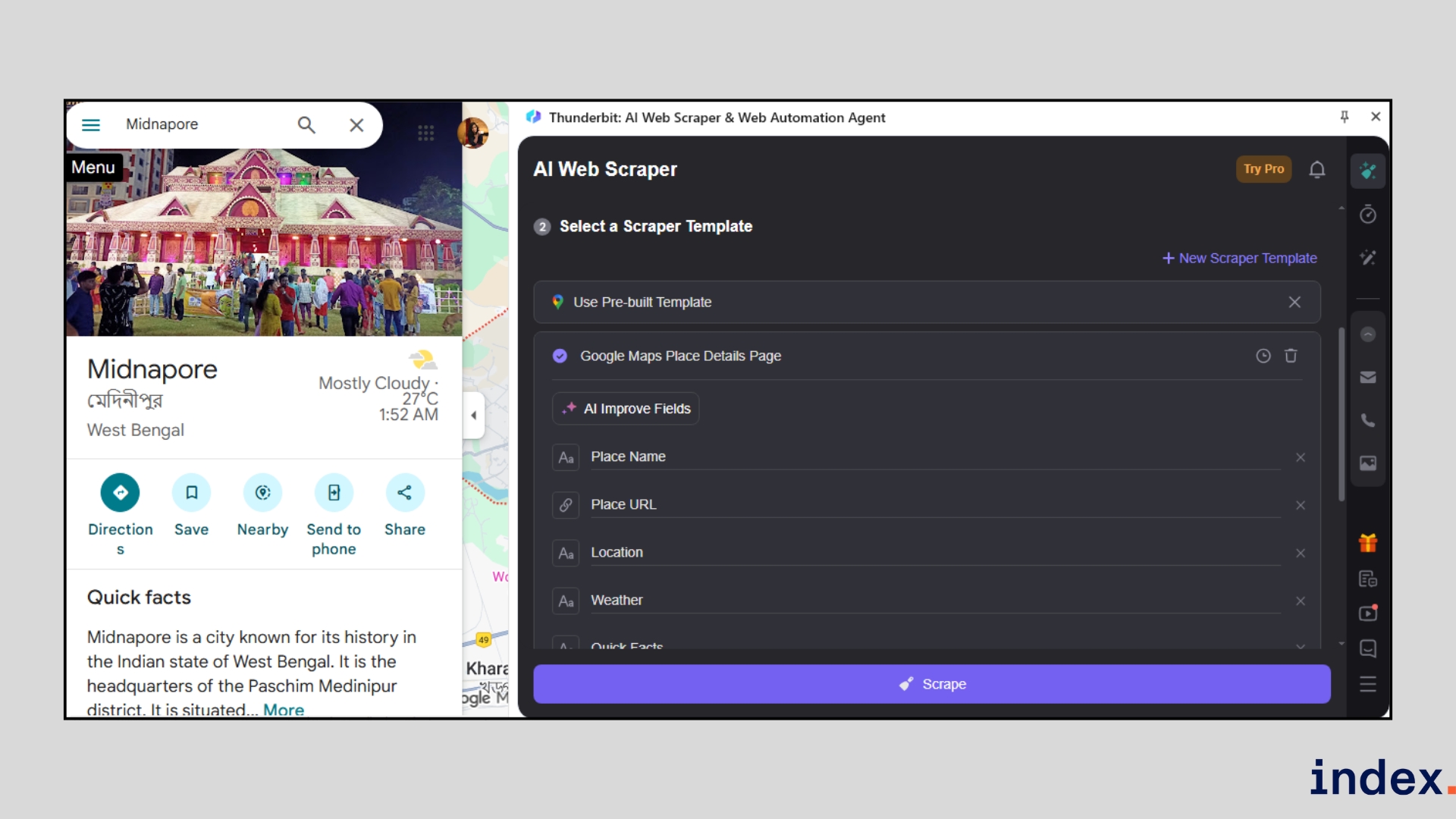
- Use built-in formatting to standardise phone numbers, split names, translate or summarise text, or calculate derived fields as the data is scraped.
- Export instantly to Google Sheets, Airtable, Notion, or copy/paste into Excel, or connect via integrations for automated pipelines.
Thunderbit’s AI also handles non-HTML sources: you can extract tables and text from PDFs, images, and documents, making it useful when data lives in varied formats. The extension includes one-click scrapers for popular sites (Instagram, Amazon, eBay, Zillow, LinkedIn, TikTok, and many more), which speed up common use cases like lead lists or SKU collection. As it runs in the browser, it is ideal for quick, interactive scraping sessions and ad-hoc research.
Why we selected this tool
When we tested Thunderbit, it saved us time on quick lead and product research because we could train a scraper in two clicks and get a clean, formatted table immediately. The ability to tell the AI the exact columns we wanted (and have it format phone numbers, translate text, or append subpage details automatically) removed a lot of post-scrape cleanup. For browser-driven prospecting and fast e-commerce platforms checks, Thunderbit gave the best mix of speed, accuracy, and export flexibility.
Pricing
Thunderbit offers a free plan with limited scraping, with paid plans starting at $9/month (Starter) and $16.5/month (Pro), while custom business packages are available for teams needing higher limits and priority support.
3. Web Scraper
Best for: Beginners and professionals who want a flexible mix of free local scraping and advanced cloud automation.
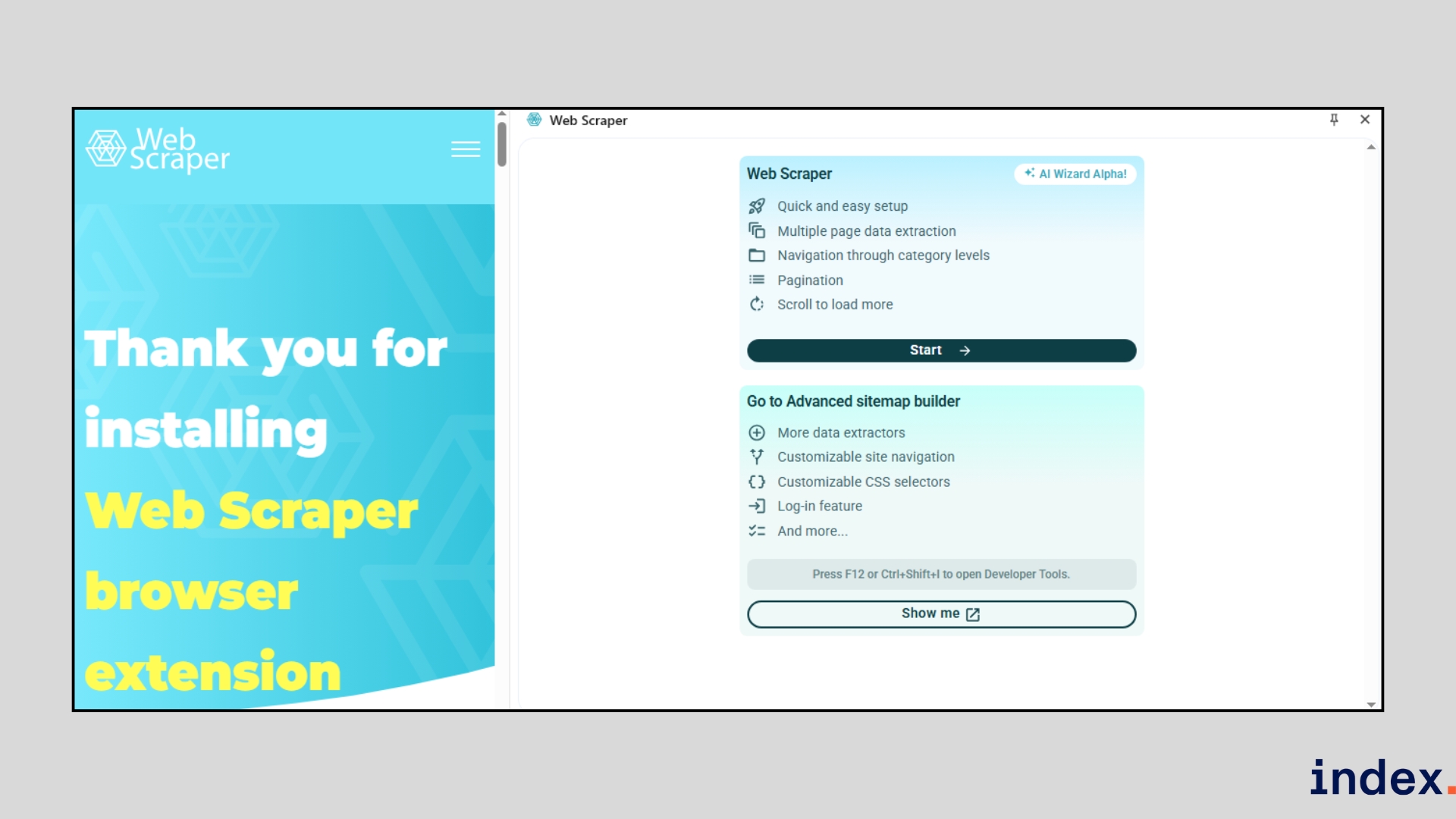
Web Scraper is a widely adopted scraping platform that offers a free Chrome/Firefox extension for local projects and a paid cloud service for scaling jobs. With over 800,000 users globally, it is designed to handle everything from small, one-off scrapes to large, scheduled extractions. Its sitemap-based approach lets you define exactly how the scraper navigates and captures data, making it powerful enough for complex sites while still accessible to non-coders.
How it works
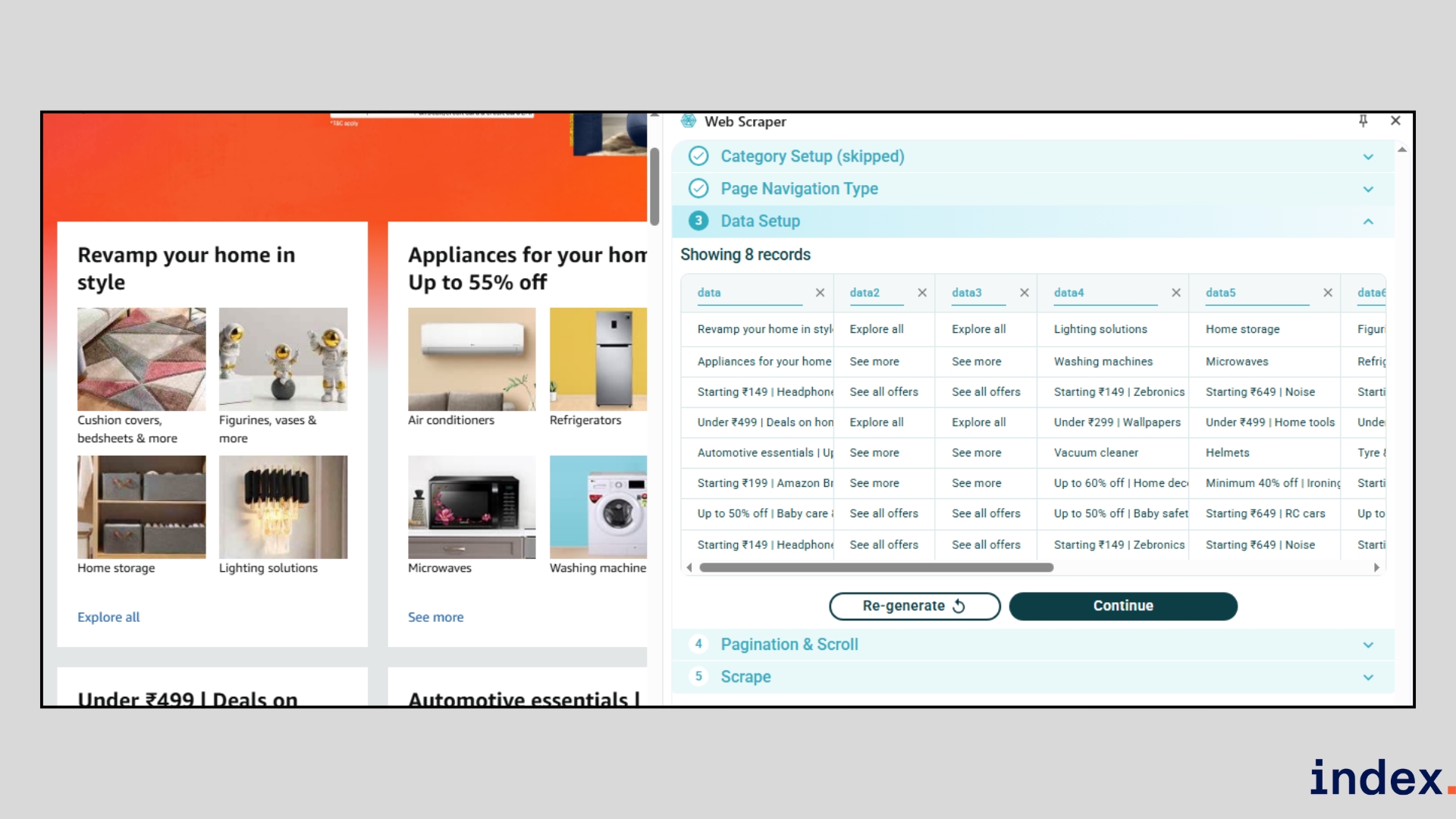
The Web Scraper workflow starts with installing the free browser extension. Once inside your browser, you configure a sitemap by clicking on the elements you want to extract, like titles, prices, or images.
The scraper follows this sitemap to crawl pages, handle pagination, and capture structured data.
For more complex jobs, you can use Web Scraper Cloud, which automates scheduled scrapes and adds features like IP rotation, API access, and data post-processing. For teams running larger crawls, some companies also buy datacenter proxies to keep requests stable and reduce blocks. For teams that need more control over location and session behavior, residential proxies for web scraping can provide rotating or sticky IPs across specific countries, cities, and ISPs.
The workflow typically looks like this:
- Step 1: Install the extension – Add the Web Scraper extension to your browser.
- Step 2: Create a sitemap – Define what data you want by clicking on elements like names, links, or prices.
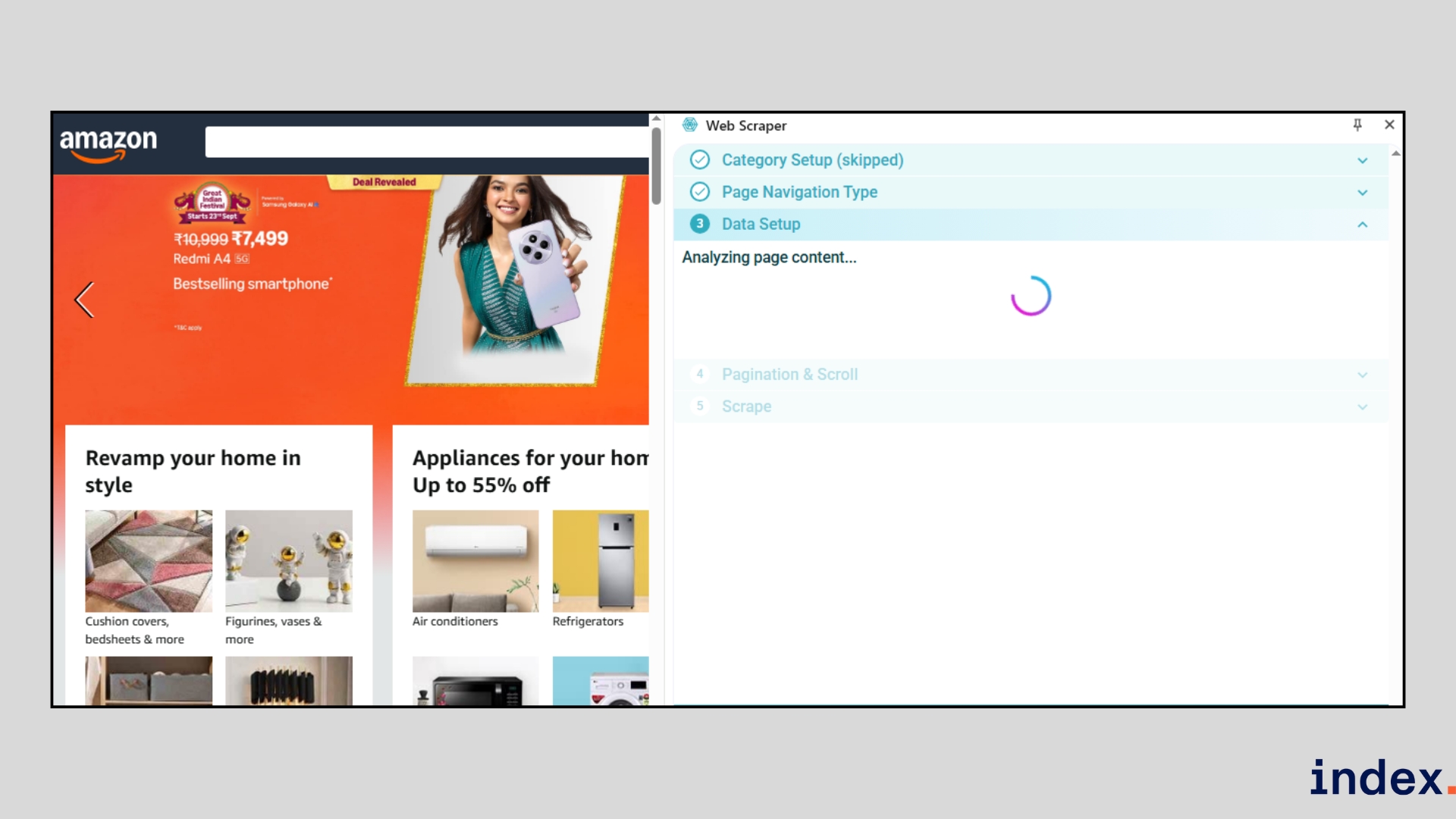
- Step 3: Run the scraper – The tool navigates pages, handles pagination, and extracts your chosen data, even from JavaScript-heavy sites.
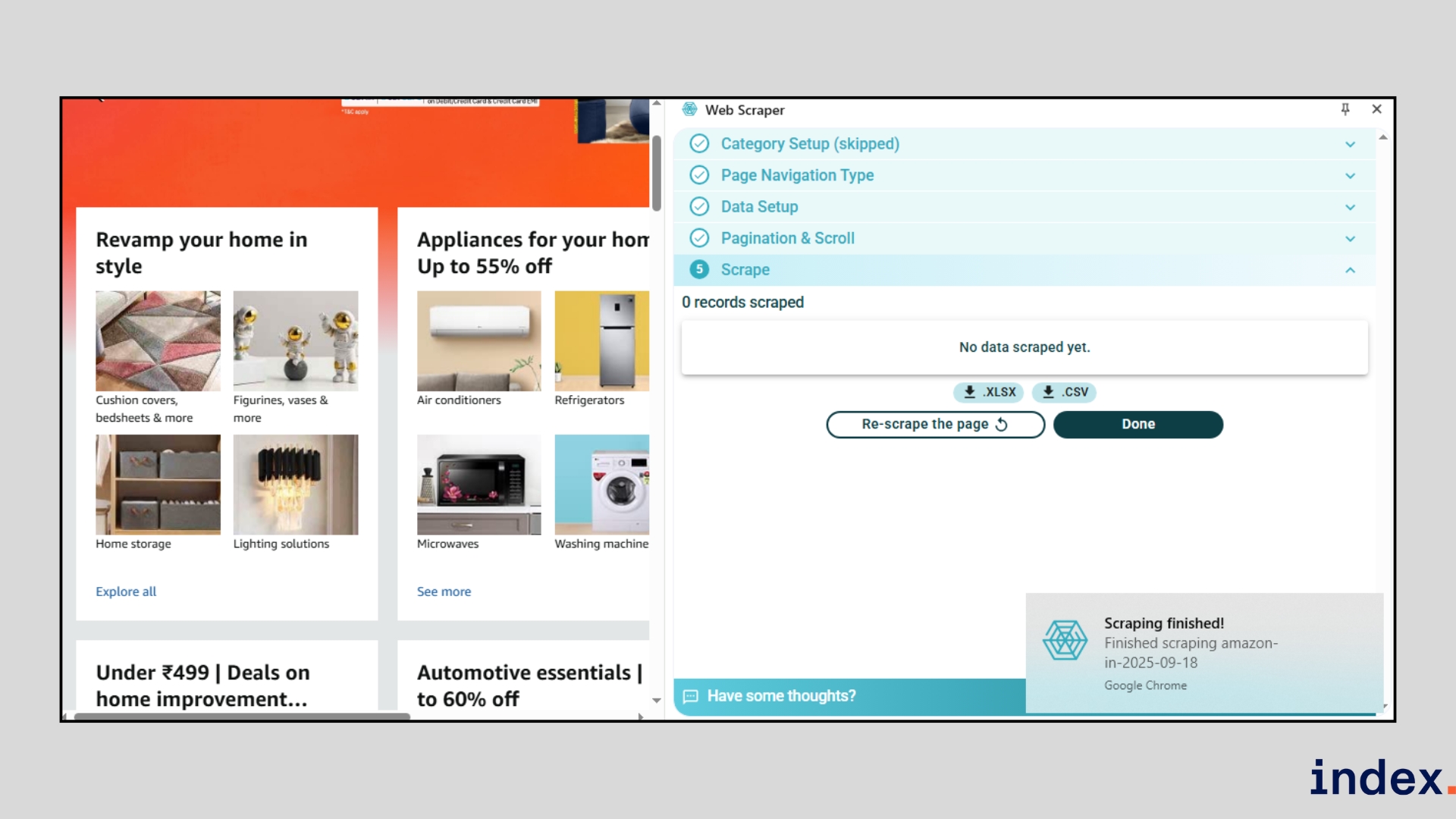
- Step 4: Export your results – Save the data directly as CSV, JSON, or XLSX, or send it to Google Sheets, Dropbox, or Amazon S3.
- Step 5: Automate in the cloud (optional) – Upgrade to Web Scraper Cloud to schedule jobs (hourly, daily, weekly), rotate proxies, bypass bot protections, and integrate results via API or webhooks.
By combining a visual, no-code sitemap builder with enterprise-grade cloud features, Web Scraper is equally suitable for small personal projects and large recurring data pipelines.
Why we selected this tool
We included Web Scraper because it bridges the gap between free, entry-level scraping and advanced, professional-grade data extraction. The Chrome extension is one of the easiest ways to start scraping without code, while the Cloud platform adds automation, scheduling, and integration options that make it suitable for continuous business use of AI agents for software development.
When we tested it, we appreciated its reliability on JavaScript-heavy websites and how smoothly it exported structured data into CSV or Sheets without requiring extra cleanup.
Pricing
Web Scraper’s browser extension is free for unlimited local use, while cloud plans start at $50/month (Project), $100/month (Professional), and from $200/month (Scale), with custom enterprise options available.
4. Octoparse
Best for: Non-technical users and teams that want both prebuilt templates and customizable workflows for large-scale scraping.
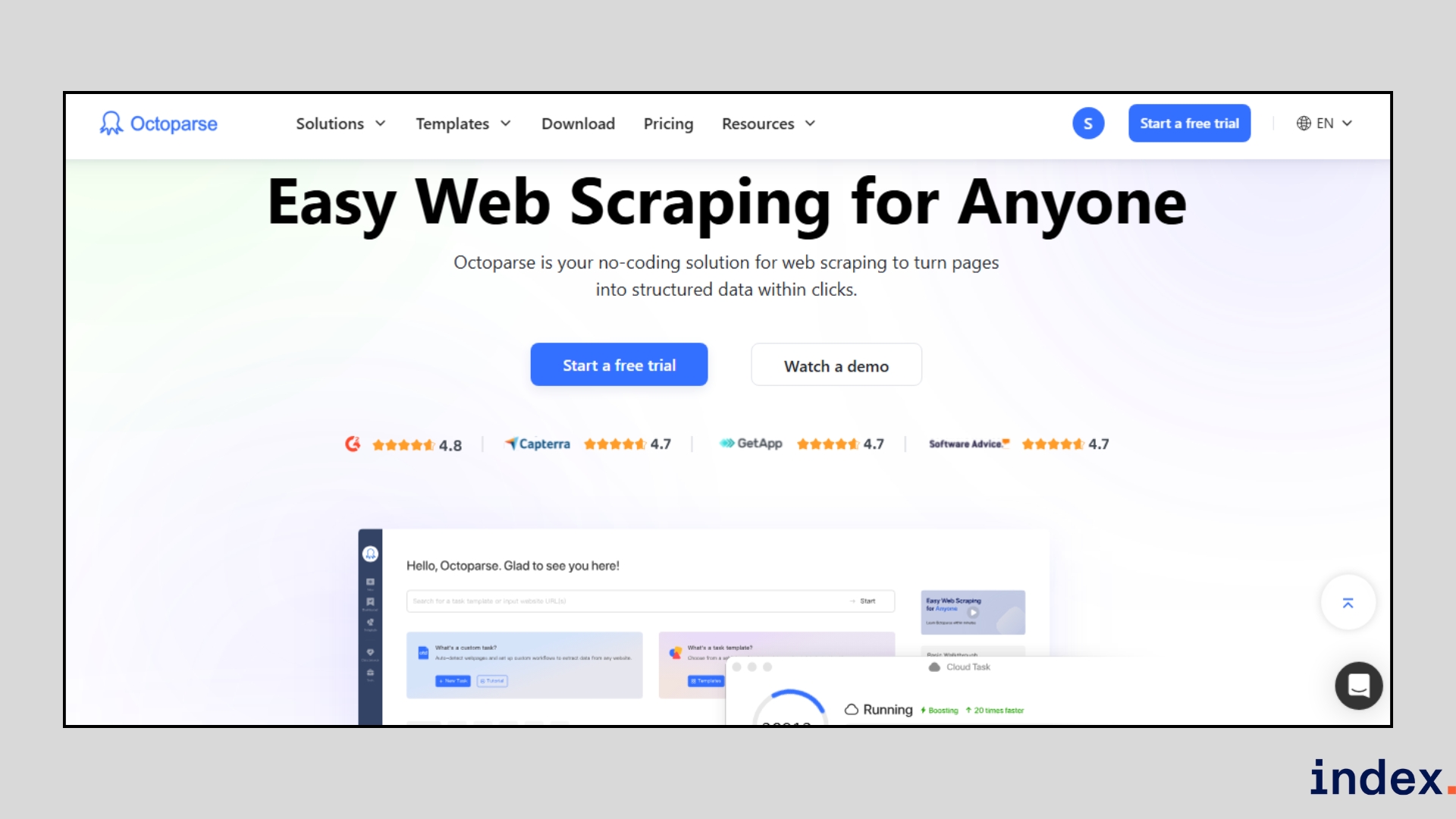
Octoparse stands out as a truly beginner-friendly scraping platform because it combines a visual workflow builder with an AI auto-detect engine. Instead of writing scripts, you can point, click, and let the system generate scraping tasks for you, even on sites with JavaScript, infinite scrolling, or CAPTCHA.
What makes it different from many other tools is the mix of flexibility and speed. You can start with one of its 100+ ready-made templates for sites like Google Maps, LinkedIn, or Amazon, or build a fully custom task in minutes.
For teams that need scale, its cloud extraction service runs 24/7 with IP rotation and automated scheduling, ensuring reliable delivery of clean data straight into your spreadsheets, databases, or apps.
How it works
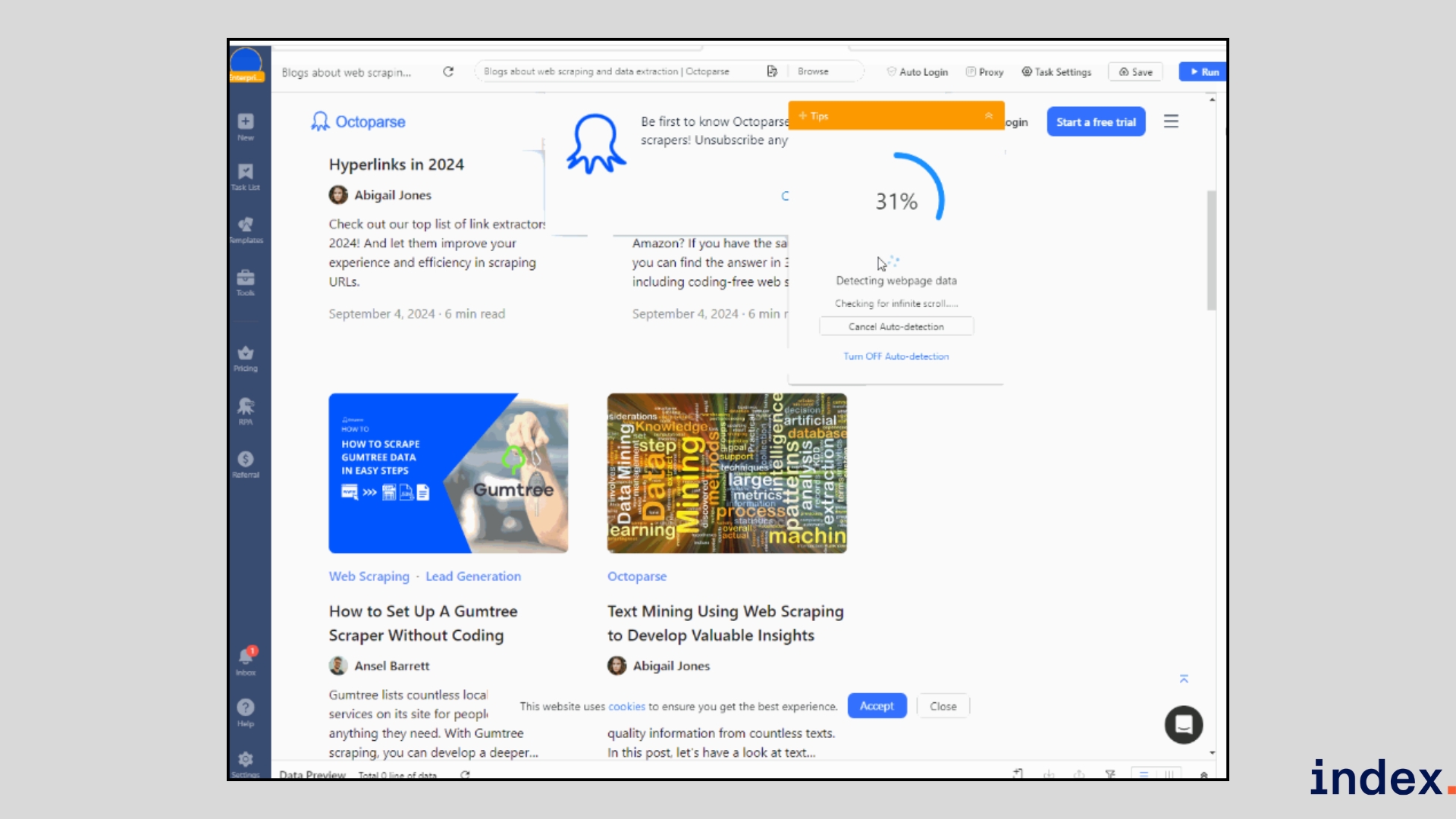
Octoparse simplifies web scraping into a visual workflow. You begin by entering the URL of the site you want to scrape, and the built-in browser loads the page for you. With one click, the Auto-detect feature scans the page and highlights the data fields it finds, such as names, prices, or links.
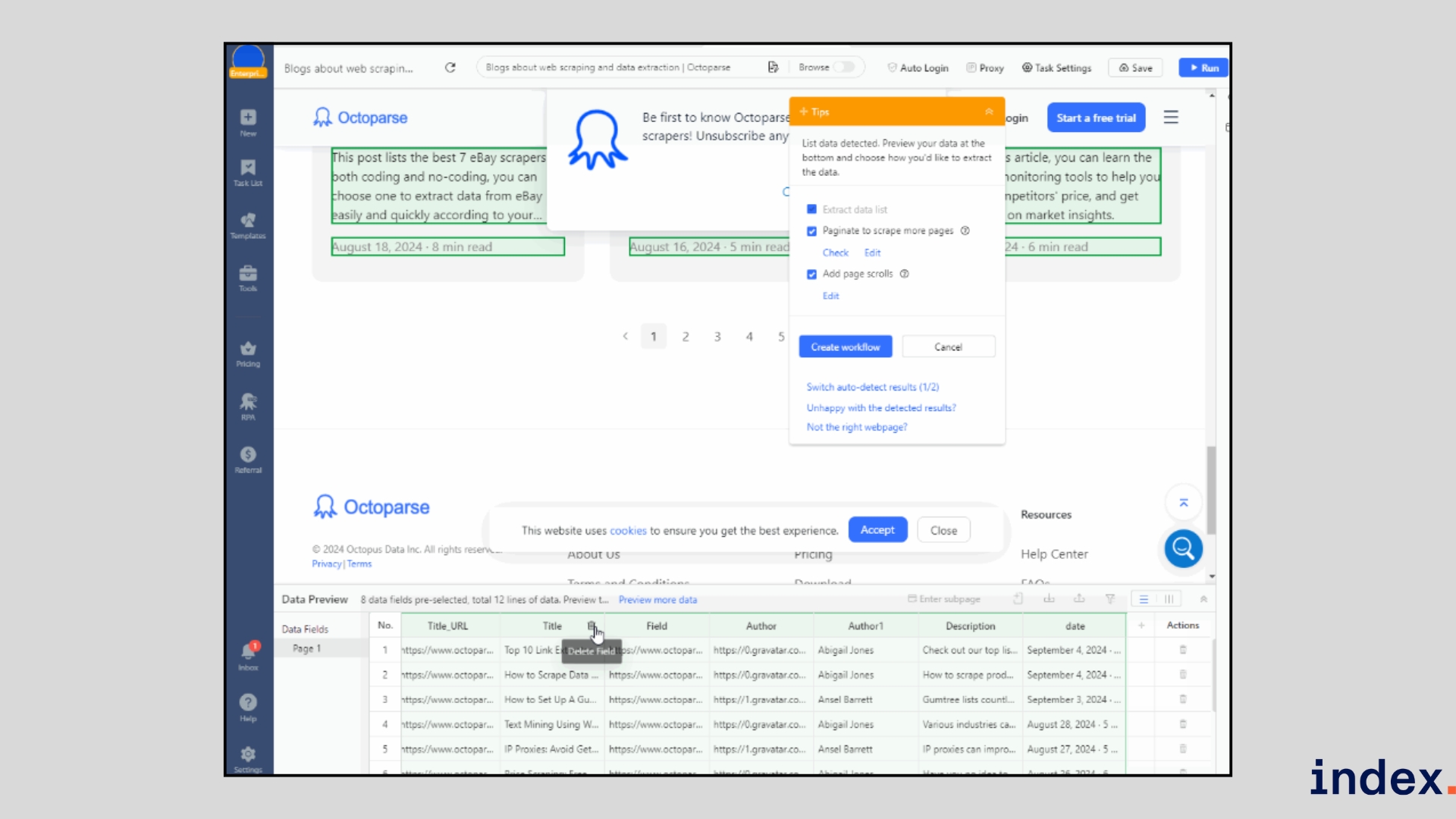
You can preview the results instantly, remove anything you don’t need, and set options like infinite scrolling or pagination to capture multiple pages.
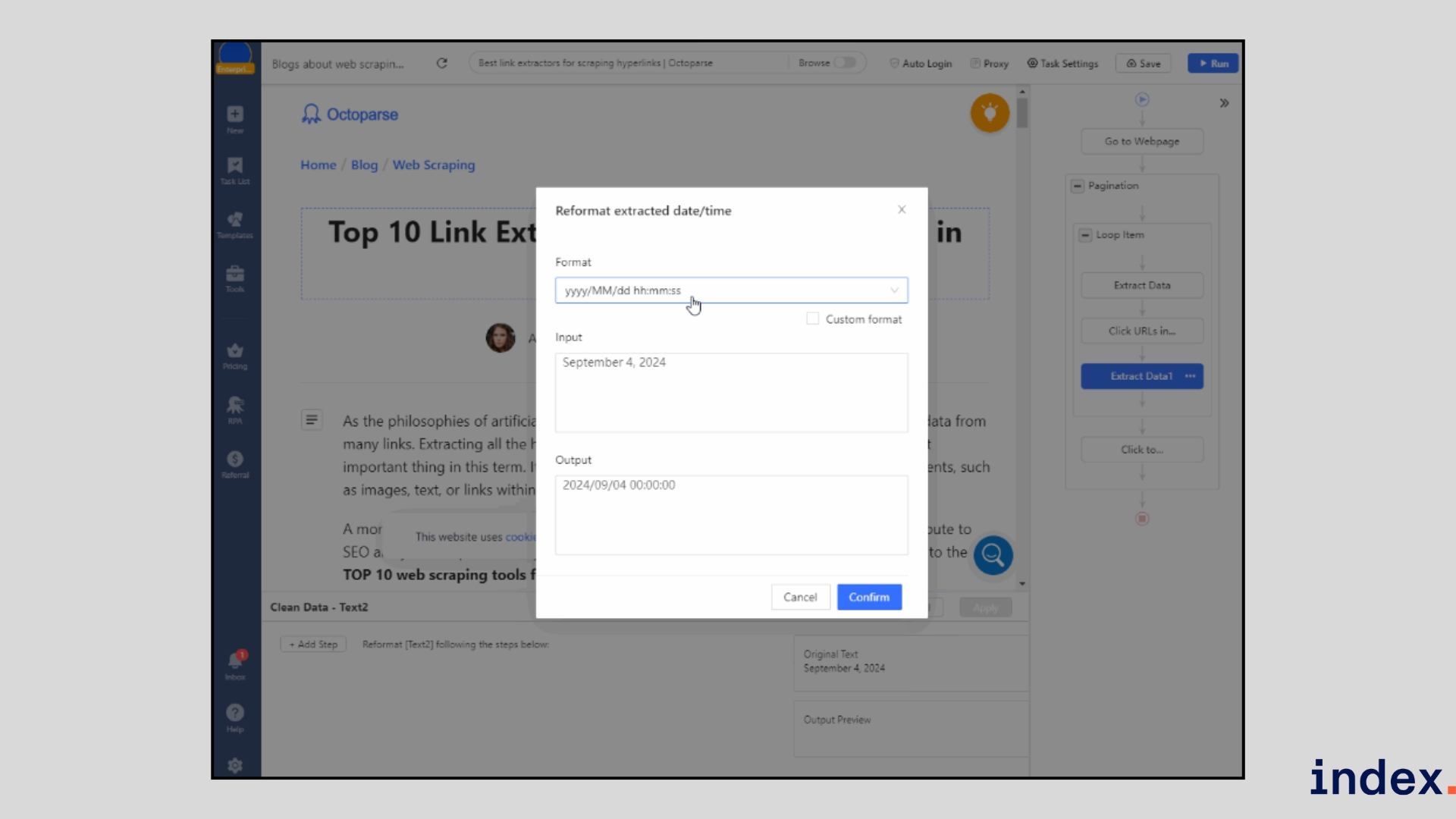
If your data lives on detail pages, Octoparse follows the links automatically and extracts deeper information like full descriptions or reviews. Before running, you can use the Clean Data tool to reformat dates, standardise text, or remove duplicates so your dataset is ready to use.
Once your task is ready, test it locally or run it in the cloud. The cloud option handles IP rotation, CAPTCHA solving, and 24/7 scheduling, so large-scale scraping runs without interruptions. Finally, export your data directly to Excel, CSV, JSON, Google Sheets, or connect it to your systems via API or webhooks.
The typical process looks like this:
- Enter a URL or choose a prebuilt template.
- Let AI auto-detect data fields, then confirm or customise them.
- Review the generated workflow and tweak it if needed.
- Run the scraper locally or in the cloud.
- Export results to CSV, Excel, JSON, or directly into integrated apps.
Why we selected this tool
We picked Octoparse because it blends ease of use with professional-grade power. During our tests, the auto-detect feature stood out; it reduced setup time dramatically, especially on complex websites with dynamic content.
The availability of prebuilt templates for high-demand sites like LinkedIn and Google Maps makes it a fast option for business users, while the cloud service with IP rotation and scheduling ensures reliable performance for enterprise-scale projects.
Pricing
Octoparse offers a Free plan for small projects, with paid plans starting at $69/month (Standard) and $249/month (Professional), while custom Enterprise packages are available for large-scale scraping. Add-on services like residential proxies, pay-per-result templates, and CAPTCHA solving can be purchased separately.
5. Bardeen
Best for: GTM teams (sales, revops, marketing) that want browser-first automation and one-click scraping integrated directly into their workflows.
Bardeen is a work-intelligence platform that combines a browser extension, AI playbooks, and background agents to automate data collection and everyday GTM tasks. Rather than forcing you to switch tools, Bardeen runs in your browser and turns actions like visiting a LinkedIn profile or a product page into repeatable playbooks that extract, enrich, and push data into Google Sheets, CRMs, or other apps. Its strength is making scraping feel like a native part of your workflow: you trigger scrapers from the page you’re on, or run them in the background at scale.
How it works
Bardeen runs as a Chrome extension, so you use it directly in your browser while visiting websites. To start scraping, you can either select a pre-built playbook (for example, “Save LinkedIn profiles to Google Sheets”) or type your goal in plain English using the Magic Box, and Bardeen will build the automation for you.
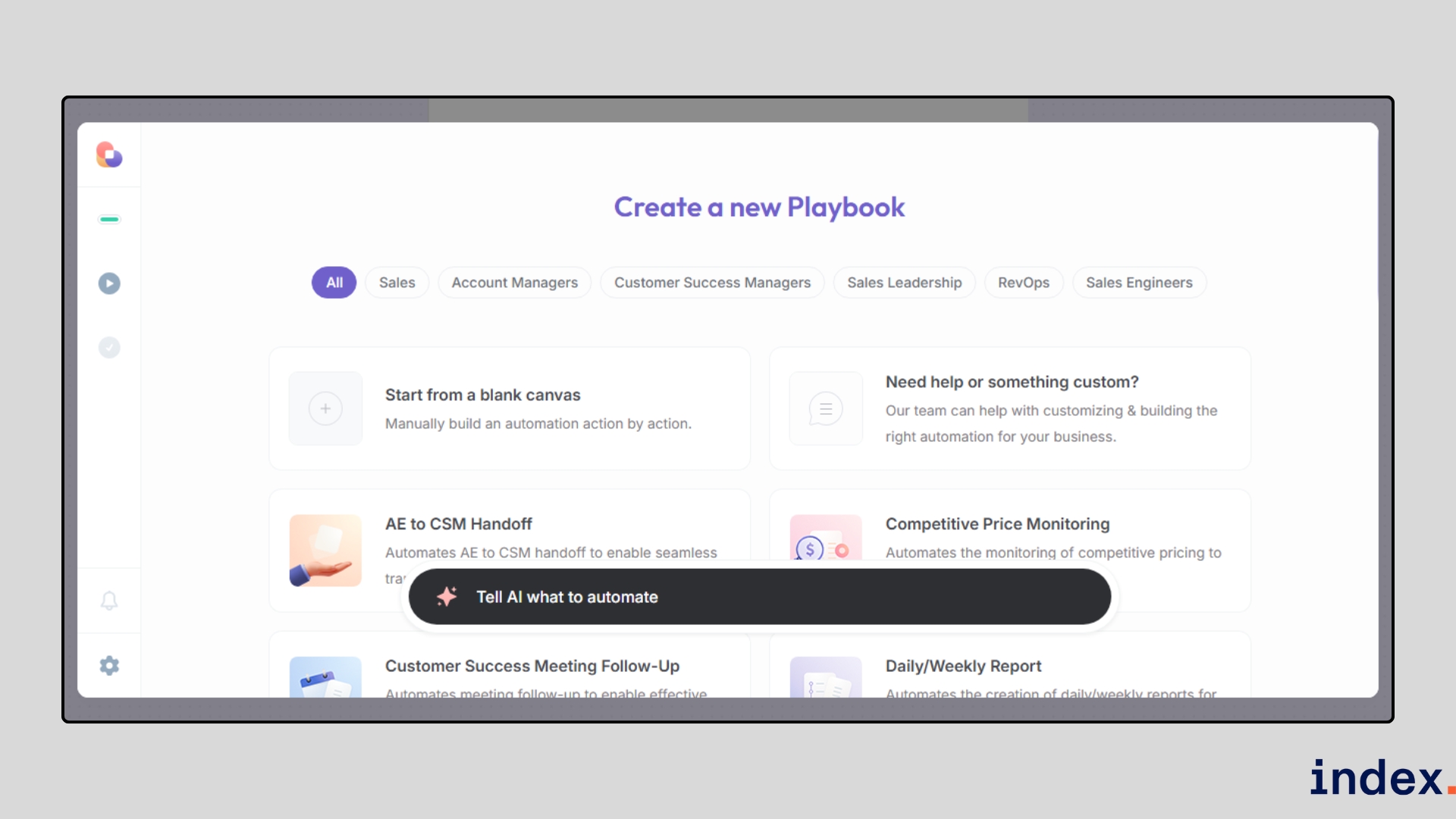
Once the playbook is set, you highlight the fields you want, like names, job titles, emails, or prices, and Bardeen automatically detects patterns across the page.
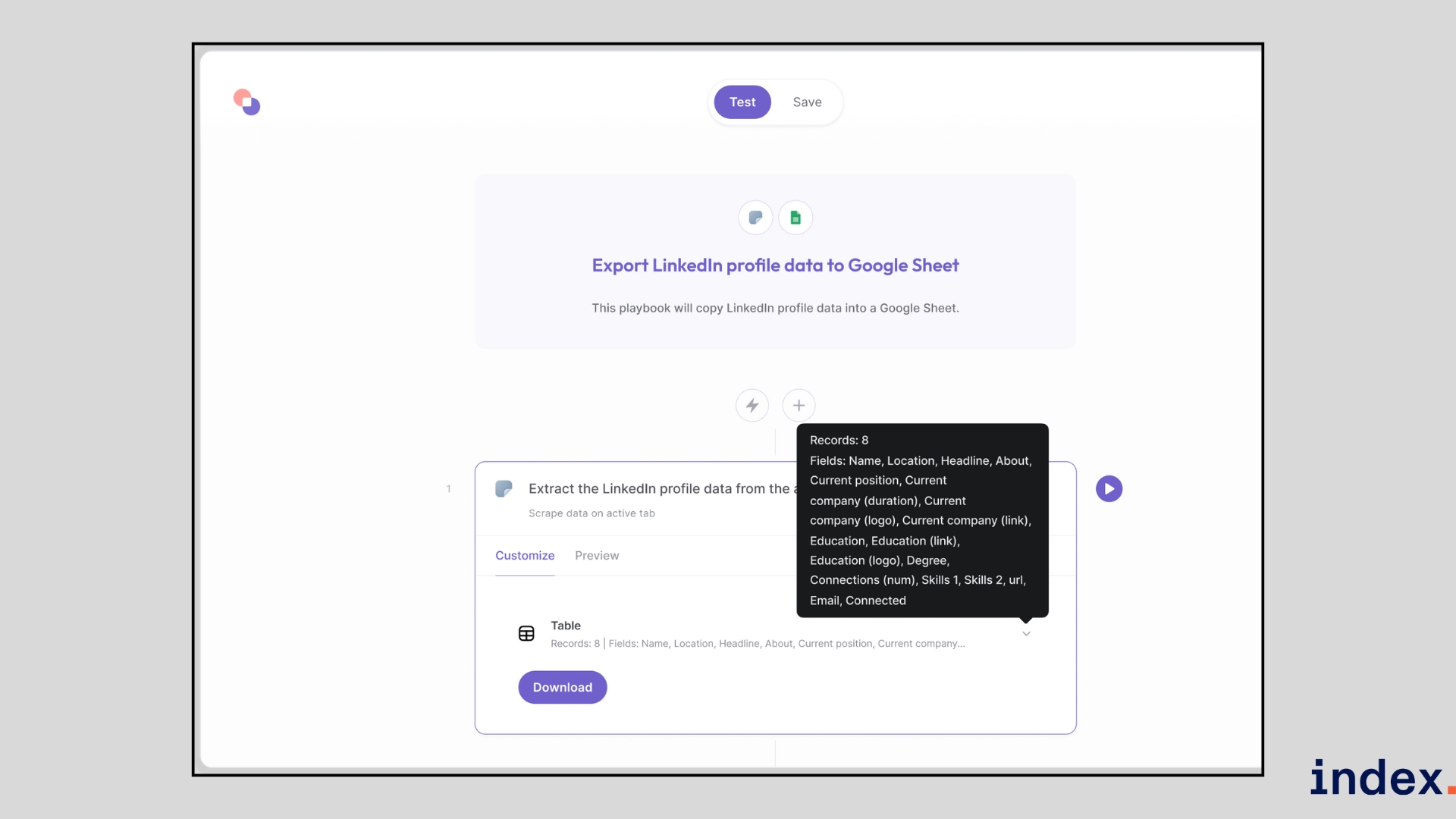
It then navigates through pagination or subpages, scrapes the data, cleans and enriches it, and exports the results directly to your chosen app, such as Google Sheets, HubSpot, or Salesforce.
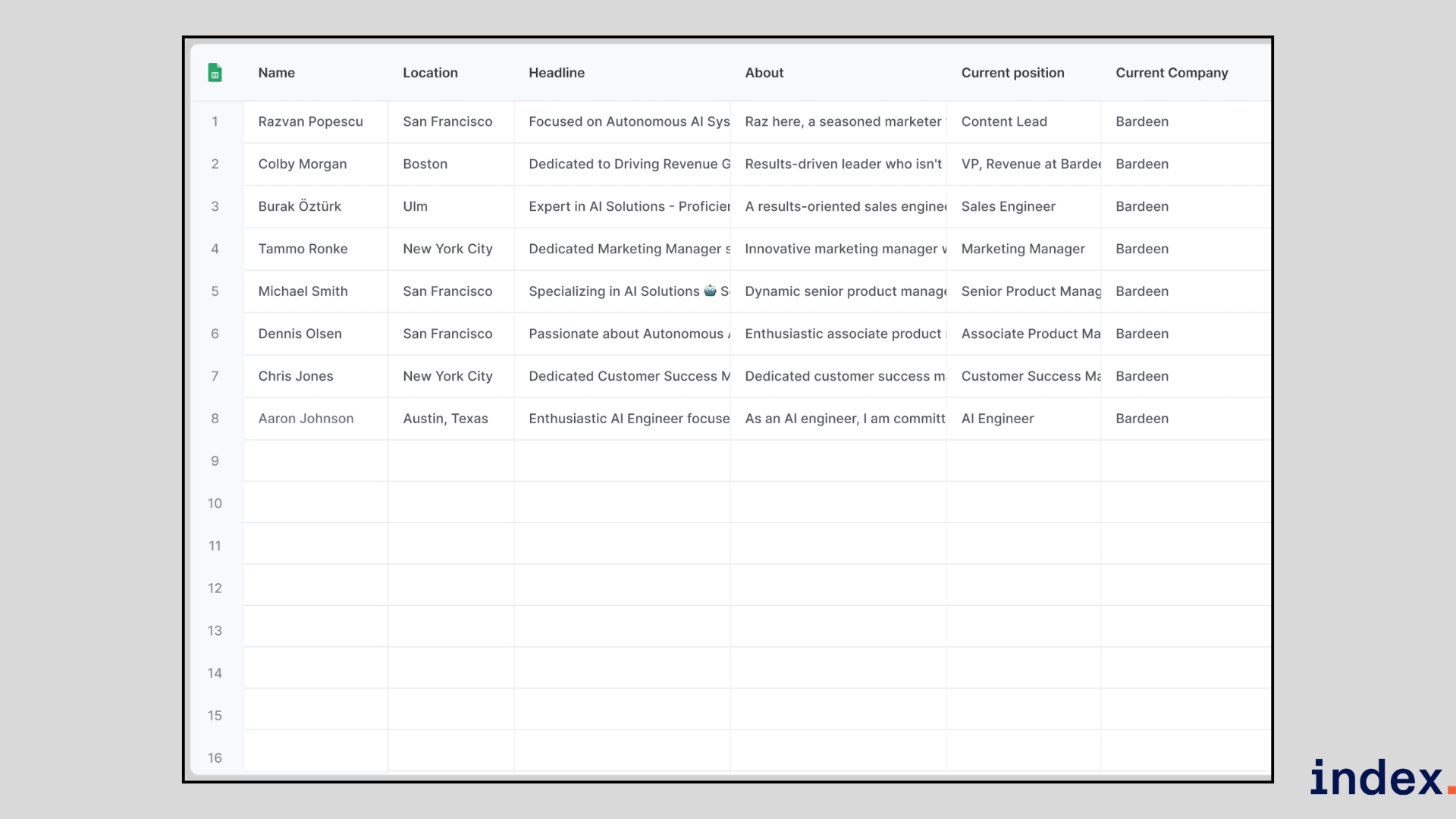
You can run these scrapers in several ways:
- Manual: Trigger the playbook whenever you need a quick result.
- Triggered: Launch automatically when something happens (e.g., a new row in Sheets).
- Scheduled: Run at specific times for recurring data needs.
- Background/Cloud: Handle large lists or websites even when your computer is offline.
This makes Bardeen more than a simple scraper; it acts like an AI-powered assistant that extracts, formats, and routes data exactly where your team needs it, without extra steps.
Why we selected this tool
We chose Bardeen because it solves a real pain point we faced while testing web scrapers: getting the data out of the scraper and into the tools we actually use. Most scrapers required multiple steps to export and reformat data. With Bardeen, once the data was extracted, we could push it directly into Google Sheets or a CRM in one click. The native automations and pre-built playbooks saved us hours compared to manual exports, making it stand out as the most workflow-friendly scraper we tried.
Pricing
Bardeen offers a Free plan with 100 credits per month, while paid plans start at $99/month (Starter), scale to $500/month (Teams) with AIgency support, and reach $1,500/month (Enterprise) for advanced GTM consulting, unlimited credits, and custom-built AI playbooks.
6. AIScraper
Best for: Individuals and small teams who need a quick, no-code way to scrape job boards, real estate listings, marketplaces, and landing pages using a lightweight Chrome extension.
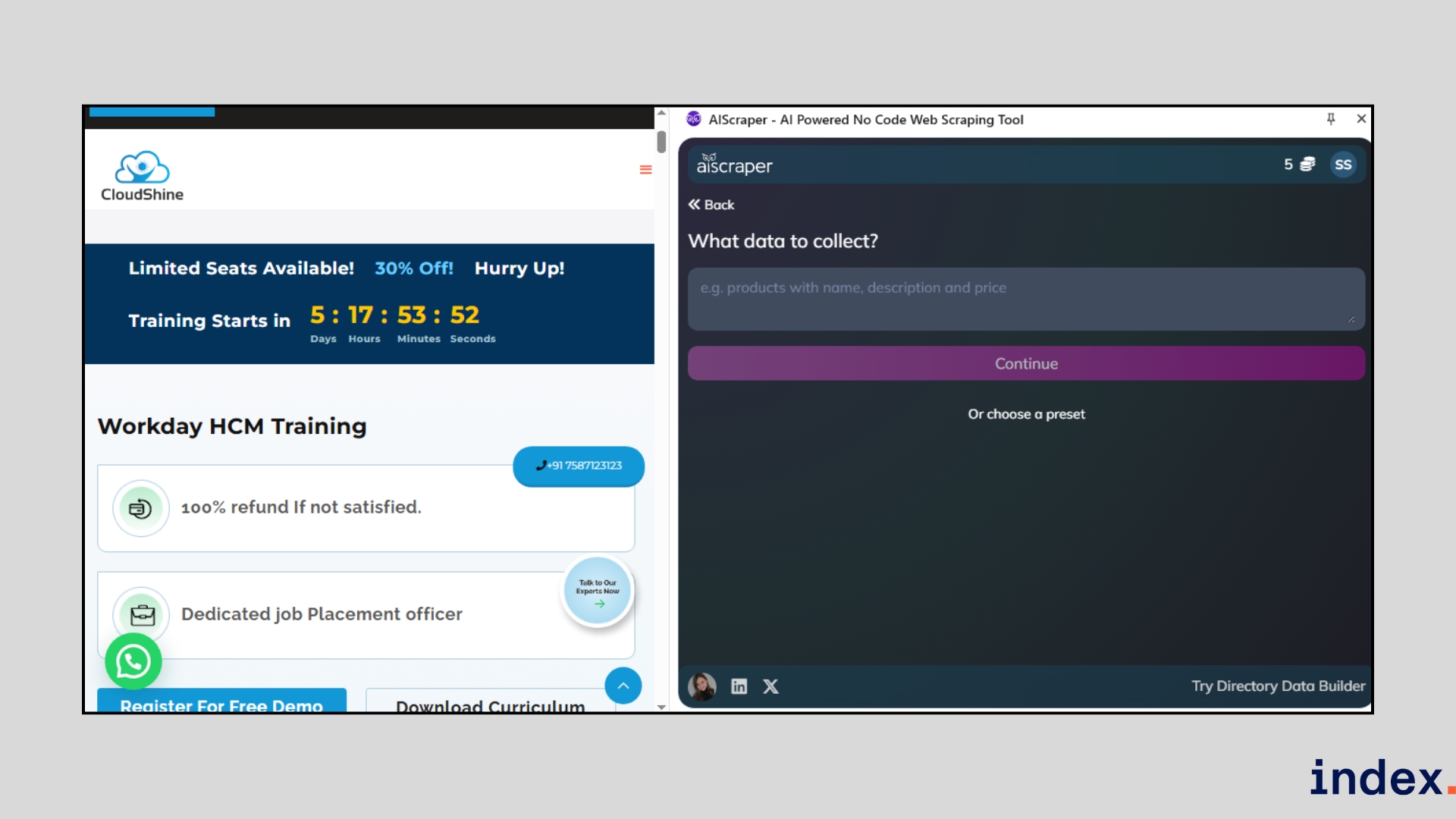
AI Scraper is a lightweight, AI-powered browser extension that turns any webpage into structured data within seconds. Unlike traditional scrapers that rely on CSS selectors or a complex setup, it works by interpreting natural language prompts. This makes it approachable for non-technical users while still powerful enough to handle real estate listings, job boards, marketplaces, or landing pages.
How it works
You install the Chrome extension, open the page you want to scrape, and click the AI Scraper icon.
From there, you describe what you need in plain English, for example, “extract property titles, prices, and links.” The AI instantly detects relevant fields, builds column headers, and presents the data in a structured table.
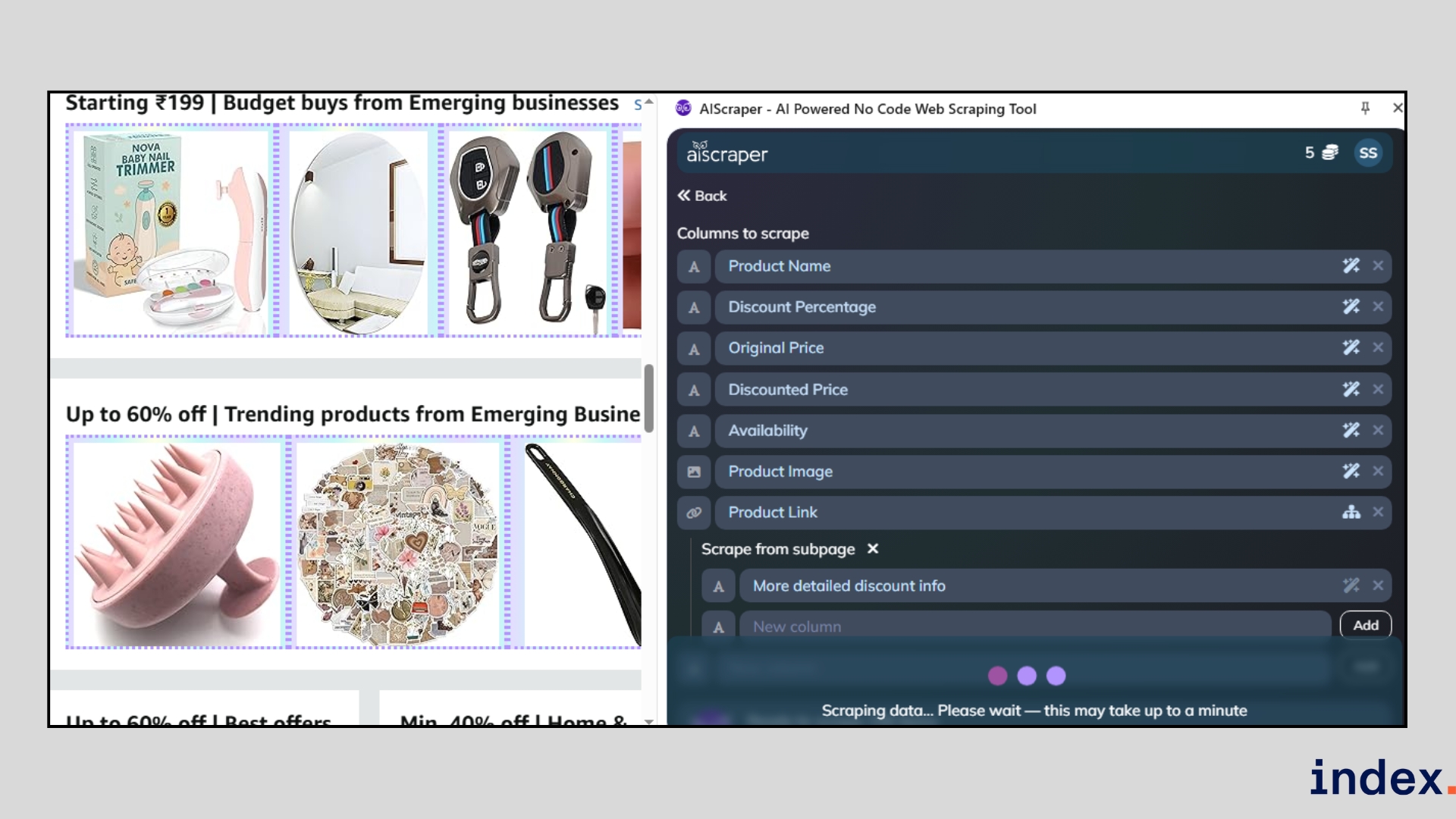
You can refine results by adding, editing, or rearranging columns, or by asking the AI to clean and reformat values (like dates or prices).
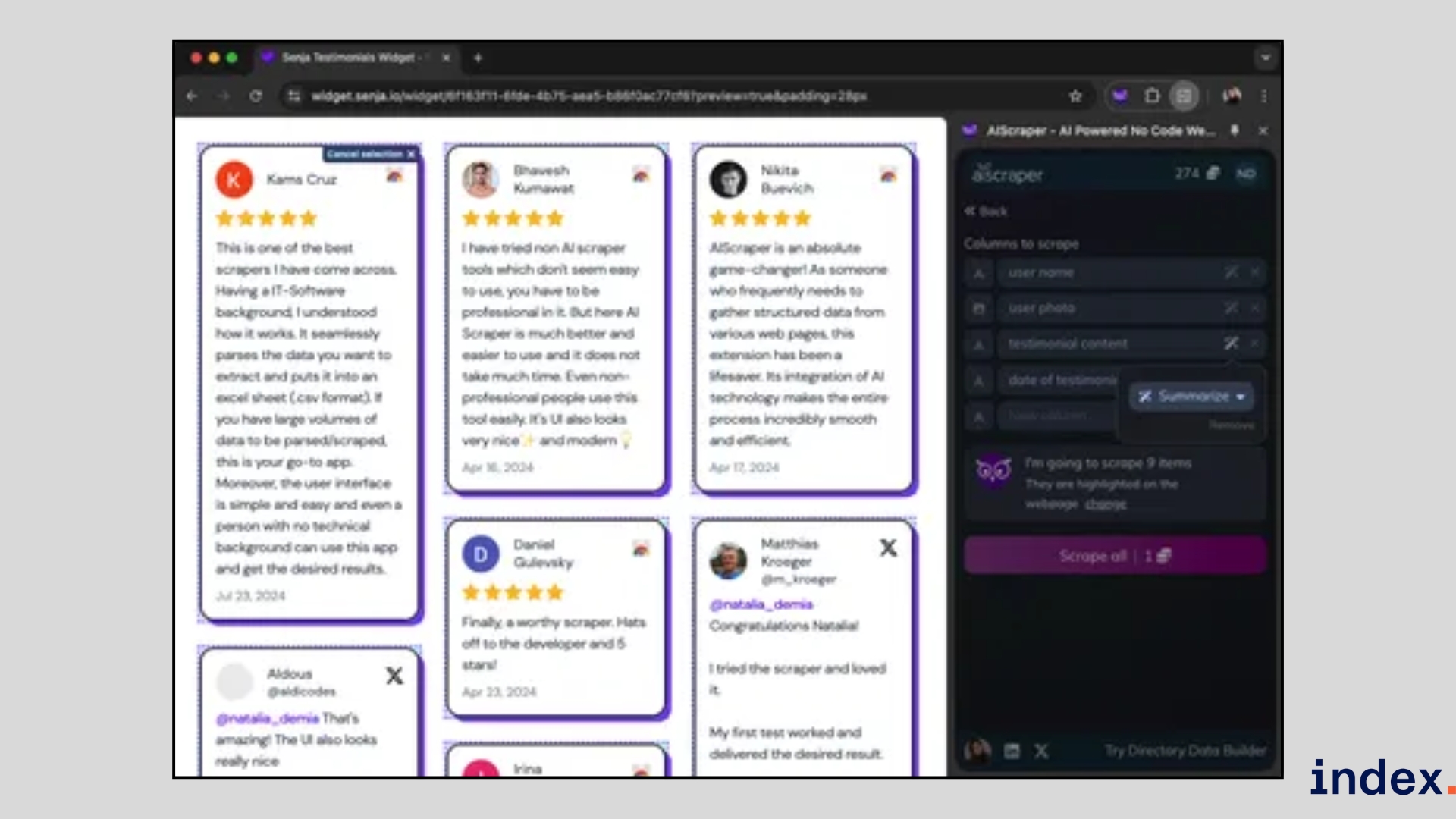
The extraction process starts immediately when you click on the scraping button.
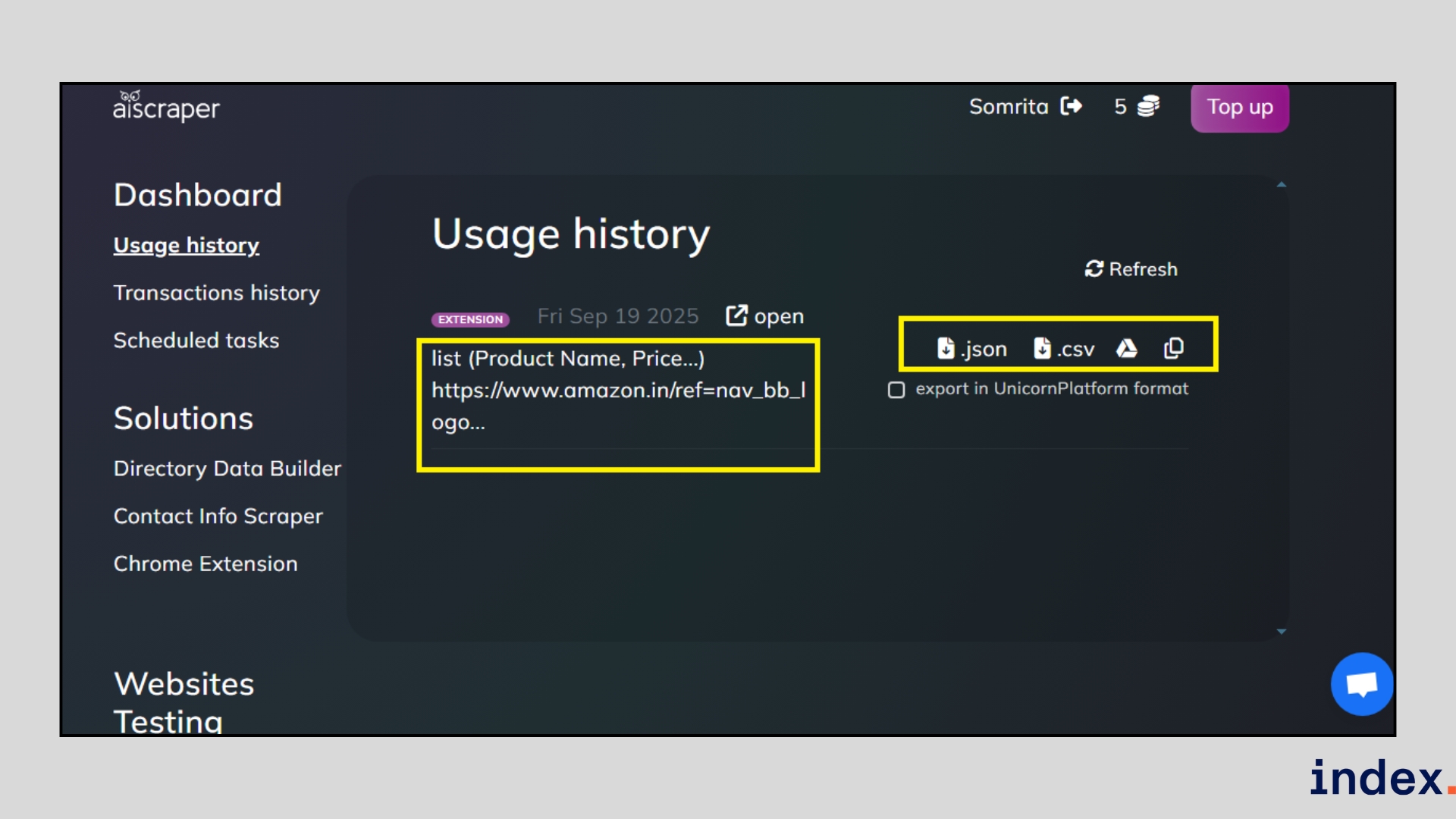
Once done, export results directly into CSV, JSON, or Google Sheets with one click. In our test, it scraped job listings in under 10 seconds without needing manual adjustments.
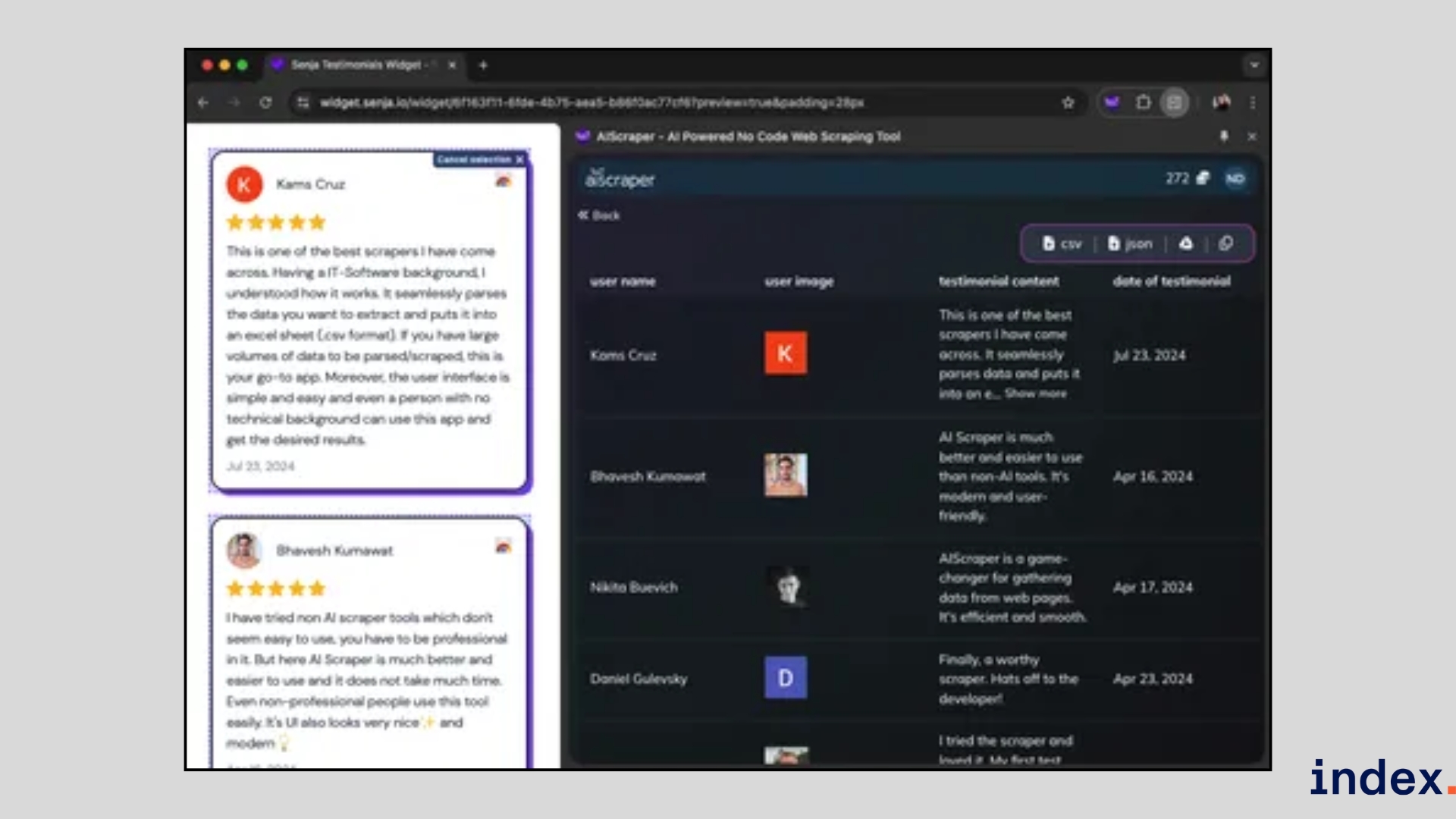
Otherwise, you can export the result from your dashboard as well.
Why we selected this tool
We selected AI Scraper because of its efficiency in quick, one-off scrapes. While other tools we tested required building workflows or setting up templates, AI Scraper let us go from webpage to clean dataset in less than a minute. This made it uniquely valuable when speed was critical, especially for smaller scraping tasks where setting up a complex system would have been a problem.
Pricing
AI Scraper uses a flexible, credit-based pricing model, starting at $6 for 200 credits and up to $25 for 3,000 credits. Credits never expire, and free starter credits are available for testing.
7. Zyte
Best for: Enterprises and data teams that run large-scale, complex scraping projects and need enterprise-grade reliability, unblocking, and compliance.
Zyte is an enterprise-grade AI scraping platform built on top of Scrapy. It’s designed for scale, helping businesses extract structured data reliably without spending endless hours coding spiders or handling bans. Zyte’s AI adapts to website changes, manages anti-bot measures automatically, and offers both extractive and generative scraping modes. This flexibility makes it ideal for teams that need accuracy, speed, and customisation in their data pipelines.
How it works
Using Zyte feels like working with a smarter version of Scrapy that does the heavy lifting for you. At first you need to create a project.
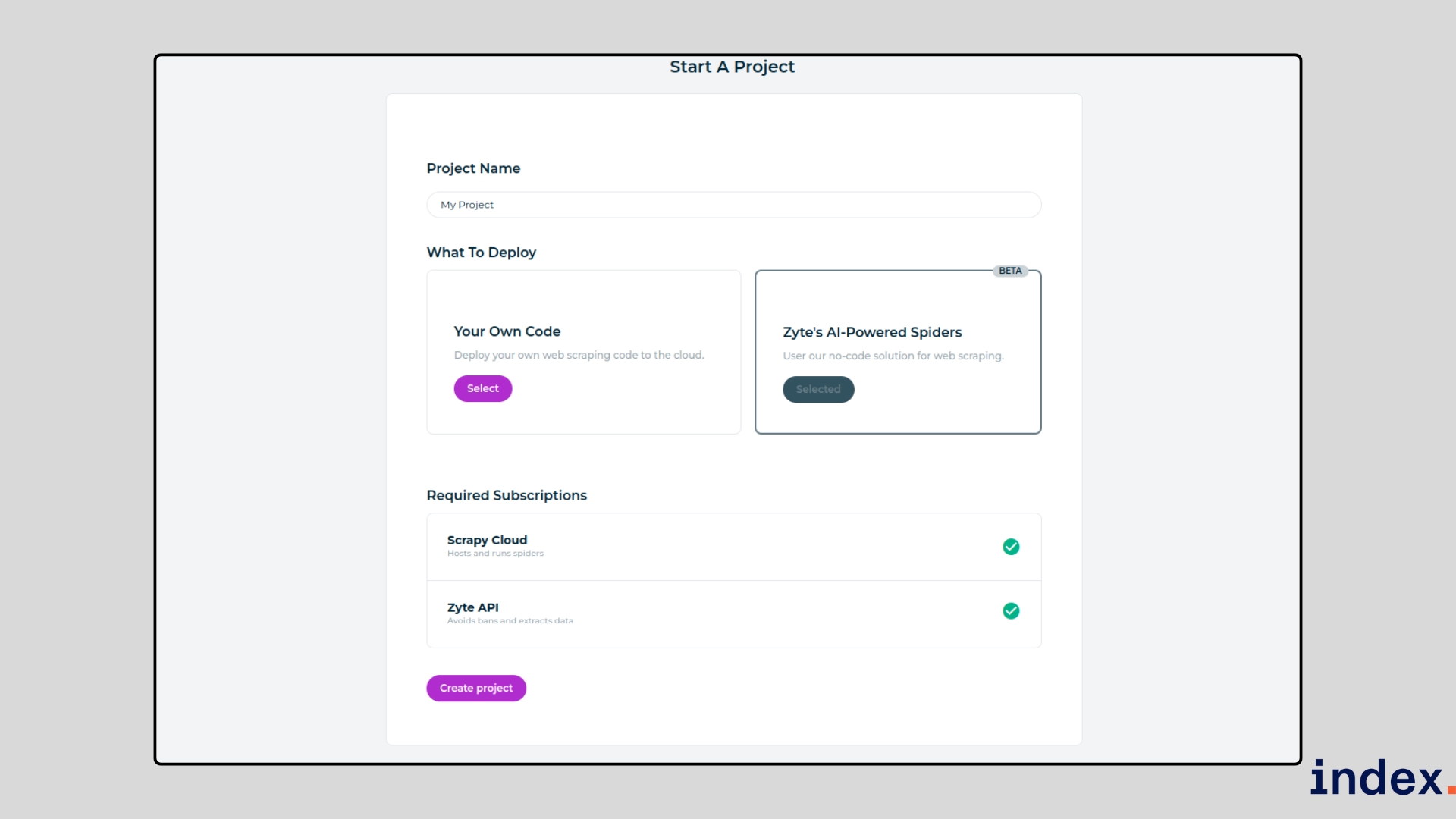
To start, you provide the URLs of the sites you want to scrape and set basic preferences like what type of data you’re after (products, job posts, articles, etc.).
Once the task is launched, Zyte’s AI-powered spiders automatically crawl the pages, detect relevant data fields, and parse the information into structured formats.
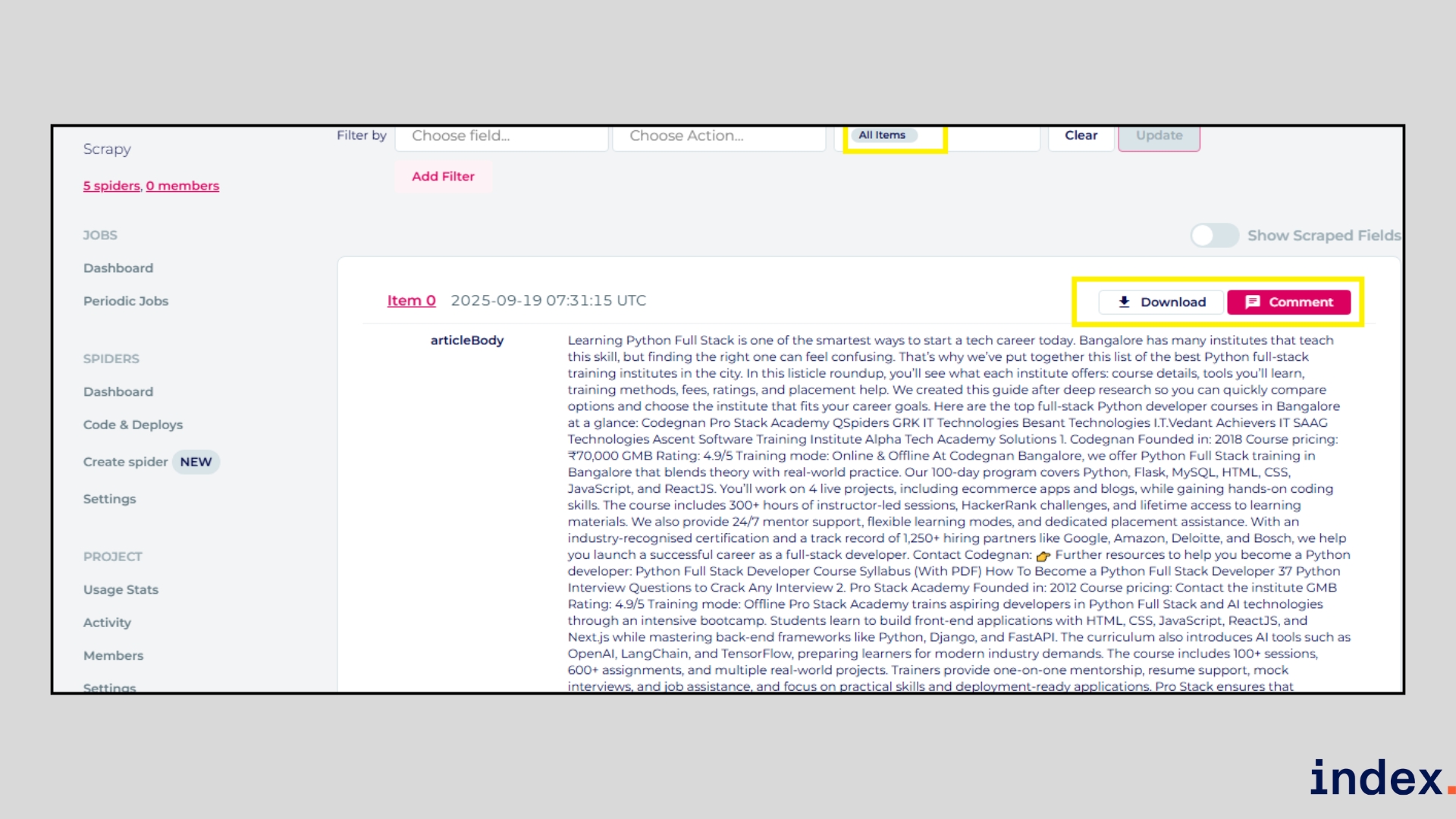
Unlike traditional scrapers, Zyte doesn’t break when websites update their layout. Its machine learning models adapt in real time, reducing the need for constant manual fixes.
You can choose between extractive mode, which pulls exactly what’s on the page, or generative mode, which creates richer outputs like summaries or sentiment scores. If your project requires fine-tuning, Zyte also allows you to add or remove fields, customize crawling patterns, automate actions (such as scrolling or clicking), and even insert LLM prompts for advanced transformations.
Why we selected this tool
We picked Zyte because it’s one of the few platforms that combines the power of open-source Scrapy with AI-driven automation, making it enterprise-ready for large-scale web scraping.
Unlike basic scrapers, it doesn’t crumble when websites change layouts; its adaptive models cut maintenance time by over 80%. Zyte also excels at handling complex anti-bot systems with built-in unblocking, so you can focus on extracting insight without worrying about bans. If you need both scale and reliability, Zyte stands out as a proven solution trusted by global enterprises.
8. Apify
Apify is an automation platform with a marketplace of AI and data collection tools called Actors - self‑contained programs that run in the cloud with uniform input/output, shared storage, and common scheduling and monitoring. AI Web Scraper is an Apify Actor that uses LLMs to extract structured data from any website using plain-language prompts.
AI Web Scraper: Best for extracting data from websites with varied or frequently changing page structures
AI Web Scraper combines data collection with large language model (LLM) technologies to extract structured data from any website using plain-language prompts. You can start without any programming knowledge.
How it works
Provide Start URLs and an optional Page extraction prompt written in plain English. For example, to extract blog information across several URLs, you can use the following input:
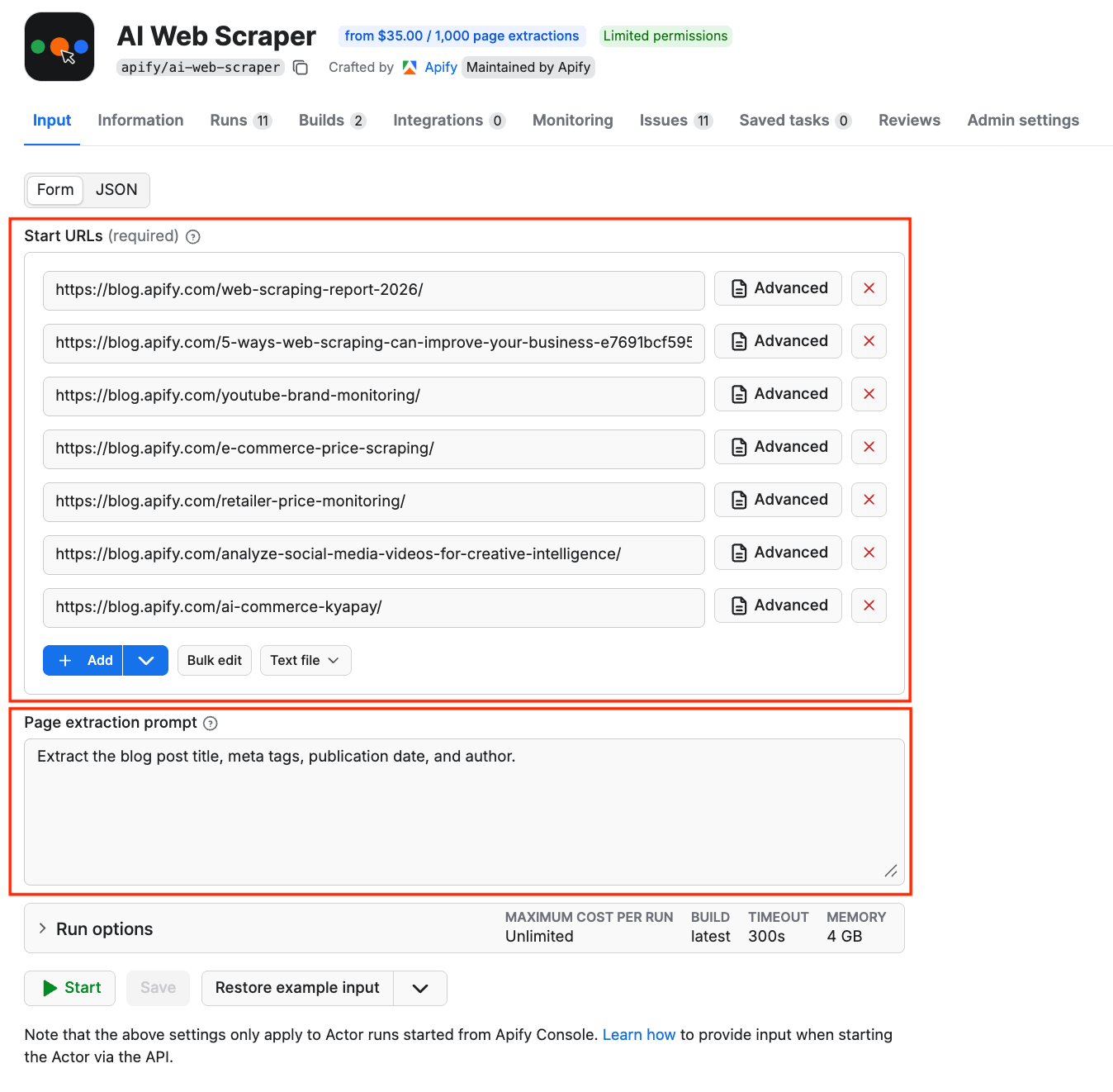
You run the scraper with the click of a button. When completed, the structured data will be ready in the Output tab to export the datasets as JSON, XML, CSV, or Excel.
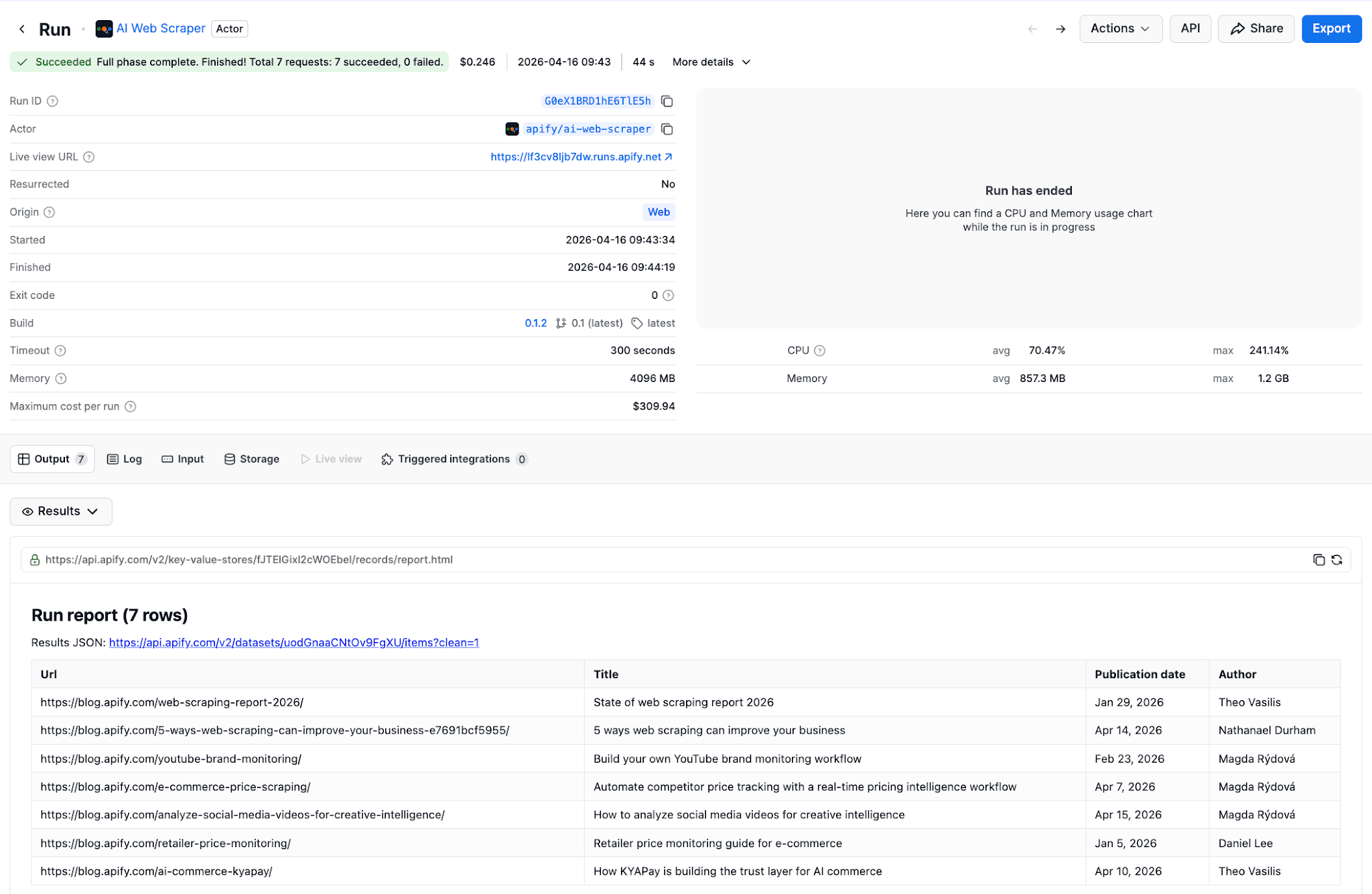
If you don't provide a prompt at all, the Actor returns the full content of each page as Markdown - useful for feeding pages into other LLM pipelines.
You can embed AI Web Scraper in your automation workflow using n8n, Zapier, Make, Google Sheets, Google Drive, and many other integrations.
Pricing
- Free tier (no credit card required)
- $35.00 per 1,000 pages
Free Web Scraping AI Tools: Best No-Cost Options
Not ready to commit to paid plans? These AI scrapers offer genuinely useful free tiers:
Best Free AI Web Scrapers:
- Thunderbit Free – 6 pages/month, instant templates, exports to Google Sheets. Perfect for testing AI scraping on sales leads or product data.
- Browse AI Free – 50 credits/month, robot training, basic monitoring. Great for recurring small-scale data collection.
- Octoparse Free – Desktop app with 10 tasks, limited cloud runs. Best for learning complex scraping workflows.
- Web Scraper Extension – Unlimited local scraping via Chrome extension. No AI features but solid for basic extraction.
- AI Scraper (Chrome) – Pay-per-use with free trial credits. ChatGPT-powered one-click extraction.
Free tier limitations to watch: Most free plans restrict pages scraped, export formats, or scheduling. For production use or large datasets, expect to upgrade. However, free tiers are excellent for validating whether a tool fits your workflow before committing.
Next up: Dive into our guide on 5 best AI tools for product analysis and research.
The AI-Driven Web Scraping Market
The web scraping market has exploded alongside AI adoption. Here's what's driving growth:
Market Context:
The global web data extraction market is projected to reach $14 billion by 2027, with AI-powered tools capturing an increasingly dominant share. In 2025, 96% of companies say data is central to decision-making, and web data feeds everything from competitive intelligence to pricing optimization.
Why AI Scrapers Are Winning:
Traditional scraping tools require constant maintenance—studies show scripts break within weeks as sites update. AI scrapers reduce maintenance by 60-80% through automatic adaptation. They're also 30-40% faster on JavaScript-heavy pages and achieve up to 99.5% accuracy on complex sites.
Key Trends Shaping AI Web Scraping:
Trend | Impact |
|---|---|
Natural language interfaces | Non-technical users can describe extraction needs in plain English |
LLM integration | Tools like Thunderbit use GPT/Claude for intelligent field detection |
Browser-first architecture | Chrome extensions dominate, making scraping part of normal browsing |
Workflow automation | AI scrapers integrate directly with CRMs, spreadsheets, and databases |
Compliance features | Enterprise tools add GDPR controls and audit trails |
For teams evaluating AI scraping software, the shift from "developer tool" to "business user tool" is the defining trend of 2025.
Traditional Scraping vs AI Scraping
1. Setup and Coding Effort
- Traditional Scraping: Requires coding knowledge (e.g., Python, BeautifulSoup, Scrapy). Developers must write and maintain scripts for each website.
- AI Scraping: No-code or low-code setup. Tools like Browse AI and Octoparse let you describe what data you want in natural language or use templates.
2. Adaptability to Website Changes
- Traditional Scraping: Scripts often break when websites update layouts or add anti-bot measures. Fixing them requires manual code changes.
- AI Scraping: AI-powered platforms like Zyte and Thunderbit adapt automatically to site changes, reducing downtime and maintenance.
3. Handling Complex Websites
- Traditional Scraping: Struggles with dynamic pages (AJAX, JavaScript-heavy sites). Requires additional setup, like headless browsers or proxies.
- AI Scraping: Built-in intelligence for handling CAPTCHA, scrolling, and pop-ups. Bardeen and AIScraper can even scrape from PDFs, images, or nested pages with minimal input.
4. Speed and Efficiency
- Traditional Scraping: Efficient once configured, but takes time to set up and maintain for new projects.
- AI Scraping: Faster deployment and real-time data extraction. For example, AIScraper collects structured results in seconds, while Browse AI sets up scrapers in just a few clicks.
5. Scalability
- Traditional Scraping: Scaling requires more servers, proxies, and technical effort. Often resource-heavy for large-scale projects.
- AI Scraping: Cloud-based AI scrapers like Octoparse and Zyte run 24/7 at scale with automated unblocking, IP rotation, and API integrations.
6. Data Quality and Enrichment
- Traditional Scraping: Extracts raw HTML/text, requiring further processing and cleaning.
- AI Scraping: AI models can structure, clean, and even enrich data on the fly. Tools like Bardeen integrate scraped data directly into CRMs, Google Sheets, or Salesforce with added context.
Final words
Whether you need a free AI web scraper for quick lead generation or enterprise-grade web scraping software for large-scale data extraction, the tools we've tested deliver real results. AI scraping has moved from novelty to necessity—these tools reduce setup time from hours to minutes and eliminate the constant maintenance that plagued traditional scrapers.
Our recommendations:
For non-technical users: Start with Thunderbit or Browse AI. Both offer free tiers, Chrome extensions, and genuine no-code experiences.
For sales and GTM teams: Bardeen's workflow integration and Thunderbit's instant templates get data into your CRM fast.
For power users and enterprises: Octoparse offers the best balance of visual building and advanced features. Zyte handles true enterprise scale.
For developers: Zyte's API-first approach or Scrapy (open source) provide maximum flexibility.
The best AI scraper is the one that fits your workflow. Try the free tiers, test on your actual use cases, and scale from there.
Passionate about data engineering and automation?
Join Index.dev to work on global projects that use AI-driven data extraction, transformation, and analysis. Collaborate with top tech teams while working remotely and earning globally competitive rates.
Want to learn more about how AI transforms software development?
Check out the best AI tools for developers interested in deep research and data visualisation, understand AI productivity tools for developers, explore top AI models for frontend development, learn about top UI/UX design trends, and compare ChatGPT vs Gemini for coding. Dive into our comprehensive collection of AI tool reviews, comparisons, and practical guides from Index.dev experts.


