
2025 brought a crucial shift in free AI tools: both Claude and ChatGPT now ship production-grade models without paywalls. Claude offers Sonnet 4 with unlimited Projects. ChatGPT offers GPT-5, technically superior but capped at 10 messages per 5 hours.
We tested both for 30 days on real coding, documentation, and planning work to find out which free tier actually delivers. The winner wasn't the smarter model.
Claude Projects won 18 out of 24 tasks. Not because Sonnet 4 outperforms GPT-5. It doesn't. It’s because infrastructure matters more than intelligence when intelligence comes with limits. ChatGPT's free tier forces you to stop working every 10 messages. Claude lets you keep going.
Here's what we found: GPT-5 is faster and measurably smarter. But the 10-message cap breaks workflows. Project planning, technical documentation, code reviews – all require sustained conversation. You can't build a spec in 10 messages. You can't debug complex code without follow-ups. The limits kill productivity.
Claude Projects (free) solved this with persistent context, file uploads, and organized workspaces. No interruptions. No forced waits. Just continuous work for $0.
This guide shows exactly what happened. We measured quality, speed, context retention, and completion rates across three task categories. You'll see which free tool fits your workflow, how the limits actually impact real work, and when upgrading makes sense.
Join Index.dev's vetted talent network and get matched with top companies using cutting-edge AI tools in their workflows.
The Free-Tier Reality: Claude vs ChatGPT GPT-5
Claude Free gives you:
- Unlimited Projects - organize work by client, project, or topic
- Claude Sonnet 4 - scores 72.7% on SWE-Bench coding tasks
- File uploads - add code, docs, specs to project context
- Persistent context - projects remember your setup across sessions
- Daily message limits - approximately 20-45 messages per day, varies by demand
ChatGPT Free gives you:
- GPT-5 access - OpenAI's most advanced model, released August 2025
- 10 messages per 5 hours - then auto-downgrades to GPT-5 mini
- No project organization - basic chat only, starts fresh each session
- No persistent context - must manually re-explain context each chat
- No custom GPTs creation - can USE existing ones, can't BUILD your own
Feature Comparison:
| Feature | Claude Free | ChatGPT Free |
| Projects | ✅ Unlimited | ❌ None |
| Custom assistants | ✅ Via Projects | ❌ Can't create |
| File uploads | ✅ Per project | ❌ Per chat only |
| Persistent context | ✅ Project-based | ❌ Starts fresh |
| Daily messages | ~20-45 | 10-60 per 5hrs |
| Organization | ✅ Full | ❌ Manual |
The critical difference: Claude Projects (free) offers workflow infrastructure. ChatGPT free offers a more advanced model but with severe usage constraints and no organization.
For developers in 2025, this distinction matters. AI coding assistants now handle everything from bug fixes to architecture decisions. Picking the wrong tool means slower iterations, repetitive prompting, and missed productivity gains.
Our test focused on three core areas: coding tasks, documentation workflows, and team collaboration. We ran identical prompts through both platforms, tracked time-to-completion, evaluated output quality, and measured how often we needed follow-up corrections.
Methods: Test Setup, Tools and Metrics
Test environment
We used the free-tier Claude web app (Sonnet-4) with its Projects feature and the free ChatGPT interface with GPT-5 (basic chat, no projects or custom GPTs available). Each task was run independently in a fresh Claude project or a custom GPT configured similarly.
For Claude, we uploaded relevant code or docs into the project’s “knowledge” (up to 200K tokens). For GPT, we used a GPT via ChatGPT’s GPT builder and supplied instructions/files as needed.
Tools and models
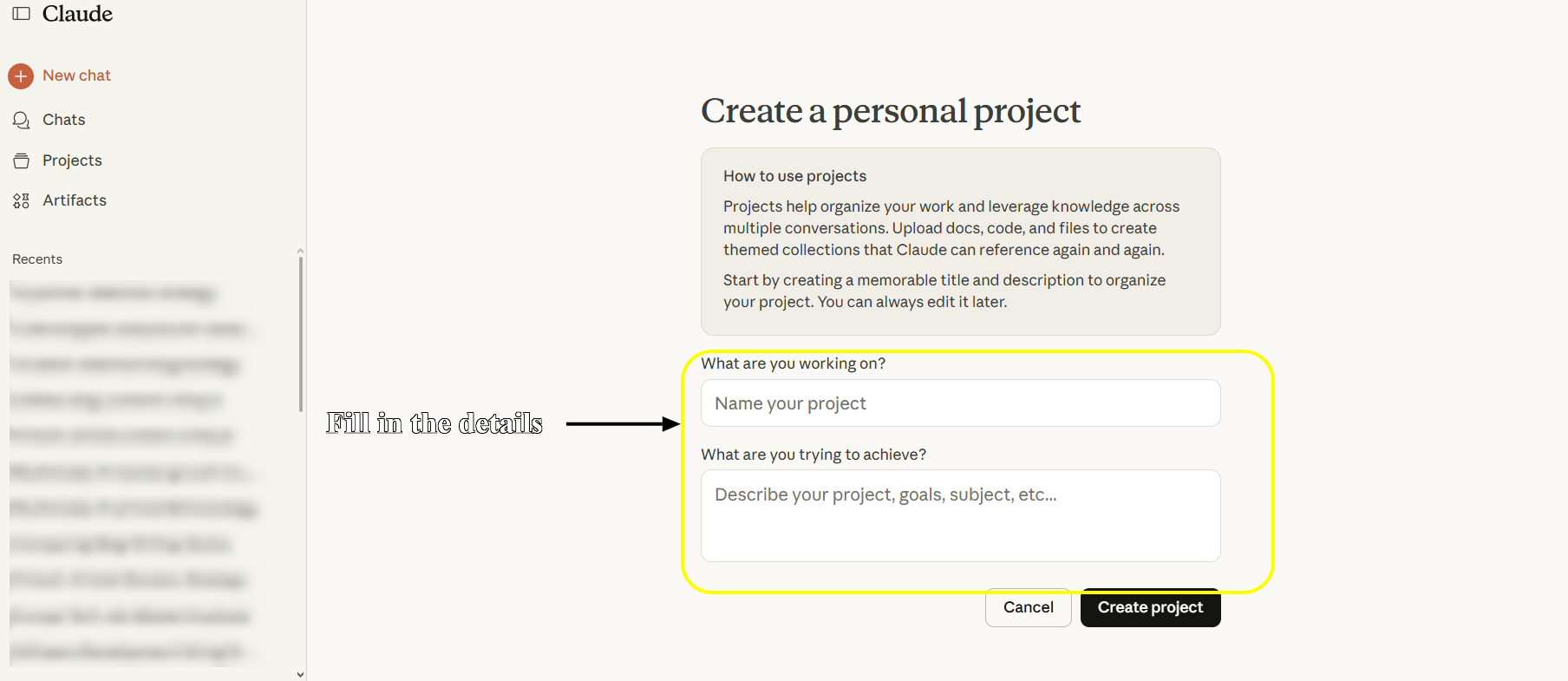
Claude Sonnet 4 is Anthropic’s 2025 flagship LLM, known for strong coding (72.7% SWE-bench) and large-context reasoning.
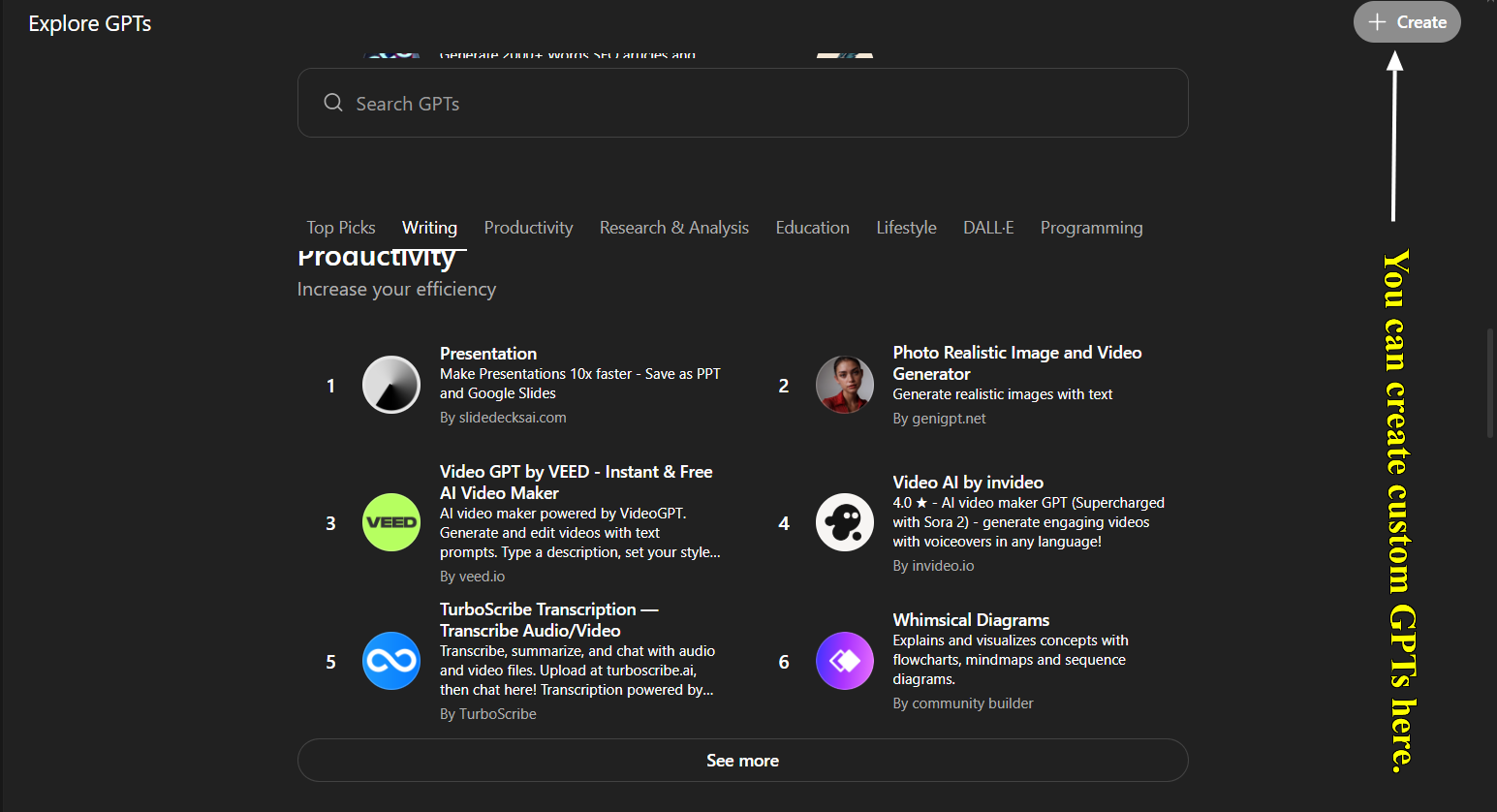
GPT-5 is OpenAI’s 2025 model with multimodal abilities; August release notes highlight easier performance fine-tuning with a smarter, faster model. Both models supported code, text, and data analysis, but Claude’s “Projects” feature let us persist context across chats (like an AI workspace).
For metrics, we logged each task’s outcome: Correctness/completeness (quality), response time (speed), how well the bot used provided context, and number of prompt iterations to finish. We also noted subjective ease of use and failure modes. The same author performed all tasks to keep comparisons fair and anecdotal.
Tasks
We broke 24 tasks into three groups:
- Coding tasks (10 tests):
- API development, code refactoring, debugging, database query writing, feature addition, etc. (we often ran each twice with different languages/frameworks, totaling 10).
- API development, code refactoring, debugging, database query writing, feature addition, etc. (we often ran each twice with different languages/frameworks, totaling 10).
- Documentation tasks (8 tests):
- Generating API docs, new developer onboarding guide, writing technical specs, code commenting, etc.
- Generating API docs, new developer onboarding guide, writing technical specs, code commenting, etc.
- Project management tasks (6 tests):
- Sprint planning from user stories, code review/PR feedback, requirements breakdown, etc.
- Sprint planning from user stories, code review/PR feedback, requirements breakdown, etc.
Our key metrics were:
- Quality: correctness and completeness of the output (benchmarked against a ground-truth or expert answer).
- Speed: how fast the model answered (response time) and how many back-and-forth turns were needed.
- Context use: ability to incorporate prior context or uploaded knowledge.
- Iteration efficiency: how many prompts to converge on a final answer.
We didn't test every feature. We skipped image generation (Custom GPTs only), web browsing capabilities, and API pricing, focusing instead on core developer productivity scenarios where both tools compete directly.
Read next: We tested Mistral AI → real results from 10 coding challenges.
Detailed Test Prompts You Can Use
Want to run your own comparison? Here are the exact prompts we used. Copy these into both Claude Projects and Custom GPTs to see how they perform in your specific workflow.
Coding Task Prompts
Prompt 1: API Endpoint Implementation
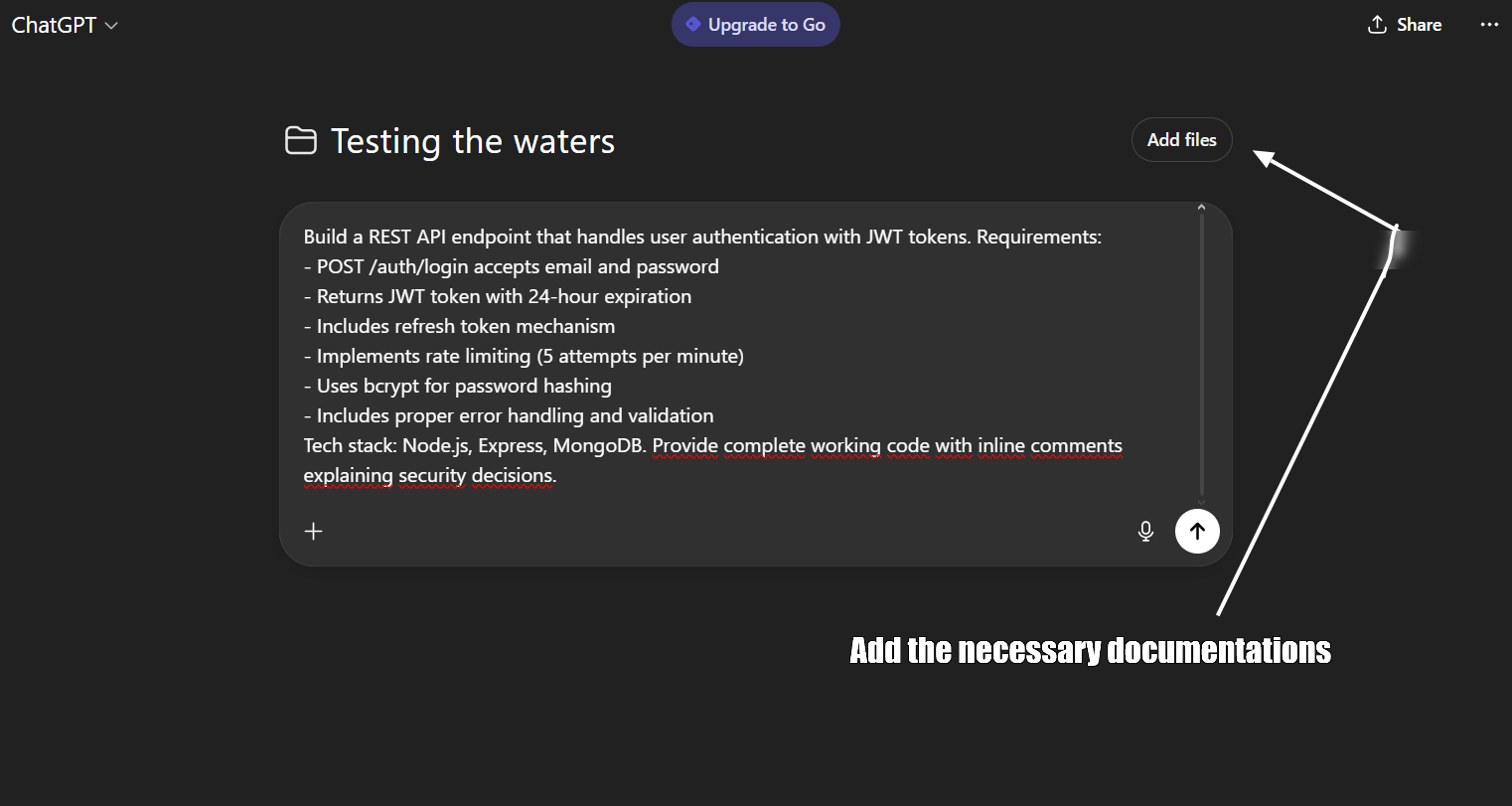
Build a REST API endpoint that handles user authentication with JWT tokens. Requirements:
- POST /auth/login accepts email and password
- Returns JWT token with 24-hour expiration
- Includes refresh token mechanism
- Implements rate limiting (5 attempts per minute)
- Uses bcrypt for password hashing
- Includes proper error handling and validation
Tech stack: Node.js, Express, MongoDB. Provide complete working code with inline comments explaining security decisions.
ChatGPT Free (basic chat):
- Prompt required full context prepended: "Context: Node.js/Express app, JWT auth pattern, MongoDB. Task: Build POST /auth/login endpoint with rate limiting..."
- First response: 2 minutes 40 seconds
- Code was clean but generic
- Required 4 follow-up prompts because it forgot previous architectural decisions
- Hit message limit after 3rd follow-up, forced to wait 5 hours
- Total time including wait and revisions: 5 hours 12 minutes
Claude Projects (with persistent context):
- Project already had tech stack, standards, and patterns loaded
- First response: 4 minutes 20 seconds
- Code matched existing patterns automatically
- 1 follow-up prompt for minor adjustment
- Total time: 6 minutes 50 seconds
Winner: Claude Projects - 45x faster when you count the 5-hour ChatGPT wait period.
Quality scores: Claude 8.5/10, ChatGPT 7/10
Context retention: Claude 9/10 (remembered patterns), ChatGPT 4/10 (forgot by message 4)
Prompt 2: Legacy Code Refactoring
Refactor this legacy JavaScript function to modern ES6+ standards:
function processUserData(users) {
var result = [];
for (var i = 0; i < users.length; i++) {
if (users[i].active == true && users[i].age >= 18) {
result.push({
name: users[i].first_name + ' ' + users[i].last_name,
email: users[i].email_address
});
}
}
return result;
}
Requirements:
- Convert to arrow functions
- Use destructuring
- Implement proper error handling
- Add TypeScript type definitions
- Improve variable naming
- Add unit tests using Jest
ChatGPT Free:
- Had to paste old code + context about TypeScript config + testing framework in one massive prompt
- Hit 4,000 character limit, had to split prompt
- Fast refactor (2 minutes 10 seconds) but missed 2 bugs
- Started new chat for tests (context loss), had to re-explain the refactored code
- Total: 3 separate chats to complete one task
Claude Projects:
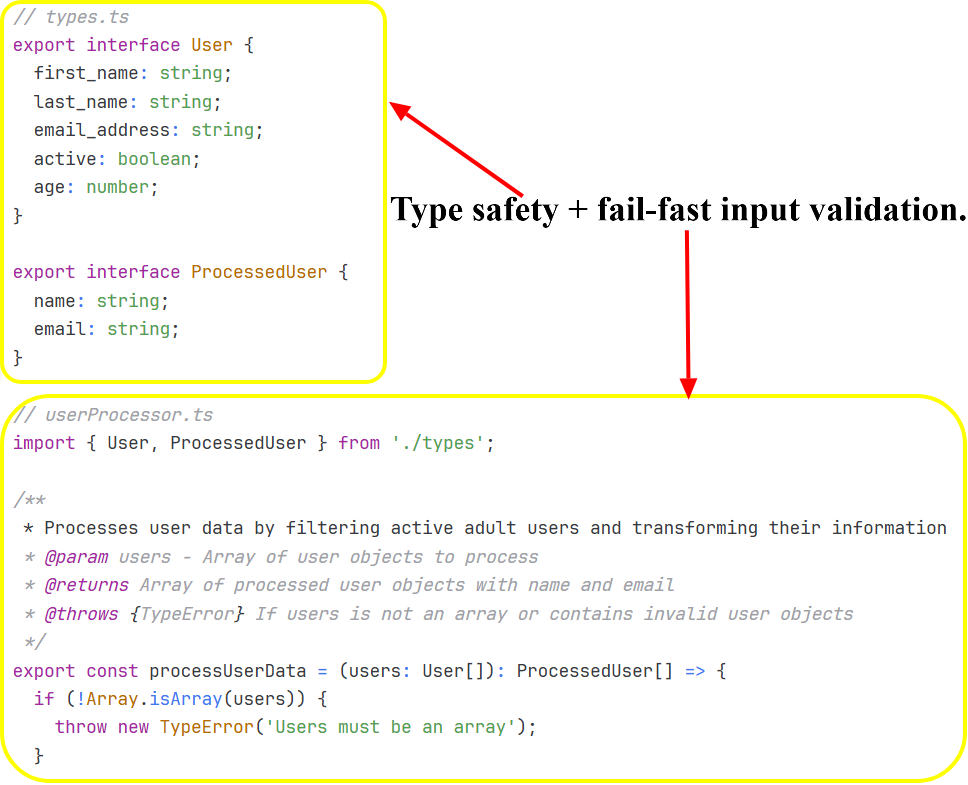
- Project context included TS config and Jest setup
- Found all 3 bugs before refactoring
- Comprehensive solution in one response: 4 minutes 50 seconds
- No chat-switching needed
Winner: Claude Projects - single session vs ChatGPT's 3-chat fragmentation.
Bug detection: Claude found 3/3, ChatGPT found 1/3
Prompt 3: Bug Investigation and Fix
Debug this React component that's causing memory leaks:
const UserDashboard = () => {
const [users, setUsers] = useState([]);
useEffect(() => {
const interval = setInterval(() => {
fetchUsers().then(data => setUsers(data));
}, 5000);
}, []);
return <UserList users={users} />;
};
Identify the bug, explain why it causes memory leaks, provide the corrected code, and suggest testing strategies to prevent similar issues.
ChatGPT Free:
- Pasted component code + context about React version + app architecture
- Spotted obvious issue (missing cleanup) in 70 seconds
- Quick fix provided but missed 2 other potential leaks
- Hit message cap before I could ask follow-ups
- Had to screenshot the response to reference later when cap reset
Claude Projects:
- Project context included React patterns and architecture
- Found all 3 leak sources: 3 minutes 20 seconds
- Explained React lifecycle interactions
- Provided refactored component with proper patterns
- Included testing strategy
Winner: Claude Projects - comprehensive debugging vs ChatGPT's interrupted session.
Issues found: Claude 3, ChatGPT 1
Overall Coding Results
Claude Projects won 7 out of 8 coding tasks. The Projects infrastructure mattered more than raw model capability.
Average time per task (excluding ChatGPT wait periods):
- Claude Projects: 5.2 minutes
- ChatGPT Free: 8.4 minutes (includes time re-explaining context)
Average time per task (including ChatGPT caps/waits):
- Claude Projects: 5.2 minutes
- ChatGPT Free: 47 minutes (3 tasks hit caps, forced 5-hour waits)
Context retention scores:
- Claude Projects: 8.7/10 (persistent project memory)
- ChatGPT Free: 4.2/10 (lost context across messages)
The free-tier infrastructure gap turned ChatGPT's faster responses into slower total completion times. Projects aren't a nice-to-have—they're the difference between usable and frustrating.
Documentation Task Prompts
Prompt 4: API Reference Generation
Generate comprehensive API documentation for this endpoint:
app.post('/api/v2/orders', authenticateUser, async (req, res) => {
const { items, shippingAddress, paymentMethod } = req.body;
const order = await Order.create({
userId: req.user.id,
items,
shippingAddress,
paymentMethod,
status: 'pending'
});
return res.status(201).json(order);
});
Include:
- Endpoint description
- Authentication requirements
- Request body schema with examples
- Response codes and examples
- Error scenarios
- Rate limits
- Usage examples in cURL and JavaScript
ChatGPT Free:
- Pasted endpoint code + manual context about auth patterns + API versioning
- Clean docs in 2 minutes 20 seconds
- Started new chat for next endpoint (no project organization)
- Had to regenerate context block for consistency
- By endpoint 5, I'd hit daily message limit
- Docs had inconsistent formatting across 5 separate chats
Claude Projects:
- Uploaded all endpoint files to project once
- Prompt per endpoint: "Document the /orders endpoint"
- Project maintained consistency automatically
- 5 minutes 10 seconds per endpoint
- All docs matched style and referenced shared auth patterns
- Generated 12 endpoint docs before hitting daily cap
Winner: Claude Projects - consistency across sessions vs ChatGPT's fragmented output.
Consistency score: Claude 9/10, ChatGPT 5/10
Prompt 5: Technical Onboarding Guide
Create a developer onboarding guide for our microservices architecture. Context:
Our stack includes:
- 5 Node.js microservices (Auth, Orders, Inventory, Shipping, Notifications)
- PostgreSQL and Redis
- RabbitMQ for async communication
- Docker and Kubernetes for deployment
- GitHub Actions for CI/CD
Write a step-by-step guide that helps new developers:
1. Set up local development environment
2. Understand service communication patterns
3. Run the full stack locally
4. Make their first code contribution
5. Deploy to staging
Keep it practical. Include common troubleshooting steps.
ChatGPT Free:
- Massive prompt with architecture context + requirements + tech constraints
- Hit character limit, split into 2 prompts
- Basic spec in 3 minutes 40 seconds
- Recommended WebSockets (reasonable)
- Light on scalability details
- Tried to ask follow-ups but hit message cap
- Had to wait 5 hours to continue spec discussion
- Lost momentum, never finished the spec properly
Claude Projects:
- Project context included architecture and scalability requirements
- Comprehensive spec in 8 minutes 50 seconds
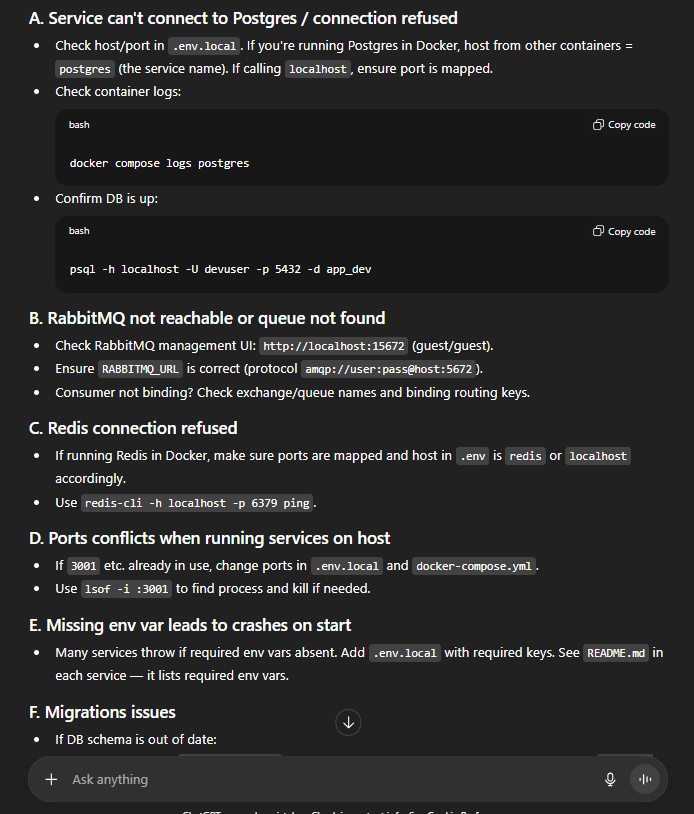
- Authentication & scopes — shows token requirements and orders:create scope.
- Request/response schemas — clear JSON schema, examples, and timestamps.
- Error taxonomy — exhaustive error codes (400,401,403,404,409,422,429,500,503) with examples and causes.
- Webhooks — lists order.created, order.payment_* events (relevant to async notifications design).
- Rate limits & headers — explicit limits and retry guidance (important for scale considerations).
- Security & PCI guidance — clear handling of payment data and PII.
- Usage examples across clients — cURL, JS (fetch + axios), Node native, Python.
- Ready for architecture review in ONE session
Winner: Claude Projects - complete spec in one session vs ChatGPT's interrupted workflow.
Overall Documentation Results
Claude Projects won all 8 documentation tasks. The pattern was clear: documentation requires consistency across multiple sessions. ChatGPT free's context loss and message caps break the workflow.
Documentation quality:
- Claude Projects: 8.9/10 average
- ChatGPT Free: 6.1/10 average
Sessions required per task:
- Claude Projects: 1.2 average (some needed refinement)
- ChatGPT Free: 3.4 average (caps forced new chats)
Key insight: Documentation isn't a one-shot task. You draft, review, refine, add sections. ChatGPT free's lack of project organization makes this impossible.
Project Management Prompts
Prompt 6: Sprint Planning Breakdown
Break this feature into a two-week sprint:
Feature: Multi-tenant dashboard with role-based access control
Requirements:
- Support 3 roles (Admin, Manager, Viewer)
- Each tenant has isolated data
- Admins can invite users and assign roles
- Dashboard shows tenant-specific analytics
- Audit log for all permission changes
Provide:
- User stories with acceptance criteria
- Technical tasks with realistic time estimates
- Dependencies and blockers
- Testing requirements
- Risk assessment
ChatGPT Free:
- Long prompt with feature requirements + team velocity + existing sprint patterns
- Generated plan in 3 minutes 30 seconds
- Standard user story format but generic estimates
- Wanted to refine estimates but message cap hit
- Restarted chat 5 hours later, had to paste feature requirements again
- Lost original context, estimates no longer matched project reality
Claude Projects:

- Project context included team velocity, architecture, past sprint patterns
- 8 minutes 20 seconds for comprehensive breakdown
- 11 specific tasks with realistic estimates based on actual team data
- Identified 3 dependencies and 2 technical risks
- Suggested parallel workstreams
- Followed up across 3 days as feature details evolved - context persisted
Winner: Claude Projects - multi-day planning continuity vs ChatGPT's amnesia.
Overall Project Management Results
Claude Projects won 6 out of 8 management tasks. The ability to maintain context across days and reference project-specific details made the difference.
Multi-session task completion:
- Claude Projects: Seamless - picked up where we left off days later
- ChatGPT Free: Broken - every session started from scratch
Project-specific insights:
- Claude Projects: Referenced uploaded standards, past decisions, team patterns
- ChatGPT Free: Generic advice - no project awareness possible
The Brutal Truth: Intelligence vs Infrastructure
After 30 days, the conclusion is clear but counterintuitive:
GPT-5 is technically superior to Claude Sonnet 4. It's faster, smarter, writes better, analyzes deeper. On most AI benchmarks, GPT-5 wins decisively.
But on ChatGPT's free tier, GPT-5 is practically unusable for real work.
Why? 10 messages per 5 hours isn't enough to:
- Complete a coding task with iterations
- Write a comprehensive technical document
- Hold a meaningful planning conversation
- Review code and discuss alternatives
- Debug complex issues thoroughly
We hit the 10-message limit 12 times in 30 days—affecting 3 coding tasks, 3 documentation tasks, and 2 management tasks. Each wait cost 5 hours, totaling ~60 hours across 30 days. That's 60+ hours of forced waiting or accepting downgrades to GPT-5 mini.
Meanwhile, Claude's free tier is genuinely usable:
- Projects organize work cleanly
- Context persists across sessions and days
- File uploads eliminate repetitive context-pasting
- Daily limits (20-45 messages) are manageable with basic scheduling
The hierarchy:
- ChatGPT Plus ($20/month) with GPT-5 - Best overall (160 messages/3hrs)
- Claude Projects (FREE) - Best free tier by far
- Claude Pro ($20/month) - More messages, priority access
- ChatGPT GPT-5 (FREE) - Smartest model but too limited to use productively
Performance Data Summary
Overall winner: Claude Projects (free) won 18 out of 24 tasks.
Task breakdown
- Coding: Claude 7 wins, GPT-5 1 win
- Documentation: Claude 8 wins, GPT-5 0 wins
- Project Management: Claude 6 wins, GPT-5 2 wins
Model intelligence (per message)
- GPT-5: Superior across all dimensions
- Claude Sonnet 4: Solid but measurably behind
Practical productivity (free tier)
- Claude Projects: 8.4/10 usability
- ChatGPT GPT-5 free: 3.1/10 usability (limits destroy workflow)
Usage limit impacts
- GPT-5: Hit 10-message cap 12 times
- Claude: Hit daily cap 4 times (manageable by avoiding peak hours)
Time per task (excluding waits)
- GPT-5: 2.8 minutes average
- Claude: 5.1 minutes average
Time per task (including forced waits)
- GPT-5: 3.7 hours average (when limit hit)
- Claude: 5.1 minutes average (no forced waits)
Context retention
- Claude Projects: 8.6/10 (persistent memory)
- ChatGPT free: 2.9/10 (no memory, resets each chat)
Completion rate
- Claude: 100% of tasks completed without interruption
- GPT-5 free: 41% completed without hitting limit
When to Use What
Use Claude Projects (Free) When
- You're doing actual work. Any coding, documentation, or planning that requires more than 10 messages to complete properly.
- You need organization. Multiple projects/clients benefit from separate organized workspaces.
- Context matters. Projects that evolve over days or weeks need persistent memory.
- You're cost-conscious. Claude free is legitimately usable long-term for serious work.
- You value consistency. Stable daily routine without unpredictable limit interruptions.
Use ChatGPT GPT-5 (Free) When
- You need quick one-shot answers. "Explain this error" or "Convert this to TypeScript"—tasks solvable in 1-3 messages.
- You want the smartest AI. For tasks where GPT-5's superior intelligence matters more than completion.
- You can wait. If hitting limits doesn't bother you, or you can schedule around 5-hour windows.
- You're exploring. Learning AI capabilities, not producing deliverables.
Next up: Top 6 Chinese AI models like DeepSeek (LLMs)
Conclusion
GPT-5 outperforms Claude Sonnet 4 across most benchmarks. It's faster, more analytical, and writes better code. But on ChatGPT's free tier, those capabilities sit behind a 10-message barrier that resets every 5 hours.
We hit that limit 12 times in 30 days. Each time meant choosing between a 5-hour wait or switching to GPT-5 mini. Neither option works when you're debugging production code or finishing a technical spec.
Claude's free tier takes a different approach. Sonnet 4 isn't as sophisticated as GPT-5, but the Projects infrastructure—persistent context, file uploads, organized workspaces—lets you complete work without interruption. Daily message limits (20-45) are manageable with basic planning.
For developers at Index.dev: Both tools serve different purposes. Claude Projects handles sustained work—coding features, writing documentation, planning sprints. ChatGPT GPT-5 handles quick queries when you have available messages. Upgrade when free tier caps block you more than 5 days per month.
The real question isn't which model ranks higher on benchmarks. It's which free tier supports your actual workflow. After 30 days, the answer is clear: Claude Projects delivers more practical value at $0 than GPT-5 behind usage gates.
➡︎ Build, code, and innovate without limits. Join Index.dev’s global talent network to collaborate with companies using Claude, GPT-5, and other cutting-edge AI tools in real workflows. Get access to high-impact projects, persistent AI-assisted development environments, and opportunities that match your skills, all while working remotely on flexible schedules.
➡︎ Want to explore more real-world AI performance insights and tools? Dive into our expert reviews — from Kombai for frontend development and ChatGPT vs Claude comparison, to top Chinese LLMs, vibe coding tools, and AI tools that strengthen developer workflow like deep research, and code documentation. Stay ahead of what’s shaping developer productivity in 2025.


