
Looking for the best AI tools for job seekers in 2026?
Whether you need AI job application tools to automate submissions, AI services for tailoring job applications, or one-click job submission services that apply to hundreds of positions, this guide covers the top job application automation tools available today. From AIApply and Teal to Kickresume and LazyApply, we review the best AI for job applications—including tools for creating personalized resumes and cover letters that beat ATS systems and land interviews.
Level up your job search! Join Index.dev to get matched with top global companies and work on high-paying remote projects.
Best AI Tools for Job Seekers: Quick Comparison
Here's a quick overview of the best AI for job applications in 2026:
Tool |
Best For |
Key Feature |
Pricing |
Teal |
Resume optimization |
ATS keyword matching |
Free / $29 mo |
AIApply |
Job application automation |
One-click mass applications |
$29-99/mo |
Kickresume |
Resume & cover letter creation |
GPT-4 content generation |
Free / $19 mo |
Jobscan |
ATS optimization |
Resume-to-job matching score |
Free / $49.95 mo |
LazyApply |
One-click job submissions |
Auto-apply to 100+ jobs/day |
$99-249/mo |
Simplify |
Application tracking |
Browser autofill for job forms |
Free |
Rezi |
AI resume writing |
Keyword optimization |
Free / $29 mo |
Huntr |
Job search organization |
Application tracking dashboard |
Free / $40 mo |
ResumeCoach |
AI-powered resume builder |
Unlimited downloads, full AI toolset, and expert reviews. |
Free /Paid |
Which AI job application tool should you choose?
- Need ATS-friendly resumes? → Teal or Jobscan
- Want to auto-apply to many jobs? → AIApply or LazyApply
- Creating resumes from scratch? → Kickresume or Rezi
- Organizing your job search? → Huntr or Simplify
The types of job search tasks AI tools can help with
Resume Building and Tailoring
AI tools help you create professional, ATS-friendly resumes by suggesting job-specific bullet points, optimizing keywords, and aligning content with the job description. Features like resume scoring, template selection, and AI-generated summaries remove the guesswork and save hours of manual writing.
Cover Letter Writing
With GPT-powered writing assistants, AI tools can instantly generate personalized cover letters that match your resume and the target job. These tools analyze the job description and your profile to produce role-specific, professional content that boosts response rates.
Job Matching and Discovery
AI tools scan multiple job boards to surface the most relevant job listings based on your skills, experience, location, and goals. Smart filters, job alerts, and automated matching help you discover opportunities you might otherwise miss. While standard boards require manual filtering, using a dedicated AI job finder like Sprout allows you to swipe through curated roles that match your salary expectations and career goals instantly.
Application Automation
Platforms like LoopCV and Sonara automate the application process by submitting your resume and cover letter to multiple jobs daily. They use your preferences and CV data to auto-apply at scale, saving time and increasing exposure.
Resume and LinkedIn Optimization
AI-based optimizers like Jobscan compare your resume or LinkedIn profile with job descriptions to suggest improvements. They score your document against ATS resume screening standards, recommend keyword updates, and guide you in refining formatting and skills alignment.
Interview Preparation
AI job interviews simulators ask common and role-specific questions, analyze your answers in real time, and give feedback on tone, delivery, and structure. This helps build confidence and improves your performance in real interviews.
Job Tracking and Organization
Job search platforms and AI recruitment platforms often include dashboards to track saved jobs, application statuses, interview stages, and follow-ups. Chrome extensions and in-app notifications ensure you stay organized and follow up on time.
Explore More: 5 Best Strategies to Get a Tech/IT Job in 2025
Handpicked AI tools for job seekers
1. Teal
What it does:
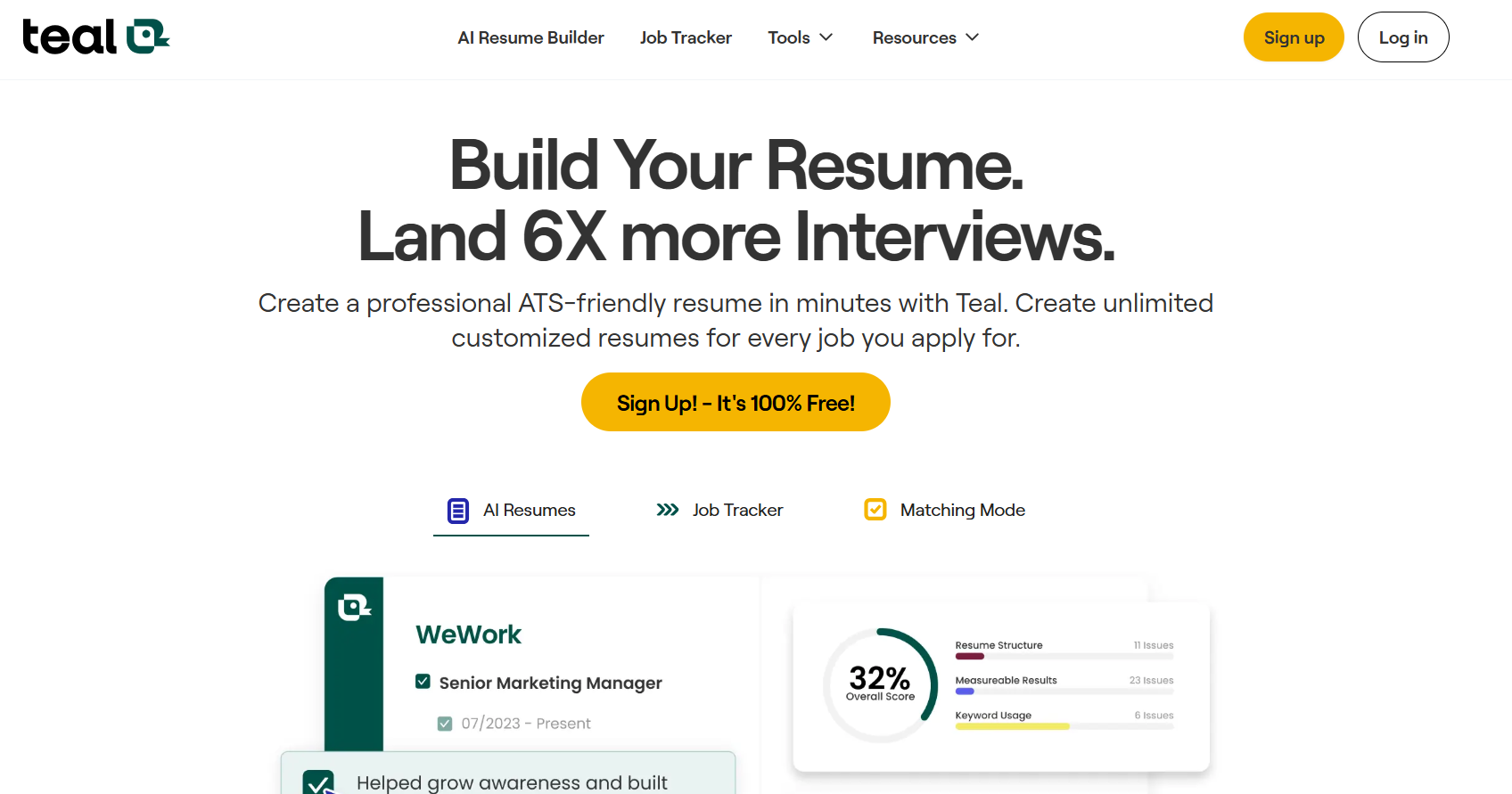
Teal is a powerful AI-based resume builder and job search assistant. It helps job seekers create tailored, ATS-friendly resumes, match them with job descriptions, and track applications, all in one platform. It is perfect for speeding up your job hunt with AI.
How to use this tool to create a job-specific resume
Step 1: Set your career goals
- Click “Edit Goals” on your dashboard.
- Define your Target Title, Salary Range, and Timeline for landing your next role.
- This helps Teal personalize job-matching and resume feedback based on your goals.
Step 2: Create your first AI-powered resume
- Click “Create Resume” in the Resume Builder section.
-
Choose one of the three options:
- Import your LinkedIn profile.
- Upload an existing resume.
- Let AI generate content from scratch.
I have imported my LinkedIn profile to the application.
- Use the editor to polish sections, generate new bullet points, and customize summaries.
Step 3: Install Teal's Chrome Extension
- Click “Install Extension” from the dashboard.
-
This free add-on lets you:
- Save jobs from LinkedIn, Indeed, etc.
- Bookmark company contacts
- Track applications
- Once installed, a small Teal icon will appear while browsing job boards.
Step 4: Add jobs to your Job Tracker
- Use the Chrome extension to save jobs from any site instantly.
- Or manually add roles inside the Job Tracker tool.
- Teal helps you organize jobs by stage (Saved, Applied, Interviewing, Offer, Rejected).
Step 5: Use AI to tailor each resume
- Open a saved job in your tracker.
- Click “Match with Resume” to check how your resume aligns with the job description.
- Teal will highlight keyword gaps, give you a match score, and suggest AI edits for better alignment.
Switch to Design Mode to give your resume a personal touch. You can choose from clean, ATS-friendly templates and tweak the layout, fonts, and colors before downloading a polished PDF.
Step 6: Monitor your progress
- Check your Job Tracker dashboard to see how many jobs you’ve applied to, interview stages, and overall progress.
- You can mark jobs as applied, interviewed, or offer received.
What I liked:
- Easy-to-use, modern UI
- Accurate AI keyword matching with job descriptions
- Excellent for creating multiple tailored resumes
- Helpful Chrome extension for job tracking
- Covers resumes, cover letters, and job tracking in one place
What I disliked:
- Limited AI credits on the free plan
- Some advanced templates are locked behind the premium version
- Resume download formatting sometimes varies between browsers
Pricing
Plan |
Price |
Features |
Free |
$0 |
Basic resume builder, resume import, and limited job tracking |
Teal+ |
$79/3 months |
Unlimited AI usage, advanced resume analysis, premium templates, full job tracking |
Flexible billing: weekly, monthly, or quarterly. You can cancel your plan anytime.
Who should use Teal
- Fresh graduates needing resume guidance
- Professionals switching industries or roles.
- Job seekers are applying to multiple positions weekly.
- Anyone frustrated with manual resume editing and job tracking.
Final verdict on the tool
Teal is a must-have for modern job seekers. Whether you're starting from scratch or updating your resume for a new role, Teal's AI tools help you save time, optimize content, and increase your chances of getting interviews. It simplifies the entire job search journey from writing to tracking with one clean, intuitive interface.
Takeaway: If you want to stop guessing and start applying strategically, Teal gives you a clear advantage with AI-driven resume insights and job alignment tools.
2. Kickresume
What it does:
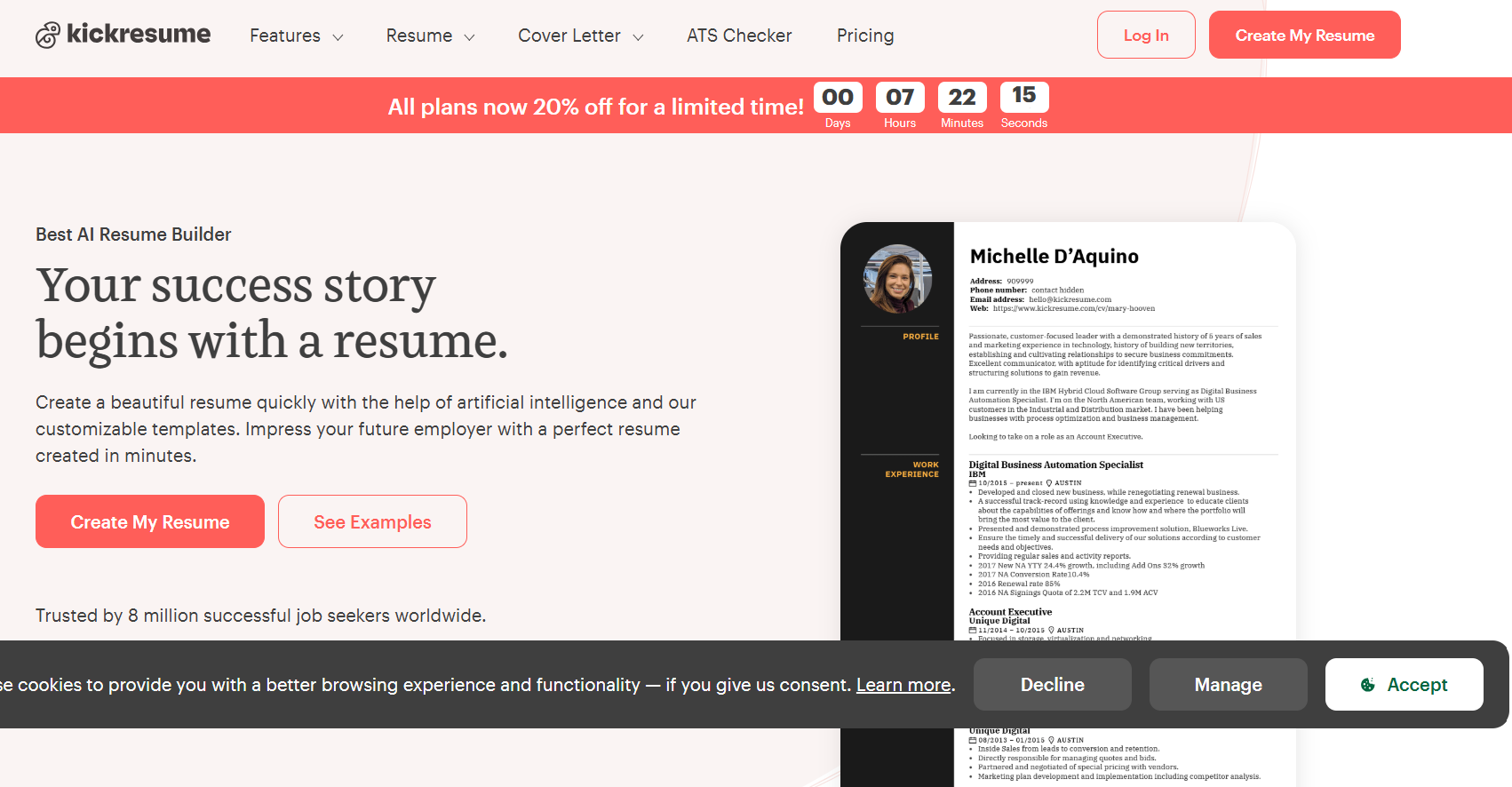
Kickresume is an AI-powered resume and cover letter builder designed to help job seekers create visually appealing, ATS-optimized documents in minutes. It combines GPT-4 content generation, professional templates, and resume checker tools to make the job application process faster and easier, even if you're starting from scratch.
How to use this tool to create a professional resume
Step 1: Create your Kickresume account
Go to Kickresume.com and click on Sign Up. You can register using your email, Google, or social accounts.
From the dashboard, go to the Data Import section.
Choose between:
- LinkedIn Import to auto-fill your resume with data from your profile
- PDF Import to upload an old resume and instantly start editing it with a fresh design
This saves a ton of time and gives you a clean starting point.
Step 2: Open the Resume Builder
Head over to the Resume Builder under the “Document Builders” section.
Here you can:
- Start from scratch or work on imported data
Go to the "Design" section under My Resume in the left sidebar. Here, you can personalize the look of your resume using the following options:
- Use AI to generate content like summaries and job experience bullet points.
- Add, remove, or drag-and-drop sections as needed.
The builder is intuitive and offers real-time AI suggestions powered by GPT.
Step 3: Choose a professional template
Browse through 40+ modern, ATS-optimized templates.
You can:
- Change fonts, colors, icons, and layouts
- Preview how it looks on both desktop and mobile.
- Use Design Mode to adjust section order and spacing.
Templates cater to creative, professional, and conservative styles.
Step 4: Optimize your resume with AI tools
Go to Resume Optimization and choose:
- Resume Analysis for instant AI feedback on structure and wording
- Resume Feedback to get insights from an AI recruiter.
- Proofreading (premium) to get human-verified grammar and spelling corrections
This helps polish your resume before applying anywhere.
Step 5: Export or share your resume
Head to My Resume > Download & Share to export your resume when you’re done editing and optimizing it. You can:
- Download it as a PDF for quick application uploads
- Export text to Word (.docx) if needed for specific job portals
- Send directly via Email.
- Save it to Dropbox or Google Drive for backup or future use.
- Scan the QR code to access your resume on the Kickresume mobile app.
Note: If you used premium fonts, layouts, or colors, you’ll need a paid plan to export your final resume.
Step 6: Explore extras for your job hunt
Want more help beyond your resume?
- Use Career Map to explore future roles
- Practice with Interview Questions tailored to your position
- Access Kickresume Jobs to find job listings directly within the platform
- Create a Website with existing resume data or import data from other sources
- Install the Chrome Extension to generate cover letters on any job site instantly
These extras make Kickresume more than just a resume builder, it’s a full job-search assistant.
What I liked
- AI bullet generation is fast, context-aware, and removes writer’s block
- A massive variety of sleek, ATS-friendly resume and cover letter templates
- LinkedIn's import feature saves time by auto-filling resume content
- Version history helps you revert to previous resume drafts with ease
- One-click resume-to-website tool is perfect for creatives and freelancers
- A cover letter builder and grammar checker add extra value for job seekers
- Clean, intuitive drag-and-drop interface makes customization easy
What I disliked
- No undo/redo function when manually editing text blocks
- Exporting to Word format isn’t supported—only PDF
- Design and editing flexibility are limited in the free plan
- Navigation slows down when managing a large number of resumes
- Subscription cancellation isn’t always seamless; some users had to contact support
- Pricing may feel high for long-term use compared to alternatives
Pricing
Plan |
Cost |
Key Features |
Free |
₹0 |
1 resume, 1 basic template, manual edits, downloads |
Premium |
₹1,000–₹2,000/month |
All templates, unlimited resumes, AI tools, resume checker, website builder |
Who should use Kickresume
- Job seekers who want a fast, AI-assisted resume without starting from scratch
- Students and freshers who need help with phrasing and structure
- Professionals applying to design-heavy or creative roles
- People who want to build a resume and a personal website together
Final verdict on Kickresume
Kickresume is one of the most well-rounded and visually flexible resume builders in the market. It takes the stress out of resume writing by combining AI, HR-approved templates, and real resume examples.
While it doesn’t include job tracking, its core strength lies in beautiful design and content generation. If your main need is to create impressive resumes quickly and stand out visually, Kickresume delivers.
Key Takeaway: Let AI and design do the heavy lifting, just focus on landing the interview.
3. Jobscan
What it does:
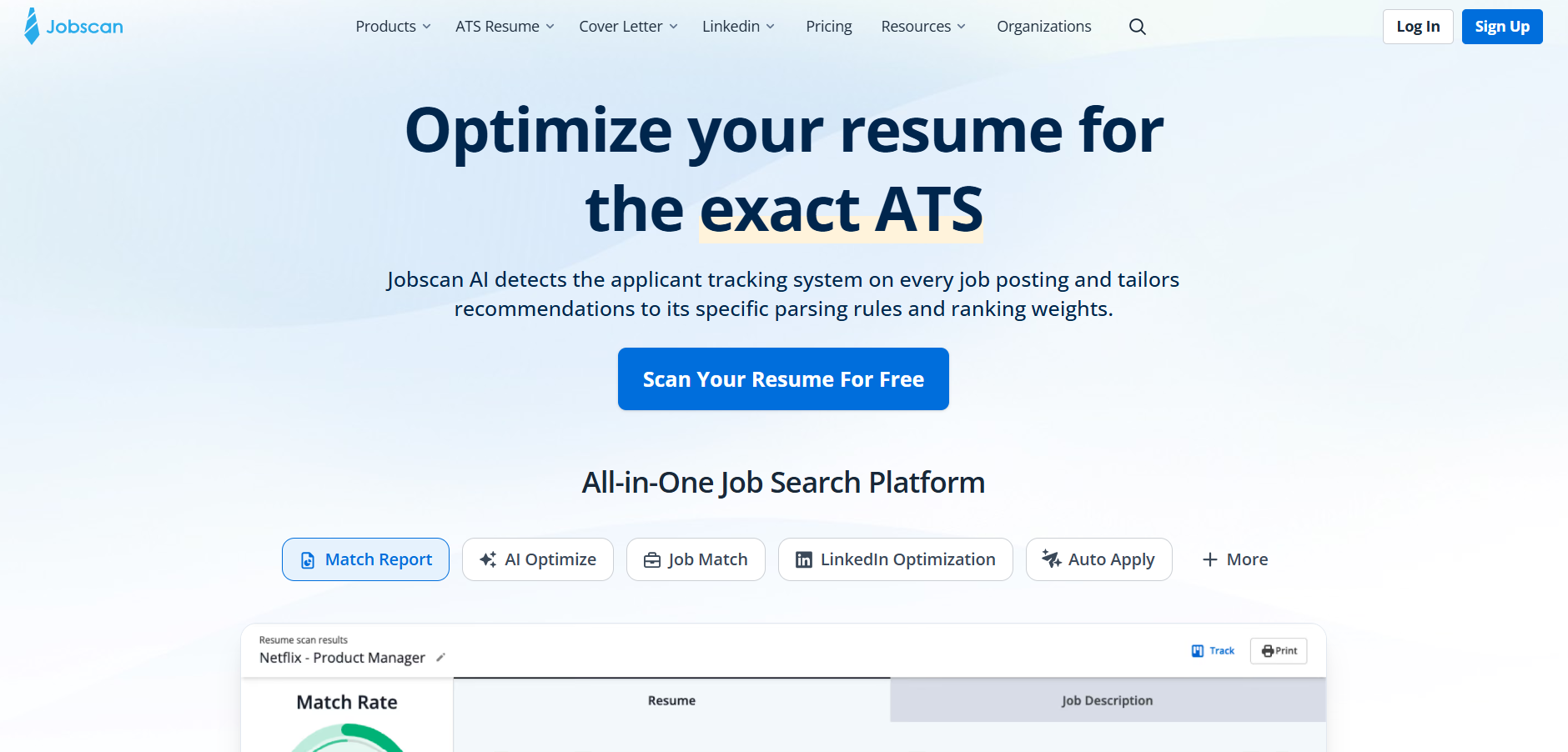
Jobscan helps job seekers tailor their resumes and LinkedIn profiles to specific job descriptions by analyzing them against recruiter-preferred keywords and formatting rules used by Applicant Tracking Systems (ATS). It boosts your chances of landing interviews by improving keyword alignment.
How to use this tool to optimize your resume for ATS
Step 1: Visit Jobscan and Sign Up (Free or Paid)
- Go to jobscan.co
- Click on “Sign Up” at the top right.
- Create an account using your email or sign in via Google/LinkedIn.
Tip: You’ll get limited free scans even with a free account.
Step 2: Start a New Scan
Ensure you are on the “Dashboard” or click “New Scan” on the top-left blue button.
-
You'll see two main input boxes:
- Upload or paste your resume.
- Paste the job description of the role you're applying for.
Step 3: Click “Scan” and View Your Match Rate
- Click on “Scan” to analyze your resume.
- The system compares your resume with the job description.
- You'll see a match rate (0–100%) along with suggestions.
Below 60%? You need major edits.
Above 75%? You’re ready to apply!
Step 4: Use Suggestions to Improve Your Resume
-
Jobscan gives keyword suggestions under:
- Hard skills
- Soft skills
- Job title
- Education
- Edit your resume based on these suggestions and rescan.
Use the “Power Edit” tool for real-time suggestions on your resume, similar to Grammarly, but for job matching.
Step 5: Export or Use Resume Builder
- Download your optimized resume directly.
- Or use the ATS-friendly resume builder from scratch.
Other Helpful Features in the Left Menu
- LinkedIn Scan – Optimize your profile for recruiters.
- Job Tracker – Manage applications and interviews.
- Resume Builder – Create ATS-friendly resumes from scratch.
- Resume Manager – Save and reuse multiple resume versions.
- Scan History – View previous scans and performance.
- Chrome Extension – Scan job listings while browsing online.
What I liked
- Simple UI and easy onboarding.
- Real-time keyword suggestions.
- Resume and LinkedIn optimization in one tool.
- Covers multiple ATS systems (iCIMS, Greenhouse, Lever).
- Instant feedback with actionable insights.
- Includes Chrome Extension for in-browser scans.
What I disliked
- Limited scans on the free plan.
- Occasional over-optimization suggestions (keyword stuffing risk).
- Lacks deeper formatting analysis (like line spacing or visual layout).
- No live chat for support.
Pricing
- Free Plan: Limited scans per month (up to 5).
- Premium Monthly: $49.95/month – Unlimited scans, LinkedIn optimization, Power Edit.
- Premium 3-Month: $89.95 – Saves ~40%.
Who should use Jobscan?
- Job seekers targeting corporate jobs, especially at large companies, use ATS.
- Career changers who need to match transferable skills.
- College graduates and mid-career professionals are optimizing for multiple job roles.
- Resume coaches and HR consultants.
Final Verdict on Jobscan
Jobscan is an excellent tool for modern job seekers navigating ATS hurdles. It’s not just a resume checker, it’s a strategy companion that teaches you how recruiters think and how to beat the bots.
Key Takeaways: Don’t send the same resume to every job. Use Jobscan to match your skills with each job’s language; that’s how you get seen.
4. Resume.io
What it does:
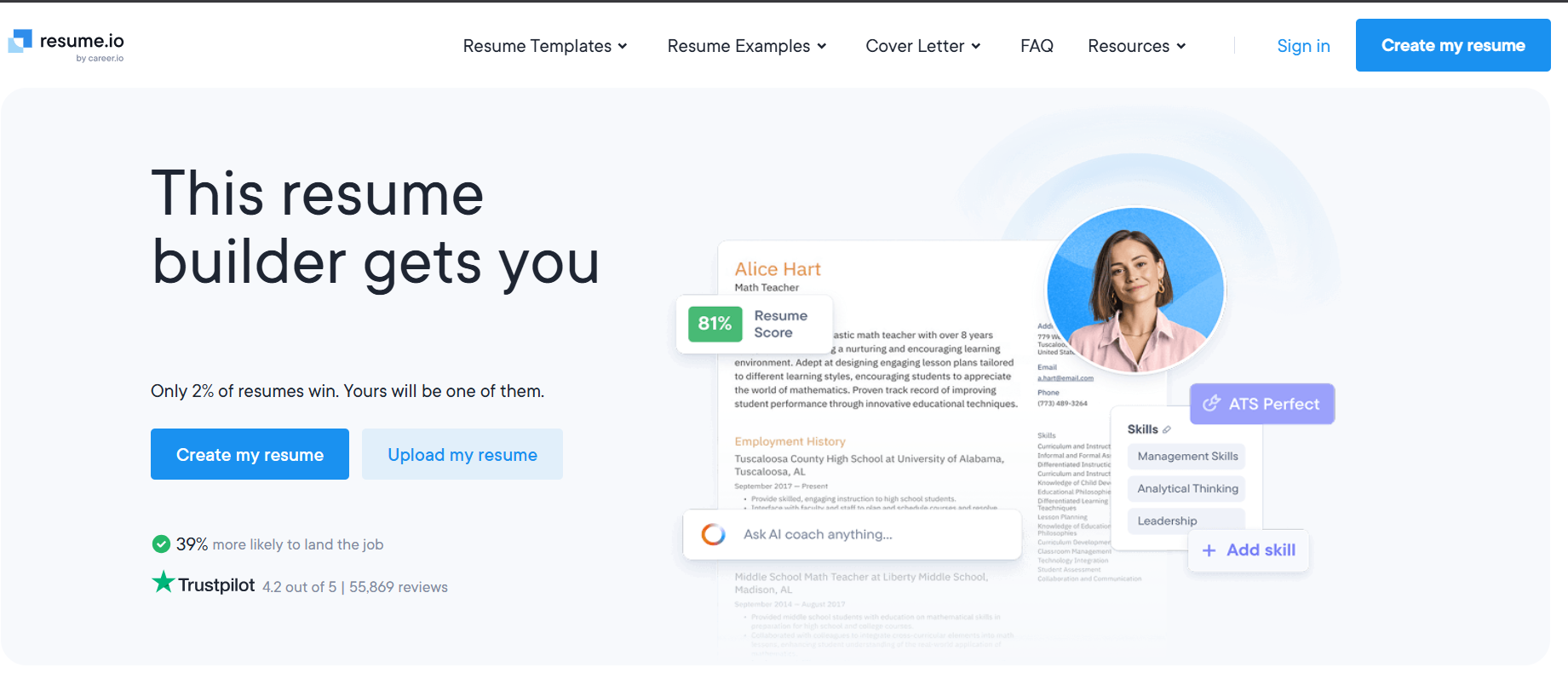
Resume.io is an online resume and cover letter builder designed for job seekers who want to create professional, ATS-friendly resumes quickly. It provides pre-written content, customizable templates, and AI assistance to streamline the resume creation process.
How to use this tool to create a resume
Step 1: Sign up or log in
Go to resume.io and create an account using your email or Google/Facebook login.
Step 2: Go to Dashboard → Resume Building
From your dashboard, click on “Resume Building”. This is your central place to start building or editing resumes.
Under the Documents tab, you will find your saved resumes and cover letter. You can tailor them as per your job requirements.
Step 3: Set your target role
Click “Set your target role” at the top. This will help the tool suggest industry-relevant keywords, summaries, and job-tailored resume sections.
Why it matters: Your resume gets more precise and aligns better with recruiter expectations.
Step 4: Quick-build your resume
You’ll be asked to fill in the following details to build your resume:
- Contact info
- Work experience (with auto-fill prompts)
- Education
- Skills
- Professional summary (can be generated with AI)
Step 5: Choose a resume template
After entering your details, browse the available templates (e.g., Toronto, New York, Stockholm) and preview how each looks in real time.
Customize fonts, color, and layout spacing as per your target industry (conservative vs. creative).
Step 6: Tailor for specific jobs
Under Resume Tailoring (visible in the progress bar), you can duplicate your resume and adjust it for specific roles using the Job Search or Job Tracker section.
Step 7: Download or share
Once you're happy, click Download (PDF or DOCX) or Share to get a live resume link that tracks views.
If you're on a free plan, note that downloads come with branding unless upgraded.
Optional: Resume Distribution
Click “Resume Distribution” → Choose a resume → Submit to recruiters in your field.
Boost exposure by broadcasting your resume to multiple hiring networks with one click.
What I liked
- Easy drag-and-drop editor with real-time preview
- Built-in content suggestions make writing faster.
- ATS-friendly formatting
- Templates feel modern and polished.
- Resume analytics with shareable link tracking.
What I disliked
- Free version includes Resume.io branding on PDF
- Limited customization of the layout structure
- AI suggestions are generic without role-specific depth
- Can’t download without signing up
Pricing
Plan |
Price |
Features |
Free |
$0 |
Resume creation + preview, no PDF download |
7-Days |
₹247 |
Full access + downloads |
Quarterly |
₹999.66/month |
Unlimited resumes, letters, templates |
Who should use Resume.io
- Students and freshers building their first resume
- Professionals who want an upgrade with minimal effort
- Job seekers applying to ATS-heavy roles
- People looking to create tailored resumes quickly
Final verdict on Resume.io
Resume.io is one of the most efficient tools for creating a clean, professional resume quickly. It is especially useful for job seekers who struggle with formatting or phrasing. Its AI features and ready-to-use templates help you focus on getting hired, not on document design.
Takeaway: If you want a job-winning resume with minimal hassle, Resume.io is a solid option, just be ready to pay for the download and customization freedom.
5. Hiration
What it does
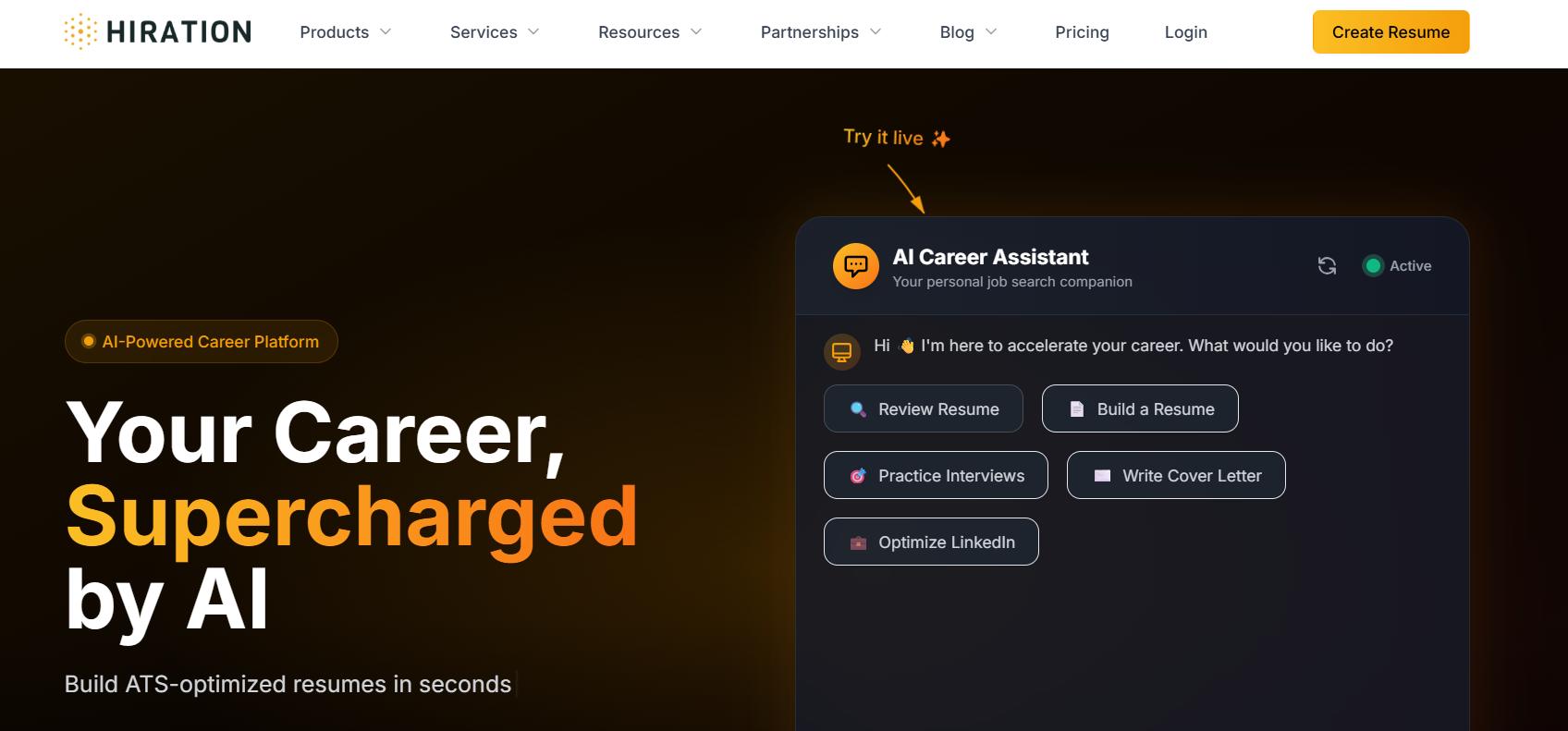
Hiration is an AI-powered career platform designed to help job seekers create professional resumes, optimize their LinkedIn profiles, generate tailored cover letters, and prepare for interviews. It streamlines the job search process by offering ATS-friendly templates, AI-driven feedback, and job description matching.
How to Use This Tool to Build a Job-Winning Resume
Step 1: Sign Up or Log In
- Go to www.hiration.com
- Click “Create Resume” or “Try for Free.”
- Sign up with your email or social login.
Step 2: Choose a Resume Template
- After logging in, you’ll be taken to the resume builder dashboard.
- Select from 30+ ATS-compliant templates.
- Choose a template that suits your industry and role (e.g., tech, marketing, sales).
Step 3: Fill In Your Details
-
Add sections like:
- Header (Name, Contact)
- Summary
- Work Experience
- Education
- Skills
- Certifications
- Use AI suggestions to autofill bullet points.
Step 4: Optimize with Resume Review
- Click “Review Resume.”
- Hiration provides a score and detailed feedback on formatting, grammar, keywords, and skills match.
- Follow suggestions to improve weak areas.
Step 5: Download or Share
- Once optimized, click “Download” as a PDF.
- Optionally, share online using a custom Hiration link.
What I Liked
- User-friendly UI with drag-and-drop editing
- Real-time AI feedback for resume optimization
- Job Match feature bridges skill gaps based on JDs
What I Disliked
- Limited customization beyond templates (e.g., layout changes)
- Interview prep lacks industry-specific Q&A depth
- No mobile app; desktop-only usage limits accessibility
Pricing
Plan |
Price |
Features |
Free Plan |
₹0 |
Basic resume creation, 1 template |
Premium |
₹499/month, ₹849/3 months, ₹999/year |
All templates, resume reviews, LinkedIn optimization, cover letters, job match, and download access |
Who Should Use Hiration
- Recent graduates looking for their first job
- Professionals switching industries
- Anyone who needs a fast, guided, and AI-assisted resume makeover
- Job seekers targeting MNCs and startups that use ATS systems
Final Verdict
Hiration is an excellent one-stop platform for job seekers who want to professionally present themselves without hiring a career coach. The ChatGPT-powered feedback system, combined with job-matching capabilities, helps you close the gap between your current resume and the job you want.
However, experienced professionals with niche design needs or deeper interview training may find it slightly limited.
Takeaways:
- Let AI do the heavy lifting of resume formatting and scoring.
- Use LinkedIn Review to boost recruiter visibility.
- Always align resume content with actual job descriptions.
6. LoopCV
What it does
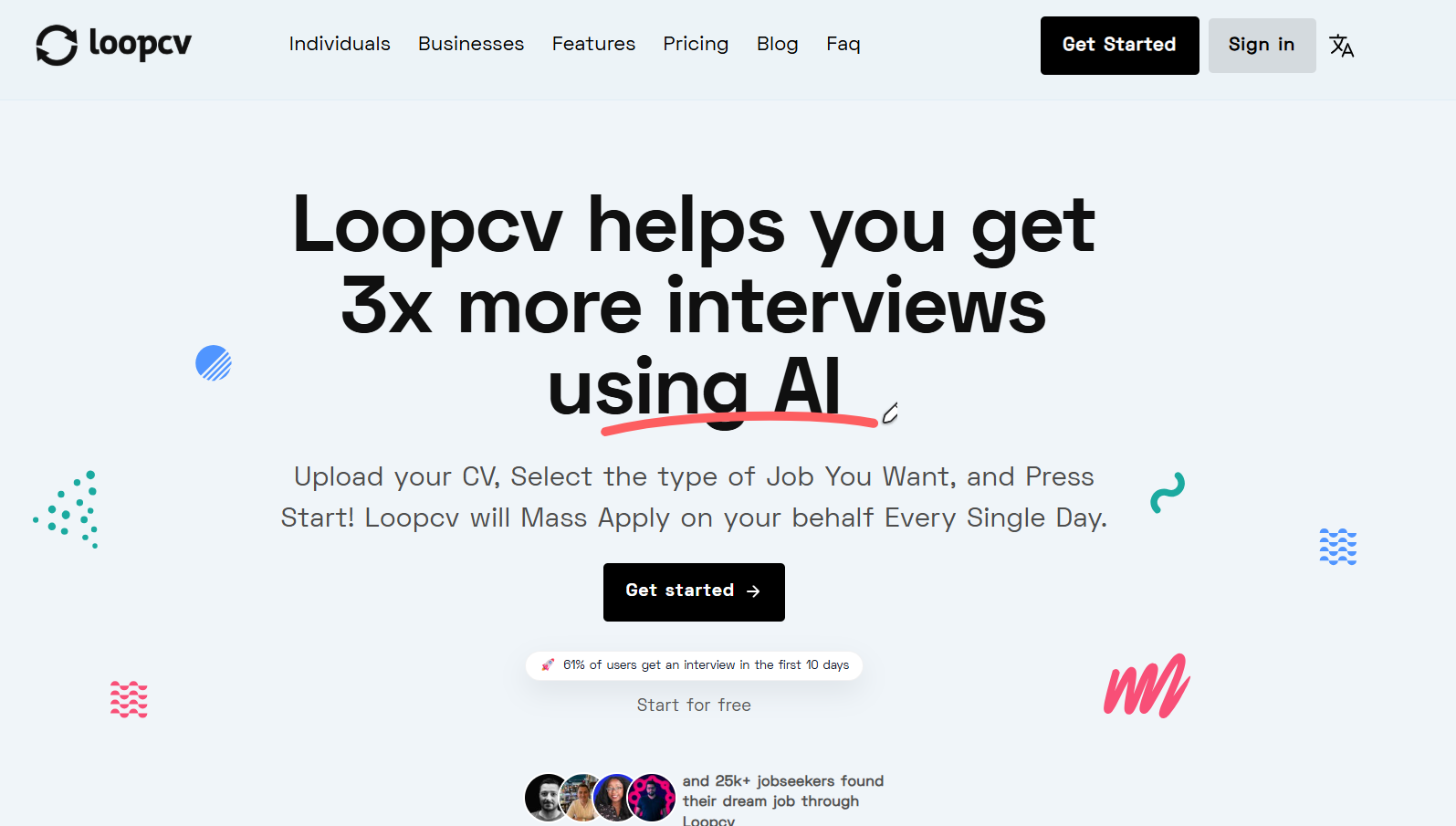
LoopCV is an AI-powered job automation platform that helps job seekers save time by automatically applying to jobs on their behalf. Users can upload their CVs and choose job preferences, and LoopCV will find relevant listings, optimize applications, and apply daily, hands-free.
How to use this tool to automate your job applications
Step 1: Log in to LoopCV
- Go to LoopCV
- Sign up with your Google account or create an account.
Step 2: Set Up Your Profile
You can begin by entering your basic details, uploading your CV, and specifying your job preferences, such as job title, location, and work type (remote, hybrid, etc.).
Step 3: Answer Screening Questions
Head to the Questions tab and answer a short set of questions. This helps LoopCV better understand your experience, preferences, and strengths, leading to smarter job matches.
Step 4: Create Your First Loop
Navigate to New Loop and start your first loop by selecting:
- Job title(s)
- Preferred location(s)
- Keywords and filters
LoopCV will begin searching for jobs based on this configuration.
Step 5: Add the Chrome Extension
Install the LoopCV Chrome Extension to unlock one-click apply features and auto-fill application forms. This also enables faster form submissions on job portals.
What I liked
- LoopCV automates daily job submissions, saving hours of manual effort.
- The AI aligns your CV with job descriptions, increasing relevance and visibility.
- Get daily summaries with application stats and recruiter response insights.
- Expands reach across platforms without extra effort.
- Easily avoid firms you’ve already applied to or don’t wish to target again.
What I disliked
- Cover letter and message customization features are basic and can’t be fine-tuned per job.
- Auto-apply can sometimes target roles that aren’t a perfect fit unless filters are set very narrowly.
- Several users noted the platform feels dated and could use a more intuitive, modern design.
Pricing
Plan |
Price |
Features |
Basic Looper (Free) |
₹0/month |
1 loop/month, 10 applications, 3 job boards, low-priority applications, 2 AI CV checks, Chrome extension |
Standard Looper |
₹269.99/month |
20 loops/month, 100 applications, 20 job boards, global remote job search, medium-priority applications, 10 AI CV checks, custom email, Chrome extension |
Premium Looper |
₹1,119.99/month |
50 loops/month, 300 applications, AI auto-fill for screening questions, job sourcing from career pages, 30 AI CV checks, priority support |
Done For You |
₹7,700/month |
All Premium features + weekly advisory calls, ATS CV optimization, hourly job sourcing, weekly performance checks, 50 AI CV checks |
Who should use LoopCV
- Freshers looking to land their first job faster
- Busy professionals switching roles with limited time to job hunt
- Remote job seekers targeting multiple geographies
- International students aiming to get exposure to global job listings
Final Verdict
LoopCV is a game-changer for passive and proactive job seekers alike. Its automation engine eliminates the manual labor of job hunting while increasing application volume and visibility.
However, users should still tailor CVs and follow up manually for high-priority roles. It’s best used as a parallel booster rather than your only job search tool.
Takeaway: Automate the grind. Focus on what matters: interviews and offers.
7. Sonara
What it does
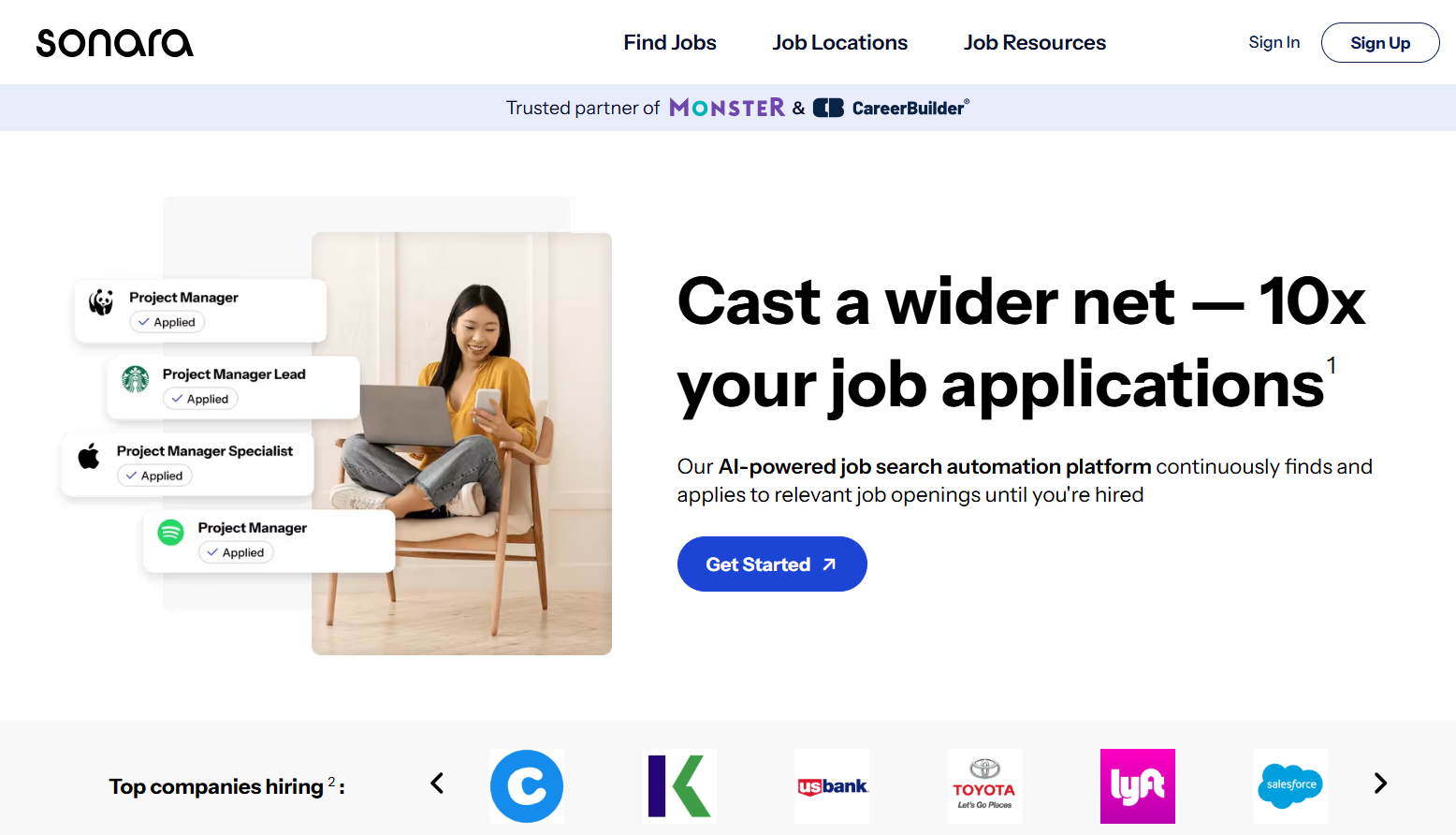
Sonara is a job search automation tool that uses AI to apply for jobs on your behalf. It helps job seekers 10x their job applications by automatically finding and applying to relevant roles daily, saving you hours of manual effort.
How to Use Sonara to Automate Job Applications
Step 1: Sign Up and Set Up Your Profile
- Visit sonara.ai
- Create an account and upload your resume
- Fill in key preferences: job titles, locations, salary expectations, etc
Step 2: Customize Application Filters
- Define what types of roles you want to apply for (e.g., remote, full-time, industry-specific)
- Exclude companies or roles you’re not interested in
Step 3: Let Sonara Scan & Apply Automatically
- The AI scans job boards continuously.
- It matches roles to your profile and submits tailored applications automatically.
Step 4: Monitor Your Progress
- Use the Sonara dashboard to track applications submitted, interviews received, and follow-ups
- Wake up to daily job match emails
What I Liked
- Fully automated applications — zero manual submissions
- Personalized job matching based on resume + preferences
- Clean dashboard to monitor progress
- Massive time saver for active job seekers
What I Disliked
- Most powerful features are locked behind paid plans
- Some users might prefer manual control over each application
- Limited coverage in niche or localized job markets
Pricing
Plan |
Price |
Features |
Trial access |
$2.95 |
1 Loop/month, 1 resume, basic job matching |
3-month access |
$13.95/month* |
Multiple loops, 1 resume, email alerts |
6-month access |
$10.95/month* |
Unlimited loops, multiple resumes, advanced filters |
Who Should Use Sonara?
- Job seekers who want to automate and scale their applications
- Busy professionals looking to switch roles without investing daily time.
- Career switchers need exposure to more opportunities.
Final Verdict
Sonara is a smart job search companion for serious applicants. It takes the repetitive burden of daily applications off your shoulders so you can focus on interview prep and skill-building.
While it’s best suited for general and tech-oriented roles, its automation power is a game-changer if you're applying at scale.
Lesson: Treat Sonara like your silent job-hunting assistant. Set it up once, and it works for you daily until you land interviews.
8. AIApply Review: One-Click Job Submission Service
AIApply is one of the most efficient one-click job submission services for job seekers who want to apply at scale. Here's our comprehensive AIApply review:
What is AIApply?
AIApply is an AI job application tool that automates the entire application process. It creates tailored resumes and cover letters for each position, then submits applications automatically across job boards like LinkedIn, Indeed, and company websites.
AIApply Features:
- Auto-Apply: Submit applications to hundreds of jobs with one click
- AI Resume Tailoring: Automatically customizes your resume for each job
- Cover Letter Generator: Creates personalized cover letters matching job descriptions
- Application Tracking: Dashboard to monitor all submitted applications
- Job Matching: AI recommends jobs based on your profile and preferences
How to use this tool to apply for jobs faster
Step 1: Upload or Create a Resume
- Go to AIApply
- Choose to upload your existing resume or start from scratch using the AI Resume Builder.
- The AI will optimize or generate a job-specific resume based on the role you’re targeting.
Step 2: Search and Auto-Apply
- Enter your job role and preferred location.
- The tool will auto-fetch listings and start applying using your resume and a generated cover letter.
Step 3: Generate a Cover Letter
- Click on a job listing.
- AIApply instantly crafts a personalized cover letter referencing your experience and the role.
Step 4: Practice Interviews
- Use the AI Mock Interview tool.
- It asks role-specific questions and provides real-time feedback on your answers, speech tone, and structure.
Step 5: Follow Up Automatically
- Once applied, AIApply lets you send follow-up emails tailored to each application.
- Just select the job, and it generates a professional email for HR outreach.
Step 6: Use Your Job Hub
- Access the Job Hub to manage your resumes, application kits, and track job statuses.
- You’ll find all your applications, cover letters, and follow-ups neatly organized in one place.
AIApply Pros:
✅ Massive time savings—apply to 100+ jobs per day
✅ AI tailors each resume to match job descriptions
✅ Cover letters generated automatically
✅ Works across multiple job platforms
✅ Application tracking dashboard included
AIApply Cons:
❌ Can feel impersonal—quality vs. quantity trade-off
❌ Some employers detect mass applications
❌ Premium pricing for unlimited applications
❌ Less control over individual applications
❌ Not ideal for senior/executive positions
AIApply Pricing:
Plan |
Price |
Applications/Month |
Features |
Basic |
$29/month |
50 |
Resume tailoring, cover letters |
Pro |
$59/month |
200 |
+ Auto-apply, job matching |
Premium |
$99/month |
Unlimited |
+ Priority support, analytics |
Who should use AIApply?
- Job seekers applying to multiple roles
- Students or freshers creating their first resume
- Career switchers who need tailored messaging
- Freelancers and remote workers seeking high-volume applications
- Professionals targeting roles in tech, marketing, or business
Final AIApply Review Verdict
AIApply is best for job seekers applying to entry-level or mid-level positions who want to maximize their application volume. If you're applying to 50+ jobs per week, AIApply's automation saves significant time. However, for specialized roles or senior positions, manual tailoring may yield better results.
Rating: 4.2/5 — Best for high-volume job seekers
Also Check Out: 15 Best AI Tools for Developers To Improve Workflow
9. ResumeCoach
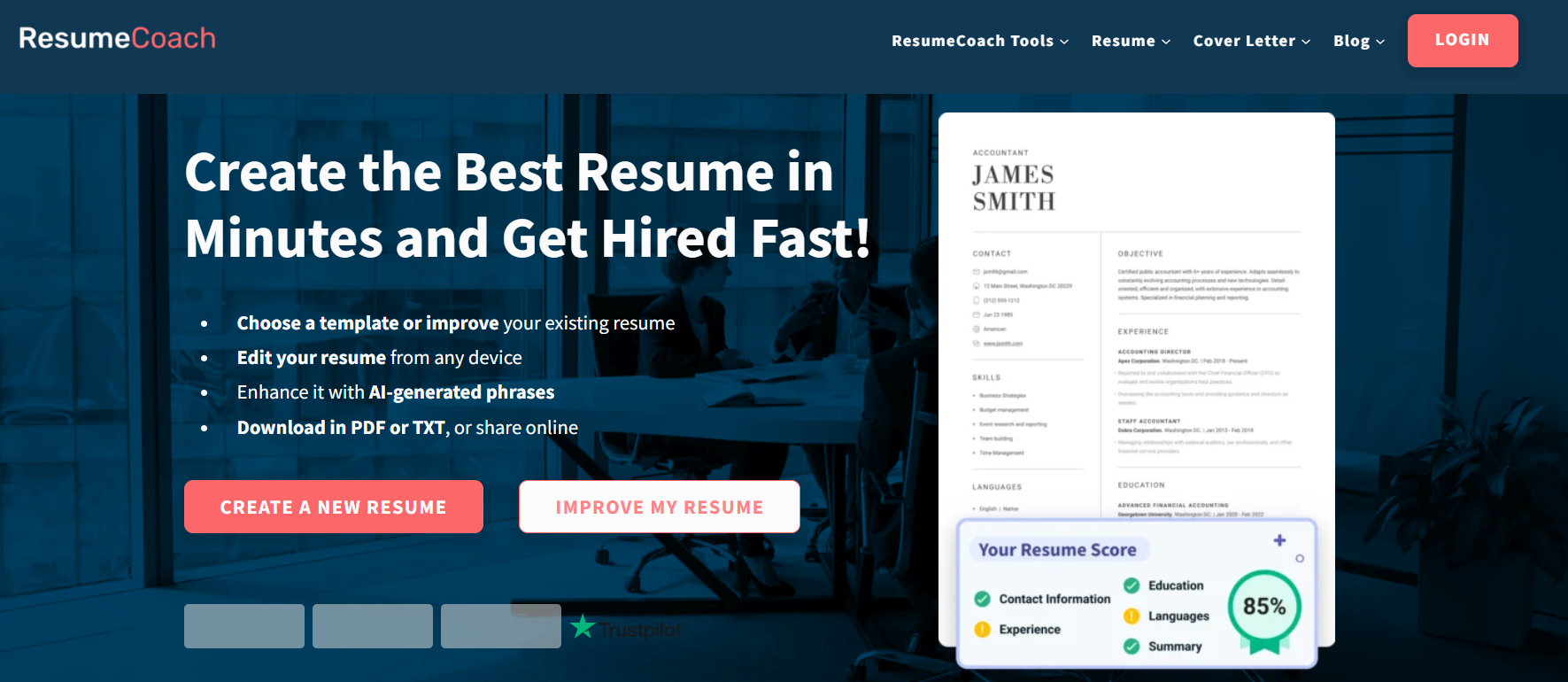
What it does: ResumeCoach is an AI-powered resume builder that allows job seekers to create, edit, and export professional application documents. With its library of recruiter-approved, ATS-friendly templates, users can build polished resumes and cover letters in minutes.
How to use this tool to create a job-winning resume
- Step 1: Select a professional template – Choose from a variety of modern, ATS-compatible designs suited for your industry.
- Step 2: Input your details – Import your existing resume or fill in your professional history manually.
- Step 3: Enhance with AI suggestions – Use AI-driven phrasing to optimize your resume for specific job descriptions and ATS filters.
- Step 4: Download and share – Export your document in PDF format or share it via a private recruiter link.
What I liked
- Simple, intuitive interface that guides you through the process step-by-step.
- AI-generated wording suggestions help overcome writer's block and improve keyword density.
- Multilingual editor support for candidates in international markets.
What I disliked
- Specific pricing plans are only accessible after creating an account.
Pricing
- PlanCostKey Features
- Basic
- Free
- Document creation and online preview.
- Premium
- Contact Site
- Unlimited downloads, full AI toolset, and expert reviews.
Who should use ResumeCoach
Job seekers looking for a fast, user-friendly tool to produce professional-grade, ATS-optimized resumes without needing design skills.
Final verdict
ResumeCoach is an efficient and accessible choice for modern job hunters. Its blend of AI assistance and recruiter-approved templates makes it a strong contender for anyone wanting to land more interviews.
Top Job Application Automation Tools
Looking for the most efficient one-click job submission services? These top job application automation tools handle everything from resume tailoring to auto-submitting applications:
1. LazyApply — Best for Mass Applications
LazyApply is the leading one-click job submission service for high-volume applications. Set your preferences once, and it applies to matching jobs automatically.
- Auto-applies: 50-300+ jobs per day on LinkedIn, Indeed, ZipRecruiter
- Form autofill: Completes application forms automatically
- Job filtering: Apply only to roles matching your criteria
- Pricing: $99/month (Standard), $249/month (Premium)
Best for: Job seekers targeting quantity, entry-level positions, remote job hunters
2. Simplify — Best Free Automation Tool
Simplify is a free browser extension that autofills job applications across thousands of company career pages.
- Free autofill: Saves and populates your info on job sites
- Application tracker: Logs every application automatically
- One-click apply: Speeds up manual applications significantly
- Pricing: Free (with premium features available)
Best for: Budget-conscious job seekers who want speed without full automation
3. Sonara — Best AI Job Matching
Sonara uses AI to find jobs matching your profile and auto-applies to the best matches while you sleep.
- AI matching: Analyzes your resume and applies to relevant jobs
- Daily applications: Applies to new jobs every day automatically
- Interview prep: Includes AI interview coaching
- Pricing: $49/month
Best for: Passive job seekers who want AI to do the searching
4. LoopCV — Best for European Markets
LoopCV automates job applications across European job boards, making it ideal for job seekers in Sweden, Germany, UK, and other EU countries.
- European focus: Indeed, LinkedIn, Glassdoor + local boards
- CV customization: Tailors for each application
- Multi-language: Supports applications in multiple languages
- Pricing: Free tier, $29/month Pro
Best for: Job seekers in Europe, including Sweden, Germany, Netherlands
Also check out: AI hiring tools that yield high-quality candidates who get the job done.
Best AI for Job Applications: Resume & Cover Letter Tools
The best AI service for tailoring job applications includes tools that optimize both your resume and cover letter. Here are the top options:
1. Teal — Best Overall for Tailoring
Teal is the best AI service for tailoring job applications. It analyzes job descriptions and optimizes your resume to match specific keywords.
- Resume matching: Shows match score against job descriptions
- Keyword optimization: Highlights missing keywords from job posts
- AI writing: Generates bullet points tailored to roles
- Job tracker: Organize applications by stage
- Pricing: Free tier, $29/month Pro
Why it's great: Teal's matching score instantly shows how well your resume fits each job—essential for passing ATS systems.
2. Kickresume — Best for Creating from Scratch
Kickresume uses GPT-4 to generate entire resumes and cover letters from minimal input.
- AI content generation: Creates bullet points from job titles
- Templates: 50+ ATS-friendly professional designs
- Cover letter builder: Generates letters matching your resume
- LinkedIn import: Pull your profile directly
- Pricing: Free tier, $19/month Premium
Why it's great: Ideal if you're starting fresh or switching careers—AI writes content you can customize.
3. Jobscan — Best for ATS Optimization
Jobscan specifically optimizes resumes to beat Applicant Tracking Systems.
- ATS match rate: Shows percentage match to job description
- Keyword analysis: Identifies exact terms to include
- Format check: Ensures ATS-compatible formatting
- Pricing: Free tier, $49.95/month Premium
Why it's great: If you're applying to large companies hiring developers with strict ATS filters, Jobscan is essential.
4. Rezi — Best AI Resume Writer
Rezi uses AI to write and optimize every section of your resume.
- AI writing: Generates professional bullet points
- Keyword targeting: Tailors to specific industries
- Real-time scoring: Shows optimization score as you edit
- Pricing: Free tier, $29/month Pro
Why it's great: The most hands-off option—AI does most of the writing work.
AI Tools for Job Seekers in Sweden and Europe
What are the best AI tools for creating personalized resumes and cover letters in Sweden? Job seekers in Europe need tools that understand local job markets, languages, and formats.
Best AI tools for European job seekers:
1. LoopCV — Best for Sweden
LoopCV works with European job boards including Sweden-based platforms. It supports Swedish-language applications and understands EU CV formats.
- Swedish job boards: LinkedIn Sweden, Indeed SE, Arbetsförmedlingen integration
- EU CV format: Creates Europass-compatible CVs
- Language support: Swedish, German, French, Spanish, Dutch
- Pricing: Free / €25/month Pro
2. Teal — Works Globally
Teal's AI adapts to any job market, including Sweden. Just paste Swedish job descriptions, and it optimizes your CV accordingly.
- Language-agnostic: Works with Swedish job posts
- ATS optimization: Swedish employers use similar ATS systems
- Pricing: Free / $29/month
3. Kickresume — European Templates
Kickresume offers templates designed for European markets, including formats common in Sweden and Germany.
- Photo-friendly templates: EU resumes often include photos
- Europass export: Downloads in EU-standard format
- Multi-language: Create CVs in Swedish, German, etc.
Tips for job seekers in Sweden:
- Include a photo: Common practice in Swedish CVs
- Personal number: Be ready to provide personnummer when applying
- Language skills: Highlight Swedish proficiency prominently
- Shorter format: Swedish CVs are typically 1-2 pages max
- Reference contact: Swedes often include referens direkt
Choosing the Best AI Tools for Your Job Search
The best AI tools for job seekers depend on where you are in your job search:
AI Job Application Tool Selection Guide:
Your Situation |
Recommended Tool(s) |
Starting from scratch |
Kickresume → Create resume with AI |
Optimizing existing resume |
Teal or Jobscan → ATS keyword matching |
Applying to many jobs |
AIApply or LazyApply → Automation |
Organizing applications |
Huntr or Simplify → Tracking |
European job search |
LoopCV → Local job boards |
Budget-conscious |
Simplify (free) + Teal free tier |
Recommended workflow for job seekers:
- Create: Use Kickresume or Rezi to build a strong base resume
- Optimize: Run through Teal or Jobscan for ATS optimization
- Tailor: Use Teal to customize for specific roles you really want
- Automate: Use AIApply or LazyApply for high-volume applications
- Track: Monitor everything in Huntr or Simplify
Key takeaways:
- AI job application tools can save 10-20 hours weekly on your job search
- Use automation for volume, manual tailoring for dream jobs
- ATS optimization (Teal, Jobscan) is essential for large company applications
- One-click job submission services work best for entry/mid-level positions
- European job seekers should consider LoopCV for local market support
The best AI for job applications is the one that matches your specific needs—whether that's creating resumes from scratch, optimizing for ATS, or automating the entire application process.


